The UGREEN product I’d wrap first this year is a pair of earbuds I initially put on wrong. The ClipBuds Pro 2 pinched until I slid them a little lower on my ears. Then I could listen to a podcast, hear someone speak to me, and leave both buds where they were. If you know somebody who spends half the day with one earbud tucked in a pocket, that’s a pretty good $60 gift.
I’ve also had a UGREEN charger take over my nightstand and a NAS take over the jobs my Synology used to do. Those are purchases I’d make again for very different people. Here’s what I’d buy for each of them, including where the US Black Friday deals make a cheaper model the better gift.
Key Takeaways
The $59.99 ClipBuds Pro 2 are my pick for someone who always takes one earbud out to talk. The open-ear fit lets them hear the conversation with both buds on.
For someone who travels with one laptop, I’d buy the $56.99 Nexode Pro 160W. I’d spend the extra $113 on the 300W model for a desk where two laptops charge at once.
For a first home photo server, I’d buy the two-bay DXP2800 GT direct from UGREEN for $349.99. That saves $40 over the advertised Amazon price to put toward a hard drive.
Table of contents
Table of Contents
ClipBuds Pro 2 for the person who likes to hear the room
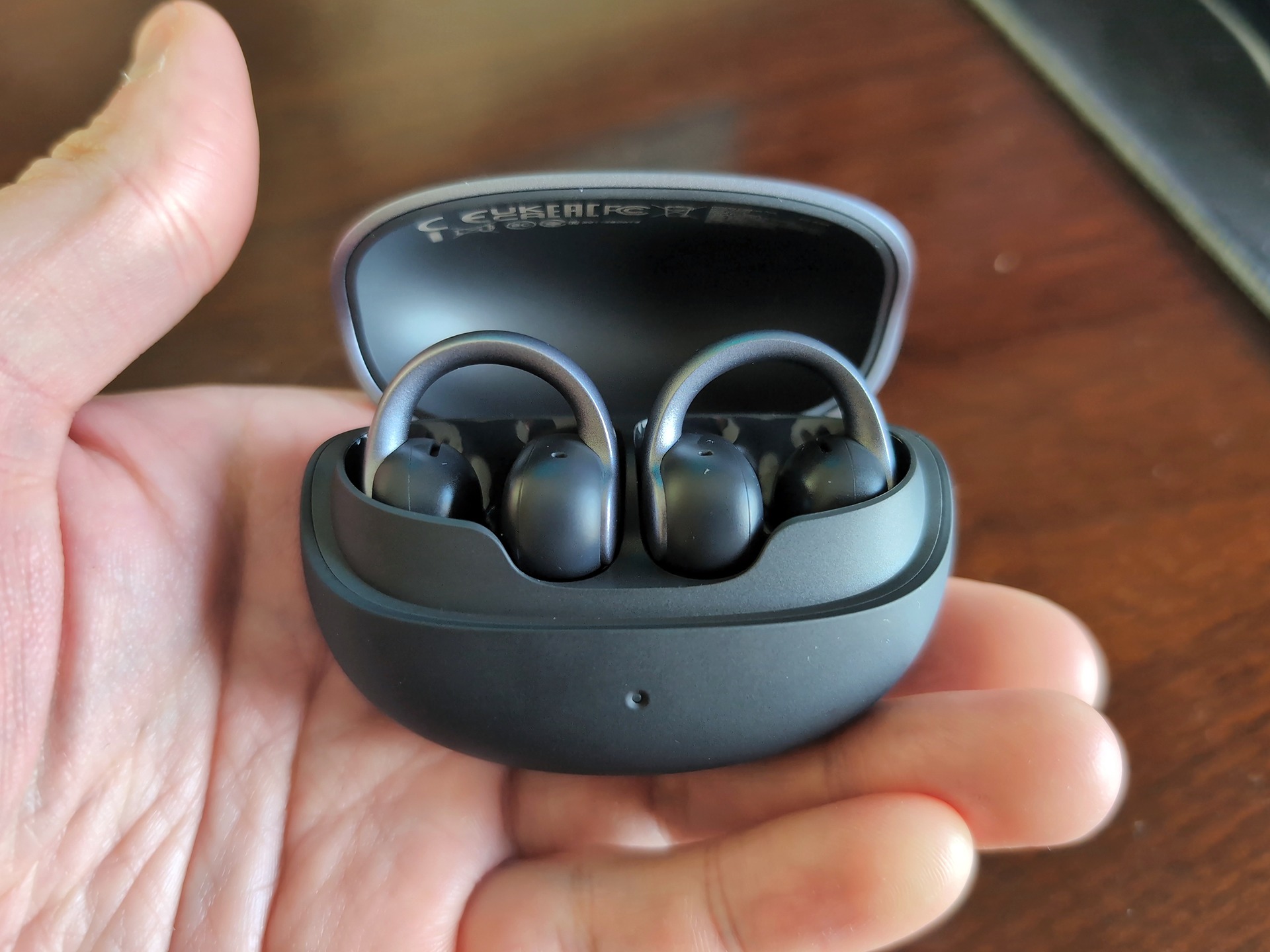
The clips leave the ear canal open. For someone listening at work, that means they can hear a coworker ask a question without first having to ask them to repeat it. On a loud train the arrangement works exactly as advertised, unfortunately. You’ll hear the train. I’d buy these for the office or a walk and give the frequent flyer in the family something with noise cancellation.
One setting is worth passing along when they open the box. In my ClipBuds Pro 2 review, switching on LDAC, the higher-quality audio option on compatible Android phones, turned off the ability to stay connected to a laptop and phone at once. I’d leave that setting alone. Taking a call without re-pairing the buds is the feature I’d use every day. UGREEN US lists the pair for $59.99.
MagFlow Pro 3-in-1 for the Apple household
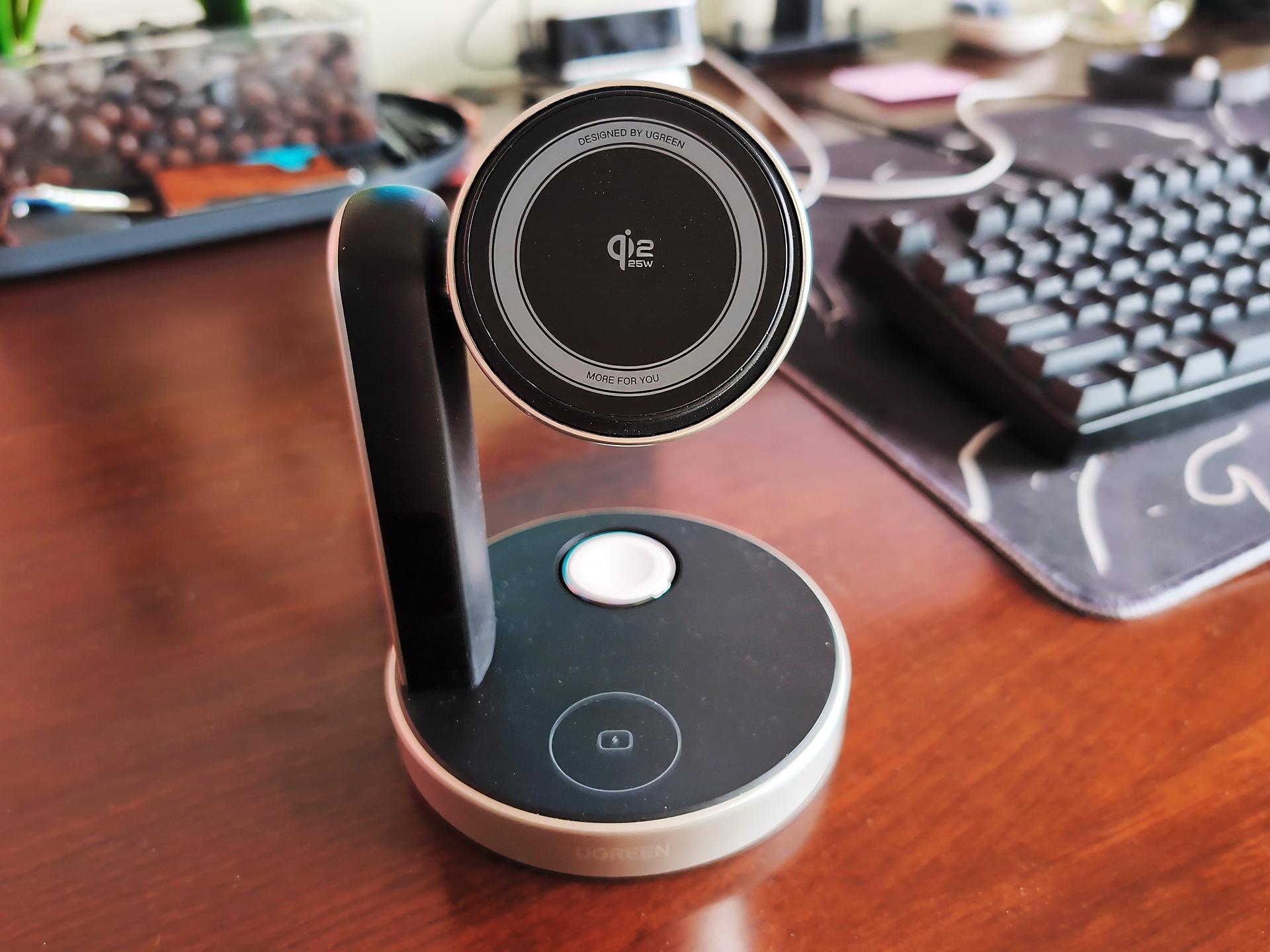
Look at what’s charging beside their bed. An iPhone, an Apple Watch and a wireless-charging AirPods case are the combination that earns this stand its space. The watch gets its own puck, the buds sit in the base, and the phone snaps into place high enough to see the time. My Google dock lost its spot on the nightstand over that last detail. At bedtime I’d much rather find a magnet in the dark than line up a connector.
In the MagFlow stand review, an iPhone 16 Pro Max reached roughly 50% from empty in half an hour. The hinge was stiff, which I appreciated once the phone was up there in its leather case. My one bedroom gripe was the bright status light. For someone who covers every LED with electrical tape, I’d put this one on their desk. The 45W wall adapter comes in the box. MagFlow Pro 3-in-1 at UGREEN US, $109.99.
MagFlow Pro power bank for the traveler with a bag
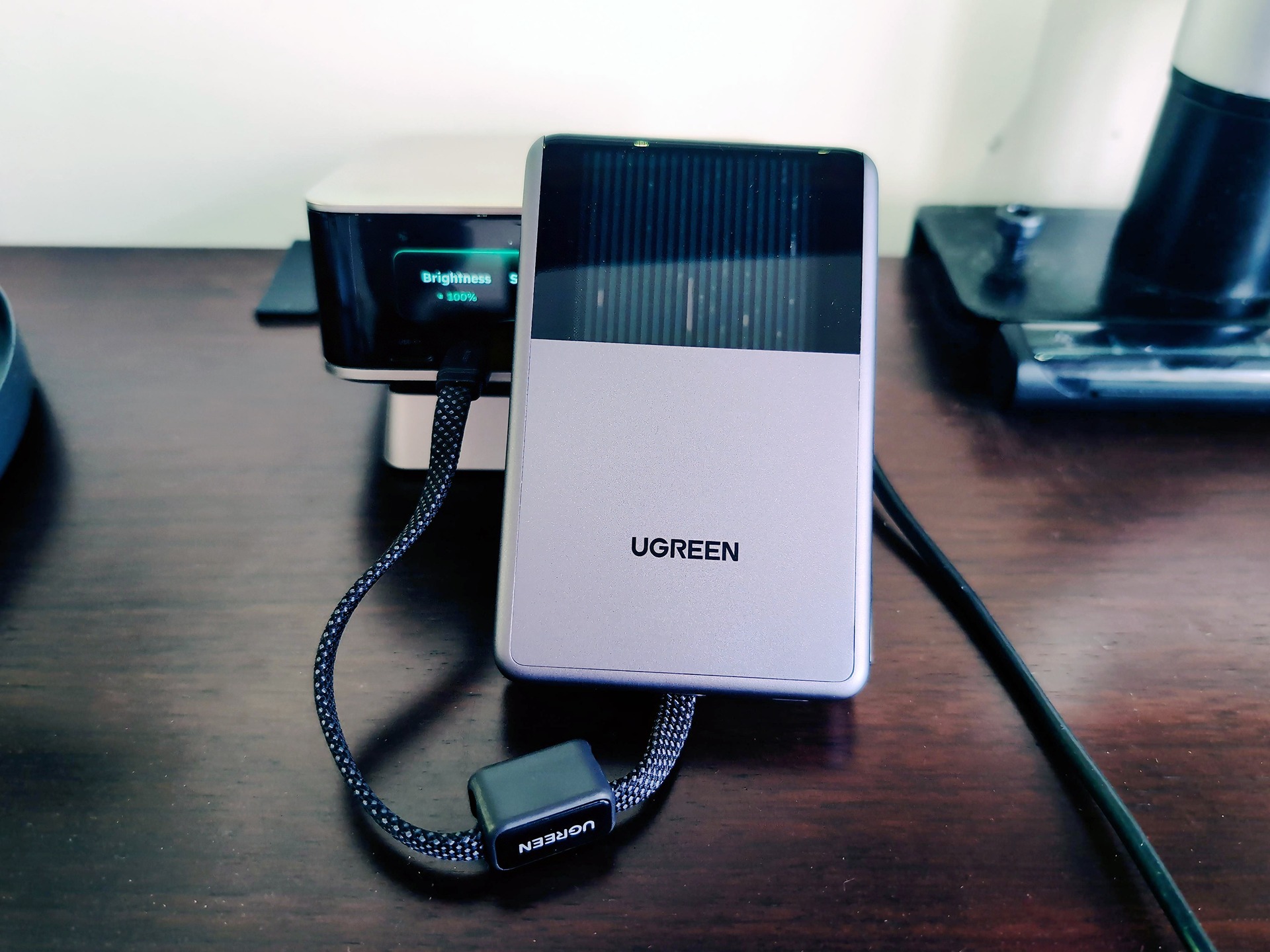
The MagFlow Pro has a little window where you can watch the coolant circulate. I thought that would be the thing I remembered. Turns out it was the corners. Clip a 230-gram battery to the back of a phone and try holding the whole thing one-handed for a while. Between the squared edges and the loop of braided cable against my hand, I found a better home for it in my go-bag.
That’s where this 10,000mAh pack makes sense. Set the phone on it at an airport table, or use the built-in USB-C lead and keep the phone in your hand. In our MagFlow Pro power bank review, the pack stayed cool through charging sessions of over an hour. The phone could still get warm. I’d happily give it to someone who travels with a backpack. For the person who leaves home with just a phone and keys, I’d look for something slimmer. MagFlow Pro power bank at UGREEN US, $94.97.
Nexode Pro for the desk with two laptops
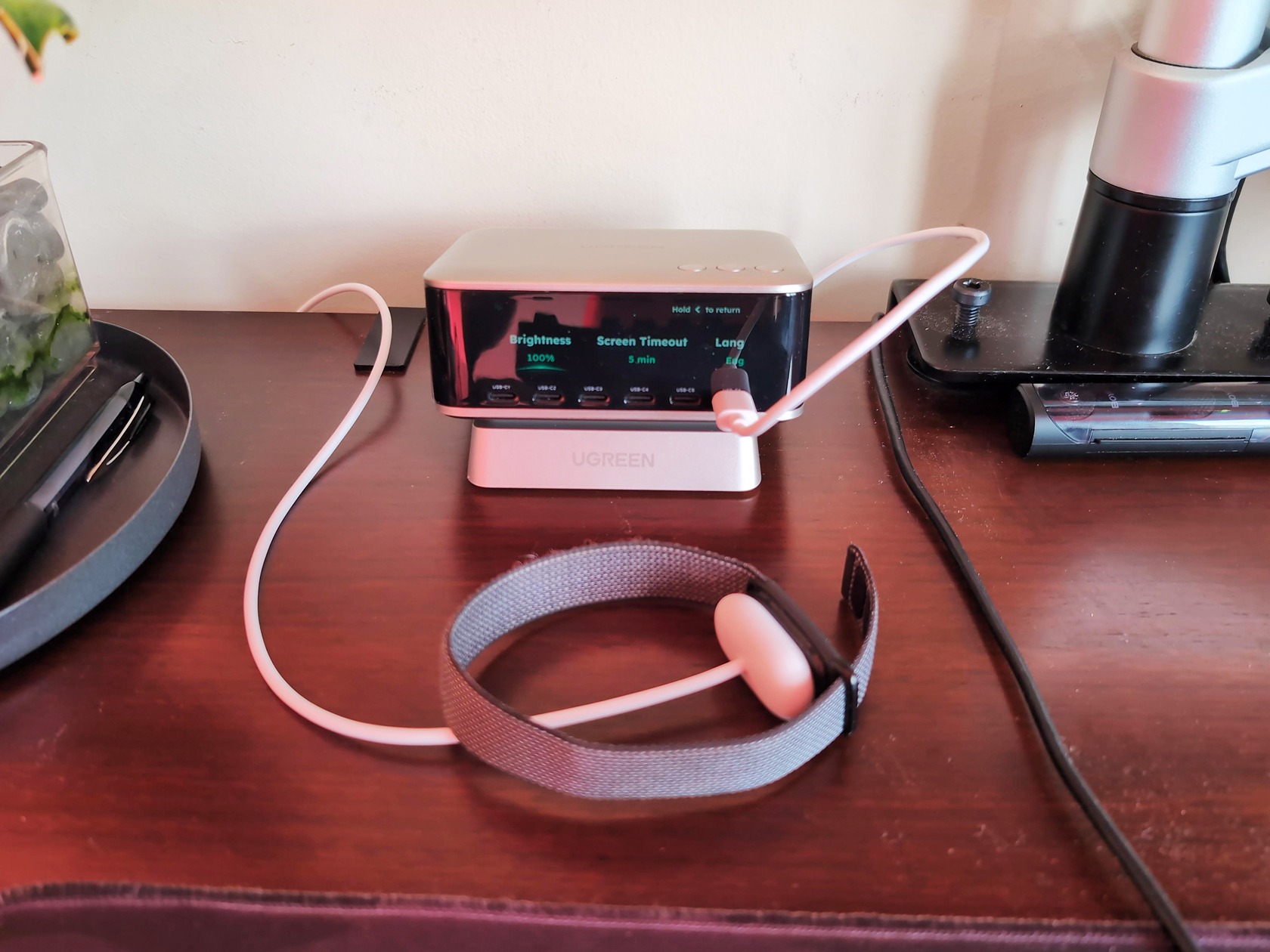
My favorite number from the Nexode Pro 300W test was 132W. That’s what a MacBook Pro was still pulling from the first USB-C port after we plugged in the other gear. The next two ports were delivering about 57W and 45W at the same time. If someone in your house has a work laptop and a personal one competing for outlets, that’s what the $169.99 desktop charger buys them.
It weighs about 839 grams, yet a stiff cable can still shove it across the desk. I’d give it a permanent spot. For someone who carries one laptop between home and work, I’d buy the five-port Nexode Pro 160W for $56.99 instead. That’s a different charger from our 300W test unit. Either of its top two USB-C ports can supply up to 140W on its own, and the screen shows how the power gets divided when a second device goes in. I’d keep the $113 difference.
Maxidok for the laptop that comes home to a desk
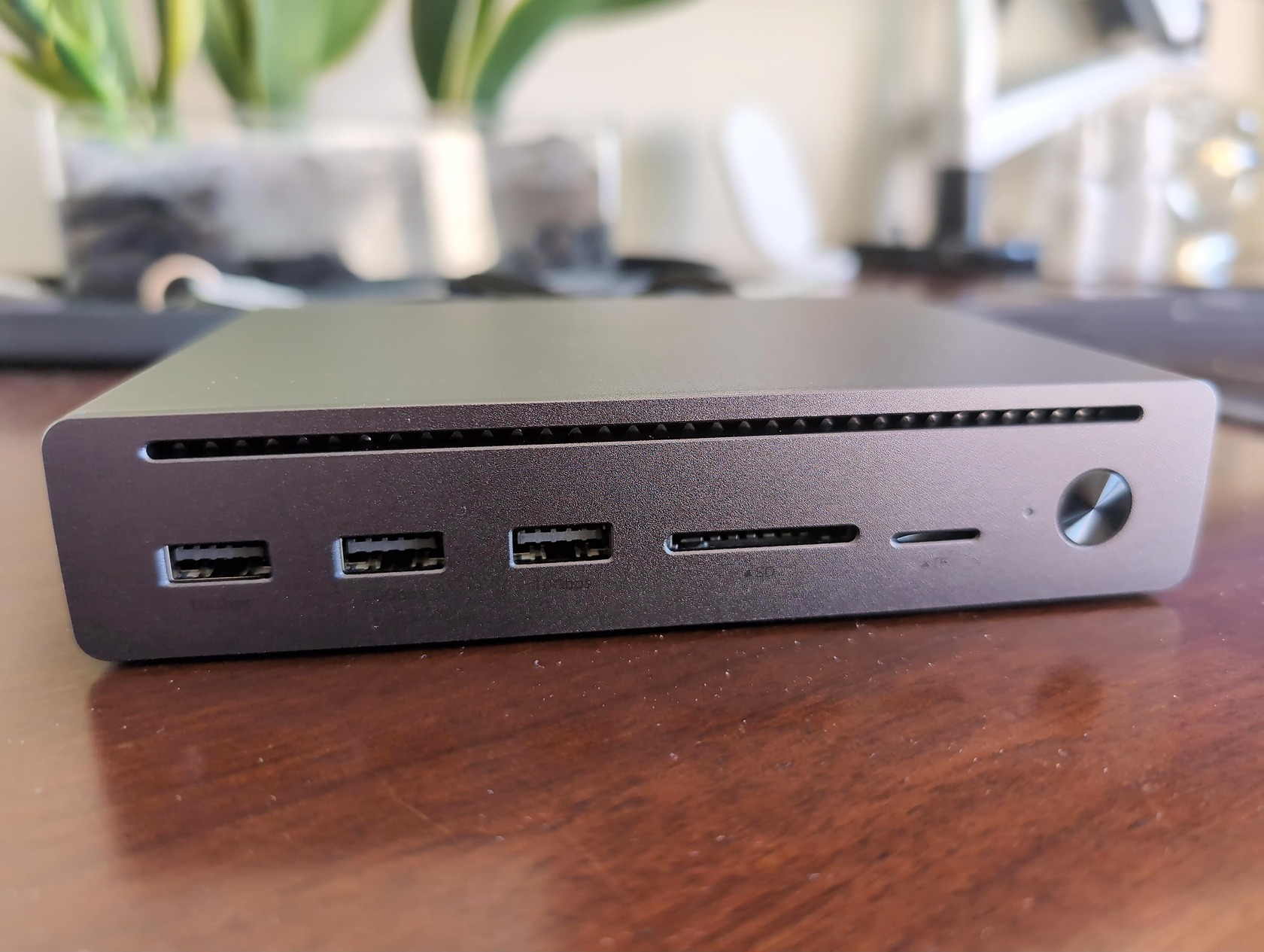
Count what they reconnect when they get home. If it’s one monitor and a mouse, $332 is a spectacular amount of money to spend on a mouse port. If they’re connecting displays, an external SSD and Ethernet every morning, I get it. When we reviewed the Maxidok 10-in-1, we ran storage transfers while monitoring the wired network connection. The aluminum case got warm under load, but the drives stayed connected. That matters a lot more halfway through a big copy than the number printed on the box.
I’d start with the 10-in-1 at $218.48. The Black Friday 17-in-1 is $332.48 at Amazon. I’d spend the extra $114 for the slot that takes an M.2 SSD inside the dock. A photographer could leave a working photo library on the desk and take the laptop home with nothing dangling from it. The SSD is a separate purchase. Get the exact laptop model before gifting either dock so you can check how many external screens it supports.
A NAS for the person who wants to run their own stuff
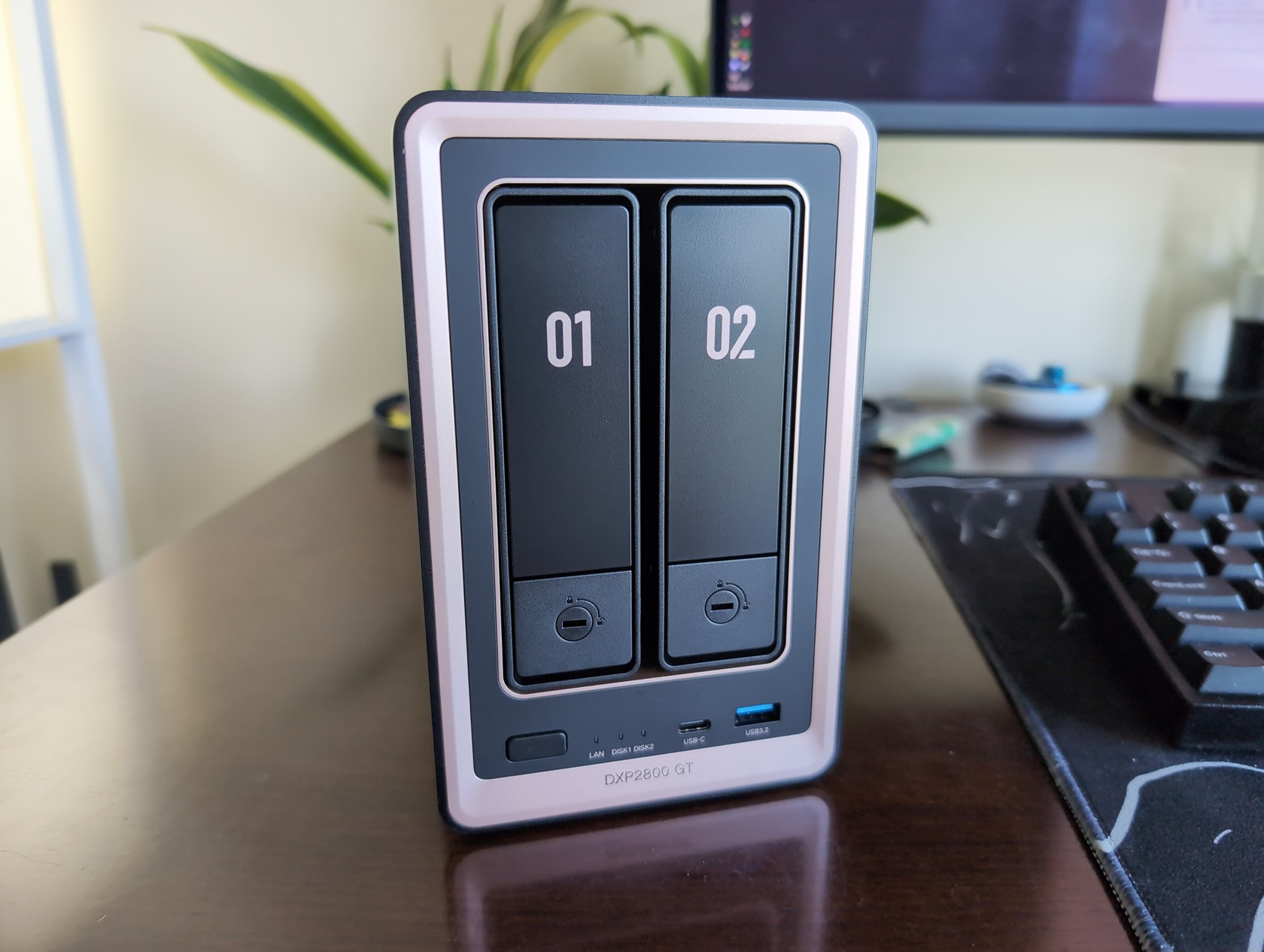
I run Immich on my UGREEN NAS for photos and use Portainer to manage containers. I enjoy the upkeep as much as I enjoy having my photos in one place. If they’ve asked how to get the family photos off a cloud subscription, they may love what the box can do. If they’ve already sent you a spreadsheet of hard-drive prices, they’ll probably enjoy setting it up, too.
Of the two Black Friday boxes, I’d buy the DXP2800 GT first. It has two drive bays, runs Docker and has a 10-gigabit Ethernet port. After a week with it in the office, the thing I liked most was how easily I forgot it was there. The other small kindness is a dust filter you can pull off with your fingers. Both details matter if the box is going to live beside somebody’s desk for years. Our DXP2800 GT review also covers where the standard Intel-based DXP2800 has the edge, particularly for a Plex user who relies on Intel Quick Sync to convert video.
Buy the two-bay GT direct at $349.99 and you save $40 over the advertised Amazon offer. The four-bay DXP4800 GT is $527.99 at either store. I’d spend that extra $178 for someone whose two existing drives are already full. Four bays give them somewhere to put the next pair. For a first photo server, I’d put the difference toward drives or a separate backup. Both sale prices are for empty enclosures.
And yes, the six-bay iDX6011 Pro we reviewed is the one I’d want to talk about over Christmas dinner. It has an OCuLink port for an external GPU, which should give you a sense of the person it’s for. At roughly $5,000, this is a gift I’d pick out together with somebody who already runs local AI models. For someone who wants to find photos of their kids, I’d wrap the two-bay GT and offer to help import the first batch.
The four US Black Friday offers
| Product | List price | Amazon US | UGREEN US |
| Nexode Pro 160W | $89.99 | $56.99 (37% off) | $56.99 |
| Maxidok 17-in-1 | $499.99 | $332.48 (34% off) | $332.49 |
| NASync DXP2800 GT | $509.99 | $389.99 (24% off) | $349.99 |
| NASync DXP4800 GT | $729.99 | $527.99 (28% off) | $527.99 |
US prices as of November 20, 2026. Amazon prices are UGREEN’s advertised offers. UGREEN lists the direct Maxidok price with coupon UL85590F. Drives are sold separately.