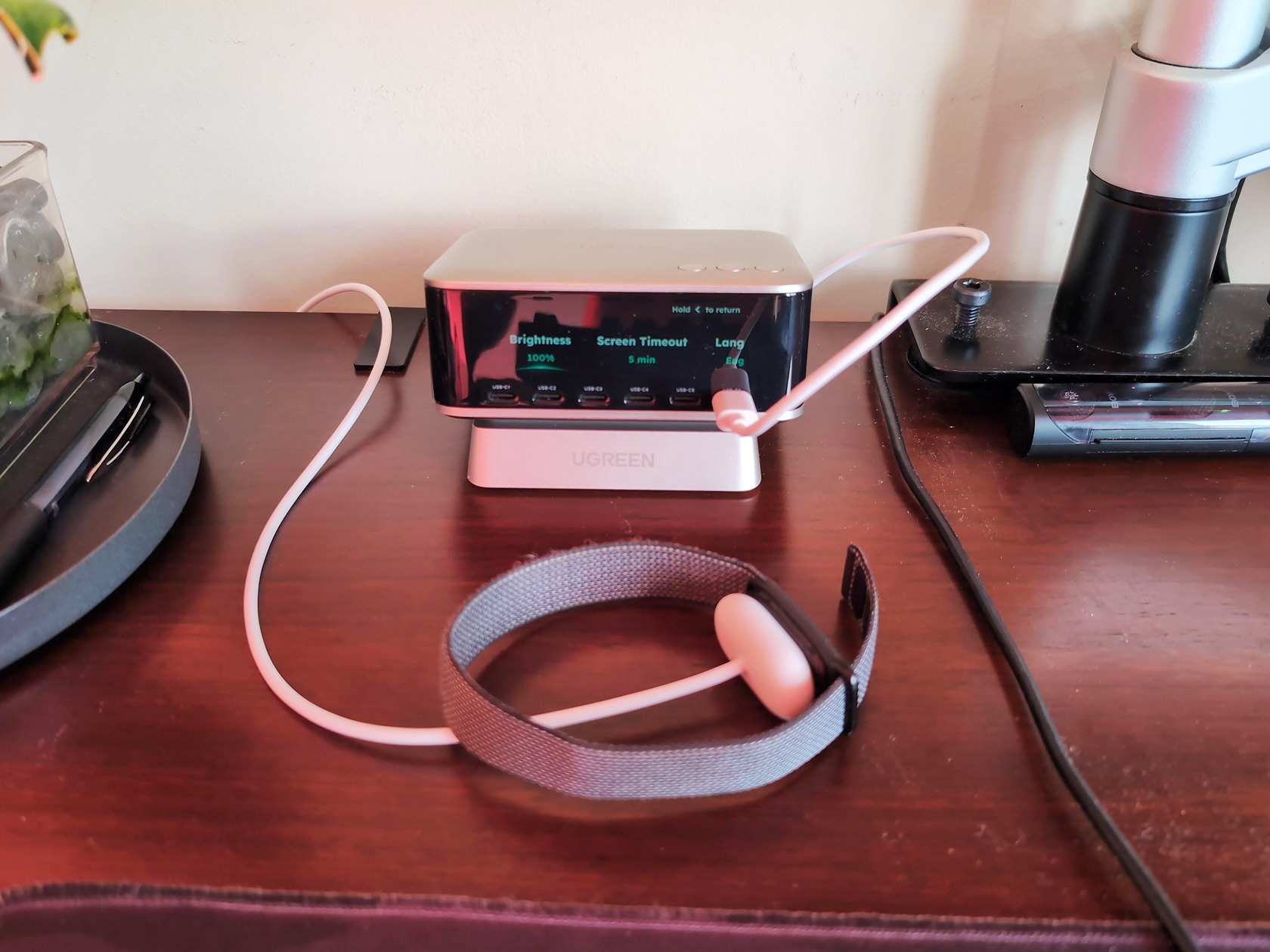
Okay, so let’s set the scene. My desk has, for the last year or so, been a graveyard for charging bricks. A squat 65W unit for the laptop, a slimmer one for the phone, a little white puck for earbuds, and a tangled knot of cables sprouting from a power strip that looks like it belongs in a server room after a bad day. It wasn’t terrible, but it was clutter. So when the UGREEN Nexode Pro 300W Desktop Charger (the X783) showed up, I was curious to see if it could be the one thing to rule them all.
My first impression, pretty much out of the box, was that the device has a sleek appearance and charges devices quickly. It’s kind of elegant. The real question: is this a clever piece of engineering or just a heavy brick that happens to be big? Is a 300W stationary charger worth the desk space and the cash? Let’s break it down.
Key Takeaways
The UGREEN Nexode Pro 300W delivers 130W+ to a 16-inch MacBook Pro via the C1 port, even when every other port is loaded, charging it from 23% to 70% in just 30 minutes.
While it supports PD 3.1, PPS, and other modern protocols, it caps out at 50W for Xiaomi/Oppo/Vivo proprietary charging, and a USB 2.0 data limit applies to the included USB-C cable.
At $199.99 MSRP and 839g (1.85 lbs), it’s a pricier, desk-only alternative to the 252W Sabrent Voltik, but it offers more total power, a display, and app control.
Table of Contents
Where the Nexode Pro 300W sits in the market
This isn’t a bigger version of the chargers UGREEN already makes. The lineup spans 65W and 100W units up to the 160W Nexode Pro with the retractable cable (the X776). The X783 sits firmly at the top of their desktop range. At 300W total output, it’s one of the highest-capacity desktop chargers you can buy right now.
It’s designed for people with one wall socket and a bunch of high-power devices that all need to charge simultaneously.
Unboxing the Nexode Pro 300W
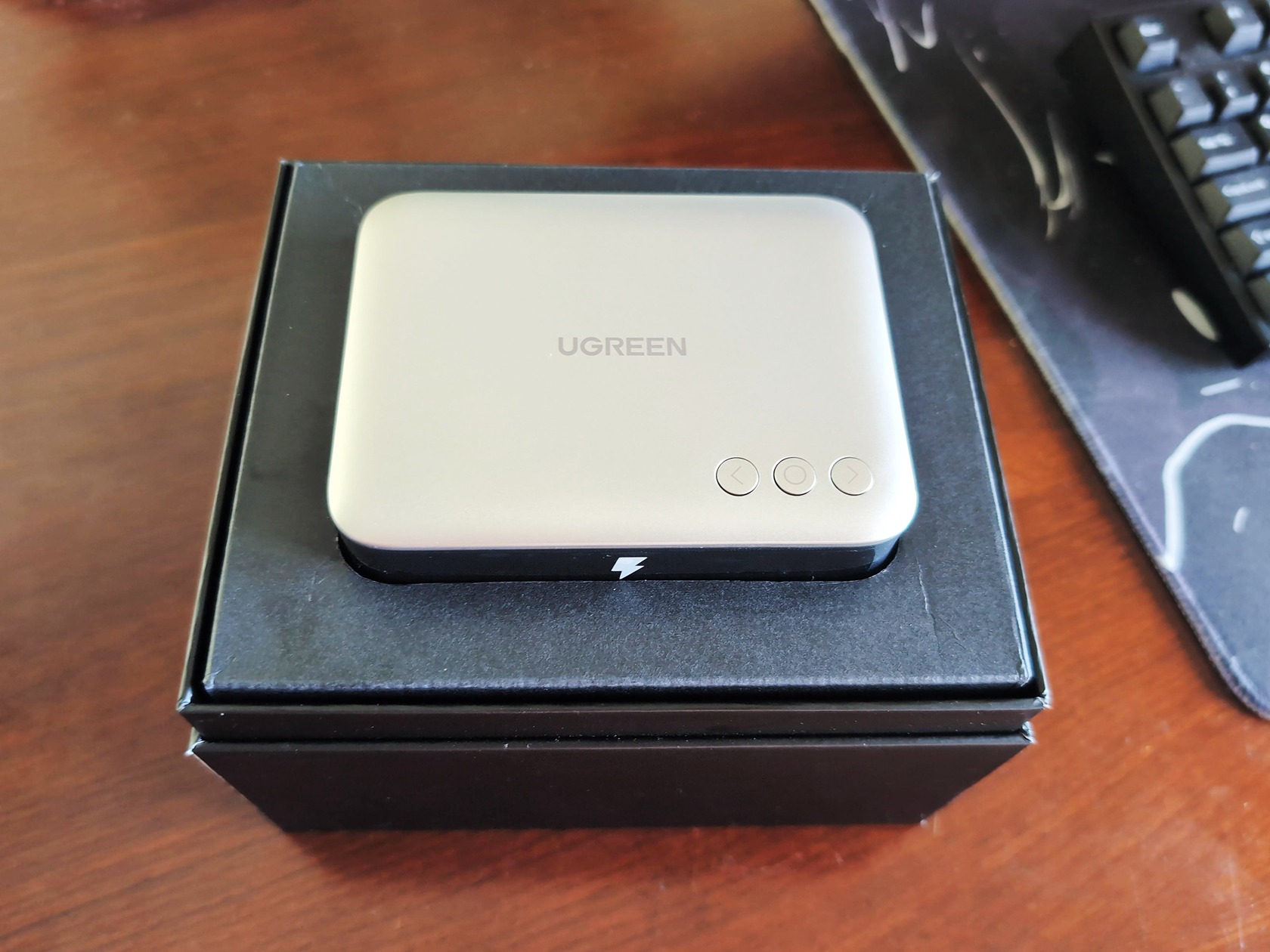
The box is pretty clean, no frills. Inside, you get the charger itself, a 6-foot AC power cord with that clover-shaped IEC C5 connector, a plastic base that angles the charger for better visibility, some velcro straps for cable management, and a manual. There’s also one 5-foot braided USB-C to USB-C cable. It’s a nice, quality cable, rated for 240W. But here’s the detail most reviews miss: the cable is USB 2.0 with an E-marker chip.
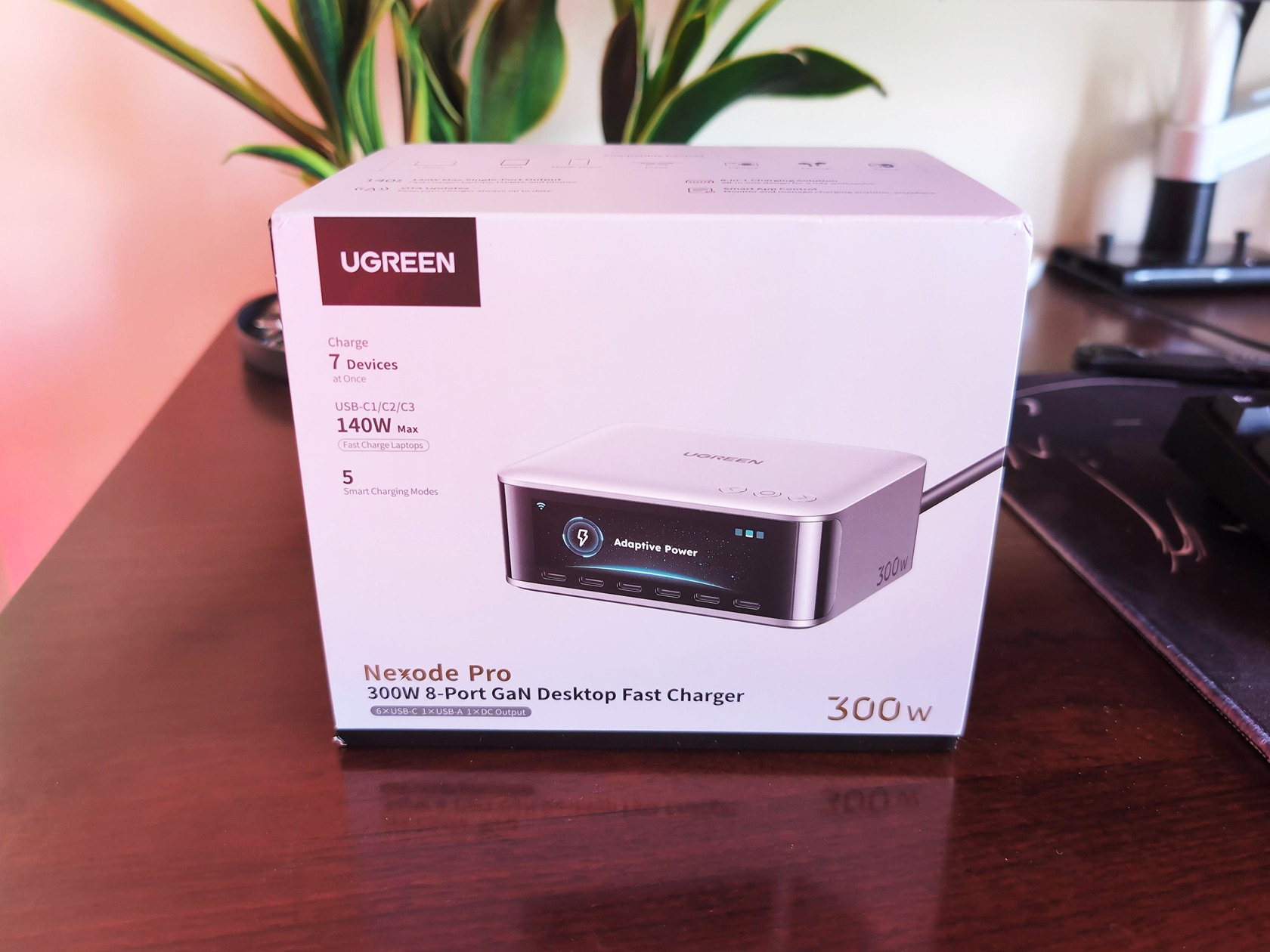
That means it can push that full 240W of power, but its data speed tops out at the USB 2.0 spec. So don’t plan on using it as a high-speed data link for an external SSD. It’s for power, and it’s for power only. For charging, it’s perfect. For transferring game files, you’ll want to swap it out.
Design and build quality
Let’s get the numbers out of the way. The X783 measures 11.2cm × 9.4cm × 5.3cm and weighs in at a hefty 839g, which is about 1.85 pounds. That’s only about 153.5g lighter than a Dell Latitude 7350 magnesium ultralight laptop. So, you’re acutely aware of it when you pick it up.
That said, it’s not a brick in the bad sense. For 300W in a desktop charger, this is compact. It achieves a power density of about 0.54W/cm³, which is impressive for this class.
The build quality feels solid. The matte metallic-grey finish looks sharp, and there’s a laser-engraved “300W” indicator on the side. On the bottom, there are anti-slip strips. They work, but not perfectly.
The thing is so heavy that when you plug in a stiff cable, it will slide around your desk. It’s a two-hand job: one hand on the charger, one hand for the plug. It’s stable enough in day-to-day use, and the included plastic base tilts the front up slightly, which makes the screen easier to see. But it’s not a mount, and you can’t wall-mount it. This is a sit it on your desk and leave it there kind of device.
Port layout and power distribution
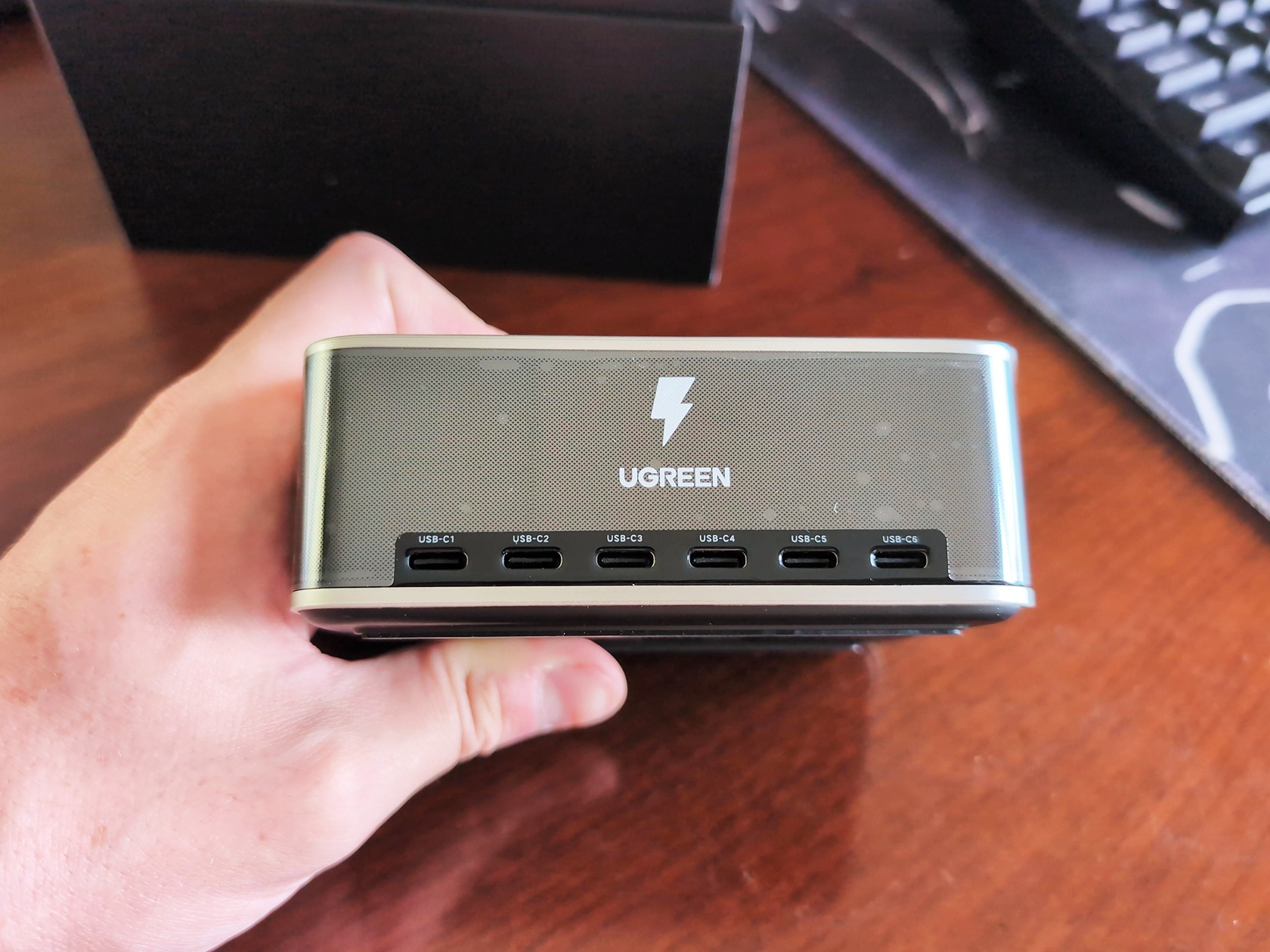
All the ports are on the front, which is a great design choice. On the left side, you’ll find a single USB-A port and the DC output. The AC input is on the back. You get six USB-C ports (C1 to C6), one USB-A port, and a DC barrel jack.
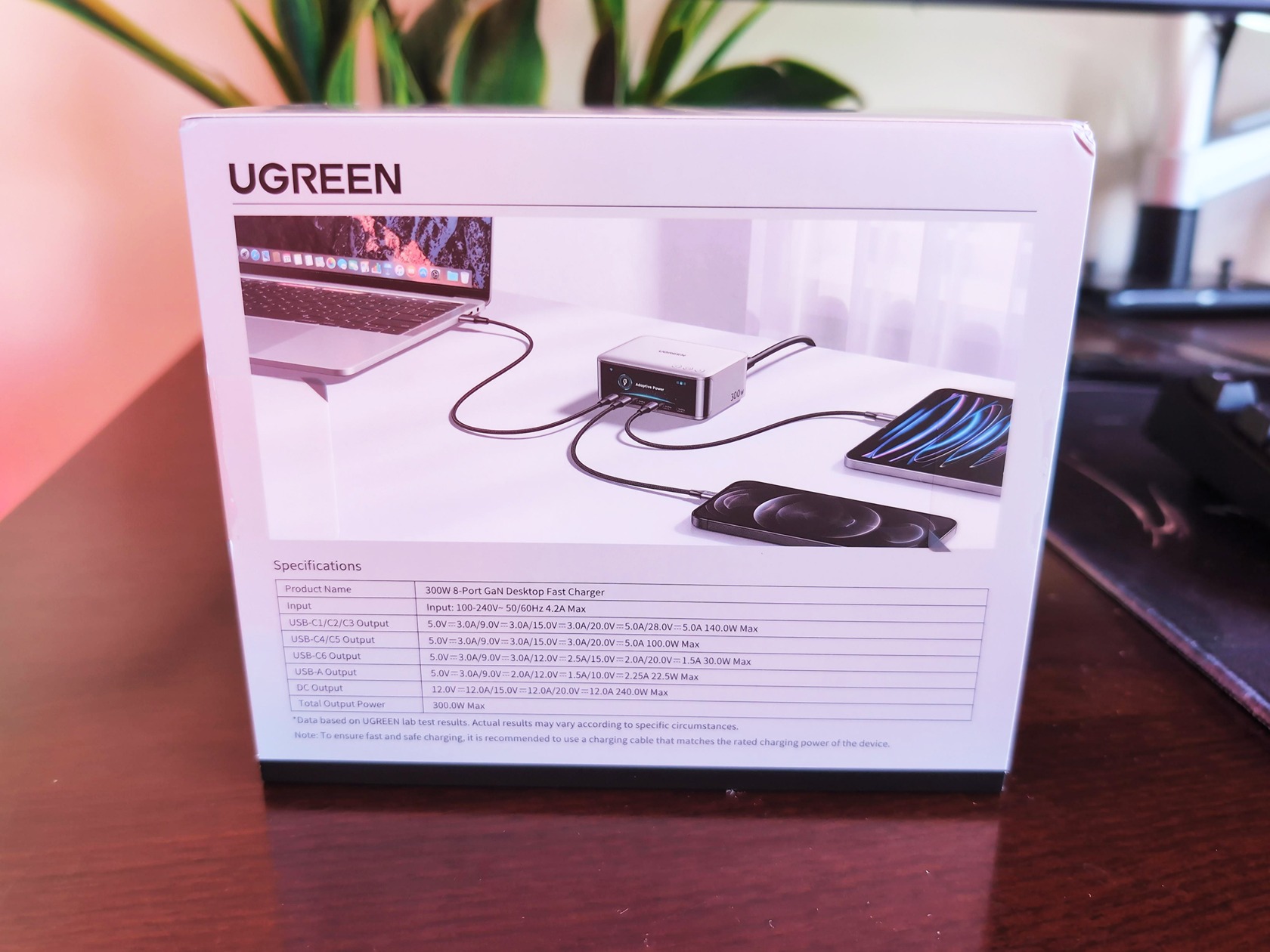
Here’s the breakdown of what each port can deliver:
- C1: 140W (This is the monster port for a big laptop)
- C2 / C3: 100W each
- C4: 45W
- C6: 30W
- USB-A: 22.5W
- DC Out: Up to 240W
The power distribution isn’t even, and that’s by design. Power is concentrated on specific ports. The C6 port, for instance, is capped at 30W because UGREEN mainly intends it for everyday devices like phones, earbuds, watches, and tablets. It’s not a flaw; 30W is plenty for a phone to fast-charge. The real magic happens under load, though.
C1 holds the line
I ran a test with an M3 Max MacBook Pro connected to C1 with the Apple MagSafe cable, and then started loading up the other ports one by one. Here’s what the power distribution looked like:
- C1 + C2: 130W + 61W
- All five USB-C ports + USB-A active: C1=131.97W, C2=57.25W, C3=45.18W, C4=18.1W, USB-A=15.03W
Even with every port pulling power, C1 held its near-140W output. That’s the differentiator. You can charge a laptop at full tilt while simultaneously topping up a phone, earbuds, and a tablet without affecting the laptop’s charge speed. It handles this multi-port scenario with power to spare, which is more than I can say for any other charger I’ve used.
Protocol support: Which devices actually fast-charge?
Compatibility is where the Nexode Pro shines and also where it has a few fascinating quirks. It supports a broad range of fast-charging protocols:
- USB PD 3.1 on C1 (including the 28V5A tier)
- PD 3.0 with PPS on C2, C3, and C4
- QC5, SCP, FCP, AFC, Apple 5V2.4A, and BC1.2.
Basically, if your device speaks PD 3.1 or PPS, like a current MacBook or a Samsung Galaxy, you’re covered. But here’s the geek-level caveat: Chinese Android phones that use proprietary charging tech, like Xiaomi and Oppo, will top out at around 50W here. Even if their own wall-charger promises 120W, this charger can only do 50W. The port also matters: C1 is the only port that supports the 28V5A PD 3.1 tier. So, for maximum speed, the port matters a key detail in our UGREEN Revodok Maxidok review.
Charging compatibility: Real devices on the desk
I plugged a bunch of stuff into this thing to see what happens. The spec sheet matters less than what the devices actually report.
- 16-inch MacBook Pro M1 Max: With the Apple MagSafe cable, this thing consistently pulled 130W and sometimes even broke past it. With a third-party 240W cable, it still pulled a respectable 91.97W. On C2 or C3, it hit a very solid 92.37W.
- Meizu 20 Pro: This one was interesting. On C1, it pulled a full 65W. But when I moved it to C4, it only got 43W. It’s a perfect demonstration that not all ports are created equal, even with PD support.
- Huawei Mate 40 Pro: On the USB-A port, it maxed out at just 20W due to SCP limitations. It works, but it’s not the phone’s full speed.
- iPhone 14 Pro Max: Got the full USB-C PD Fast Charge, peaking around 27W. No surprises.
- Samsung Galaxy S25: No problems here, hitting its supported max of 45W.
- Motorola Edge 50 Pro: This charger can feed this phone its full 125W if it supports the right protocol.
If you have a PD3.1 or PPS device, you’ll get full speed. If you have a proprietary-fast-charging Chinese phone, you’ll get decent, but not maximal, speeds.
Multi-device simultaneous charging
This is where the party gets started. I plugged in a 16-inch M3 Max MacBook Pro and a 15-inch M3 MacBook Air simultaneously, and both charged at their near-max speeds while I was still using them.
With all ports fully loaded, C1 still held at 131.97W. That’s the headline.
Full charging test curves
I ran full charging curves on two of the most common devices: a 16-inch MacBook Pro M1 Max and an iPhone 14 Pro Max.
Laptop charging curve
Plugging the M1 Max into C1 with the Apple MagSafe cable, here’s the story:
- 23% to 70% in 30 minutes. A full day’s work in half an hour.
- Hit 50% in 26 minutes.
- Hit 80% in 49 minutes.
- Full charge to 100% took 1 hour and 52 minutes.
The power draw follows a five-phase curve: it starts at 120W, then steps down to 100W, 67W, 44W, and finally a trickle charge to zero near the end. So, the last 20% of the battery takes nearly as long as the first 80%, which is standard behavior for lithium batteries, not a flaw in the charger.
Phone charging curve
The iPhone 14 Pro Max was, as expected, pretty uneventful.
- 50% in 25 minutes.
- 80% in 51 minutes.
- Full charge in exactly 2 hours.
It pulls about 27W initially, then settles into a 22W, 15W, and eventually 6W phase as it fills up.
Thermal management and efficiency
Now for the “does this thing get hot?” question. I ran this thing hard. I charged two laptops simultaneously and had every port active, and the unit stayed warm but never hot to the touch. That’s impressive.
In a controlled thermotank test at 25°C, a 140W load pushed the max temp of the charger to 51.5°C, which is well below the 77°C IEC 62368 safety limit. This is thanks to the vented chassis, a graphene-copper heatsink, a flame-retardant casing, and a proprietary chip that’s constantly monitoring temperature and adjusting output.
It’s also a champ on energy when idle. Standby power draw is 0.013W at 220V and 0.004W at 110V. That translates to an annual cost of about 0.113 kWh (220V) or 0.035 kWh (110V). Its conversion efficiency is also good, landing between 75.91% and 92.56% at 220V, depending on the load.
Screen, app, and smart features
The Nexode Pro aims beyond a plain charger. A small TFT screen on the front displays the per-port wattage, voltage, current, protocol, temperature, and total output.
The three buttons on top are the only way to cycle through screens, and I found the setup a bit cumbersome, often having to press and hold buttons to get where I wanted to go. It’s not a touchscreen, and the brightness is hit-or-miss in certain lighting.
There’s also a companion app called UgreenConnect. It lets you check real-time status, update firmware, and change charging modes, including Adapter Power, Thermal-safe Charging, and Priority Charging. There’s even a low-power mode to protect sensitive devices. The app is functional, but I found it largely unnecessary beyond initially binding the charger and configuring custom modes. The X776’s app is closer to what this one should’ve shipped with.
Also, a note on privacy: the app requires a UGREEN login to work. That’s a vendor-linked online account, which does link your hardware to them and carries some inherent privacy risks.
Real talk: Usability and daily quirks
No charger is perfect, and the X783 has a few quirks worth mentioning.
- Two-hands-to-plug: The rubber feet help, but the weight and slide-y nature mean it will move around on your desk when you plug in a stiff cable. It’s the most annoying thing about it.
- No indicator lights: There are no LEDs on the front to show which ports are active. You have to look at the screen or open the app.
- Only one cable: You get a single USB-C to USB-C cable in the box. If you want to use all six USB-C ports, you’re buying more cables.
- No wireless charging: The large, flat top surface looks like it should support Qi charging, but it doesn’t. It feels like a missed opportunity.
- Cable management: The velcro straps help, and the recessed port array on the front keeps things a little tidy, but the DC-out port is on the left side next to the AC input, which can be a bit awkward with the routing.
None of these are deal-breakers, but they’re minor issues you should know before buying.
The comparison game: UGREEN vs. the Sabrent Voltik
So how does the X783 stack up against the alternatives? The closest comparable product is the Sabrent Voltik 252W.
| Spec | UGREEN Nexode Pro 300W | Sabrent Voltik 252W |
|---|---|---|
| Total output | 300W | 252W |
| Ports | 7 concurrent (6x USB-C, 1x USB-A) | 8 ports (4x USB-C, 4x USB-A) |
| Max per-port | 140W (C1) | 100W (PD 3.0) |
| Protocol support | PD 3.1, PPS, QC 5.0 | PD 3.0, PPS, QC 4/3 |
| Smart features | Screen + app | None |
| Mounting | Desk-only (sits flat) | Wall-mountable |
| Price (USD) | $199.99 MSRP | $89.99 |
The UGREEN wins on raw power (140W vs 100W per port), future-proofing (PD 3.1), and smart features. The Sabrent is the budget king. At $89.99, it’s less than half the price, it’s wall-mountable, and it has more total ports. It’s a speed-and-features vs. price-and-form-factor tradeoff.
The UGREEN is the right pick if you need to charge one massive laptop at full tilt while also keeping other gear topped off, and you want that screen. The Sabrent is perfect for someone who wants a capable charger on the cheap.
Anker makes excellent chargers, but they don’t offer a 300W charger with a screen and app at this price point. In this specific class, the UGREEN is the more compelling option.
Pricing, value, and the verdict
So, is it worth it? In the US, the X783 has an MSRP of $199.99, though street prices are often lower. I’ve seen it listed as high as $269 on Amazon, which is a big markup, so shop around. In Australia, it’s A$242.95 RRP, but I’ve seen it discounted to as low as A$166.95 with promos, which is a good deal.
For what it is, the price is justified if you’re the target user. This is a “buy once, solve the entire charger problem” product.
- Pros: Up to 140W per port, 300W total output, charges up to 8 devices, supports PD 3.1 and brand-specific protocols, has a smart screen and app, and is compact for its power. It even includes DC out for gaming laptops.
- Cons: The non-mount design slides around under cable pressure, the non-touch screen has clunky navigation, there’s no wireless charging, the app could be better, it’s heavy at 1.85 lbs, and the included cable is USB 2.0.
Who should buy this?
It’s for the power user with a home office or workstation who has multiple laptops, phones, earbuds, and tablets that all need to charge simultaneously. If you have limited wall sockets and a pile of devices, this is an upgrade.
It’s a desktop charger for a large home with many devices, my desk is a cable-free zone for the first time in years.
Frequently Asked Questions
Is UGREEN a trusted company?
Yes, UGREEN is a well-established brand known for producing reliable charging accessories and cables. The Nexode Pro 300W demonstrates their engineering quality, with solid build, efficient thermal management, and broad protocol support. While no brand is perfect, UGREEN has a strong reputation among tech reviewers and consumers.
Is UGREEN just as good as Anker?
In the desktop charger category, UGREEN’s Nexode Pro 300W actually outshines Anker. Anker makes excellent chargers, but they don’t offer a 300W model with a screen and app at this price point. UGREEN provides higher per-port power (140W vs. Anker’s typical 100W) and more total output, making it the more compelling choice for heavy multi-device charging.
How does the UGREEN Nexode Pro 300W handle charging multiple devices at once?
The Nexode Pro 300W maintains near-max power on its main C1 port (around 130W) even when all other ports are active. In testing, it charged a 16-inch MacBook Pro at full speed while simultaneously powering a phone, earbuds, and a tablet without dropping the laptop’s charge rate. This is a key differentiator from most other chargers.
Is the UGREEN Nexode Pro 300W worth the $199.99 price?
It’s worth it if you’re a power user who needs to charge multiple high-wattage devices at once and wants a single, clean solution. It delivers up to 140W per port, has a smart screen and app, and can replace several chargers. However, if you’re on a budget or prefer a wall-mountable option, the Sabrent Voltik 252W at $89.99 is a cheaper alternative.
