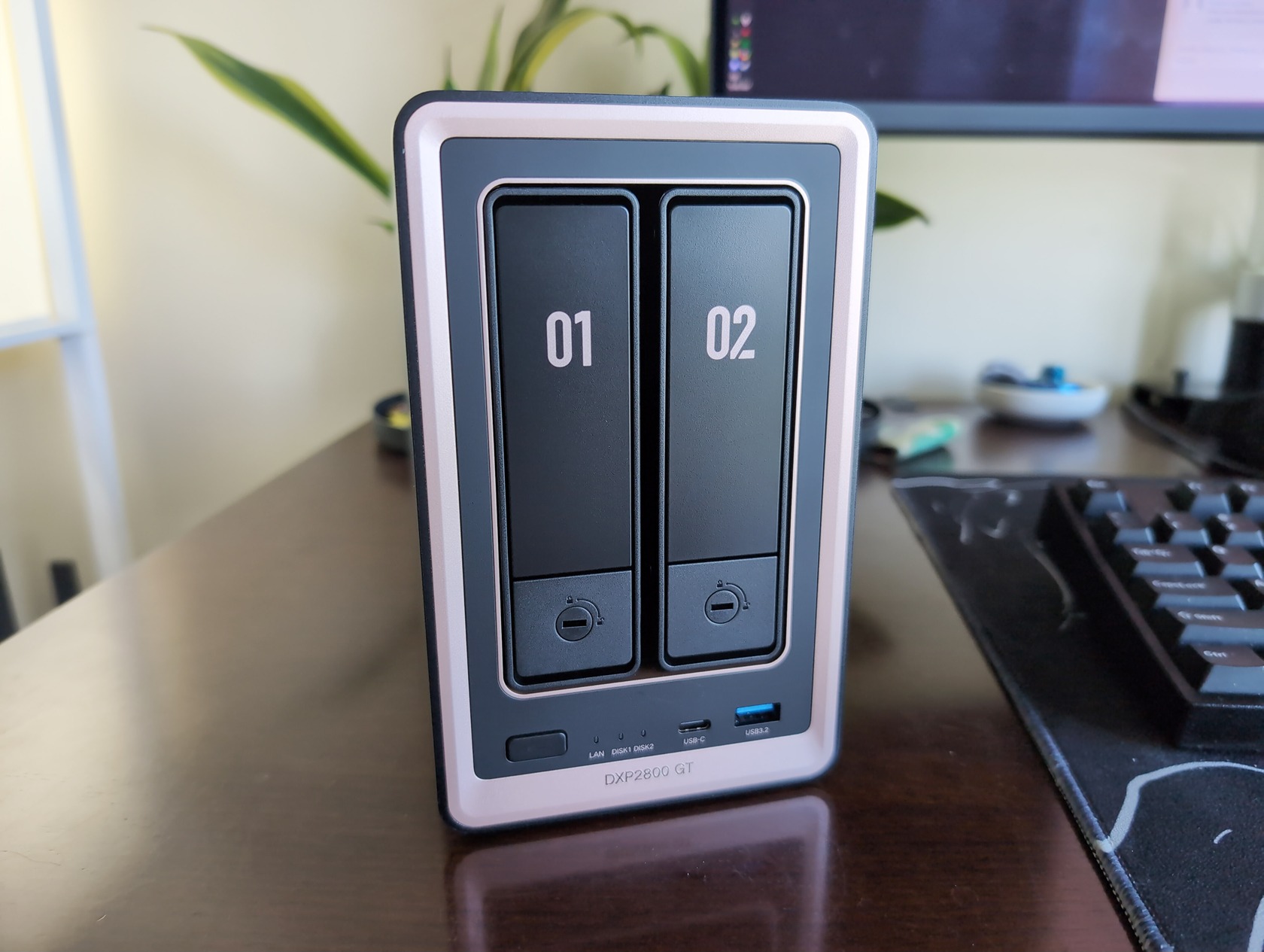
I’ve been running UGREEN’s iDX6011 Pro as my home-lab server since early 2026, after finally ditching my aging Synology. When the DXP2800 GT showed up at my door, I was excited—the “GT” badge, the promise of 10GbE, the idea that UGREEN was pushing their hardware further. I unboxed it, plugged it in, and then spent the next week working through a realization that I think sums up this device perfectly: the DXP2800 GT isn’t a pure upgrade over the standard DXP2800. It’s a re-targeting, and whether that’s good or bad depends entirely on what you actually do with your NAS.
Here’s the tension in a nutshell: the GT swaps out Intel’s N100 for an AMD Ryzen R2514, trades DDR5 for DDR4 ECC, and bumps the network port from 2.5GbE to a full 10GbE. It sounds like a win on paper. But that AMD chip loses QuickSync hardware transcoding—including AV1 support—and the DDR4 switch is a genuine regression that most reviews skimp over. At $50 more than the standard DXP2800, the question isn’t “is the GT better?” It’s “is the GT better for you?”
Key Takeaways
The AMD Ryzen R2514 offers more compute cores and threads than the Intel N100, but UGREEN’s “26% higher CPU Mark” claim is a vague marketing number without independent benchmarks—real-world Docker and VM performance depends heavily on workload
The GT lacks hardware AV1 decoding entirely, forcing software transcoding that eats CPU resources; the standard model’s Intel QuickSync handles AV1 natively, making it the better choice for future-proof media servers
The single 10GbE port can deliver up to 4x the throughput of the standard’s 2.5GbE, but only if your network infrastructure—switch, cabling, and client devices—can actually support it
Table of Contents
Hardware and Design
The DXP2800 GT looks the part. It’s a space gray aluminum chassis with gold trim accents that feels premium—not “premium for a NAS,” but premium enough that you wouldn’t mind having it visible in your living room. That’s the intent. This isn’t rack-mount gear designed to live in a closet; it’s meant to sit on a shelf next to your TV or in your home office without drawing complaints about noise or aesthetics.
Build and cooling
The chassis is solid aluminum, and UGREEN made some thoughtful choices around thermal management. A magnetic dust mesh filter on the intake is a small detail that becomes appreciated over time, as it eliminates the need to disassemble the unit for fan cleaning. The hydraulic fan runs at 29–34 dB, which is whisper-quiet. I’ve had it running in my office for a week now, and I forget it’s on unless I’m transferring large files. The filter pops off and snaps back on magnetically, so maintenance is basically zero effort.
Port layout and everyday convenience
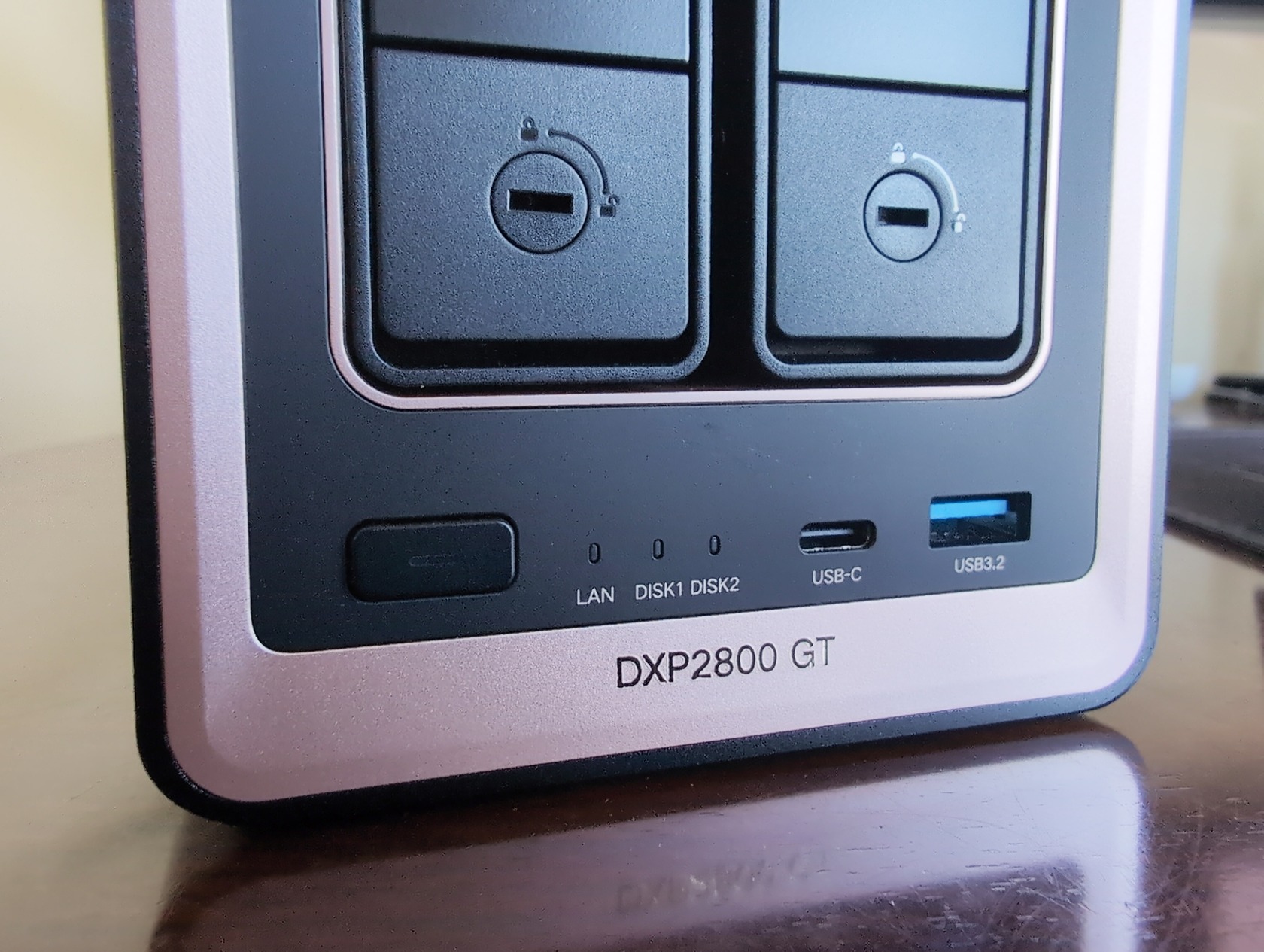
The front panel has both USB-C and USB-A ports, both running at 10Gb/s. This is one of those things you don’t appreciate until you need to dump a camera card or connect an external drive without fishing around the back of the unit. On the rear, you get another USB-A at 10Gb/s plus two USB-A ports at 5Gb/s for peripherals, along with the HDMI 4K output for direct media playback.
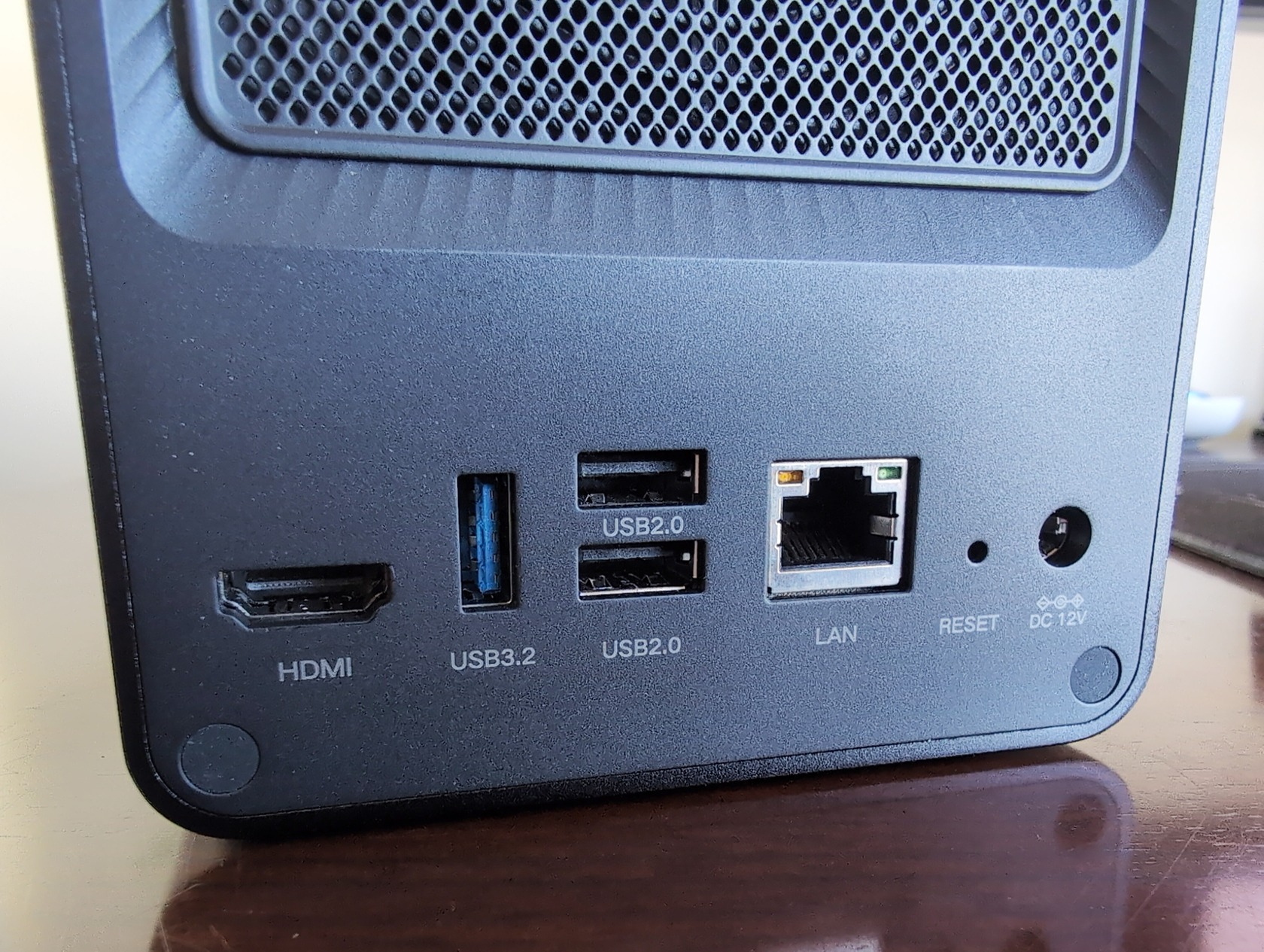
Speaking of that HDMI port: it’s not just a spec-sheet checkbox. You can plug this thing into a TV and use UGOS Pro’s poster-wall player for direct media playback without needing a separate streaming device. It’s not Plex-level polish, but it works, and it’s a useful feature for anyone who wants a simple living-room setup.
Drive bays and storage flexibility
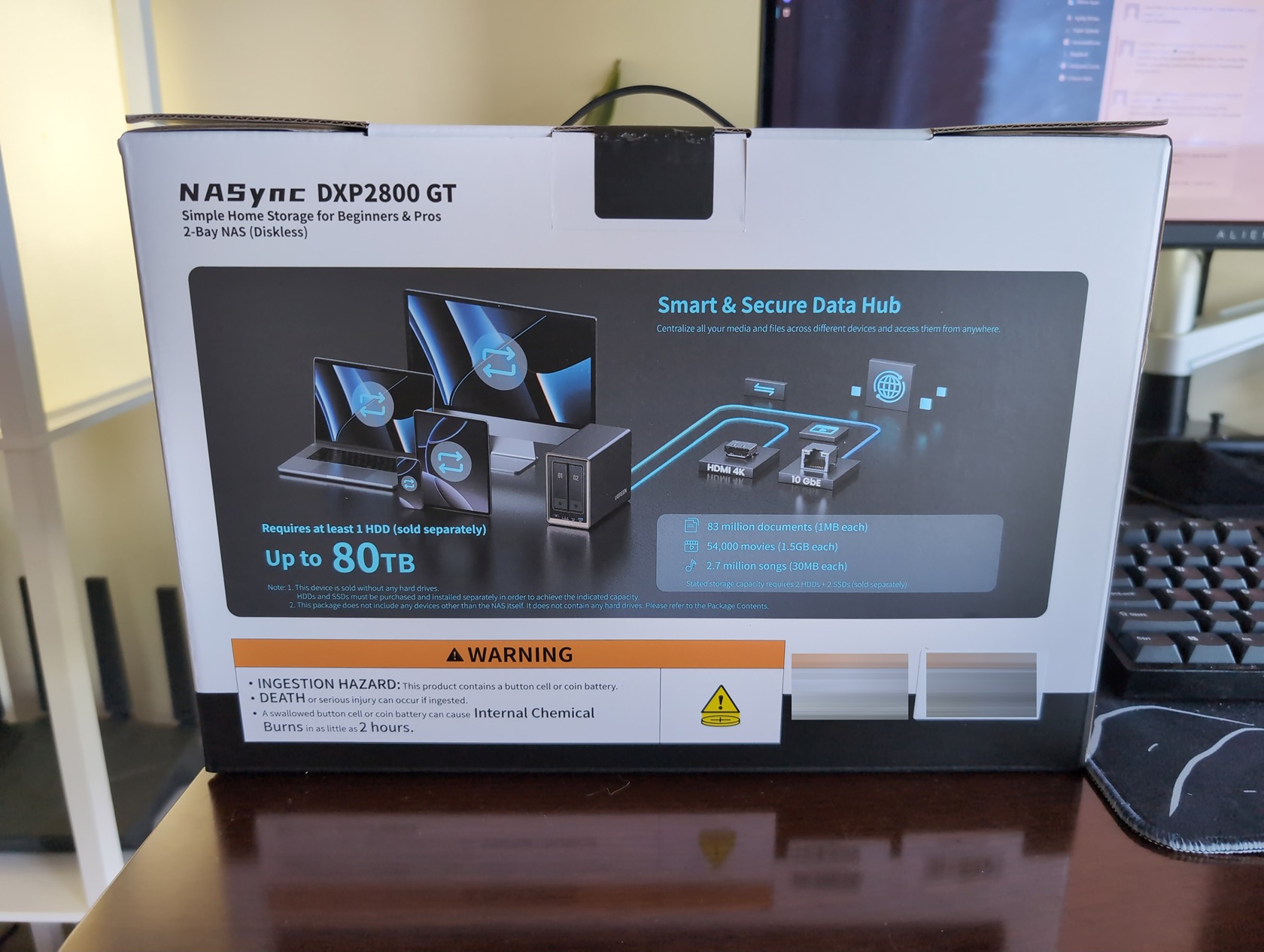
The GT has two SATA HDD bays supporting drives up to 32TB each, plus two NVMe SSD slots. What’s more interesting is that bays 1 and 2 also support U.2 SSDs. That’s rare at this price point, and it matters if you have enterprise-grade U.2 drives sitting around—they offer higher endurance than consumer NVMe, making them ideal for caching or write-heavy workloads. Maximum total capacity hits 80TB (2x32TB HDD + 2x8TB SSD), which is plenty for most home users. RAID options are JBOD, Basic, 0, and 1—no RAID 5 or 6, but for a two-bay device, mirroring or striping covers the common use cases.
The Big Tradeoff—CPU and Memory Choices That Define the GT
This is the heart of the DXP2800 GT, and it’s where the device gets interesting—and complicated.
AMD Ryzen R2514—More cores, but for whom?
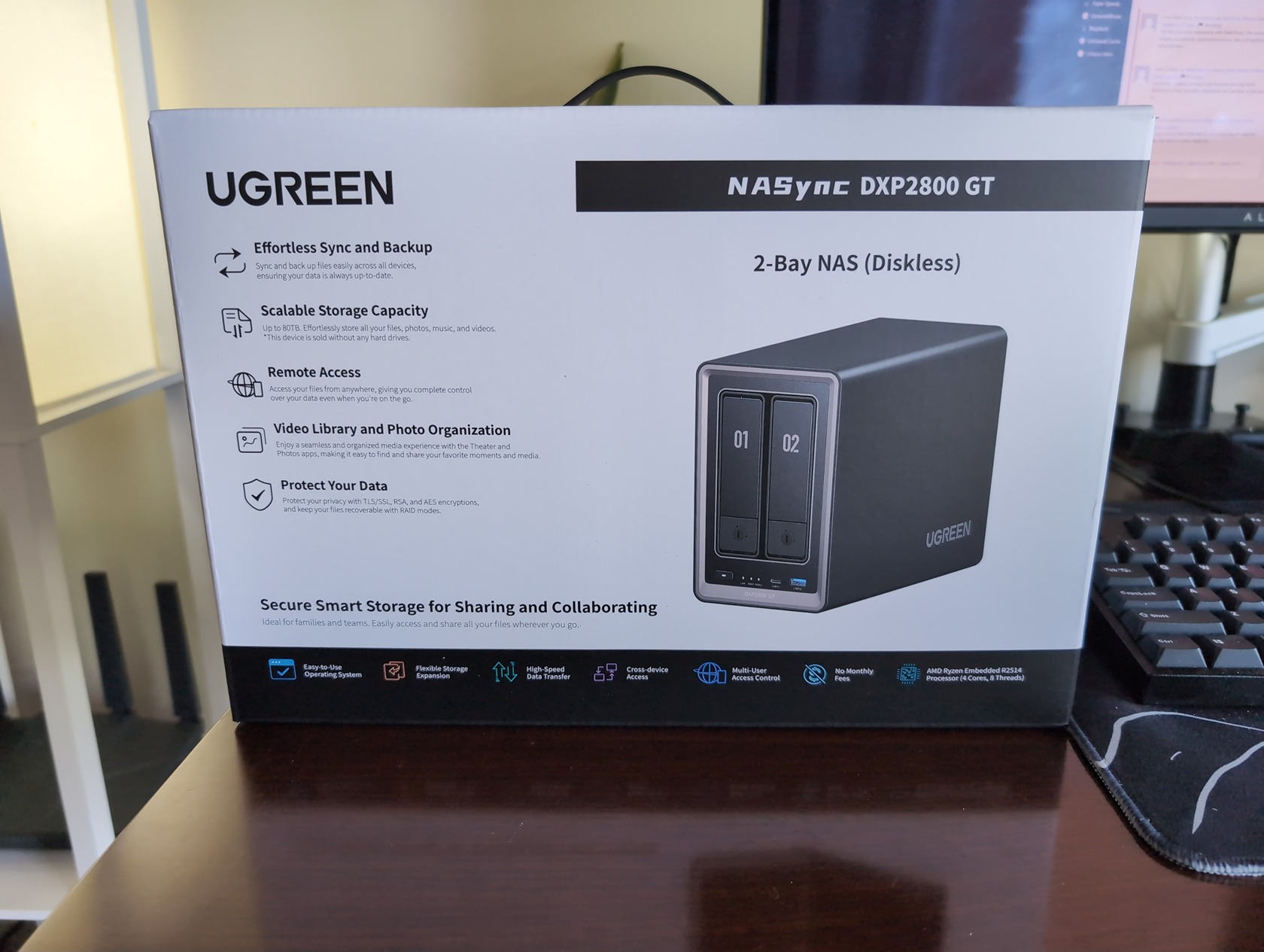
The AMD Ryzen Embedded R2514 includes four cores, eight threads, and a 3.7GHz boost clock, paired with a Radeon Vega iGPU. On paper, that’s more compute muscle than the Intel N100 found in the standard DXP2800. UGREEN’s marketing claims a 26% higher CPU Mark vs select previous DXP models, which is vague. It’s a marketing number without independent verification, and I’d treat it with the same doubt I’d apply to any unverified claim.
What does that extra compute actually buy you in practice? Docker containers and virtual machines. The Ryzen’s additional threads mean you can run more containers simultaneously without hitting CPU bottlenecks. But here’s the thing: the standard DXP2800’s Intel N100 is no slouch.
One community member reported running 30 Docker containers on the standard model without issues. So unless you’re pushing serious compute workloads—multiple VMs, heavy data processing, or dozens of containers with active workloads—you might never feel the difference.
Red flag: UGREEN’s “26% higher CPU Mark” claim is an unverified marketing number. Treat it as directional at best until independent benchmarks appear.
DDR4 ECC vs DDR5—A reliability-speed tradeoff
Here’s the tradeoff that doesn’t get enough attention. The GT uses DDR4 ECC memory, while the standard DXP2800 uses DDR5. ECC (Error-Correcting Code) memory can detect and fix single-bit memory errors, which is useful for data integrity. If you’re storing critical files or running databases, ECC provides a real safety net.
The catch? DDR4 is slower than DDR5. For most home users, the speed penalty is more noticeable than the error correction benefit. You’ll feel the difference in memory-intensive operations like running multiple VMs or heavy database workloads. The GT ships with 8GB of DDR4 ECC, expandable to 64GB. That’s enough to start, but plan to upgrade if you’re running anything beyond basic services.
The memory choice is a regression that mainstream reviews tend to gloss over. The standard model’s DDR5 is faster, and for most home-lab users, the ECC advantage is theoretical. If your NAS isn’t handling mission-critical data, you might prefer the speed.
Media Serving and Transcoding—The AV1 Blind Spot
If you run a Plex or Jellyfin server, this is where the GT’s “upgrade” turns into a downgrade.
The AMD Radeon Vega iGPU supports H.264 and H.265 hardware transcoding via AMD AMF and VAAPI. For current media libraries, that’s fine—most of your content is probably in those codecs. But the Vega iGPU has no hardware AV1 decoder. Any AV1 file you throw at it must be software transcoded, which eats CPU resources and impacts overall system responsiveness.
AV1 adoption is growing fast. Streaming platforms, torrent releases, and personal media libraries are shifting to AV1 because it offers better compression at the same quality. If you’re building a media server you plan to use for the next few years, the Intel N100’s QuickSync support for AV1 is a decisive advantage. The GT’s AMD chip simply can’t match it for media workloads.
Software transcoding works—I tested it with a few AV1 files, and playback was fine—but you’ll feel the CPU hit during multitasking. If you’re running Docker containers alongside a media server, that AV1 transcode will compete for resources in a way that QuickSync handles silently in hardware.
Networking and Storage Speed—10GbE Is the Differentiator
The 10GbE RJ45 port is the GT’s headline feature, and it delivers. Compared to the standard model’s 2.5GbE, you’re looking at up to four times the theoretical throughput. That’s meaningful for editing high-resolution video directly over the network, transferring large datasets, or running backups without bottlenecks.
But 10GbE only matters if the rest of your network can keep up. If your switch tops out at 1GbE and your clients use Wi-Fi, that 10GbE port is wasted. You’ll need a 10GbE-capable switch, proper cabling (Cat6a or better), and client devices with matching NICs. That’s not a cheap upgrade, and it’s worth factoring into your total cost.
The GT supports NVMe caching via its two SSD slots, and the U.2 support in bays 1 and 2 means you can use high-endurance enterprise drives for caching. Combined with the 10GbE port, this setup can actually saturate the link—but only if your storage tier is fast enough. A pair of spinning HDDs won’t come close to filling 10GbE.
Power Consumption—The Hidden Cost of Performance
UGREEN rates the GT at 42.36W during active drive access and 18.12W at idle. That’s not unreasonable for a NAS, but the community estimate suggests it draws 2–2.5 times more power than the standard DXP2800.
For an always-on device, that adds up. The $50 upfront premium between the GT and standard DXP2800 starts looking very different when you factor in electricity costs over a year or two. The heat output is also noticeably higher—the GT runs warmer than the Intel-powered standard, which matters if your NAS lives in a small office or media cabinet without great ventilation.
Cost check: At 2–2.5x the power draw of the standard DXP2800, the GT’s $50 price difference can be eclipsed by electricity costs within a year of 24/7 operation.
Software—UGOS Pro and the Ecosystem
Here’s where my personal experience comes in. I replaced my Synology DSM setup with UGOS Pro on my iDX6011 Pro months ago, and I’ve been using it as my daily driver ever since. UGOS Pro isn’t just a feature list—it’s a legitimate ecosystem that competes with Synology‘s DSM for home-lab use.
You get Docker support for containers, Surveillance Center for camera management, SAN Manager for iSCSI targets, and cloud drive mounting for hybrid setups (mount your Dropbox or Google Drive locally). The AI photo sorting—faces, places, objects, and duplicate detection—works locally and preserves privacy. It’s Google Photos-style functionality without sending your data to the cloud.
UGREENlink provides secure remote access without needing a public IP or configuring port forwarding. Security Manager includes real-time virus scanning. The 64GB eMMC system drive handles UGOS Pro comfortably, and ongoing updates keep the platform current.
The community support is solid too. There’s a Community Guide, active Discord servers (including a German-language one), and forum resources. When I’ve run into issues, the answers were usually already documented.
Community Comparison—DXP2800 GT vs Standard DXP2800
The community is split on this one. The r/UGREEN subreddit has threads where users are debating the same tradeoffs I’ve been wrestling with.
One user (u/ArmySalamy) bought the standard DXP2800 two weeks before the GT launched and is considering swapping at the $50 premium. Another (u/nlale02) advises against it, specifically citing the DDR4 switch and loss of QuickSync. u/Chumsicle4Life suggests skipping both and going for the 8-bay 8800 with dual 10GbE if you need that much speed. u/FreshLaundry6769 reports running 30 Docker containers on the standard DXP2800 without issues, which reinforces the point that the Intel N100 is no slouch.
The decision framework that emerges from these discussions is clear:
- Choose the GT if you need 10GbE for direct video editing or large file transfers, run heavy Docker or VM workloads that benefit from extra CPU threads, value ECC memory for data integrity, and don’t rely on hardware AV1 transcoding
- Choose the standard DXP2800 if you run a Plex or Jellyfin media server (especially with AV1 content coming), want lower power consumption and heat output, prefer faster DDR5 memory for general responsiveness, and don’t need 10GbE speeds
Verdict—Who Should Buy the DXP2800 GT?
The DXP2800 GT is a well-built, powerful NAS that targets a specific niche: users who need 10GbE and extra CPU compute, and who don’t depend on hardware AV1 transcoding. For Docker-heavy home labs, VM hosts, or anyone editing high-resolution video over the network, the GT makes sense.
For everyone else—and I suspect that’s the majority of buyers—the standard DXP2800 at $50 less is the better value. QuickSync with AV1 support is a real advantage for media servers, DDR5 is faster day-to-day, and the lower power consumption makes the $50 price gap even wider when you factor in ongoing electricity costs.
The GT isn’t a pure upgrade. It’s a re-targeting that makes different tradeoffs. Understanding those tradeoffs—and being honest about what you actually need from your NAS—is the difference between buying the right device and buying the one with the faster-sounding specs.
