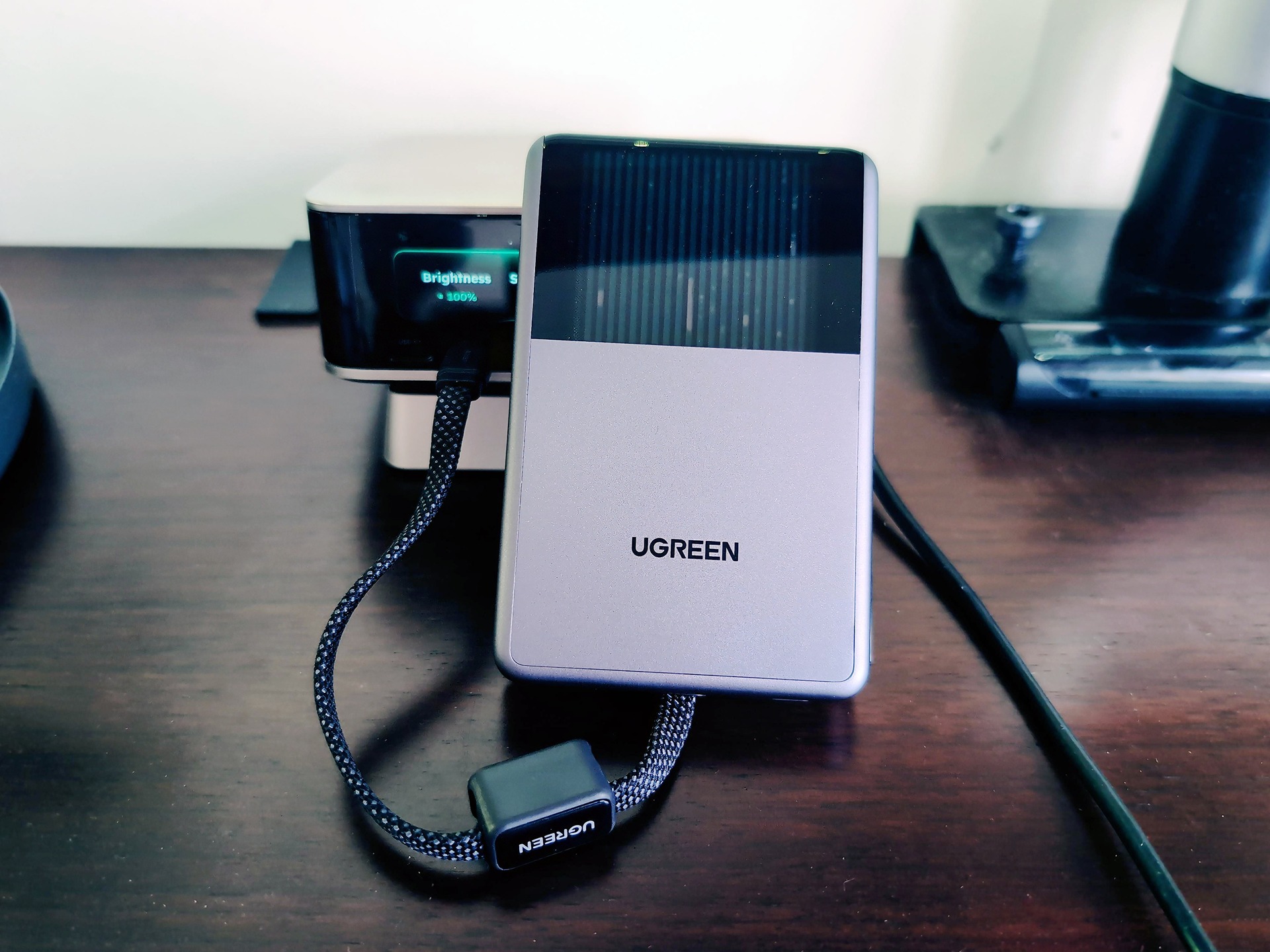
Yes, the liquid cooling in the UGREEN MagFlow Pro power bank actually works, with one honest catch: it cools the power bank, not your phone. I went in fully expecting a gimmick, spent an hour-plus charging sessions with it in hand next to a Samsung Galaxy S24, and came out converted. This 10,000mAh magnetic bank does up to 25W Qi2.2 wireless and 45W wired, and it lives in my go bag now rather than clipped to my phone. Here’s the honest version.
Key Takeaways
CryoPulse liquid cooling works, but it protects the power bank itself: the phone can still run hot (a Xiaomi 17 Ultra did), while the bank never got warm over hour-plus sessions.
Full 25W wireless only reaches iPhone 16/17/18 and other Qi2.2 devices; iPhone 12 through 15 cap at 15W.
At $149.99 MSRP it’s hard to justify, but at $99.98 direct from UGREEN the math gets much friendlier.
Table of Contents
CryoPulse liquid cooling: what it actually cools
Yes, the MagFlow Pro’s liquid cooling works, when you understand what it’s actually cooling: the power bank itself, not your phone. Inside, a CryoPulse micro-pump circulates coolant through liquid channels and a VC copper foil layer that sits over the charging core, including the wireless coil. The heat gets pulled away from where charging actually happens. And through a transparent front window, you can watch the coolant circulating live, which is exactly as fun as it sounds if you’ve ever ogled a liquid-cooled gaming PC. UGREEN claims peak temps up to 18°F (10°C) cooler than an industry benchmark, and independent testing reportedly found similar results, that’s the line that turns a fun light show into an actual endorsement.
UGREEN claims the bank runs up to 18°F (10°C) cooler than an industry benchmark, and independent testing reportedly landed near the same numbers, which is what tipped this from neat claim to actually works for me. UGREEN also claims up to 44% less device heat build-up, but that one comes with “up to” attached, and reviewers observed the primary cooling acting on the bank itself, not the phone. Then there’s a 32.4°F cooler figure floating around in lineup marketing. That number belongs to the 3-in-1 stand’s TEC cooling, a different product entirely, and nobody’s independently backed it. Side-eye, affectionately.
The correction most coverage misses: the cooling does not reach your phone. The tell is a cool bank with a warm phone. A Xiaomi 17 Ultra still got hot during fast wireless charging while the bank stayed cool. My Galaxy S24 did stay noticeably cooler than with other portable wireless chargers, but that’s a device-dependent bonus, not the promise.
Real-world thermal and speed testing
Can output drop during longer sessions? Yes. Charging speed fluctuates with your device, battery percentage, temperature, and power management, and independent testing observed output tapering in longer sessions despite excellent temperature management. The cooling keeps temps down; it doesn’t guarantee sustained peak rates.
Red flag: A cool bank doesn’t mean a cool phone. The cooling protects the power bank — check your phone’s temperature separately during fast wireless charging.
That said, the field evidence is solid. I put in hour-plus charging sessions at gamescom and while traveling to UGREEN’s launch event, and the bank never got warm. Not once. My Galaxy S24, my main test device, ran noticeably cooler than it does with other portable wireless chargers. On the wired side, I measured roughly 55% in about 30 minutes, though I’ll be upfront that I’m not certain which device was on the other end of that cable (possibly an iPhone 17 Pro Max), and results vary by device and battery size anyway.
Versatility: built-in cable, ports, and multi-device charging
Yes, it charges three devices at once: one wirelessly, one on the built-in cable, one on the USB-C port. But the power divides among them, and the 25W wireless and 45W wired ratings are separate peaks. You’re not stacking those into a combined 70W.
The integrated 30W braided USB-C cable
This is the tiny-wizardry detail: the integrated braided USB-C cable, rated at 30W, doubles as a carry strap. I can’t think of a competitor that copies this. It also means you can charge non-magnetic USB-C devices, so this works beyond MagSafe phones, and it’s one less cable to pack.
Three-device charging and the output myth
A separate USB-C port handles output and recharges the bank itself, and there’s a low current mode for earbuds and smartwatches, so AirPods and an Apple Watch get a gentle trickle instead of a blast. This 25W-wireless, 45W-wired power bank is best understood as a single-device charger with multi-device flexibility as a bonus our full Storm 2 review breaks down how it holds up in everyday use.
Transparent window vs. side smart display: two different jobs
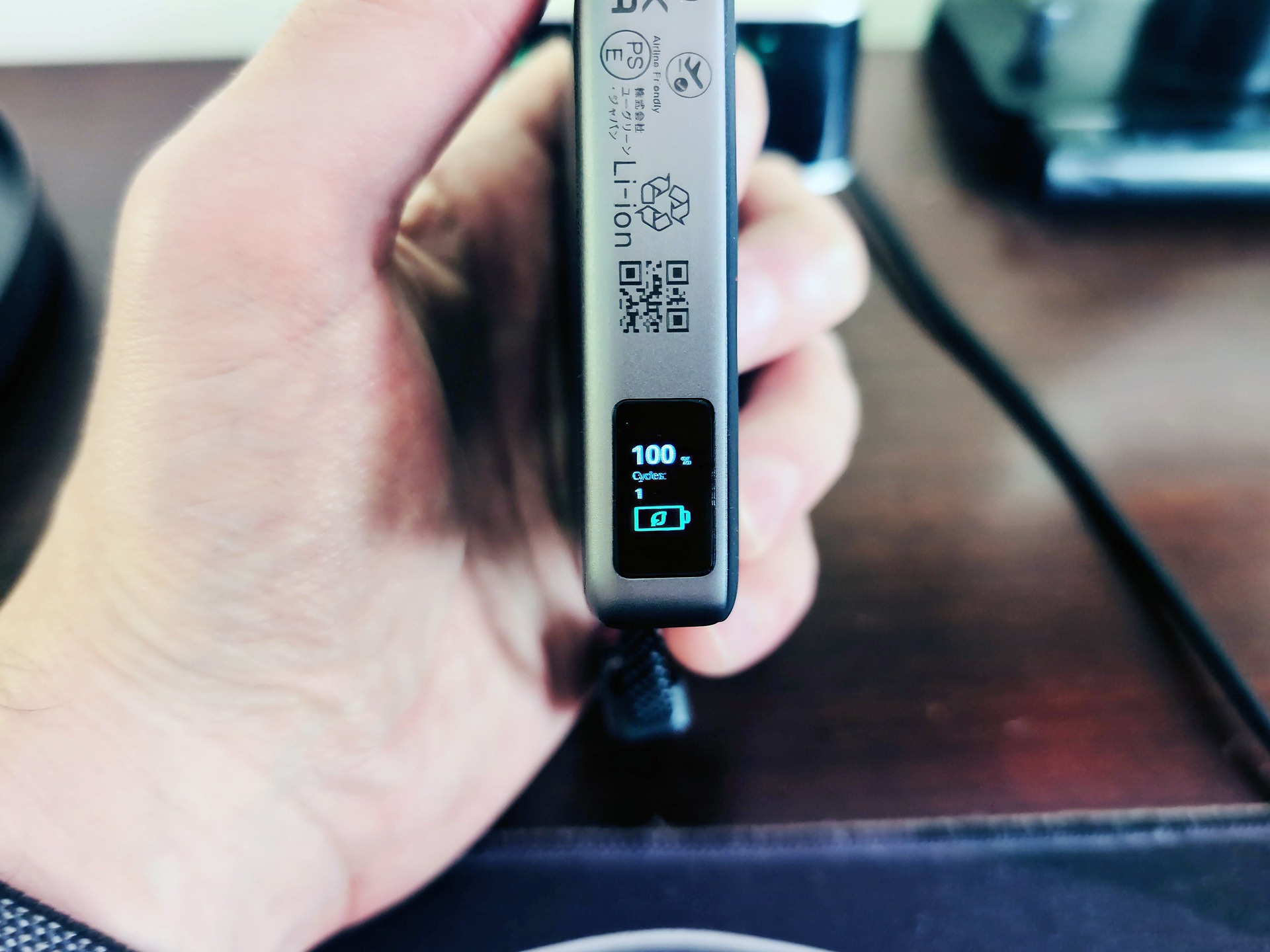
The front window is aesthetics: live coolant circulation, personality, vibes. The side smart display is information: remaining capacity, live input/output wattage, battery cycle data, and cooling status, with a button to cycle the screens. That’s a real step up from the typical power bank, which gives you four LEDs and leaves battery level as guesswork. Featureless black slabs, we need to talk.
Bulk, ergonomics, and the bag-vs-attached use case
The MagFlow Pro is a brick, and I kind of respect it for that. It’s about 108.4 × 70.5 × 16.2mm and 230 grams, which fits a pocket or bag on paper and feels immediately noticeable mounted on the back of a phone.
What 230 grams feels like phone-mounted
Bigger than the spec sheet suggests. The squared edges dig into your hand during long holds, and the cable loop rubs or sticks out awkwardly during wireless charging. I’m not a regular magnetic-bank user, and it took me about a day to adjust to the size and weight. I suspect anyone judging this from the spec sheet gets surprised the same way.
Go-bag and end-of-day charging
The honest use case that emerged: end-of-day and bag charging, not attached while walking around, a different story from a purpose-built wearable power bank. In practice that means an iPhone and AirPods at day’s end. My own arrangement: the MagFlow Pro lives in my go bag for emergencies, with a phone reminder to keep it charged. For that role, the bulk is a non-issue.
Which iPhones get 25W, and how many recharges you actually get
The compatibility tiers are the headline here, not the footnote, that’s the thing most coverage buries. The full 25W Qi2.2 wireless speed only lands on iPhone 16, 17, and the upcoming 18 series, plus other Qi2.2-compatible devices. If you’ve got an iPhone 13, heads up: you’re capped at 15W, and you’d be paying a premium for wireless speed you can’t access.
| Phone | Wireless speed from the MagFlow Pro |
|---|---|
| iPhone 16 / 17 / 18 series | Yes, full 25W (Qi2.2) |
| Other Qi2.2-compatible devices | Yes, full 25W |
| iPhone 12-15 | Partial, capped at 15W |
Real capacity: 10,000mAh vs 6,000mAh rated
The 10,000mAh on the box is the cell capacity. The rated deliverable output is 6,000mAh, and the gap is conversion losses, which are real physics, not a scam. What that means in practice: an iPhone Air gets up to two full recharges, and an iPhone 17 Pro Max gets slightly more than one. Bigger battery, fewer top-ups, as you’d expect.
Wireless speed by device: 25W vs 15W tiers, UGREEN claims the bank takes an iPhone 17 Pro Max to 50% in about 40 minutes wirelessly, a claim worth attributing properly since it’s theirs, not mine, much like the UGREEN Nexode Pro 300W review testing that 140W port under a full five-port load. (Don’t confuse it with the 3-in-1 stand’s under-30-minutes claim; different product.)
On the magnetic side, there’s a 16+1 magnet array rated at 8N holding force. Translated: it snaps into alignment with a confident click and stays put during use. Strong grip.
Wireless speed by device: 25W vs 15W tiers
The list above is the whole decision. If you’re on iPhone 12 through 15, you’re shopping for a 15W charger at 25W money. Check what your phone supports before buying for the headline number.
Price and value: $149.99 MSRP vs. the discounted reality
The MagFlow Pro is a $149.99 power bank that you can currently get for $99.98 direct from UGREEN, and that gap is the entire value conversation. Other listings ran around $129.99 in the US and £109.99 in the UK. Prices may vary, but the honest verdict doesn’t: at MSRP, this is hard to justify. At the discounted direct price, it’s substantially easier.
What the money buys isn’t raw capacity, it’s the package: the cooling, the integrated cable, 45W wired output, the display, and build quality that’s a step above the category. This is premium power-bank territory, and it should be judged as a package purchase.
| Channel | Price |
|---|---|
| Launch MSRP | $149.99 |
| Direct from UGREEN (at time of writing) | $99.98 |
| US listings (approx.) | ~$129.99 |
| UK listings (approx.) | £109.99 |
| UGREEN standard MagFlow (similar spec) | ~$89.99 |
Who should buy it, and who shouldn’t
If you only need capacity and USB-C charging, UGREEN’s own standard MagFlow at around $89.99 with a similar spec makes more sense. And if you mostly charge wired, CryoPulse is a feature you’re paying for and not using. Say it plainly and save someone money. For regular wireless-charging users, the math flips: the cooling and magnetic convenience get used daily instead of never, and the value works out.
Verdict framing: Apple World Today rated it 4 out of 5, which is one reviewer’s verdict, not a consensus score. It’s available through UGREEN’s website and Amazon, and the standard disclosure applies: Future and syndication partners may earn commission from links.
Is UGREEN trustworthy? Safety engineering and reliability evidence
UGREEN earns trust here through documented safety engineering and steady reviewer reports, not brand loyalty. And to be upfront about a limitation: there’s no head-to-head Anker testing in my sources, so I can’t make that comparison honestly. What I can say is that across my review period, performance was steady and reliable, no fighting with the device, and it delivered as expected across a range of hardware including a Pixel 11 Pro. The impact-resistant build is where the brick-ness pays off; the same heft that digs into your palm survives being knocked around a bag.
Under the hood, per UGREEN’s own claims: high-density ATL battery cells, 13-layer circuit protection, and temperature sensors sampling 250 times per second, which is the kind of monitoring rate that sounds almost absurd until you realize it’s monitoring your pocket. UGREEN also rates 90% capacity retention after 800 charge cycles, though there’s no independent long-term validation yet.
MagFlow lineup: don’t confuse the power bank with the 3-in-1 stand
The MagFlow Pro power bank ($149.99 MSRP) is not the $159 MagFlow Pro 3-in-1 stand, which uses CryoPulse TEC cooling with an ultra-quiet 15dB fan and its own display. There’s also a $59 2-in-1 Foldable Magnetic Charger (Qi2 25W, doubles as a phone stand). The shared MagFlow name makes picking the wrong one an easy mistake, and the speed claims are per-product: the 3-in-1 stand claims an iPhone 17 Pro Max to 50% in under 30 minutes, while the power bank claims about 40 minutes wirelessly.
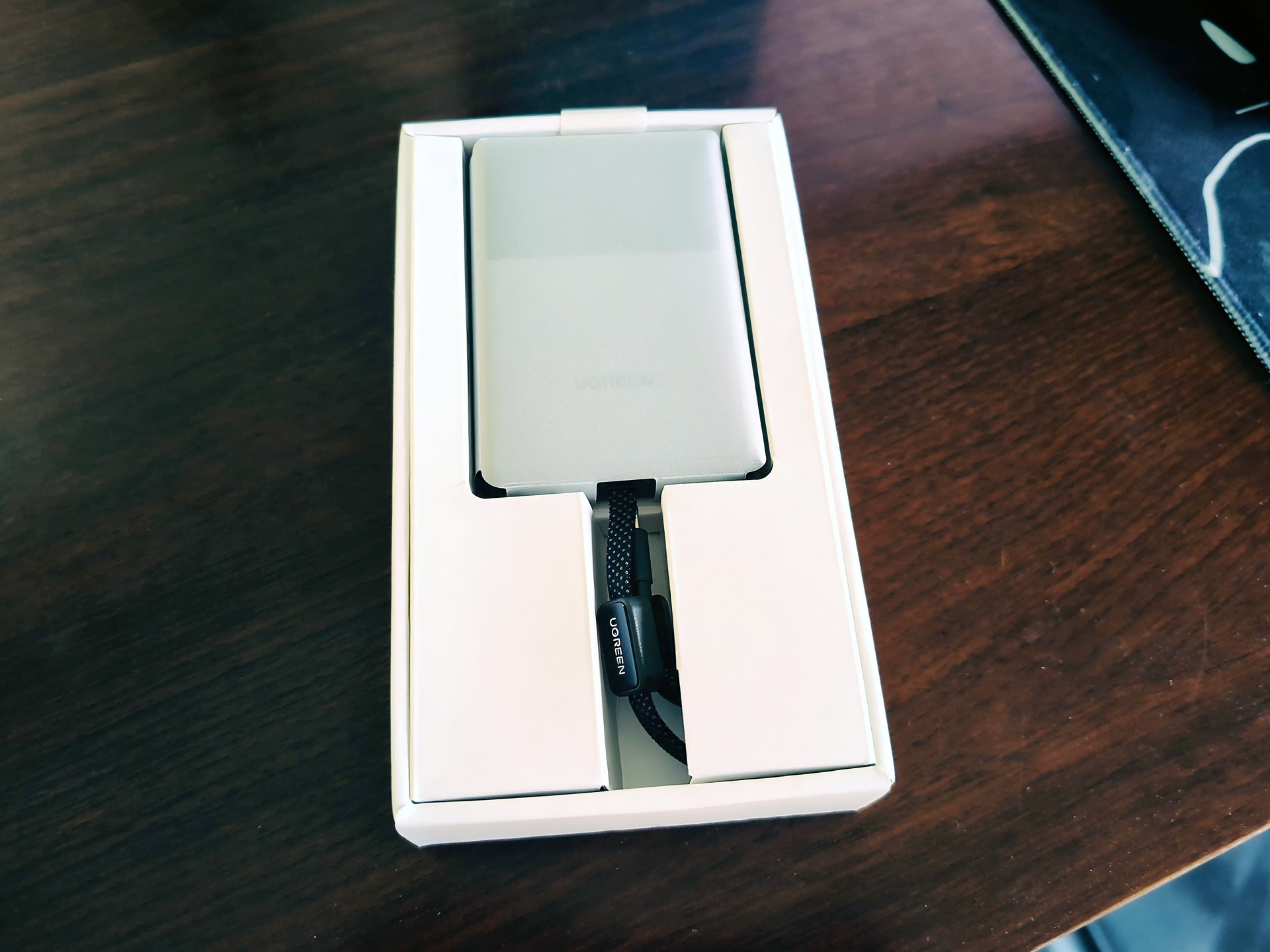
The whole lineup was announced September 3 at Gillette Stadium, an odd venue for a charging accessory announcement, and shown at IFA in Berlin, with availability the same day via UGREEN’s site and Amazon. In the box: the bank, a UGREEN-branded carrying pouch, and paperwork.
URGREEN claims the lineup exists for one goal: high-power wireless charging without the hand-cooker effect. Sure, but also, a football stadium.
Verdict: who the MagFlow Pro is for
UGREEN MagSafe-style power banks are good for iPhone charging, and this one earns that on the specifics: the 16+1 magnet array with 8N holding force gives a genuinely strong grip, Qi2.2 phones get the full 25W, and iPhone 12-15 owners get a solid 15W with more MagSafe grip than most. The recommendation lands with Qi2 owners who want fast magnetic charging with less heat worry, at the right price. Nobody needs to bin their current chargers; this is not a must-replace.
For my go-bag emergency role, the bulk tradeoff is acceptable, and the keep-it-charged reminder is the maintenance cost. That trade works for me.
Frequently Asked Questions
Is UGREEN just as good as Anker?
There’s no honest head-to-head testing between the two yet, so a direct comparison isn’t possible. What can be said is that UGREEN’s MagFlow Pro performed steadily and reliably across a review period with a range of hardware, backed by documented safety engineering like 13-layer circuit protection and temperature sensors sampling 250 times per second.
Is UGREEN a trustworthy brand?
UGREEN earns trust through documented safety engineering and steady reviewer reports rather than brand loyalty. The MagFlow Pro uses high-density ATL battery cells, 13-layer circuit protection, and temperature sensors sampling 250 times per second, and UGREEN rates 90% capacity retention after 800 charge cycles — though there’s no independent long-term validation yet.
Is the UGREEN MagFlow Pro too bulky to use attached to your phone while walking?
Honestly, yes for most people. At about 108.4 × 70.5 × 16.2mm and 230 grams, the squared edges dig into your hand during long holds and the cable loop sticks out awkwardly during wireless charging. The use case that emerged is end-of-day and bag charging — it lives in a go bag rather than staying clipped to your phone.
