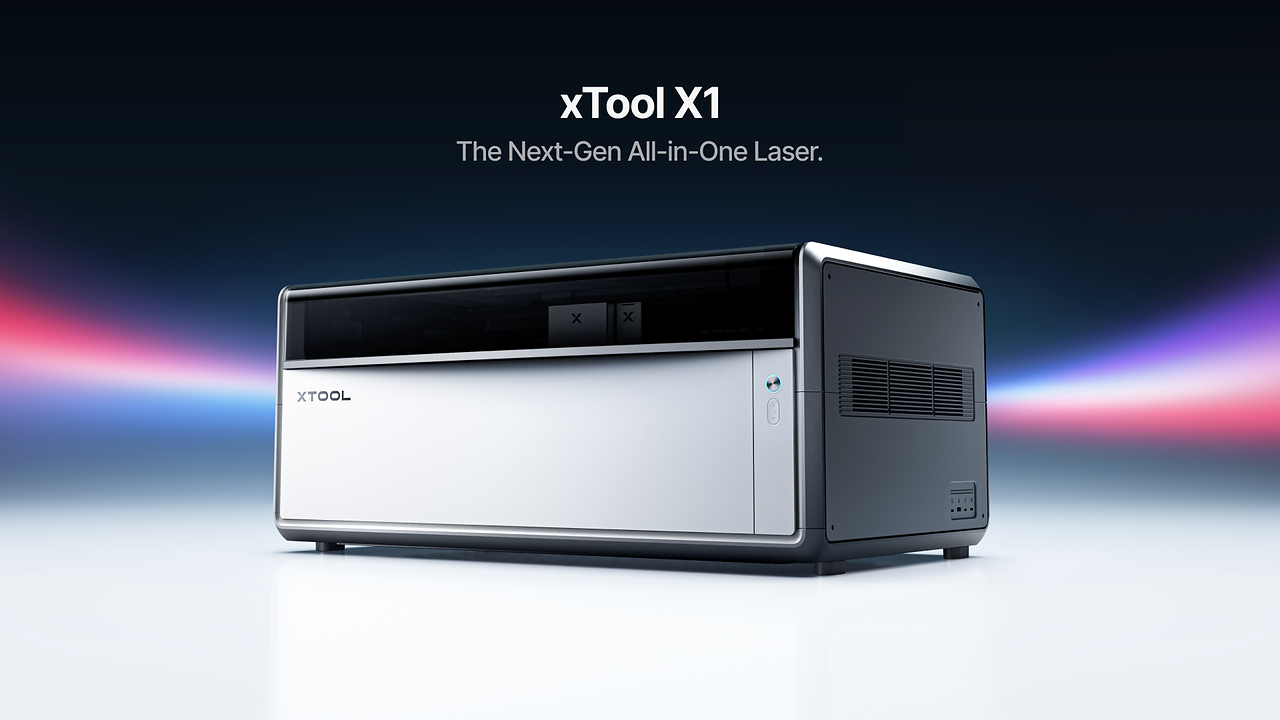
The email landed on August 28, 2026, out of Mountain View, and it wasn’t for a new diode or a slightly bigger bed. xTool announced the X1, an all-in-one laser platform, and buried in the press release was the phrase that made me sit up: flying galvo. Not a faster gantry. Not another wattage bump. A different motion architecture, the kind of thing that until now lived in industrial marking rigs, showing up in a desktop machine. That’s the real news here, and most of the early coverage is skipping past it to repeat the taglines.
And the taglines are doing a lot of work. Every laser xTool makes, combined in one machine. “A laser you’ll never outgrow.” Sure, and my first Raspberry Pi was going to replace my desktop.
The X1 is xTool’s first flying-galvo machine. It pairs a 55W CO2 glass tube with a 20W diode laser permanently fixtured in the galvo head, and it takes clip-on backpack modules that add fiber, MOPA, and UV. Five laser types in one enclosure. If that holds up in practice, it’s less “new laser announced” and more “desktop manufacturing hub announced.”
The reveal happened at The Next Level Maker Conference in Grapevine, Texas, which is worth a beat of context. This isn’t a corporate keynote hall with riser lighting. It’s part maker retreat, part expo, with classes and business talks, and a vendor hall full of people who turned a hobby into a paycheck. xTool ran its inaugural SMB Summit alongside the launch, which tells you exactly who they think is buying this thing.
Now the honest part, up front instead of buried at the bottom: you are evaluating an announcement, not a machine. There was no live demonstration of the X1 at the conference. There’s no price. The October release target hasn’t arrived, and nobody outside the company has put hands on one yet.
Everything below is architecture, specs, and vendor claims, sorted into what’s confirmed and what’s still a question mark. That’s the assignment, and it’s the more useful article to write right now anyway.
Key Takeaways
The X1 pairs a 55W CO2 glass tube laser with a 20W diode permanently fixtured in the galvo head, using a four-axis Hybrid Motion flying-galvo system rated up to 6,000 mm/s (a max spec, not a real-world job time).
Optional Laser Swap backpack modules add 30W fiber, 60W MOPA, and 5W UV through a shared optical path, bringing the total to five laser types; the base machine ships CO2 + diode only.
No price, no live demo, and no independent review exist yet; pricing, bundle contents, simultaneous multi-source engraving, and rotary/conveyor accessory support are all undisclosed ahead of the October target.
Table of Contents
What the X1 is: dual-head flying-galvo architecture
Start with the default build, because everything else hangs off it: a 55W CO2 glass tube laser riding in the back, same as it does on the P2 if you’ve followed xTool’s lineup, plus a 20W diode laser that lives permanently inside the galvo head. That second detail is the interesting engineering bit. In a normal galvo setup, you swap the laser source in and out, which means alignment, settling time, and all the little delays that eat a fast machine’s advantage. Fixture the diode in the head permanently and it’s always aligned, always ready. The head moves, the beam is already there.
The dual-head logic is simple to state: one machine, two personalities. It can run the galvo head, the CO2 head, or both. The CO2 handles large-format cutting the way a gantry machine does. The galvo handles the fast, detailed work that galvos are famous for.
Hybrid Motion: how flying-galvo syncs with the gantry
xTool calls the motion system Hybrid Motion, and here’s what it does: a four-axis architecture synchronizes gantry travel with rapid galvo scanning. Instead of the galvo sitting still and steering a beam across a fixed field, the whole head rides the gantry while the mirrors scan, and the controller keeps both motion systems in lockstep. Why that’s hard, in plain terms: you’ve got two mechanical systems with different response characteristics, and every microsecond they disagree shows up as a misplaced pixel or a bad cut line. Keeping them synchronized at speed is a control problem, not a spec-sheet flex.
The headline number is up to 6,000 mm/s processing speed. That’s a maximum spec, not a promise about your job times, so don’t go quoting client turnaround based on it. But the payoff doesn’t live in the number. It lives in the tradeoff the architecture kills.
Until now, desktop buyers picked a lane: galvo machines engrave fast and detailed but on small fields, gantry machines cut big formats but move slowly for fine work. Makers have lived with that either/or for years. Flying galvo, done right, removes it. This is xTool’s first flying-galvo unit, which is a “they finally did it” moment for the category.
The dual-head system: galvo head, CO2 head, or both
One chassis, two heads. The galvo head, with its fixtured 20W diode, is the speed demon. The 55W CO2 tube in the back is the big-format cutter. The controller deploys whichever the job needs, or both. The permanently fixtured diode matters because galvo speed comes from mirrors, not motors dragging a laser head across a rail, and a laser that never needs re-alignment means the head can go.
Laser Swap modules: what’s included by default vs. what you add
Let’s kill the most common confusion right now: the X1 is not “a fiber and UV machine” out of the box. The base configuration is 55W CO2 plus the 20W diode in the galvo head. That’s it. That’s what ships.
Default configuration: 55W CO2 + 20W diode
One machine, two laser types, covering wood, acrylic, leather, and the general maker-material spread. For plenty of buyers, this is the whole purchase and it’s a complete machine on its own, though if you’re wondering how to make money with a laser engraver, that compact versatility is exactly what makes it a side-hustle candidate too.
Optional 30W fiber, 60W MOPA, and 5W UV modules
The Laser Swap backpack modules clip onto the back of the machine and feed a single shared optical path that ends at the central galvo head. Five laser types total: CO2, diode, fiber, MOPA, UV. The shared-optics routing is kind of elegant. Instead of each module carrying its own delivery optics and alignment headache, they all feed one path into one head, so swapping laser types is a backpack click rather than a realignment session.
What each unlocks, mapped to real scenarios: fiber and MOPA are the metal-marking pair, so jewelry, branding work, and serialized metal tags. UV handles plastics cleanly and does glass and crystal work. For a concrete head-to-head of two machines in this space, this portable laser engraver comparison shows the xTool F1 handling wood, acrylic, leather, and some metals more effectively thanks to higher output and finer detail. The framing that matters: total capability is a budget decision, not a spec sheet. If you cut plywood and never touch metal, you may not need all five. xTool’s pitch is that future laser types arrive as modules, no second machine and no relearning the software, which is a vendor claim with reasonable logic behind it but not a guarantee.
UV laser capability: batch glass and crystal work beyond the F2 Ultra
The optional 5W UV module is the one that opens new project territory: batch engraving of glass and crystal. Ornaments, gifts, awards. The concrete comparison is xTool’s own F2 Ultra, which tops out at 70mm x 70mm for 3D inner-crystal engraving. That’s a pendant-sized constraint, a niche xTool’s portable side knows well, since the F1 laser engraver for jewelry is built around exactly this small-workscales-and-fine-materials territory.
The X1’s large-format bed plus the UV module moves past it, which turns “crystal engraving” from a novelty into a production capability. If you sell things, think holiday ornament batches or awards season, when every team and retiree in a fifty-mile radius needs something etched. Large 3D crystal engraving examples were displayed on the table at the Grapevine event, and they were impressive to look at. To be clear, that’s display-floor observation, not hands-on testing. Nobody has run this machine yet.
Build quality and work area: UniCast Frame, bed size, and setup
None of the speed or precision claims above mean much if the machine flexes, so the frame is where the X1 either backs up the architecture or doesn’t. This section covers the chassis, the work area, and the setup details that decide whether the flying-galvo pitch survives contact with a real workshop.
UniCast Frame: why three die-cast pieces matter
The UniCast Frame is three monolithic die-cast automotive-grade aluminum structures, produced via 4,000-ton high-pressure casting, replacing nearly 100 assembled parts and over 268 screws. Two hundred and sixty-eight screws. If you’ve ever assembled a CNC and had a squareness problem trace back to one loose bolt at hour three, you felt that number in your spine. The automotive-grade detail is the credibility hook: that’s a spec grade built for vibration and thermal cycling, not desk furniture. And the engineering cause-and-effect is real: four-axis flying-galvo dynamics at 6,000 mm/s demand rigidity and tight tolerances that a bolt-together chassis physically can’t hold, plus thermal stability once the job runs long enough to heat things up.
12in x 24in bed, motorized Z axis, no booster box
The bed is 12 by 24 inches. Say it out loud and let it land: that’s full-sheet territory for most hobby material. The built-in motorized Z axis is one of those quality-of-life details you don’t notice until you’ve cranked a manual one through a dozen focus iterations. And the wallet-friendly part: no riser base, no booster box. Anyone who’s priced a CO2 setup knows the accessory tax, and the X1 doesn’t charge it.
Software and workflow: Atomm, XCS, and the LightBurn caveat
The X1’s software stack is xTool-centric, and Atomm is the AI creation suite. Judge it by what its pipeline actually does: it turns text descriptions and photos into designs ready for production, pairs official settings with user-shared parameters (the crowd-sourced settings angle is the clever part, because real-world parameter data pooled across the installed base beats a static manual), and automates Material Lab parameters with real-time mockup previews. The pitch is “What You See Is What You Make,” which targets the exact gap where laser jobs usually go wrong: the difference between the preview and what comes off the bed. That doesn’t mean zero failed jobs.
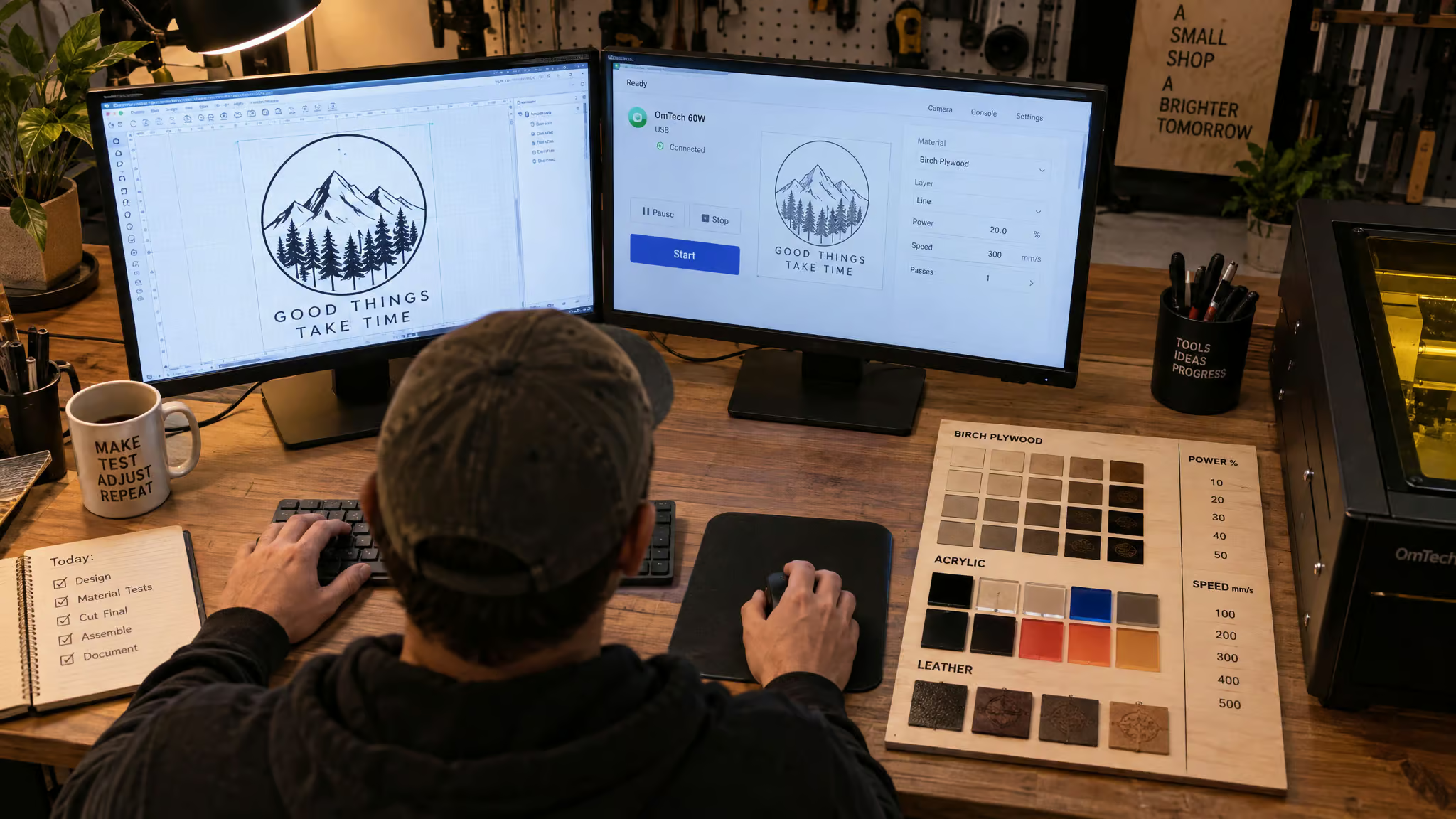
XCS, the companion desktop software, carries 500+ preset parameters and photo-to-XCS batch filling.
Now the caveat most coverage omits: LightBurn works with the X1 for focusing, framing, processing, and RA2 Pro rotary control. It lacks support for detecting module positions, measuring the material area, and a curved-surface engraving mode. If LightBurn is your daily driver, those gaps are real and specific. The lock-in implication is worth saying plainly: software dependence is part of the ownership cost here.
X1 vs. S1: which machine fits which buyer
Every number below belongs to the S1, not the X1. Treat this as a way to choose, not a raw spec sheet.
xTool S1: the established precision flagship
The S1 is an enclosed diode machine with switchable 40W, 20W, and 10W diode modules plus a 2W 1064nm IR module that engraves all metals and plastics. Upgrades mean swapping the laser head, not the machine. Max rail speed is 600mm/s, work area is 19.6″ x 12.5″ on a 23.93″ x 15.16″ bed, and the machine stands 42mm tall without the Riser Base, 125mm with the Class 1 Riser Base, or 133.5mm with the Class 4 Riser Base, on a footprint of 565*375*27mm with the foot pad (565*375*22mm without). Pin-point Positioning is a vendor claim of 10x the accuracy of single-camera systems, attributed as such. The ecosystem is deep: the RA2 Pro rotary, which xTool says covers 90% of daily-use cylinders and spheres like wedding glasses and jewelry; AutoPassthrough for projects up to 118 inches; 3D Curve autofocus for curved surfaces; an Automatic Conveyor Feeder for objects up to 14mm thick; and the Screen Printer, which adds color beyond 300+ laser materials.
Decision framework: X1 or S1 for your situation
If you need proven diode precision work today, the S1 exists, it’s reviewed, and it works. If you want multiple laser types and batch production, and you can wait for October pricing and first independent tests, the X1 is the bet. The S1 is the known quantity; the X1 is the platform play.
Who the X1 is for: ecosystem, small-business outcomes, and trust
A machine like this only makes sense for a buyer with business outcomes in mind. So the real question isn’t specs, it’s who xTool is as a company and what the ecosystem actually delivers, especially when you’re buying before the first review lands.
The xTool ecosystem: Atomm, O1 Omni, SE1, and Screen Printer
xTool says it wants to be more than a laser manufacturer, with a hand in every kind of making. Light jab permitted: the company now makes embroidery machines. The receipts came at the SMB Summit, where US GM Stein’s keynote reported the O1 Omni Printer did over $20 million in revenue with 6,000+ units sold on day one. That’s not a side project, that’s a real launch.
The SE1 does normal stitching and single-color embroidery, and the demo pipeline ran live at the event: the SE1 stitches, the hoop comes off, the O1 Omni paints the threads with DTG color, and a heat press sets the ink. Positioned as a lower-cost option next to multi-needle machines that run into the thousands. A panel called “Empowering Modern Makers: Tools, Monetization, and Possibilities,” moderated by Vincent Nguyen of The Gadgeteer, covered scaling, monetization, and the Connected Creation Ecosystem.
Around the machines: BurnForge, Aaron Pratt’s subscription app tracking orders, machine settings, and inventory for crafters, with a 30-day free trial using code NEXTLEVEL30 for a limited time. Maker Studio, from brothers Elias and Isaiah Grey, makes custom maps reproducible on a laser, CNC, or 3D printer with no CAD skills, 14-day free trial, with roadmap items (box maker, fit sheet, tumbler art maker) that are promises, not features. Vendor-hall finds: Makerflo, Marc Pendergraft and John Modi’s college-startup-turned-wholesaler, whose standout is a moisture-absorbing stone coaster with a metal disc set into it, ready for laser marking, which is tiny wizardry for diode owners who can’t mark bare metal. And Smokey Hill Designs, Angela Cruise’s North Carolina shop making diode-safe custom-printed substrates plus Freshy Sheets, an essential-oil air freshener material you laser-cut.
Indivijual, an 8-year handmade Raysin and wood shop, upgraded its output with detailed engraving and precise cuts. A fishing lure maker moved from old CNCs and outsourcing to in-house MetalFab production of 1,000+ parts.
Are xTool engravers any good? Trust criteria and small-business results
The trust verdict: xTool reports 255,000+ customers and a 10k-user S1 community, both vendor-reported social proof rather than independent verification, though a 10k community means your weird setting problem has probably been solved already, and the company says the O1 Omni generated over $20 million in revenue with 6,000+ units sold on day one, another vendor-reported number worth weighing as such. The hagensieker.com reviewer, who has covered xTool for roughly 4 years since the D1 Pro 20W and whose workshop previously needed separate fiber, CO2, diode, and IR lasers eating hobby-room space, notes a consistent innovation cadence and plans to test and review the X1 himself. Support channels run through the xTool Squad: vicky@info.xtool.com for pre-sale questions, support@xtool.com after sale. The target buyer is the scaling Etsy or Shopify seller and the batch-production shop.
What’s still unknown: the pre-purchase checklist
No price, no live demo, and no independent hands-on review exist yet, so verify four things before ordering: pricing and bundle contents, package configurations, whether simultaneous multi-source engraving is supported, and rotary/conveyor pass-through accessory support. The official xTool X1 Facebook Community is where early-adopter chatter and full specs will land. Disclosure: xTool covered travel for the event; coverage stays editorially independent.
Buyer rule: Treat the October date as a target, not a ship date — no confirmed price or bundle contents exist yet.
Should you buy the X1? The tradeoff verdict
If you’re a multi-laser-type batch producer who can wait for October pricing and the first independent tests, the X1 makes sense. Single-material users should compare a cheaper dedicated machine first. The strongest evidence is the consolidation story: that long-time reviewer’s workshop, running xTools since the D1 Pro 20W, once needed four separate lasers, and the X1 folds them into one large-format enclosure at higher speeds. But a “never need another laser” promise cuts both ways. Modularity is both the pitch and the risk with a company that iterates this fast, and the modules plus Atomm/XCS software mean real lock-in.
Wait for the price. Then decide.
Frequently Asked Questions
Which xTool laser is the best?
For proven, reviewed performance today, the S1 is the safe pick — an enclosed diode machine with switchable 40W, 20W, and 10W modules plus a 2W IR module for metals, and a deep accessory ecosystem. The X1 is the more ambitious bet: five laser types, flying-galvo speed, and a 12×24-inch bed, but it launched without a price or independent testing. If you need certainty now, get the S1; if you can wait for October pricing and first reviews, the X1 is the platform play.
What is a flying galvo laser and why does it matter?
In a standard galvo machine, mirrors steer a fixed beam across a small field; in a flying-galvo setup, the galvo head rides a gantry while the mirrors scan, with the controller keeping both motion systems synchronized. That removes the old tradeoff where galvo machines were fast but small-format and gantry machines cut large formats slowly. The catch is that syncing two mechanical systems at speeds up to 6,000 mm/s is a genuine control problem, and the 6,000 mm/s figure is a max spec, not a real-world job time.
