
I bought the UGREEN ClipBuds Pro 2 straight from the official UGREEN website because I wanted an open-ear pair I could wear through actual commutes and full workdays without sealing off my surroundings. On paper, the spec sheet reads a class above typical budget clip-ons: LDAC hi-res audio, a multi-mic call array backed by bone-conduction voice sensors, Bluetooth 6.1 multipoint, and all-day battery life on a frame that leaves your ear canal completely open.
Living with them on real desks and trains quickly separates the genuine engineering wins from the marketing hype. A few things work brilliantly right away, one fit mistake hurts until you figure out where the clip belongs, and one software conflict between the headline features only shows up once you try to use them together.
Key Takeaways
Four of the five sources we reviewed report up to 10 hours of playback per charge and 46 hours with the charging case, while one reports 7 hours per charge.
Enabling Hi-Res Audio Decoding over LDAC disables Bluetooth 6.1 multipoint across two devices, and iPhones fall back to AAC regardless.
The “6-Mic AI” call label actually refers to four conventional microphones paired with two bone-conduction Voice Pickup Units, backed by a custom 11mm driver co-tuned with Terri Lyne Carrington.
Table of contents
Table of Contents
UGREEN ClipBuds Pro 2 verdict at a glance
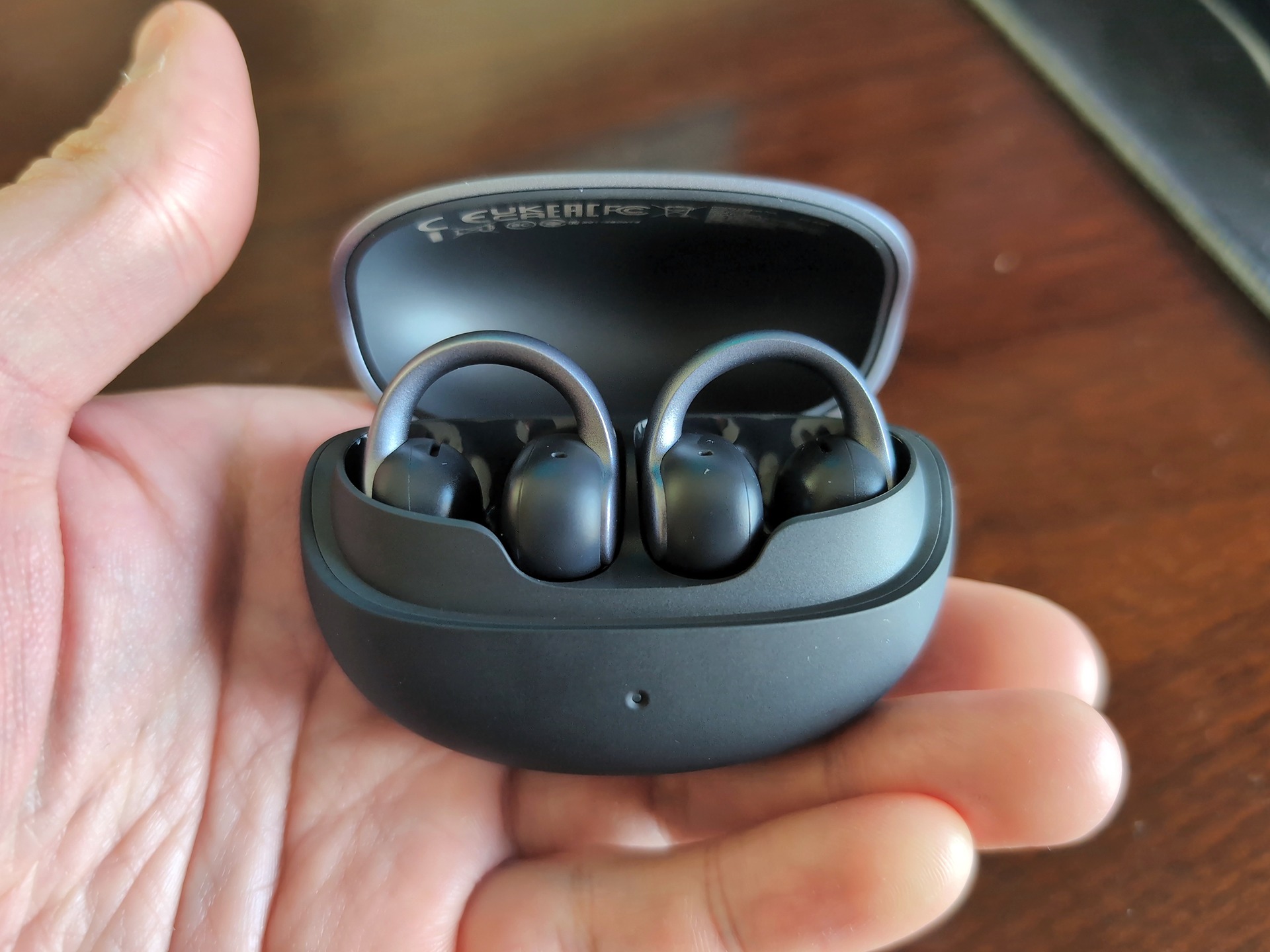
The UGREEN ClipBuds Pro 2 are the clip-on earbuds to beat when environmental awareness matters more than isolation, provided you can live with choosing between Hi-Res Audio Decoding and dual-device multipoint. They pair an open-ear fit with strong call hardware and higher-resolution codec support than most rivals in this bracket. Mark Folksman, who writes for Sound Mavericks (soundmavericks.com), scored them 8.6 overall and called them a new benchmark for awareness-first listeners who still want solid calls and hi-res audio.
Folksman’s launch assessment drew on published specs, the verified Amazon listing, and early coverage rather than hands-on testing, though his site’s broader testing methodology relies on self-purchased units, mostly bought in the US and resold locally, tested in places like subways and coffee shops. That first wave of coverage repeatedly singles out call clarity and a forget-you’re-wearing-them fit. Here’s how Folksman broke down the 8.6 score:
- Sound Quality: 8.5
- Comfort and Fit: 9.1
- Battery Life: 9.2
- Call Quality: 9.0
- Awareness and Safety: 9.4
- Value: 8.8
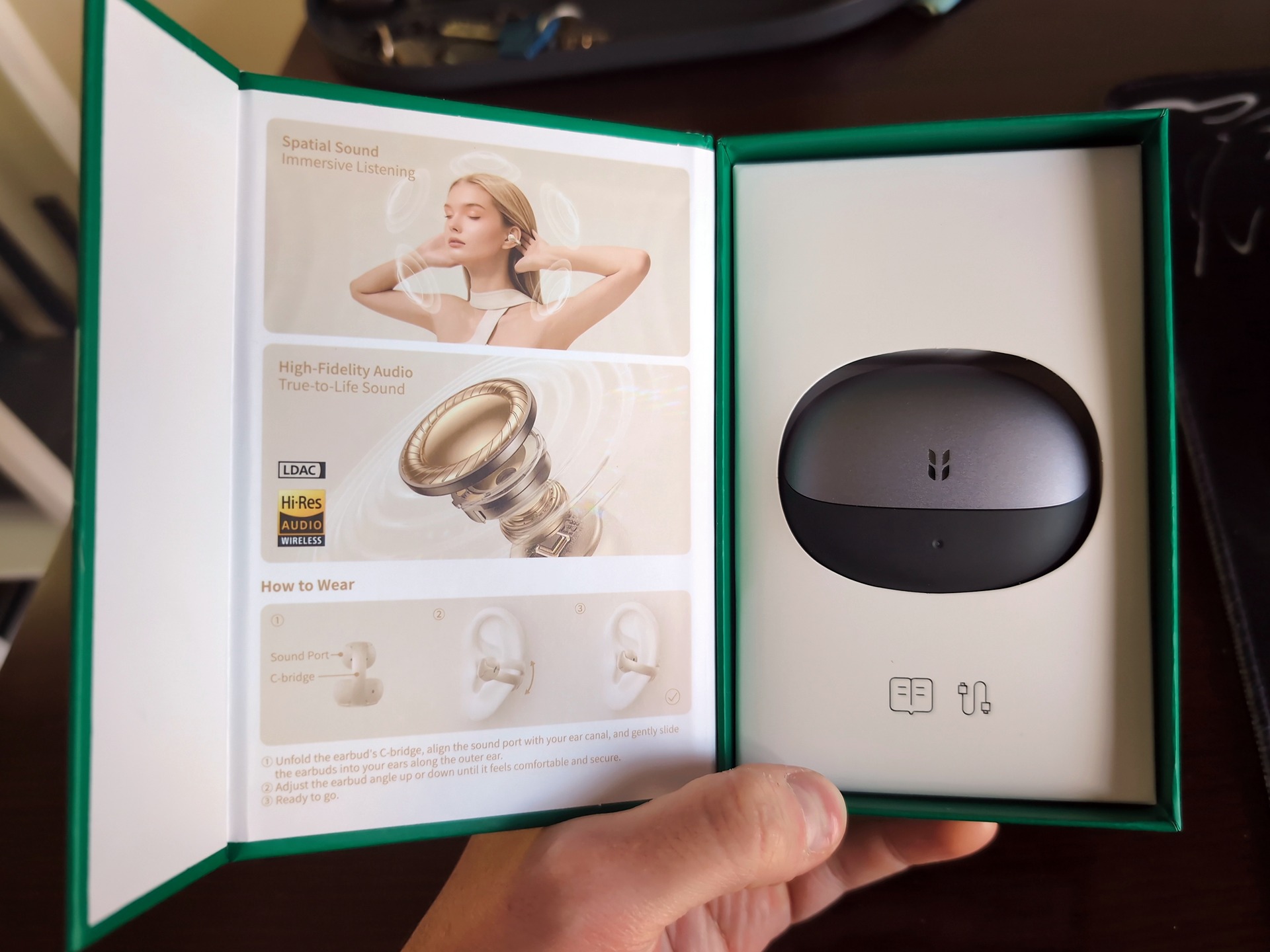
The UGREEN ClipBuds Pro 2 cost from $79.99 to $99.99, sold for $79.99 via Amazon as well as directly through UGREEN’s official store (prices may vary). Inside the box, you get the earbuds, the charging case, a USB-C charging cable, and a quick start guide.
C-Bridge fit and comfort: the placement learning curve
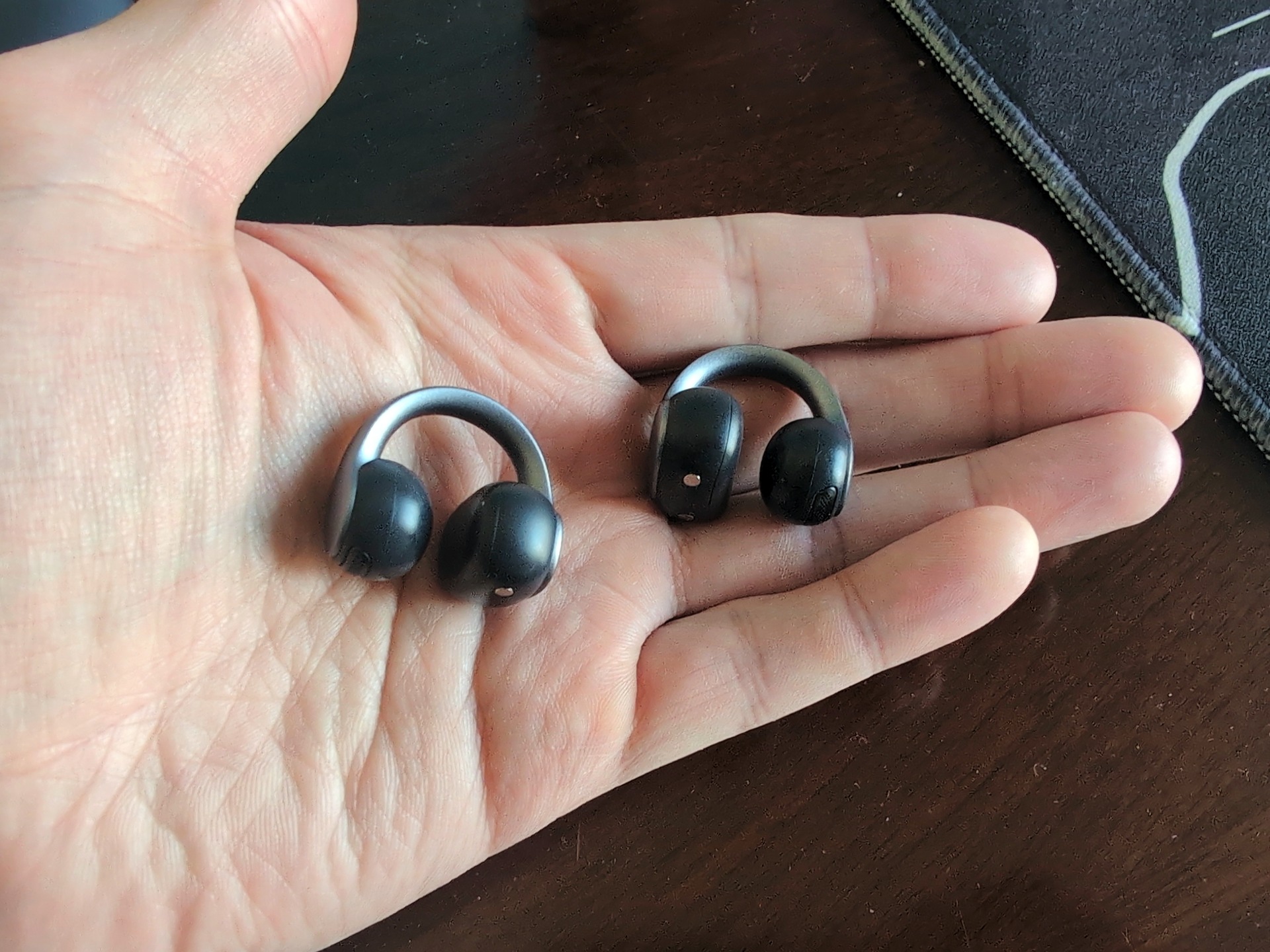
The UGREEN ClipBuds Pro 2 are comfortable enough for all-day wear once seated properly on your ear, because nothing enters the ear canal to cause tip fatigue, pressure buildup on long calls, or that plugged-up feeling. Each earbud weighs around 6 grams and uses a 0.5mm memory-titanium C-Bridge wrapped in skin-friendly silicone that flexes to your ear’s shape and springs back, staying clipped even during running and jumping. Getting to that comfort, however, takes a quick placement adjustment that isn’t obvious the first time you clip them on.
What the 6-gram clip is made of
Each earbud weighs roughly 6 grams and wraps around your ear with a 0.5mm memory-titanium C-Bridge coated in skin-friendly silicone. It flexes easily to clear the edge of your ear and springs back into shape without pinching. UGREEN claims the clip survived 20,000 bending cycles in its own bench testing, though a company stress figure doesn’t tell you how the silicone or joint will hold up over years of daily use.
A built-in gyroscope detects left and right orientation automatically and routes the audio channels to match, so you never have to squint for L and R markings before putting them on. You get wide-area tap controls along with Spatial Audio, Bass Mode, and a low-latency Game Mode, while directional acoustics aim sound toward your ear canal with minimal leakage. The earbuds carry an IP56 rating against sweat and rain, which is a step beyond the splash-only protection common in open-ear designs, though the charging case has no water resistance and needs to stay dry.
Comfort, security and the first-fit adjustment
When I first put mine on, they actually felt uncomfortable. I had clipped them too high up on my ears, which put awkward tension on the cartilage until I slid them lower into the natural curve of the outer ear. Once I moved them down, the pressure vanished, and I found them very comfortable for long stretches.
That stability holds up under movement, too. Marcos Tech Hero, in the video UGREEN ClipBuds Pro 2 Open Ear Earbuds overview, tested them for about a week across live podcasts and music playback and reported that the U-shaped clip stayed put during running and jumping where standard earbuds fall out, praising the comfort, durability, and sound.
Sound quality: what LDAC can and can’t do on an open ear
The UGREEN ClipBuds Pro 2 do lose deep bass compared to sealed in-ear monitors, because an unsealed ear lets low frequencies escape into the room and allows loud surroundings like trains or departure halls to compete directly with your audio. No codec or EQ slider can change open-ear physics. Within those limits, though, the driver and tuning punch well above what you normally hear from a clip-on frame.
Each bud houses a custom 11mm dual-magnet titanium-composite driver co-tuned with four-time Grammy-winning drummer and educator Terri Lyne Carrington, with packaging listing a 20 Hz to 40 kHz frequency range. The buds carry Hi-Res Audio Wireless certification across LDAC, AAC, and SBC. Enabling Bass Mode recovers some low-end weight, and directional acoustics keep leakage low, though Hi-Res certification describes the digital pipeline rather than promising to out-resolve a sealed pair of IEMs.
In quiet-to-moderate rooms, that extra pipeline headroom pays off. Listening through mine, I found the sound quality fantastic and picked out parts of familiar songs I hadn’t noticed before. Early reviewers similarly highlight crisp vocals and noticeably fuller bass than typical open-ear buds.
Call quality: the 6-Mic AI claim, unpacked
The UGREEN ClipBuds Pro 2 deliver standout call clarity for an open-ear clip-on by pairing conventional microphones with bone-conduction voice sensors, though the wind and ambient-noise numbers are still UGREEN’s own claims, nobody has tested them independently yet. Call performance is the feature early coverage points to most often, and the hardware explains why these work well if you bounce between laptop video meetings and phone calls all day.
UGREEN markets the array as “6-Mic AI,” which sounds like three standard microphones per side until you look closer. Rei Padla, who writes at the-gadgeteer.com, and other reviewers unpack what’s actually inside: four conventional microphones plus two Voice Pickup Unit (VPU) bone-conduction sensors, giving each earbud two standard mics and one VPU alongside AI noise reduction.
That split matters because open-ear earbuds sit outside the canal, where regular microphones tend to scoop up street traffic and café chatter right alongside your speech. The VPU sensors read your voice vibrations directly rather than through the air, separating your speech from background noise before the AI processing cleans up the rest. UGREEN rates the system for ambient noise up to 75 dB and wind speeds up to 25 km/h, though sensor count alone doesn’t prove wind rejection or natural voice tone in the real world.
Bluetooth 6.1 multipoint and the LDAC catch
Bluetooth 6.1 dual-device multipoint lets the UGREEN ClipBuds Pro 2 stay connected to your laptop and phone at the same time, with quick pairing and seamless handoff when you wrap up a video call and answer your phone. On paper, multipoint and LDAC hi-res audio are the two headline connectivity features.
In practice, my one real gripe with these earbuds is that you can’t use both at once. Toggling on Hi-Res Audio Decoding mode in the app disables multi-device pairing. To stay linked to both a laptop and a phone, you have to turn LDAC off. There’s no documented workaround, leaving you to choose between maximum audio bitrate on one device or smooth desk-to-street switching across two.
Using the ClipBuds Pro 2 with an iPhone
If you carry an iPhone, that conflict disappears for a different reason: Apple devices don’t support LDAC and fall back to AAC automatically. That’s a limitation of the phone rather than an earbud defect. Most modern Android phones qualify for LDAC, while iPhone listeners still benefit from the 11mm driver and Terri Lyne Carrington tuning over AAC.
Battery: rated maximums vs real-world days
The UGREEN ClipBuds Pro 2 are rated for up to 10 hours per charge and up to 46 hours total with the charging case, though streaming over LDAC, pushing high volume, and taking long calls will pull your real-world runtime below those ceilings. Those figures still sit near the top of the clip-on category, easily covering a standard workday between trips to the case.
Across the five sources read for this article, four report 10 hours per charge and 46 hours with the case, while one reports 7 hours per charge. For buyers, that split is a useful reality check: UGREEN’s 10-hour maximum is achievable under lighter listening, whereas heavier codecs and call loads nudge daily endurance closer to the lower figure. When you do run low, a 10-minute fast charge adds up to 3 hours of playback, making a quick plug-in before your commute the easiest way to keep them running.
UgreenAudio app: EQ, Game Mode and AI translation
The UgreenAudio app handles EQ presets, Spatial Audio, low-latency Game Mode, find-my-earbuds, and a suite of AI tools covering live translation, transcription, and meeting summaries. The earbuds themselves only handle audio playback and voice capture, while your phone and connected AI services do the heavy processing.
AI translation: what the language counts actually tell you
UGREEN advertises real-time translation across more than 130 languages, listing up to 131 online languages (including accented speech) and 11 offline languages on its US page, whereas its German page lists 10 offline languages. Those numbers measure compatibility rather than accuracy. Real-world results depend on the language pair, accents, background noise, specialized vocabulary, and overlapping speech, and conversation latency makes the feature a handy travel aid rather than a substitute for professional interpretation.
ClipBuds Pro vs Pro 2: three buying confusions
Before ordering, it helps to clear up three common mix-ups around the UGREEN ClipBuds Pro 2 lineup and specs:
- First, don’t grab the wrong model: the earlier UGREEN model advertised adaptive ANC, but the ClipBuds Pro 2 have no ANC at all, their onboard noise reduction only cleans up your outgoing call audio.
- Codec fallback: iPhone buyers won’t get LDAC and will listen over AAC instead.
- Audio technology: The ClipBuds Pro 2 are open-ear clip-on earbuds using directional acoustics for music and calls, not bone-conduction headphones; bone conduction is used solely for the VPU voice sensors.
Who should buy the UGREEN ClipBuds Pro 2
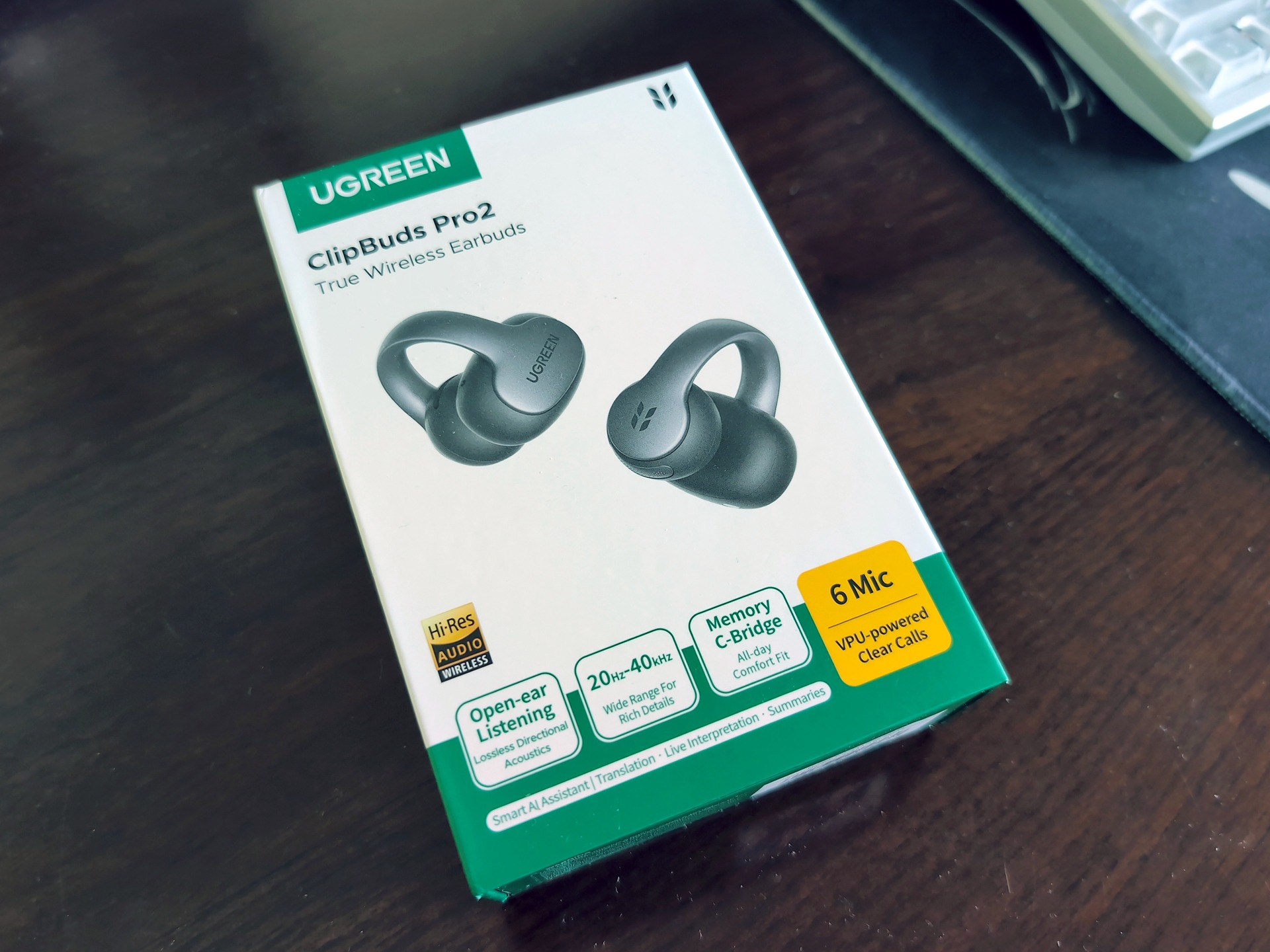
The UGREEN ClipBuds Pro 2 are the right buy for awareness-first listeners who want clear calls and comfortable all-day wear, and the wrong buy if you’re chasing silence. They fit runners, cyclists, office workers, commuters taking calls in noisy spots, travelers navigating multilingual chats, anyone whose ear canals reject silicone tips, heavy callers, and Android users with LDAC-capable phones.
| Buyer priority | UGREEN ClipBuds Pro 2 fit | Key reason |
|---|---|---|
| Outdoor runs and cycling | Yes | Open-ear awareness, IP56 earbuds, secure C-Bridge |
| Frequent phone and laptop calls | Yes | 4 mics plus 2 VPU sensors, Bluetooth 6.1 multipoint |
| Tip-sensitive ears | Yes | Nothing enters the ear canal, 6g weight |
| Quiet-room hi-res Android listening | Yes | LDAC support with 11mm driver |
| Simultaneous LDAC and multipoint | No | Hi-Res mode disables dual-device pairing |
| Loud flights and noisy trains | No | No ANC, ambient noise competes with audio |
Clip-on or noise-cancelling earbuds for commutes and flights?
For loud commutes and flights, sealed earbuds with active noise cancellation remain the right tool, because open-ear clip-ons like the UGREEN ClipBuds Pro 2 have no noise cancelling. Noisy subway cars, airport departure halls, and loud flights compete unfixably with your music or podcasts. Where open-ear physics shines is awareness: it keeps traffic, coworkers, and station announcements audible, which is a safety win on sidewalks and bikes if you’d rather stay tuned in than isolated.
Alternatives: Soundcore C30i, C40i and bone-conduction
If you’re cross-shopping open-ear styles, the Soundcore C30i and C40i are the main established clip-on alternatives on the market. Against bone-conduction headphones, I personally prefer the ClipBuds Pro 2 over Trekz models because directional open-ear acoustics sound cleaner and fuller to my ears than bone-conducted audio. One reviewer has also speculated that bone conduction could benefit people with disabilities through sensory compensation, though that remains an unestablished point rather than a tested finding. For most listeners who want to stay tuned into the room without giving up call clarity or comfortable all-day wear, the ClipBuds Pro 2 earn their spot on your desk and commute.
Frequently Asked Questions
Are the UGREEN ClipBuds Pro 2 comfortable enough to wear all day?
Yes, once you clip them in the right spot, because nothing goes inside your ear canal to cause tip fatigue. At roughly 6 grams each with a silicone-coated memory-titanium C-Bridge, mine hurt at first when I clipped them too high on my cartilage, then felt effortless all day as soon as I slid them lower into the ear’s natural curve. They also stay put during running and jumping.
Do open-ear clip-on earbuds lose bass compared to normal earbuds?
They do lose deep sub-bass compared to sealed in-ear monitors, because an open fit lets low frequencies escape and allows loud trains or streets to compete with your music. Still, the custom 11mm dual-magnet titanium-composite driver co-tuned with Terri Lyne Carrington and the app’s Bass Mode recover noticeable low-end weight. In quiet-to-moderate rooms, I found the sound fuller and more detailed than typical open-ear buds.
Can you use LDAC earbuds with an iPhone?
No, Apple devices do not support LDAC and automatically drop back to AAC instead. That is an iPhone limitation rather than a flaw in the earbuds themselves. You still get the benefit of the 11mm driver and Terri Lyne Carrington tuning over AAC, just without the higher-bitrate LDAC stream.
What’s the difference between the UGREEN ClipBuds Pro and the ClipBuds Pro 2?
The biggest mix-up comes down to active noise cancellation: the earlier ClipBuds Pro listed adaptive ANC in their specs, while the ClipBuds Pro 2 have no ANC at all. On the Pro 2, noise reduction is strictly for your outgoing voice on calls rather than blocking out the room around you. If you need silence on a loud flight or subway, these won’t give it to you.
Are the ClipBuds Pro 2 good for taking calls in noisy streets and windy weather?
Their call hardware is built specifically for noisy environments, pairing four standard microphones with two bone-conduction Voice Pickup Unit sensors that read your speech vibrations directly instead of scooping up street traffic. UGREEN rates that setup for up to 75 dB of ambient noise and 25 km/h winds, though those exact thresholds are still manufacturer claims rather than independently verified numbers. Because open-ear buds sit outside your canal, those bone-conduction sensors do the heavy lifting to keep your voice clear.
Are the UGREEN ClipBuds Pro 2 bone-conduction headphones?
No, they use directional open-ear acoustics to aim sound at your ear canal rather than vibrating audio through your cheekbones. Bone conduction is used exclusively for the two Voice Pickup Unit sensors that capture your speech on calls. To my ears, that directional speaker design delivers cleaner, fuller music than bone-conduction models like Trekz.