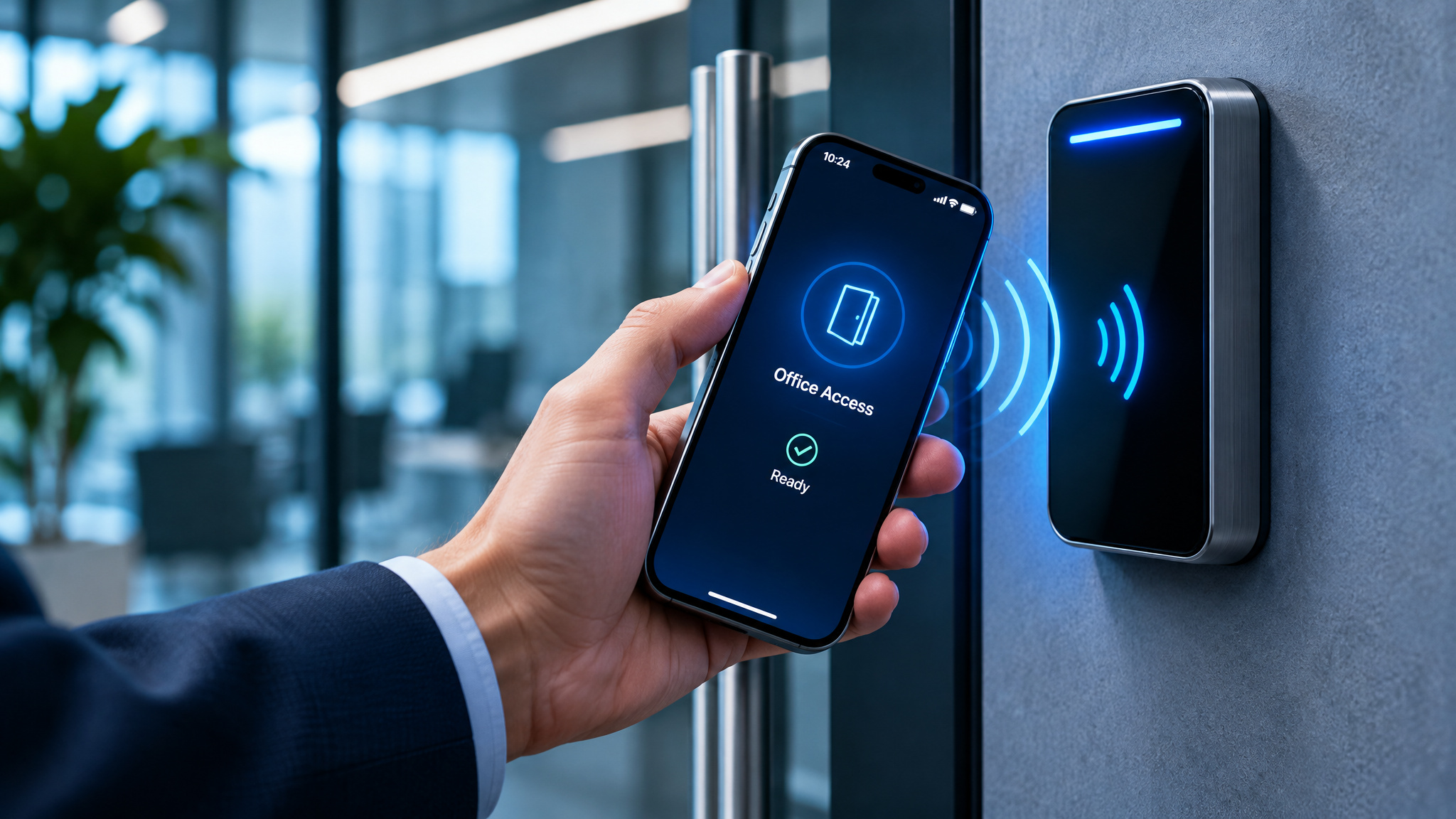
A stack of blank PVC badges next to a thermal printer is a familiar sight on a facilities desk, right alongside a drawer full of returned fobs waiting to be wiped and reissued. Every time someone loses a card or leaves the company, someone else has to track down the plastic, deactivate the old ID, and print a new one, even though every person in the building is already carrying a networked computer in their pocket.
Mobile access control systems promise to retire that printer by moving door credentials onto smartphones and wearables. Between clicking “issue” in a cloud dashboard and hearing a door strike click open sits a chain of wireless radios, access controllers, identity checks, and decades-old door wiring, and the phone itself is only one piece of that stack.
Key Takeaways
All 9 of the vendor and informational guides we checked say a smartphone can replace keycards and fobs for door access, while 4 of 6 posters who reported their own day-to-day experience use a phone alongside physical cards or fobs, 1 uses a phone only, and 1 sticks to cards or fobs only.
A phone never unlocks a door on its own: it hands a credential over Bluetooth Low Energy (BLE), Near Field Communication (NFC), Ultra-Wideband (UWB), or a QR code to a reader, which passes raw bits to an access controller that makes the actual entry decision.
Running mobile credentials securely on personal phones requires layered controls combining AES-256 and TLS encryption with biometric Multi-Factor Authentication (MFA), Mobile Device Management (MDM), and Zero Trust Network Access (ZTNA).
Table of contents
Table of Contents
What is mobile access control?
Mobile access control, sometimes called phone access control, replaces physical keycards and key fobs with encrypted digital credentials stored on smartphones, tablets, and wearables. Instead of relying on a dumb piece of plastic that anyone can swipe if they find it in a parking lot, the credential hooks into the device’s built-in security, such as Face ID, a fingerprint sensor, or a passcode.
A phone by itself doesn’t make an access control system. Five parts have to work together for the door to open:
- A user-specific digital credential issued to a person
- A mobile device to store and present that credential
- A reader at the door to receive the transmission
- An access control platform that checks permissions
- Access policies defining where and when each credential works
Bring-your-own-device (BYOD) habits are what pushed this model into the mainstream, since employees already carry capable hardware everywhere they go. Because the phone belongs to the employee rather than the company, IT and security teams can’t restrict personal use on the device or inspect its private contents. When configured properly, though, that same phone can act as a connected identity spanning building entry, corporate network login, and workplace apps.
How mobile access control works: the five steps
Getting from a cloud admin console to an unlocked door takes five steps. Device biometrics gatekeep the whole sequence before the building system ever checks permissions.
Step 1: Credential issuance
An administrator assigns a digital credential from a cloud-based access control platform. The platform delivers that credential to an employee, contractor, or visitor through a dedicated mobile app, a secure link, a QR code, or a native digital wallet.
Step 2: Authentication at the reader
When the user walks up to an access point, the phone communicates with the door reader over BLE, NFC, or UWB. Depending on how the door is configured, the user either taps the phone against the reader or relies on touchless proximity so the door unlocks while the phone stays in a pocket or bag.
Step 3: Identity verification
Before the door system checks its own permission table, the phone’s built-in biometrics, such as Face ID or a fingerprint scan, confirm that the person holding the device is the authorized user. First-time users often assume the phone itself is the credential and get tripped up at the door if someone else’s face or a shared passcode unlocked the handset. Once the human is verified, the access control system checks the credential against its rules, unlocks the door if authorized, and logs any denied attempts.
Step 4: Integration with existing systems
They plug into existing access control readers, wireless locks, and broader building management platforms so teams can manage doors alongside the rest of the facility’s infrastructure.
Step 5: Centralized management
Administrators issue, update, and revoke credentials from a single cloud console across every site. There are no badges to collect when someone leaves and no plastic cards to reprint when permissions change.
A single door unlock plays out across six events, in sequence:
- The credential is issued from the platform.
- The credential is stored on the user’s mobile device.
- The user presents the credential at the reader.
- The system verifies authorization.
- The door unlocks.
- The access event is recorded in the log.
BLE, NFC, and UWB: how the phone talks to the reader
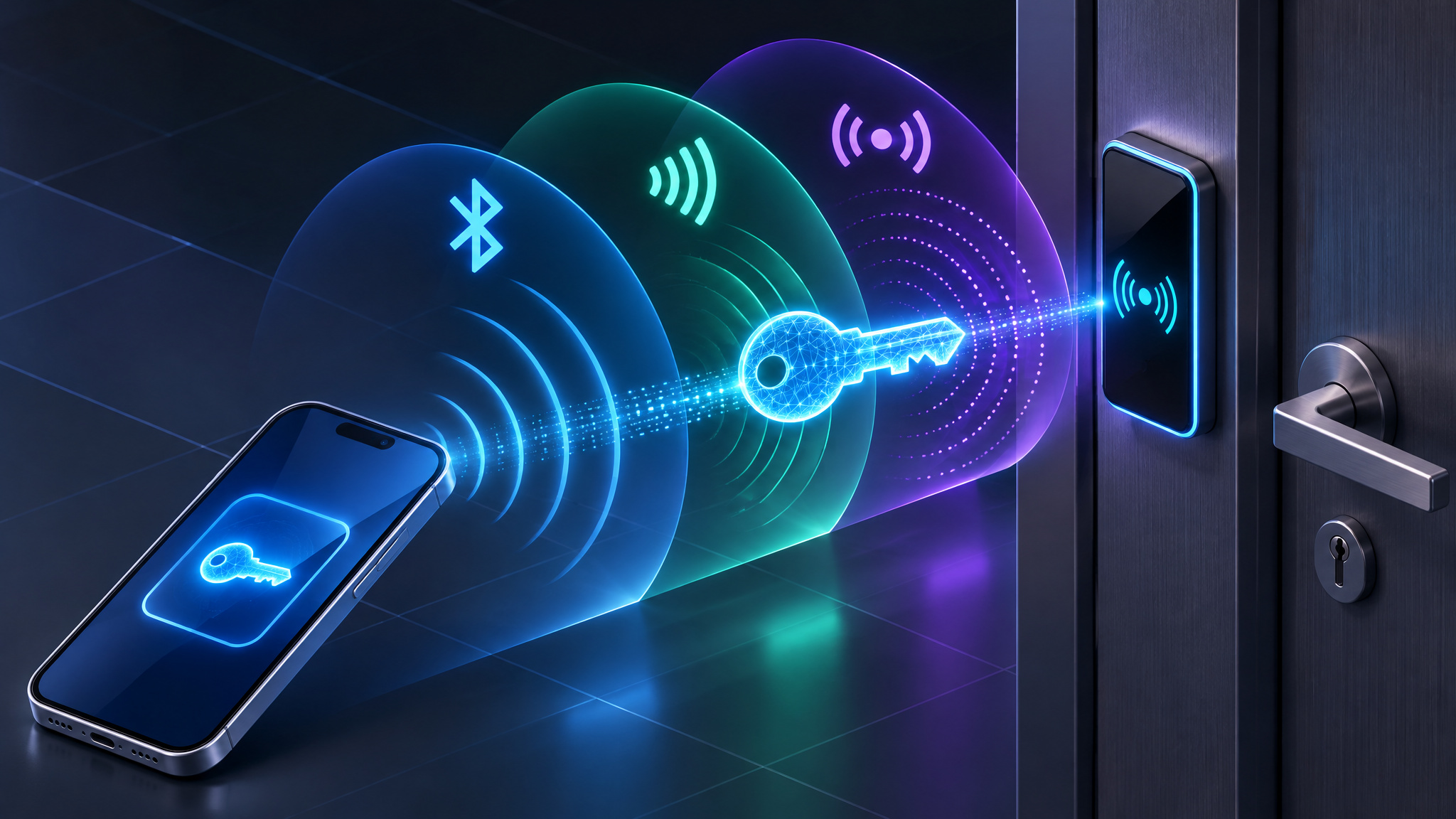
At the door itself, phones communicate with readers using BLE, NFC, UWB, or scannable QR codes, each trading off hands-free convenience against deliberate user intent. Underneath those wireless exchanges sit standard transmission protocols like Bluetooth, NFC, and RFID, wired back to Power over Ethernet (PoE) switches, access control hardware, IoT-connected devices, and cloud management platforms. Because each protocol behaves differently at the threshold, picking the right one is usually a door-by-door call rather than a blanket rule.
Bluetooth Low Energy (BLE)
BLE communicates between the phone and the reader without manual pairing and carries enough bidirectional bandwidth to establish a secure connection from a few feet away. That extra range is what enables hands-free proximity entry, letting someone walk through a lobby or pull up to a parking gate without pulling their phone out of a pocket.
Near Field Communication (NFC)
NFC operates only at close range, using the same tap-to-pay radio hardware already built into modern smartphones. Because the phone has to be held right up to the reader, NFC trades away hands-free convenience in exchange for deliberate, payment-grade tap access that prevents accidental unlocks when someone walks past a door.
Ultra-Wideband (UWB) and QR codes
UWB is emerging as a third wireless option for authenticating at access points. For visitors and short-term guests who shouldn’t have to install an app or enroll a device, QR codes handle the job cleanly: the guest displays a scannable code on their screen, the reader scans it, and the door opens with zero enrollment overhead.
Behind the reader: the controller that makes the decision
Pop the cover off a door setup and you’ll find the wall reader makes zero decisions. The actual brains sit back in a wiring closet inside the access controller. That controller decrypts credential data and decides whether to grant or deny entry, while also managing unlock schedules and monitoring the door contact.
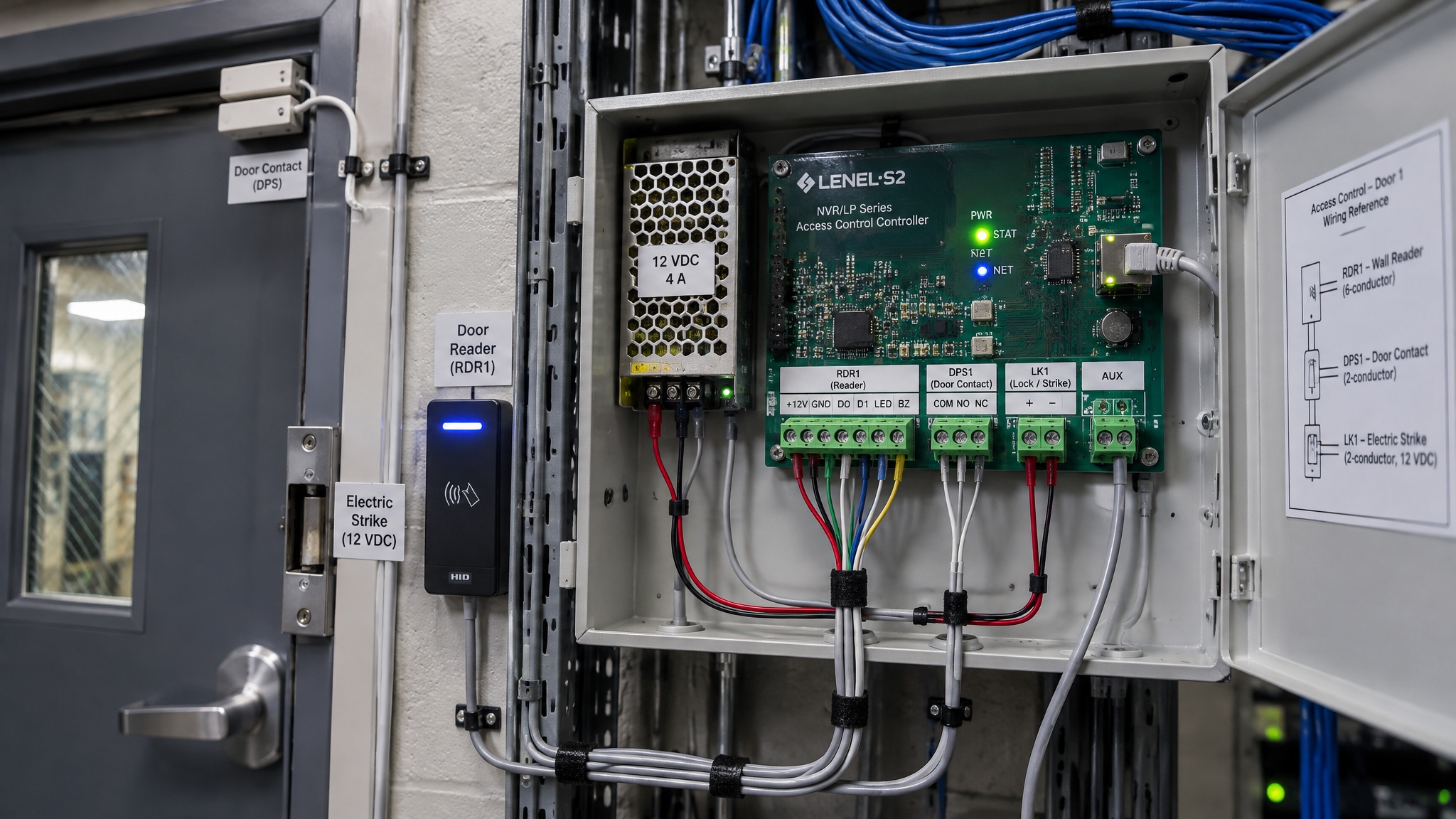
The reader or keypad on the wall is just an input peripheral reporting a string of zeros and ones back to the controller, historically in Wiegand format. That’s the same basic plumbing used by traditional plastic access cards, which are little more than an antenna and a chip powered wirelessly by the reader’s field.
When the controller approves a request, it triggers the door strike or magnetic lock to release, with most electric door strikes unlocking when power is applied. Two sensors complete the loop. A door contact watches whether the door is open, closed, or propped open too long. Inside the room, a request-to-exit (REX) unit, either an infrared motion sensor or a manual push button, tells the controller to unlock the door for someone leaving without presenting a credential.
On the software side, administrators program controller rules and user permissions through management tools such as Kantech EntraPass, while modern hardware like the Kisi Reader Pro handles mobile radio traffic at the door. The catch in real buildings is that legacy Wiegand wiring between the reader and the controller is often the real deployment bottleneck: the phone side modernized, while older door hardware still expects a decades-old bit format. Across 4 vendor guides we checked on whether mobile credentials work with existing card readers and locks, 3 say yes and 1 says no. That split reflects reality on the ground, where newer readers can often bridge into existing controllers, while older single-format hardware forces a partial swap.

Credential types: matching the format to the door
Mobile credential formats aren’t mutually exclusive, and an organization can run several in parallel depending on who’s walking through a given door, how strict the security policy is, and what hardware sits in the frame.
- Mobile app credentials present the credential through a dedicated access control app and are the standard option for employees, tenants, and regular staff.
- Digital wallet credentials store the pass inside Apple Wallet or Google Wallet for everyday employee and staff access without opening a separate app.
- Secure link credentials arrive as an invitation link for contractors, guests, and temporary users who only need short-term entry.
- PIN or passcode entry lets users type a code at a keypad instead of presenting a phone, scoped to specific doors or temporary visitors.
- Biometric authentication uses the phone’s own fingerprint sensor or facial recognition to verify who is holding the credential at higher-security doors without buying dedicated wall-mounted biometric scanners.
Stacking these formats lets a single building issue app or wallet passes to full-time staff, send QR or secure-link passes to afternoon visitors, and require biometric verification for server rooms or labs.
The credential lifecycle: issuance, updates, revocation
Mobile access management centralizes the entire credential lifecycle in the cloud, replacing physical badge printing and on-site panel configuration with remote issuance, real-time policy updates, and instant revocation. If an employee loses a phone or leaves the company, an administrator can kill that credential from anywhere in seconds without chasing down a piece of plastic.
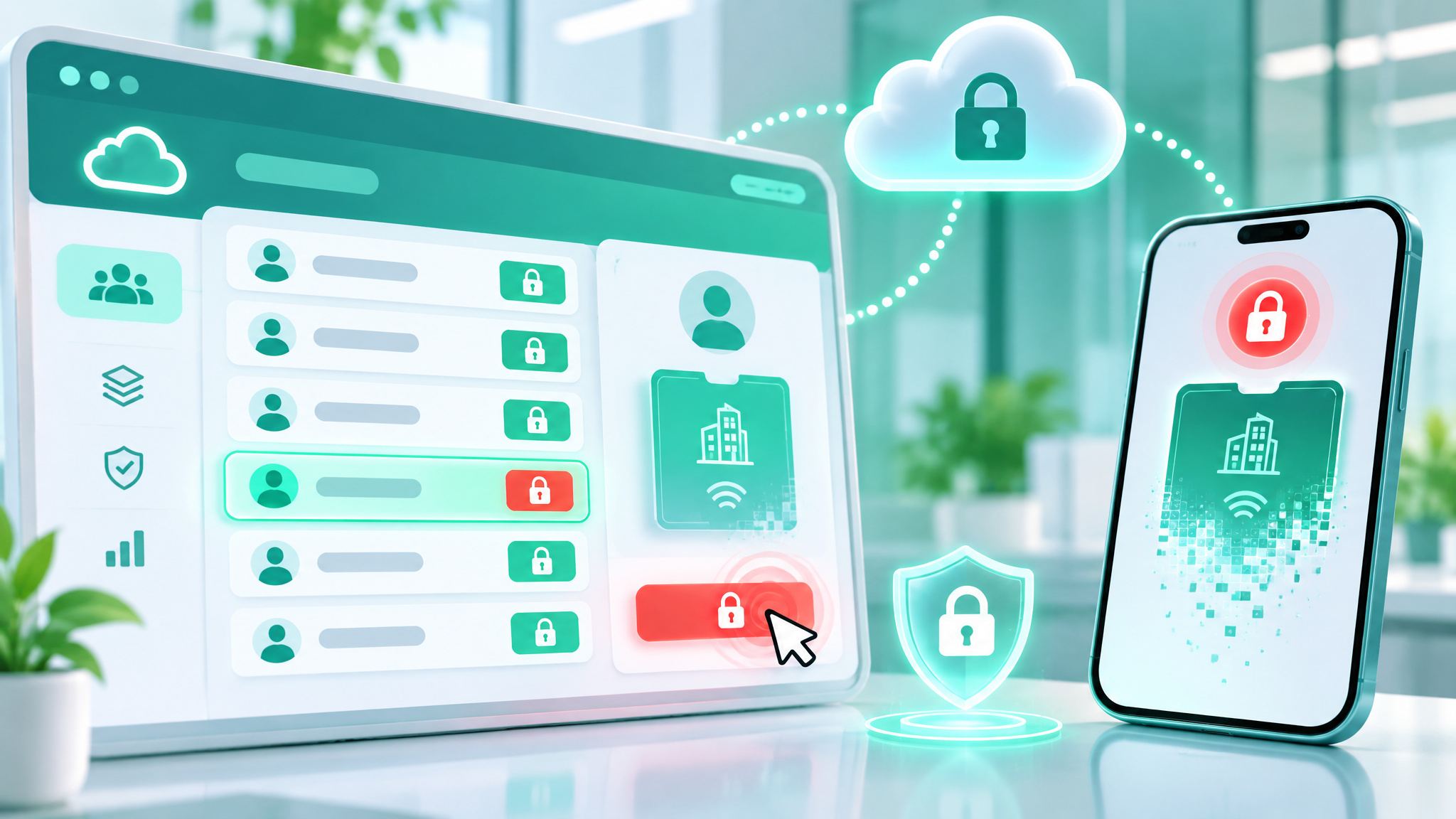
Provisioning scales across thousands of users and multiple sites through email or app invitations, bulk CSV uploads, or automated syncing with Identity and Access Management (IAM) and HR platforms via Single Sign-On (SSO) and System for Cross-domain Identity Management (SCIM). When someone joins, changes roles, or leaves, their door permissions update automatically alongside their digital accounts, while visitors and contractors get passes locked to specific hours or zones.
Modern platforms also tie into existing readers, visitor management systems, video security, and building management software, streaming real-time alerts on access events and anomalies. Leaving badge printing behind doesn’t eliminate admin work, though: it shifts the operational bottleneck to keeping the HR and identity directory clean so automated provisioning grants the right access from day one.
Mobile credential security: MFA, MDM, and Zero Trust
Mobile credentials protect door traffic with AES-256 encryption and TLS transport, binding each credential to a specific device and user identity so it can’t be cloned like a basic proximity card. Adding Multi-Factor Authentication (MFA) via device biometrics or a PIN blocks entry even if an unlocked phone falls into the wrong hands, while Zero Trust architecture extends that verification beyond the front door into corporate apps and networks. According to Dark Reading, strengthening access controls and data protection measures in this way also helps organizations demonstrate their commitment to security and build trust with customers and stakeholders.
The layered security model
Because a company doesn’t own an employee’s personal phone, no single control can secure it on its own. As Steven Angle, who writes at databricks.com, explains in detailing Databricks’ internal BYOD security model, protection has to stack across four distinct layers: Mobile Device Management (MDM), authentication gatekeeping, Zero Trust Network Access (ZTNA), and application management. Rolling those layers out gradually while respecting personal privacy is what turns a BYOD policy into something staff will adopt.
How the layers enforce trust
Each layer handles a specific boundary between corporate data and the user’s personal device:
- MDM acts as the foundation by creating a trusted path for installing work apps, certificates, and policies; using iOS Account-Driven User Enrollment (ADUE) or Android Work Profile builds a separate encrypted workspace tied to corporate identity while leaving personal photos, apps, and messages untouchable and preventing full-device wipes.
- Authentication gatekeeping, the highest-impact control to enforce first, never grants a request on identity alone, instead checking phishing-resistant passwordless MFA, a known managed device, and a trusted network path before opening the gate.
- ZTNA evaluates device posture continuously after login rather than once at sign-in, routing corporate traffic through a per-app VPN tunnel separate from personal traffic, denying access by default, blocking compromised operating systems immediately, and steering web apps through an enterprise-managed browser.
- Application management installs controlled managed apps with MDM restrictions, such as blocking copy-and-paste outside the work container, and tiers new apps by data sensitivity.
Enrollment privacy and rolling it out
Technical controls fail if employees suspect their employer is quietly watching their personal life. Plain-language documentation explaining exactly what IT can and cannot see, reviewed with Legal and Privacy teams and published before enrollment begins, builds the trust required for voluntary participation. Databricks tested this exact model as customer zero on its internal Genie mobile app, reusing its existing security stack rather than bolting on separate mobile infrastructure while IT and Engineering collaborated on the rollout.
Mobile access control vs traditional keycards
Mobile credentials beat traditional keycards on revocation speed, eliminated card overhead, and connected identity, though the right call still depends on the specific door and organization.
| Criterion | Traditional keycards | Mobile access control |
|---|---|---|
| Security | Partial (clonable cards if lost or stolen) | Yes (AES-256, TLS, device-bound with MFA and instant revoke) |
| Access management | No (manual printing and on-site config) | Yes (cloud issuance and real-time multi-site updates) |
| Cost | No (ongoing card printing, shipping, and replacements) | Yes (eliminated card spend and lower upfront server spend) |
| User experience | Partial (carrying and fumbling for physical badges) | Yes (tap or proximity entry on a phone plus guest passes) |
| Connected identity | No (door access only) | Yes (one device for doors, network login, and workplace apps) |
| Sustainability | No (plastic card waste and re-issuance) | Yes (no physical cards required) |
From an operational budget standpoint, dropping physical badges removes recurring spend on blank stock, printers, shipping, and lost-card replacements, while cloud deployment cuts the upfront capital required for on-premises servers. That translates into lower ongoing administrative overhead and stronger operational ROI over time, even though mobile credentials aren’t automatically the right fit for every doorway in a building.
When a hybrid credential strategy beats going fully mobile
Running a hybrid credential strategy, where mobile passes coexist alongside physical keycards, fobs, or PINs, is often the smartest default during a migration and permanently at specific doors.
Vendor summaries and day-to-day deployments tell different stories here. All 9 vendor and informational guides we checked that answer yes or no say a smartphone can replace keycards and fobs for door access. By contrast, of 6 posters reporting their own experience when asked how they or their users open doors day to day, 4 say they use a phone plus cards or fobs, 1 says phone only, and 1 says cards or fobs only. That gap comes down to legacy hardware and real-world edge cases that glossy product overviews tend to gloss over.
Legacy Wiegand-era readers and on-premises control panels frequently accept only older card formats, forcing teams mid-project to run partial retrofits or keep mixed credentials active rather than ripping out working hardware overnight. While cloud-based IP systems scale neatly to thousands of users across multiple sites, local control panels routinely stay in place in hybrid setups that layer cloud management over existing panels through compatible readers.
Smartphones also introduce practical failure modes that plastic cards never had: batteries die, screens crack, phones get lost, and facilities still need offline and fallback plans when a handset can’t talk to the reader. For most teams, the question isn’t mobile or cards, but which doors to convert, in what order, and on which infrastructure.
Where mobile access control works best
Mobile credentials deliver the clearest payoff wherever population churn is high and teams spend too much time issuing, updating, and collecting access media.
Corporate offices
Hybrid schedules require flexible access across private offices, meeting rooms, and shared desks, pairing mobile passes for staff with temporary credentials for guests.
Multi-tenant buildings
Property managers can issue and revoke credentials quickly for tenants, contractors, and service providers as leases start, end, or expand into shared amenities.
Co-working spaces
Operators cut front-desk administrative overhead while giving rotating members immediate app-based entry.
Educational institutions
Universities manage large headcounts across dorms, classrooms, and research labs from a single centralized platform.
Healthcare facilities
Hospitals use contactless entry to cut surface contamination risks while assigning strict role- and location-based permissions for clinicians, contractors, and restricted zones.
Hospitality
Hotels and resorts deploy mobile access for guests, staff, and service providers wherever existing door infrastructure supports it.
Construction and temporary worksites
Supervisors issue temporary credentials to rotating subcontractors and revoke them automatically the day a project wraps up.
Gyms and fitness facilities
Members get convenient phone entry while operators manage memberships and access tiers digitally.
Multi-site organizations
One user carries one credential with different rules per site, such as full access at a primary headquarters and limited entry at a regional branch.
Wherever people are constantly joining, leaving, or moving between locations, ditching physical badges removes the biggest operational drag.
Choosing a mobile access control platform
Evaluating a mobile access control platform starts with your actual door hardware and daily turnover rather than a generic feature checklist. Six core benchmarks separate solid platforms from frustrating ones: flexible credential options, detailed access reporting, built-in visitor management, time and attendance tracking, responsive customer support, and clear self-service documentation and admin tools.
Before comparing vendors, answer four operational questions about your facility: who needs access, how frequently permissions change, how many locations you manage, and how much daily foot traffic moves through your doors. In practice, platforms take different approaches to that mix: Acre Security’s Acre Wallet and cloud-native Acre Access Control platform (built on Feenics) focus on second-by-second remote issuance, MFA, least-privilege enforcement, and integrations across HR, visitor management, video surveillance, and building systems, while Kisi pairs cloud credential management with BLE and NFC reader hardware. Map those capabilities against the wiring already sitting behind your readers, and you’ll know which doors are ready for phones today and which ones still belong on a hybrid plan.
Frequently Asked Questions
What is the step-by-step process of mobile access control?
An administrator first pushes a digital credential from a cloud platform to a user’s app, digital wallet, or via a secure link or QR code. At the doorway, the phone transmits that credential over BLE, NFC, or UWB, but only after built-in biometrics like Face ID or a fingerprint scan confirm who is holding the handset. The wall reader then passes raw data to an access controller, which checks permissions, triggers the electric strike or magnetic lock, and logs the event.
What technologies (BLE, NFC, UWB) are used for mobile access control?
Doors typically rely on Bluetooth Low Energy (BLE) for hands-free proximity entry from a few feet away, or Near Field Communication (NFC) for deliberate, tap-to-pay style access right against the reader. Ultra-Wideband (UWB) is emerging as a third wireless option, while scannable QR codes let short-term guests open doors without installing an app or enrolling a device. Underneath those wireless handshakes, readers still connect back to Power over Ethernet (PoE) switches, access controllers, and cloud management platforms.
How does mobile access control compare to traditional keycard systems?
Traditional plastic cards are dumb pieces of hardware that anyone can swipe or clone if found in a parking lot, and they saddle facilities teams with ongoing printing, shipping, and replacement costs. Mobile credentials eliminate that physical card overhead, bind access to a specific user’s phone with MFA, and let admins revoke a lost credential from anywhere in seconds. They also unify building entry with corporate network and app logins on one device, though older door wiring still keeps physical badges relevant on some thresholds.
What security protocols are used to encrypt mobile access credentials?
Mobile credentials rely on AES-256 encryption and TLS transport to lock each pass to a specific device and user identity, preventing the easy cloning that plagues basic proximity cards. On personal phones, organizations stack phishing-resistant passwordless MFA on top of Mobile Device Management (MDM) containers—like iOS Account-Driven User Enrollment or Android Work Profile—to separate work credentials from personal data. Zero Trust Network Access (ZTNA) then continuously checks device posture and routes corporate traffic through a per-app VPN tunnel.
How does mobile access control integrate with existing building management systems?
Modern mobile platforms connect to existing wireless locks, video security, visitor management, and broader building management software while syncing user permissions automatically with HR and IAM directories via SSO and SCIM. At the doorway itself, newer readers can often bridge into existing access controllers, letting teams layer cloud management over panels already sitting in the wiring closet. The main catch is legacy Wiegand wiring and older single-format hardware, which can force partial reader or panel swaps rather than a pure software rollout.
What are the limitations of using smartphones for building access control?
Unlike plastic badges, smartphones have batteries that die, screens that crack, and operating systems that require offline fallback plans when a handset cannot talk to a reader. On the building side, decades-old Wiegand wiring and single-format control panels often block a clean, all-at-once transition to mobile hardware. When employees use personal devices, IT teams also cannot inspect private contents or restrict personal use, which means rolling out privacy-preserving MDM and clear enrollment policies before staff will buy in.
When should a company use a hybrid credential strategy instead of going fully mobile?
A hybrid setup—running phones alongside physical cards, fobs, or PINs—makes sense during phased migrations and permanently on doors backed by legacy Wiegand readers or older on-premises panels. It also gives buildings a practical safety net for dead phone batteries, lost handsets, and temporary visitors who shouldn’t have to install an app. Real-world habits reflect that mix: among 6 posters who reported their own day-to-day experience, 4 use a phone alongside physical cards or fobs rather than ditching plastic entirely.
How is identity verification handled when using a mobile access control system?
Before the door system ever checks its permission table, the phone’s built-in biometrics—such as Face ID or a fingerprint scan—or a device passcode verify that the person holding the handset is the authorized user. That local check stops someone from walking through a door with an unlocked, unattended phone, and it saves facilities from buying dedicated wall-mounted biometric scanners. In layered BYOD environments, authentication gatekeeping pairs those biometrics with phishing-resistant passwordless MFA, a known managed device, and a trusted network path.