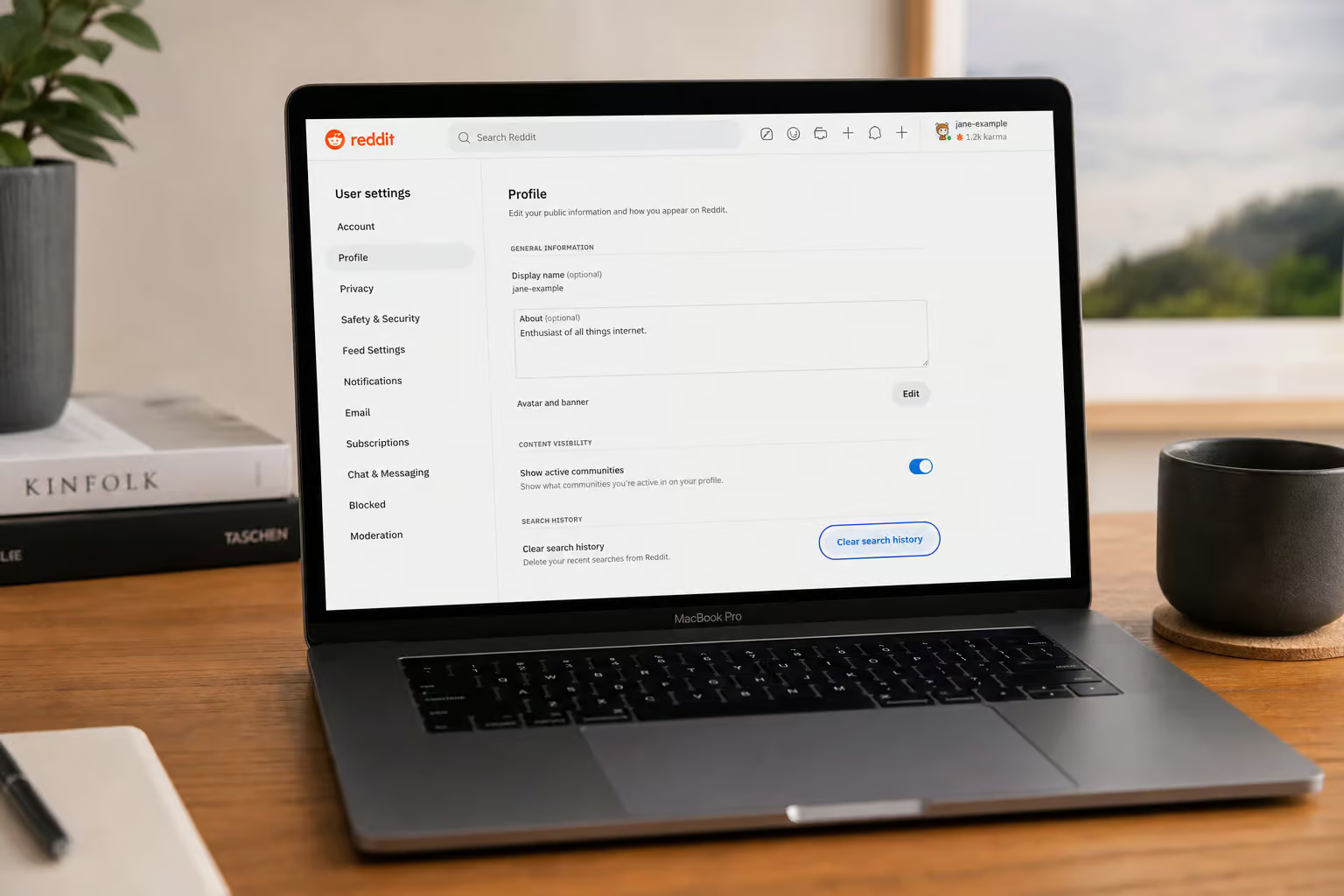
You cleared your Safari history. You felt that satisfaction of the progress bar. Then you opened Reddit and your entire browsing history—every post you clicked, every search you typed—was right there, staring back at you. So, how to delete Reddit history? There’s a geek-deep guide for that, covering every trace across every platform.
Here’s the short answer: Safari erases your local breadcrumbs, but Reddit keeps its own copy. And Apple admits it. Let me show you what works on a Mac, and then walk you through how to delete Reddit history completely, because this is one of those gaps where the browser and the website live in separate worlds.
Key Takeaways
Apple puts it plainly: clearing your browsing history in Safari does not remove any browsing histories that websites you visited maintain on their own. That’s the core reason your Reddit history survives a Safari clear.
Reddit stores your posts, comments, search history, and viewed history on its own servers—clearing browser history has zero effect on any of that data.
To actually delete Reddit history on a Mac, you’ll have to use Reddit’s own tools: the “Clear search history” button in Privacy & Security settings, individual post/comment deletion, or the bulk “Delete History” feature.
Table of Contents
Why Clearing Safari History Won’t Delete Your Reddit History
Let me be direct: if you cleared Safari’s history expecting it to wipe your Reddit activity, you’re not alone. I’ve seen this confusion many times. The problem is that Safari and Reddit are keeping entirely different sets of records, which is why you need a separate guide on deleting Reddit history on a Mac to handle Mac-specific edge cases like iCloud sync interference.
Safari clears local stuff—the list of pages you visited, your back/forward navigation, the “Frequently Visited” thumbnails on your start page, recent address-bar searches, website icons, and those page snapshots you see when you switch tabs. It’s a solid local scrub. But if you’re wondering how to delete Reddit history, Apple’s own support documentation spells it out.
“Clearing your browsing history in Safari does not remove any browsing histories that websites you visited maintain on their own.”
That’s not a bug. It’s a feature of how the web works. When you visit Reddit, the site logs your activity on its own servers. Safari can’t touch that, because your browser doesn’t own that data — but if you want to delete reddit history chrome, the process varies by browser and device sync settings.
Why this matters for Reddit users on Mac
Reddit’s history—your posts, comments, upvotes, searches, and viewed links—lives on Reddit’s servers. Every time you load a page, Reddit knows. Clearing Safari history only removes the local cache of those pages, so for a complete guide on how to delete reddit history, you’ll need a deeper approach. Your account history? Untouched.
If you delete a text message conversation on your phone, the person you were texting still has their copy. Safari is your local copy. Reddit’s the other person.
What Safari history clearing actually removes (and doesn’t)
Here’s exactly what goes away when you clear Safari history:
- Visited pages list
- Back/forward navigation for open tabs
- Frequently visited sites on the start page
- Recent searches in the address bar
- Website icons (favicons)
- Snapshots of open pages
- Download list (not the downloaded files themselves)
- Quick Website Search entries
- Site permissions
And here’s what does not go away: why your reddit history reappears after clearing, along with sync conflicts, server-side caches, and how to force a full reset.
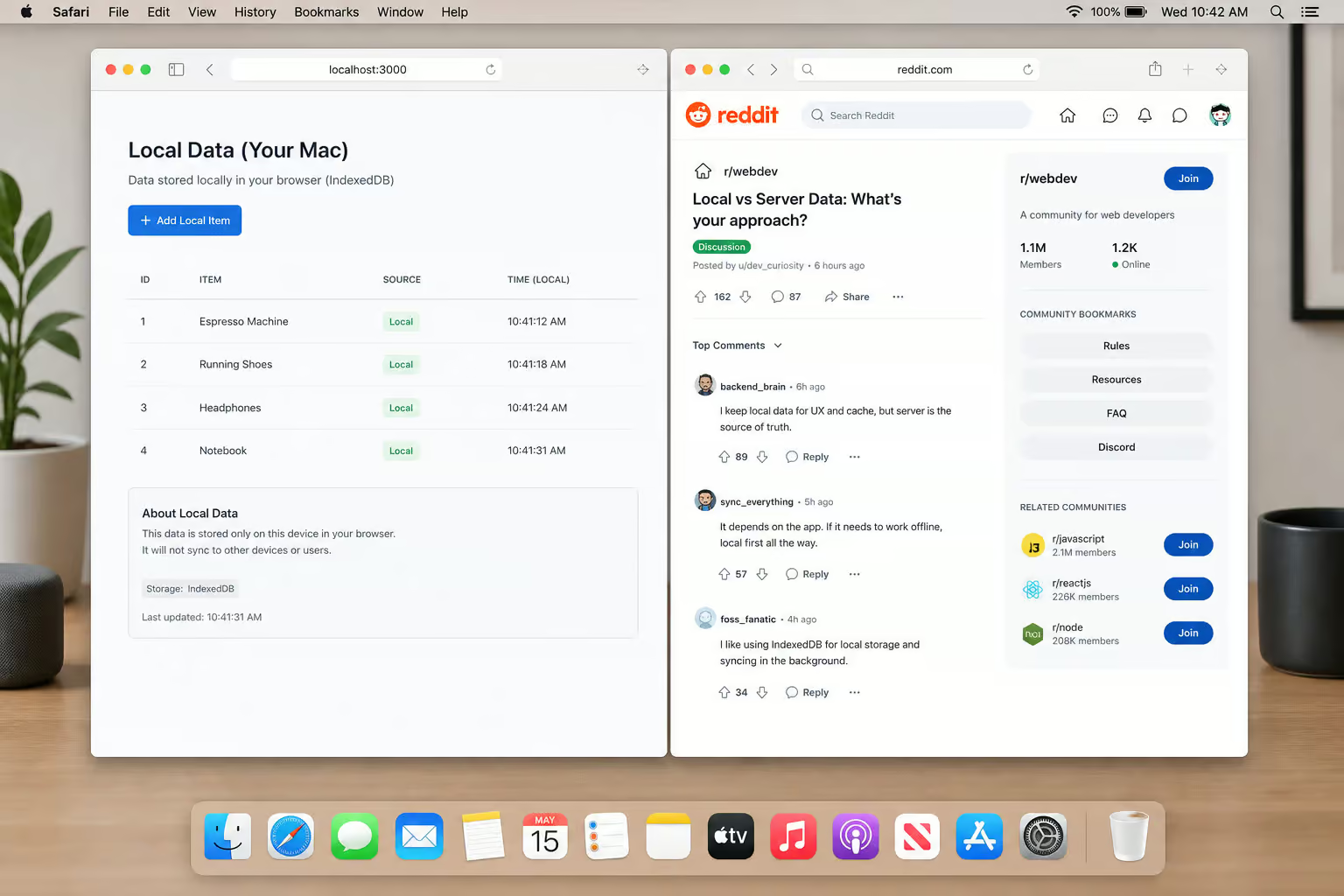
Browsing histories kept by individual websites like Reddit—where you might need to know how to delete Reddit history on iPad due to iPadOS quirks like split-screen impact, iCloud Keychain syncing, and multi-tab history behavior—Amazon, Google, etc. AutoFill data (contacts, passwords, credit cards). Cookies (by default, unless you choose the nuclear option). Server-side data anywhere.
Security.org ran a test: they cleared Safari history, then clicked Amazon.com. However, for iPhone users on Reddit, the iOS app nuance of exactly how to clear history on reddit iphone — where the ‘Clear local history’ button lives, how it interacts with Reddit’s servers, and why it might not nuke everything, mirrors this problem: the website data log, which had been empty a moment earlier, filled up with tracking activity. Clearing history doesn’t stop websites from tracking you once you visit them again.
How to Delete Reddit Search History on Mac (Reddit’s Own Settings)
If Safari can’t do it, where do you start? Reddit’s own settings have a button for clearing search history. It’s the first tool you should use, but note the scope: it only wipes your recent Reddit searches, not your posts, comments, or viewed history. For an Android-specific walkthrough on navigating the Reddit app’s settings and clearing cache without losing login, see how to delete reddit history on android.
Here’s the path:
- Open Reddit.com in your browser on Mac.
- Click your profile icon (top right) ? Settings.
- Go to the Privacy & Security tab.
- Look for the “Clear search history” button and click it.
That’s it. The action is irreversible for search history, so make sure you want to clear it.
Important caveat: This only removes the list of things you’ve searched for on Reddit. For a complete, geek-deep guide to how to delete reddit history — including visited links, comments, and what Reddit actually keeps, you’ll need to look beyond that narrow step, as your posts, comments, upvotes, and viewed history are still there, untouched.
How to Delete Individual Reddit Posts and Comments on Mac
To clean up specific posts or comments—maybe that embarrassing comment from three years ago—you have to do it manually.
- Go to your Reddit profile.
- Find the post or comment you want to delete.
- Click the three-dot menu (the universal Reddit action button).
- Select Delete.
- Confirm.
The content disappears from your profile. Delete on Reddit isn’t permanent erasure. The content is removed from your profile, but anyone who already loaded that page might have a cached copy. Archived sites like removeddit can still show it.
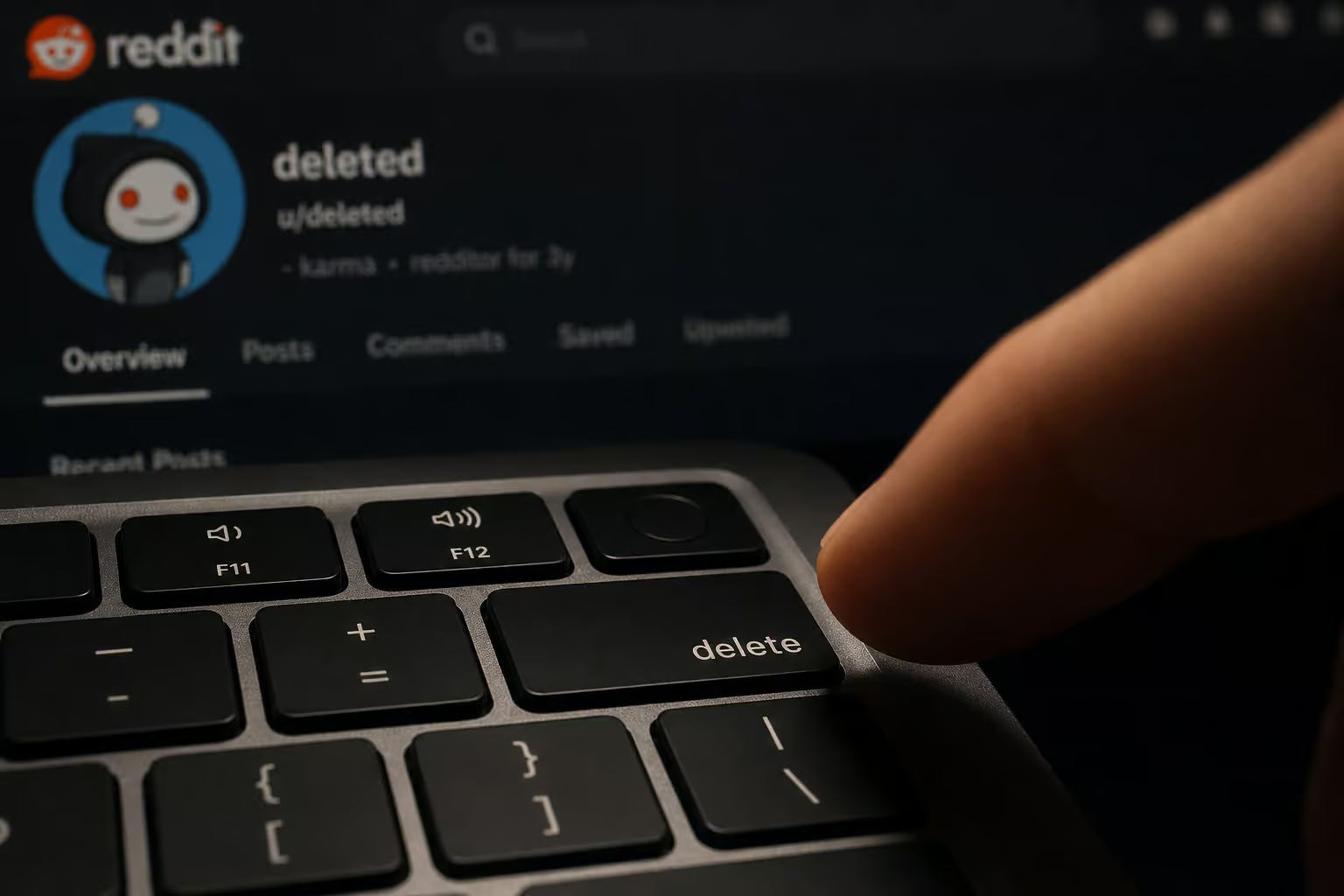
Quoted replies in other people’s comments will still contain your text. And for the nuclear option of using third-party scripts, here is how to delete all reddit history, though you can’t access those backups.
If you have a lot of history, manual deletion becomes a click-by-click exercise. That’s where bulk deletion helps.
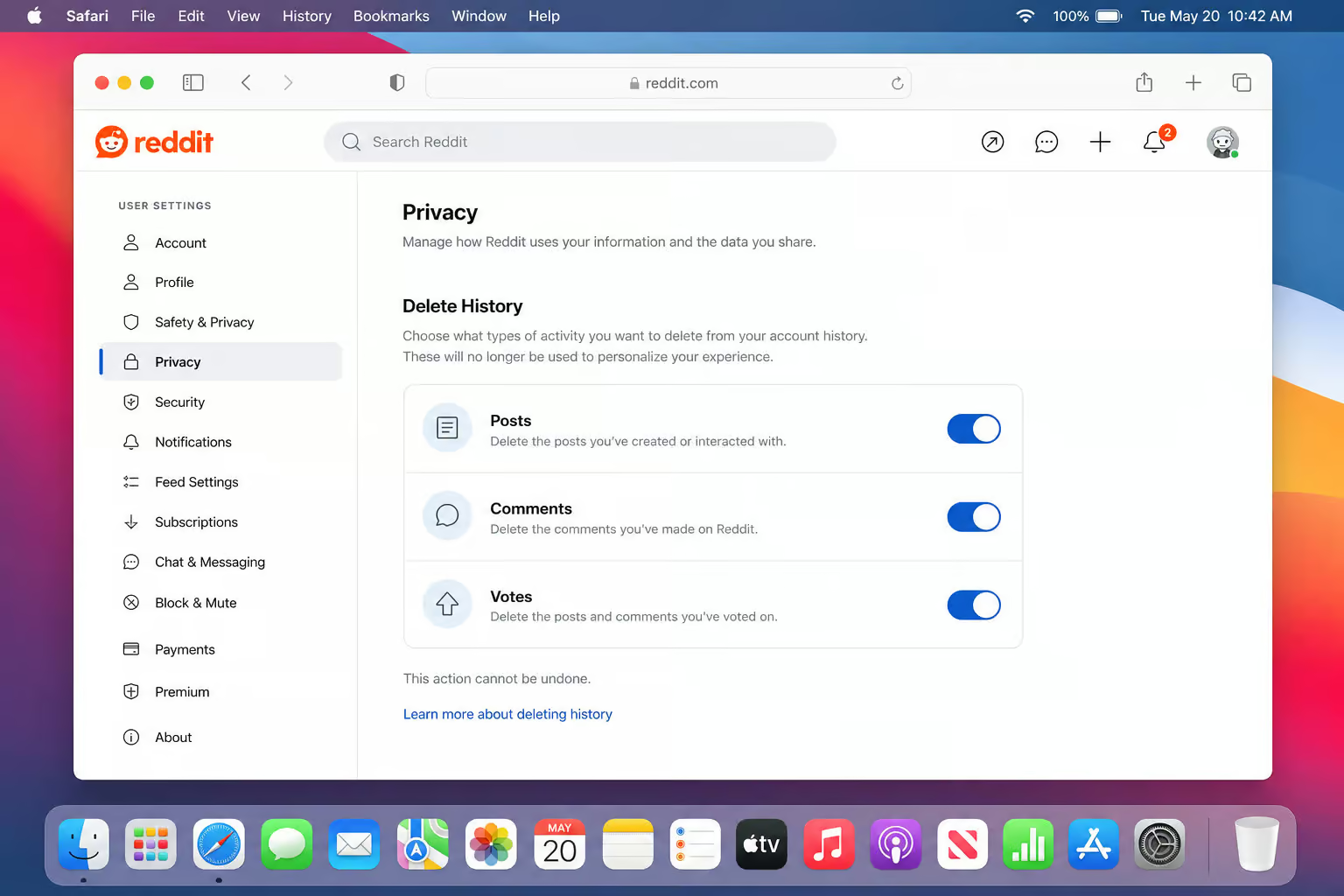
Bulk Delete Reddit History on Mac — Using Reddit’s Delete History Feature
Reddit has a bulk deletion tool that can remove all your posts, comments, and votes at once. It’s an efficient method for a fresh start, but for those who need more granular control—such as deleting individual entries like a single search or a single visited link—here is a guide on how to delete things from reddit history via profile settings, balancing scope with precision. If you’re also wondering how to delete your OnlyFans account in 3 steps (no regrets), that process follows a similar removal logic for digital footprints.
- Go to Settings ? Privacy & Security.
- Look for the “Delete History” section (separate from the “Clear search history” button).
- Toggle on the categories you want to delete: posts, comments, and/or votes—for Android-specific steps, see how to delete reddit history on android.
- Click the confirm button.
Your profile will now show [deleted] for posts and [removed] for comments. It’s clean from your end.
What happens when you use Reddit’s Delete History feature
Your profile no longer displays that content. Anyone visiting your profile sees a clean slate. But the data still exists in Reddit’s backups, internal logs, and in any replies that quoted you. Other users who already loaded the content before you deleted it might still see cached versions. This is profile-level concealment, not full internet erasure, and it has nothing to do with targeted removal of visited links only, which is covered under how to delete reddit visited history.
For most people, this is the “I want a fresh start” option. It’s fast, it works cross-platform, and if you’ve ever wondered why your reddit history not deleting after you hit “clear,” the feature is built into Reddit itself — and if you’re looking for a similarly intuitive service, a Torbox review notes it’s easy enough to delete old files or check storage without reading a wiki.
Browser-Level Cache and Cookie Clearing for Reddit on Mac (Safari, Chrome, Firefox)
Clearing your browser cache and cookies for Reddit does not delete your Reddit account history. It only removes local leftovers—cached page layouts, saved login tokens, and cookies that may be keeping you logged in or storing site preferences. If you need a more targeted approach for your mobile device, here is how to delete Reddit history on Android, and if you’re looking to remove a different type of account entirely, we also have a guide on how to delete OnlyFans account.
That said, it can be useful if you want to force a fresh login, clear stored session data, or just clean up your browser’s stowaway data, such as learning how to delete Reddit history Chrome for a clean slate. Here’s how for each browser on Mac.
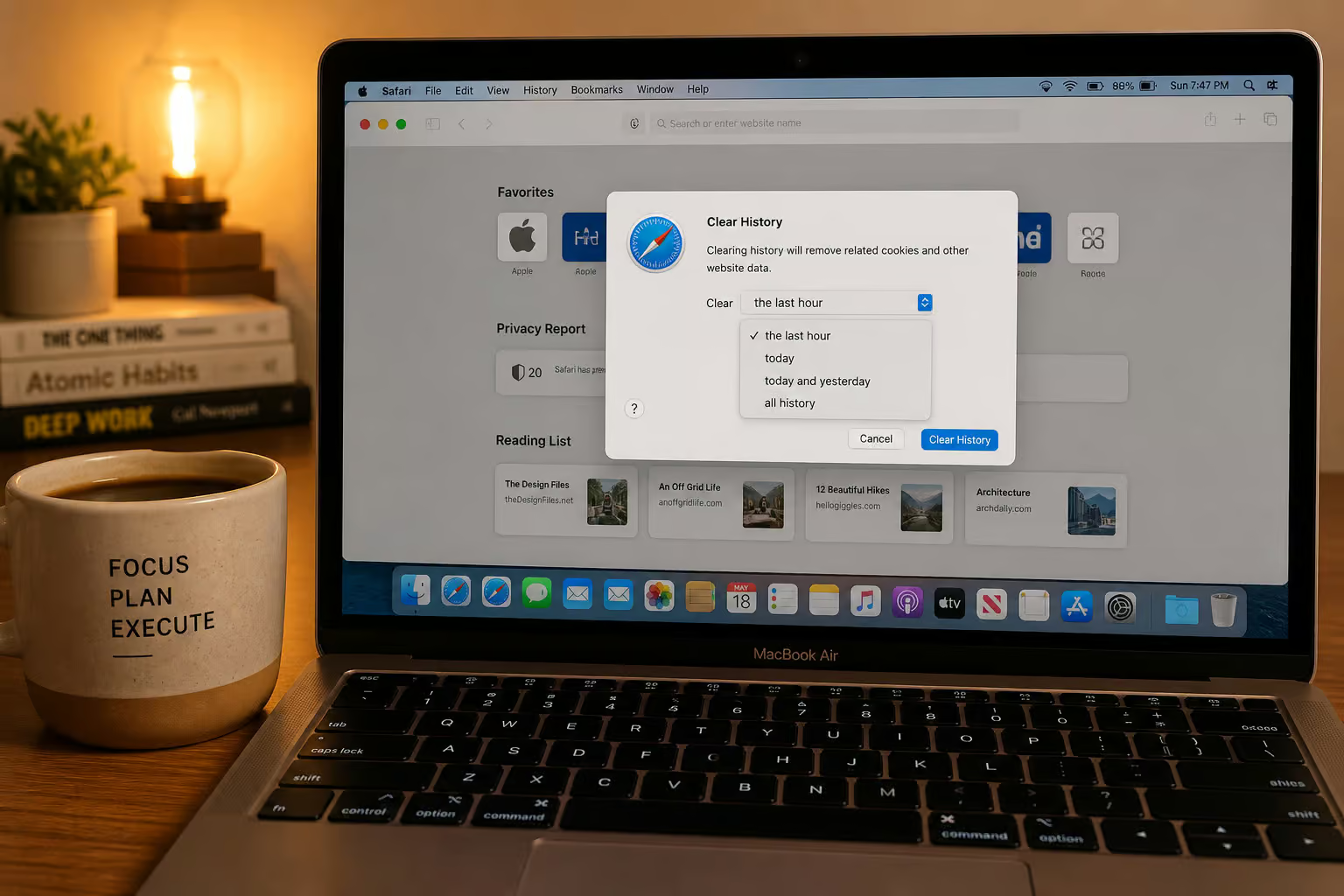
Safari on Mac
- Go to History ? Clear History.
- Choose a timeframe: all history, today, today and yesterday, or the last hour.
- Click Clear History.
Hidden trick you probably didn’t know: Hold the Option key while the History menu is open. The “Clear History” option changes to “Clear History and Keep Website Data.” This lets you wipe the history list while preserving your cookies and site data (so you stay logged into sites you care about). For a Reddit-specific approach, learn how to delete reddit history on pc across old. Reddit, new Reddit, and third-party tools.
Chrome on Mac
Click the three-dot menu ? Settings ? Privacy and Security ? Clear browsing data. For a complete, geek-deep guide on how to delete reddit history across every platform, including workarounds for permanent deletion, select Cookies and other site data and Cached images and files. Set the time range to All time. Click Clear data.
Firefox on Mac
- Go to History ? Clear Recent History.
- For a step-by-step guide, see how to delete reddit history on iphone, which covers clearing visited links, search history, and comments in the official Reddit app, plus Safari web history gotchas.
- Select a time range to clear.
- Expand the details and check Cookies and Cache.
- Click Clear Now.
None of these touch your Reddit account history. They’re just cleaning up your Mac’s local storage of Reddit data.

iCloud Sync and Reddit History — What Actually Happens
Someone clears Safari history on their Mac, then checks Reddit on their iPhone and expects the history to be gone — but how to delete reddit history on mac requires wiping Reddit data separately. When it’s not, they assume iCloud failed.

Let’s untangle this.
If you have iCloud for Safari enabled, clearing Safari history on your Mac removes it from all your Apple devices—your iPhone, iPad, and other Macs. That’s the browser history, not the Reddit history, which is why iPhone users specifically need a separate guide on how to delete reddit history on iphone to clear visited links, search history, and comments in the official Reddit app, plus Safari web history gotchas. Since Reddit’s data lives on Reddit’s servers, not on Apple’s, iCloud has exactly zero influence over it.
Pro tip: If you want to stop Safari history from syncing across devices entirely, go to Apple Account ? iCloud ? Saved to iCloud ? See All ? toggle Safari off. Each device will then keep its own history, which can be useful if you want mac-level privacy separate from your phone—and if you also need to how to delete reddit history on mac, be aware that iCloud sync can interfere with clearing data across browsers and the macOS Reddit app.
macOS Reddit App: Clearing Cache and Data (If You Use It)
You might wonder about a macOS Reddit app. There is no official Reddit app for Mac. Reddit doesn’t ship one. The only way to access Reddit on a Mac is through a web browser or a third-party client, such as a script for deleting all Reddit history.
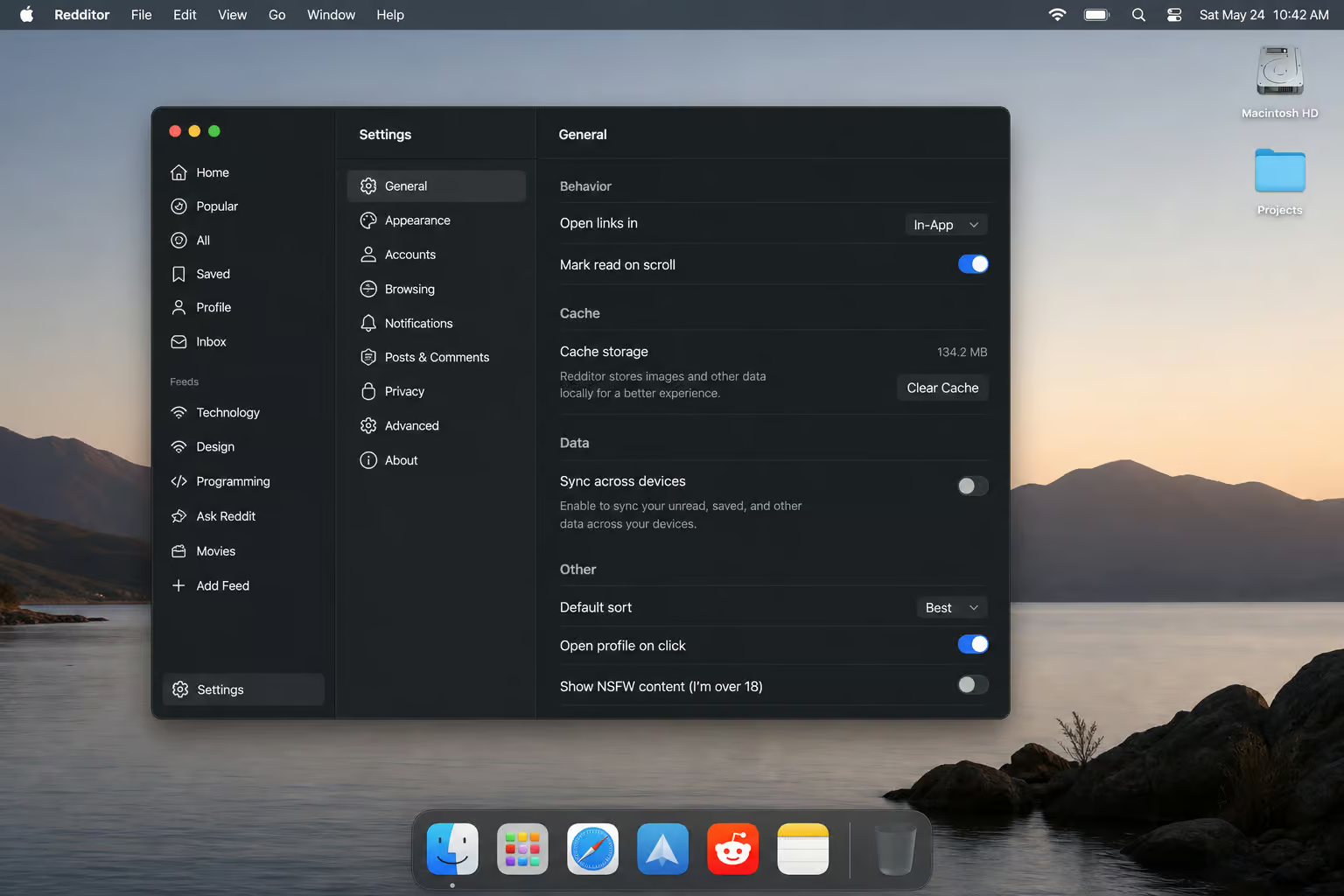
If you’re using a third-party Reddit client (like the now-discontinued Apollo for Reddit, or something like Reddit Enhancement Suite—which is a browser extension, not a standalone application), clearing its cache is app-specific. Look for a “Clear Cache” or “Delete Local Data” option in that app’s settings. If you can’t find one, uninstalling and reinstalling the app will reset its local storage. But again, this only removes local cached data—it won’t touch your Reddit account history; for that, see how to delete reddit history on pc.
What Clearing History Can’t Do — And What Actually Protects You
A lot of Mac users think that clearing browser history plus private browsing equals total anonymity. It doesn’t, as shown by a guide on how to delete reddit history chrome, which explains that synced history and incognito mode limitations leave a data trail.

ISP and Google tracking — the real threats
Even after you clear Safari history and enable every privacy toggle Apple offers, your Internet Service Provider can still see every website you visit. They don’t care about your browser cache—they see the raw traffic packets. Google has its own logs too, unless you manually delete your Google activity from your account, and if you want to scrub your presence from other platforms, you can follow this guide on how to delete reddit history to nuke every trace of your Reddit activity.
The solution for ISP-level privacy is either a VPN (which encrypts all your traffic) or Apple’s Private Relay (available to iCloud+ subscribers, which routes Safari traffic through two separate servers so your ISP cannot determine which sites you are visiting). Neither is free, but they protect against the kind of tracking that history clearing doesn’t touch—and on iOS, there’s nuance around how to clear history on Reddit iPhone, where the ‘Clear local history’ button lives, how it interacts with Reddit’s servers, and why it might not nuke everything.
Private Browsing limits and Security.org’s Amazon test
Private Browsing (or Incognito) only prevents Safari from saving your history locally. It doesn’t hide your browsing from your ISP, your employer’s network, or the websites you visit. Security.org tested this: after clearing history and switching to Private Mode, they clicked Amazon.com. The website data log filled up, which raises the question of how to delete Reddit visited history when you want targeted removal of visited links without wiping everything else. Private Mode didn’t stop a thing.
History clearing and private browsing are useful habits, but they’re not shields—especially when your reddit history not deleting reappears due to sync conflicts and server-side caches. Use them as one layer in a broader privacy stack. On iOS, you can go further by setting Advanced Tracking and Fingerprinting Protection to ‘All Browsing’ in Safari settings, which blocks more trackers than the default setting.
Troubleshooting: Reddit History Clearing Problems on Mac
Two common failures:
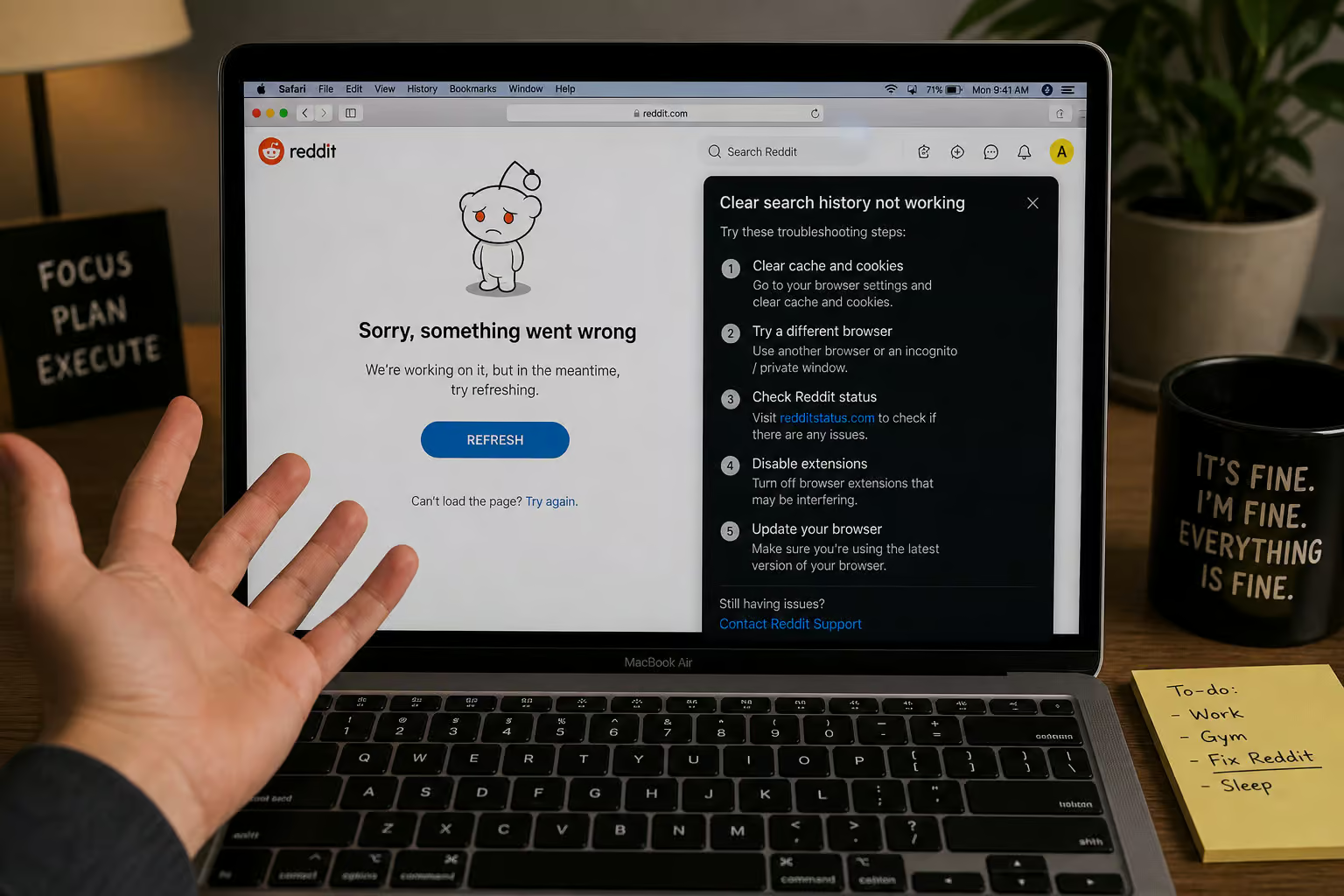
Reddit’s clear search history button not working
The “Clear search history” button sometimes doesn’t respond. Fixes:
- Log out of Reddit and log back in.
- Try a different browser (if it fails in Safari, test in Chrome).
- Clear your browser cache first—stale cookies can interfere with Reddit’s interface.
Understanding why history appears to come back
You cleared your Reddit search history, but later it’s back — so how to delete things from reddit history? Two things could be happening:
- Cached content: Reddit pre-loads data from its servers. Refresh the page or log out/in to force a reload.
- iCloud confusion: You might think Reddit history “came back” because your Safari history was restored from another device via iCloud. But that’s the browser history, not Reddit’s—the Reddit history never left.
If you see Reddit history that you deleted, it’s usually because you were looking at cached data; for the nuclear option, you can use third-party scripts to how to delete all reddit history, but refresh and it disappears.
Putting It All Together: Your Mac Reddit Privacy Checklist
The sequence to clean up Reddit history on a Mac:
- Delete Reddit search history via Settings ? Privacy & Security ? “Clear search history.”
- Delete individual posts/comments or use the bulk Delete History feature for profile-level cleanup.
- Optional: Clear browser cache and cookies for Reddit (Safari, Chrome, or Firefox) to remove local data.
- If you use a third-party Reddit client on Mac, clear its cache or reinstall it.
This cleans your Reddit profile of visible history. But understanding the tricky situation of clearing client-side data without logging in is key—how to delete reddit history without account? It doesn’t remove data from Reddit’s servers, backups, or third-party archives. And it doesn’t stop your ISP or Google from seeing your browsing.
To take it further, toggle off Privacy Preserving Ad Measurement in Safari’s preferences to refuse anonymized tracking, enable fraudulent site warnings, and consider a VPN or Private Relay for ISP-level privacy, but note that iPadOS quirks like split-screen impact and multi-tab history behavior mean you may also want to know how to delete Reddit history on iPad for complete control.
Clearing Safari history alone won’t touch your Reddit history. You have to use Reddit’s own tools. Now you know where to find them.
Frequently Asked Questions
How do I delete my Reddit visited history?
Reddit doesn’t offer a dedicated button to wipe just your visited links. Your best bet is to use the bulk ‘Delete History’ tool under Settings ? Privacy & Security, which lets you remove posts, comments, and votes at once. That will clear the visible record of what you’ve clicked on from your profile.
How do I delete my Reddit search history on my computer?
Open Reddit in your browser, click your profile icon, go to Settings, then the Privacy & Security tab. You’ll see a ‘Clear search history’ button — click it and it’s gone for good. Just know this only wipes your search terms, not your posts, comments, or viewed links.
What’s the difference between clearing Reddit search history and using Delete History?
Clearing search history only removes the list of terms you’ve searched for on Reddit. The ‘Delete History’ feature is much broader — it wipes your posts, comments, and votes from your profile in one go. Use search history clear for a quick scrub, and Delete History when you want a fresh start.
