Reddit does not offer a true ‘delete everything’ button — the app actually stores four different kinds of history, and each one needs its own approach. The good news: clearing local viewing history takes about 30 seconds once you know the right menu. The bad news: your public posts and comments require manual deletion, one item at a time — though a complete guide to how to delete reddit history covers workarounds for permanent deletion, sync behavior, and what Reddit actually keeps.
This guide walks through every type of Reddit history that lives on your Android phone — local viewing data, search queries, public content, and profile visibility, with the exact tap paths and honest limitations, and it explains how to delete reddit history for good. No corporate fluff, no promises that can’t be kept.
Key Takeaways
Local viewing history is the only type with a dedicated “Clear local history” button in the app; it wipes device-level data in about 30 seconds and does not touch your posts, comments, or search history.
Search history must be deleted one query at a time by tapping the X next to each term — there is no “clear all” button, and the only bulk alternative (clearing browser cookies) logs you out of Reddit on that device.
Deleting posts and comments removes them from your profile and subreddit feeds, but cannot erase screenshots, third?party archives (e.g. reveddit), or old search-engine snippets; edit-then-delete helps reduce what survives in cached quotes.
Table of Contents
What “Reddit history” actually includes
Before you start tapping menus, it helps to understand what you’re actually trying to clear. Reddit doesn’t call these categories anything official, but they break down neatly into four buckets, each stored differently—and on iPad, the process for how to delete Reddit history on iPad is especially tricky due to split-screen impact, iCloud Keychain syncing, and multi-tab history behavior. Note that Reddit browsing history is separate from your device’s browser history, which stores every page you visit.
Local viewing history
This is the stuff that lives on your device — the posts you’ve scrolled past, the profiles you’ve peeked at. Other users can’t see it, and it poses the lowest privacy risk. But if you hand someone your phone, your recent viewing activity is right there in the app. Clearing it takes about 30 seconds and only affects the device you’re holding.
- Stored on: your Android device, not Reddit’s servers
- Visible to others: no, but obvious on your screen
- Risk level: low
Search history
Every query you’ve typed in the Reddit search bar gets saved per device and per account. It’s not visible to other users on their own profiles, but it’s very visible on your own screen — especially awkward on shared devices. No “clear all” button exists in the app; you have to remove queries one by one, unless you know how to clear history on Reddit iPhone, which uses a hidden ‘Clear local history’ button that doesn’t necessarily nuke everything from Reddit’s servers.
- Stored on: your device + your account interface
- Visible to others: no, but obvious on your screen
- Risk level: medium (especially on shared phones)
Posts and comments
This is the public stuff — everything you’ve submitted to subreddits. It lives on Reddit’s servers, is visible to anyone, and gets indexed by search engines. Deleting it removes it from your profile and subreddit feeds, but screenshots, reposts, and third?party archives can persist.
- Stored on: Reddit’s servers
- Visible to others: yes — searchable, quotable, archivable
- Risk level: high
Profile visibility
Reddit lets you curate what shows up on your profile page — you can hide certain posts or tabs without actually deleting anything. This is purely a presentation layer; the content still exists in its original subreddits and search results.
- Stored on: Reddit’s servers
- Visible to others: hidden from your profile but not from subreddits
- Risk level: low (but easily confused with actual deletion)
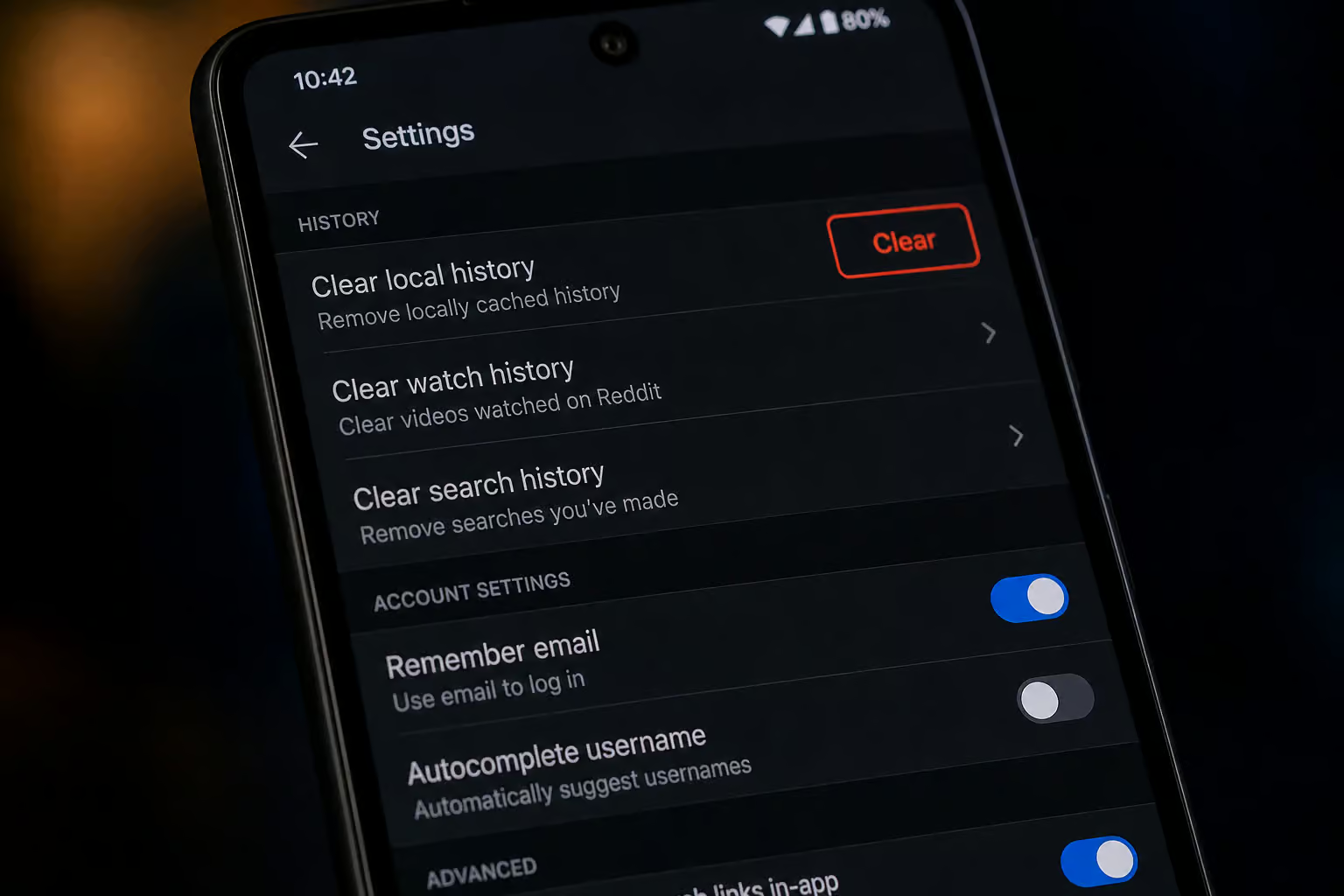
Method 1: Clear local viewing history on Android
This is the fastest fix and the only one with a dedicated “clear all” button in the Reddit app.

Exact tap path:
- Open the Reddit app.
- Tap your profile icon (top?right corner).
- Tap Settings.
- Go to Privacy or Privacy & security (exact label varies slightly by app version).
- Tap Clear local history.
- Confirm.
That’s it — about 30 seconds, and your recent viewing activity is gone from that device.
What this actually does
| What it achieves | What it doesn’t do |
|---|---|
| Removes device?level browsing data | Does NOT delete your posts or comments |
| Clears the “Recent posts” view | Does NOT affect search history |
| Makes your phone safe to hand over | Does NOT clear anything from Reddit’s servers |
If you’re on an iPhone, knowing how to clear history on reddit iphone means understanding where the “Clear local history” button lives and why it might not nuke everything.
Important caveat: This is the only history type that’s deletable only on mobile (iPhone, iPad, Android). You can’t clear local viewing history from the desktop site, so you’ll need to follow the steps for how to delete reddit visited history on each device. If you use Reddit on multiple Android devices — say, your phone and a tablet, you have to repeat these steps on each one.
Method 2: Clear search history on Android
Search history is a different beast. Reddit stores it per device and per account, and there’s no “clear all” button in the app. You have to delete queries one at a time, unless you follow a complete guide on how to delete reddit history that covers workarounds for permanent deletion across every platform.
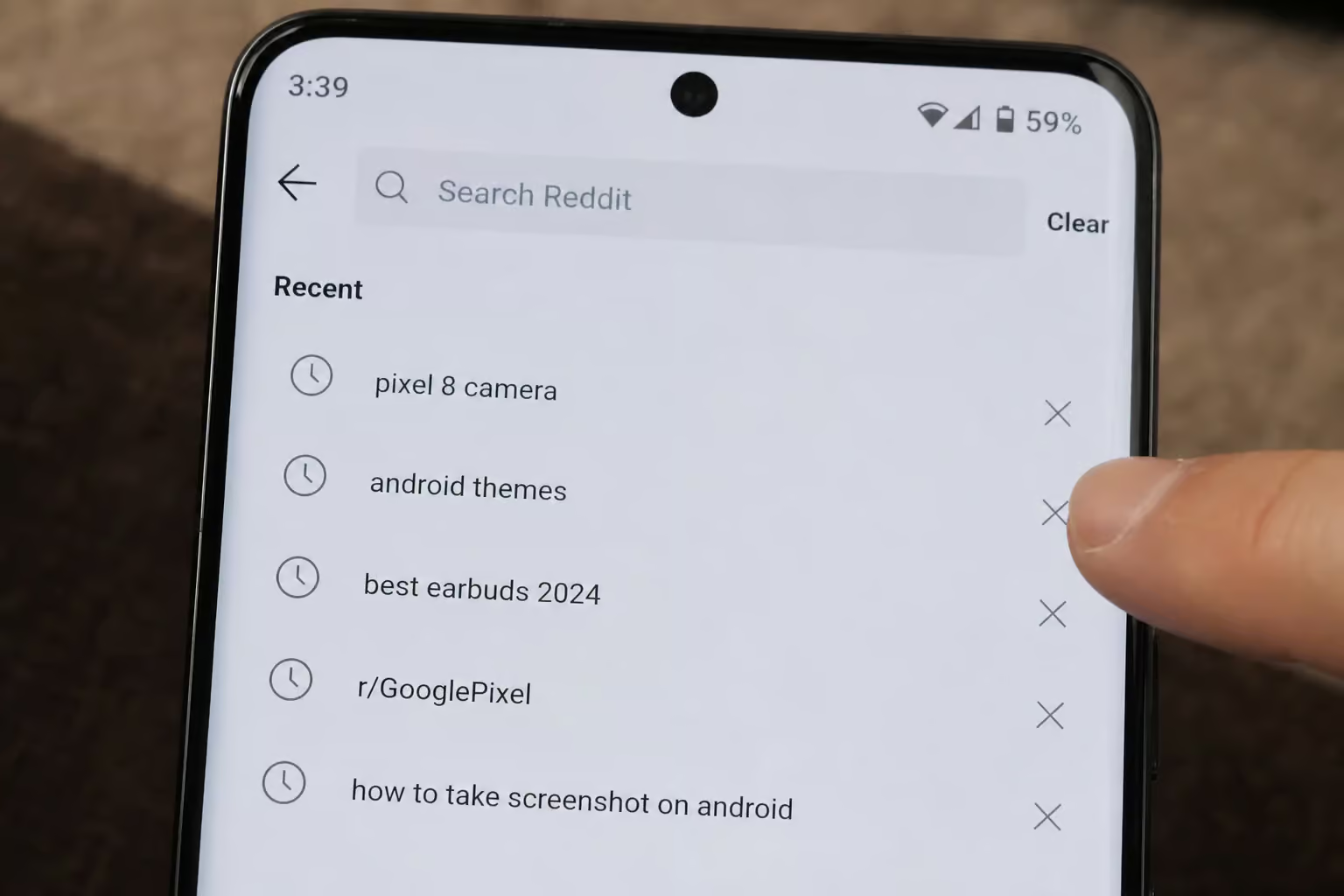
Manual process:
- Tap the search bar at the top of the app.
- Look under Recent searches.
- Tap the X next to each query you want to remove.
- Repeat until the list is empty.
Yes, it’s tedious. If you’ve been searching for months, that’s a lot of X?tapping.
The cookie workaround (but it comes with a cost)
The only bulk alternative is to clear Reddit’s site data from your Android browser. This wipes all search history tied to the web version — plus any login sessions, preferences, and locally cached data.
Tradeoff: You’ll need to log back into Reddit afterward. If you have saved logins in your browser, those get nuked too. Convenience vs. login friction — if you want targeted removal of visited links only, learn how to delete reddit visited history without clearing everything else. Pick your poison.
Steps for Chrome on Android:
- Open Chrome, tap the three?dot menu ? Settings ? Site settings ? Cookies and site data ? see all sites ? find
reddit.com? tap Delete & reset.
On the app side, that cookie clearing won’t touch the search history stored inside the Reddit app itself — those queries are still one?by?one territory.
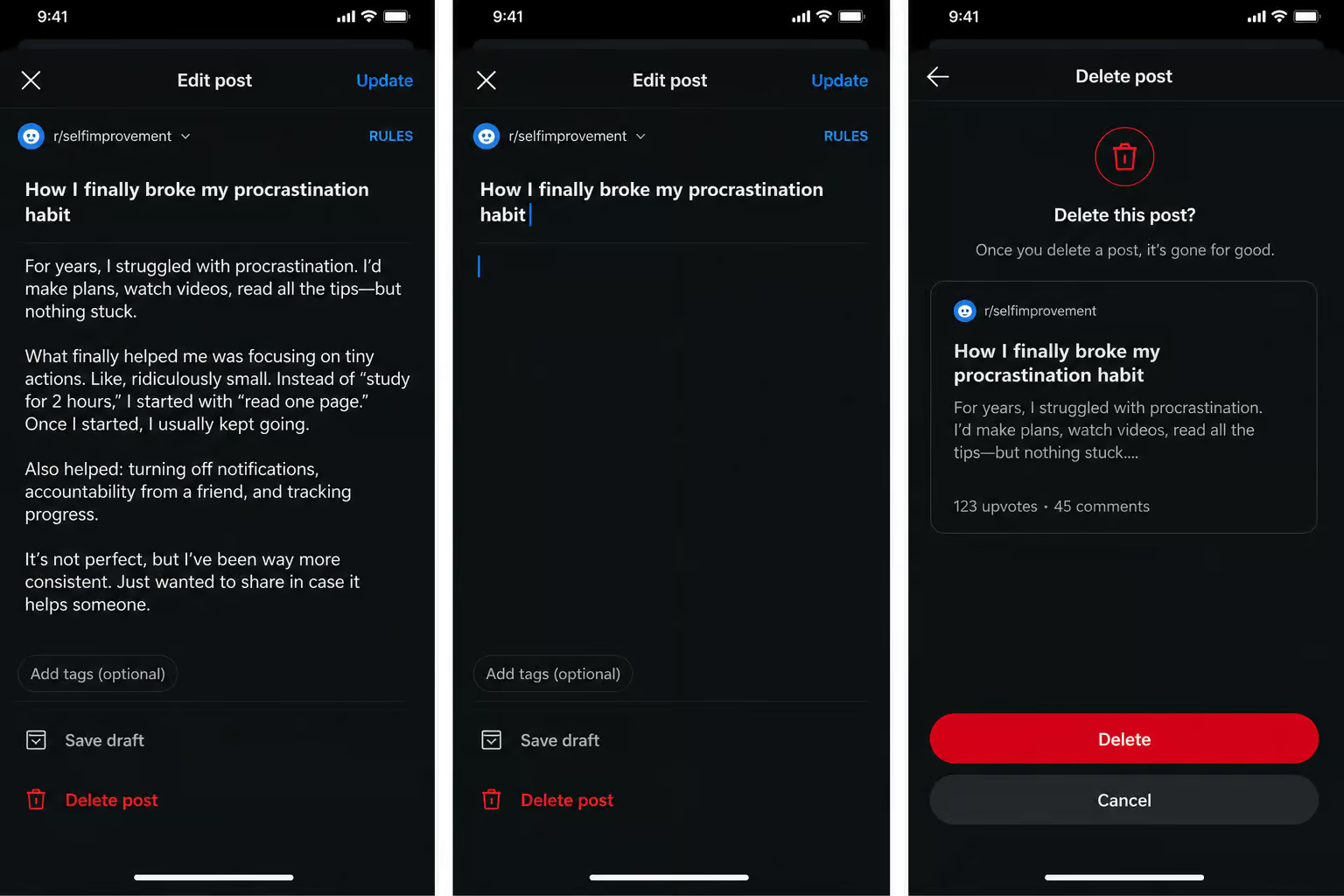
Method 3: Delete posts and comments on Android
This is the most involved method because there’s no batch?delete option built into the app. So, how to delete things from reddit history? Each post or comment has to be removed individually, offering granular control over each entry rather than bulk operations.
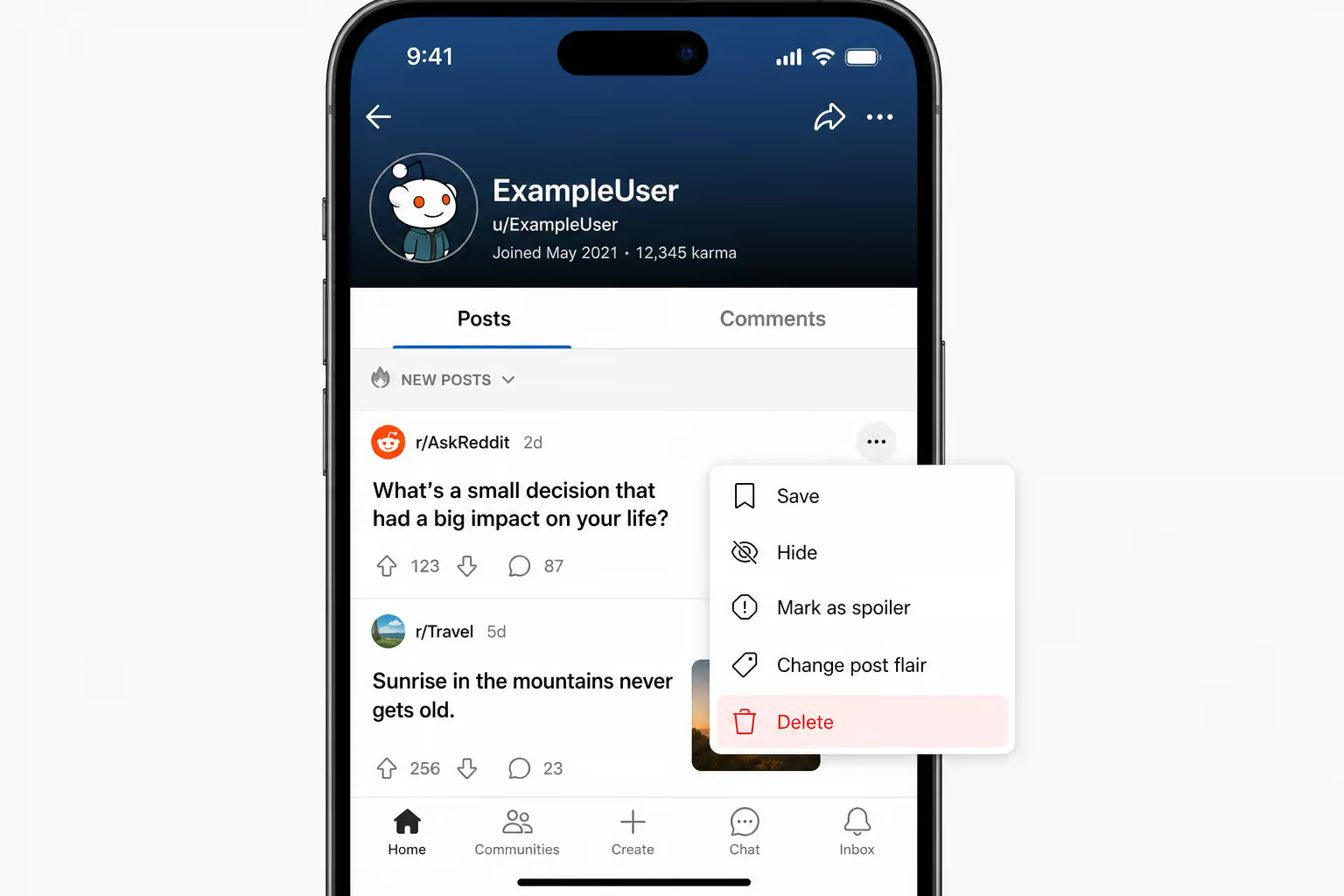
Manual steps:
- Tap your profile icon ? Profile.
- Open the Posts or Comments tab.
- Tap the ? menu next to an item.
- Tap Delete ? confirm.
- Repeat for each item. (Yeah, it’s a slog.)
The privacy upgrade: edit then delete
Edit first, then delete. Strip out any personal details before hitting delete — that way quotes or cached snippets won’t preserve your original text. Here’s why how to delete reddit history on pc matters for desktop browsers: the same edit-then-delete logic applies, which is why knowing exactly how to delete reddit history on pc for desktop browsers is essential. Editing removes the original text from those fragments.
- Edit the post/comment to remove identifying details.
- Then delete it.
Field note: Edit first, delete second. Stripping the original text before deletion removes it from cached quotes and reply fragments — a small extra step that pays off if the content was sensitive, especially when you need to delete reddit history chrome data across synced devices.
This won’t erase screenshots someone already took, but it reduces the amount of your data that survives in quotes, copy?pastes, and search?engine caches. However, if you notice your reddit history not deleting despite clearing it, sync conflicts or server-side caches might be the cause—and it’s a small extra step that pays off if the content was sensitive.
Method 4: Reduce profile visibility on Android
Sometimes you don’t want to delete everything — you just want to tidy up your profile page so it doesn’t show your deep?dive into obscure memes to a recruiter. Profile curation lets you hide content from your profile without removing it from Reddit.
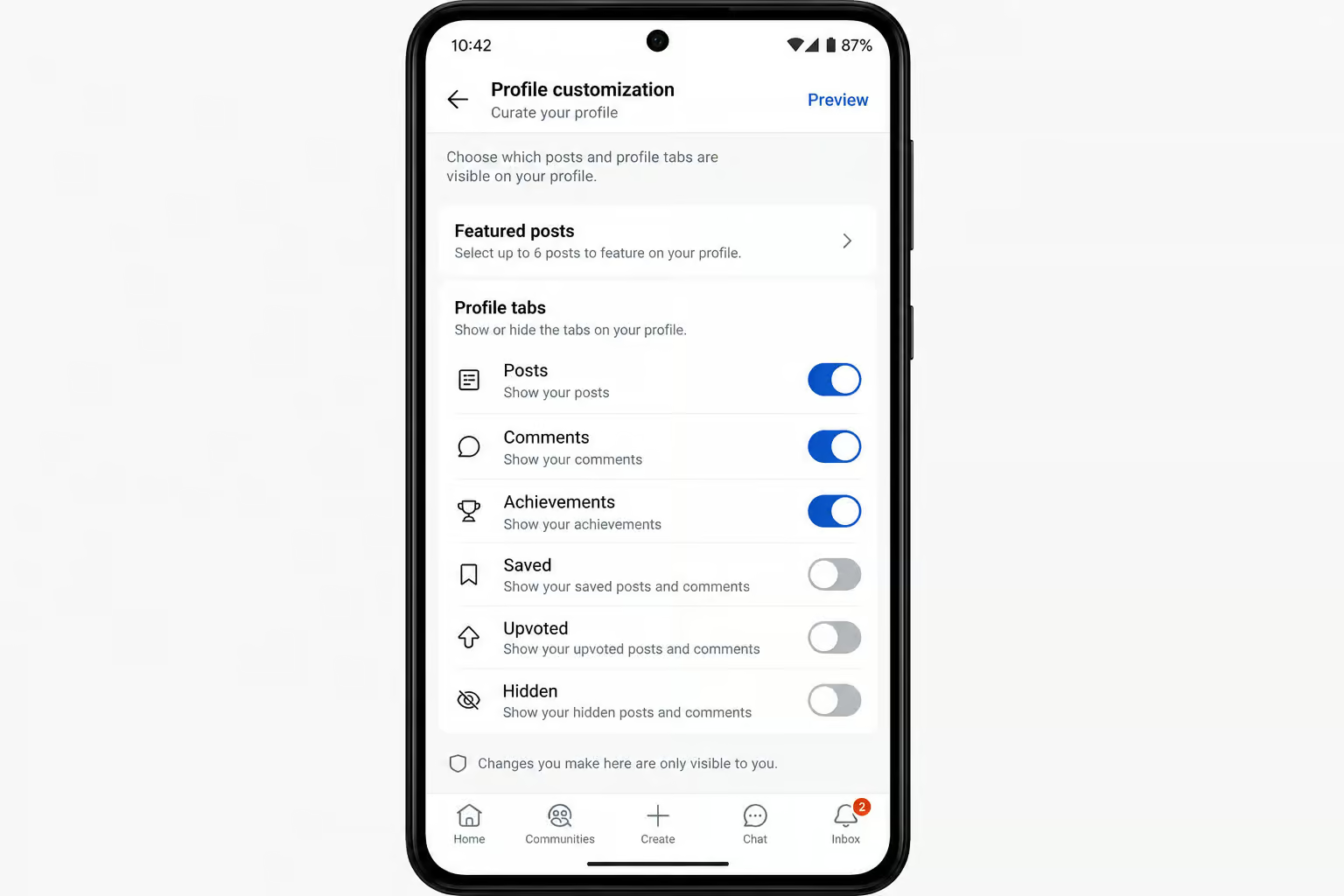
Steps:
- Go to your Profile.
- Tap the ? menu.
- Select Curate your profile.
- Choose which posts or tabs to show or hide.
- Tap Save.
What curation does vs. what it doesn’t do
Profile curation hides selected activity from your profile page but does not remove posts from subreddits or prevent search engine discovery. It cleans up your public-facing profile but does NOT prevent search engines from indexing the content. Quick and reversible — but if you need a deeper clean, read about how to delete all reddit history using third-party scripts. It is NOT a substitute for deletion.
This is the most common confusion I see: people think “hiding” from their profile is the same as deletion. It’s not. If you need the content gone from public view, you still have to delete it using Method 3, which addresses how to delete reddit history on ipad and the specific iPadOS quirks like split-screen impact and multi-tab history behavior.
What deletion actually does and doesn’t do
Let’s be honest about the limits. Deleting your Reddit history removes content from the visible surface, but it’s not a time machine.
What deletion does:
- ? Removes content from your profile
- ? Removes it from subreddit feeds
- ? Reduces casual discovery
- ? Over time, reduces search?engine visibility
What deletion cannot do:
- ? Remove screenshots or reposts (if someone saved them, they’re gone forever)
- ? Remove quotes in other threads (your text may still appear in replies)
- ? Remove third?party archives (e.g. reveddit, removeddit)
- ? Remove old search?engine snippets until indexes refresh
- ? Erase Reddit’s internal records (they keep a copy on their servers)
Crucial warning: Deleting your entire Reddit account does not delete your posts and comments. You have to delete those first, or they remain orphaned but publicly visible. (Yes, this is as dumb as it sounds.) For a complete guide on how to delete reddit history, including search queries, visited links, and what Reddit actually keeps, follow the link above.
Cross?device sync: the gotcha nobody mentions
Reddit does not sync history across devices. Clearing local viewing history on your Android phone does nothing to your tablet, second phone, or desktop browser — so for a complete, geek-deep guide to nuking every trace of your Reddit activity, including workarounds for permanent deletion and sync behavior, see how to delete reddit history.
- Local viewing history: must be cleared on each Android device separately (and only on mobile — desktop has no equivalent button)
- Search history: must be cleared per device and per account interface (app + web)
- Posts/comments: those are account?level, so deleting them once removes them everywhere — but the manual work still has to be done on whatever device you’re holding
If you use Reddit on three devices, you’re repeating the local?history and search?history steps three times, but you can target the cleanup with a method for how to delete reddit visited history that removes only visited links. Annoying, but that’s the reality.
Privacy tips going forward
Deletion fixes the past; these habits stop the problem from recurring.

Use separate Reddit accounts for sensitive topics
Reddit allows multiple accounts under the same email. Keep your professional or local?community account separate from the one you use for, say, health?related subreddits or hobby rabbit holes. When you switch accounts, the search and viewing histories stay separate, but if you ever need to clear that data without logging in, you should know how to delete reddit history without account.
Avoid repeating personal details across subreddits
Even after deletion, someone with a log of your comments can piece together your identity if you keep mentioning the same workplace, pet name, or birth year — and the problem is compounded by issues like reddit history not deleting due to sync conflicts and server-side caches. Diversify your details if anonymity matters.
Pair cleanup with a VPN (but know its limits)
A VPN like X?VPN or Hide.me helps protect your IP address and browsing activity, especially on unsecured public Wi?Fi. Hide.me specifically offers a no?logs policy, IP leak protection, IPv6 support, and protocols like WireGuard and Multihop — and it’s available on Android, desktop, and even routers, though if you’re managing your browsing trail on Apple’s tablet, you may want to know how to delete reddit history on ipad due to iPadOS quirks like split-screen impact and multi-tab history behavior.
What a VPN does NOT do: delete your Reddit history, prevent Reddit from tracking your account?level activity, or make you anonymous on the platform. If you actually want to how to delete reddit history, that requires using Reddit’s own tools or third-party deletion scripts — a VPN is an IP?layer tool, not a deletion tool.
Review privacy settings regularly
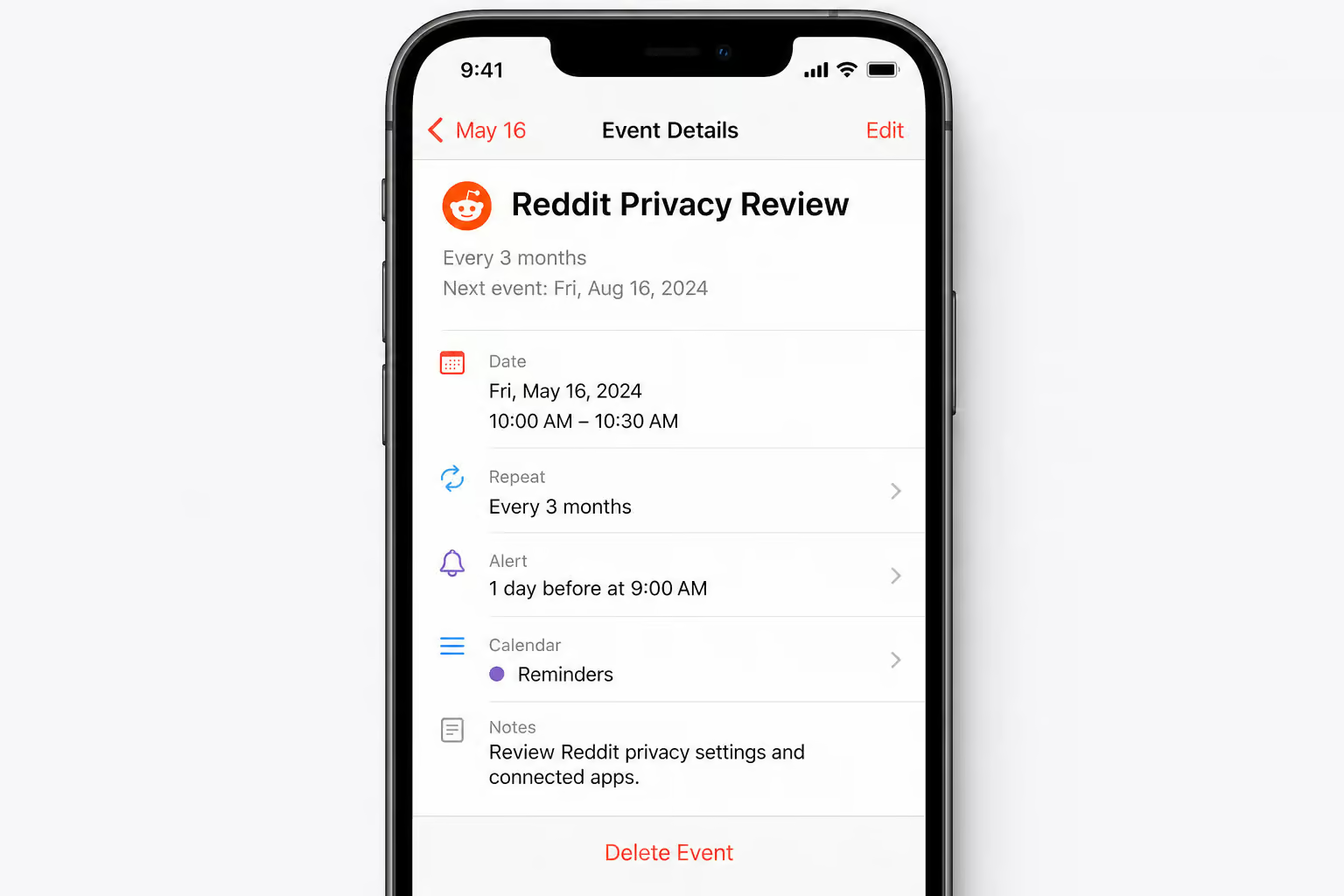
Reddit occasionally shuffles its settings menus. Set a calendar reminder every three months to check that your privacy preferences still match your comfort level.
Automation for large?scale cleanup
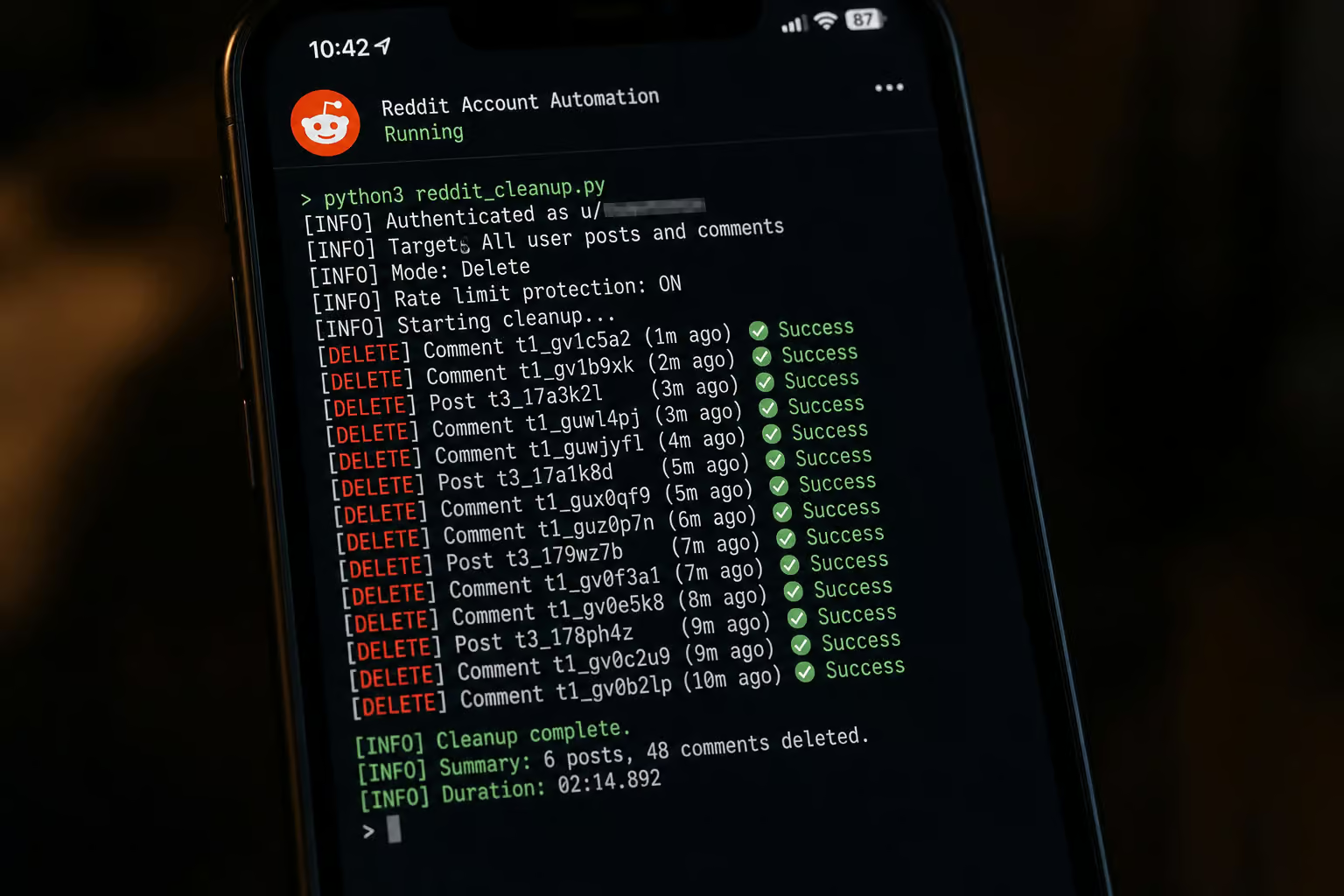
If you have hundreds of posts or manage multiple accounts — say, for a business or marketing agency, manual deletion is impractical. For agencies managing multiple client accounts, regular cleanup reduces reputation risk and enforces consistent privacy rules without burning human time. Here’s what’s actually available: a complete, geek-deep guide on how to delete OnlyFans account in three simple steps, alongside coverage for nuking every trace of your Reddit activity across every platform.
AI computer agents (Simular Pro)
Tools like Simular Pro act like a human operator: they log into your accounts, navigate the Reddit UI, and perform deletions step by step. Every action is readable, inspectable, and replayable. This makes them suitable for recurring cleanup across multiple browsers and machines — but for those considering the nuclear option of using third-party scripts, the question of how to delete all reddit history involves understanding the risks and irreversible effects on karma and saved content, while an agency can instead use tools like Simular Pro as an invisible background process to clean client accounts.
No?code automation (Zapier / Make)
These can partially automate via Reddit’s API, but there’s no official “delete all history” endpoint; a browser-level delete reddit history chrome guide addresses this by clearing synced data across devices. The API’s restrictions mean you’re limited to deleting posts you’ve already collected — it’s a partial solution at best.
Traditional scripts / userscripts
You’ll find plenty of scripts on GitHub that claim to nuke your Reddit history. They usually work by targeting CSS selectors to click delete buttons. The problem: Reddit updates its UI frequently, breaking the selectors silently. Scripts can stop working or accidentally delete the wrong thing, and auditing what they did is a pain, so if you’re on macOS, you might prefer a manual method for how to delete reddit history on mac that accounts for Safari, Chrome, and Firefox quirks, iCloud sync interference, and the macOS app’s Reddit data.
Best practice: For a one?time small cleanup, go manual. For recurring large?scale cleanup, an AI agent with inspectable steps is more reliable. Scripts are a gamble.
Suggested cleanup schedule:
- Weekly — active users who post and comment daily
- Monthly — low?activity users
- Quarterly — deep audit for everyone
Your Android cleanup playbook
Four history types, four methods. On Android:
- Local viewing ? Clear local history (30 seconds, mobile only)
- Search history ? One?by?one X deletions or cookie clearing (with login tradeoff)
- Posts/comments ? Manual delete, upgraded with edit?then?delete
- Profile visibility ? Curate your profile (hide, not delete)
Repeat on every device you use. Be honest about what deletion can’t fix — screenshots, archives, internal records. And adopt proactive habits, for instance, reading a Torbox review — so you’re not doing this all over again next week.
That’s the real trick: cleaning up once is useful; not needing to clean up again is the win.
Frequently Asked Questions
How to clear Reddit data on Android?
Open the Reddit app, tap your profile icon, go to Settings, then Privacy, and tap ‘Clear local history.’ This wipes your recent viewing activity in about 30 seconds. For search history, tap the search bar and hit the X next to each recent query individually — there’s no bulk option inside the app.
How do I delete my Reddit recently visited history?
Use the ‘Clear local history’ button in the Reddit app’s Privacy settings. This removes posts and profiles you’ve recently viewed from that specific device. Note that this only works on mobile — there’s no equivalent button on the desktop site, and it doesn’t affect your search history or public posts.
Why can’t I clear history on Reddit?
You likely can — but you’re probably looking for a single ‘clear all’ button that doesn’t exist. Search history has no bulk delete option; you have to remove queries one by one. Posts and comments also require individual deletion. The only true ‘clear all’ button is for local viewing history, and it’s buried in the Privacy settings menu.
What’s the difference between hiding and deleting on Reddit?
Hiding removes content from your profile page only — the post still exists in its original subreddit and search results. Deleting removes it from your profile, subreddit feeds, and reduces search engine visibility. Hiding is reversible and quick; deletion is permanent and requires manual effort for each item.
