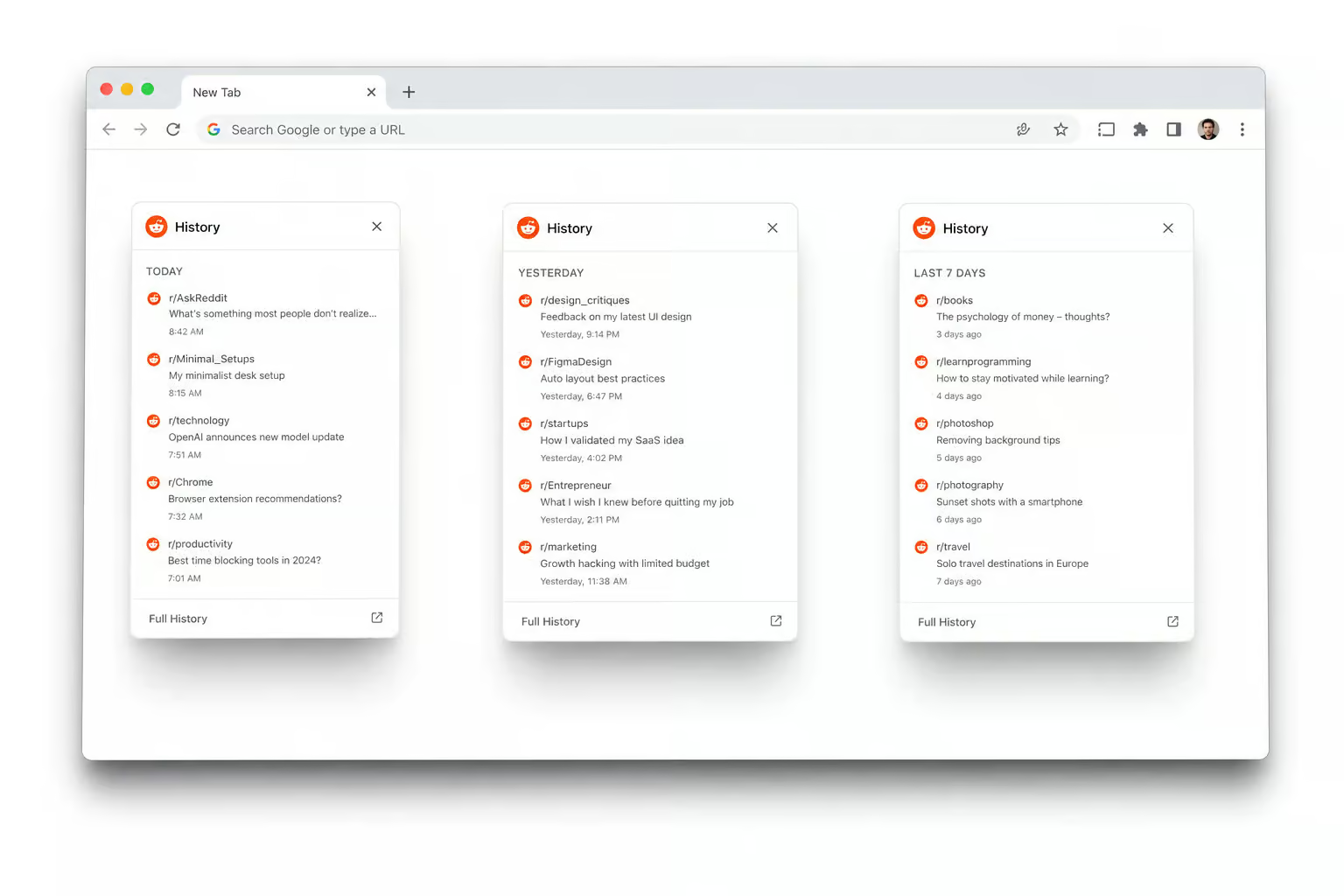
You cleared your Chrome history, hit the Reddit “Clear history” button, maybe even tried incognito mode for good measure. Then you opened Reddit later that day, clicked the search bar, and there they were — all the search queries you’d typed, staring back at you like nothing happened. If you’re ready for the nuclear option, you can use third-party scripts or Reddit’s own tools to actually learn how to delete all reddit history, though it comes with risks and irreversible effects on your karma and saved content.
The problem isn’t you — it’s that “Reddit history” isn’t one thing. It’s three separate data stores living in different places, and Chrome only touches browser history directly. The other two—search history and view history—have platform-specific deletion rules, including one you cannot delete from a desktop browser.
Let me break down what’s going on, and give you the exact steps to clean up each type.
Key Takeaways
Reddit search history lives in your web browser’s local storage when you use the website, not on Reddit’s servers — so clearing it requires either removing individual terms from the search dropdown or nuking your browser cookies (which logs you out of every site).
Reddit view history — the list of posts you’ve clicked on, can only be cleared on iPhone, iPad, or Android via the mobile app; Chrome desktop users have zero ability to touch it from their browser.
Reddit retains a server-side record of your search history even after you delete it locally — your data is cleared from your devices and is no longer public, but Reddit keeps its own copy.
Table of Contents
The Three Types of Reddit History and Why Chrome Doesn’t Cover All of Them
Most people hear “Reddit history” and think of one list they can wipe with a single button. In reality, Reddit tracks three distinct categories, each with its own storage location and deletion rules—and the question of how to actually banish every trace is so muddy that the complete, geek-deep guide to how to delete Reddit history (how to delete reddit history) has to untangle the sync behavior, permanent deletion workarounds, and what Reddit actually keeps, mapped directly to what Chrome can and can’t do. For a service that is supposed to be intuitive enough that you don’t need a wiki to delete an old file, the integration is where Reddit’s Torbox review quickly falls apart.
Reddit search history — the queries you type
When you’re using Reddit’s web version in Chrome, your search history is saved in your browser’s local storage, not by Reddit’s servers. Reddit doesn’t keep a list of what you’ve searched on the website — your browser does. That means Reddit’s own “Clear history” button never touches search queries To clear them, you either remove individual terms from the search dropdown or wipe your browser cookies, or, if you’re on mobile, follow this walkthrough on how to delete reddit history on android.
The web method is the one that actually matters for Chrome users.
Reddit view history — the posts you clicked
This is the one with the hard platform lock. Reddit view history — every post you’ve opened and read, can only be cleared on iPhone, iPad, or Android phone. Chrome desktop users cannot delete it from their browser at all. There’s no workaround, no hidden setting, no extension that bypasses this. It’s a deliberate design choice on Reddit’s end, and it’s the key limitation Chrome desktop users face.
Chrome browser history — local URL traces
This is the one Chrome handles natively. Every Reddit page you’ve visited gets logged in Chrome’s browsing history as a URL. Clearing that removes local traces from your machine — but it has zero effect on Reddit’s own search history or view history records. It’s a separate cleanup that only matters if you share your computer or don’t want people seeing what Reddit pages you’ve visited in Chrome’s address bar autocomplete.
How to Delete Reddit Search History on Chrome Desktop
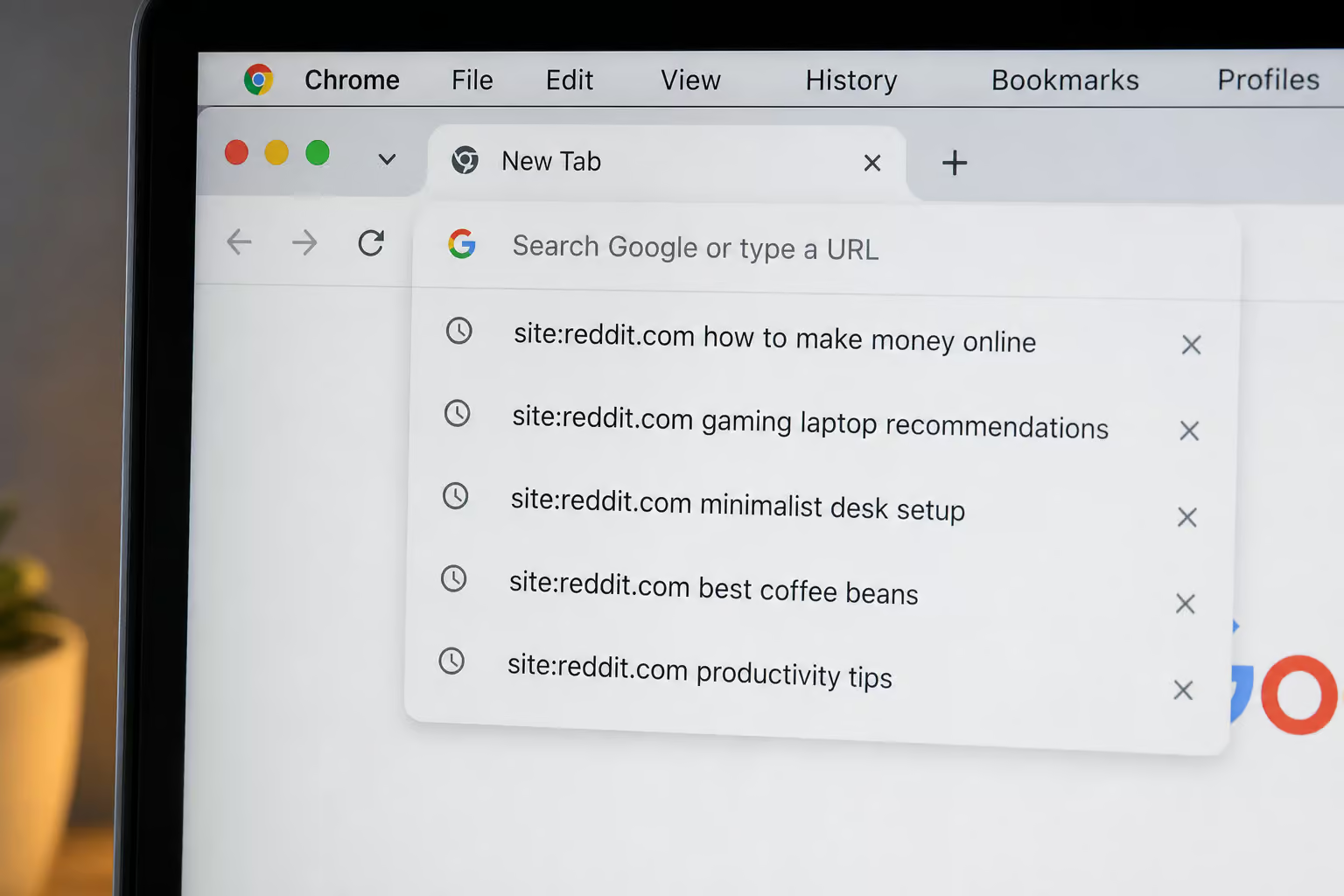
So search history is the one you can actually handle from Chrome. There are two paths, depending on whether you want to wipe everything at once or remove only specific terms.
Delete all search history at once
The only way to bulk-delete all Reddit search history from the web is to clear your browser’s cookies. Cookies store the local data that Reddit uses for search history. When you wipe them, that data goes with them. The trade-off is you’ll get logged out of every website you’re signed into — not just Reddit.
In Chrome, go to the three-dot menu in the top-right corner, then More Tools > Clear Browsing Data. In the pop-up, switch the time range dropdown to “All time” (it says “the beginning of time” in some versions). Tick the box for Cookies and other site data, then click Clear data. That nukes all your Reddit search history in one shot, along with every other site’s cookies — but if you need a more thorough, nuclear option, this guide on how to delete all reddit history covers third-party scripts and their irreversible effects on karma and saved content.
If that’s too nuclear, there’s a manual alternative.
Cost check: Wiping cookies clears all your login sessions, not just Reddit’s. Use the individual-term method if you’d rather not re-enter passwords on every site.
Remove individual search terms
For selective cleanup, click the Search Reddit box at the top of the page — don’t type anything, just click. Your recent searches will appear in a dropdown. Next to each query, you’ll see an X icon. Click it to remove that term, and if you’re on a mobile device, check out this guide on how to delete reddit history on android for clearing app history as well. Repeat for each one you want gone.
This is tedious if you’ve got a long history, but if you’re dealing with iPadOS quirks like split-screen and multi-tab behavior, it’s the only way to how to delete reddit history on ipad without losing your login sessions everywhere else. Good for wiping that one embarrassing query without touching your saved logins.
Important caveat: The “Clear history” button inside Reddit’s web settings ( User Settings > Profile > Clear history ) does not remove search history. It only clears your view history. Many people click that button expecting a full wipe and find their search terms still there. If you’re on the mobile app, you’ll want a separate how to delete reddit history on android guide that also addresses clearing cache without losing login and cross-device sync.
Why View History Can’t Be Deleted from Chrome (and What to Do Instead)
If you only browse Reddit on your desktop, your view history — every post you’ve clicked on, is stuck there with no way to remove it from Chrome. This isn’t a bug. Reddit simply hasn’t implemented view history deletion on the web version, leaving those stuck wondering how to delete reddit history without account when their cookies or local storage need clearing, much like users who look for how to delete your OnlyFans account in 3 steps (no regrets). The only platforms that support clearing it are mobile
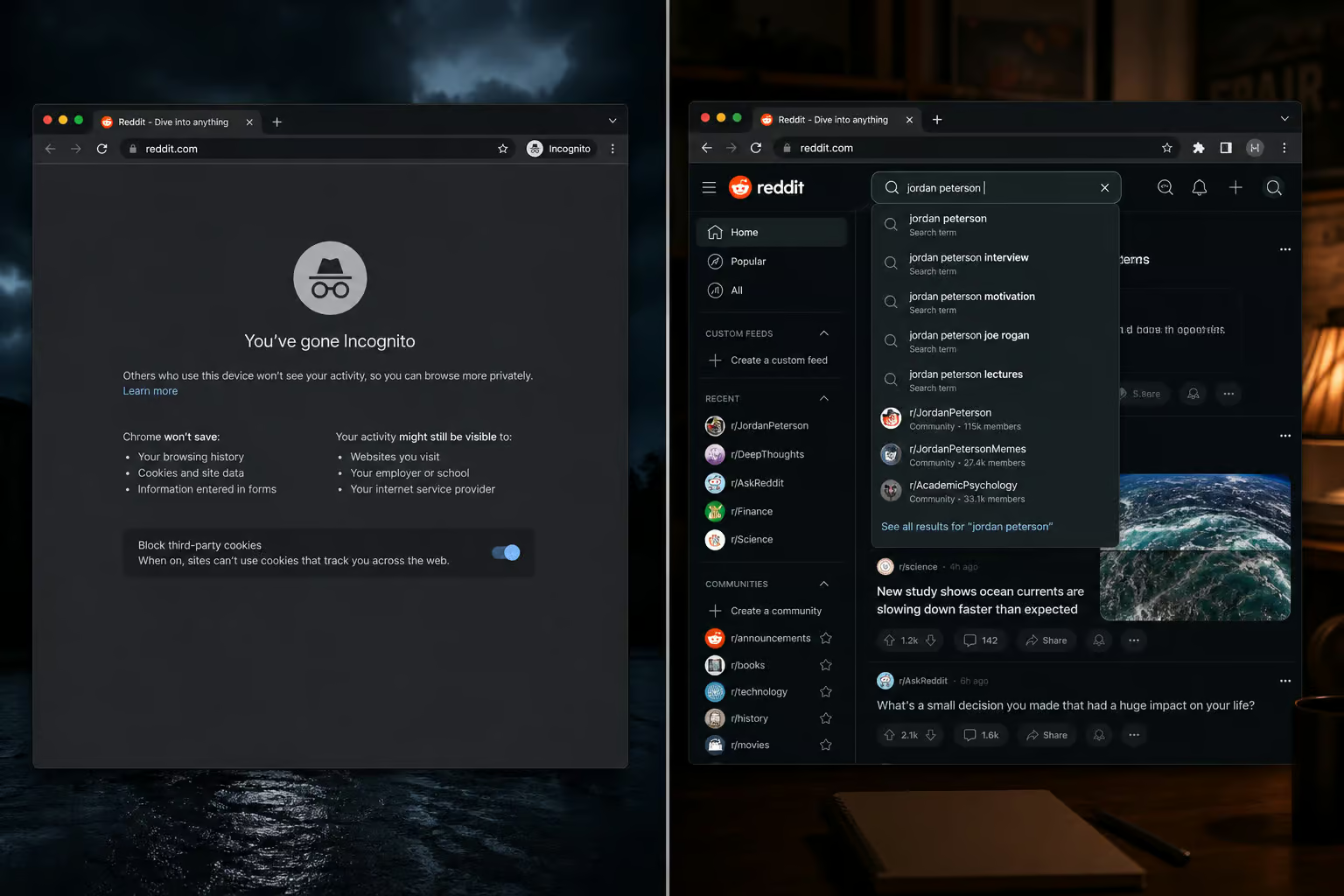
For Android users: Open the Reddit app, tap your profile photo (top-right), then go to History. But for iOS users, the process has a few key differences: how to clear history on reddit iphone. Tap the three-dot menu in the top-right corner and select Clear History. That’s it.
For iPhone and iPad users: Launch the Reddit app, tap your profile photo, then Settings. Scroll down to Clear local history and tap it, then confirm — but if you want granular control over how to delete things from reddit history, such as removing a single search or visited link, you can manage entries individually via your profile settings. iOS makes you explicitly confirm before wiping.
That’s the full list of options. If you don’t have a phone or tablet handy, you’re out of luck — view history will continue to accumulate on desktop with no way to clean it from Chrome. It’s a weird platform limitation worth knowing about even if you can’t do anything about it.
How to Clear Reddit Browser History from Chrome Settings
Chrome has its own record of the Reddit URLs you’ve visited. This is completely separate from Reddit’s search and view history. Clearing it only affects local browser traces — the list you see when you press Ctrl+H For the nuclear option, you can find specific instructions on how to delete all reddit history, including details on risks and irreversible effects on karma and saved content.
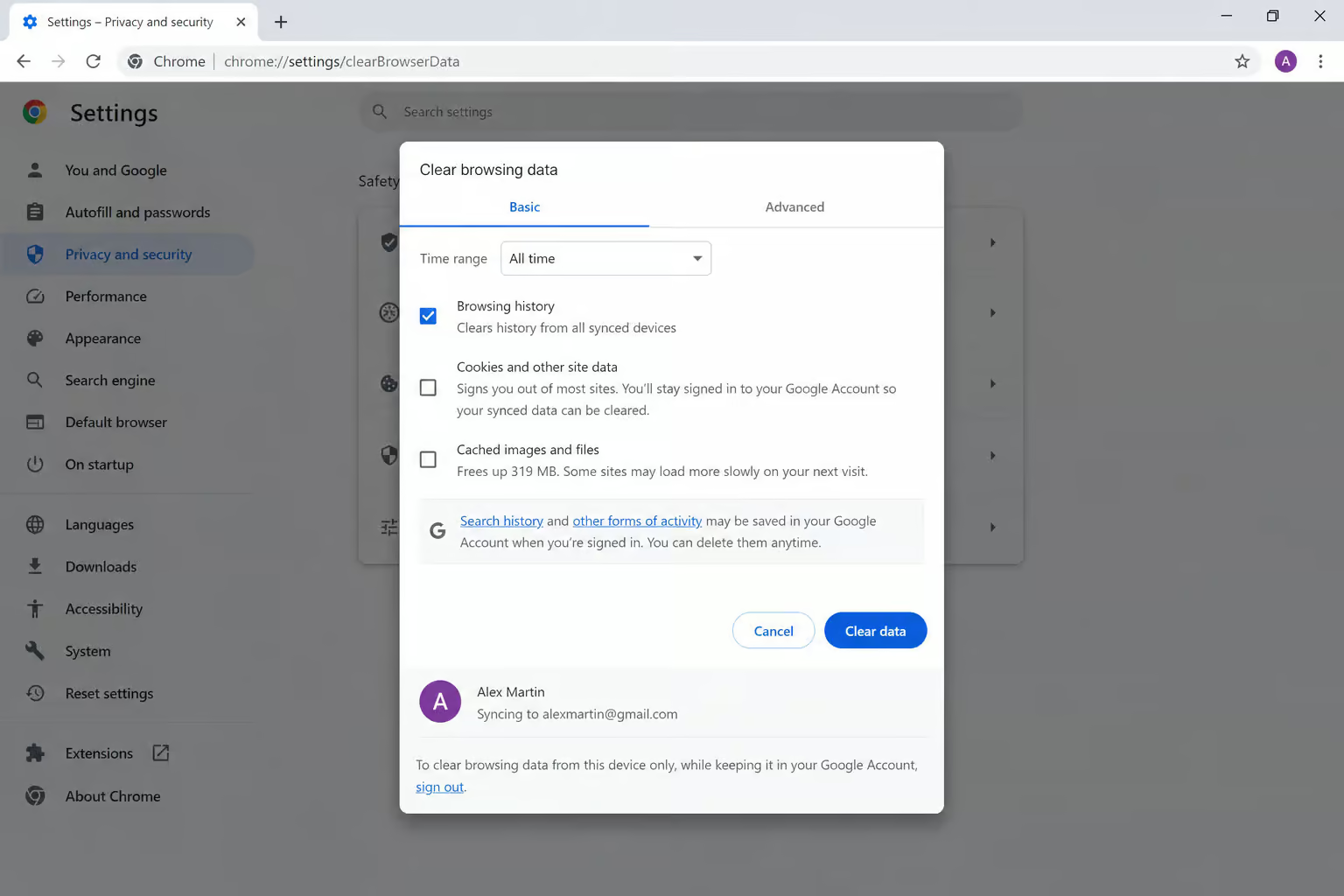
In Chrome, go to three-dot menu > More Tools > Clear Browsing Data. Set the time range to “All time” (or “the beginning of time”). Tick the Browsing history checkbox. You can also tick other data types like download history and cache if you want a thorough clean, but Browsing history is the one that covers Reddit URLs; for Mac-specific edge cases including Safari, Firefox, iCloud sync, and the macOS app, check our guide on how to delete reddit history on mac.

Click Clear data. Done.
What this does: removes the list of Reddit pages from Chrome’s local history. For a desktop browser deep-dive, how to delete reddit history on pc goes into clearing visited history via old. Reddit, new Reddit, and third-party tools, including how to bulk-delete comment history. What it doesn’t do: affect Reddit search history, view history, or any server-side records. It’s purely cosmetic for your own browser
Incognito Mode and Reddit: What It Actually Hides (and Doesn’t)
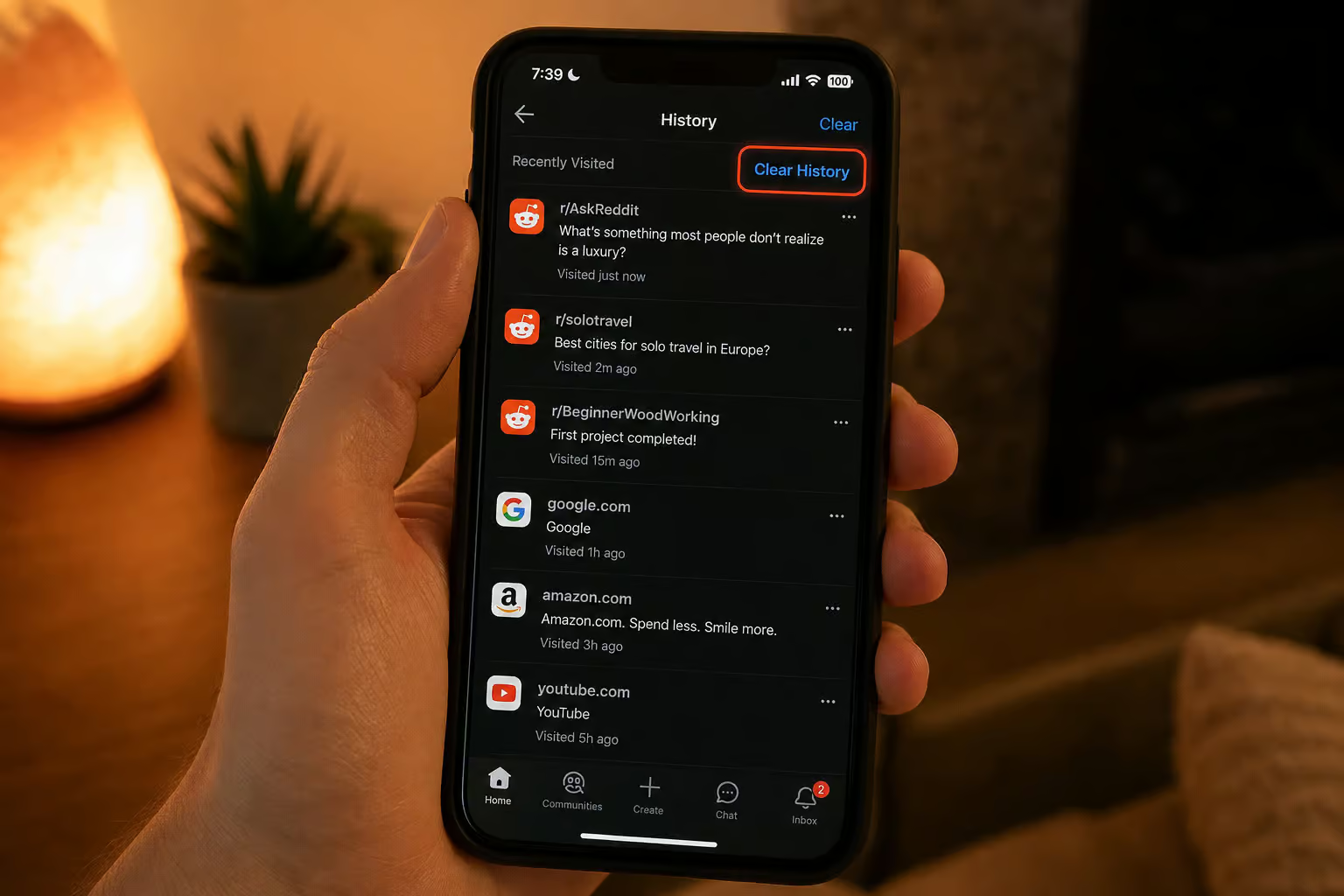
Someone opens an incognito window, logs into Reddit, and assumes everything they do is invisible. Later, they open a normal Chrome window, log into Reddit, and their search queries are still in the dropdown—so they’re left wondering why their reddit history not deleting even after clearing it. Confusion ensues.
Incognito mode does exactly one thing: it prevents Chrome from saving browsing history locally. Cookies don’t persist after the session ends, but if you’re logged into Reddit, the site still records your activity on its servers. To understand how to delete reddit history chrome, keep in mind that your searches and views are logged by Reddit regardless of whether you’re in incognito mode.

So incognito protects your privacy from other people who use your computer, but it does nothing to hide your activity from Reddit itself. If you want to prevent Reddit from recording your searches while you browse, you need to either log out before you start or use a completely separate browser profile that isn’t signed in.
The practical consequence: using incognito while logged into Reddit gives a false sense of privacy. Your searches still show up in your history when you switch back to a normal session — learn how to delete Reddit history with a complete guide to nuking every trace of your activity.
What About Multiple Devices? Reddit History Doesn’t Sync
Clearing Reddit history on your phone automatically cleans up your laptop. Nope. Reddit history is per-device, and there’s no sync mechanism. Chrome’s sync feature syncs bookmarks, passwords, and settings — but it has nothing to do with Reddit’s internal history. If you’re on an iPhone, there’s a separate process for how to delete Reddit history on iPhone, covering visited links, search history, and comments in the official app as well as Safari web history gotchas.
If you use Reddit on a phone and a laptop, you need to clear history on both separately—and if you want a targeted method for visited links only, you’ll need to know how to delete Reddit visited history. Same logic applies to any combination of devices: desktop, tablet, phone — each one stores its own copy of search history, view history, and browser-level URLs.
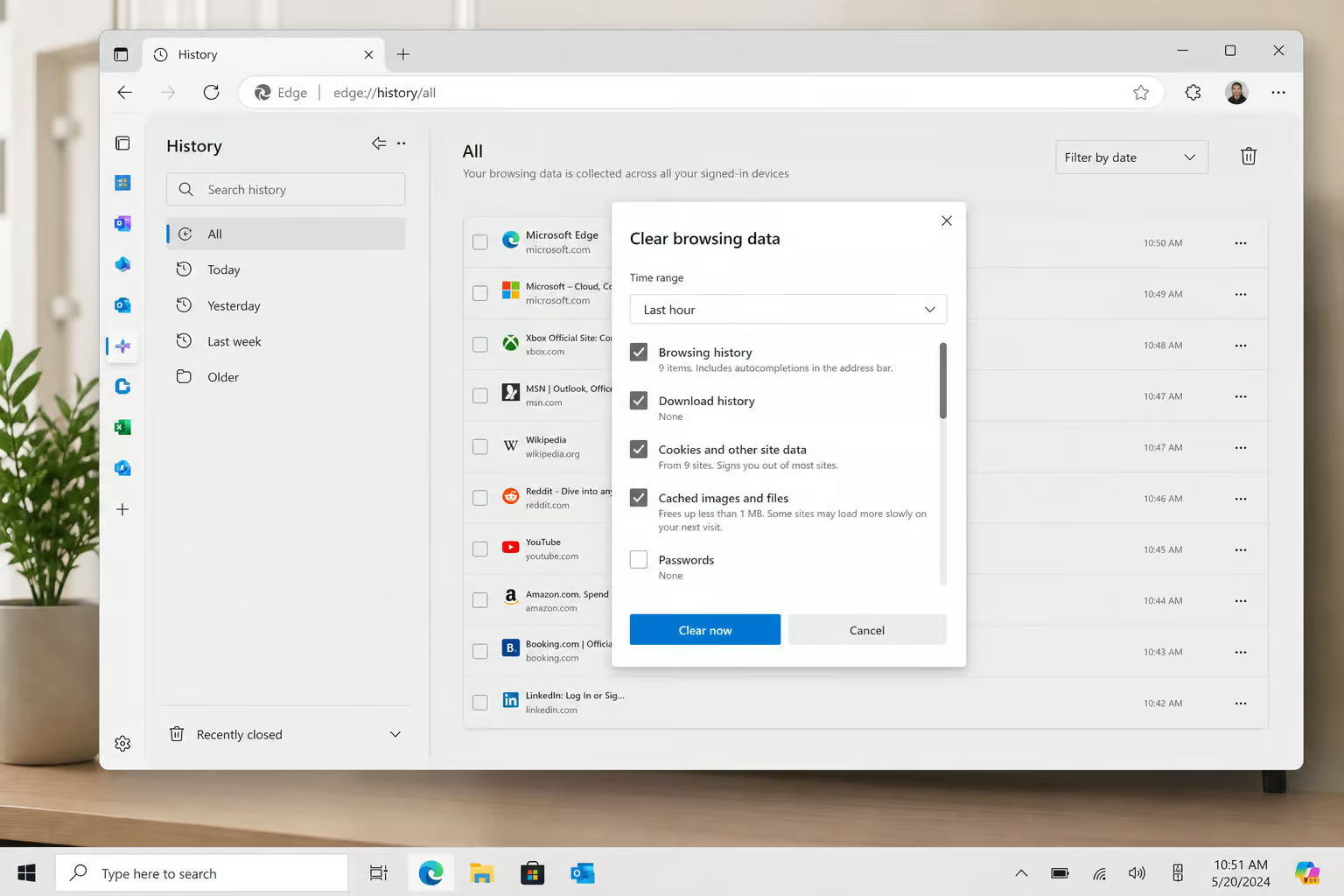
The failure pattern is predictable: someone clears everything on their Android phone, feels good about it, then opens Chrome on their desktop later and finds all the old searches still waiting. That’s because phone and desktop are completely independent for Reddit history—and on iOS, the nuance of where the how to clear history on reddit iphone #planned-how-to-clear-history-on-reddit-iphone lives, how it interacts with Reddit’s servers, and why it might not nuke everything, means even a device-specific cleanup can leave traces. No shortcuts, no global “nuke” button.
What Persists After You Delete Reddit History in Chrome
Setting expectations is important here. Deleting Reddit history is not total erasure.
User-generated content is untouched
Clearing your search history or view history does not delete your posts, comments, saved posts, or upvoted/downvoted history. Those are entirely separate records. If you want to remove those, you have to manually delete each post or comment you’ve made, or use Reddit’s “Delete all” options for posts/comments (which exist but aren’t covered here because they’re not history). For a step-by-step walkthrough on how to delete reddit history on iphone, including clearing visited links, search history, and comments in the official Reddit app, plus Safari web history gotchas, that guide covers what this paragraph doesn’t.
Reddit keeps its own records
When you delete your search history (via cookies or individual terms), the the data is cleared from your devices and is no longer publicly visible. But if you’re wondering how to delete Reddit history without account, the tricky situation is that Reddit still retains a server-side record of your search history. It’s not visible to anyone else, and it’s not on your devices anymore, but Reddit’s servers keep a copy.

Same goes for view history — Reddit knows what you’ve clicked. The mobile “clear” removes it from your app’s display, but the server logs likely persist, so here’s how to delete reddit history completely.
It’s standard practice for most platforms. But if you’re cleaning up because you’re concerned about data retention, you should know that “delete” on your end doesn’t mean “erased” on Reddit’s end
Bonus: Deleting Reddit History on Edge and Firefox (for Completeness)
If you’re reading this and using a different browser, the same principles apply — you’re just clicking slightly different menus. Here are the exact paths.
Microsoft Edge
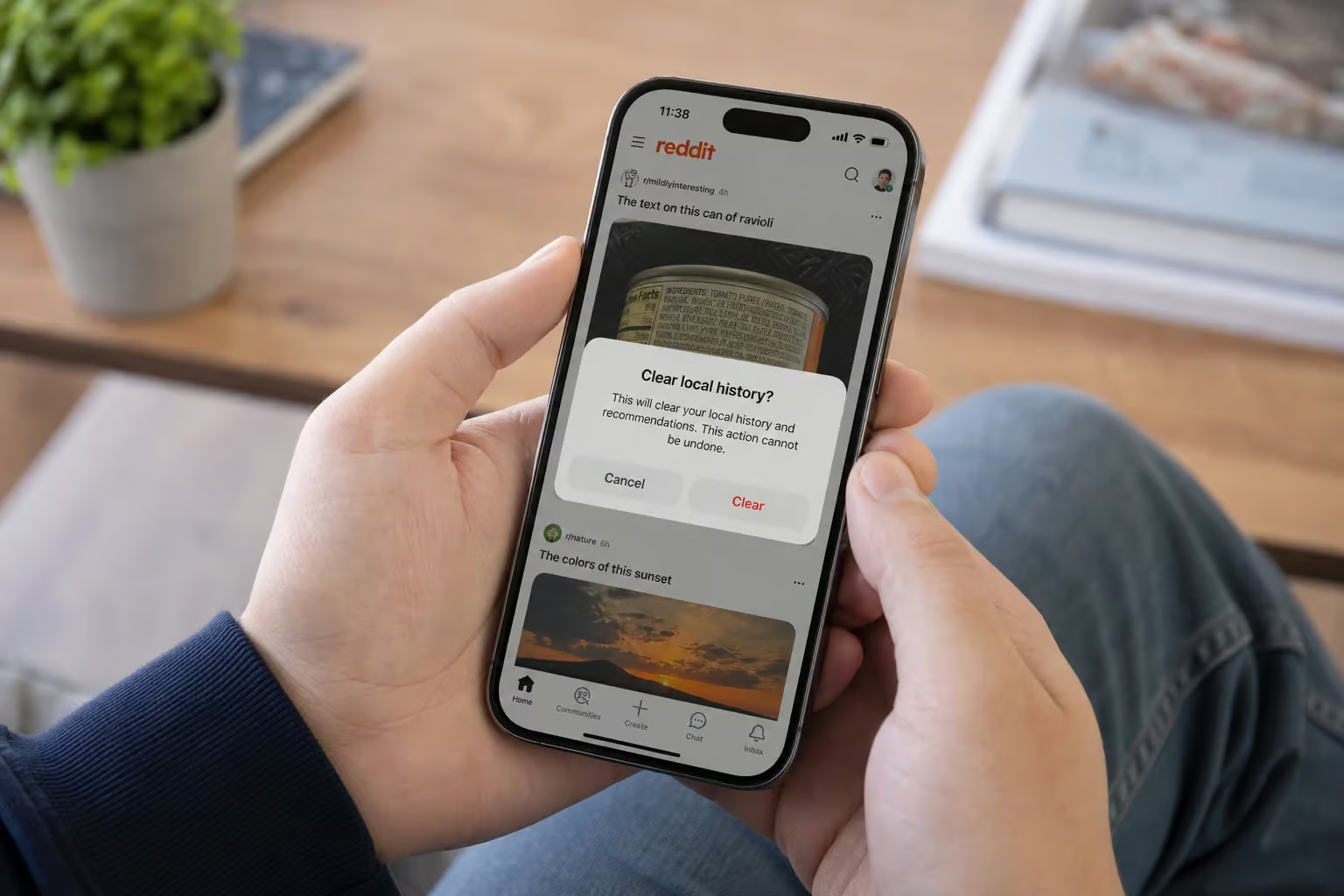
Click the three-dot menu (top-right), then History. Click the three-dots icon on the History panel, then Clear Browsing Data. Check the Browsing history box, optionally tick cookies and cache, and click Clear Edge’s flow has a couple extra clicks compared to Chrome, but the result is the same.
But how to delete reddit visited history? That process targets only visited links on Reddit, distinguishing between recently visited links and full browsing history, and includes per-subreddit clearing tricks.
Firefox
Click the three-line hamburger menu (top-right), then History > Clear Recent History. In the dialog that pops up, choose “Everything” from the time range dropdown. Check “Browsing & Download History” and any other data you want cleared, then click OK Firefox uses a dialog-based approach rather than a settings panel, which is a bit different from Chrome/Edge—and if you’re on a Mac, you may want to read about how to delete reddit history on mac for Safari and app-specific quirks.
Both of these only clear local browser history — same limitation as Chrome. Server-side Reddit history remains untouched
Putting It All Together: Your Chrome Reddit Deletion Checklist
Here’s the three-step process for Chrome users, plus the hard limitations to keep in mind.
Step 1: Clear Reddit search history — either remove individual terms from the search dropdown (click the search box, hit X on each query) or nuke all cookies via Chrome’s Clear Browsing Data (Cookies and other site data, “All time”). If you’re on a Mac, the process differs slightly per browser; for full instructions, see how to delete reddit history on mac. Remember: Reddit’s own “Clear history” button only clears view history, not search history.
Step 2: Clear Chrome browser history — three-dot menu > More Tools > Clear Browsing Data > “All time” > tick Browsing history. This removes local URL traces only, and for targeted Reddit cleanup, see how to delete reddit visited history.
Step 3: Clear view history (if needed) — this requires a phone or tablet. Android: profile photo > History > three-dot menu > Clear History. iPhone/iPad: profile photo > Settings > Clear local history > confirm. For a complete guide to how to delete reddit history across every platform, including workarounds for permanent deletion, or to find out how to delete OnlyFans account, note that desktop users cannot do this from Chrome.
Remember:
- View history is mobile-only for deletion
- Reddit keeps server-side records even after local deletion
- Your posts, comments, and saved content are untouched by any history cleanup
- Incognito mode does not stop Reddit from logging your searches when logged in
- Each device requires its own cleanup — if you want the complete, geek-deep guide to how to delete reddit history, it covers nuking everything from visited links to comment history across every platform, including what Reddit actually keeps
No single action removes everything. But now you know exactly what lives where, which button does what, and when you’re going to need to grab your phone
Frequently Asked Questions
How to clear Reddit search history activity?
Reddit search history is stored in your browser’s local storage, not on Reddit’s servers. To clear it all at once, wipe your browser cookies via Chrome’s Clear Browsing Data (set time range to ‘All time’ and tick Cookies and other site data). To remove individual terms, click the search box and hit the X next to each query. Reddit’s own ‘Clear history’ button does not touch search history.
