Every other platform offers something close — a “clear history” toggle, a bulk delete option, a reset button that makes yesterday disappear. Reddit lacks a single ‘delete everything’ button for your history.
Reddit stores your activity in four distinct places — local viewing history, search history, posts and comments, and profile visibility, each with its own rules and cleanup method. Your local viewing history (device-level) lives only on your device. Your search history (recent searches) splits between your browser and your account. Your posts and comments (public activity) sit on Reddit’s servers, visible to others. Your profile visibility (hiding vs. deleting) is a separate toggle that most people confuse with deletion.
We’ll walk through each layer in order — from lowest risk to highest, so you can decide how much cleanup you need and which method fits your situation.
Key Takeaways
Reddit stores four separate types of history (local viewing, search, posts/comments, profile visibility), and no single universal ‘clear everywhere’ button exists.
Manual deletion is fastest for small histories (under 50 items) but impractical beyond that; traditional scripts and browser extensions can break when Reddit updates its interface, which is why AI agents that act like human operators are gaining traction for recurring cleanup.
The edit-before-delete tactic — replacing text with something generic before deleting, reduces what survives in cached snippets and quotes, but deletion cannot guarantee removal of screenshots, reposts, quotes in other threads, third-party archives, or old search snippets until refreshed.
Table of Contents
Can You Delete All Your Reddit History at Once? (No — Here’s Why)
It’s tempting to believe that deleting your account wipes everything. But deleting a Reddit account doesn’t delete its posts and comments. Your posts and comments stay orphaned under a deleted username, still visible in subreddits and search results unless you remove them first. No single universal ‘clear everywhere’ button exists because each kind of history lives in a different place for a different purpose.
Here’s what you’re dealing with:
- Local viewing history — the posts you’ve recently clicked or scrolled past. Stored only on your device or browser. Low risk, but awkward if you share a computer or phone.
- Search history — the terms you’ve typed into Reddit’s search bar. Stored both on your device and inside your account’s UI. Not publicly visible, but easy for someone with access to your account to find.
- Posts and comments — the content you’ve submitted. Stored on Reddit servers, fully public. High risk, especially if you’ve been active in sensitive communities or used personal details.
- Profile visibility — what shows up on your profile page. Controlled by hiding (which only changes your view) and curating (which rearranges what visitors see). Neither is deletion.
Each layer needs its own cleanup approach.
Step 1: Clear Local Viewing History on Mobile and Desktop
Local viewing history (device-level) is the easiest to handle because it never leaves your device. It’s the list of posts you’ve recently visited, the thumbnails that loaded, the suggestions Reddit cooked up based on your reading. Nobody else sees it, but it can clutter the app and feel invasive if you hand your phone to someone.
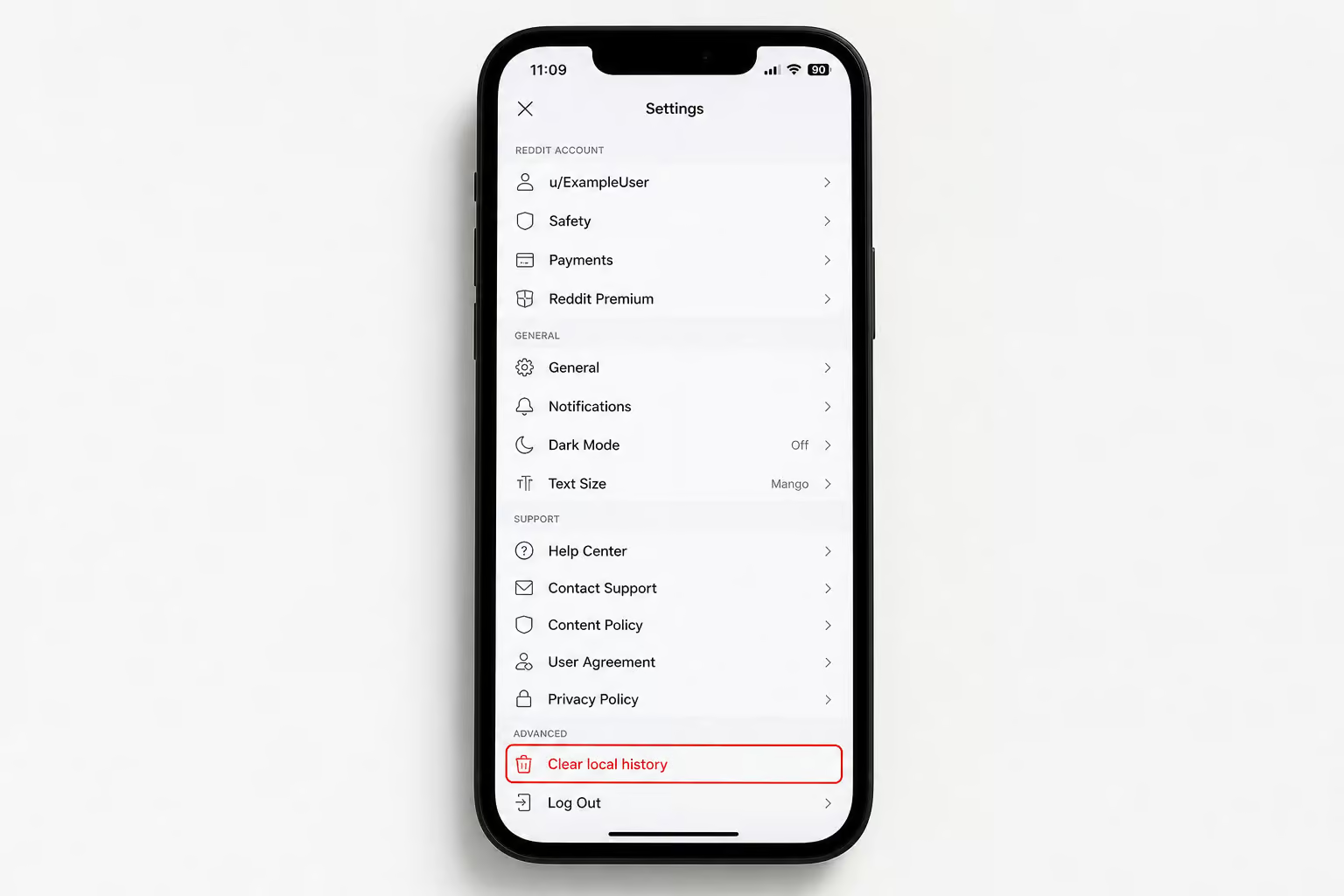
On mobile: Open the Reddit app and tap your profile avatar (usually top?right). Tap Settings, then go to Privacy or Privacy & security. You’ll see Clear local history — tap it fruition. Confirm the action. Done.
On desktop: There’s no in?browser button. Instead, you need to remove Reddit’s cookies and site data through your browser’s privacy settings. The exact menu varies by browser (Chrome, Firefox, Edge all do it differently), but the pattern is: open your browser settings ? find the section for Cookies, Site data, or Privacy ? locate reddit.com in the list ? remove its stored data. Then log back into Reddit.
What this actually does: It clears your login sessions, preferences, and the locally cached data Reddit uses to remember what you’ve seen. It does not delete your search history, posts, or comments. And because it’s local, you have to repeat this process on every device you use Reddit on.
Step 2: Delete Reddit Search History (One Query at a Time, Per Device)
Search history is the most annoying layer to clean because Reddit doesn’t offer a ‘delete everything’ button for your history. Each query has to be removed individually, and the removal only affects the device you’re holding.
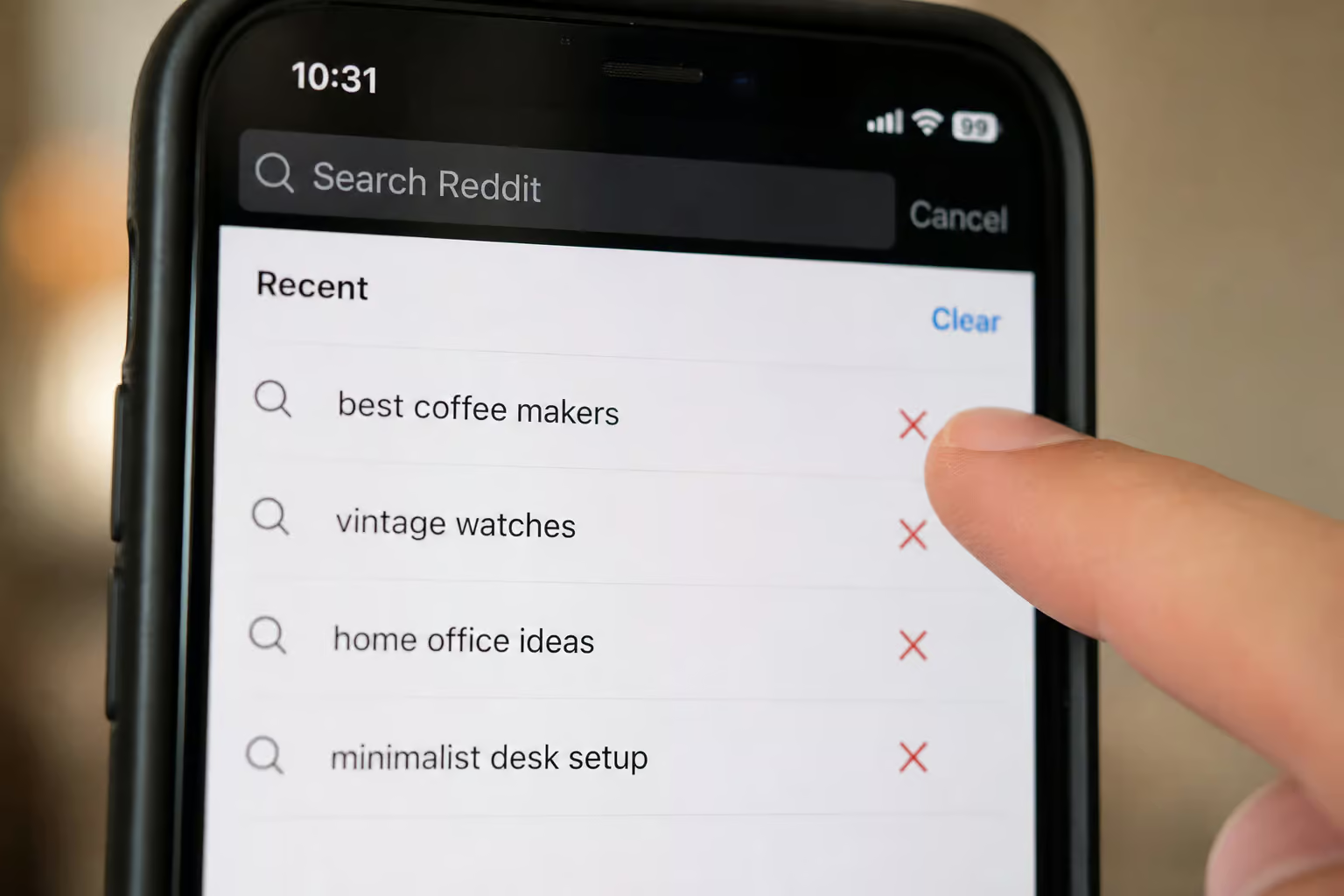
On mobile: Tap the search bar at the top of the app. Your recent searches appear in a list beneath the cursor. Tap the X icon next to each one. Repeat until every query is gone. There’s no bulk option — you literally tap each X one by one.
On desktop: Click into the search bar. Wait for the recent searches dropdown to appear. Click the X beside each query. Same process, same tedium.
Why this matters: Search history is stored per device and per account interface, so clearing it on your phone does nothing for your desktop. If you use three devices for Reddit, you’ll do this three times.
For a single account with a handful of recent searches, this takes maybe a minute. For an account that’s accumulated years of random queries across multiple devices, it’s a major pain.
Step 3: Delete Individual Posts and Comments Manually (Plus the Edit?Before?Delete Tactic)
This is the high?risk layer — the stuff anyone can find by visiting your profile or stumbling across a subreddit where you’ve been active. The manual deletion path is straightforward but slow, much like how to delete your OnlyFans account in 3 steps.
On mobile: Go to your Profile, then open the Posts or Comments tab. Find the item you want to delete, tap the three?dot menu (?), select Delete, and confirm. Repeat for every item. If you have fifty posts, that’s fifty confirmations — and if you want to start fresh, here’s how to delete OnlyFans account in three simple steps.
On desktop: The same flow: Profile ? Posts/Comments ? three?dot menu ? Delete ? confirm. Each item goes away with a few clicks.
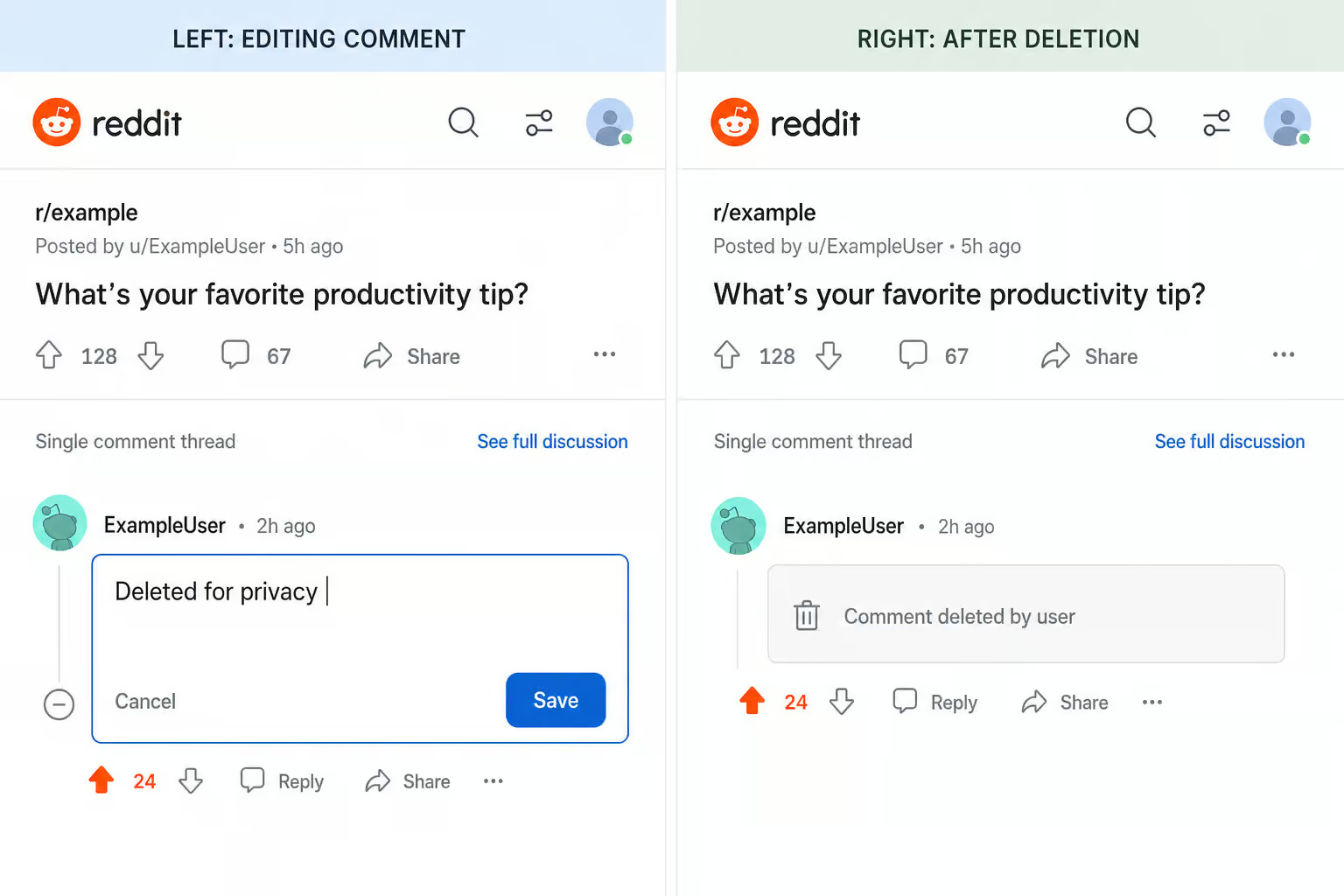
The edit?before?delete upgrade: If the content is sensitive — personal details, controversial opinions, anything you’d rather not be quoted on, don’t just delete it. First edit the post or comment to a generic placeholder like ‘Deleted for privacy.’ Then delete it. For sensitive content, edit the post or comment to remove details before deletion.
This replaces the original text in cached snippets, search snippets, and anywhere someone quotes you in a reply. The text that survives on Reddit’s servers after deletion is just your placeholder, not the original words.
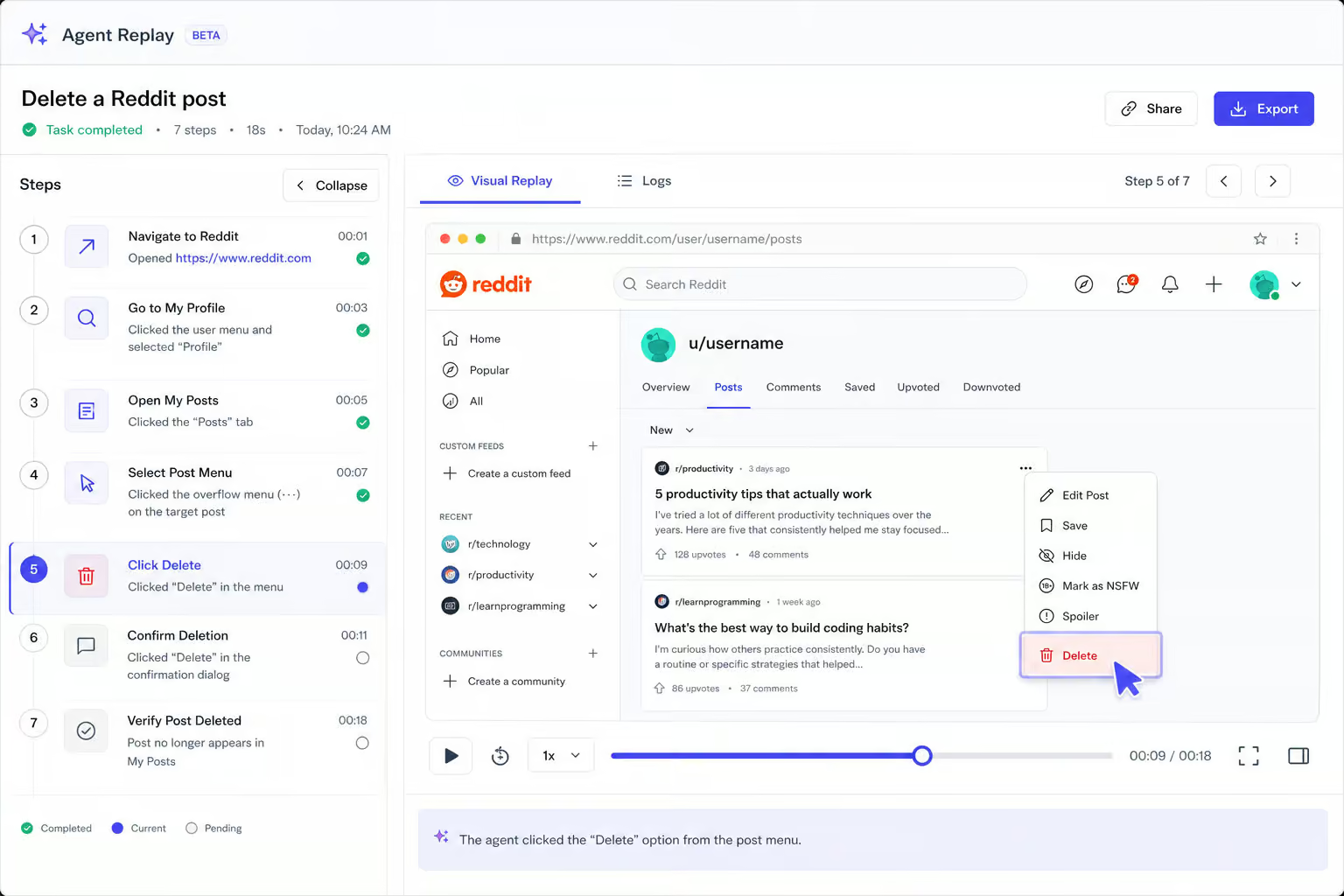
It won’t stop screenshots or reposts, but it reduces how much of your original writing exists in the wild as a cached quote.
When manual makes sense: If your history is small — under 50 items, manual deletion is the fastest route. For larger histories, manual becomes impractical. For large history, bulk edit-then-delete is recommended.
Step 4: Reduce Profile Visibility — Hiding vs. Deleting and Profile Curation
There’s a common misunderstanding that “hiding” a post is the same as deleting it. Hiding changes profile visibility; deleting removes from public view. Hiding only removes the post from your profile page’s default view. The post remains in the subreddit, in search results, and on Reddit’s servers. Hiding does not remove posts from subreddits, prevent search engine discovery, or delete content from Reddit’s servers.
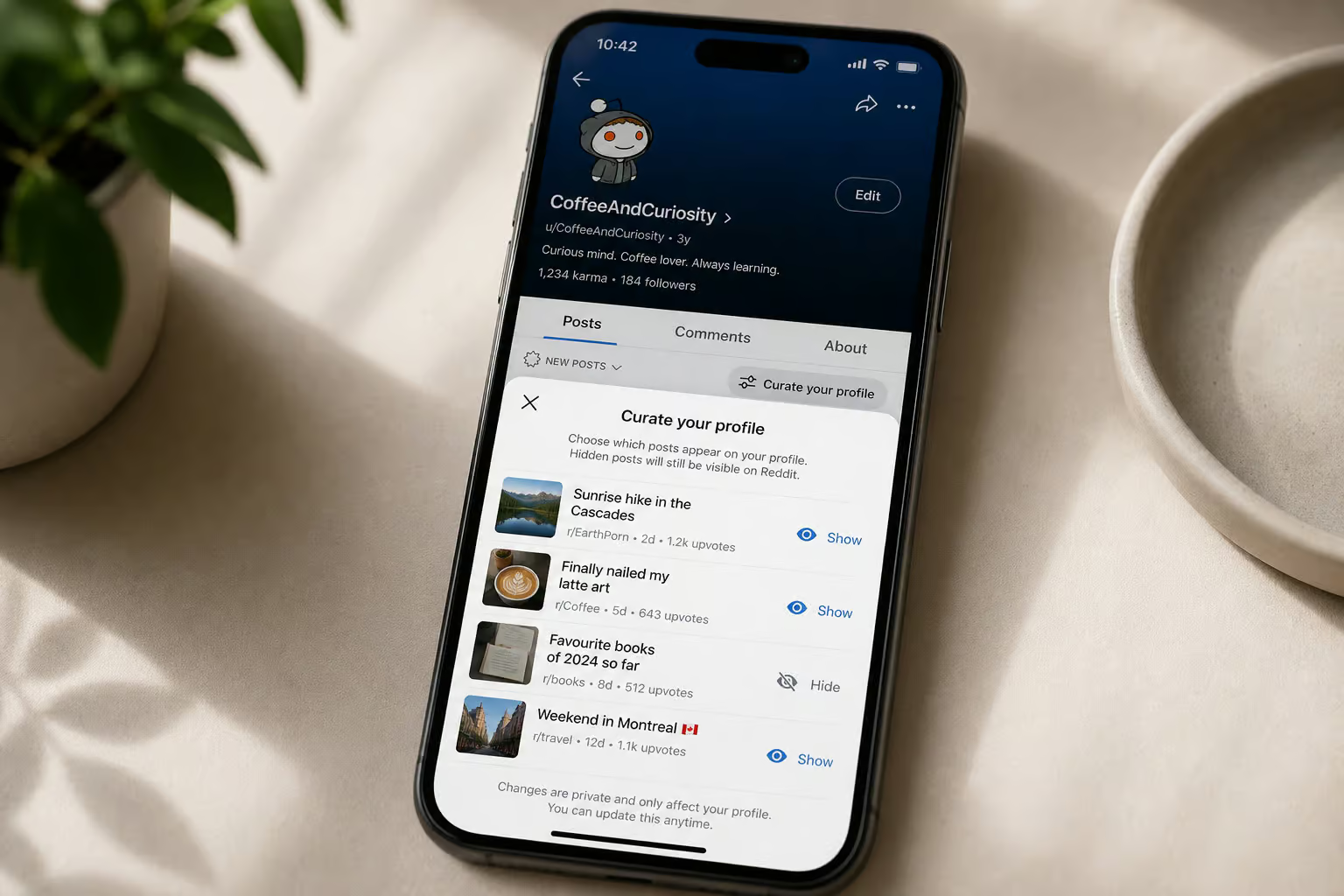
Deleting, on the other hand, removes the content from your profile, from subreddit feeds, reduces casual discovery, and over time reduces search visibility.
Profile curation is a middle ground that lets you choose which of your existing posts and comments show on your profile page. Go to your Profile ? open the three?dot menu ? select Curate your profile ? toggle what you want to show or hide ? save changes.
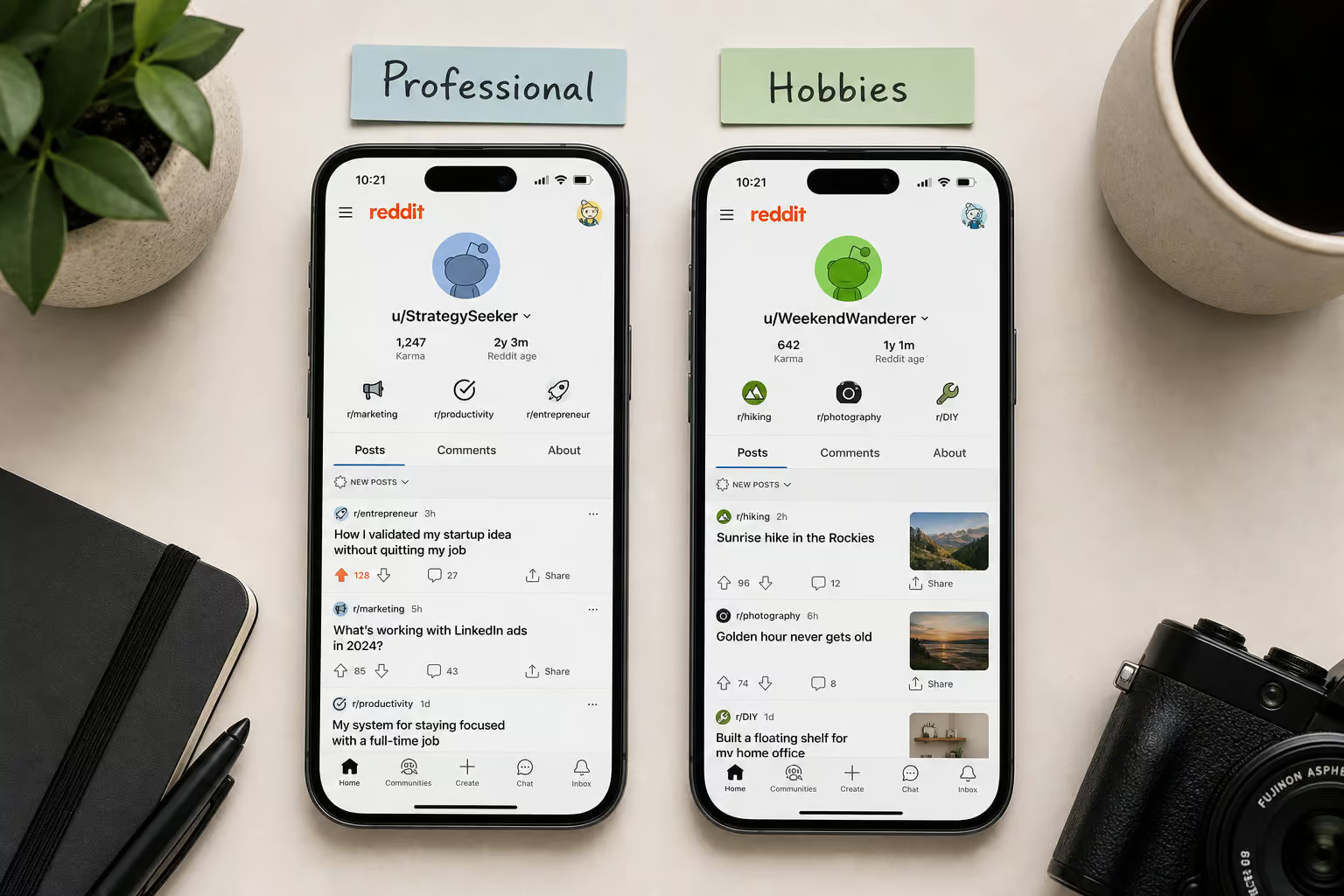
This is useful if you want a clean-looking profile without deleting everything. A potential employer or client checking your Reddit history will only see what you’ve curated. But the hidden posts still exist in subreddits and can be found with direct links.
Step 5: Bulk and Automated Deletion — Scripts, No?Code Tools, and AI Agents Compared
Once your history exceeds fifty posts or spans multiple accounts, manual cleanup becomes a time sink.
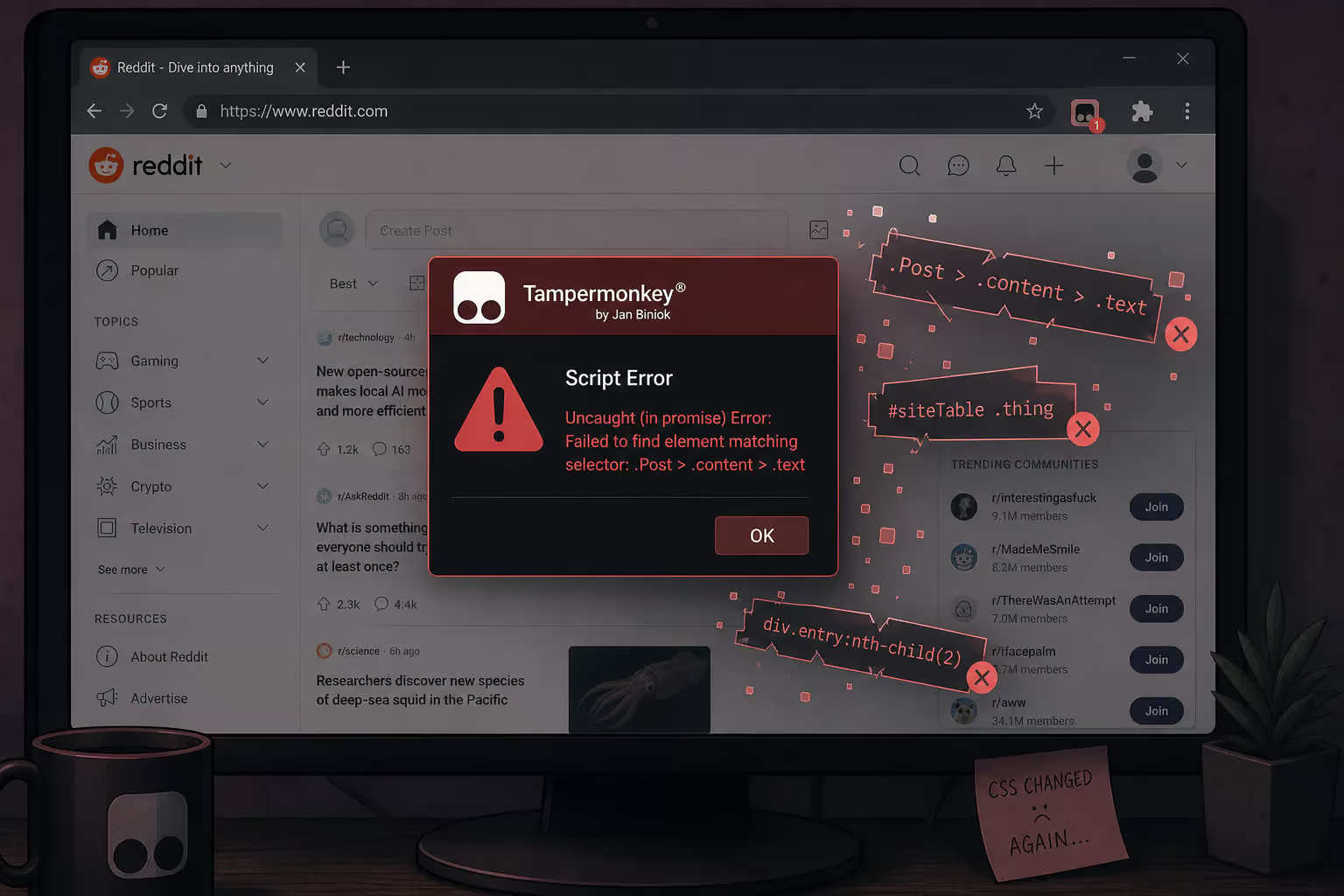
Traditional browser scripts and userscripts — the kind you find on GitHub or install with Tampermonkey, depend on CSS selectors to find the delete buttons. When Reddit updates its interface, those selectors change. The script doesn’t throw an error, it silently stops working. Worse, it might mis?click and do something unintended because the UI structure shifted.
No?code automation tools like Zapier and Make are limited by Reddit’s API restrictions. There’s no official “delete all history” endpoint in the API. Rate limits are tight, and the API itself isn’t designed for bulk account cleanup.
AI computer agents solve the core failure mode of scripts: they operate visually, like a human would. Instead of depending on fragile CSS selectors, they see the Reddit interface as pixels, navigate by clicking the same buttons you would, and record every step. Simular Pro is one example built for long, recurring workflows that would be impractical for a person to repeat every day.
Here’s how that looks in practice: a marketing agency managing multiple client accounts logs into each account, deletes posts and comments older than 90 days, edits sensitive content to “Deleted for privacy” before deletion, logs out, and moves to the next client. Every action is inspectable and replayable — you can watch the execution trace to confirm nothing went wrong.
Scheduling framework: Once your cleanup rules are set, you can trigger the agent nightly for heavy users, weekly for moderate users, or monthly for light users — via webhook. This turns Reddit history cleanup from a one?time crisis into a background routine.
What Deletion Cannot Undo — Setting Honest Expectations
Here’s what survives:
- Screenshots taken by others — nothing you do on Reddit can erase a screenshot on someone else’s phone or hard drive.
- Reposts and quotes in other threads — even if your original comment is deleted, someone might have copied it into a reply before you deleted it.
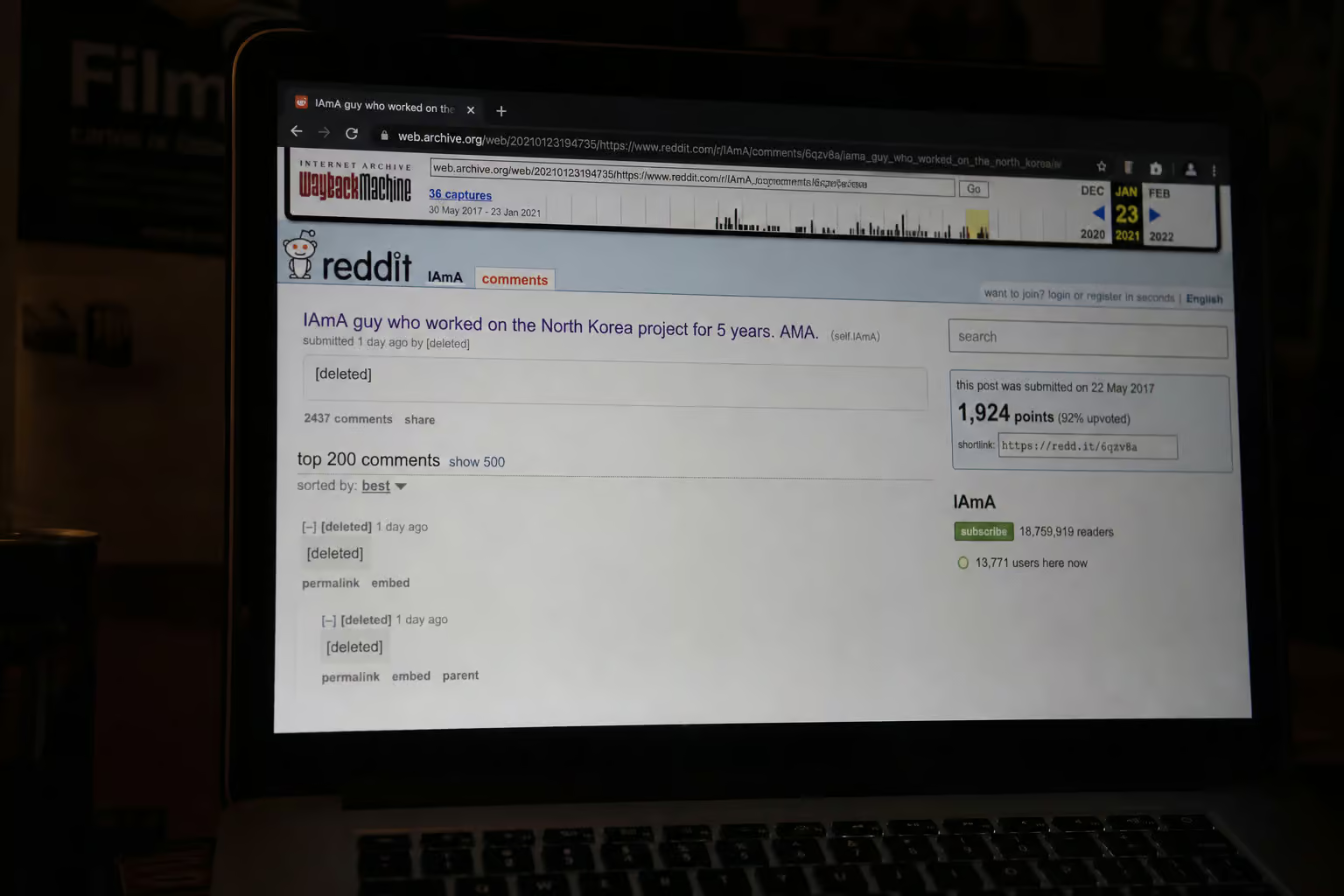
- Third?party archives — services like the Wayback Machine or Pushshift (used by researchers and data scrapers) may have saved your content before you deleted it.
- Search engine snippets — Google, Bing, and others cache pages. Those snippets won’t refresh until the next crawl, which could be weeks or months.
- Orphaned posts after account deletion — if you delete your Reddit account without first deleting your posts and comments, they stay up under a deleted username forever.
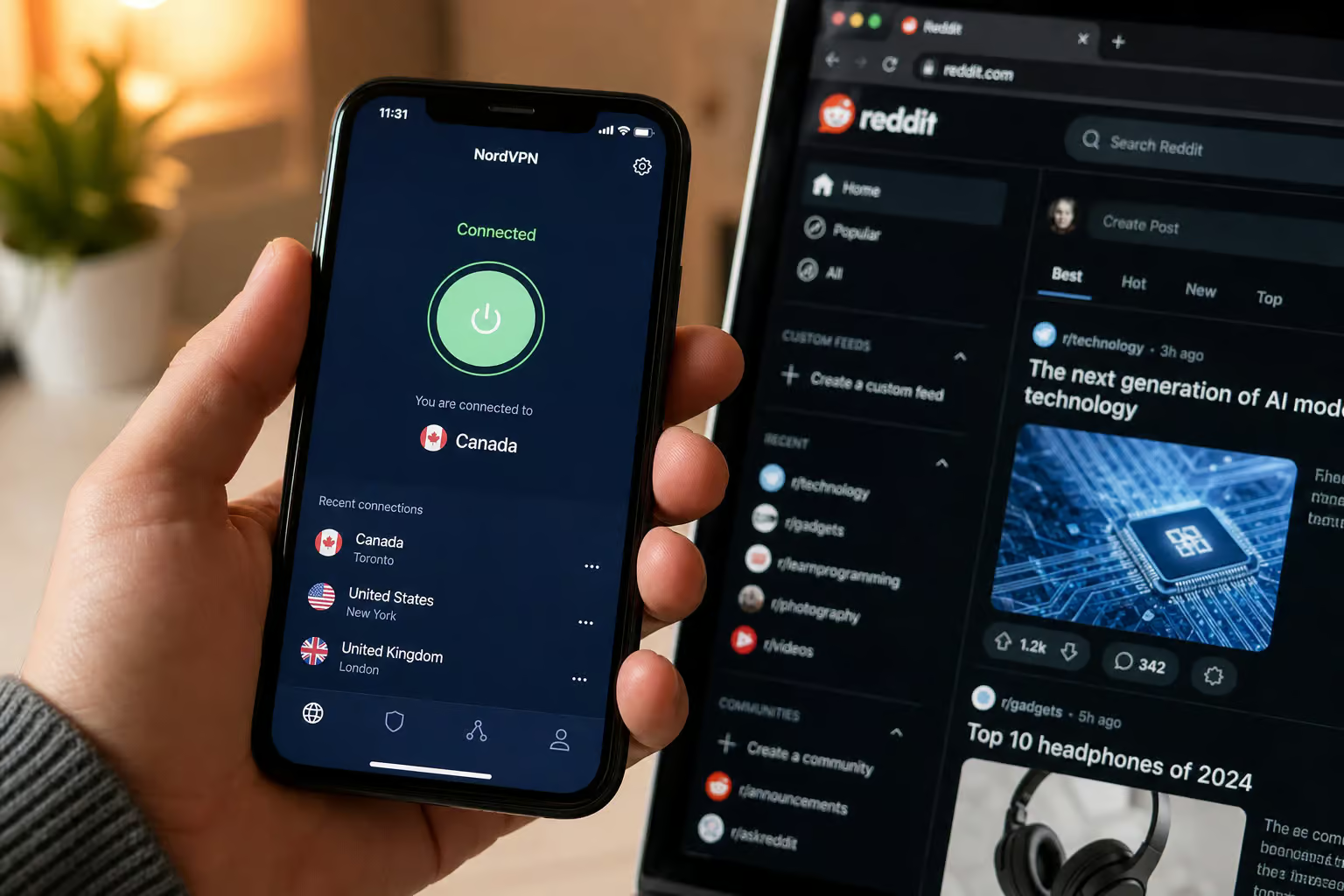
Pairing account cleanup with a VPN can help reduce IP?based tracking for future activity. Services like X?VPN or Hide.me (which offers no?logs policies, SmartGuard, StealthGuard, and WireGuard) are complementary tools, not silver bullets.
Forward?Looking Habits: Reduce Future Cleanup Burden Before You Need It
- Use separate accounts for sensitive topics. One account for your professional/personal brand, another for niche hobbies or communities where you share personal details. When the second account’s history gets messy, you can delete the whole account (after cleaning its posts first) without affecting your main identity.
- Avoid repeating personal details across subreddits. The more you drop the same birth year, location, or job title in different contexts, the easier it is for someone to piece together a profile.
- Edit before you post. Before clicking submit, think about whether you’d be comfortable with that text surviving five years from now. Writing as if the words will live forever is the simplest filter.
- Review Reddit’s privacy and personalization settings periodically. Reddit changes its settings interface often; what was private last year might be public now.
- Use a VPN for routine browsing if you want to reduce the IP?based behavioral data Reddit collects.
After you’ve gone through the process once — clearing local history, deleting searches one by one, editing then deleting sensitive posts, you’ll have a good sense of which habits matter most for your situation.
People Also Ask
How to clear history on iPhone Reddit?
Open the Reddit app, tap your profile avatar (top-right), go to Settings, then Privacy or Privacy & security, and tap Clear local history. Confirm the action, and your locally stored viewing history on that device is gone.
How do I delete things from my history on Reddit?
For search history, tap the X next to each recent search query — there’s no bulk option, so you do it one by one per device. For posts and comments, go to your profile, open the three-dot menu on each item, select Delete, and confirm. Manual deletion works best for small histories under 50 items.
What’s the difference between hiding and deleting on Reddit?
Hiding only removes a post from your profile page’s default view — the post stays in the subreddit, in search results, and on Reddit’s servers. Deleting removes the content from your profile and subreddit feeds, reducing casual discovery and search visibility over time.
Does editing a Reddit post before deleting it actually matter?
Yes, for sensitive content. If you edit the text to something generic like ‘Deleted for privacy’ before hitting delete, it replaces the original words in cached snippets, search snippets, and places where someone might quote you in replies. It won’t stop screenshots or reposts, but it reduces how much of your original writing survives as cached text.
