
The moment the ship pulls away from the dock, your phone quietly hunts for the strongest tower it can find and latches onto the ship’s cellular-at-sea network. Leave your cellular radio active, and a couple of background app refreshes can turn into a shock roaming bill before you even unpack. Turn everything off, and you’re stuck staring at the onboard Wi-Fi portal, trying to figure out whether a $30-a-day package will actually let you stream a show or just load a few emails.
Most passengers board with a phone, a tablet, or a laptop just to post sunny photos to Facebook and check in at home, only to run into opaque pricing tiers and silent app blocks. I’ve used shipboard internet on both an Aqua Blu sailing and a Starlink-equipped cruise ship, and both connections held up well in real use. Based on that hands-on experience rather than brochure promises, this guide walks through how to lock down your phone at sail-away, what every major cruise line charges, how to pay far less than list price, and when you’re better off skipping a Wi-Fi package altogether.
Key Takeaways
Daily cruise Wi-Fi costs range from $12.75 per person, per day on Carnival to $39.99 per day for Norwegian Cruise Line’s Streaming Voyage Wi-Fi Pass, and 2 of 3 posters who reported their own experience say they paid over $25 a day while 1 says $15 to $25 a day.
Cruise Wi-Fi tiers differ by which apps are blocked rather than by raw speed: measured Starlink speeds on Norwegian Escape held at 3-4 Mbps across both mid-tier and top-tier plans, well below Starlink’s 150Mbps theoretical ceiling.
You can beat list prices by buying pre-cruise for 15% or more off, stacking free promotional minutes with mid-cruise discounts on lines like NCL, or skipping the package entirely with free line apps, port Wi-Fi, and shore-side cellular.
Table of contents
Table of Contents
Do cruise ships have Wi-Fi? How internet at sea works
Cruise ships do have Wi-Fi: every major cruise line offers onboard internet delivered through satellite antennas mounted on the ship’s upper decks, feeding a ship-wide wireless network. Those antennas track satellites overhead and route traffic back down to terrestrial ground stations, which is why your connection at sea behaves more like a shared remote-office uplink than a home fiber line.

Onboard Wi-Fi is getting faster and cheaper as low-earth-orbit satellite constellations replace older geostationary hardware, though current prices remain high compared to what you pay on land. From my own multi-cruise experience, rates are finally starting to come down as capacity grows. Even on newer setups, expect the first sign-in onboard to take some patience before the connection settles, especially during embarkation when hundreds of devices hit the portal at once.
Your connection options onboard: VOOM, iCafes, and the network names
Instead of a generic network called “cruise Wi-Fi,” each line broadcasts its own branded SSID and pairs it with either cabin-to-deck wireless coverage or dedicated terminals.
Ship-wide Wi-Fi networks
According to Cruise West Coast, Royal Caribbean’s primary service is VOOM Wireless Internet Access, which works on any Wi-Fi-capable phone, tablet, or laptop and now covers the entire ship rather than forcing guests into a single lounge. Royal Caribbean markets VOOM as the fastest internet at sea and claims it’s six times faster than other ships’ Wi-Fi, though that’s the line’s own marketing claim rather than an independent benchmark. Other major lines use their own branded networks, including MedallionNet on Princess and Wavenet on Oceania.
Wired internet stations
If you’d rather not use your own device or just need a quick print-and-browse session, Royal Caribbean also maintains wired internet stations called iCafes, whose exact locations vary by ship.
How to connect to cruise ship Wi-Fi, step by step
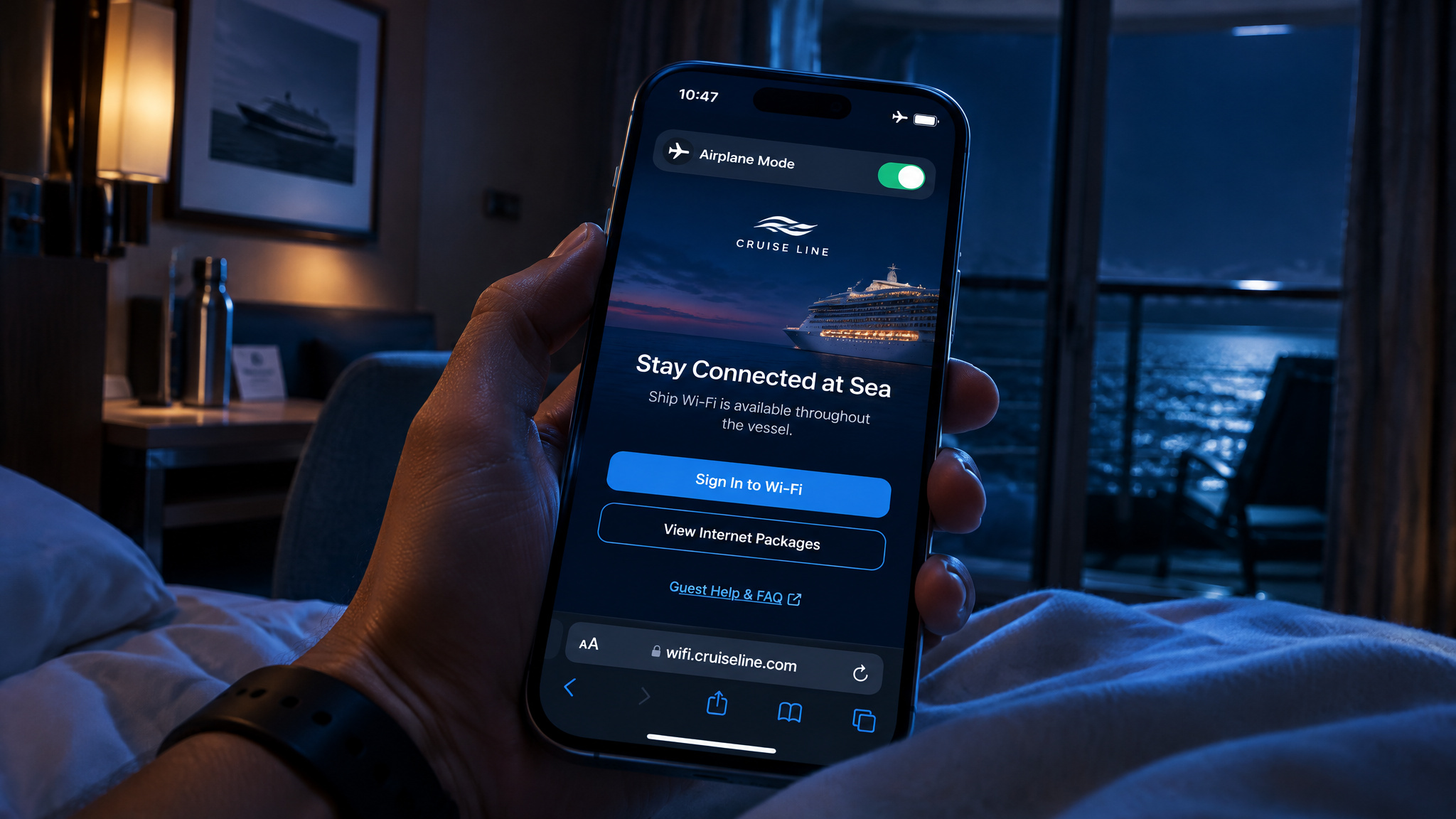
Getting online takes three steps, in this order: airplane mode first, Wi-Fi second, and the captive portal last. Skipping the first step is how passengers accidentally rack up carrier roaming fees before they even reach the login screen.
- Switch your phone to airplane mode as soon as the ship pulls away from the dock to block expensive international roaming charges on cellular-at-sea networks, then turn Wi-Fi back on while keeping cellular data and roaming disabled.
- Open your Wi-Fi settings, join the ship’s network (on Royal Caribbean, look for
royal-wifi), launch a web browser, and follow the captive-portal sign-up prompts. - Let the portal recognize your prepaid internet package automatically, or select a plan on the spot to charge it directly to your onboard account.
On Royal Caribbean, the Royal Caribbean app runs over the ship’s Wi-Fi for free with no internet package and no roaming charges, letting you order food, reserve shows, book shore excursions, and even book a future cruise. Download the app well before sailing and enter your details early to speed up check-in. First-time sign-in commonly stalls while the captive portal loads or before ship systems finish activating at embarkation, so if you hit a dead end, crew members or Guest Services can reset your session.
What cruise Wi-Fi packages let you do (and what they block)
Norwegian Cruise Line Wi-Fi costs $29.99 per day without streaming and $39.99 per day with it, and at list rates it’s usable but overpriced, worth it only if you have a specific need like work. At headline prices, NCL’s Unlimited Wi-Fi Package totals $209.93 for a 7-day cruise, while the Unlimited Premium tier, also listed as the Streaming Voyage Wi-Fi Pass, totals $279.93 for 7 days, though few passengers actually pay those list numbers. Both tiers deliver the same speed and differ by which apps are blocked rather than by raw speed.
Many buyers pick the cheaper tier assuming it just throttles bandwidth, when the actual restriction is application-level filtering. Here’s how NCL’s tiers, real-world app behavior, and VPN rules shake out in practice.
NCL’s tiers
NCL splits its onboard access into three functional buckets based on what traffic the firewall lets through:
- Voyage Wi-Fi Pass: Gives you full web browsing and standard social media, but blocks streaming platforms including TikTok and YouTube.
- Streaming Voyage Wi-Fi Pass: Unlocks streaming services such as Netflix and Spotify on top of standard browsing and social apps.
- Internet by the Minute: Usually allotted as 150 free minutes through Free at Sea or More at Sea promotions, running at the same non-streaming access level as the Voyage Wi-Fi Pass.
What worked on the cheaper tier
Tanner Callais, who writes at cruzely.com, ran speed tests aboard the Starlink-equipped Norwegian Escape and measured a consistent 3-4 Mbps across both the mid-tier and top-tier packages, confirming there was no speed difference between them. That’s slower than a home broadband connection, yet dependable enough that streaming played without buffering on the streaming tier, and pre-downloaded Netflix shows worked fine on non-streaming tiers.
Callais found that WhatsApp and iMessage worked normally, including sending photos, and FaceTime worked flawlessly most of the time even on the cheaper non-streaming tier, with only occasional choppiness where the voice connection still held. General web browsing, email, social media, and news sites all loaded with nothing blocked, coverage reached everywhere onboard, and location services placed the ship in Florida.
VPN restrictions
Most cruise ships block VPNs at the network level. Norwegian is believed to allow VPN connections, possibly only on its highest-tier Premium plan, which makes that detail the deciding factor if your employer requires a VPN tunnel to reach internal work tools.
What cruise internet costs, line by line
Royal Caribbean’s VOOM costs $18-$38 per day under dynamic pricing, shifting based on the ship, itinerary, sailing date, and how early you book. Across the industry, unlimited cruise Wi-Fi spans roughly a 4x price range from budget tiers to top streaming passes, while several lines bundle basic access into the cruise fare outright. If you only want internet access for 24 hours, you’ll generally pay much more on a per-day basis than you would for a full-voyage package, though grouping multiple devices under one plan lowers your average per-device cost.
Across the sources read for this guide, daily cruise Wi-Fi costs range from $12.75 per person, per day on Carnival to $39.99 per day for the Streaming Voyage Wi-Fi Pass on NCL. Looking at real-world bills, 2 of 3 posters reporting their own experience say they paid over $25 a day and 1 says $15 to $25 a day, including one business traveler who paid about $35 a day for four devices to stay connected.
| Cruise line | Standard / lower tier | Premium / streaming tier | Included in fare or bundle |
|---|---|---|---|
| Carnival | From $12.75/person/day (Social) or $17.00/person/day (Value) | $18.70/person/day (Premium) | No |
| Cunard | $18/day (Essential, whole voyage) | $24/day (Premium, whole voyage) | No |
| Holland America | $15/day (Surf) | $20/day (Premium) | Yes (Surf in Have It All) |
| MSC | €3.90/day or €14.90/7 days (Social); €9.90/day or €29.90/7 days (Surfer) | €19.90/day or €59.90/7 days (Streamer) | No |
| Oceania | Free ship-wide (Wavenet) | $9.99/person/day upgrade (Wavenet Prime) | Yes; Wavenet is free for all guests, a perk travelers often look for when comparing high-end indonesia cruises. |
| Princess | From $9.99/day (standalone MedallionNet) | Included in Princess Premier | Yes (Princess Plus and Premier) |
| Celebrity | $20/person/day (Basic) | $35/person/day (Premium) | Yes (Always Included; not Galapagos) |
| Fred. Olsen | £10/day, £40/5 days, £55/7 days, £100/14 days (Social Media) | £12/day, £50/5 days, £63/7 days, £120/14 days (General Browsing) | No |
| P&O | £12/day with cruise plan, £18/day without (Essential) | £18/day with cruise plan, £24/day without (Ultimate) | No |
| Azamara | $19.95/60 min; $19.95/day (Full Cruise) | $29.95 (One-Day Pass) | No |
| Costa | €5/day (Social); €0.25/min + €3 setup (pay-as-you-go) | €35/250MB, €45/500MB, €110/3GB (Refill buckets) | No |
| Royal Caribbean | $18-$38/day dynamic (Voom Surf + Stream) | Consolidated single tier | Partial (The Key, suites, Pinnacle) |
| NCL | $29.99/day or $209.93/7 days (Voyage Wi-Fi Pass) | $39.99/day or $279.93/7 days (Streaming Voyage Pass) | Partial (150 free minutes promo) |
Note: Published package prices and Cellular at Sea terms may vary by ship, itinerary, and sailing date. Princess markets MedallionNet as the best Wi-Fi at sea, which is the line’s own claim.
Royal Caribbean VOOM dynamic pricing and history
Before Starlink rolled out across Royal Caribbean’s fleet, the line sold two separate per-device tiers: Voom Surf at $15.99 per day and Voom Surf + Stream at $22.99 per day. After Starlink arrived, Royal Caribbean retired the cheaper Surf tier and consolidated everything into a single Voom Surf + Stream package that supports video chat, live social streaming, and streaming services.
Fares that already include Wi-Fi
Some lines build connectivity straight into the ticket price so you never see a daily add-on charge. Pricier luxury lines such as Viking Ocean Cruises and Silversea include internet in the cruise cost, and among mainstream lines, Virgin Voyages (including Resilient Lady) includes basic internet with the fare. On Celebrity, Basic Wi-Fi is free with the Always Included fare and Premium is discounted, though Galapagos sailings exclude Wi-Fi packages altogether.
How to pay less for cruise internet
The cheapest way to get internet on a cruise is to buy before you sail, with one line-specific exception. Here’s how the main discount levers stack up:
- Buy pre-cruise through your line’s online planner to save 15% or more compared to onboard rates.
- Rebook at the lower rate if your pre-cruise price drops before embarkation.
- Burn through free promotional minutes first before paying for an unlimited upgrade.
- Bundle Wi-Fi with drinks and gratuities when the combined package beats buying Wi-Fi solo.
- Claim loyalty-tier free days or suite perks before paying out of pocket.
Of 4 sources read on whether to buy before boarding or onboard, 3 say yes, buy before boarding, and 1 says not necessarily because discounts exist both ways. That split reflects the difference between dynamic pre-cruise pricing and mid-cruise markdowns.
Buying before sailing
On Royal Caribbean, buying VOOM through the Cruise Planner before departure is usually much cheaper than waiting until you board. Because dynamic prices shift, it pays to check back periodically and cancel and rebook if the rate drops, though waiting too close to your sail date carries the risk that prices climb instead.
The NCL wait-and-save exception
NCL flips the usual pre-cruise rule. On a recent NCL sailing, Wi-Fi was discounted $100 off the headline price for the first three days, and because packages charge daily and the remaining total shrinks each day of the voyage, buying later means paying for fewer days. Callais burned through the 150 free non-streaming minutes from More at Sea first, then bought discounted streaming Wi-Fi on day 3 for $100 covering the final five days instead of paying nearly $300. Don’t try that delay-purchase move on lines like Royal Caribbean, where dynamic pricing can climb as sailing approaches.
Loyalty tiers, suites, and bundles
Royal Caribbean generally offers no free Wi-Fi, with clear exceptions for top suites and loyalty status. Star and Sky Royal Suite Class guests each receive one free Surf + Stream package, while Crown & Anchor Diamond members get 1 free internet day, Diamond Plus members get 2 free days, and Pinnacle Club members get free unlimited access for one device for the entire cruise.
Fare bundles are often where the best value hides: Royal Caribbean’s The Key includes Wi-Fi, Princess Plus bundles Wi-Fi with a beverage package and gratuities for better value than buying Wi-Fi alone, Celebrity’s Always Included and Holland America’s Have It All include internet, NCL’s Free at Sea and More at Sea allot 150 free minutes, and loyalty programs frequently discount premium upgrades.
Cellular at sea and the roaming trap
Your phone’s international plan generally won’t work on a cruise ship, or it will trigger exorbitant fees the moment your phone silently connects to the ship’s cellular-at-sea network after leaving port. Many travelers leave data roaming toggled on out of habit and come home to unexpected bills because shipboard cellular networks operate on a separate billing system from land carriers.
If you want carrier-based coverage at sea, Cellular at Sea is available to AT&T and Verizon customers, though it isn’t on every ship and the terms deserve a careful read. A 30-day plan observed at the time of filming cost $100 and included 50 calling minutes, unlimited texts, and a data allowance with $2 per gigabyte overage. When the ship is sailing close to shore, your phone can still pick up regular 3G or 4G land towers without ship fees, provided data roaming is turned off to avoid hefty charges; once you’re far out at sea, expect no terrestrial signal at all.
Can two people share one internet package? Device switching explained
Two people can share one internet package sequentially on lines like Norwegian Cruise Line by logging out the active device, though you can’t keep both devices online at the same time. NCL plans allow one device connected at a time, and 24-hour day passes ($34.99 regular, $44.99 streaming) appeared starting on day 3.
Instead of paying for a multi-device plan, Callais bought one-device-per-person access and hot-swapped in the cabin by logging one device out to rotate between a phone, tablet, and computer, even updating a website from the middle of the ocean. Couples who want simultaneous access still need two device slots. Keep in mind that this logout-and-switch trick is NCL-specific; Royal Caribbean instead discounts multi-device plans under a single account.
How fast is cruise Wi-Fi? Starlink promise vs. measured performance
Starlink Wi-Fi on cruise ships is fast enough for streaming and video calls on the streaming tier, though measured shipboard speeds of 3-4 Mbps remain far below the 150Mbps the service is capable of. The Starlink trial on Freedom of the Seas was a rousing success, and five lines including Carnival, Celebrity, and Royal Caribbean planned Starlink rollouts to make video streaming and calls workable at sea. Between the Aqua Blu cruise and the Starlink-equipped ship I sailed on, Starlink was easily the fastest, most reliable connection I’ve experienced at sea.
All 5 sources answering yes or no say cruise Wi-Fi supports streaming video. Among 6 posters reporting their own experience on whether they could stream video at sea, 4 said it streamed fine and 2 said it was too slow or blocked. That gap isn’t a contradiction: it comes down to whether you bought a non-streaming tier that blocks YouTube and Netflix, or hit shared shipboard bandwidth and cabin reception limits.
Measured speeds
Starlink is rated up to 150Mbps almost anywhere on the planet, which looks great on paper. In practice, measured speeds on Norwegian Escape held at 3-4 Mbps, noticeably slower than home or hotel Wi-Fi. Because shipboard throughput is shared across thousands of passengers, download your movies, books, audiobooks, and podcasts before you board.
Itinerary geography
Where you sail changes how well your connection holds up. Caribbean routes stay within dense low-orbit satellite footprints for the entire trip, whereas Norwegian fjords suffer poor connectivity because steep mountains block the satellite line of sight. Many lines run hybrid setups combining satellites with terrestrial broadband so email and basic uploads still trickle through in weak-coverage areas.
Low-congestion windows
Just like a busy home router, daytime congestion eats into shipboard bandwidth. Speeds are reportedly much faster in the early morning between 5 and 8 a.m., as well as when the ship is docked in port close to land.
Working remotely from a cruise ship
Asynchronous work is fine at 3-4 Mbps, while synchronous video and VPNs are the two failure points. Email, Google Docs, submitting assignments, and uploading standard files work reliably, as Callais proved by updating a website mid-ocean.
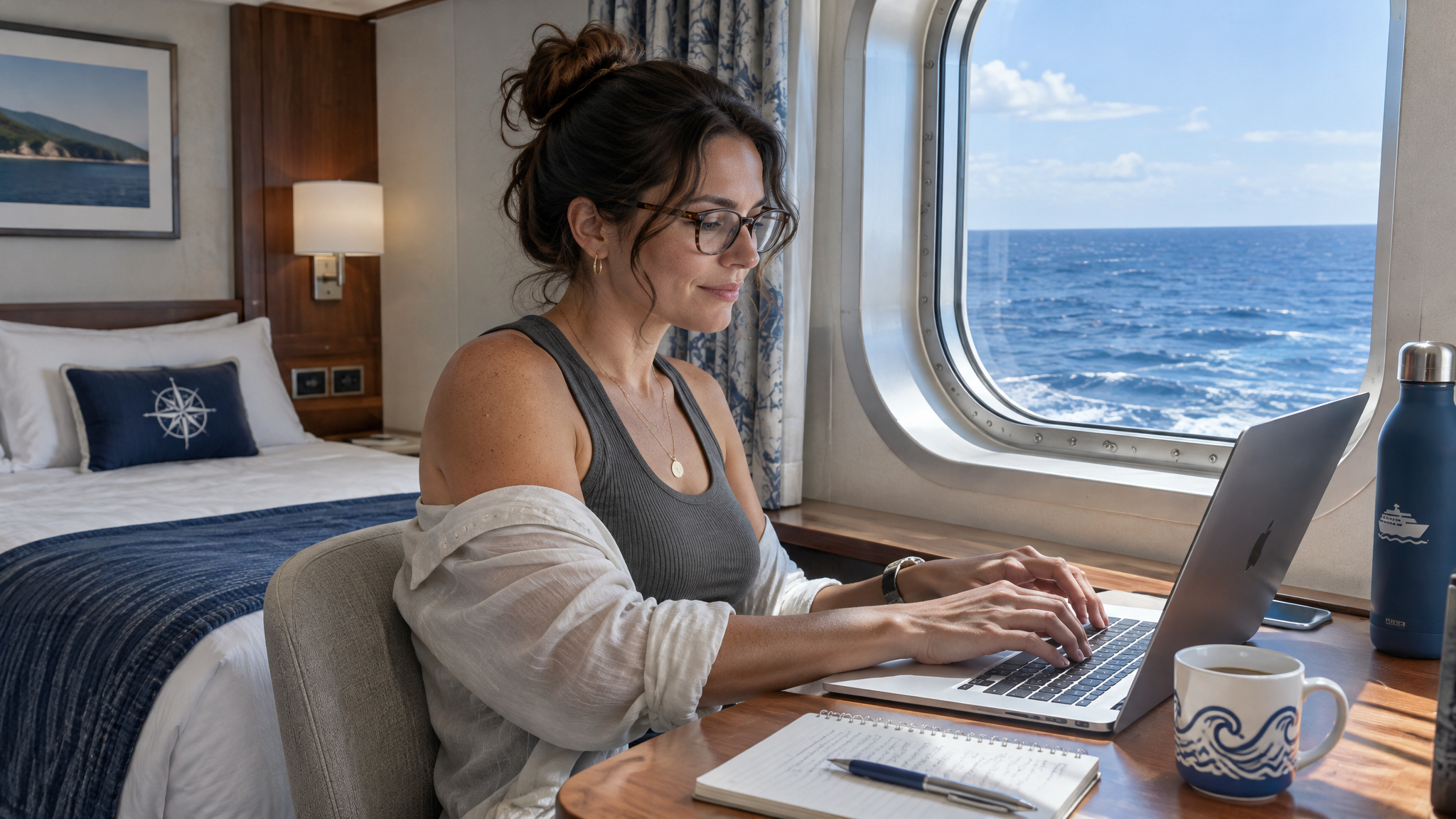
Crisp Zoom calls and large file transfers run slowly and carry real risk if your job depends on them. Because most ships block VPNs (with NCL believed to allow them, possibly only on its top-tier Premium plan) and location services can place the ship in Florida, corporate remote tools can misbehave. Overall, NCL internet is usable, just overpriced at list rates and worth buying mainly for specific needs like remote work.
When to skip the package: free and cheap alternatives
A $0 combination of cruise line apps, free port Wi-Fi, and shore-side data covers most casual needs without paying shipboard rates. Most cruise line apps work free over ship Wi-Fi with no internet package, giving you access to daily schedules, dining reservations, menus, room service ordering, invoices, and cabin controls. Most lines also include free in-app chat, though Norwegian and Carnival charge about $5-$10 for messaging.
When you dock, free Wi-Fi is easy to find at port cafes, restaurants, and libraries; a reliable cheat code is watching where crew members cluster, since they know where the free, often faster connections are. Shore-side 4G or 5G roaming in port can also cost far less than a ship package, and you can always wait to upload vacation photos until you’re home instead of posting live.
The digital detox option
Jenni Fielding, who writes at cruisemummy.co.uk, skipped the Wi-Fi package on a Royal Caribbean cruise for a digital detox on sea days and caught up online in port, and also survived a Wi-Fi-free cruise to Norway. Leaving the shipboard network alone turns sea days into genuine downtime without cutting you off from port-day logistics.
A practical decision rule
If you do buy a plan, check lower-tier social-only packages first, keeping in mind that most people at least need email access. For light check-ins, lean on included promotional minutes and port Wi-Fi, and save the full paid packages for trips where daily remote work or streaming is non-negotiable.
Frequently Asked Questions
Can I use my internet on a cruise ship?
Your regular international phone plan generally won’t work out at sea, and leaving cellular data on usually just triggers massive roaming charges when your phone latches onto the ship’s cellular-at-sea network. AT&T and Verizon customers can look into a Cellular at Sea pass—one observed 30-day plan ran $100 for 50 calling minutes, unlimited texts, and a data cap with $2-per-gigabyte overages—though it isn’t offered on every vessel. Near the coast you might catch 3G or 4G land towers with roaming disabled, but once you’re in open water, you’ll want airplane mode on and a ship Wi-Fi plan.
Can two people share internet on Royal Caribbean?
Royal Caribbean handles multiple users differently than lines like Norwegian Cruise Line, which let you hot-swap devices by logging one out so the other can connect. Instead of relying on that single-slot logout trick, Royal Caribbean discounts multi-device plans under a single account. If two people want to be online at the same time anyway, you’ll need two device slots.
How do I connect to Wi-Fi on a cruise ship step by step?
Start by flipping your phone into airplane mode the second the ship leaves the dock, then turn Wi-Fi back on while leaving cellular data and roaming off so you don’t get hit with surprise carrier fees. Next, open your Wi-Fi settings, connect to the ship’s branded network—like royal-wifi on Royal Caribbean—and launch a web browser to pull up the login portal. From there, the portal will either recognize your prepaid plan or let you charge a new package to your cabin account, and if embarkation traffic stalls the page, Guest Services can reset your session.
Do cruise ships have Wi-Fi and how does internet at sea actually work?
Yes—every major cruise line runs ship-wide Wi-Fi through satellite dishes mounted on the upper decks. Those antennas track satellites overhead and bounce your traffic back to ground stations on land, so it behaves much more like a shared remote-office connection than home fiber. Newer low-earth-orbit satellites are steadily replacing older geostationary gear, which in my experience is finally nudging speeds up and rates down, even with thousands of passengers sharing the bandwidth.
How much does internet cost on Royal Caribbean with VOOM packages?
Royal Caribbean’s Voom Surf + Stream runs $18 to $38 per day under dynamic pricing, shifting based on your ship, itinerary, sailing date, and how far ahead you book. After rolling out Starlink, the line scrapped its old two-tier split and folded everything into that single streaming-capable package. You can dodge the daily fee entirely if you book The Key, stay in Star or Sky Royal Suite Class, or hold Pinnacle Club status, while Diamond and Diamond Plus members get one or two free days respectively.
How much is Norwegian Cruise Line Wi-Fi and is the Voyage Wi-Fi Pass worth it?
At list price, Norwegian Cruise Line charges $29.99 a day ($209.93 for a week) for the Voyage Wi-Fi Pass and $39.99 a day ($279.93 for a week) for the Streaming Voyage Wi-Fi Pass. Both tiers clock the same 3–4 Mbps speeds, so the cheaper pass only blocks streaming apps like YouTube and TikTok while still handling email, web browsing, WhatsApp, and FaceTime fine. Paying full sticker price is tough to justify unless you need it for remote work, especially since NCL frequently runs mid-cruise markdowns—like $100 off after a few days—that pair nicely with burning your 150 free promotional minutes first.
What is the cheapest way to get internet on a cruise ship?
The cheapest option is spending nothing at all by sticking to your cruise line’s free onboard app, grabbing free Wi-Fi at port cafes or libraries (watch where the crew hangs out), and using shore-side 4G or 5G data when docked. If you actually need a package, buying pre-cruise through the line’s online planner typically saves 15% or more, and you can cancel and rebook if the rate dips before sail-away. You can also stretch your budget by burning free loyalty days or promotional minutes first, or booking a fare bundle like Princess Plus or Holland America’s Have It All.
Is Starlink Wi-Fi on cruise ships actually fast enough for streaming and video calls?
Yes, as long as you’re on a streaming-enabled tier, it handles video calls like FaceTime and streams shows without buffering. Across my own sailings, the Starlink-equipped ship delivered easily the fastest, most dependable sea connection I’ve used, even if real-world tests on Norwegian Escape topped out around 3–4 Mbps rather than Starlink’s 150Mbps paper ceiling. Because thousands of guests share that bandwidth—and steep terrain like Norwegian fjords can block satellite line of sight—crisp Zoom calls and huge file transfers can still stumble during peak daytime hours. Downloading movies before you board and saving heavy tasks for 5 to 8 a.m. or port days keeps frustration to a minimum.
Is cruise ship Wi-Fi worth buying or should I just wait for port days?
For most casual cruisers, waiting for port days and skipping the onboard package is the smarter play. Free cruise-line apps handle your daily schedule and dining bookings at sea, while port cafes and shore-side data cover photo uploads and messages without costing $12.75 to $39.99 a day. Only spring for a full voyage pass if daily streaming is non-negotiable or you’re working remotely—and even then, double-check VPN rules first since most ships block them.