You want to learn web design. You’ve got a million options, and most of them sound the same: “comprehensive,” “industry-aligned,” “certificate awarded.” That’s not helpful. What you need to know is what you’ll build, what tools you’ll touch, and whether the price tag — or the 300+ hours of your life — is worth it.
I dug through the offerings, from free YouTube playlists to bootcamps that cost more than a used car. Here’s what I found when I looked at what each one teaches.
Key Takeaways
Free courses like freeCodeCamp’s Responsive Web Design cert require 300+ hours of work and cover the core stack (HTML, CSS, responsive design), but the content was released in 2019 — some details may be dated, even if the fundamentals hold up.
Paid options range from Udemy’s $16.99 (always-on-sale) 11-hour course to MIT xPro’s $6,950 MERN-stack bootcamp; what you’re paying for is curriculum updates, instructor access, and structured feedback.
Employers judge you by your portfolio, not your certificate — courses that include a capstone or concrete projects (Google UX Design’s three projects, IBM’s GitHub portfolio) give you more ammunition than a PDF credential.
Table of Contents
What You’ll Actually Learn in a Web Design Course
Web design sits at the intersection of aesthetics and code. It’s not just “making things pretty,” and it’s not just “writing HTML.” It’s the bridge where layout, color, typography, and user behavior meet the actual markup that browsers render. If you’re looking at courses, here’s the stack you’re signing up to learn.

The design side breaks down into five core areas: layout (how elements flow on a page), color theory (why that button works or doesn’t), typography (legibility and hierarchy), responsive design (making it work on a phone without breaking), and accessibility (so nobody gets left out). Then there’s UI design — the buttons, forms, and interactive bits, and UX principles, which is the research and reasoning behind why things go where they do.
The technical toolkit is the front-end trifecta: HTML (structure), CSS (styling), and JavaScript (interactivity). Some courses teach just enough of each to let you implement your own designs; others dive deep into DOM manipulation, flexbox, grid, and media queries.
The tools you’ll get your hands on are mostly about prototyping and collaboration. Figma is the current darling — it runs in a browser, lets multiple people work on the same file, and handles everything from wireframes to high-fidelity mockups. Adobe XD and Sketch are still used, especially in teams that are locked into the Adobe ecosystem or prefer a native Mac app. Your tool choice can lock you into an ecosystem: courses that teach Figma may not cover XD’s prototyping quirks, and vice versa.
How to Choose a Web Design Course: Key Criteria
When you’re comparing dozens of options, three filters cut through the noise: your current skill level, the time you can commit, and your budget.

Skill level is the easiest starting point. Beginner-friendly courses assume zero coding experience — you’re comfortable with a computer and can think visually, but you’ve never touched HTML. Intermediate courses expect you to know basic HTML and CSS. Advanced courses assume you can build a static site and want to level up into frameworks or specialized techniques.
Before enrolling, check community and peer feedback on platforms like Reddit’s r/web_design, Coursera ratings, or course-specific forums. Real learner experiences and community support can reveal whether a course delivers on its promises and how responsive instructors are to questions.
Time commitment varies from “I can do this in an afternoon” to this is basically a part-time job for a year. Guided projects on Coursera can be under two hours. Specializations run three to six months. Bootcamps stretch seven to thirteen months. At 10 hours per week, freeCodeCamp’s 300-hour curriculum takes about 30 weeks.
FreeCodeCamp’s responsive design certification is 300+ hours of interactive lessons — that’s a chunk of your life, even if it’s free.
Budget is the bluntest filter. Free options exist: freeCodeCamp, WebFlow University, BYOL’s 4-hour YouTube course, Dash by General Assembly. Mid-range options run $17 to $50 per month (Udemy sales, TreeHouse, Codecademy Pro). Premium programs and bootcamps run $3,250 to $9,900. The gap between free and paid isn’t just about content volume, though — there’s a tradeoff around freshness.
Paid courses have budgets for curriculum updates, so free courses can contain more dated information. FreeCodeCamp’s Responsive Web Design course was released in 2019. The core concepts (flexbox, media queries, responsive units) haven’t changed much, but specific best practices and tool recommendations might have. Meanwhile, a paid course like Udemy’s “Web Design for Beginners” was last updated in July 2020 — still not bleeding edge, but more recent.
Paid courses also tend to offer direct interaction with instructors, not just forums where you talk to other students. That’s a cost of “free.”
Top Free Web Design Courses
Here are the ones worth your time.
WebFlow University (5+ hours, free, no certificate)
This is an introduction to HTML and CSS that happens to be presented through WebFlow’s visual interface. You’ll learn structure, buttons, typography, media, components, layouts, responsive design, CMS basics, and even some SEO. It’s five-plus hours of video, all free. No certificate, but the fundamentals are strong. The catch?
You’re learning inside WebFlow’s ecosystem, so some concepts tie to how their editor works rather than raw code. Still, for a zero-cost start, it’s good.
BYOL (Bring Your Own Laptop) — Beginner Web Design Course (4 hours free, full 16-hour course behind $12/month membership)
BYOL’s free YouTube course gives you four hours of video plus downloadable exercise files. You’ll cover HTML and CSS basics: structure, nesting, media, external styling, testing, and layouts. It’s hands-on from the first minute. The full course — 16 hours total, is behind a $12/month membership.
The free portion is enough to decide if you like the teaching style.
freeCodeCamp — Responsive Web Design Certification (4-hour intro + 300+ hours interactive, free, certificate available)
This is the champion of free learning. The responsive design module is 300+ hours of interactive lessons. You’ll work through responsive basics, mobile-first design, CSS units (em, px, rem), flexbox, media queries, navigation patterns, and widgets. The certificate is free.
But the course was released in 2019, so some framework-specific recommendations or best practices might be a step behind. The core concepts — flexbox, media queries, responsive units, are timeless.
OpenClassrooms — Learn HTML5 and CSS3 Basics (10 hours, free, certificate with $20/month membership)
A 10-hour free course covering HTML5, CSS3, structure, styling, SEO, image optimization, block and inline elements, color, and fonts. It’s an intro that you can finish in a weekend. The certificate requires a $20/month membership, but the course itself is free to take.
Dash by General Assembly (10+ hours interactive, free, paid options from $3,950)
Dash is General Assembly’s free interactive platform. It’s ten-plus hours of interactive lessons where you build projects as you learn: HTML5, CSS3, JavaScript basics, media queries, responsive images, jQuery, and even building a basic game. It’s practical. The caveat: if you want to go deeper with General Assembly, their paid programs start at $3,950.
Top Paid Web Design Courses and Video Courses
If you’ve got some money to spend, here’s what that buys you.
Udemy — Web Design for Beginners (Real World Coding in HTML & CSS) ($16.99, 11 hours, certificate)
This course is listed at $100+, but Udemy runs perpetual sales, so you’ll almost always pay around $16.99. For that, you get 11 hours of video covering HTML layout, media, typography, structure, navigation, forms, CSS, flexbox, animations, and Bootstrap. A certificate of completion is available. It was last updated in July 2020, so some framework details may be dated, but the HTML/CSS core is solid.
TreeHouse — Web Design Track ($25/month or $49/month, 43 hours, no certificate for track)
TreeHouse offers a structured learning path with 43 hours of video and hands-on lessons. You’ll cover HTML/CSS basics, design process, forms, tables, typography, layouts, responsive design, flexbox, Bootstrap, wireframing, animations, and CSS grid. The basic plan is $25/month; the plus plan is $49/month. No certificate for the track itself — those come from the Techdegree program at $199/month.
Frontend Masters — CSS Grids & Flexbox Course ($39/month, 5+ hours, certificate)
This is a focused course on CSS Grid and Flexbox — exactly what it says on the tin. You’ll cover responsive basics, CSS float, flexbox, responsive images, and CSS grid. At $39/month, you get access to the whole Frontend Masters library, so you could binge a lot more in that month.
Skillcrush — Frontend Development Course ($549 one-time or $199/month for 3 months, certificate)
Skillcrush’s program takes about three months and covers HTML, CSS, JavaScript basics, media queries, responsive images, Git, flexbox, and jQuery. The $549 one-time payment is cheaper if you can swing it upfront. You get a certificate and the ability to see how other students completed assignments.
Envato Tuts+ — Responsive Web Design ($16.50/month, 3 hours, no certificate)
A focused course at 3 hours of video. Topics: HTML, CSS, JavaScript basics, media queries, responsive images, and grid layout. At $16.50/month, it’s basic. No certificate. Tuts+ premium includes 20+ web design courses — from specific software like Sketch or Adobe XD to in-depth web typography, so the monthly subscription gives you access to more than just this one course.
Paul Boag — Encouraging Clicks Masterclass ($267 one-time, 4.5 hours, no certificate)
This one’s different. It’s not about coding — it’s about conversion optimization: metrics, consumer psychology, CTAs, A/B testing. $267 is a premium price for 4.5 hours, but the content is specialized. Downside: the course only opens a few times per year, so you need to plan ahead. If you’re interested in the psychology of getting people to click, this is worth the wait.
Best Web Design Courses on Coursera and EdX
University-affiliated courses bring credibility and structured curricula. The best part? Most allow free auditing — you can access materials without paying unless you want the certificate.
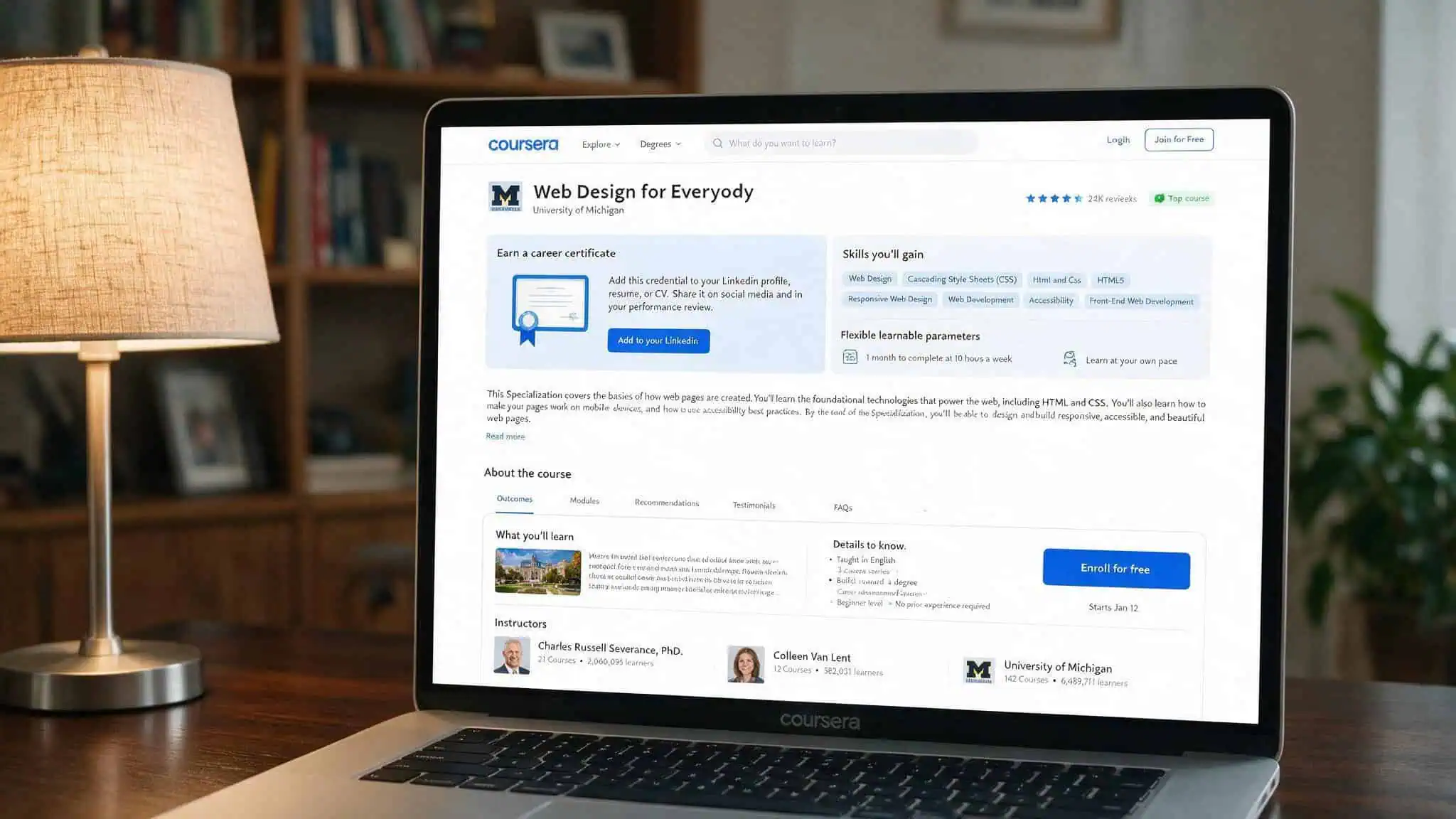
University of Michigan — Web Design for Everybody (Beginner, 3-6 months, $49/month cert, free to audit)
This is the all-rounder. You’ll learn web development, CSS, HTML5, JavaScript, responsive design, accessibility, DOM manipulation, and Bootstrap — plus a capstone portfolio project that’s the part that actually helps you land web designer and developer jobs. It includes a capstone portfolio project; free to audit; $49/month if you want the certificate. Good for beginners who want a structured university-backed curriculum.
California Institute of the Arts — Web Design: Strategy and Information Architecture (Beginner, 3-6 months) and UI/UX Design (Intermediate, 1-3 months)
CalArts focuses on the strategy and information architecture side — the why behind the layout. Skills include information architecture, wireframing, personas, and UX/UI. This is more about planning and structure than coding. Two specializations available depending on your level.
Johns Hopkins — HTML, CSS, and Javascript for Web Developers (Beginner, 1-3 months)
Code-focused and practical. You’ll learn HTML, CSS, JavaScript, responsive design, Ajax, Bootstrap, and JSON. Free to audit.
Google UX Design Professional Certificate (Beginner, 6 months, $39/month, 7 classes)
This is a program: seven classes covering responsive design, storyboarding, wireframing, UX research, and usability testing. You’ll use Figma and Adobe XD, and you’ll produce three portfolio projects — a mobile app, a website, and a cross-platform product. $39/month after a free trial. It’s design-focused (not coding-heavy), so pair it with a how to become a web designer course if you want to implement your own designs.
W3Cx — Frontend Developer Program (edX) (140 hours, $895.50 cert, free to audit individual courses)
From the people who write the web standards. 140 hours covering HTML, CSS, JavaScript, advanced responsive design, grid, flexbox, navigation, and HTML5 APIs. Free to audit individual courses; $895.50 for the full certificate.
IBM — Full Stack Cloud Developer Certificate (Beginner/Intermediate, 13 months, $39/month)
13 months is a commitment, but you get a broad curriculum: cloud computing, web development with HTML/CSS/JS, cloud-native apps, Python, and AI. You’ll build portfolio-worthy projects (an interest rate calculator, a Node.js/React app, a Python app) and publish them on GitHub. $39/month with a free seven-day trial.
Other notable options
- Scrimba — Responsive Web Design (Intermediate, 1-4 weeks): Interactive, browser-based coding with feedback.
- University of London — HTML, Web Content Accessibility Guidelines (Beginner, 1-4 weeks): Short course focused on HTML and accessibility — building an accessible foundation from day one.
Interactive Learning Platforms: Codecademy, W3Schools, and More
Video courses are passive. Interactive platforms let you code in the browser and get immediate feedback.
W3Schools (Hundreds of hours free, certificates from $95 per language)
The classic reference turned learning platform. Hundreds of hours of interactive lessons covering HTML5, JavaScript, CSS3, Canvas, SVG, Bootstrap, graphics, colors, and icons. Certificates cost from $95 per language.
Codecademy (Free basic courses, Pro at $39.99/month or $19.99/month yearly)
Free basic courses run 10-20 hours and cover HTML5, JavaScript, CSS3 basics, and building your first website. Pro ($39.99/month or $19.99/month if billed annually) unlocks all courses and skill paths.
freeCodeCamp (300+ hours free, certifications available)
Already covered in detail above. Worth repeating: 300+ hours of interactive lessons, completely free, with certifications in Responsive Web Design, Front-End Development Libraries, JavaScript Algorithms, and Back-End Development.
Udacity — Frontend Development Nanodegree ($1,356 for 4-month access or $399/month, 100+ hours)
Modern content covering HTML, CSS, JavaScript, responsive design, grid, flexbox, landing pages, web APIs, and Webpack. Includes project reviews from mentors. $1,356 upfront gives you four months of access; $399/month is more flexible but more expensive overall.
The trade-off between these platforms is: freeCodeCamp takes 300+ hours per certification but costs nothing. W3Schools certificates cost money but take less time. Codecademy Pro sits in the middle.
Web Design Bootcamps: BrainStation, Springboard, and CareerFoundry
Bootcamps are expensive. They also come with job guarantees, career coaching, and structured curricula. Here’s the deal on three major players.
BrainStation — Web Development Certificate (10 weeks, $3,250)
Best for beginners. 10 weeks, intensive. $3,250 upfront or $290/month for 12 months. Offers both offline and online courses in the US, UK, and Canada. Instructors are practicing professionals, not just academics. Scholarships available for women in tech, diversity candidates, and non-profit workers.
Springboard — Software Engineering Certification (9 months, $9,900)
Good for intermediate developers (requires application, interview, and skills survey). 9 months, $9,900 upfront, or deferred tuition: $700 deposit then $439/month after you get a job. Job guarantee: job within six months of graduation or full refund. The value here is the structured curriculum and career coaching — the guarantee comes with strict conditions (geographic mobility, minimum job applications, salary range acceptance).
CareerFoundry — Full-Stack Web Development Program (7 months, $7,505)
7 months, $7,505 upfront, or $1,400 deposit then $650/month for ten months. Job guarantee: you get a full refund if you don’t find a job within 180 days of graduation. Loan and deferred payment options via Ascent or Climb. Similar to Springboard in structure. The portfolio and career coaching are what help you get hired; think of the job guarantee as a safety net.
University-Affiliated Certificate Programs: Cornell and MIT xPro
These are certificate programs, not degrees. They bring university prestige and structured curricula at a price.
Cornell — Certificate Program in Web Design and Development (3 months, $3,600)
Three months, $3,600 (payment plans available). Design-first, code-second approach — you learn to think like a designer before you start coding. Six online courses, instructor-led with small class sizes (35 students). Topics include front-end framing, composition, responsive design, UX with interactivity, and forms. Produces functional, accessible web pages.
MIT xPro — Professional Certificate in Coding: Full Stack Development (32 weeks, $6,950)
32 weeks, $6,950 (installments start at $728/month). Teaches the MERN stack — MongoDB, Express.js, React, Node.js, which is modern and in-demand. Includes personalized feedback, career guidance, and networking. Hands-on portfolio projects published on GitHub. The program is offered by the Massachusetts Institute of Technology through its xPro platform.
This is a career-oriented program. The MERN stack focus means you’ll come out able to build full-stack applications.
Design-Focused vs. Code-Focused: Choosing Your Path
Some courses lean hard into design thinking and UX research. Others jump straight into HTML and CSS.
Design-focused courses (Google UX Design, CalArts, Future Learn) teach UX research, wireframing, prototyping, visual design, and usability testing. Tools: Figma, Adobe XD. You’ll learn why things work, not just how to code them. Google’s program takes 6 months at $39/month and produces three portfolio-ready projects.
Code-focused courses (Johns Hopkins, IBM, Frontend Masters) teach HTML, CSS, JavaScript, frameworks, and responsive implementation. Tools: Visual Studio Code, Bootstrap, React. You’ll learn to build things from scratch. Johns Hopkins takes 1-3 months and is free to audit.e to audit.
A common regret among self-taught designers is ignoring code. Without HTML and CSS skills, your mockups stay as static images — you can’t implement them yourself, and you can’t communicate effectively with developers. An efficient path teaches enough of both to build things. If you can only pick one track, err on the side of code: design principles can be learned alongside, but the ability to build gives you the power to ship.
Free vs. Paid Courses: The Real Trade-offs
The difference is cost. The less obvious ones are content freshness, instructor access, and certificate value.
Content freshness: FreeCodeCamp’s course was released in 2019. Udemy’s paid course was last updated in July 2020. Neither is new, but the paid course had a budget for updates. Free courses don’t have a revenue stream to fund curriculum refreshes, so they can fall behind on practices or tool recommendations.
Before enrolling in any free course, check its last update date. Smashing Magazine also offers regularly updated articles and tutorials that help bridge the gap between free and paid content.
Instructor access: Paid courses often let you interact with the instructor directly, ask questions, and get feedback. Paul Boag’s masterclass offers direct access. Skillcrush lets you see how other students completed assignments. Free courses usually limit you to forums where other learners are your only resource.
The hidden expense of “free” is often time — time spent on outdated content, time spent in forums searching for answers, time retreading ground because the explanation didn’t click. If your time is valuable, a $17 Udemy course with good reviews is a bargain.
Cost check: Free courses trade your time for money. A 300-hour free curriculum costs you over a month of full-time effort — that’s a real budget line item.
What You Need to Know About Portfolios and Certificates
In web design, your portfolio and recent work matter more than any certificate or degree. You’re judged by your portfolio site and the work on it. That’s your resume.
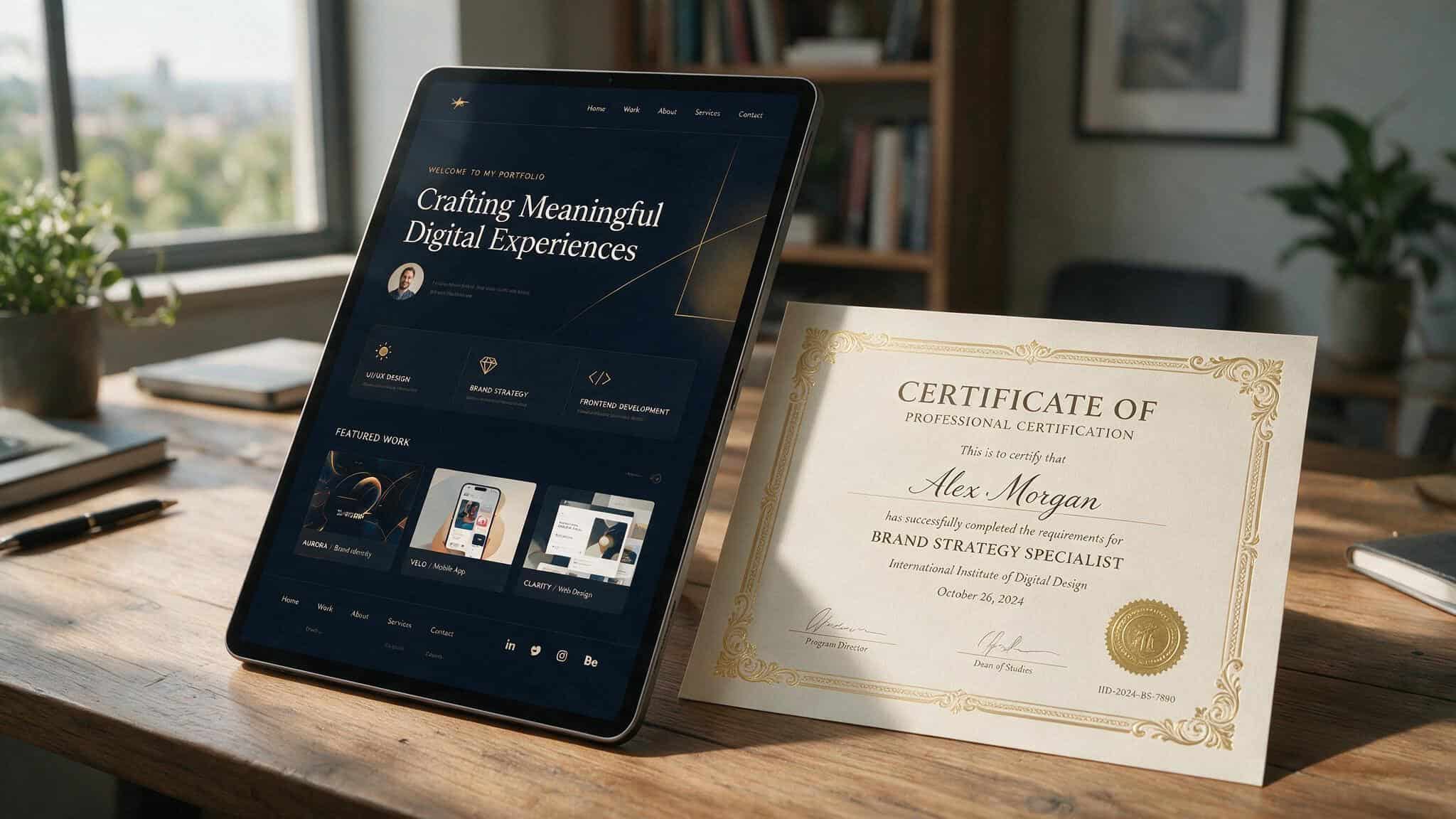
Courses that require a capstone or portfolio project are the ones to prioritize. Google UX Design gives you three concrete projects (mobile app, website, cross-platform product). IBM’s developer program produces GitHub projects. University of Michigan’s Web Design for Everybody includes a capstone.
Certificates add credibility but aren’t the main event. If you’re a self-taught learner, a certificate from Google, IBM, or a university can help you past HR filters.
Additional tools and skills to pick up along the way: illustration/photo editing (Illustrator, Photoshop, GIMP), interaction design (Adobe XD, Invision Studio), local development environments (XAMPP, DesktopServer), animation kits (Animate.css, Bounce.js), frameworks (Bootstrap, React), and WordPress (which powers 38% of all websites). Soft skills matter too: consumer psychology, pricing projects, negotiation, and creating proposals — especially if you plan to freelance. Platforms like Awwwards, Dribbble, Behance, and The Loop are great for showcasing your work and getting inspired by top designers. Understanding CSS specificity is also crucial for writing clean, maintainable stylesheets.
PHP is a server-side language that powers many content management systems, including WordPress. Page builders like Elementor and Divi make it easy to design custom layouts without writing code.
Average web developer salary in the US: $67,311 (Indeed). That’s not a guarantee, but it gives you a realistic target.
Building Your Learning Path: A Decision Framework
There’s no single course. The right one depends on your goal.
- Goal: build a portfolio quickly ? Google UX Design (6 months, $39/month) or IBM Full Stack Cloud Developer (13 months, $39/month). Both produce concrete, portfolio-ready projects.
- Goal: job guarantee with career coaching ? Springboard (9 months, $9,900) or CareerFoundry (7 months, $7,505).
- Goal: budget-friendly foundation ? freeCodeCamp (free, 300+ hours) or BYOL (free intro, $12/month for full course).
- Goal: specialized skills (CSS Grid, conversion optimization) ? Frontend Masters CSS Grid/Flexbox ($39/month) or Paul Boag’s Encouraging Clicks Masterclass ($267).
- Goal: university-branded credibility ? Cornell Certificate ($3,600, design-first) or MIT xPro Professional Certificate ($6,950, MERN stack).
Start with free options to test the waters. WebFlow University or BYOL will tell you in 4-5 hours whether you enjoy building websites. If you do, move to a program like University of Michigan’s Web Design for Everybody or Google UX Design. If you’re already comfortable with the basics, go deep with a course or a bootcamp.
A mistake is buying a $6,950 bootcamp before you know whether you like coding. Another is spending 300 hours on free content that hasn’t been updated in years. Be honest about your goal, your budget, and your tolerance for outdated material. The course is the one you’ll finish — and the one that gives you something to show for it.
