So you want to secure your home without a monthly bill. But “no monthly fee” security systems are not a replacement for professional monitoring.
Let’s dig into what these systems do and which one you should buy.
What “No Monthly Fee” Really Means—and What You Lose Without One
A no-monthly-fee system does exactly what it says on the box: you buy the hardware, install it yourself, and you’re done paying. No subscription, no contract. But that also means no automatic dispatch of emergency services, no cellular backup, and no free cloud storage.
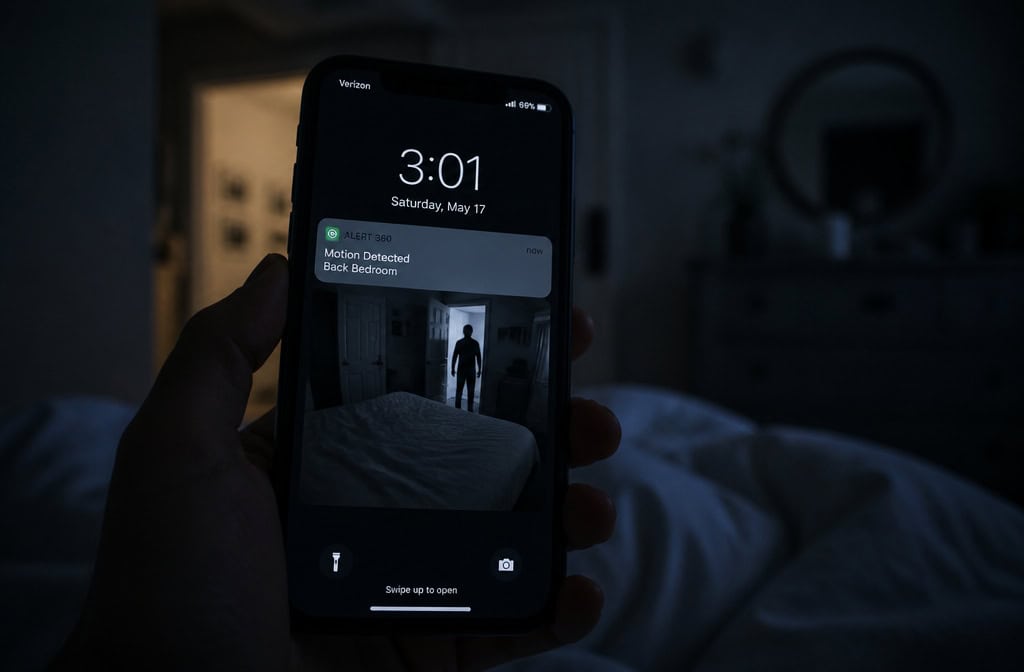
Self-monitoring means you handle every alert.
The hardware cost isn’t trivial, either. A single camera runs $30 to $250. A full DIY package with sensors, hub, and multiple cameras? Expect $200 to $700+, depending on how deep you go. That’s the real entry ticket—you’re paying upfront for gear instead of spreading it out monthly.
But here’s why even a limited system still has value: 60% of convicted burglars said a security system would make them seek another target, according to the Alarm Industry Research and Education Foundation. And the average burglary costs $2,799 (FBI data). Even a basic $250 setup that deters a break-in has paid for itself a dozen times over.
Most no-monthly-fee systems (except ADT, Wyze, and Abode) lock smart home automation behind paid tiers.
Key takeaway: Self-monitoring means you’re the first responder. The system is a deterrent and a notification tool, but it won’t call the police for you. That’s the trade-off you’re signing up for.
Top Pick: Eufy—Best Overall for No Monthly Fee
Eufy is the no-fee champion for a good reason: it gives you recorded video without monthly payments, and that’s the hardest feature to get for free.
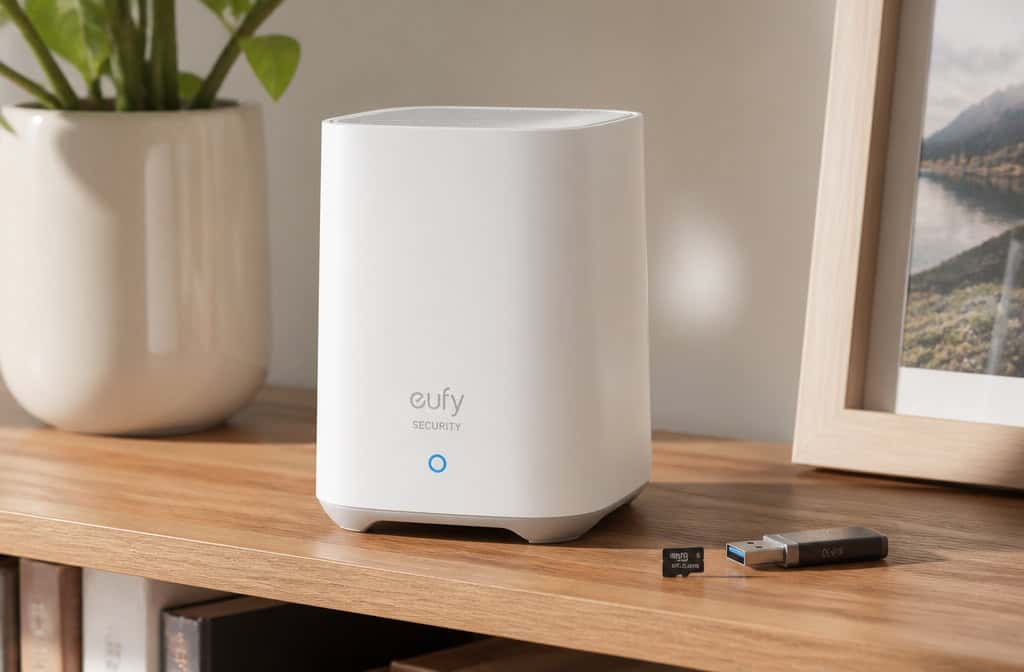
Eufy’s HomeBase hub has 16GB built-in, expandable to 16TB via USB or network storage. That’s days of motion-triggered footage, and it doesn’t cost you a cent after the initial hardware purchase. The trade-off?
You need that HomeBase hub, which adds $100+ for multi-camera setups. Single-camera users can skip it if the camera has onboard storage.
But here’s where Eufy shines: the indoor camera captured all details up to 20 feet during the day. Multiple testers from U.S. News and Security.org confirmed this—at 20 feet, you could read a license plate or identify a face.
The doorbell camera is weak at night. Clear details only up to about 5 feet—worst tested among the major brands.
Motion and entry sensors alerted within 10 seconds in every round of testing. The mobile app is simple to navigate, installation took under an hour, and paid monitoring starts at just $4.99/month if you ever want it.
Eufy had a past data breach controversy. The company has since improved security protocols, and end-to-end encryption is now available—but you have to manually enable it in Settings > Security > Video Encryption > Advanced Encrypt.
Bottom line:
Best Free Tier: Abode—Most Smart Home Integration Without a Subscription
Abode does something genuinely unusual in this space: it gives you full smart home integration for free.
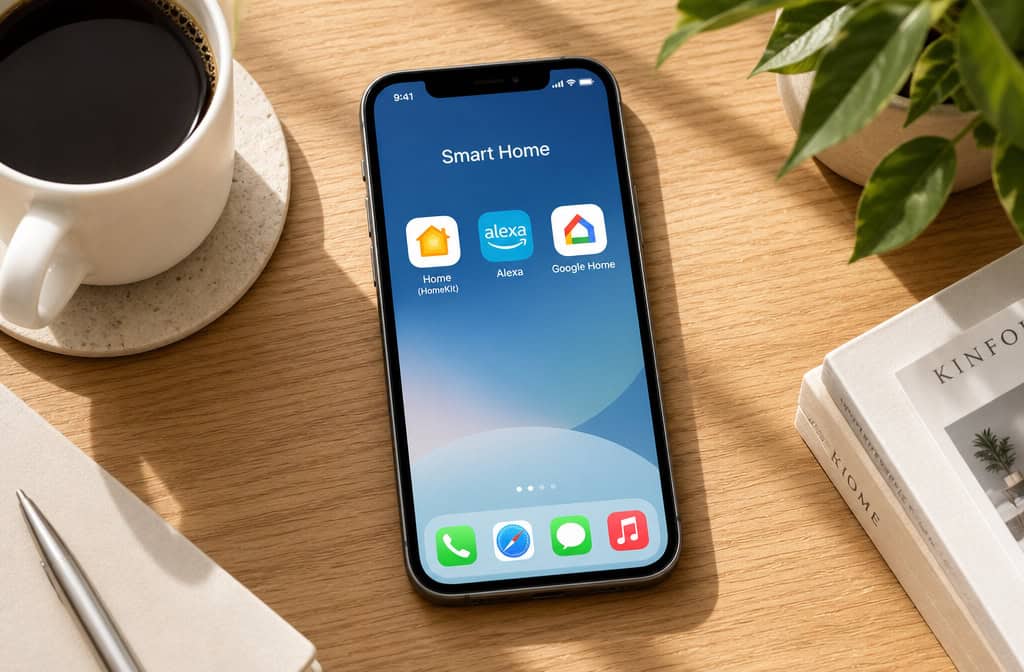
The free tier also includes self-monitoring, push notifications, live streaming, geofencing, and basic automations. The starter system runs $199, and a fully loaded setup stays under $600.
But there’s a gotcha: Abode’s glass-break sensor failed to trigger in all three rounds of testing by U.S. News & World Report.
The indoor camera manages about 10 feet of clarity during the day and half that at night. The outdoor camera is better at roughly 15 feet during daylight, but neither competes with Eufy or Arlo for video quality.
Alert speeds are decent: the system responded within 5 seconds after sensor triggers.
The Connect plan at $6/month adds cellular backup—critical because a Wi-Fi outage renders self-monitored systems completely useless. The Connect+ plan at $12/month adds 24/7 professional monitoring, and it’s the lowest-priced professional monitoring from any major brand.
Bottom line: The $6–$12/month Abode upgrade path is the best value in the industry—cellular backup alone justifies the cost for anyone who travels or has unreliable internet.
The CUE gotcha: Abode’s CUE automation engine (which lets you create custom automation rules) doesn’t work without a monitoring plan.
One more thing: Live customer support is not available on the free tier.
Bottom line:
SimpliSafe—Best for Flexible Monitoring When You Need It
SimpliSafe is the system for people who want options. You can run it on the free tier for months, then switch to professional monitoring for a month when you’re traveling or when local crime spikes. The professional monitoring starts at $22.99/month, and you can cancel anytime.
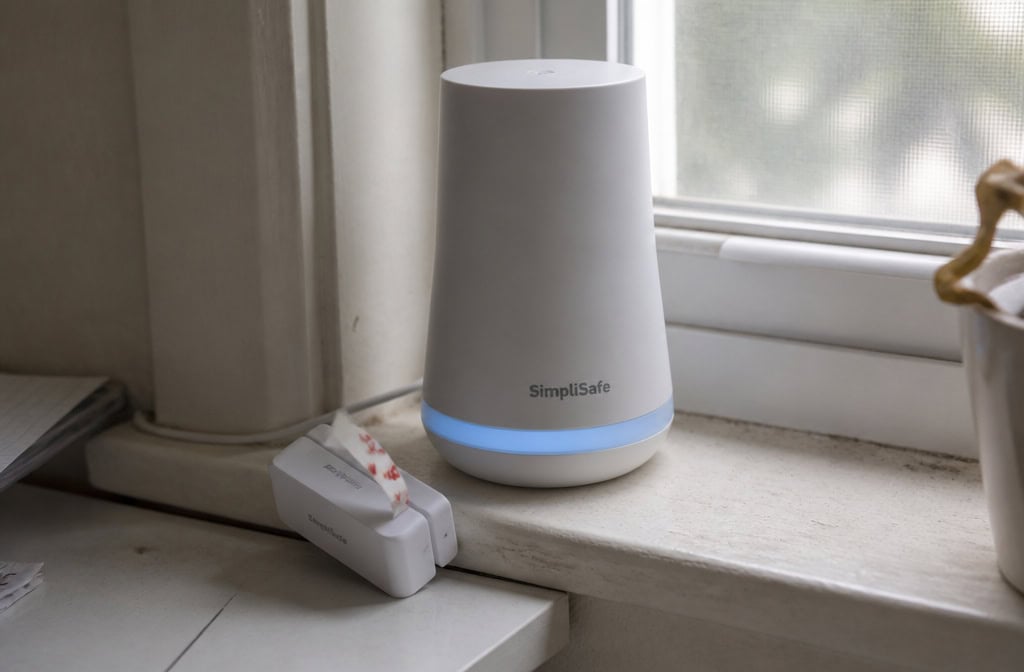
The hardware is straightforward: 8 equipment packages (most of any system), a 12-piece system that installs in under 45 minutes, and a 95dB siren that’s loud enough to scare off most intruders. Entry sensors are generally reliable, and alert speeds average 2-3 seconds after a sensor trigger.
First: the adhesive strips that come with the sensors fail repeatedly.
Second: SimpliSafe has no local camera storage. Zero. If you want recorded video, you’re paying $9.99/month for cloud storage.
Third: the glass-break sensor also failed all three rounds of testing.
The base station has a 95dB siren (vs. Ring’s 104dB), and the system includes a 60-day money-back guarantee if you’re not satisfied.
The flexibility angle: This is SimpliSafe’s unique advantage.
Bottom line:
Ring Alarm—Best Camera Selection and Amazon Integration
Ring Alarm makes sense if you’re already in the Amazon/Alexa ecosystem. The base station has a 104dB siren—loudest tested across all the major brands.
Alert speed is excellent: within 3 seconds, 95% of the time across 20 simulation scenarios.
You get push notifications and live feeds, but no video recording and no cellular backup.
Protect Solo at $4.99/month gives one camera recording. Protect Multi at $9.99/month covers all devices. Protect Pro at $19.99/month adds professional monitoring, cellular backup, and 180-day video history for unlimited cameras.
Amazon ecosystem perks: Ring is owned by Amazon, so Prime Day and frequent discounts are a thing.
The corporate factor: Customer service is described as “a bit corporate” by multiple reviewers.
Bottom line:
Arlo—Best Camera Quality, But Limited Self-Monitoring Features
Arlo makes excellent camera hardware. 4K resolution, color night vision, wide field of view—the cameras are genuinely impressive.
You get for free: live video, motion alerts, and two-way audio. That’s it.
The indoor camera manages about 15 feet of clarity during the day and half that at night. The doorbell camera is decent at 10 feet during daytime, with some nighttime clarity.
The All-In-One Sensor quirk: Arlo’s All-In-One Sensor can only perform one primary function at a time.
Bandwidth requirement: You’ll need 2-5 Mbps upload per camera for smooth streaming. In-app video feeds sometimes took up to 30 seconds to load during testing.
Cloud storage starts at $7.99/month for one camera and goes up to $17.99/month for unlimited cameras. Professional monitoring is $24.99/month.
Bottom line:
Wyze—Cheapest Entry Point, But With Significant Trade-Offs
Wyze is absurdly cheap. Bundles start at just over $100. The Wyze Cam v4 costs $36. And for that price, you get 2.5K resolution, a microSD slot for local storage, and free object recognition.
The indoor camera performs well at close range: perfect clarity at 5 feet during the day, nearly all details at 10 feet. Advanced features cost $2.99/month.
Night vision is poor—nothing clear at 15 feet or beyond. The doorbell camera is the worst tested: no details beyond 5 feet.
Multiple testers reported continuous false “motion in progress” alerts even when nothing was moving.
But the wired-only design of most Wyze cameras makes outdoor placement tricky—you need to run USB cable to an outlet.
Bottom line:
Camera Storage Without a Subscription: Local Recording Options
Recorded video turns a security system from a deterrent into evidence.
There are three ways to get local storage:
MicroSD cards: The cheapest path. A 256GB microSD card costs under $20 and stores days of motion-triggered footage.
Hub-based storage: Eufy’s HomeBase, Ring’s Sync Module, and Blink’s Sync Module 2 centralize storage. Eufy gives you 16GB built-in, expandable to 16TB. These are more secure than microSD since the footage isn’t in the camera itself, but they add $50–$130 to your setup.
For privacy enthusiasts, this is the gold standard, and our guide to the best DIY home security camera system reviews top models based on video quality, storage options, and ease of installation. Synology cameras store everything locally—HTTPS, SRTP, recording encryption—and footage never touches the cloud. NAS/NVR: Network Video Recorders and Network Attached Storage are overkill for most homes but offer maximum privacy and retention. The cameras themselves are pricey ($150–$300), and you need licenses (two free with most NAS, extra for more cameras).
The cloud exception: Google Nest cameras offer 3 hours of free cloud storage with no local option. HomeKit Secure Video via iCloud+ is a better middle ground—free encrypted cloud recording if you have an Apple device and a compatible camera.
Important note: Most cameras record on motion activation, not continuously.
Sensor Performance Under Pressure: What Testing Revealed
Not all sensors work equally well, and some fail entirely.
Glass-break sensors are the weakest link across multiple brands. Abode’s glass-break sensor failed all three rounds of testing.
Use entry sensors on windows instead—they’re reliable and cost about the same.
Motion sensor reliability varies drastically. Eufy and Arlo motion sensors alerted within 10 seconds every round—solid performance.
Entry sensors (door/window) are generally reliable across all brands.
The SimpliSafe adhesive problem deserves mention. The fix is to use screws, but it’s an extra step that undermines the “DIY in minutes” marketing promise that sets DIY home security systems apart from traditional options.
Is a Small Monthly Fee Worth It? The $6–$12 Sweet Spot
But there’s a strong case that a small subscription—$6 to $12 per month—adds two features that make self-monitoring actually viable: cellular backup and professional monitoring, especially if you’re following a blueprint for how to make your own home security system without any recurring fees.
Abode Connect at $6/month adds cellular backup.
Abode Connect+ at $12/month adds 24/7 professional monitoring. For $144/year, you get someone who actually watches your system and dispatches emergency services, a key advantage when comparing the best DIY home security system with monitoring on price versus peace of mind. The FBI says the average burglary costs $2,799.
Insurance discounts of 5-20% can offset the subscription cost.
Start on the free tier, upgrade when you need it, cancel anytime.
The contrarian take: A $6–$12/month plan is better value than pure free for most people.
Privacy and Encryption: Which Brands Protect Your Footage
The encryption picture varies between brands.
TP-Link Tapo cameras have no end-to-end encryption. For privacy-sensitive users, it’s a dealbreaker.
Eufy offers end-to-end encryption but requires manual opt-in. Go to Settings > Security > Video Encryption > Advanced Encrypt and enable it. Do this immediately after setup. Without it, Eufy can technically access your footage. With it enabled, only your device can decrypt the video.
Aqara encrypts locally stored video by default. That’s good for Aqara users. The Camera Hub G3 stores footage encrypted on the microSD card, and the encryption key stays on your device.
Synology is the gold standard for privacy. HTTPS, SRTP, recording encryption, and footage never touches the cloud. Synology cameras are manufactured in Taiwan and are NDAA-compliant, meaning they’re approved for US government use. This is overkill for most homes, but if maximum privacy is your goal, this is the path.
Two-factor authentication: Enable it on every system. The setup paths vary by brand, but the principle is the same: require a second factor (usually your phone) to access the system. Without 2FA, a stolen password gives someone full access to your cameras.
Advanced isolation: For maximum security, put your cameras on a VLAN (virtual LAN) and require VPN access to the local network. This completely isolates the cameras from the internet and your main network. The trade-off is that you lose event notifications when outside your home network. For most users, this is overkill—but it’s the most secure option.
The Chinese manufacturing question: There’s little proof of backdoors in Chinese-manufactured cameras, but breaches have involved both Chinese and US manufacturers. The practical advice is simple: buy from companies with proven security practices, enable encryption, use strong passwords, and keep firmware updated.
How to Self-Monitor Effectively: A Practical Guide
Self-monitoring isn’t “install and forget.” If you’re going to do it, here’s what actually matters.
Configure your phone properly. The most common self-monitoring failure is a missed notification. Grant your security app permission to bypass Do Not Disturb. Test it: set off a sensor and see if the notification comes through with your phone on silent. If it doesn’t, fix the settings before you need it.
Cover every first-floor entry point with door/window sensors. Every door, every accessible window. This is non-negotiable. Burglars check for unlocked doors and windows first—if you don’t have sensors on them, they can enter silently and your system won’t alert you.
Add cameras for visual verification. When a sensor triggers, you need to see what happened. Position cameras to cover entry points—doorbell camera for the front door, indoor camera aimed at the back door. Without visual verification, every sensor alert is a mystery that requires you to check physically.
Appoint a backup person. Give a trusted neighbor or friend app access to your system. If you’re on vacation or in a meeting, they can check alerts and respond. This is important if you’re the only person in the household.
Test your system weekly. Set off a sensor and check that the notification arrives. Review that the camera recorded correctly. Test the siren. A system that worked at installation may have stopped working due to a dead battery, loose sensor, or changed phone settings.
Professional installation ($100–$200) is worth considering. Even on a self-monitored system, a professional can optimize sensor placement, eliminate blind spots, and ensure everything is mounted securely. This is useful for outdoor cameras where placement is critical.
When to switch to professional monitoring:
- You travel frequently
- You live in a high-crime area
- You’re frequently unavailable during the day
- You have medical needs that require emergency response
Self-monitoring works well for: work-from-home users, low-crime areas, small households, and tech-savvy users who will actually configure and test the system. If that’s not you, consider the $12/month upgrade.
Best No-Monthly-Fee Cameras: Standalone Options
If you don’t need a full security system—just a camera or two without subscriptions—these are the best standalone options:
TP-Link Tapo C120 ($40): WIRED‘s top pick for subscription-free cameras. 2K resolution, indoor/outdoor rated, requires a microSD card for local storage. 120-degree FOV, motion detection for people/pets/vehicles, two-way audio. The microSD card is an extra $10-20, but for $50-60 total, you get a solid camera with no ongoing costs.
Reolink Atlas PT Ultra ($128): High-end wireless option. 4K resolution, pan-tilt, automatic tracking, object recognition (people/vehicles/pets). Battery with included solar panel makes it truly set-and-forget. MicroSD storage (card not included). Heat-map tracking and color night vision. This is the camera for people who want premium features without monthly fees.
Eufy EufyCam C35 ($70, or $200 for 2-cam kit): Compact outdoor camera with free person detection. 1080p, 130-degree FOV, battery with solar option, color night vision, two-way audio and siren. Supports Alexa, Google, Apple HomeKit. Requires HomeBase 3 for local video storage (adds $100+). Good for multiple cameras, but the hub cost stings for single-camera buyers.
Lorex Connect 2K Floodlight ($110): Floodlight camera with free person detection. 2K HDR, color night vision, local microSD storage, moving LED floodlight tracks motion (up to 1,500 lumens). Wired/plugin power, 160-degree FOV, IP66 weather resistance. If you need a floodlight camera without subscription, this is the one.
Aqara Camera Hub G3 ($95): The tinkerer’s dream. Indoor camera, 2K pan-tilt, free person/noise detection, local microSD storage. Doubles as a Zigbee hub, Matter controller, and Thread border router. Connects to other Aqara sensors to form a mini security system.
Supports RTSP for third-party NAS/Home Assistant. The Aqara app is confusing and buggy—use HomeKit Secure Video or Home Assistant instead.
Blink Outdoor 2K+ with Sync Module 2 ($100): Battery-powered, motion detection with no subscription, two-way audio, local storage via Sync Module 2. Supports Amazon Alexa. 8/10 review score from WIRED. Good for people who want battery-powered outdoor cameras without monthly fees.
Wyze Cam v4 ($36): Cheapest option. 2.5K resolution, microSD slot, free object recognition, wired only. Perfect clarity at 5 feet during the day, okay at 10 feet. Poor night vision. Motion sensor gives false alerts. For $36, it’s a decent close-range indoor camera, but don’t expect it to cover your driveway.
Other Systems Worth Knowing About: ADT, Cove, Google Nest
These brands come up in searches but aren’t true no-monthly-fee options. Here’s why:
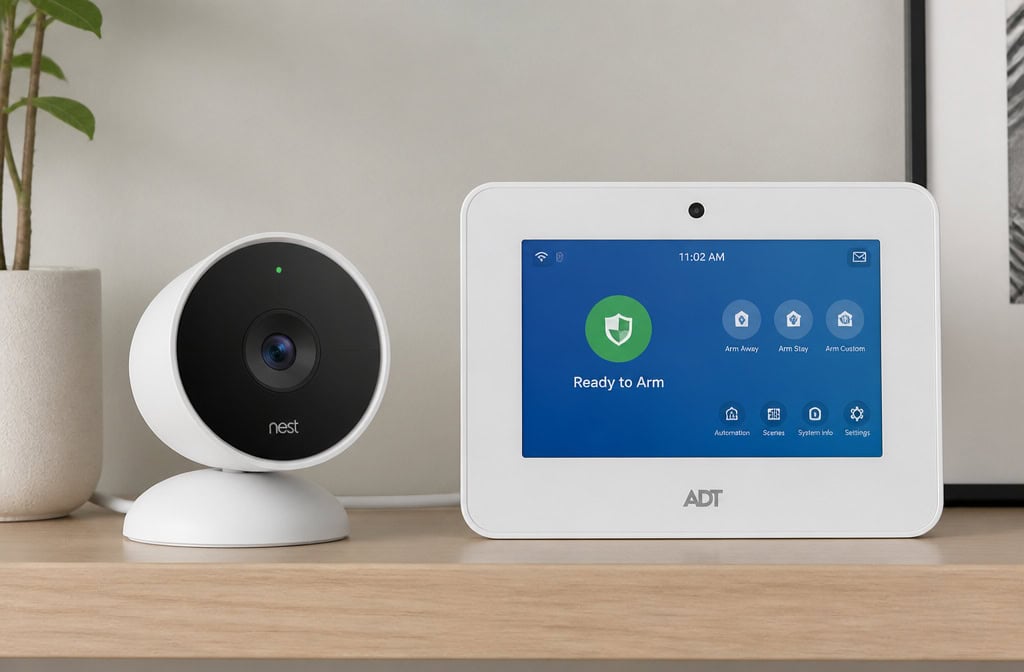
ADT Blu allows self-monitoring at $9.99/month—but requires one month of paid monitoring with purchase. That’s a gotcha. The ADT Pro Install line doesn’t allow self-monitoring at all. ADT is the legacy brand trying to do DIY, and it shows in the complicated in-app monitoring with multiple separate apps. Sleek hardware design with Google Nest partnership, but the “requires one month paid” rule disqualifies it for pure no-fee seekers.
Cove has no free tier at all. The $0 upfront cost is a trap—you’re required to pay $17.99/month for everything. If you want no monthly fees, Cove isn’t even in the running.
Google Nest offers 3 hours of free cloud storage (6 hours for 3rd-gen cameras) with no local storage option. That’s a very limited free tier. For Nest fans it works, but the lack of local storage and minimal free cloud makes it a poor choice for no-fee setups. If you want Google, use the free tier as a trial and plan to subscribe.
Which System Is Right for You?
Here’s the quick decision framework:
- Eufy for most people. Free local storage, best indoor camera clarity (20ft day), simple experience. The doorbell camera is weak at night. Past data breach, but encryption is now available (enable it manually). Paid option at $4.99/month if you want it.
- Abode for smart home enthusiasts. Only free tier with full HomeKit, Alexa, Google integration. Glass-break sensor is useless—cover windows with entry sensors. Cameras are average. The $6–$12/month upgrade path is the best value in the industry.
- SimpliSafe for monitoring flexibility. You can switch between free and paid month-to-month, no contract. No local camera storage—$9.99/month for cloud. Adhesive sensors fail—use screws. 95dB siren is decent but quieter than Ring.
- Ring for Amazon/Alexa users. Largest camera selection, loudest siren (104dB), fastest alerts. Free tier lacks recording and cellular backup—you’re getting a siren and notifications only. Paid plans are good value ($4.99–$19.99/month).
- Arlo for video quality over everything. Best camera hardware (4K, color night vision), most limited free tier (live view only). Paid plans are expensive. Bandwidth requirements are high.
- Wyze for tight budgets. $36 cameras, free object recognition, decent at close range. Poor night vision, unreliable motion sensor, doorbell camera is unusable beyond 5 feet.
Start on the free tier and upgrade to a $6–$12/month plan when you need cellular backup or professional monitoring. Most systems let you do this with no contracts. You get the best of both worlds: no monthly fees until you actually need the features, then a cheap upgrade path when you do.
For the home-lab crowd, GeekExtreme‘s tests with Home Assistant integration would be the next step—but that’s a separate deep dive. For now, pick the system that matches your priorities, set it up with local storage, and test it weekly. That’s how you make no-monthly-fee security actually work.
Frequently Asked Questions
What is the best do it yourself home security system without a subscription?
Eufy is the best overall pick because it offers free local video storage through its HomeBase hub, so you never pay a monthly fee for recorded footage. Its indoor camera captures clear details up to 20 feet during the day, and motion sensors alert within 10 seconds. The trade-off is a weak doorbell camera at night and a past data breach that the company has since addressed with optional end-to-end encryption.
Is DIY home monitoring a good idea?
It works well if you’re responsive, tech-savvy, and home often enough to check alerts quickly. The system is a deterrent and notification tool, but it won’t call emergency services for you — that’s on you. For travelers or anyone with unreliable internet, a small $6–$12/month plan for cellular backup makes self-monitoring far more viable.
What is the cheapest whole home security system?
Wyze offers the lowest entry point with bundles starting just over $100, including a hub, sensors, and a camera. The Wyze Cam v4 costs $36 and includes a microSD slot for free local storage and object recognition. However, the motion sensor is prone to false alerts, night vision is poor beyond 5 feet, and the doorbell camera is the worst tested among major brands.
How does Eufy’s free local storage work without a subscription?
Eufy’s HomeBase hub comes with 16GB of built-in storage that can be expanded up to 16TB via USB or network drive, storing motion-triggered footage locally with no monthly fee. The hub is required for multi-camera setups and adds about $100 to the hardware cost. Single-camera users can skip the hub if the camera has onboard storage.
What’s the difference between self-monitoring and professional monitoring?
Self-monitoring means you get push notifications and live feeds, but you’re the one who decides whether to call the police — the system won’t dispatch anyone. Professional monitoring costs $12–$25/month and adds 24/7 emergency dispatch, cellular backup so the system works during internet outages, and often qualifies you for homeowners insurance discounts of 5–20%.
