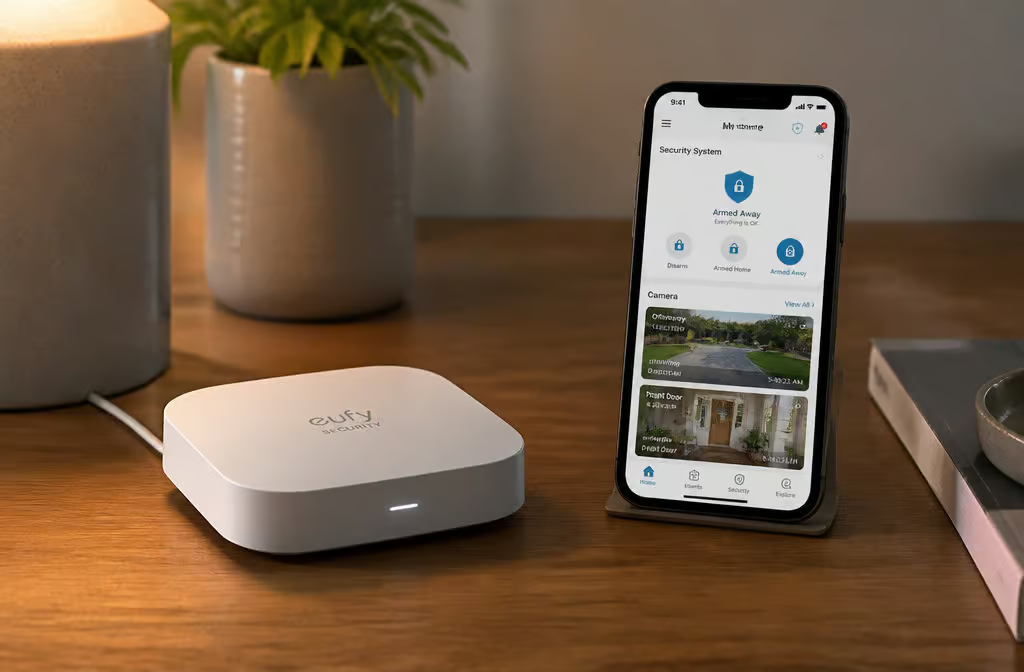
The installer walks through your house, clipboard in hand, and points exactly where they’re going to put every sensor — but that placement follows their checklist, not your floor plan. Not where your weird floor plan actually needs them — where their checklist says they go. The motion detector winds up in the hallway because that’s procedure, even though your living room has a blind spot behind the couch. The door sensor goes on the front door, but what about that janky sliding glass door that doesn’t quite sit flush?
You swap hand-holding from a company for flexibility, lower long-term cost, and the satisfaction of building something that actually fits your space. — you swap hand-holding from a company for flexibility, lower long-term cost, and the satisfaction of building something that actually fits your space. And the tools have gotten good enough that a full installation now takes 30 minutes. Thirty minutes is now the benchmark for a full installation, no wiring required.
Key Takeaways
SimpliSafe’s Intruder Intervention triggered within 20 seconds during a simulated break-in: the indoor camera activated and a voice warned that police were on the way — faster than the 30–45 minute average professional response time.
Cove ships all sensors pre-synced, so installation ties SimpliSafe at 30 minutes without any app pairing for the sensors themselves.
The Ring Alarm Pro’s built-in Eero router delivered speeds up to 900 Mbps during a test, allowing live camera feeds and Netflix streaming simultaneously — a rare combo of security and network upgrade.
Table of Contents
The Contenders: Which System Fits Your Vibe
Here’s the lay of the land based on installation tests, false alarm incidents, and break-in simulations.
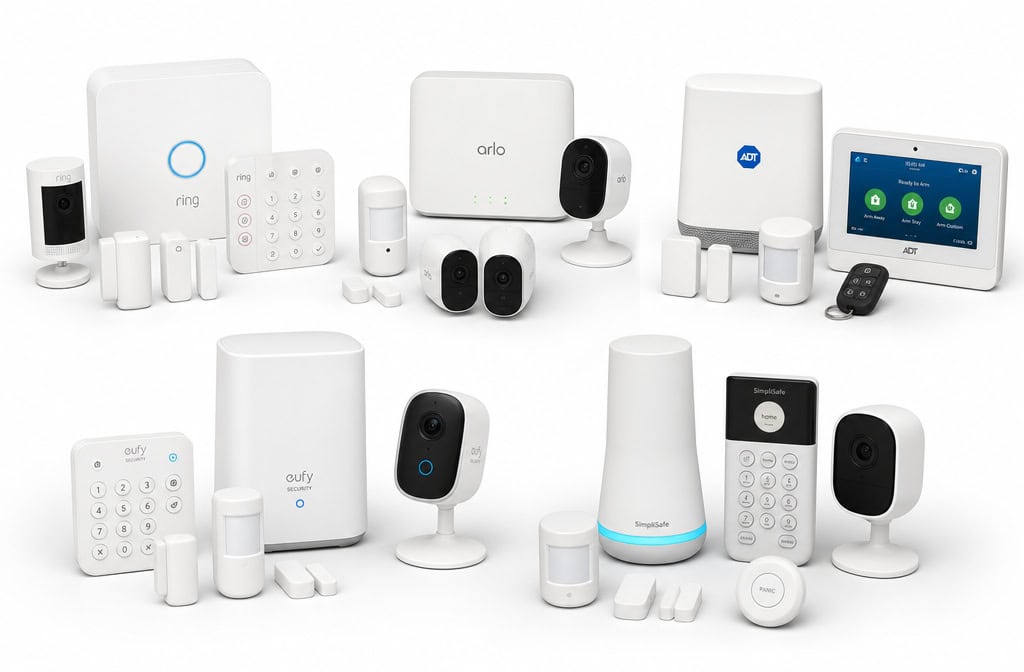
SimpliSafe (9.8/10) — This is the benchmark. It’s the system everything else gets compared to, and for good reason: it just works. Installation clocks in around 30 minutes, equipment starts at roughly $250, and professional monitoring runs $22.99/month with no contract. Works with Alexa and Google Home. If you want a proven, no-surprises system, start here.
Ring Alarm (9.0/10) — Very close competitor. About 35 minutes to install, starting at $249. The Ring Alarm Pro includes a built-in Eero Wi-Fi router, which is a clever bonus if your home network could use an upgrade. Professional monitoring is $20/month. More camera and doorbell options than SimpliSafe, including a compatible bullet camera if you prefer that form factor — so video-first folks might lean this way.
Cove (8.7/10) — Rated 8.7/10, Cove ships sensors pre-synced. Just turn them on. That shaves the setup down to about 30 minutes, matching SimpliSafe. An eight-piece system ran us $300.
Drawback: no smart home integration and professional-only monitoring ($22.99–$42.99/month). Great if you want simplicity and don’t plan to expand.
Abode (8.0/10) — The tinkerer’s choice. I’m biased here because I love having Z-Wave, Zigbee, and HomeKit support, it’s the most flexible hub on the list. Installation takes about 45 minutes (wired Ethernet for the hub), starting equipment at $249. Monitoring options range from $8.49/month (premium self-monitoring, no cellular backup) to $30/month professional. If you already own smart locks or bulbs, Abode is your natural fit.
Frontpoint (8.9/10) — Solid and no-nonsense. Equipment starts at $69 (though testers built a full system for about $500). The catch: 55-minute installation (longest here) and professional-only monitoring starting at $44.99/month with contracts from 1 to 36 months. Customer support is excellent, they replaced a broken door sensor during our testing.
ADT Blu (8.6/10) — ADT Blu, rated 8.6/10. $199 equipment, 35-minute install, $24.99/month professional. Clean and straightforward, but 2.4 GHz Wi-Fi only. If your mesh network runs on 5 GHz exclusively, you’ll have issues. Limited camera selection compared to the others.
Picking a Hub That Matches Your Gear
That’s where Abode stands out — it supports Z-Wave, Zigbee, and HomeKit, so your existing Z-Wave smart lock or Zigbee light bulb pairs directly. No extra hub needed.
Ring is more locked down: third-party integration is limited. If you’re already in the Amazon/Alexa ecosystem, it’s fine, but don’t expect to mix brands freely. Cove uses proprietary sensors, so you’re stuck with their catalog. SimpliSafe and Frontpoint offer a good range but still proprietary.
Bottom line: If you have three smart bulbs, a smart lock, and a thermostat scattered across different brands, Abode is the obvious choice. If you just want everything to work without thinking, SimpliSafe or Cove keep it simple.
Installation: What Actually Happens
The promise of DIY is “no appointment, no wiring.” Here’s the real times and gotchas we hit.
SimpliSafe (30 min) — Plug in the base station, pair your phone via Bluetooth (2–3 minutes), connect to Wi-Fi (2.4 GHz only, important note), pair each sensor individually through the app (about 10 minutes total), then set up cameras via QR code scanning (5 minutes each). Test everything. The adhesive backing works great on smooth surfaces; on textured walls, use the included screws.
Ring Alarm (35 min) — Same flow: plug in hub, connect to Wi-Fi via app, install sensors (adhesive or screws), set keypad with a 4-digit code, pair cameras. The Ring Alarm Pro’s Eero router makes a noticeable difference in Wi-Fi performance, we measured speeds up to 900 Mbps.
Cove (30 min) — Install the touchscreen panel, then watch it sync the equipment automatically. No sensor pairing, the devices are pre-synced. Just turn them on. That’s the whole trick. Call Cove to activate professional monitoring (yes, a phone call).
Abode (45 min) — Set up the hub via Ethernet (wired is more reliable than Wi-Fi for the hub). Sensors come pre-programmed; pull the battery tabs and they connect within seconds. Pair cameras through the app (~5 minutes each). The extra time comes from the wired setup and camera pairing.
Frontpoint (55 min) — Plug the hub into an outlet, then use the app to set up the hub and keypad. Connect sensors by holding a physical pair button on each one, more manual than others. We had to call support once (broken sensor), but they sent a replacement immediately. Cameras connect via app and Wi-Fi.
ADT Blu (35 min) — Hub setup, 2.4 GHz Wi-Fi connection, sensor pairing (similar to SimpliSafe), cameras. Installation took 35 minutes in testing.
Gotchas that bite you:
- 2.4 GHz Wi-Fi is mandatory for most systems. If your home network runs on 5 GHz only, you’ll need to adjust.
- Don’t forget the battery tabs on sensors. Yes, we’ve done that.
- Adhesive backing fails on textured walls after a few days. Use screws or Command strips.
- Testing is mandatory, not optional. Walk through every door, wave in front of motion detectors, trigger the siren. If you haven’t started yet, check out a complete how to install your own security system for sensor placement, wiring basics, and app setup.
Self-Monitoring vs. Professional: The Real Tradeoff
Self-monitoring is free or cheap (Abode’s premium self-monitoring is $8.49/month), but it puts you on the hook. You are the dispatch center. That works fine if you’re glued to your phone with reliable internet. It fails during power outages unless you have cellular backup — and Abode’s $8.49 plan doesn’t include that. For a more independent setup, consider DIY home security systems no monthly fee, which avoid these pitfalls by relying on local storage and your own monitoring during a neighborhood outage, when your system becomes a set of blind sensors.
Professional monitoring ($15–$45/month) adds cellular backup, someone watching the alerts, and insurance discounts of 5–20% on homeowners insurance. That discount can offset $75–$300/year, making the monthly cost less painful.
The scenario that convinced me: we were in a meeting, phone on silent, when the SimpliSafe intrusion test triggered. Professional monitoring would have dispatched emergency services without us. Self-monitoring would have missed it until we checked our phones 45 minutes later.
The Raspberry Pi Approach: True DIY, Zero Monthly Fees
For the reader who wants ultimate control and no subscriptions, you can build a system from scratch with a Raspberry Pi, a camera module, and Viam software. I’ve seen a real project that does this — protecting backyard ducks from bears and foxes, monitoring a dog named Luna, and deterring a neighbor’s cat named Boo.
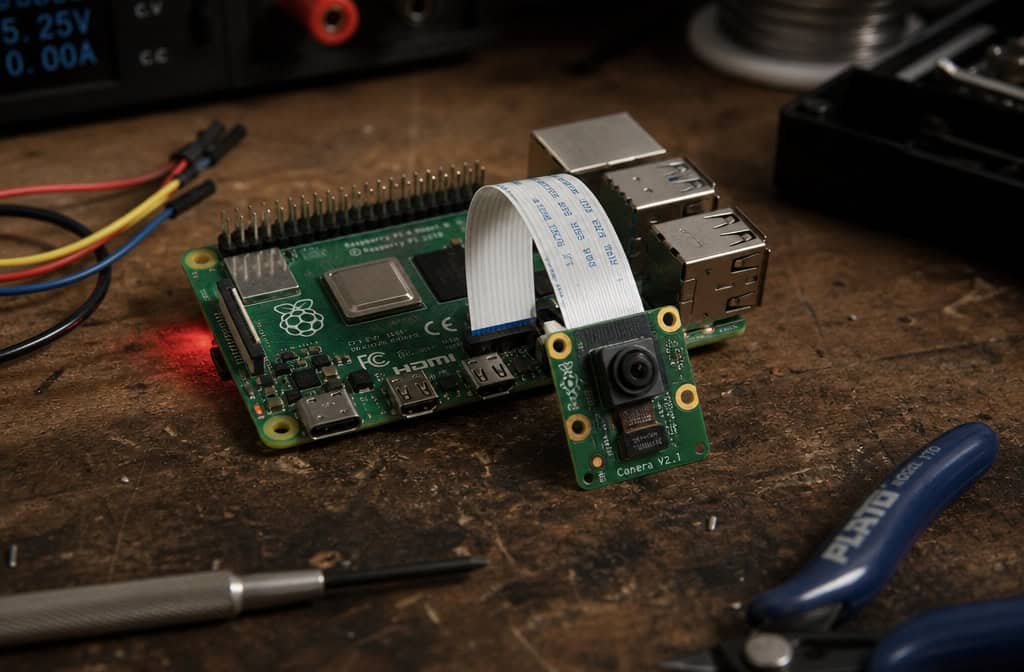
Hardware: Raspberry Pi (~$35–$75), camera module (~$25–$50), plus the Viam software stack (free). Total cost: around $150. No monthly fees.
The clever part: machine learning models run locally on the Pi. The project used a Mobilenet wildlife detector trained on hundreds of thousands of wild animal images, and an Efficientnet detector using the COCO (Common Objects in Context) dataset for pet detection. The system distinguishes bears from foxes from cats — only alerts when the specific animal appears. No cloud dependency. If the internet goes down, the Pi keeps watching.
Limitations: Requires technical skill to set up and maintain (Python, model training, Linux). No professional monitoring option. No cellular backup without additional hardware. But for a rural property or someone who genuinely enjoys tinkering, it’s a remarkable system.
Sensors, Cameras, and Accessories: What Actually Matters
Door/window sensors — They all do the same thing: detect when a magnetic contact breaks. SimpliSafe’s entry sensor, Ring’s Z-Wave contact sensor, Cove’s door sensor, the main difference is visibility. Some are chunky white blocks, others are sleeker. Pick based on whether you care about aesthetics.
Motion sensors — Pet immunity matters. SimpliSafe’s motion sensor has a pet-friendly option; Ring’s is immune up to 50 pounds; Cove’s also has pet immunity. If you have a large dog, check the weight limit.
Cameras — The range is huge. SimpliSafe indoor camera (1080p, two-way audio). Ring Stick Up Cam (battery or wired, 1080p). Arlo Pro 4 (2K HDR, wire-free).
But the value standout is the Tapo C460 — 4K wireless outdoor camera at a very reasonable price, impressive for a DIY setup.
Smoke/CO detectors — SimpliSafe’s photoelectric smoke detector works with the system. The Kidde smoke alarm we tested triggered in about 2 seconds with fake smoke. Ring’s smoke/CO listener doesn’t replace your existing alarms, it listens for the sound and alerts you through the Ring app.
Glass break sensors — SimpliSafe and Ring both offer them. They listen for the specific frequency of breaking glass. Useful for rooms with large windows.
Sirens — Ring Alarm siren hits 113 dB; the Ring Alarm Pro is slightly quieter at 104 dB. Either will wake the neighbors.
Smart locks — August Wi-Fi Smart Lock retrofits onto your existing deadbolt, clever. The Ultraloq U-Bolt Pro Wi-Fi offers multiple unlocking methods: voice, fingerprint, touchpad, app, and key. Swiss Army knife territory.
Video doorbells — Ezviz DB1C (wired, 1080p) is simple and affordable. Ring Video Doorbell Pro 2 (wired, 1536p HD with a bird’s-eye view). Arlo Essential Video Doorbell (wire-free, 1536p). Pick based on wiring situation and video preferences.
Testing: What Actually Happened (and Went Wrong)
Simulated break-in (SimpliSafe): Opened the front door. Within 20 seconds, the entry sensor triggered Intruder Intervention. The indoor camera activated and a voice stated, “Police are on the way.” Fast and unnerving.
False alarm: Balloon into a motion sensor. A fan blew a helium balloon into the path of a motion detector. The system went off. Real thing. Sensor placement matters — keep them away from fans, curtains, and anything that moves.
Battery backup (SimpliSafe): During a neighborhood-wide power outage, the system ran for four hours. Solid.
Wi-Fi test (Ring Alarm Pro): The built-in Eero router delivered speeds up to 900 Mbps. We ran a live camera feed and streamed Netflix simultaneously during backup. Smooth.
Smoke detection (Kidde): Triggered with fake smoke — the alert arrived in about 2 seconds, nearly instant.
Motion sensor durability: Dropped a SimpliSafe motion sensor from about three feet during installation (oops). It survived and worked fine.
Legal Gotchas: Permits and Fines
DIY doesn’t mean unregulated. Some cities require alarm permits ($25–$100/year). False alarm fines can run $50–$500 per incident, and they add up fast.
Concrete example: Salt Lake City requires confirmation from a private security guard before police are dispatched. That changes how professional monitoring works — the monitoring center must have that guard service in place. Los Angeles has specific legal requirements for system configuration, including a permit to own and operate a home security system.
Check your local laws before you install. It’s not glamorous, but missing a permit can make your system useless when it matters.
Budgeting: What You’ll Actually Spend
First-year costs vary wildly:
- SimpliSafe (self-monitoring, basic sensors): ~$250 year one, $0 after.
- Ring Alarm Pro (professional monitoring): ~$249 equipment + $20/month = ~$489 year one.
- Frontpoint (professional monitoring): ~$500 equipment + $44.99/month = ~$1,040 year one.
- Raspberry Pi project: ~$150 equipment, $0/month.
DIY wins big in year two and beyond when you self-monitor. But factor in the insurance discount: 5–20% off homeowners insurance can save $75–$300/year. For a professional monitoring plan at $240/year, that discount can almost cancel the cost.
Don’t forget false alarm fines. One $100 fine eats a month of monitoring savings.
Who Should DIY (and Who Shouldn’t)
Good fit:
- Technically comfortable with apps and basic hardware.
- Renting and want to take the system with you.
- Want to avoid long-term contracts.
- Enjoy customizing — sensor placement, camera angles, alert rules.
- Have reliable internet and are okay being the first responder.
Bad fit:
- Want “it just works” with zero fuss.
- Need cellular backup but want to keep costs extremely low.
- Not comfortable troubleshooting tech issues (e.g., “my sensor won’t pair”).
- Want one support contact instead of juggling multiple brand support lines.
There’s no universal right answer.
Frequently Asked Questions
Is DIY home monitoring a good idea?
It depends on your lifestyle. Self-monitoring saves monthly fees but puts you on the hook as the dispatch center — you’ll miss alerts if your phone is on silent or during a power outage without cellular backup. Professional monitoring adds $15–$45/month but provides 24/7 response and can save $75–$300/year on homeowners insurance.
What security system do burglars hate?
Any system with visible sensors, a loud siren (Ring’s hits 113 dB), and fast response times. SimpliSafe’s Intruder Intervention triggered within 20 seconds during testing, activating the indoor camera and announcing police are on the way — that combination of speed and audio deterrence is what makes intruders leave quickly.
What do police recommend for home security?
Police generally recommend visible deterrents like signs, cameras, and alarm systems that trigger immediate response. The key is professional monitoring with cellular backup so alerts still go through during a power or internet outage — which is why most DIY builders end up paying $15–$45/month for that layer of reliability.
Can I install a security system myself without wiring?
Yes, all the major DIY systems like SimpliSafe, Ring, Cove, and Abode use wireless sensors that stick on with adhesive or screw into walls — no wiring required. Most take 30–45 minutes to set up, just plug in the hub, pair sensors through an app, and test everything.
How much does a DIY home security system cost per year?
First-year costs range from about $250 for SimpliSafe with self-monitoring to roughly $1,040 for Frontpoint with professional monitoring. After year one, self-monitoring costs $0 monthly, while professional monitoring runs $20–$45/month. A Raspberry Pi build costs around $150 total with zero monthly fees if you have the technical skills.
Do DIY security systems work during a power outage?
Most DIY systems with professional monitoring include cellular backup that keeps them running during outages — SimpliSafe’s battery backup lasted four hours in testing. Self-monitoring plans without cellular backup become blind during power and internet failures, so if that’s a concern, pay for the backup or choose a system that supports it.
