Pick up a cheap, stringy bracket printed out of brittle plastic and it’s easy to write off 3D printing as a toy-making gimmick. That reputation comes from treating “a 3D printer” as a single kind of machine, when the label actually covers three completely different hardware families: filament extrusion, resin curing, and powder sintering.
High-quality, long-lasting end-use parts are entirely possible on compact desktop printers in an office, workshop, or manufacturing facility when you match the right technology and material to the job. If you’re coming from GeekExtreme’s Ender 3 vs Bambu A1 Mini comparison, that debate stays strictly inside filament territory. Going one level deeper into what each machine family is, what it does well, and where it breaks down changes how you look at every printed part.
Key Takeaways
Filament (FDM), resin (SLA/MSLA), and powder (SLS) printers differ in raw material form and hardening mechanism, which determines whether a part comes out with visible layer lines, injection-molding-like smoothness, or grainy industrial strength.
In a University of Rhode Island underwater robotics laboratory study, FDM enclosures leaked within seconds while SLA parts stayed watertight up to very high pressurization and vapor-smoothed SLS held under increased pressure.
MSLA resin printers deliver the shortest time to part for most builds, while SLS jobs take hours longer individually yet achieve the highest throughput and lower per-part material costs at medium-to-large volumes through support-free nesting and powder reuse.
Table of contents
Table of Contents
What is a 3D printer?
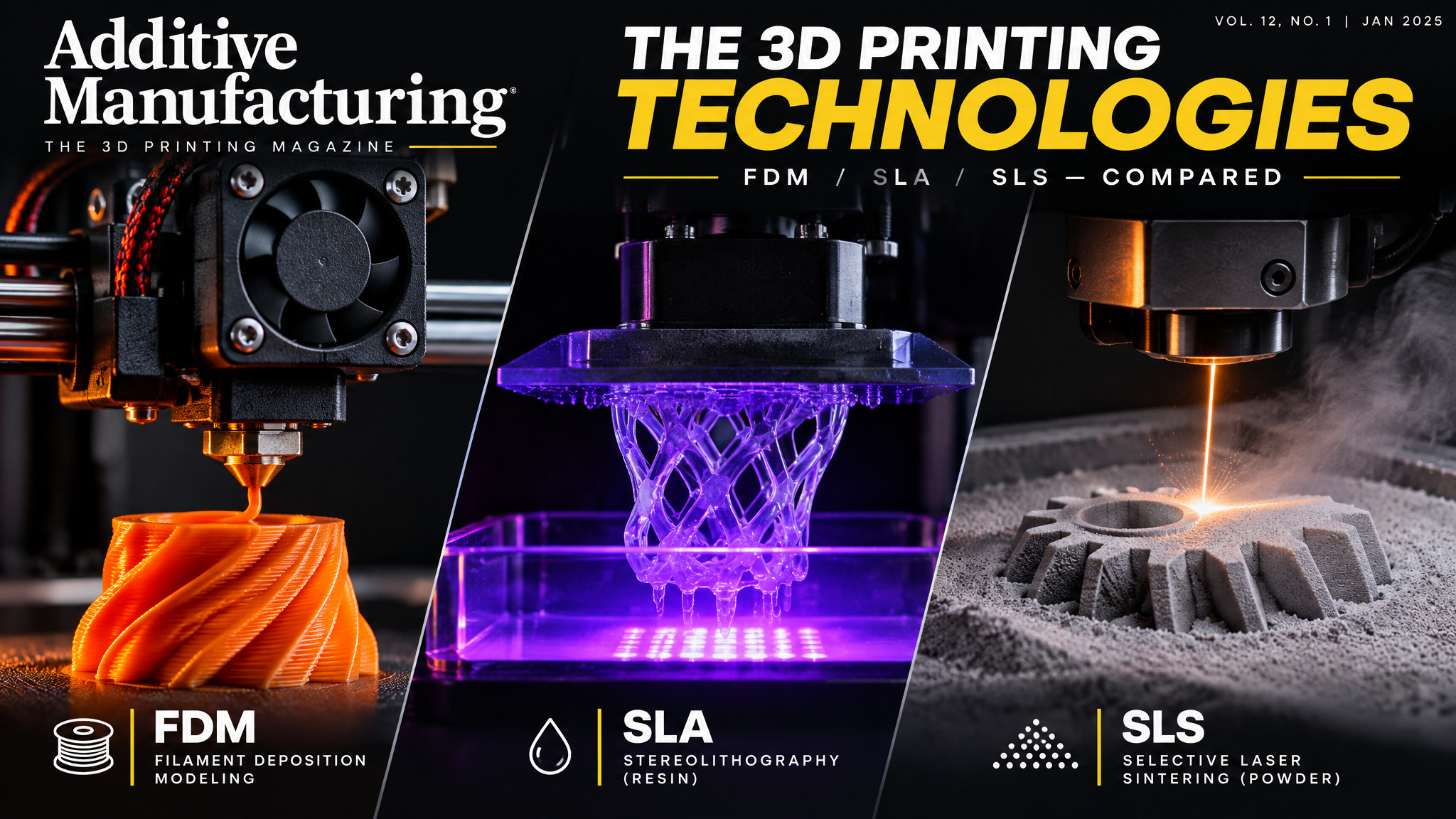
FDM, SLA, and SLS are the three dominant plastic 3D printing families, separated by the raw material and hardening mechanism each machine uses as it builds physical objects layer by layer from a digital 3D model. Fused deposition modeling (FDM) extrudes melted plastic filament through a nozzle, stereolithography (SLA, along with MSLA and DLP variants) cures liquid resin with light via photopolymerization, and selective laser sintering (SLS) fuses nylon powder with a laser. Because each hardware family bonds material differently, the exact same 3D model can look and perform completely differently depending on which machine prints it.
Beyond quick desk toys, additive manufacturing spans everything from rough concept prototypes to functional end-use parts in consumer goods, medical devices, vehicles, and industrial machinery. Whether a given application works comes down largely to material availability and mechanical performance.
Running printers in-house also changes production math. Skipping custom molds and lengthy machine setups eliminates weeks of tooling lead time, lets engineers run multiple design iterations in a single day, and produces parts costing up to 95% less than machining, molding, or outsourcing.
What FDM is and why it dominates desktops
FDM (fused deposition modeling) printers are the best entry point for beginners on a budget because they offer the lowest upfront machine cost, affordable filament starting under $20/kg (prices vary by brand and blend), and the simplest day-to-day workflow for rapid prototyping. SLA printers sit at a slight premium for finer detail and smoother surfaces, and no single technology wins every application, so choosing FDM is a deliberate trade of surface polish for price and convenience.
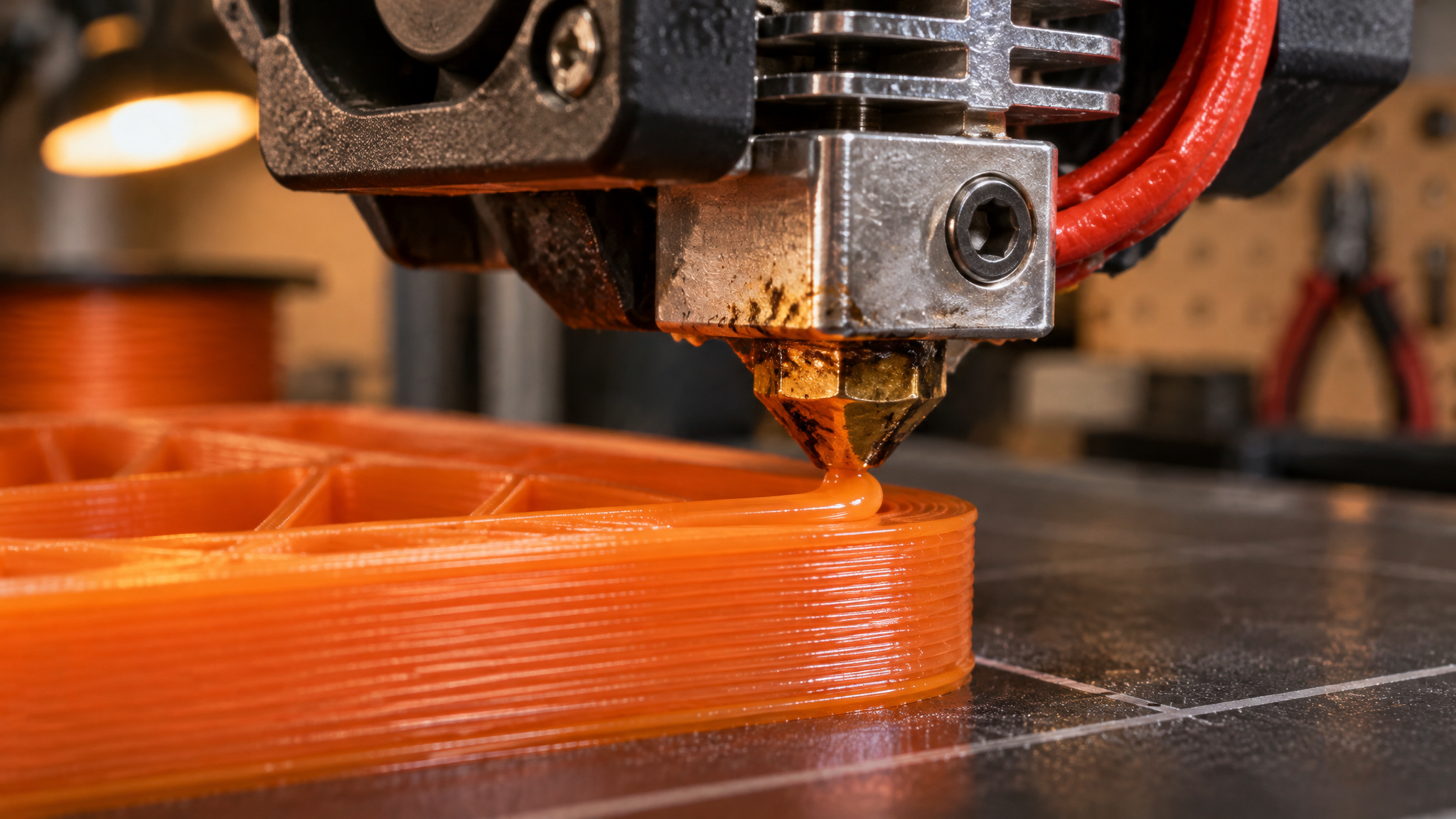
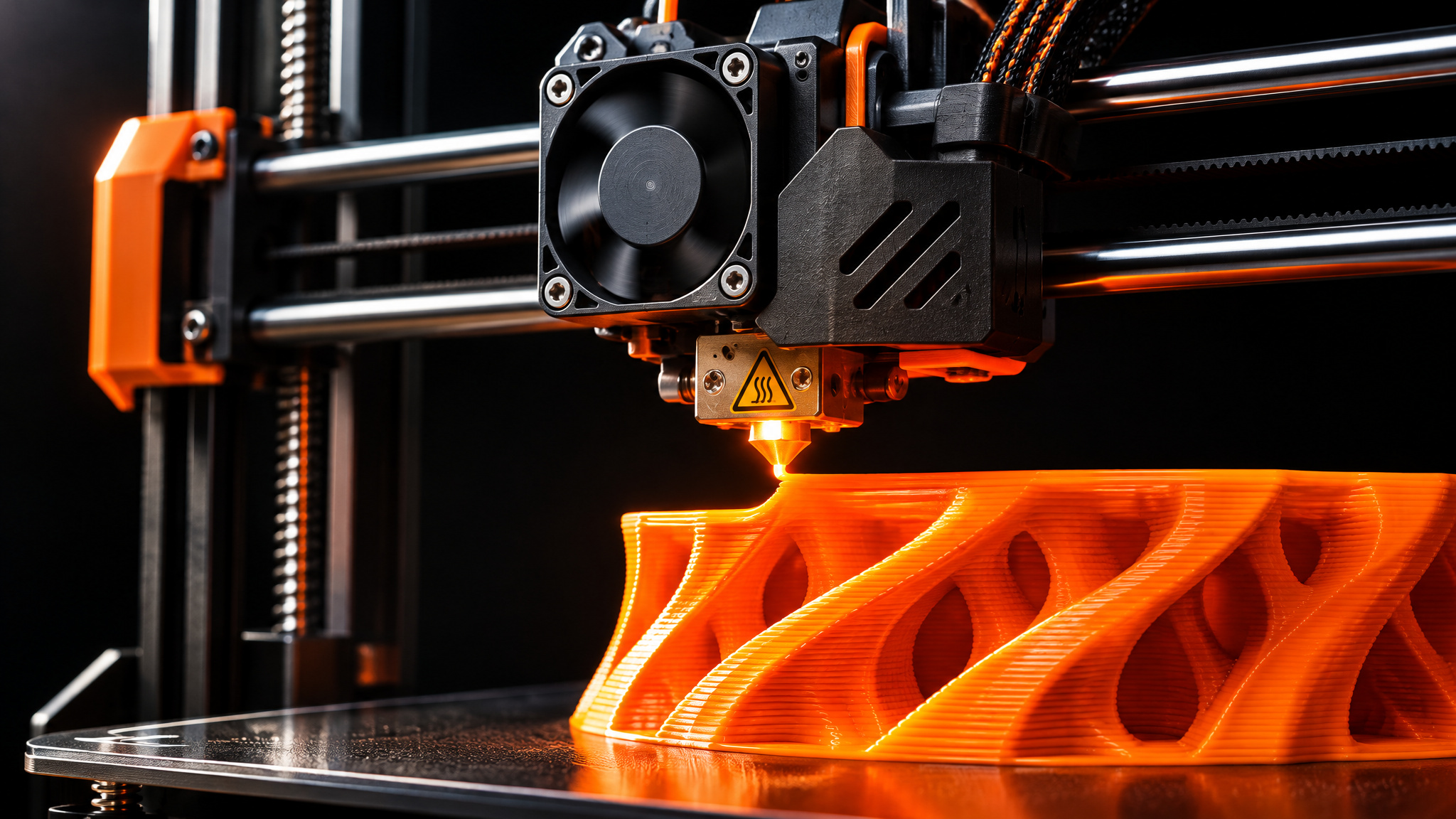
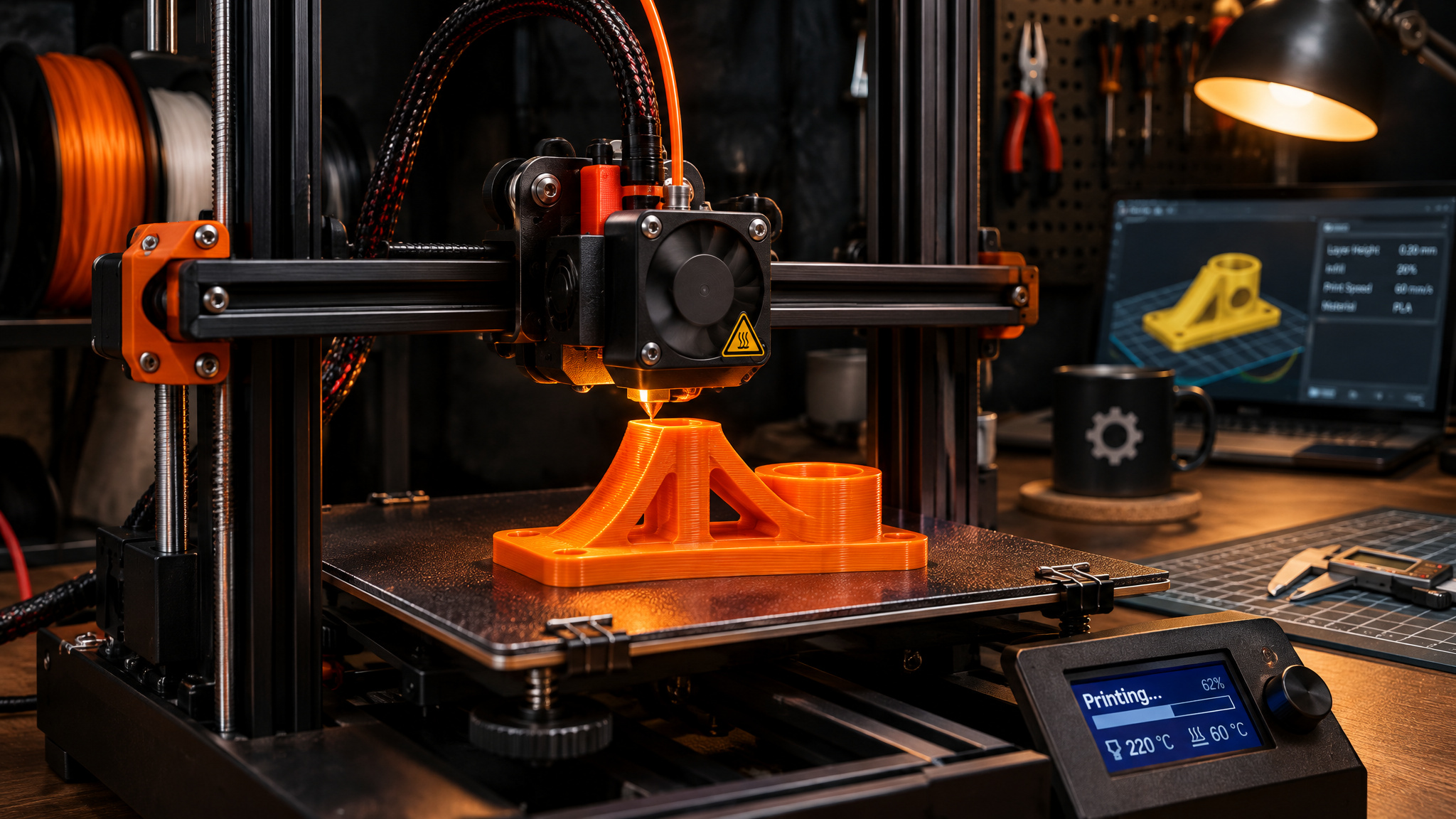
Inside an FDM machine, solid plastic filament feeds from a spool into a heated nozzle, melts, and gets deposited layer by layer from the bottom up. Think of it as a computer-controlled hot glue gun tracing each layer onto the build plate. That mechanical simplicity makes FDM the most widely used 3D printing type, especially on desktops, with fairly easy setup and maintenance.
The hardware creates a predictable friction point, though. Someone expecting injection-molded smoothness straight off the print bed quickly discovers visible layer lines, a fairly large minimum feature size, and rough scars wherever temporary support structures touched display-facing surfaces. Getting a presentation-ready finish requires real sanding time, manual support removal is slow, and dialing in settings for specialty materials takes trial and error.
FDM filaments: PLA, ABS, PETG, TPU, and nylon
Most desktop filament printers run common thermoplastics like PLA, ABS, PETG, TPU, and nylon, each trading off strength, flexibility, and heat resistance. PLA and ABS (along with their blends) dominate everyday printing, while beefier machines handle engineering plastics like nylon and carbon fiber-filled composites:
- PLA: Ideal for concept models and looks-like prototypes in a huge range of colors, though the finished plastic tends to be quite brittle.
- ABS: Tough, durable, and resistant to both heat and impact, yet harder to print because it demands higher bed and nozzle temperatures than many low-cost printers can reach, and it emits VOCs with a strong, harmful odor that requires proper ventilation.
- PETG: Combines properties of PLA and ABS with an easier printing workflow and offers semi-transparent options.
- TPU: Handles flexible, stretchable, simple designs on FDM printers, though it’s prone to clogging, stringing, and moisture absorption failures; in SLS machines, TPU balances high elongation at break with superior tear strength for functional prototypes and end-use parts.
SLA and MSLA: how resin printers work
SLA (stereolithography) 3D printers cure liquid thermosetting resin layer by layer using a directed light source in a process called photopolymerization, followed by mandatory solvent washing, drying, and UV post-curing before parts reach full strength. Because the light source aims with extreme precision and cures exceptionally thin layers, SLA delivers the highest resolution of any plastic 3D printing technology and surfaces nearly indistinguishable from injection-molded plastic.
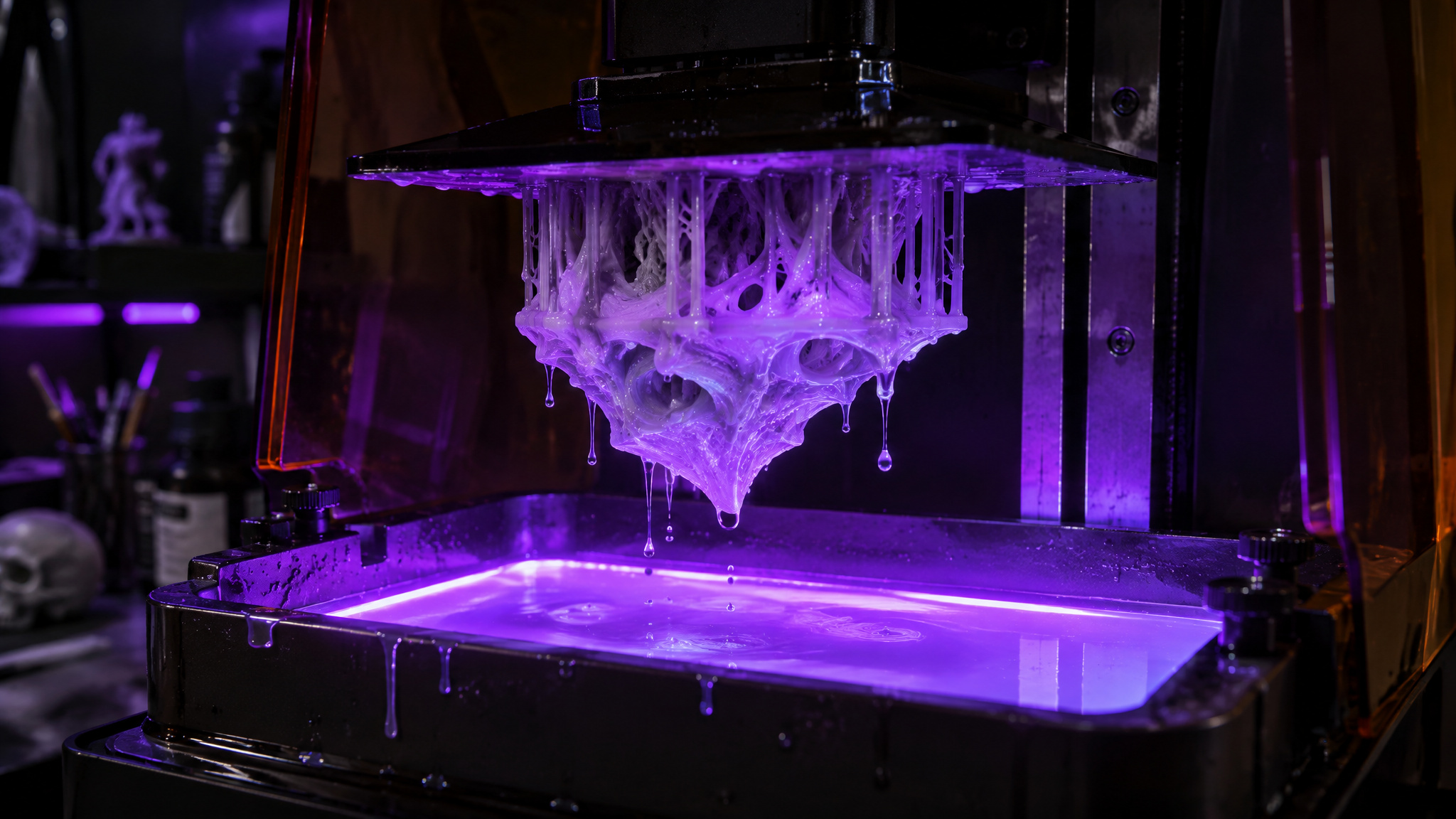
How resin curing works, layer by layer
Precision optics allow SLA machines to resolve intricate geometries and natural textures like leaf patterns and shells in biomimicry designs. Because cured resin builds without the stepped ridges of extruded filament, resin printing is ideal for final design-review prototypes and end-use consumer goods. It’s also the only 3D printing process capable of producing truly clear, transparent parts.
Not every machine in the SLA family exposes resin the same way. Traditional laser-based SLA traces each layer point by point, which slows down considerably as you pack more parts onto the build plate. MSLA and DLP are resin-curing variants within the same SLA family that flash an entire layer at once, keeping print times consistent even on densely packed builds. (SLS, by contrast, is the only powder-based process.)
Wash and cure: the second stage before parts are done
Newcomers moving from filament to resin often get surprised at lift-off because a freshly printed SLA part isn’t actually finished. It emerges coated in sticky, uncured liquid resin and must be washed in solvent, dried, and, for many materials, cured under UV light to hit full mechanical strength. Accessory wash-and-cure stations automate most of that mess, and SLA’s light-touch supports snap off quickly with minimal sanding compared to FDM.
SLA resins and their material extremes
Unlike the industry-standard thermoplastics used across FDM and SLS hardware, SLA resins are brand-specific formulations, meaning material availability and performance vary widely depending on the ecosystem you buy into. Formlabs alone offers over 40 3D printing materials, spanning everything from standard baseline resins to specialized chemistries:
- Engineering resins: Formulated to mimic ABS and polypropylene properties for functional testing.
- Glass-filled resins: Produce rigid, exceptionally stiff parts with heat resistance above 200 °C for applications like molding.
- Flexible and elastic resins: Replicate rubber, TPU, or silicone down to a Shore hardness durometer of 40A, printing softer elastomers than FDM or SLS machines can handle.
- Specialty chemistries: Include biocompatible medical and dental resins, castable resins for jewelry investment casting, and tough polyurethane or silicone materials.
SLS: how powder sintering works
SLS (selective laser sintering) uses a high-powered laser to fuse tiny particles of thermoplastic powder, usually nylon, layer by layer into solid parts. SLS printers sit at a considerably higher price tier than desktop filament or resin machines, remaining mostly industrial despite newer benchtop options, and parts emerge with a slightly rough, grainy surface finish. While SLS resolves fairly small features, fine surface textures get muted by that powder grain.
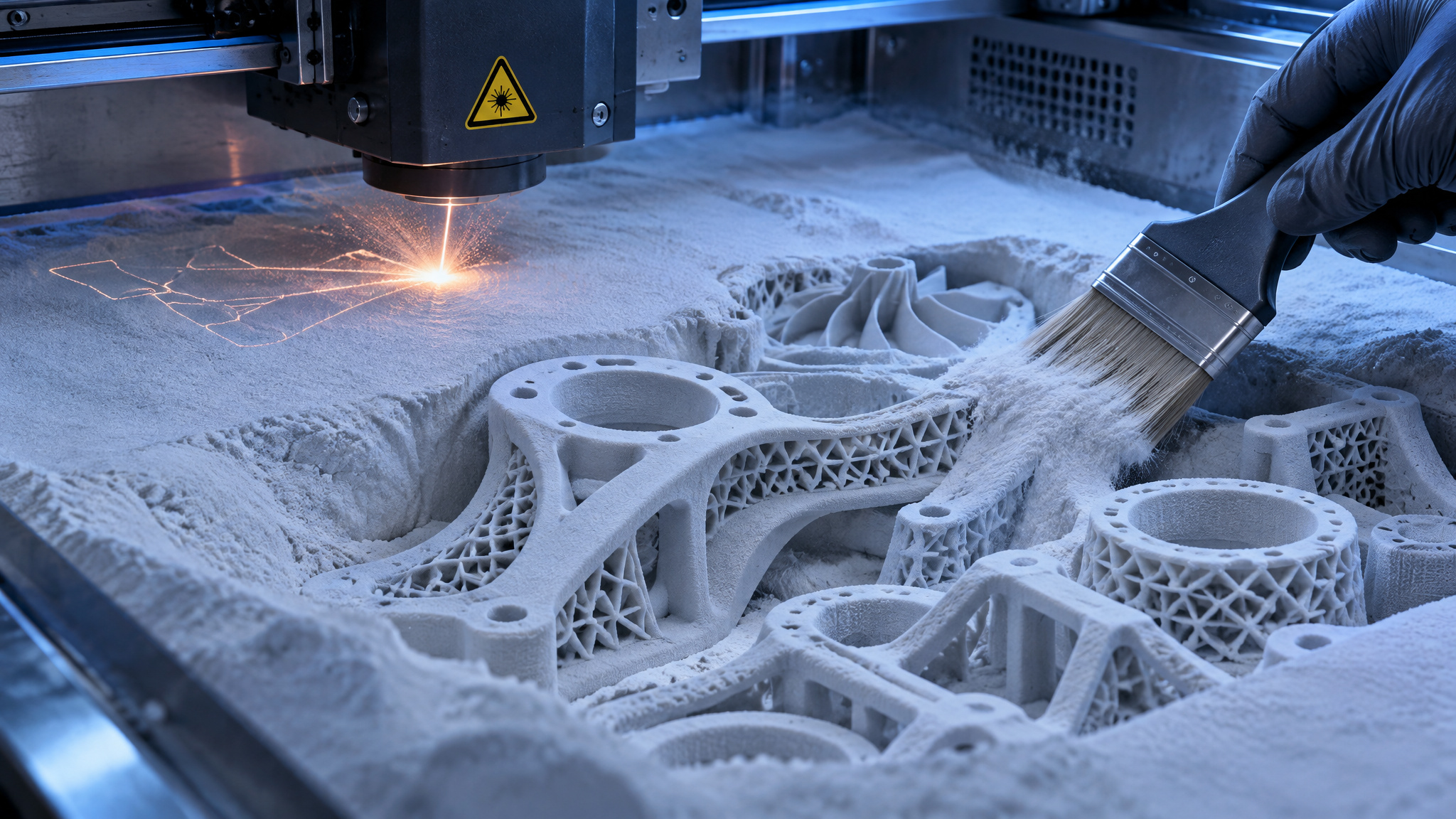
Support-free printing and what it unlocks
The magic of powder-bed printing is that unfused powder surrounding the part acts as its own built-in scaffolding during the print. Eliminating physical support structures frees engineers to design complex internal channels, lightweight lattice structures, and interlocking mechanical assemblies that need zero extra surface cleanup after the powder is brushed away. That design freedom explains why SLS dominates engineering and industrial production.
SLS materials: Nylon 12, Nylon 11, and beyond
Nylon is lightweight, strong, ductile, and remarkably stable against impact, chemicals, heat, UV light, water, and dirt. Nylon 12 serves as the workhorse SLS powder for functional prototyping and end-use production thanks to its high environmental stability, and white nylon parts can be dyed into custom colors. Nylon 11 trades a bit of stiffness for higher elasticity, greater elongation at break, and better impact resistance. For specialized demands, reinforced powders add glass-filled nylon for rigidity or carbon fiber for high strength at low weight, while some SLS printers also run chemically resistant, weldable, watertight polypropylene alongside SLS TPU.
Print quality compared across six dimensions
SLA gives better detail and surface finish than FDM because precisely directed light cures ultra-thin resin layers into smooth, isotropic surfaces, whereas sequential filament extrusion leaves visible layer lines, larger minimum features, and noticeable support scars. Across the broader quality spectrum, SLA and SLS trade wins depending on whether you care more about visual polish or mechanical durability.
| Quality dimension | FDM | SLA | SLS |
|---|---|---|---|
| Resolution | Low (fairly large minimum features) | Highest (extremely thin layers) | High (small features, masked by grain) |
| Accuracy | Moderate (varies by calibration and warp) | High (driven by light-source optics) | High (driven by laser optics and thermal control) |
| Surface finish | Rough (visible layer lines and support marks) | Smooth (nearly injection-molded) | Slightly rough and grainy (uniform, no supports) |
| Isotropy | Strongly anisotropic (weak between layers) | Isotropic (uniformly strong in all axes) | Slightly anisotropic (minor Z vs XY gap) |
| Watertightness | Failed within seconds (URI test) | Watertight to very high pressure (URI test) | Dry at moderate pressure; higher if vapor-smoothed (URI test) |
| Mechanical properties | Inferior overall despite wide material range | Strong initially; embrittles with UV exposure | Highest performance (closest to injection molding) |
Resolution, accuracy, and surface finish
Resolution tracks minimum feature size, where SLA leads easily and FDM trails with clunky surface textures. Accuracy measures how closely a finished object matches its digital 3D model’s dimensions. On FDM printers, accuracy hinges on extrusion repeatability, calibration, filament quality, and material choice: PLA prints fairly accurately, while ABS and nylon are far more prone to warping. SLA accuracy depends mainly on light-source optics alongside material behavior and peel forces, while SLS accuracy tracks laser optics and build-environment control. Because accuracy follows resolution, SLA and SLS routinely out-measure FDM.
Surface finish follows a similar split. FDM parts require heavy sanding to erase layer lines and support scars, whereas SLA’s tiny support marks sand away effortlessly. SLS parts feel slightly grainy, yet the lack of supports guarantees a uniform finish across every face. All three technologies can be upgraded afterward with media blasting, polishing, or solvent vapor smoothing for a glossy exterior.
Strength and watertightness: where FDM fails first
FDM’s biggest structural flaw comes from the same mechanism that creates layer lines: plastic bonds much better within a horizontal layer than vertically between layers. That makes FDM parts strongly anisotropic, creating much larger strength differences across X, Y, and Z axes than SLS and limiting structural uses unless you reorient or redesign the geometry. SLA parts are isotropic and uniformly strong in all directions, though standard resins tend to turn brittle over time under UV exposure. SLS shows only minor anisotropy between Z and XY axes and produces the toughest parts overall, coming closest among polymer processes to injection-molded or machined plastic. All three families do offer specialized materials tuned for rigidity, impact resistance, and heat tolerance.
In a watertightness study conducted by a University of Rhode Island underwater robotics and imaging laboratory, FDM enclosures failed to keep internal mechanics dry underwater within seconds. SLA housings stayed watertight up to very high pressurization, standard SLS parts kept electronics dry under moderate pressurization, and vapor-smoothed SLS enclosures remained watertight under increased pressure.
Regardless of technology family, raw precision comes from the printer, material, and software calibration working together. A professional 3D printer running quality materials and validated settings will generally outperform a low-cost machine in any category.
Print speed vs time to a finished part
MSLA resin printers deliver the shortest time to a finished part in almost every scenario, matching SLS in overall throughput because exposing an entire layer at once keeps print times flat even on crowded build plates.
FDM printers save time and plastic by printing hollow shells filled with internal infill lattices. That keeps them quick for lightweight, simple one-offs, but print duration balloons rapidly for solid parts, large geometries, or multi-part batches because a single nozzle has to trace every millimeter sequentially, leaving FDM with substantially lower throughput.
An individual SLS job takes hours longer than FDM or SLA because the powder chamber has to heat up slowly before printing and cool down afterward. That makes SLS slow for a single prototype, yet nesting dozens of parts tightly inside the 3D powder volume drops per-part print time dramatically and achieves the highest batch throughput.
What a 3D printer costs per part
An SLS printer becomes worth its high upfront price at medium-to-large production volumes, where support-free printing, powder reuse, and low finishing labor drive cost per finished part below what raw sticker prices suggest.
On the equipment ladder, FDM is the cheapest way in, with budget filament starting under $20/kg, though solid infills and heavy overhangs eat extra material. SLA costs slightly more for sharper accuracy and advanced resins. Cheap SLA resins exist, but they often contain potentially harmful chemicals and offer limited mechanical properties, while higher-end resins cost more for specialized chemistries like biocompatible or elastomer grades. SLS sits considerably higher on price and remains mostly industrial, even with compact benchtop units now on the market.
To calculate true part economics, split expenses into machine ownership and consumables:
- Fixed cost per part: Divide total forecasted fixed costs over the machine’s lifetime (printer purchase, service contracts, installation, and maintenance) by the expected number of parts produced. Spread across thousands of parts, ownership cost per part shrinks to almost nothing.
- Material cost per part: Multiply the amount of material consumed per part by the material’s unit price, making sure to include disposable support structure volume for FDM and SLA builds.
When SLS pays off despite the price tag
Looking strictly at price per kilogram makes SLS powder look expensive next to spool filament. In practice, SLS skips support material entirely, lets operators reuse unfused powder across future builds, and benefits from bulk powder discounts. Combine that material efficiency with minimal hands-on labor at medium-to-large volumes and near-molded part strength, and SLS easily justifies its steeper hardware tag despite the grainy surface finish.
Post-processing: the hidden labor behind a finished part
FDM needs the fewest mandatory steps for basic utility parts, which can go straight to work off the build plate, yet SLS requires the least hands-on labor overall once you factor in surface quality and batch consistency. SLA parts printed on supports still need them removed, though that’s fairly simple, while SLS skips support removal altogether in favor of mostly automated powder removal and media blasting.
Removing FDM supports by hand or dissolving soluble supports in water or solvent is slow work, and supported undersides remain rough. Getting a smooth, presentation-ready finish over FDM layer lines and support scars takes heavy manual sanding or smoothing, making consistent output hard to scale.
SLA trades simple support removal for mandatory chemical handling: parts must be washed in solvent, dried, and UV-cured to hit full strength. Fortunately, automated wash and cure accessories absorb most of that effort, leaving tiny support nibs that clean up quickly.
SLS post-processing boils down to dumping out loose powder and media blasting the grain smooth, and both steps can largely be automated. That makes SLS the most consistent and least labor-intensive finishing workflow at volume, offset mainly by the fact that SLS printers themselves demand more involved setup and maintenance than FDM or SLA machines. For any of the three processes, media blasting, polishing, and solvent vapor smoothing can push surface finish further toward a glossy look.
How to choose: materials first, then workflow
The right 3D printing technology is the one whose material meets your part’s data-sheet requirements, narrowed afterward by workflow constraints, surface expectations, and cost per part. Choosing hardware before checking material specs almost always leads to warped brackets, snapped clips, or hours wasted sanding prototypes that should have been printed in resin or powder.
| Factor | FDM | SLA | SLS |
|---|---|---|---|
| Resolution | Low | Highest | High |
| Accuracy | Moderate | High | High |
| Surface finish | Rough with layer lines | Smooth like molded plastic | Slightly rough and grainy |
| Speed | Fast for hollow one-offs; low throughput | Fastest time to part (MSLA) | Slow single jobs; highest batch throughput |
| Post-processing | Minimal for rough parts; heavy sanding for polish | Mandatory wash and UV cure (automatable) | Automated depowdering and media blasting |
| Isotropy | Strongly anisotropic | Isotropic | Slightly anisotropic |
| Materials | Standard thermoplastics (PLA, ABS, PETG, TPU, nylon) | Brand-specific photopolymer resins | Standard powders (Nylon 12, Nylon 11, TPU, polypropylene) |
| Cost | Lowest entry; cheap filament | Slight premium; pricier specialty resins | Highest hardware cost; low per-part cost at volume |
The two-stage material selection method
Start by locking down the part’s real-world chemical, optical, mechanical, and thermal requirements, then translate those needs into hard numbers from materials data sheets that you can compare directly against traditionally manufactured plastics. Once you have a shortlist of viable materials, filter them by practical workflow constraints and budget.
Pay close attention to ecosystem lock-in during that second pass. FDM and SLS run industry-standard thermoplastics that you can source across suppliers, whereas SLA resins are proprietary, brand-specific formulations whose properties and availability depend entirely on your printer vendor. Remember too that a well-calibrated professional system with validated print profiles will beat a budget setup regardless of which technology sits inside.
Technology and material pairings by use case
When matching common projects to hardware, these pairings serve as reliable starting points:
- Form-and-fit prototyping: Run FDM with PLA for cheap, quick physical checks, or switch to SLA with standard, clear, or draft resins when you need fine detail and complex shapes.
- Functional prototyping: Pair FDM with ABS or TPU for tough or flexible tests, use SLA engineering resins for crisp mechanical assemblies, or choose SLS in any nylon grade when you need maximum strength.
- End-use parts: Print FDM composites for rigid brackets, use specialized SLA resins or polyurethanes for targeted consumer or medical goods, or run any SLS material for durable production components.
For a hobbyist buying a first machine at home, FDM remains the sensible default thanks to its low entry price, harmless solid spools, and straightforward upkeep. Resin printers tempt beginners with gorgeous miniature detail and wide elastomer options, but they demand dedicated ventilation, solvent washing, UV curing, and careful handling, especially since low-cost resins often contain potentially harmful chemicals. If filament fits your space better, check out GeekExtreme’s Ender 3 vs Bambu A1 Mini comparison to narrow down a first desktop machine.
Where 3D printing goes from here
Knowing the difference between filament extrusion, resin curing, and powder sintering is quickly turning into baseline literacy as additive manufacturing moves past specialist workshops. If you’re ready to pick up a starter filament machine after weighing those tradeoffs, GeekExtreme’s Ender 3 vs Bambu A1 Mini comparison walks through two of the top desktop options side by side. 3D printing is becoming ever more popular, and with AI making it easier than ever to design parts, I expect it to become a household staple over the next decade.
Frequently Asked Questions
What is FDM, SLA, and SLS in 3D printing?
These are the three main plastic 3D printing families, and they differ by raw material and how it hardens. FDM (fused deposition modeling) melts solid plastic filament through a heated nozzle, SLA (stereolithography) uses light to cure liquid photopolymer resin, and SLS (selective laser sintering) fuses thermoplastic powder with a high-powered laser. Because each process bonds material differently, the same digital design can turn out rough and layered, glossy and smooth, or tough and grainy depending on the machine.
How do SLA printers work?
SLA machines harden liquid thermosetting resin one ultra-thin layer at a time using a directed light source in a process called photopolymerization. Traditional units trace each layer with a laser, whereas MSLA and DLP variants flash an entire layer at once to keep print times steady on packed build plates. Once the print finishes, the part comes out sticky and still needs a solvent wash, drying, and UV post-curing before it hits full strength.
What is a 3D printer and how does 3D printing work?
Instead of carving away material or pouring it into a mold, a 3D printer builds physical objects layer by layer straight from a digital 3D model. It only deposits or hardens material where the design calls for it, which cuts out weeks of custom tooling setup and lets engineers test multiple revisions in a single day. Depending on the hardware, that material starts as melted filament, light-cured liquid resin, or laser-fused plastic powder.
FDM vs SLA vs SLS: which 3D printing technology should I choose?
Start with your part’s mechanical, thermal, and chemical requirements, then narrow the field by workflow and budget. FDM is the smart default for beginners and quick, low-cost prototypes; SLA makes sense when you need crisp detail, clear parts, or specialized resins like soft elastomers; and SLS wins for tough, support-free functional parts and medium-to-large production runs. Buying hardware before checking material specs is a fast way to end up with snapped clips or hours of sanding.
SLA vs FDM 3D printing: which gives better detail and surface finish?
SLA wins easily on both detail and surface polish. Because light cures ultra-thin resin layers without the stepped ridges of extruded plastic, SLA parts come out smooth enough to rival injection molding and need very little cleanup once supports snap off. FDM leaves visible layer lines, coarser minimum features, and rough support scars that demand real elbow grease with sandpaper to hide.
FDM vs SLA strength: which 3D printed parts are stronger?
SLA parts are uniformly strong in every direction because photopolymerization bonds layers evenly, whereas FDM parts are strongly anisotropic—meaning they snap much more easily between vertical layers than along horizontal ones. In a University of Rhode Island underwater robotics lab test, FDM housings leaked within seconds while SLA enclosures stayed dry under very high pressure. That said, standard SLA resins can turn brittle after prolonged UV exposure, and if maximum mechanical toughness is the goal, SLS nylon beats both.
When is an SLS 3D printer worth the higher cost?
SLS justifies its steeper industrial price tag once you move into medium-to-large production volumes. Because surrounding loose powder supports the print automatically, you can pack dozens of parts tightly into a single 3D build volume, reuse unfused powder, and skip manual support removal. Combine that low labor with near-molded nylon strength, and the cost per finished part drops well below what the machine’s sticker price suggests.
What are the limitations and downsides of each 3D printer type?
FDM is cheap and simple, but it suffers from weak layer-to-layer bonding, visible stair-stepping, and tedious sanding if you want a clean finish. SLA delivers gorgeous detail at the cost of messy solvent washing, UV curing, potential chemical hazards with cheap resins, and brand-locked material ecosystems. SLS solves support and strength headaches, yet demands a much bigger budget, long heat-up and cool-down cycles, and leaves parts with a slightly grainy texture.
Which materials can each type of 3D printer use, like PLA, ABS, resin, and nylon?
FDM printers run standard thermoplastic spools like brittle-but-easy PLA, tough heat-resistant ABS (which needs good ventilation), semi-transparent PETG, flexible TPU, and engineering nylons or composites. SLA uses proprietary, brand-specific liquid resins—Formlabs alone offers over 40 options ranging from ABS-like engineering grades and 200 °C glass-filled formulas to biocompatible, castable, and soft 40A elastomer resins. SLS sticks primarily to industrial powders led by Nylon 12 and more flexible Nylon 11, alongside carbon- or glass-reinforced nylons, polypropylene, and tear-resistant TPU.