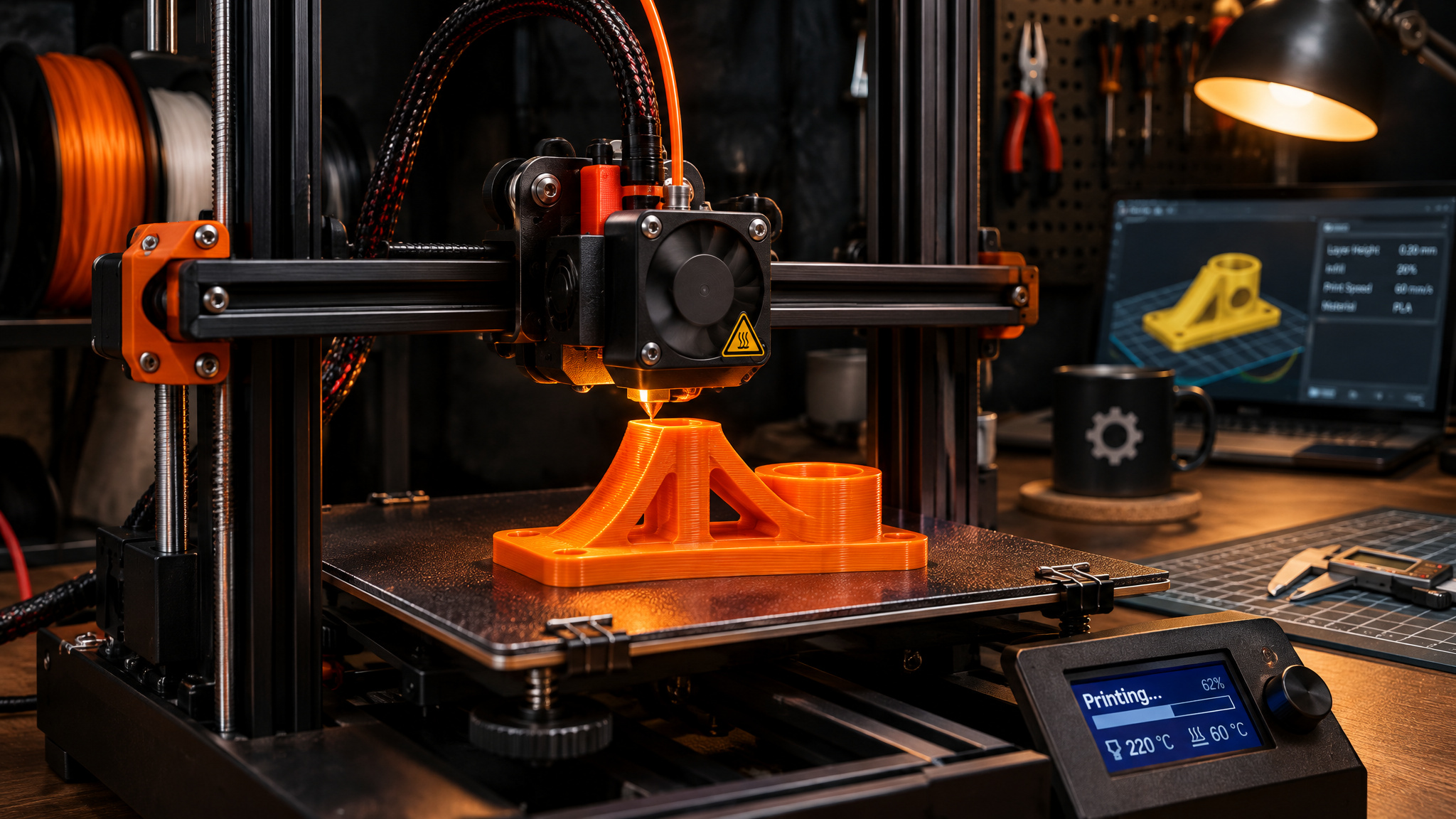
When someone asks me what 3D printing is, I don’t start with factories or sci-fi. I tell them about the small, weird plastic bracket inside a washing machine or fridge that inevitably snaps on a Sunday afternoon. You can’t buy that exact clip at a hardware store, and replacing the whole assembly costs more than it should, so you measure the broken piece, design a replacement, and print a new one on your desk.
That everyday repair captures why 3D printing has stuck around long after the early hype cooled off. Getting a real mental model of the technology comes down to four things: what additive manufacturing actually is, how a digital model turns into a physical object, what a beginner setup realistically costs and feels like, and where the machines are doing real work in hospitals, factories, and kitchens.
Key Takeaways
3D printing is additive manufacturing that builds objects layer by layer from STL files sliced into G-code, with capable single-color beginner printers running $200 to $400.
Consumer FDM printers melt 1.75 mm thermoplastic filament like PLA off 1 kg spools, while SLA cures liquid resin with light and SLS fuses nylon powder for industrial parts.
Beyond home repairs and rapid prototyping, additive manufacturing already produces fitted prosthetics, lighter jet engine parts, and end-use components without expensive tooling.
Table of contents
Table of Contents
What is 3D printing?
3D printing is additive manufacturing, a process that builds a physical object layer by layer from a digital file or CAD model by adding material only where you want it. That approach flips traditional fabrication on its head. Instead of starting with a solid block and cutting waste away, a 3D printer starts with nothing and deposits or solidifies material in thin horizontal slices until the part is complete.
To see where 3D printing sits among all the ways physical things get made, it helps to borrow the Institute for Manufacturing at the University of Cambridge’s simple breakdown: manufacturing comes down to four methods. Subtractive manufacturing cuts material away from a larger piece, like carving a wooden chair or chiseling a stone statue. Forming applies physical force to reshape a material, much like squishing Wallace and Gromit plasticine into a character.
Casting melts a solid and pours it into a mold to cool, which is how factories make chocolate bunnies and Easter eggs. Additive manufacturing is the fourth category, building a shape from scratch one layer at a time.
While 3D printing often feels like recent gadgetry, the core technologies have existed since the 1980s. Over the past decade, steadier hardware, better materials, and smarter software pushed the machines out of niche R&D labs and onto desks across engineering, manufacturing, dentistry, healthcare, education, entertainment, jewelry, and audiology. You can see how that shift played out in our overview of moving from prototyping to production, where shops that once used printers only for quick mockups now rely on them for real parts.
How 3D printing works: from digital model to finished object
3D printing works by turning a digital model into machine instructions that guide a print head or light source layer by layer. You start with a 3D geometry file, pass it through software that slices the shape into thin horizontal cross-sections, and send the resulting toolpath code to the printer. A computer makes that pipeline much easier to manage, especially if you want to tweak dimensions or build custom parts, though it isn’t strictly required anymore because a phone-only workflow is completely workable on modern app-connected machines.
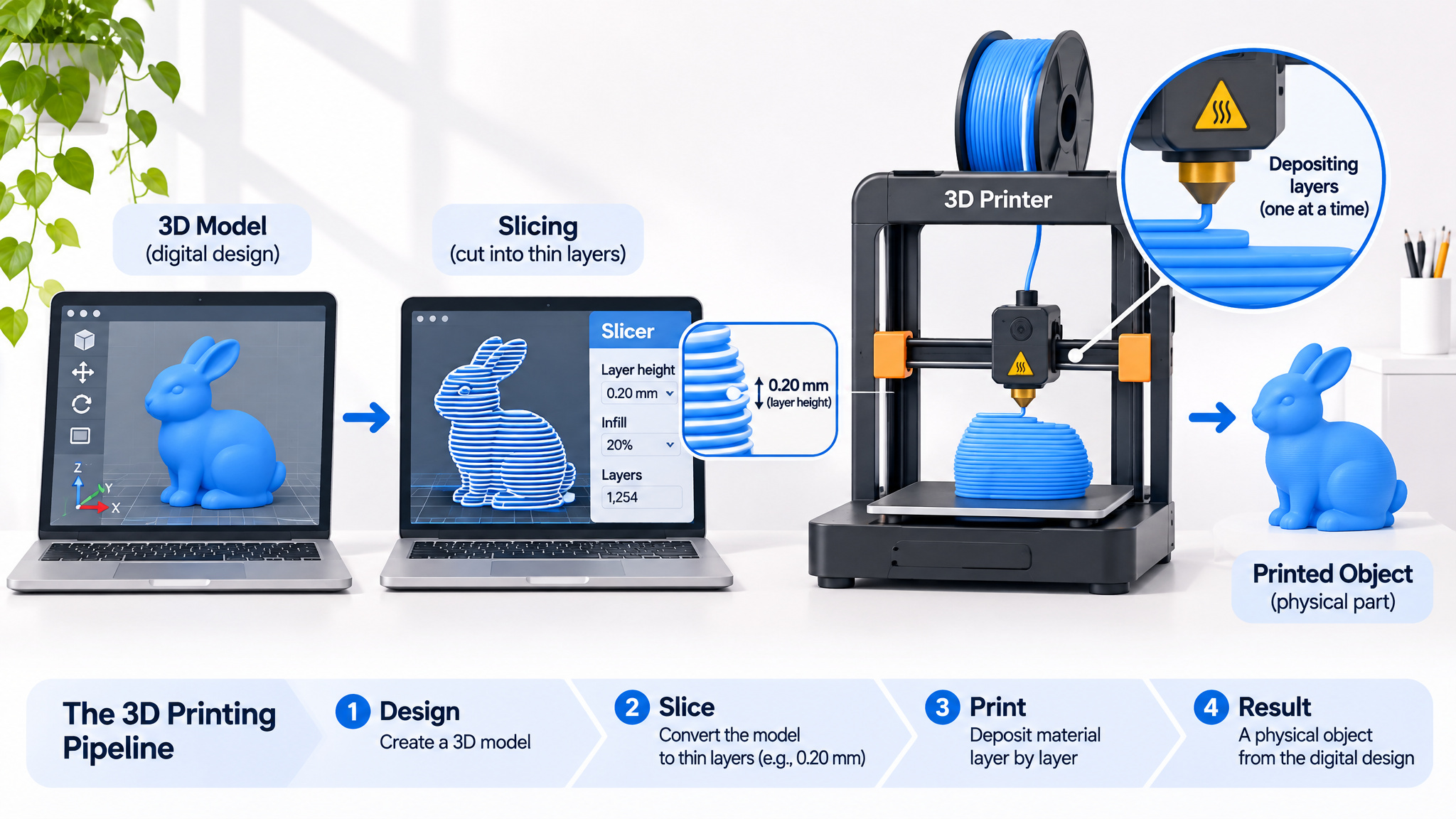
Every print follows that same three-stage chain from screen to build plate, whether you’re making a spare appliance clip or a decorative planter. Here is what happens at each step.
Get or make a 3D model
You can create a design from scratch in computer-aided design (CAD) software like Blender, capture a real object with a 3D scanner, or skip modeling altogether and download ready-to-print files. Roughly 50 websites and phone apps host user-made models, including Thingiverse, MakerWorld, and Shapeways. Most hobbyist files are free, while paid designs typically run $2 to $100 USD. Designing your own opens the door to one-off projects you can’t buy anywhere, like a custom multicolor house planter tailored to a specific windowsill.
Slice it into layers
Once you have a model, you export it as an STL file, which acts as the JPEG of 3D printing, though 3MF and OBJ formats are also common. You then load that file into slicer software matched to your printer brand, such as using Creality Slicer for a Creality machine. The slicer cuts the 3D shape into hundreds or thousands of thin 2D horizontal layers and translates them into G-code, the step-by-step coordinate and temperature instructions the printer reads.
The printer builds it
With the G-code loaded, the printer executes those coordinates to deposit or cure material one layer at a time until the object is done. If you don’t want to touch a desktop PC, Bambu Lab‘s app ecosystem lets you browse models, slice them, and send print jobs straight from a phone, and several other modern machines accept mobile jobs as well. You can dig deeper into the hardware versus PC requirements or follow the physical mechanics inside the machine if you want to see how each axis and heater responds once the file hits the board.
FDM, SLA, and SLS: the three main types of 3D printing
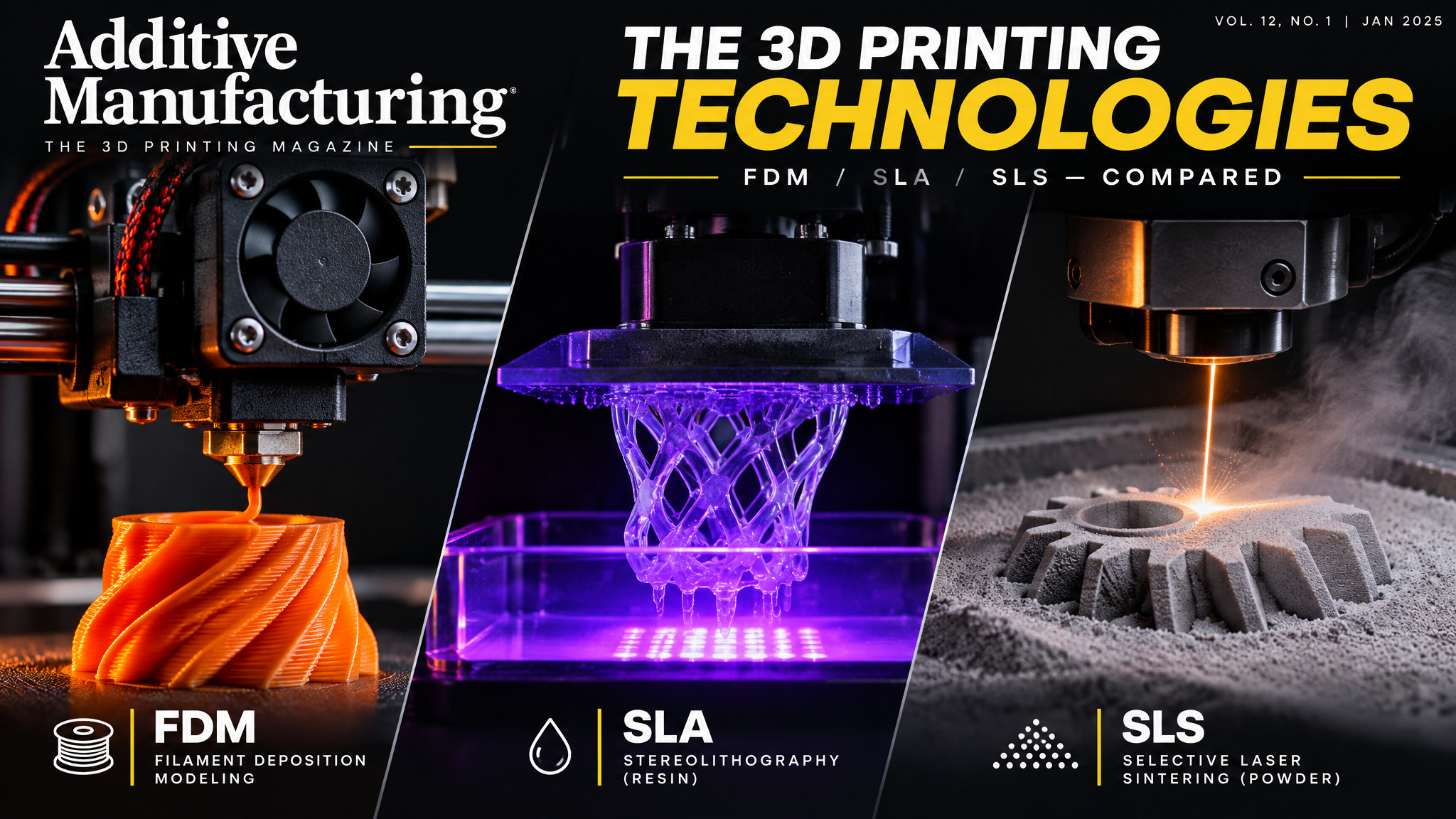
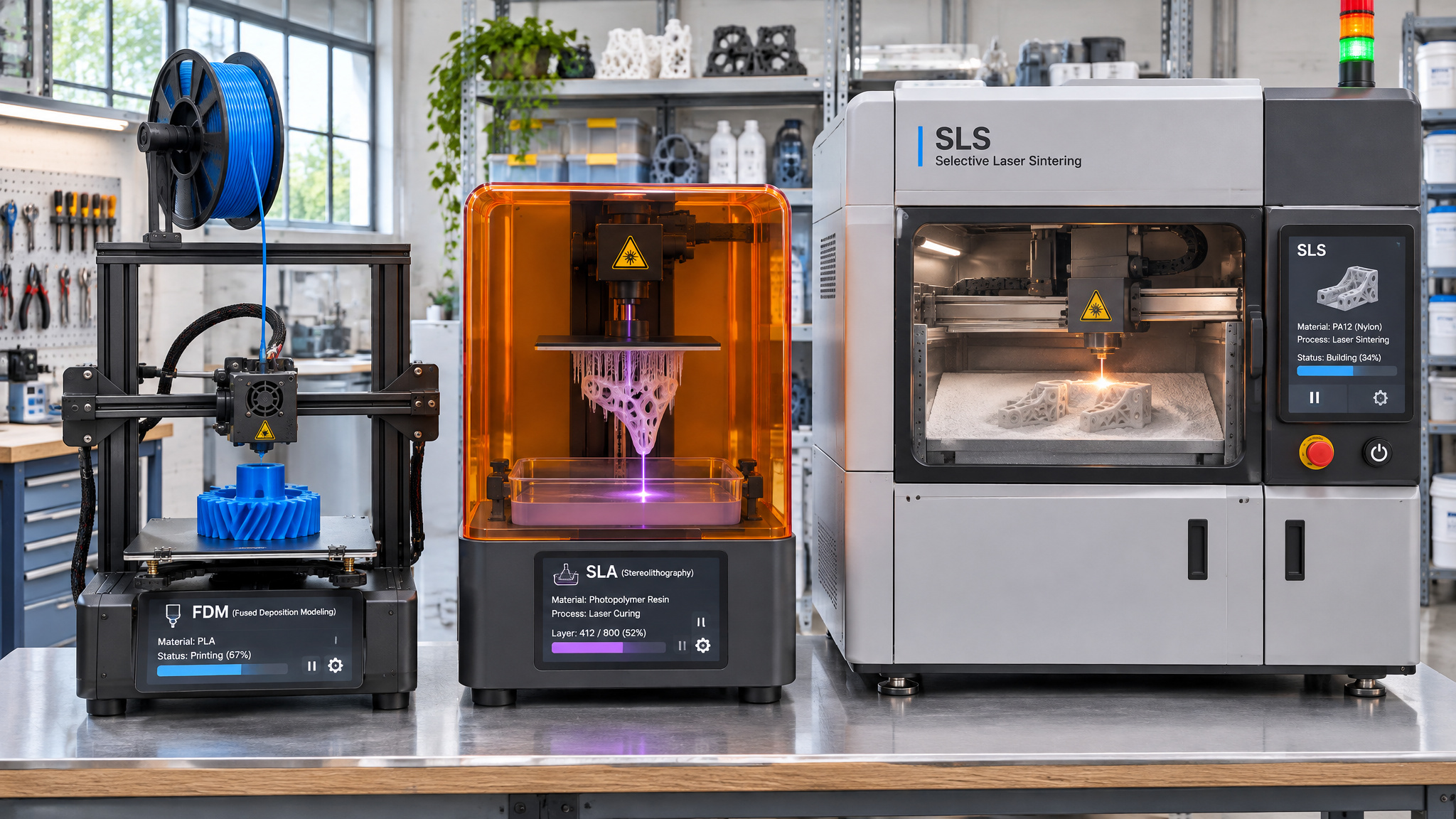
Most plastic 3D printers fall into three distinct families, and the decisive difference comes down to whether the machine melts solid filament, cures liquid resin with light, or fuses plastic powder with a laser. That single mechanical choice dictates how detailed your parts look, how strong they are, and whether the machine belongs in a spare bedroom or an industrial shop.
FDM: the consumer default
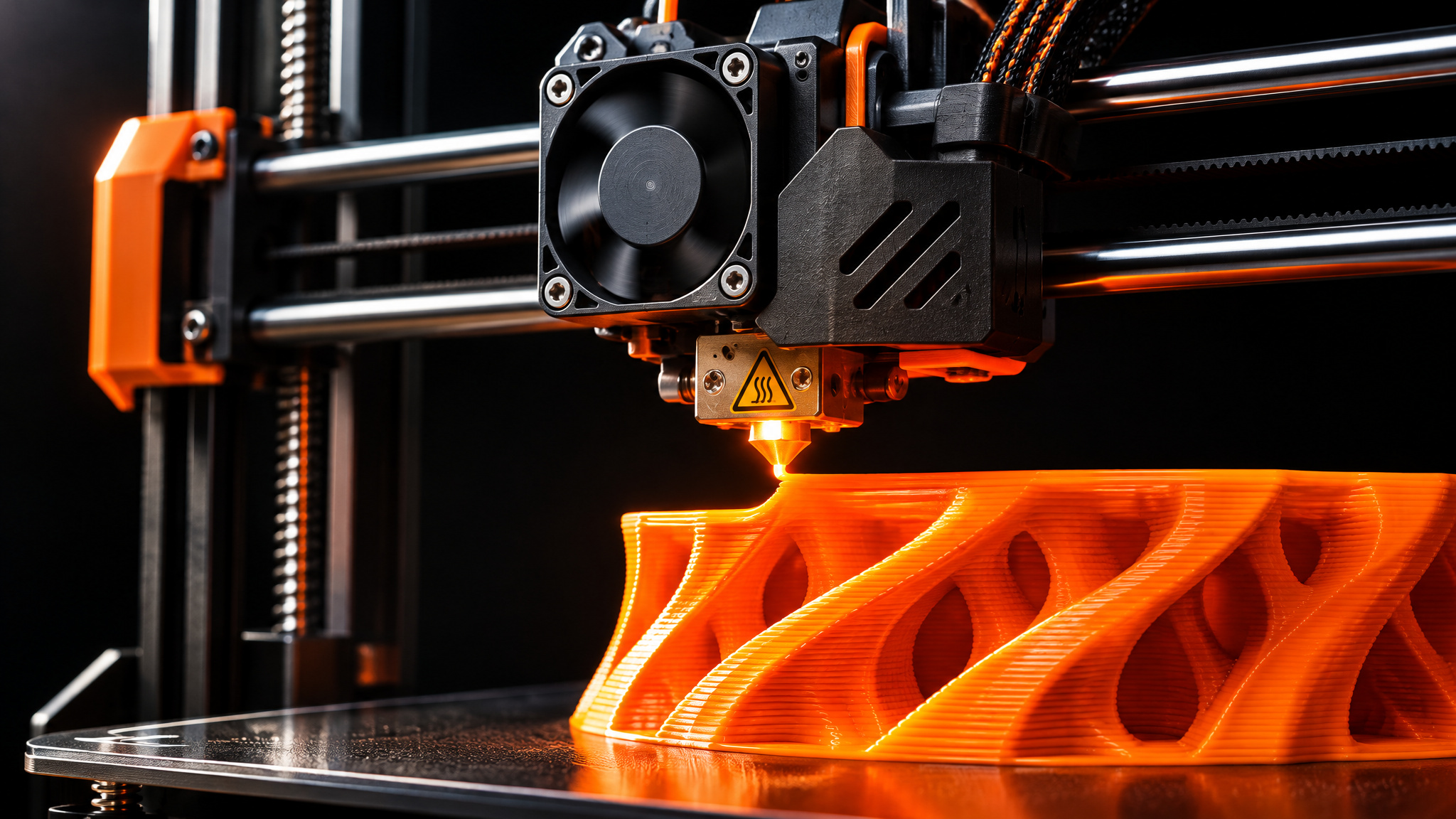
Fused deposition modeling (FDM) is the most widely used consumer 3D printing technology, and it works like a robotic hot glue gun. The machine pulls thermoplastic filament, such as PLA, ABS, or specialty blends, off a standard 1 kg spool that looks like wound plastic spaghetti. About 99% of FDM printers use 1.75 mm filament, though older designs like the MakerBot Replicator 2 relied on removable bioplastic spools.
The filament feeds through a guide tube into a heated nozzle called the hot end, melts, and extrudes onto the build plate, where it cools almost instantly. Because the hardware and spools are inexpensive, FDM is the go-to choice for proof-of-concept models, household fixes, and quick, low-cost prototyping.
SLA: the precision pioneer
Stereolithography (SLA) was the world’s first 3D printing technology, and it still delivers the highest resolution, sharpest details, and smoothest surface finish of any plastic process, along with the widest material range. Instead of melting plastic, an SLA machine uses a laser or light screen to cure light-sensitive liquid resin through photopolymerization.
In plain terms, light flips the chosen areas of resin from liquid to solid while the dark areas stay liquid. The build plate rises one thin layer at a time, and when the job finishes, you pull the solid part out of the resin bath. Because of that precision, SLA is widely used across fields ranging from jewelry, dentistry, and medicine to engineering, product design, model making, manufacturing, and education.
SLS: the industrial default
Selective laser sintering (SLS) is the most common additive technology for industrial work. A high-powered laser traces each cross-section into a bed of polymer powder, most commonly nylon, fusing the grains together. Because the surrounding unfused powder holds the part up as it prints, SLS can produce complex interlocking geometries and overhangs without any removable support structures. Finished SLS parts rival injection-molded plastics in strength, making the process a cost-effective alternative to traditional molding for limited production runs. If you want to compare the hardware differences between FDM, SLA, and SLS side by side, each family trades surface finish, part strength, and cleanup effort differently.
What materials are used in 3D printing?
The most common 3D printing materials are thermoplastic filaments, led by PLA, PETG, ABS, TPU, ASA, and nylon, alongside liquid resins for light-cured printers. Industrial suppliers like Formlabs cite a catalog of over 40 3D printing materials, which sounds intimidating when you’re staring at a spool rack for the first time, though most hobbyists stick to just four or five common plastics. PLA is the go-to beginner filament for its low cost and easy settings before makers graduate to PETG or nylon, whereas ABS and ASA emit potentially toxic fumes that require ventilation.
Knowing where each plastic sits on the capability ladder, and how it behaves when heated, keeps you from ruining a build plate or stinking up your workspace.
The filament ladder
PLA is the universal beginner filament because it’s the cheapest, runs on the easiest temperature settings, adapts well to different printers, and comes in the widest range of colors. You can buy rainbow PLA, chrome finishes, glow-in-the-dark spools, and color-changing filaments that shift hues as the print rotates, much like chameleon paint on a car.
The tradeoff is durability: PLA is weaker than engineering plastics and softens or warps under heat and UV light. Once you outgrow PLA, you step up to PETG for tougher everyday parts, ABS and ASA for higher heat resistance, TPU when you want something flexible like a gummy bear (fun to squish, though tricky to feed and print cleanly), and nylon for heavy mechanical wear. Our full filaments and resins breakdown maps out those mechanical tradeoffs in detail.
Filament safety
PLA, PETG, ABS, and TPU differ chemically, which means they melt at different temperatures and stick differently to the build plate. A classic beginner mistake is loading an unfamiliar spool while leaving your slicer on default PLA settings, which leads to poor bed adhesion, warped corners, or a bad smell that fills the room. Ventilation matters just as much as temperature: ASA and ABS emit potentially toxic fumes that require dedicated airflow or an exhaust setup, while PLA and PETG don’t.
What does a beginner 3D printer cost, and which should you buy?
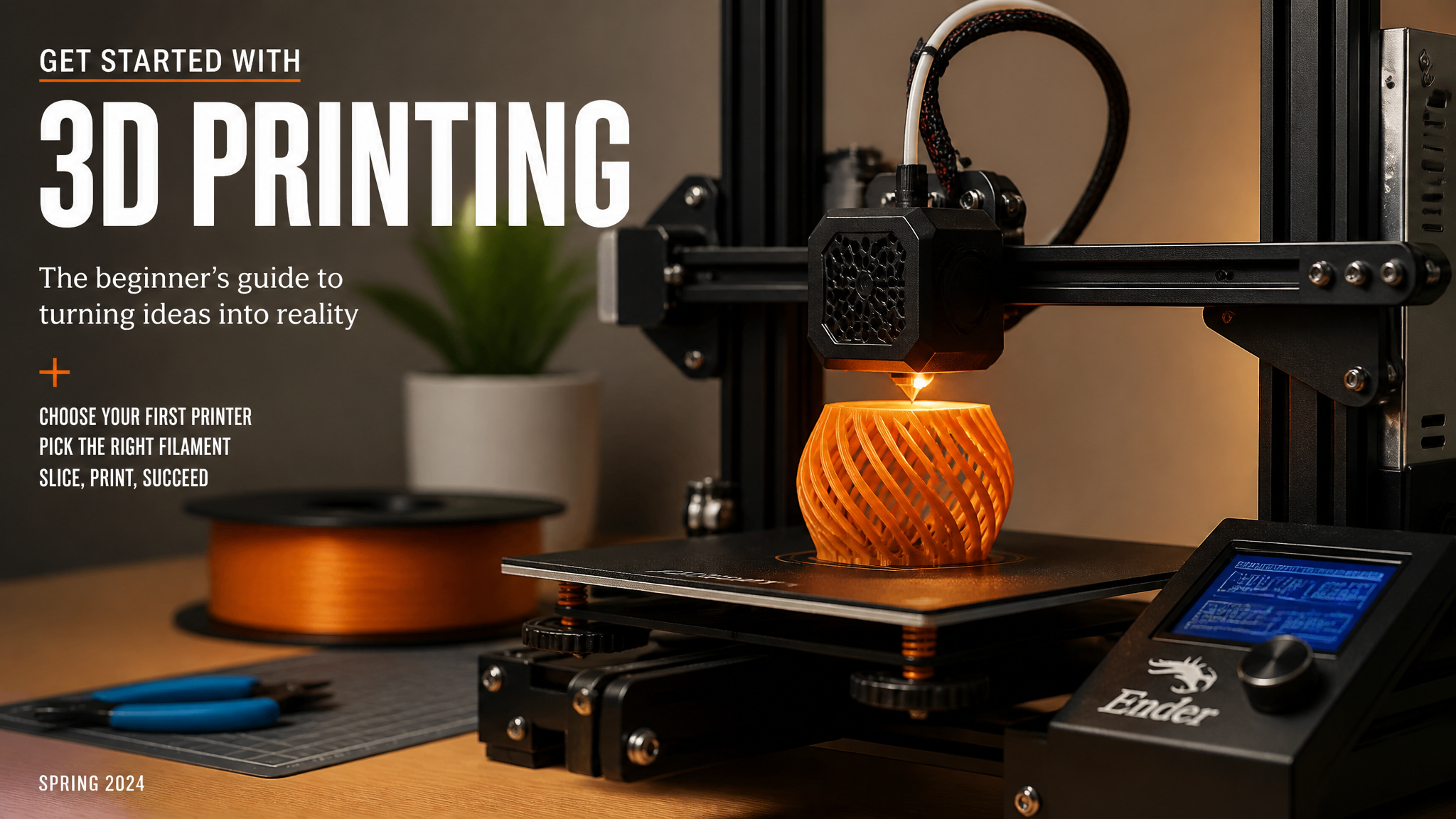
For most beginners, the smartest starting pick is an open-frame, single-color FDM 3D printer running PLA from a trusted brand at around the $400 mark, since enclosures aren’t necessary for most starter filaments and skipping one saves money. Getting started with 3D printing isn’t as expensive as it used to be, either: a capable single-color beginner printer runs $200 to $400, while multicolor machines jump to $350 to $1,500, roughly double the price. If you plan to skip the computer and print straight from your phone, Bambu Lab‘s app ecosystem makes it the standout pick for mobile-first users. Printer and model prices vary across retailers and configurations, so treat those figures as typical market ranges rather than locked quotes.
Observed prices
Observed prices run $200-$1,500 across 1 source (checked Tuesday, November 17, 2026). Sources: youtube.com.
Most newcomers get tripped up by two upsells that sound essential on paper: multicolor hardware and full enclosures. Looking at the actual cost and waste numbers makes the decision much simpler.
Single-color vs. multicolor
Single-color 3D printers typically run $200 to $400, while multicolor 3D printers jump to $350 to $1,500, roughly doubling the entry price. By one practitioner’s estimate, only about 10 to 15 printers on the market are completely solid, which is why spending closer to $400 on a proven brand beats gambling on a bargain-bin kit. You can have plenty of fun and handle real household repairs with a single-color machine without paying double up front.
The multicolor tradeoff
Multicolor prints, like a multicolored French bulldog figurine named Tank, look great on a shelf, but the hardware carries a steep hidden cost in wasted plastic. Every time the printer switches colors mid-layer, it has to purge the old filament out of the nozzle, and active users routinely fill an entire bucket with purged scrap. One practitioner predicts multicolor printing technology will change substantially within about three years, which makes starting with a single-color machine the more rational move today.
Enclosure and build-plate size
Enclosed printers look a bit like a countertop microwave and trap heat so you can print temperature-sensitive materials without warping. For beginner filaments like PLA, an enclosure isn’t necessary, and an open printer saves you money. Build-plate size matters less than most shoppers expect, too. Big print beds often sit mostly empty, and if you ever want to make something oversized, like a Halloween helmet too large for even the biggest home printer, you can print it in sections and glue the pieces together.
Is 3D printing hard for beginners? What your first print is like
No, 3D printing isn’t hard for beginners when you start with a pre-made model and default slicer settings. Most newcomers go from unboxing to a finished test print in a single evening, with 20 to 30 minutes of initial setup. Smaller open-frame machines usually need some light assembly out of the box, while larger enclosed models often arrive pre-built. Once a job starts, you can leave the printer unattended, and the electricity cost is negligible.
A 3D printing presenter in a beginner guide video, who runs about 10 printers himself, shows how approachable that first week looks in practice. His daughter checked excitedly in the morning after a 9-hour overnight run produced a giant Pokémon, and he has turned out small everyday items like a flower vase for his girlfriend, a pug keychain for his daughter, a custom coaster, and a pair of 3D-printed hands. He also offered his personal view that people genuinely interested in the hobby pick it up 30 times faster than anyone forced into learning it.
Setup and print times
Print times vary widely by part size and machine type, typically running 4 to 18 hours, though small test objects finish much faster. In a live demonstration, a small pink boat kicked off from a phone app wrapped up in 31 minutes, while larger display pieces like a giant Pokémon run 6 to 8 hours (or 9 hours overnight). Three cheap tools make day-to-day handling much smoother: a metal spatula to pop finished parts off the bed, isopropyl alcohol wipes to degrease the build plate because hand oils kill adhesion, and a small torch to clean up wispy plastic threads.
When prints fail
By one practitioner’s estimate, roughly 5% of prints fail depending on the printer brand. Higher-end, trusted-brand machines include sensors that catch a failed print and pause the job before plastic jams up and wrecks components, much like an oil-pressure sensor saving a car engine. It also helps to separate a true print failure from a flawed-but-successful print. If your first boat comes off the bed looking slightly “hairy” with stringy wisps, the machine isn’t broken; a slicer setting like temperature or retraction just needs a quick adjustment.
What is 3D printing used for? The five functional categories
In the real world, 3D printing powers five main categories: rapid prototyping (turning out functional test parts within a day), rapid tooling (replacing pricey molds for casting or thermoforming), manufacturing aids (custom jigs, fixtures, and replacement parts), models and props (from dental and architecture models to movie props), and end-use parts for machines, airplanes, and cars. Across all five, the economic pitch is straightforward: a CAD file turns into a physical part in hours instead of the weeks or months required for traditional forging, molding, or sculpting, with zero upfront tooling cost. Injection molding still wins on unit price for massive production runs, so 3D printing complements low-to-mid-volume work rather than replacing factories wholesale.
Because printers build layer by layer, engineers also get design freedom that traditional cutting tools can’t touch, including internal overhangs, tiny microchannels, and organic curves. Teams can consolidate multi-piece assemblies into a single printed part, cutting weight, eliminating weak joints, and shortening assembly time. Customization only requires editing the digital file, which is why adoption took off early in medicine and dentistry before spreading to shoes, clothing, and bicycles.
Rapid prototyping
Rapid prototyping lets engineers print functional test parts within a single day and run multiple iterations back to back. Prototypes rarely work on the first try, so the real value is affordable trial, failure, and correction. In one lab example, researchers printed a microfluidic chip complete with internal channels and a mixer just to test fluid behavior, and commercial services like Protolabs highlight same-day and 4 to 18 hour turnarounds for quick design cycles.
Rapid tooling
Instead of waiting weeks for machined metal molds, shops print custom tooling used to drive injection molding, thermoforming, and casting lines.
Manufacturing aids
Factories and workshops print custom jigs, alignment fixtures, assembly tools, and one-off replacement parts tailored to a specific workstation.
Models and props
Dentists, doctors, filmmakers, teachers, and architects use 3D printing to produce accurate anatomical models, movie props, classroom teaching aids, and architectural scale models.
End-use parts
Direct production of finished end-use parts without any tooling carries the biggest growth potential in additive manufacturing, turning digital inventory into physical components on demand.
3D printing in medicine, buildings, airplanes, and food
Outside traditional workshops, additive manufacturing shows up in operating rooms, construction sites, jet engines, and experimental kitchens. It’s worth separating what’s happening today from what’s still in clinical testing or purely speculative: that’s the line between real engineering and hype.
Medicine and the body
Hospitals already use 3D printing to make cartilage ears for accident victims, custom-fitted prosthetic hands, arms, and legs, and replacement bones for facial fracture repair. In regenerative medicine, doctors are testing bio-materials that use a patient’s own cells to print small structures like ears and noses, and some surgeons have tested 3D-printed organs for transplants. Printing complex organs like kidneys or livers directly inside the human body from a patient’s own cells remains strictly a future possibility, not current medical practice.
Houses and jet engines
On the construction side, giant 3D printers in China printed ten houses in a single day at under $5,000 per house, offering a stark demonstration of how fast and cheaply large-scale extrusion can work. In aviation, engineers actively 3D print jet engine components that are both lighter and stronger than cast equivalents, making commercial airplanes more fuel-efficient.
Printed food
3D-printed food is gaining traction as chefs and food labs experiment with intricate treats and unusual textures that aren’t possible by hand. For now, printed food remains an emerging culinary experiment rather than a mainstream grocery staple.
Post-processing: what happens after the printer stops
A 3D print isn’t finished the moment the machine stops moving. Most parts need post-processing before they’re ready to use, including washing away uncured resin, depowdering SLS nylon, snapping off support structures, post-curing under UV light, or sanding rough edges. Optional finishing steps like chemical smoothing, coating, or painting printed objects into custom colors are also popular, and painting models is a big part of the hobby for many makers.
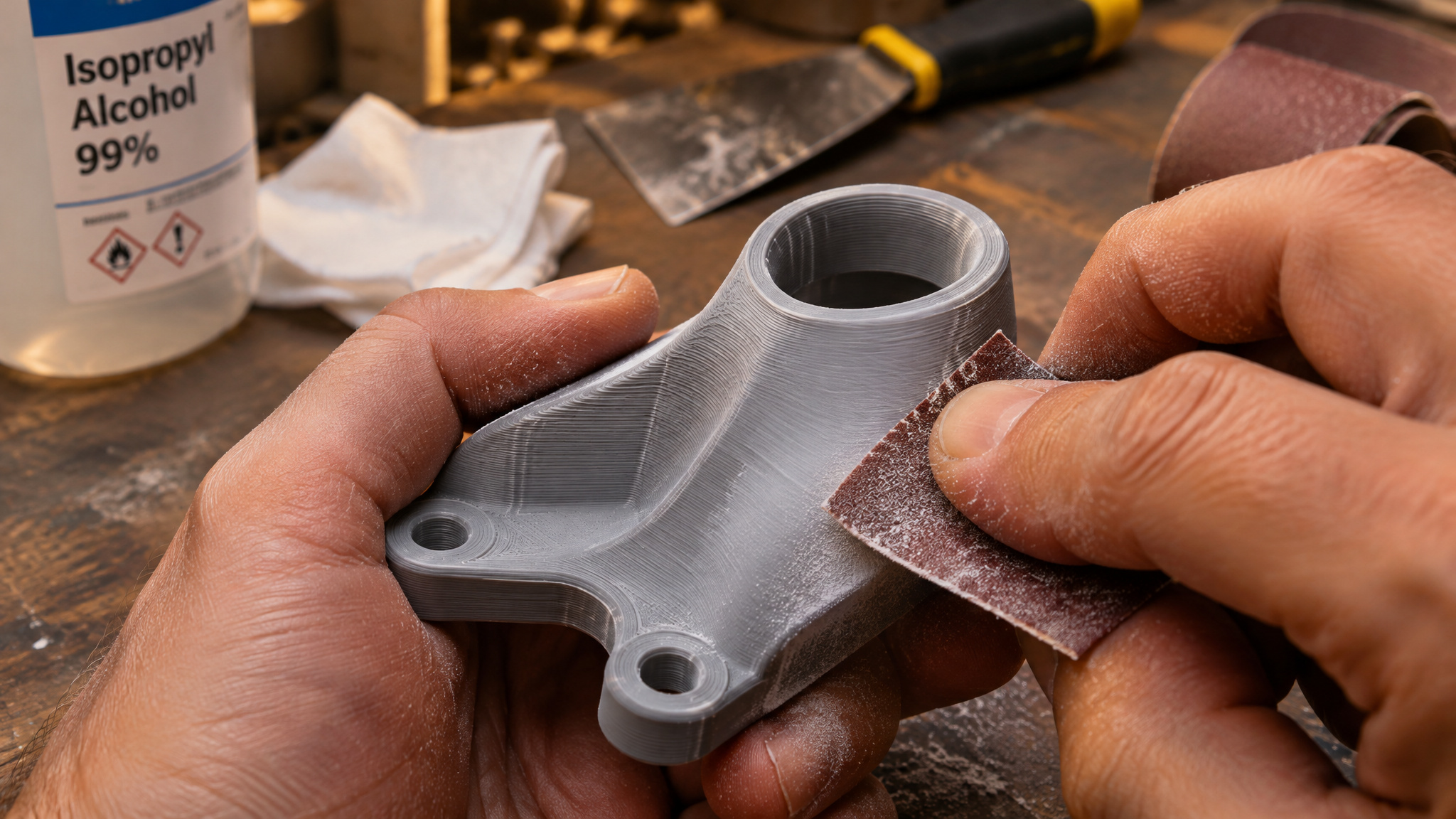
Even well-tuned prints show visible layer lines stacked like tree rings, a telltale texture you can spot easily on resin and filament parts alike until you sand or coat them smooth. Add it all up and the main practical downsides of 3D printing are those visible layer lines, the extra post-processing work, a roughly 5% failure rate, toxic fumes from ABS and ASA without ventilation, and PLA’s weakness to heat and UV light.
Where 3D printing is heading
3D printing isn’t futuristic anymore. The early hype faded years ago while the hardware quietly matured behind the scenes, putting more printers in use today than ever across businesses, schools, repair shops, and hospitals, decades after those 1980s origins.
With AI tools making part design easier than ever for people who don’t know traditional CAD, I expect 3D printing to become a normal household staple over the next decade. When a weird plastic bracket snaps inside your washing machine or fridge, printing the replacement yourself will feel as routine as printing a shipping label.
Frequently Asked Questions
What is 3D printing?
It’s an additive manufacturing process that builds physical objects from the ground up, one thin horizontal layer at a time, using a digital 3D model as the blueprint. Rather than carving away at a solid block, the machine only places or solidifies material where the part actually needs it. Although it often feels like modern gadgetry, the underlying technology dates back to the 1980s and now handles everything from broken fridge brackets to aircraft components.
How does 3D printing work step by step?
Every job follows a three-step pipeline from screen to physical part: acquire a digital design, slice it into layers, and let the machine build it. You can model something yourself in CAD software like Blender, scan a real item, or grab a ready-made file from sites like Thingiverse or MakerWorld, then export it as an STL, 3MF, or OBJ. Slicer software chops that shape into hundreds or thousands of flat cross-sections and outputs G-code, which tells the printer’s heaters and motors exactly where to deposit or cure material—a workflow you can even run straight from a phone app on newer machines.
What is the difference between 3D printing and traditional manufacturing?
Traditional methods either carve away material from a larger block, force-shape it, or pour melted material into a mold, whereas 3D printing builds a part from scratch one layer at a time. That additive approach eliminates expensive upfront tooling and shrinks turnaround from weeks or months down to hours, while letting engineers create internal channels and single-piece geometries that cutting tools can’t reach. Injection molding still beats it on per-unit cost at massive scale, so 3D printing shines brightest for custom, low-to-mid-volume jobs.
What are the main types of 3D printing technologies like FDM, SLA, and SLS?
Plastic 3D printers mostly fall into three camps based on how they form each layer. FDM, the budget-friendly consumer standard, works like a robotic hot glue gun by melting 1.75 mm plastic filament through a heated nozzle. SLA uses a laser or light screen to cure liquid resin into solid plastic with ultra-sharp detail for fields like dentistry and jewelry, while industrial SLS machines fuse nylon powder with a laser to produce tough, support-free parts that rival injection molding.
What materials are used in 3D printing?
Although industrial suppliers like Formlabs list over 40 materials, most home users rely on a handful of thermoplastic filaments alongside light-cured resins and nylon powders. PLA is the go-to starter plastic because it prints easily and comes in wild finishes, though it warps under heat and UV light. When you need more muscle, you move up to PETG for everyday toughness, flexible TPU, wear-resistant nylon, or heat-resistant ABS and ASA—just note that ABS and ASA require proper ventilation for their fumes.
What is 3D printing used for in the real world?
Beyond fixing broken appliance clips at home, businesses rely on it for rapid prototyping, custom molds and tooling, factory assembly aids, scale models, and finished end-use parts. In the real world, that translates to lighter, stronger jet engine components, custom-fitted prosthetics, cartilage ears, and even large-scale extruded houses. Chefs are also experimenting with printed food for intricate shapes and textures, though that remains a culinary novelty rather than a grocery staple.
Is 3D printing expensive?
Getting started is fairly affordable: a solid single-color beginner machine typically runs $200 to $400, though spending closer to $400 on a proven brand beats gambling on a bargain kit. Multicolor printers jump to $350 to $1,500 and burn through extra filament purging colors mid-layer, so I’d skip them at first. Running costs stay low too, since most downloadable models are free and electricity usage is negligible, though printer prices vary by retailer.
Is 3D printing hard for beginners?
Not at all, provided you start with a downloaded model and stick to default slicer settings. Most beginners unbox a printer, spend 20 to 30 minutes on initial setup, and finish their first test print the same evening. You don’t need to babysit long jobs either, and while roughly 5% of prints fail, keeping a metal spatula, isopropyl alcohol wipes, and a small torch handy makes cleanup and bed prep painless.
What happens after a 3D print finishes?
The part usually isn’t ready to use the second the machine stops. Depending on the technology, you may need to snap off support structures, wash away uncured resin, brush off loose nylon powder, or cure the object under UV light. Even well-tuned prints show faint layer lines like tree rings, so many makers sand, coat, or paint their parts to get a smooth finish.