Flappy Bird shipped with one input. One. One tap, and somehow that was enough to make half the internet furious at thin pipes in 2014’s aftermath. When I first sat down and actually thought about that, it broke my brain a little: an entire genre of wildly successful games runs on a signal that’s literally a boolean.
Pressed or not pressed. That’s the whole API surface. Two states, one wire, and designers have built careers on it.
And honestly, that’s delightful to think about. Touch devices are the natural habitat for this kind of thing, too: your finger can tap or hold anywhere on screen, so the entire display is the button. No cursed virtual D-pad eating your inputs, no thumb-gymnastics. Easy to build, easy to play, perfect for phones.
The obvious objection is that one button can’t possibly do much. That’s wrong, and this piece is the proof. We’ll go through what a single button actually measures, how designers multiply one input into many behaviors, the reaction-time numbers that make controls feel fair, and the 2025 commercial releases proving radical simplicity still ships. By the end, “simple” stops being a vibe and becomes something you can measure.
Key Takeaways
One button carries five measurable signals (Pressed, Released, Hold, Idle, Rhythm), and nearly all real one-button design leans on three: Pressed, Hold, and Rhythm.
Designers multiply one input six ways: rare actions, hold duration, combined actions, rotation, terrain reassignment, and items, each with a named example and a balance trap.
Fair difficulty needs a reaction budget: about 200-250ms of human reaction plus 50-100ms of device latency, before anything unexpected stretches toward a full second.
Table of Contents
What counts as a simple game mechanic?
Simple game mechanics are the rules and actions that define how players interact with a game, kept deliberately minimal: few inputs, immediate readability. Game mechanics, in general, are the rule systems that govern what players do and what happens in response; simplicity just means the interaction layer stays tiny. For our purposes, that means one button and what the game does with it.
The five signals one button measures
Here’s the rabbit hole that started this whole piece: a single button hands you five measurable signals.
- Pressed: the moment you push down.
- Released: the moment you let go.
- Hold: how long you keep it down.
- Idle: how long you go without touching it.
- Rhythm: the average interval between your presses.
Honest triage, because not every signal earns its keep: Idle on its own is boring, and Released mostly matters when it’s paired with Hold. That leaves Pressed, Hold, and Rhythm as the shortlist that actually works.
The three practical schemes
Pressed is the workhorse: press, something happens. It’s the most common scheme for a reason, and it suits fast, reflexive actions with a neutral feel. Tap at the right moment to jump an obstacle or swing a sword in an infinite runner, and timing becomes the entire game.
Hold is where one-button design gets clever. Holding means continued action: charging a shot, hanging from a ledge, swinging, accelerating. The neat trick is that hold duration gives you continuous values from a binary input, like a slingshot angle determined by how long you press. Canabalt raises jumps subtly while you hold; Spring Ninja makes the same mechanic obvious. Same input, different dials.
Rhythm is the fun weird one: the game reads how fast you’re mashing. Rapid mashing reads as physical effort and panic, running, forcing a heavy chest open. Slow-paced rhythm reads as careful precision, like forging a weapon or playing an instrument. Same input, completely different feel.
Flappy Bird lives here too: your tapping rhythm sets the bird’s height through plain physics. Simple on paper, brutal in practice.
Mixing schemes
Stack behaviors on one button and things get spicy. Press to shoot, hold to charge: two verbs, zero confusion. Press to jump, hold for an aerial follow-up. Tap to jump, tap again mid-air to slide. These combos sell the flexibility of a single input better than any theory.
One button games: examples and why they work
The addictive quality of one-button games doesn’t come from the simplicity. It comes from the loop underneath: one movement mechanic, plus a death condition, plus a score. That’s the whole formula, and it’s self-reinforcing, because every death hands you a number to beat. A design vlogger studying this space, Micky K’s one-button game design intro series, adopted the exact formula for his own game after scope constraints killed his original concepts.
Run the formula across the classics and it holds. Copter: one button lifts, score equals distance. One More Dash: shrinking-circle timing. One More Line: hold to grapple and swing.
Frogger and Crossy Road: forward movement with a quick win or lose. Jetpack Joyride is one-button timing, Monster Dash is attack-or-jump, Space Is Key is exactly what it sounds like, and Fruit Ninja maps a swipe to slicing fruit while dodging bombs. And Flappy Bird remains the exemplar of rhythm-through-physics: one tap, one gravity constant, your tapping cadence is the altitude control. Simple on paper, brutal in practice.
Unique press actions beyond jump
What unique mechanics can a one-button game use besides jumping? Teleportation, missile splitting, choice moments, attribute inversion, stretching, defending, and charged shots are all real answers from working one-button designs. The standard press actions, reversing direction or rotating 90 degrees per press, jumping or flapping, firing a shot, are safe but generic. The rarer the action, the stronger the one-button identity. Rare actions are what make a game feel genuinely one-button rather than a normal game with fewer buttons.
- Teleportation: press and you teleport to the nearest pre-set point on screen. One sentence, wild implications: swift movement from a single button.
- Splitting missiles: each press splits a missile, so mashing ramps up attack power. Mashing becomes a resource instead of a bad habit. The catch: without constraints like forbidden targets, it degenerates into mindless mashing. Balance needs friction.
- Choice points: at certain moments, the press is a vote, turn or hop platforms. Your timing becomes your decision. The catch: choice moments and their consequences have to be clearly presented, or the whole thing feels random.
- Attribute inversion: attributes like magnetic poles flip with each press. One input, two world-states. The crux is which attributes you pick and how they interact with the environment; that’s where the game lives or dies.
A few oddballs deserve a nod. Dropping platforms and ladders falling-block style makes timing the whole verb set. Summing flowing numbers is a genuinely peculiar action. Charge-energy management can be the entire strategy. Sweeping attacks where mixed enemies and allies mean overkill backfires gives you power with a cost. Rain speeding movement for quicker evacuation is context-bound enough that it’s hard to transplant, and that’s fine; some ideas are married to their game.
One honest self-critique from the designer community: THUNDER, a two-direction one-button game built by one of the designers in this space, uses obstacles and bonus items and works fine, but by its creator’s own admission it lacks anything uniquely one-button. It’s a normal game with fewer buttons, not a one-button identity. That distinction is the whole lesson of this section.
Hold-down actions: continuous depth from a binary input
Hold duration is the dial that converts on/off into analog values, and every hold mechanic embeds a tunable risk-reward curve.
Angle and distance: in the golf example, the angle climbs while you hold, you release at the right moment, and floors vanish when the ball number matches, specific and a little weird, which is why I love it. Frog-leap distance set by hold duration is the tidy answer to “how do you move to many places with one button?”
Stretching: the stick extends while held, hooks objects, and snaps back on release. Longer stretch means more points but higher risk. That’s the elegant tradeoff, and combining stretching with geometric shapes produces genuinely complex emergent movement from one tiny rule.
Defend and dodge: invulnerable while held, so you lure tanks close, release to dodge, and let them shoot each other. Or a defensive wall that reflects fire but shrinks while you counterattack: power bought with a shrinking resource. And the bamboo one: press to pass through, cut it by bouncing. Weird, physical, memorable.
Combining multiple actions, with moderation
The classic combos stack verbs cleanly: flapping plus shooting, multi-jump plus reversing, shooting plus stopping. The clever version is one action with multiple effects, like an exploding bomb that also hurls the player clear. Suddenly positioning is your movement control, and waiting for the right moment can be the smart play.
But there’s a ceiling, and it arrives fast. Too much multi-effect complexity makes the control unreadable. When a press’s outcome isn’t guessable in advance, split it or simplify it. One button carrying three meanings is clever; one button carrying eight is noise.
Rotational movement: when timing is the whole skill
Rotation flips the relationship between input and outcome. The player or cannon is always spinning, so every leap for a star or every potshot at an enemy becomes a timing call. The game essentially plays itself; you just pick the moment. It’s instantly graspable and fun to describe.
The cannon variant layers timing on timing: holding adjusts range and attack area with a slight advance in the firing direction. A whole skill, expressed as one timed press. That compression is the appeal; you’re not managing aim and movement separately, you’re reading a clock and committing.
Terrain and items: vary the context, not the input
When you can’t vary the input, vary the context. Terrain is a free second input, and the neatest example is the water line: underwater, a press makes you rise; above the surface, the same press jumps. One button, multiple roles, decided by terrain. Honestly kind of elegant. Rough seas change jump direction based on timing, so the environment makes the same press mean different things.
Items substitute for input variety through a pick-up-or-ignore decision layer, which means the player self-selects their difficulty. Coins that flip gravity make you watch the next floor before grabbing them. Reversal items flip your direction while spikes wait on both sides. Getting hit by a truck teleports you to a flipped world, making getting hit a judgment call that depends on where the next diamond sits, delightfully cursed.
And items firing downward lasers to clear spikes, or jumps that spawn lasers, make the action double as offense. Just make sure the choice moments are always clear.
Eight movement recipes: Green’s One Button Games framework
The basic actions every game shares are movement, attacking, and activation, and that’s the starting point of Green’s One Button Games framework, the reference that sent me down this whole rabbit hole. I’ll name it with genuine enthusiasm: it explores interaction abstractly, with Flash demos as the proofs of concept, and the ideas carry over to multi-button systems too, even to idle games, which ask you to build a system that eventually taps that button ten thousand times a second without your input. Old demos, durable ideas.
Two insights in the framework do a lot of heavy lifting. First, natural rules like inertia, gravity, and torque are free content: they multiply the variations you can exploit without adding a single input. Second, time is the underused superpower. Held duration drives continuous action, or release commits you to a future event. That second half matters more than it sounds, and we’ll come back to it.
The framework enumerates eight movement recipes, and they read like a grab-bag of starting points rather than sacred text:
- Gravity jumps
- Fixed-position stepping
- Rotate-versus-move
- Position toggles
- Stop/rotate
- Up/down
- Continuous forward with rotation
- Trajectory or jump-power determined on release
Plus the timing variants (the b-variants, #1b, #2b, #3b) that add hold-proportional jumps and release-triggered actions. Small twists that change the whole feel of a recipe. DMA’s Wild Metal Country is the release-commitment precedent: hold to raise and aim the turret, release to fire and lower it. You’re committing to the shot the moment you let go.
If you want the broader mechanics picture beyond single-input design, our deep-dive on the best-designed game mechanics of all time covers the full building-block picture with technical analysis of what makes each one brilliant.
Firing deconstructed: Space Invaders, Ikaruga, R-Type
Take “shoot” apart and it’s just spawning a small projectile at the weapon’s exit point. Once you see it that way, everything is remixable. Question the defaults: what if the projectile is part of the player toy and lightens with ammo? What if the player is made entirely of ammunition? Weird premises, and the kind of weird that produces real designs.
Space Invaders is the baseline everything branches from: fire on press, and the original ran the stricter rule, no refiring until the missile hits something or leaves the screen. One bullet, all the tension. Ikaruga flips it: auto-fire while held shifts the whole focus to movement instead of shooting accuracy. Same button, different game.
R-Type is the charged shot: power proportional to hold time, fired on release. Your patience literally becomes the weapon stat, you’re exposed while charging, and that’s the whole tension. It was widely copied, and the clones are a compliment.
The design space extends further: any attribute can vary with hold time. Spread, where a tap fires wide and weak and a hold fires tight and powerful. Or discrete stages: tap for low power, hold longer for a three-way split, hold longest for homing.
Button loading: eight ways to put many actions on one button
When does simplicity hurt a game instead of helping it? When the button carries more than the feedback can explain: consistency and feedback matter more than raw simplicity. A control with a little extra complexity but readable outcomes beats a simple confusing one, and the proof is Ikaruga, whose very simple shooting plus binary mode switching beat feature-rich shooters. Treasure deliberately avoids overloading players, and restraint was the innovation.

The eight loading patterns, run through like cool demos:
- Primer: press drops the empty magazine, release loads the new one.
- Toggle: flight-sim undercarriage, car door lock, Ikaruga’s mode switch.
- Simultaneous activation: turbo plus force field, two verbs on one press.
- Combined release: Wild Metal Country’s turret raises on hold, fires and lowers on release. Prince of Persia’s wall running works the same way.
- Eclipsing vs augmenting: a jump that becomes a drill-down, or a jump that becomes a glide.
- Timed augmentation: hold past N seconds for B, less for A. Jump/shield, stronger shot.
- Context sensitivity: Conker’s Bad Fur Day’s action key at marked spots.
- Commitment dilemma: choosing when to commit is itself the action.
Rule of thumb: B should augment A when the button state hasn’t changed.
The trap is toggles. A toggle does the same action only every other press, so without feedback the player can’t tell what they just did, which is the current-state-versus-potential-state UI problem the flight-sim undercarriage button famously embodies. The counterexample cuts the other way: Ikaruga’s simple shooting plus binary mode switching beat feature-rich shooters, because Treasure refuses to overload players with options they don’t need. And charge actions need visible feedback, particle build-ups, arm swinging back, a stooping posture. The animation is the meter.
Red flag: If a toggle’s current state isn’t visible on screen, the player is guessing what their last press just did.
Jump design: one button, many jumps
A jump is never a lone input event; its character is computed from everything the player did before pressing. The framework sorts jump systems into six types: fixed height (Manic Miner, Chuckie Egg, Donkey Kong, predictable and fair), variable height (the framework honestly admits it lacks good examples here, so I won’t invent any), double jump (Devil May Cry, Lego Star Wars), variable thrust with diminishing returns and release-cancel (Mario, James Pond), the harsher release-drops-you variant (also no known examples), and charge-power (Spiderman, Bugaboo the Flea). Wall jumps via objects, like Prince of Persia: The Sands of Time, make the level part of the control scheme.
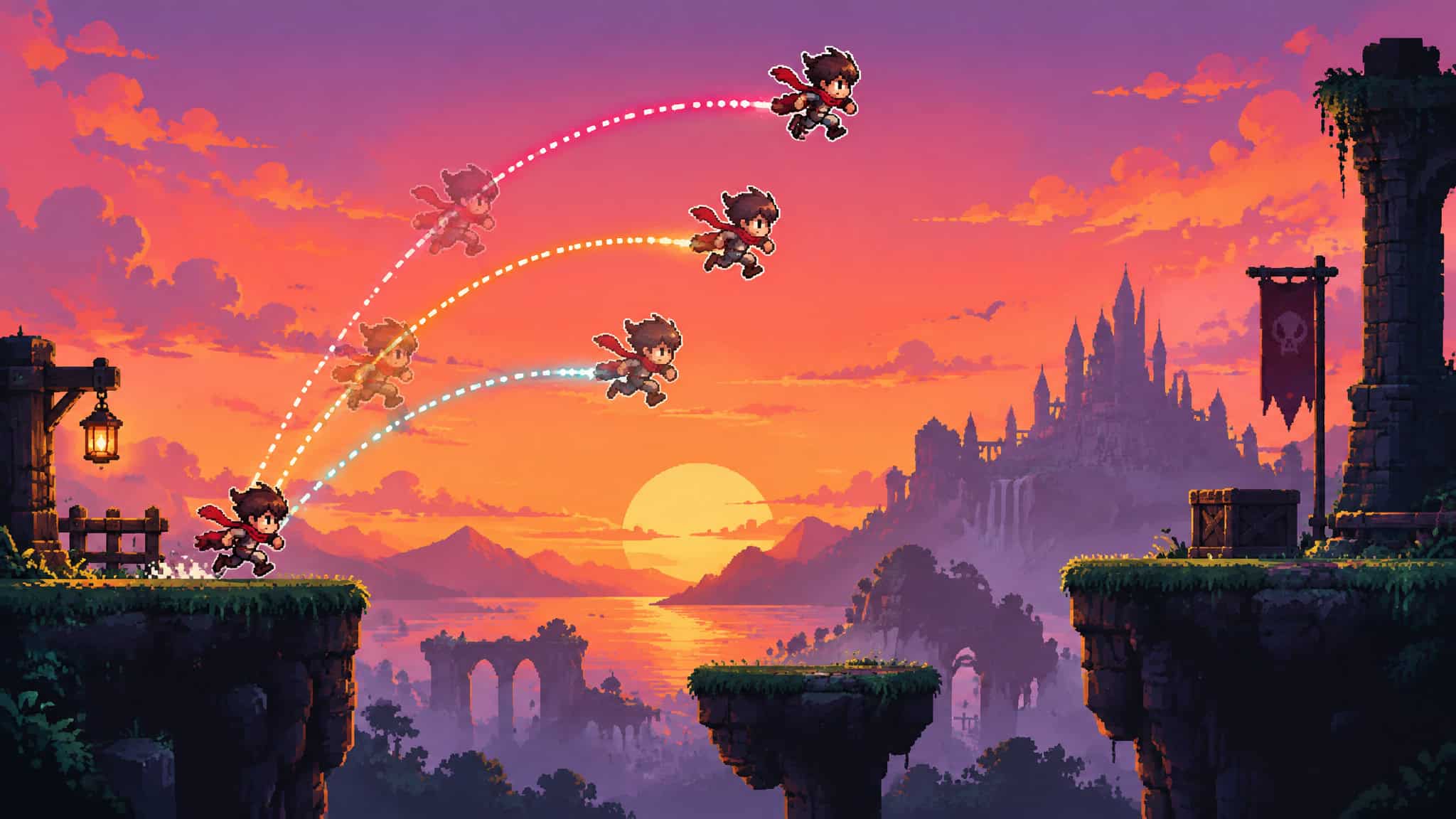
State-dependent jumps are where it gets nerdy in the good way. Momentum carries into the arc. A jump after a crouch goes higher. Mario 64 chains landings within a timing window, and the third consecutive jump is a somersault. Shooting mid-jump recontextualizes it into a target-locking somersault. Then there are the experimental ideas with maker-table energy: jump height proportional to attacker count (same spirit as Bangai-O’s special attack), jump distance tied to the run-cycle frame. Half of these probably don’t work, and that’s the fun part.
Tuning, feedback, and failure modes
The numbers behind fair one-button controls: average human reaction time is about 200 to 250 milliseconds, and device latency adds another 50 to 100. An unexpected stimulus can stretch reaction toward a full second, which is why predictability matters in design. Fun rabbit-hole fact: people react faster to releasing a key than pressing one, per Bjørklund’s 1991 study. And constant focus shortens reaction time, so design that demands less sustained attention is more forgiving. Visual clues such as a power bar with a drifting arrow marker help cover human timing limits.
The typical jam failure: a dev tunes obstacle speed to their own reflexes, it feels fine in dev hands, and it punishes average players once device latency stacks on human reaction. The published numbers are the budget. Use them instead of your gut.
Quick test: Before shipping, budget roughly 200-250ms of human reaction plus 50-100ms of latency for every obstacle, then add anything unexpected on top of that full second.
Then there’s the exploit problem: simplicity can collapse into mashing or endless holding for infinite points. The fixes are unglamorous: forbidden targets, resource costs, shrinking walls, mixed enemies and allies. Test for degenerate play patterns before you ship.
Simple mechanics shipping today: from game jams to Switch 2
The one-button constraint’s natural habitat is the game jam, and its commercial proof runs from a cited iPhone top-10 list featuring Badland, Tiny Wings, Canabalt, Whale Trail, and Jetpack Joyride to consoles, with the touch screen itself as one giant button.
Kirby Air Riders is the 2025 mainstream proof
Yes, Kirby Air Riders is a racing game: steering lives on the joystick and everything else on one button. City Trial even has players vote on a secret final arena before the last event, Road Trip runs a roguelike-style campaign, and the paddock lobby lets you emote and show off outfits, all on that same single button. Kirby Air Riders launched on Nintendo Switch 2, designed by Masahiro Sakurai as a sequel to the 2003 GameCube classic, with constant acceleration and one button handling brake, drift, and charge, released as a sprint. NPR’s November 19, 2025 review framed it as a radically stripped-down answer to Mario Kart, landing in a year crowded with cartoon-style racers (Mario Kart World was reviewed June 12, 2025; Sonic Racing: CrossWorlds sold 1 million copies in under a month). Copy abilities like fire and ice, machine quirks, and City Trial’s sub-10-minute matches with up to 16 players online round out the package.
At the indie end
One Button Games 5-in-1 Vol. 4, from Apapappa Games and publisher Xitilon, shipped for Xbox Series X|S, Xbox One, and Windows PC at £4.19: five tap-or-hold arcade micro-games, with a full All Volumes Bundle at £12.49. The series’ review trajectory climbed from 2.5/5 to 2/5 to 3/5 across volumes, so the trend is real even if the scores are modest. Prices may vary.
Fun first, format second
Whether a game uses one button says nothing about whether it’s any good. Design the exhilaration, tension, and risk/reward first, then compress into the format; minimalism is a container, not a virtue. And remember the rule players feel but never name: consistency and feedback outrank raw simplicity, which is exactly how Ikaruga’s binary mode system beat feature-rich shooters. Controls define the game. Decide them, and the rest follows.
Frequently Asked Questions
What are the basic game mechanics?
The basic mechanics every game shares are movement, attacking, and activation — that’s the starting point of Green’s One Button Games framework. In a one-button game, all three get compressed onto a single input, multiplied through timing, hold duration, and context. Natural rules like gravity, inertia, and torque act as free content that multiplies variations without adding inputs.
What are some common game mechanics?
The common one-button schemes are Pressed (tap to jump, flap, or fire), Hold (charge a shot, swing, accelerate), and Rhythm (the game reads your mashing cadence). Pressed is the workhorse for fast, reflexive actions; hold duration converts a binary input into continuous values like a slingshot angle; rhythm turns fast mashing into panic or effort and slow pacing into precision.
What is game mechanics?
Game mechanics are the rule systems that govern what players do and what happens in response. Simple mechanics just keep the interaction layer tiny — few inputs, immediate readability — while the underlying loop (one movement mechanic, plus a death condition, plus a score) does the heavy lifting. Flappy Bird is the classic case: one tap, one gravity constant, and your tapping cadence is the altitude control.
What are the basic game mechanics every game shares?
Movement, attacking, and activation — those are the three primitives Green’s One Button Games framework starts from. The framework then enumerates eight movement recipes, from gravity jumps to trajectory determined on release, plus timing variants that add hold-proportional jumps and release-triggered actions. The ideas carry over to multi-button systems and even idle games.
What are the limitations and tradeoffs of one-button game controls?
The main trap is overload: when a press’s outcome isn’t guessable in advance, the control becomes unreadable — one button carrying three meanings is clever, eight is noise. Toggles are especially risky because without visible state feedback the player can’t tell what their last press did. There’s also the exploit problem: simplicity can collapse into mashing or endless holding, so designs need friction like forbidden targets, resource costs, or mixed enemies and allies.
