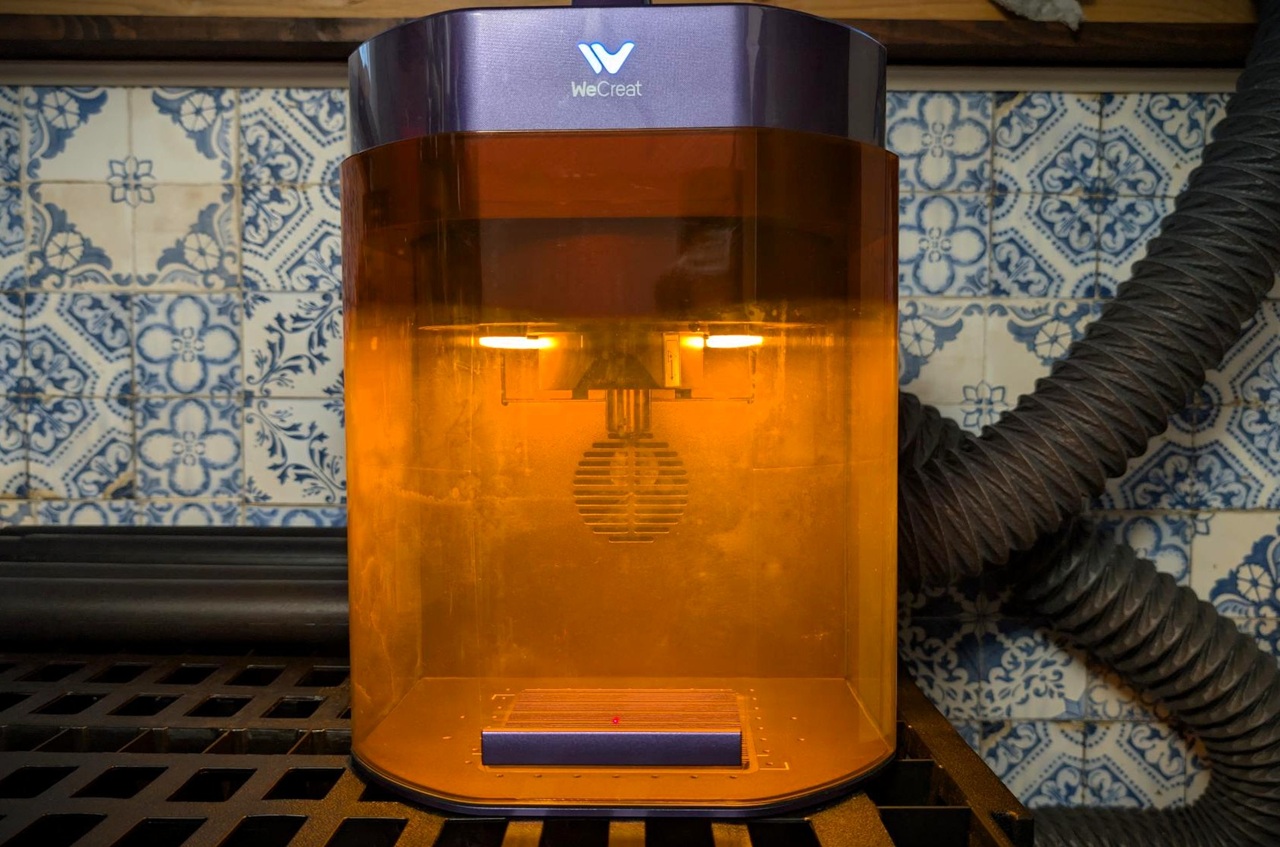
Yes, the WeCreat Lumo Flex is the best metal engraver, based on it’s price class. Sure there are better metal engravers, but they’re significantly more expensive. For the money, the WeCreat Lumos Flex is the best engraver in my opinion, and I’ve been in the laser engraving business for more than two years.
If you have a need for a metal engraver that can travel to a maker event, mark real metal, and still handle your wood-and-leather DIY queue? That is exactly the niche the WeCreat Lumos Flex is trying to fill.
I see it as a compact hybrid, not a factory replacement. Its 15W fiber laser handles direct engraving on metals, while its 15W diode laser covers wood, leather, slate, dark acrylic, and other common maker materials.
The real question is not whether it can engrave metal. It can. The better question is whether its speed, depth, size, and price fit the kind of work you actually plan to sell. I’ll break down the wins, the limits, and the higher-power options so you can make that call without guessing.
Key Takeaways
The WeCreat Lumos Flex combines a 15W fiber laser for metal with a 15W diode laser for nonmetal projects in one portable system.
WeCreat lists a maximum engraving speed of 10,000 mm/s, a 50MP positioning camera, and a 2.8 kg handheld-mode weight, which makes it a strong fit for pop-ups and small workspaces.
It can engrave stainless steel, brass, aluminum, copper, silver, and other metals, but deep relief engraving is still a slow, pass-heavy job on a 15W fiber source.
For thin metal sheet, WeCreat lists up to 0.3 mm stainless steel cutting capability. Treat that as a specialty use, not a substitute for a dedicated metal cutter.
The current listed U.S. sale price is $2,040, with a 30-day money-back window and a 12-month warranty. Prices and bundles can change, so check the final checkout total before buying.
Table of Contents
Key Features of the WeCreat Lumos Flex
The WeCreat Lumos Flex stands out because it avoids the usual maker-tool compromise. Most compact machines ask you to choose between a diode laser for DIY materials and an infrared or fiber laser for metal. This one gives you both laser types in the same chassis.
That matters if your product line crosses categories. I could use the fiber head for engraved aluminum tags, copper coins, or stainless steel tumblers, then switch to the diode head for wood coasters, leather patches, and packaging inserts.

Dual-Laser System: 15W Fiber and 15W Diode
The fiber laser operates at 1064 nm, a wavelength that metal absorbs far better than the blue diode beam. That gives the Lumos Flex a direct route to permanent marks on bare stainless steel, brass, aluminum, copper, silver, and many coated metals without relying on marking spray.
The 15W diode laser does a different job. Use it for wood, leather, paper, fabric, slate, dark acrylic, and many DIY blanks that a fiber laser would not handle well.
Related: Advantages of Laser Engraving
- Fiber laser: Best for metal tags, jewelry, serial numbers, color-mark experiments, and fine metal detail.
- Diode laser: Best for wood signs, leather patches, coasters, gift boxes, and craft-fair display pieces.
- Dual-laser value: Useful if you sell mixed-material products and do not want two separate machines taking up bench space.
- Practical catch: The two heads do not turn the machine into a high-power metal cutter. The fiber head is built first for engraving and shallow relief work.
Two laser types make the Lumos Flex flexible. The 15W fiber power level still sets the ceiling for deep metal work.
I also like that the handheld configuration weighs 2.8 kg. That is light enough to make on-site personalization realistic, especially for flat pieces, awkward objects, or quick booth work.
Maximum Speed: Up to 10,000 mm/s
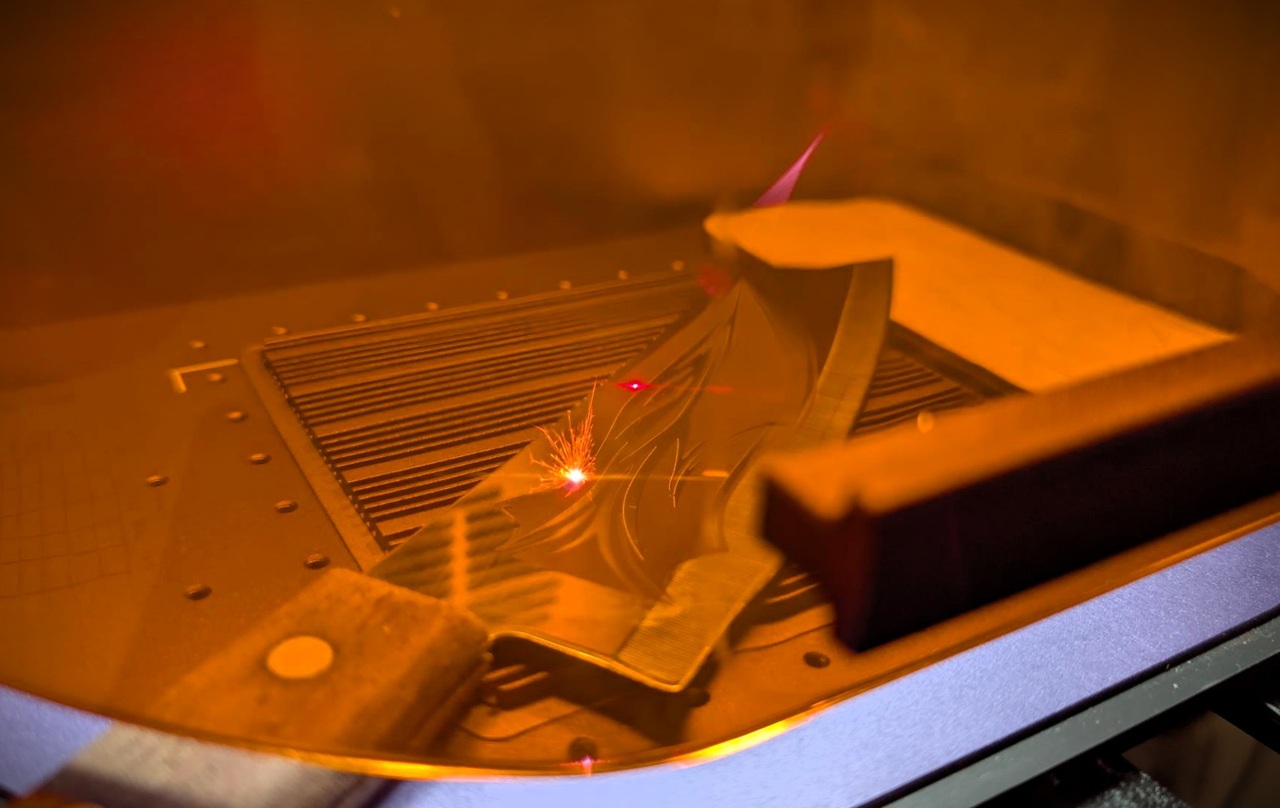
WeCreat lists a maximum speed of 10,000 mm/s, which is fast for a compact galvo-style engraver. A galvo system moves mirrors rather than dragging a heavy laser head across the work piece, so it can fill small artwork, text, QR codes, and logos very quickly.
That number is a ceiling, not a universal production setting. Fine logos, filled artwork, deep engraving, and dark high-contrast marks need slower speeds or repeated passes to put enough energy into the surface.
| Job type | How to use speed | Why it matters |
|---|---|---|
| Serial numbers and small logos | Start fast, then test contrast | These jobs benefit most from galvo speed. |
| Jewelry detail | Slow down for fine lines | Small text and tight curves need crisp edges more than raw speed. |
| Deep relief engraving | Use repeated passes and lower expectations | Depth comes from energy and time, not the headline speed rating. |
| Color marking | Run a parameter grid first | Frequency, power, speed, focus, and surface finish all affect the result. |
Related: Disadvantages of Laser Engraving
Portability: Lightweight and Compact Design
The Lumos Flex is most compelling for makers who need to move the machine. At 2.8 kg in handheld mode, it fits a very different use case than a heavy enclosed industrial bench laser.
I would use that portability for craft fairs, local markets, maker spaces, on-site corporate gifting, and mobile jewelry personalization. The 50MP camera also helps place artwork accurately, which can reduce wasted blanks when someone wants a name centered on a small tag or flask.
There is one tradeoff. Portability does not remove the need for a stable setup, controlled work area, extraction, and eye protection. A fast setup is useful only if it is also a safe setup.
Performance on Metal Engraving
For metal work, the Lumos Flex is far more capable than the original WeCreat Lumos with its 3W infrared laser. The jump to a 15W fiber source gives it more usable power for direct marking, relief engraving, and experiments with stainless color effects.
That said, I would judge it as a precision personalization machine. It excels at adding detail to small items. It is less convincing as a production tool for deep logos across hundreds of metal parts.

Deep Engraving Capability
The 15W fiber laser can create visible depth in brass, stainless steel, aluminum, and jewelry metals. It is a good match for monograms, coin-style designs, shallow texture, logos, and small 3D relief pieces where detail matters more than speed.
Deep engraving works by removing tiny layers over many passes. That is why the same artwork that looks great on a small pendant can become a long, expensive job on a large metal plaque.
- Use aluminum for early tests because it is affordable and easy to replace.
- Keep deep designs small, such as coins, rings, dog tags, pendants, and pocket-token blanks.
- Use a test matrix to compare power, speed, frequency, line spacing, and passes.
- Plan for cleanup. Deep engraving can leave debris that hides detail until you brush or clean the piece.
For deep metal relief, the Lumos Flex can deliver detail. Time is the cost you pay for that detail.
WeCreat’s own buyer feedback also points to the same reality: owners like the machine as an entry point into fiber engraving, while deep work can take a very long time. For a geeky workflow, that means logging your successful settings instead of re-discovering them for every material batch.
3D Metal Embossing
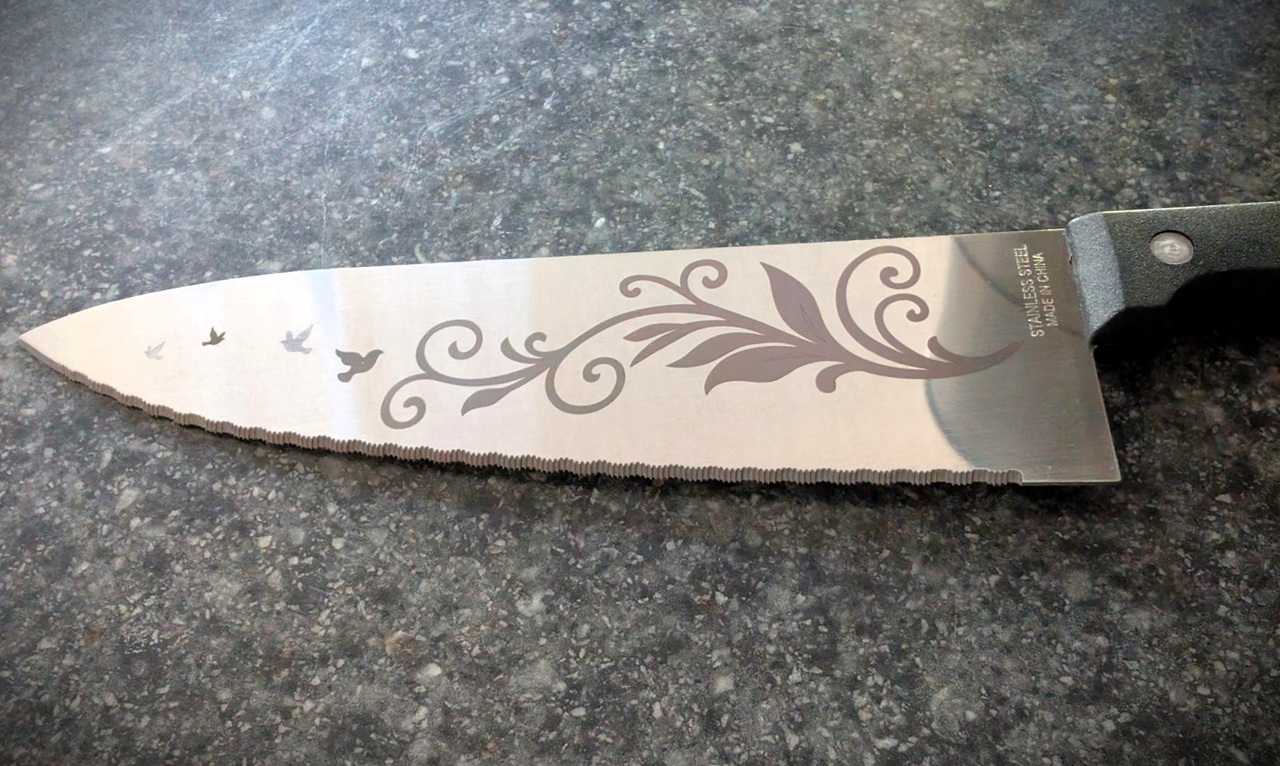
3D metal embossing is really controlled relief engraving. The laser removes more material from selected regions, creating raised and recessed areas that catch light differently.
The Lumos Flex can produce attractive results on small brass, silver, and stainless pieces, especially with vector artwork that has broad shapes instead of microscopic texture. I would reserve it for prototypes, premium one-offs, and small custom runs where a longer machine time still leaves room for profit.
Related: Diode vs CO2 vs Fiber Laser Engravers
For repeatable relief work, build the design around the machine’s strengths:
- Choose high-contrast artwork with broad level changes.
- Avoid hairline details at the deepest portions of the design.
- Run shallow test passes before committing to a full carve.
- Use the same metal alloy and surface finish for repeat orders whenever possible.
A 60W MOPA unit will remove material faster and is the better fit for a shop that sells deep engraved coins or molds every day. The Flex makes more sense when relief engraving is one part of a wider product mix.
Color Marking on Stainless Steel
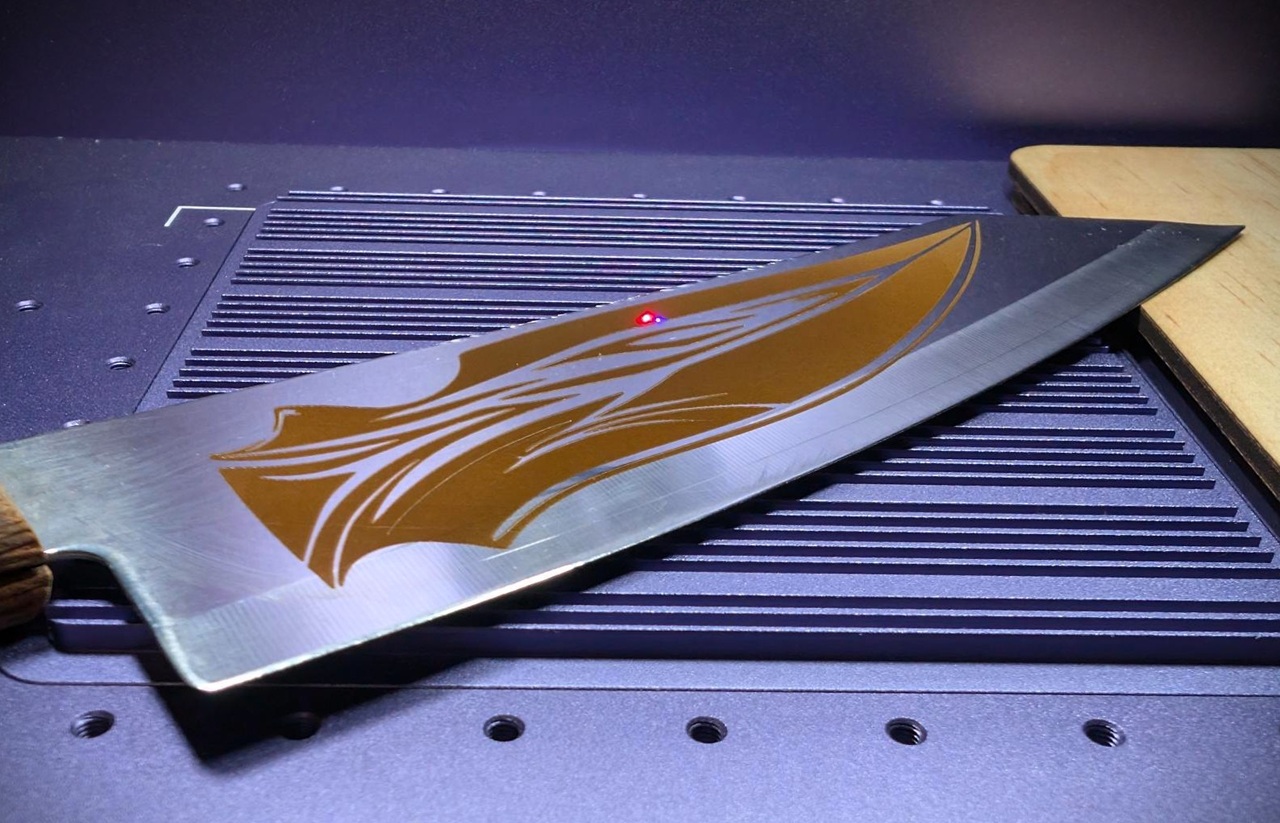
Stainless color marking is one of the more interesting reasons to own a fiber laser. The laser changes the surface oxide layer, and that altered layer can reflect blue, gold, purple, bronze, and other tones.
Results depend on the exact stainless alloy, polish level, focus, pulse settings, speed, and cleanliness. For that reason, I would never engrave a customer tumbler or finished knife without a test grid on a matching scrap first.
| Variable | What it changes | My practical move |
|---|---|---|
| Power | Heat delivered to the surface | Increase in small steps to avoid dull gray marks. |
| Speed | How long the beam stays over each area | Change one setting at a time so the result is readable. |
| Frequency | Pulse behavior and surface heating | Record successful values with the metal type. |
| Focus | Beam size and energy density | Test slight focus offsets instead of assuming perfect focus is always best. |
| Surface finish | Color consistency and reflectivity | Use matching blanks for production batches. |
The Lumos Flex can create decorative stainless effects, but it is not the same thing as a dedicated MOPA laser with wider pulse control. If color metal work is the core of your business, I would spend more for the stronger MOPA platform.
Limitations of the WeCreat Lumos Flex
The Lumos Flex has a clear lane. It is a portable dual-laser engraver with real metal capability, not a universal answer for thick stock or industrial production.
Knowing that early saves money. The machine feels like a smart buy for a maker who sells personalized goods, but it can become frustrating if you expect it to perform like a 60W or 100W metal system.

Power Constraints for Industrial Use
A 15W fiber laser has enough power for sharp marks, detailed personalization, shallow texture, and small relief work. It does not have the same material-removal rate as a 60W MOPA laser.
That gap shows up as longer cycle times, more passes, and lower output per hour. If your queue includes hundreds of identical metal plates, tools, components, or deep-logo pieces, machine time will become the bottleneck.
| Machine class | Best use | What to expect |
|---|---|---|
| 15W fiber, Lumos Flex | Portable personalization, jewelry, tags, mixed DIY products | Good detail and flexibility, slower deep engraving. |
| 60W MOPA fiber | Frequent metal production, color marking, deeper relief | Higher output, more bench space, much higher cost. |
| 100W fiber or MOPA fiber | Heavy engraving and thicker-metal cutting needs | Fast material removal, specialized setup, serious budget. |
The xTool F2 Ultra offers a 60W infrared MOPA laser, a 40W diode laser, and a listed maximum speed of 15,000 mm/s but is significantly more expensive. The ComMarker B6 is another stronger fiber option, with MOPA configurations aimed at faster metal engraving and color work.
If your business needs a machine to earn its keep every day, calculate revenue per machine hour before you shop. A lower purchase price does not help if long runtimes block the next order.
Inefficiency in Cutting Thick Metal
WeCreat lists the Lumos Flex for very thin metal sheet work, including up to 0.3 mm stainless steel. That is useful for light-gauge pieces, foil-like stock, and certain personalized blanks, but it is not a practical route to cutting thick stainless or hardened steel.
Trying to force a 15W engraver through thicker metal creates heat buildup, slow progress, rough edges, and a high chance of wasted material. It also ties up the machine for a job that a more powerful fiber system could handle far more efficiently.
- Use the Flex for: engraving, marking, shallow relief, thin aluminum cards, thin metal tags, and small decorative metal pieces.
- Do not buy it for: regular thick-sheet cutting, production metal fabrication, or long unattended cutting sessions.
- Clamp flat stock: movement can spoil focus and distort a detailed mark.
- Watch heat: let small batches cool when the workpiece becomes hot to the touch.
For safety, treat reflected beams and fumes as real hazards. The FDA warns that direct or reflected laser exposure can injure eyes, and a powerful laser can also create skin and fire risks. Use the supplied enclosure or approved shielding, wavelength-rated eyewear when the enclosure is open, and active fume extraction.
Alternative Options for Metal Engraving
Choosing an alternative depends on what you need more of: deeper metal work, faster output, larger working space, or better support for curved items. Do not compare only wattage, because laser type, software, camera positioning, enclosure design, and accessories shape the real workflow.
High-Power Industrial Laser Machines
For a business that engraves metal all day, I would move up to a 60W MOPA machine before trying to push the Lumos Flex beyond its natural role. The higher power shortens deep-engraving time and gives more room for demanding stainless, brass, aluminum, and copper jobs.
The xTool F2 Ultra is the stronger all-in-one alternative for makers who want 60W MOPA metal capability plus a 40W diode laser for wood and organic materials. Its listed 220 mm by 220 mm internal work area and 15,000 mm/s maximum speed make it more suitable for volume work, though it is far less portable than the Flex.
The ComMarker B6 is worth a look if your focus is metal rather than mixed-material cutting. Its MOPA fiber setup is built around metal engraving, color marking, and deeper relief work, so it makes more sense for a dedicated metal product line.
| Option | Best for | Reason to choose it |
|---|---|---|
| WeCreat Lumos Flex | Mobile makers and mixed-material shops | 15W fiber plus 15W diode in a portable package. |
| xTool F2 Ultra | Higher-volume mixed-material production | 60W MOPA metal laser plus 40W diode laser and larger enclosed workflow. |
| ComMarker B6 | Metal-first personalization and deeper engraving | Stronger MOPA fiber options for faster metal work. |
Final Thoughts
So, is the WeCreat Lumos Flex the best metal engraver? For every buyer, no. For a geeky maker who needs portable metal engraving plus a capable diode laser for DIY work, it is one of the more interesting compact options.
I like the core hardware mix: a 15W fiber laser for stainless steel, aluminum, brass, and copper, plus a 15W diode laser for wood, leather, slate, and dark acrylic. The 2.8 kg handheld-mode weight, 50MP camera, 10,000 mm/s listed speed, rotary support, and LightBurn compatibility make it easy to see why it appeals to mobile personalization sellers.
The price is easier to justify if you use both heads. As of September 2026, WeCreat lists the base Lumos Flex at $2,040, down from $2,790, with a 30-day money-back period and a 12-month warranty.
Its limit is power. The WeCreat Lumos Flex can mark metal beautifully and create small relief projects, but deep engravings require patience and thick-metal cutting is outside its sweet spot.
I would buy it for jewelry, engraved tags, premium gifts, small metal signs, craft-fair personalization, aluminum cards, and product lines that also use wood, leather, sublimation blanks, or DTF transfers. I would skip it for heavy production, deep coin runs, thick stainless cutting, or any workflow where every minute of machine time matters.
If your priority is flexible, portable metal engraving, the Flex is a strong pick. If you need industrial-speed metal work, spend more on the xTool F2 Ultra, the ComMarker B6, or another higher-power MOPA fiber system.
People Also Ask
Is the WeCreat Lumos Flex the best metal engraver?
It is a strong contender, it delivers fine precision, solid laser power, and easy software, but the best choice depends on your projects and budget.
What makes the Lumos Flex stand out?
It gives repeatable, clean marks, works on many metals, and runs simple software. The frame feels sturdy, so small shops can start fast.
Who should buy this metal engraver?
Shops, makers, and hobbyists who need fast, consistent engraving will like it. If you make custom tags or small items, it saves time and cuts errors. For heavy duty, high volume work, look at higher power machines first.
Are there downsides or things to check before buying?
Check warranty, local support, and spare part access, those things matter. Also match laser power, engraving area, and noise to your work.
