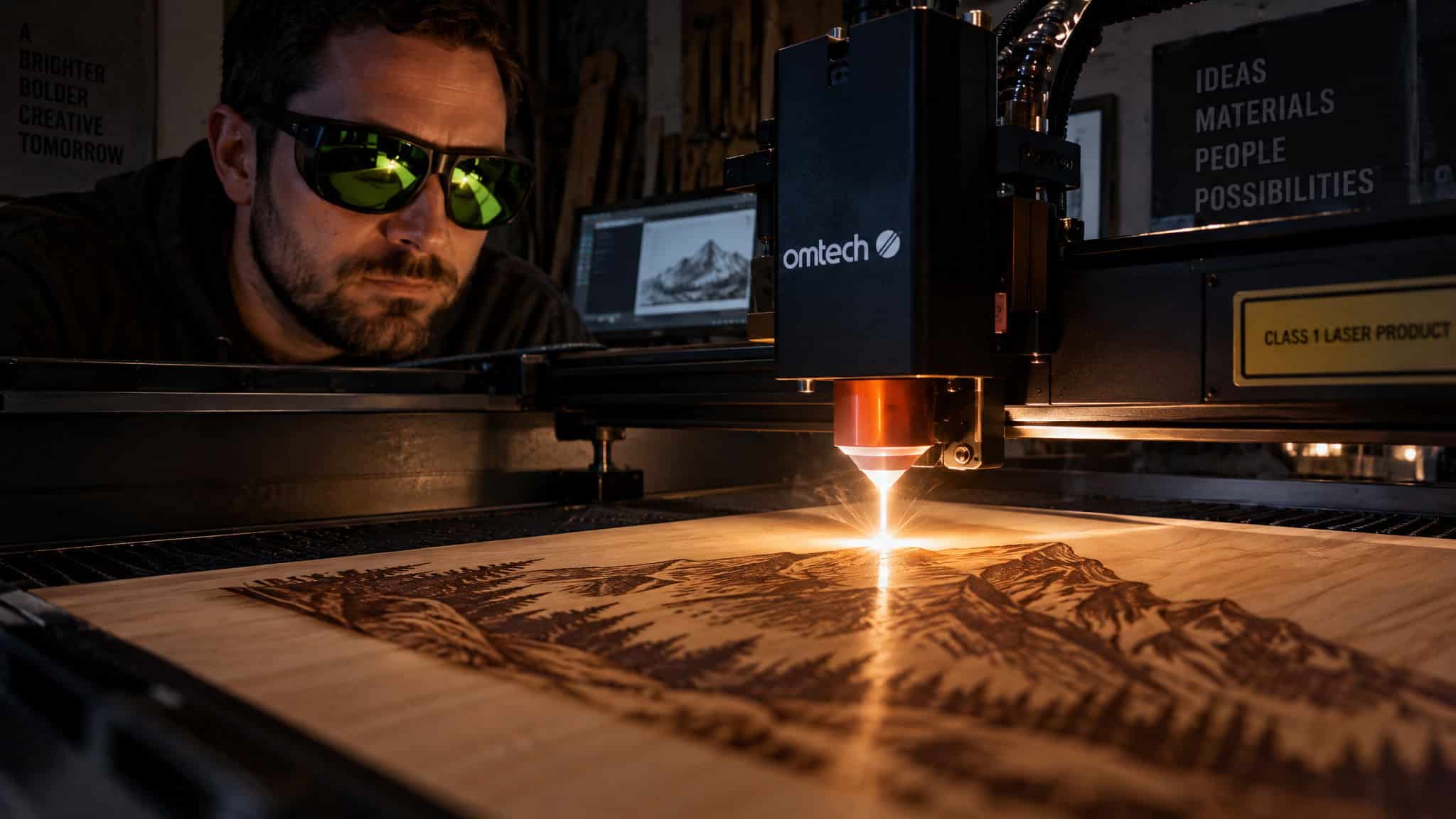
Buying a laser engraver isn’t one purchase. Every material that goes under the beam gets checked for PVC and ABS first, which makes ownership a chemistry-vetting job. It’s signing up for a supervision shift, because there’s no queue-and-walk-away mode on this machine. The safety-and-extraction equipment list isn’t an accessory bundle. It’s the actual product you’re buying; the machine is the thing that comes with it.
And the honest disadvantages of laser engraving aren’t one big secret danger. They’re a stack: the direct physical risk to your eyes, the fire hazard that demands you never leave a job running, the fumes and air quality problem, the material restrictions that turn “can I engrave this?” into a research task, the cost of ownership that starts after the sticker price. Then there are the two downsides almost everyone skips: the permanent supervision time tax, and the market pressure that squeezes anyone who tries to sell their output. GeekExtreme exists to cut through the hype, so let’s run the numbers.
Key Takeaways
Direct or reflected laser light causes permanent, irreversible eye damage in seconds; ~$30 wavelength-rated glasses are the best ROI in the entire setup.
CO2 tubes die every 1-3 years at several hundred dollars per replacement, and the full ownership stack (extraction, extinguisher, enclosure, glasses) means the real first-month spend runs well past the sticker.
Never laser PVC, vinyl, ABS, polycarbonate, fiberglass, adhesive foam core board, or coated carbon fiber; PVC releases chlorine gas that can kill the machine on its very first cut.
Table of Contents
You can watch, but the beam itself doesn’t forgive
Yes, you can watch a laser engraver work safely from a distance with the protective cover closed; the hazard is the beam itself, because direct or reflected light causes permanent, irreversible eye damage in seconds. Not “get some eye drops” damage. Done, forever, faster than your blink reflex. That’s the whole reason laser safety isn’t optional, and it’s the one disadvantage on this list that doesn’t undo.
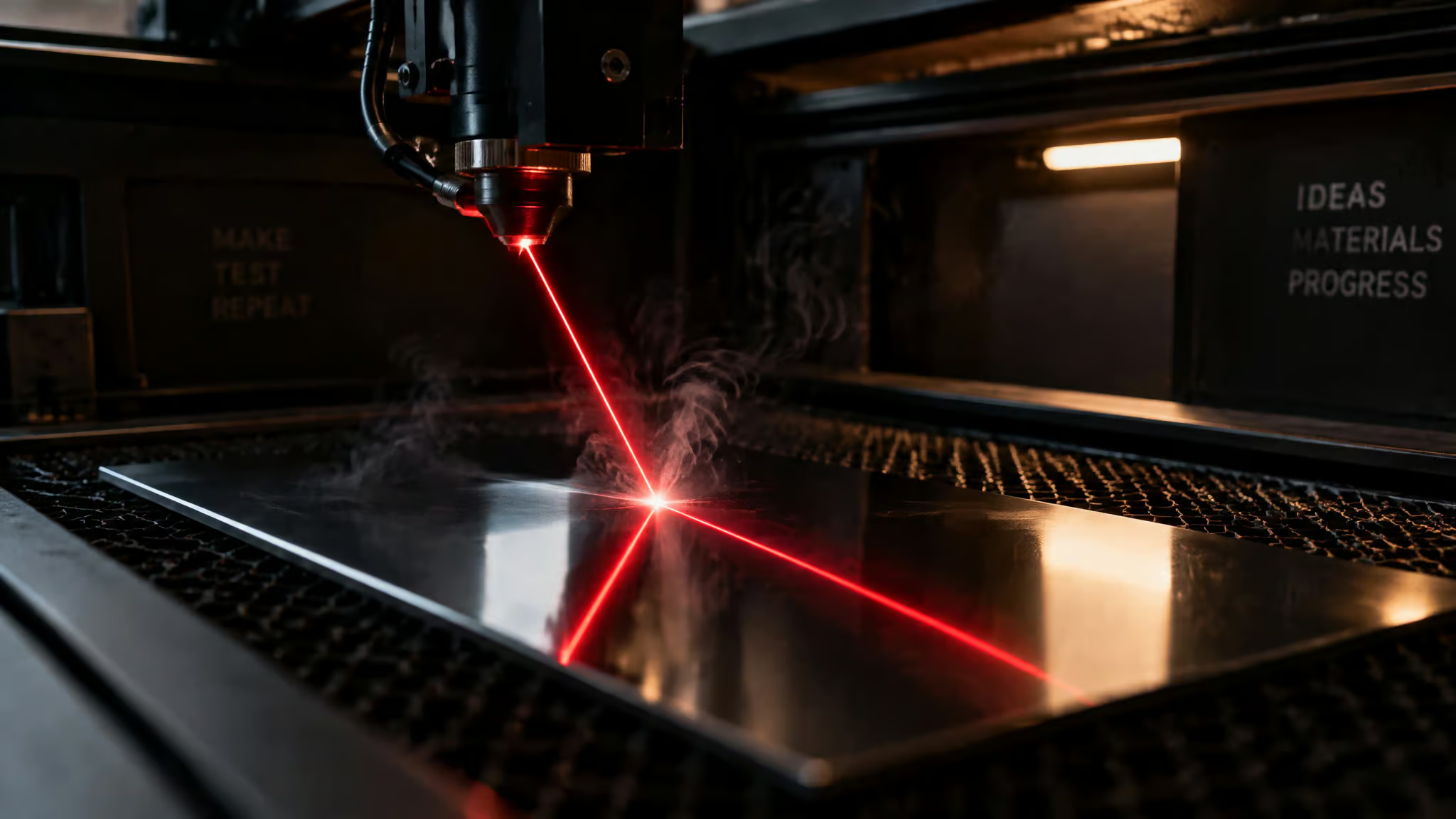
The reflection you didn’t plan for
The sneaky path is the one careful makers miss: polished and mirrored surfaces bounce the beam somewhere unexpected. Maker communities have documented a recurring pattern where an engraver ruins their machine’s own lens with reflected light before realizing the same bounce could have hit their eyes. The machine got hurt first. You might not be that lucky twice.
The practical rule: wear glasses rated for your machine’s specific wavelength every single time it runs, not just during setup. A pair runs about $30, which makes it arguably the best return on investment in the whole rig. No replacement tube covers your eyes.
The beam doesn’t care what it hits
Direct beam contact burns skin. That’s the entire point; the output is real energy, and your hand is just another target if it gets in the way. One clean line item, no drama needed.
The shock hazard hiding in the enclosure
These are high-power machines with real wiring inside, so electrical shock belongs on the list. Sketchy wiring or a beat-up machine is where the risk lives. Regular maintenance cuts electrical and mechanical failure risk, boring checkups, real payoff. It’s the unglamorous repo hygiene of laser ownership.
A laser engraver can absolutely start a fire, which is why the supervision never ends
Yes, a laser engraver can genuinely start a fire. It’s a tiny controlled fire machine, which is exactly why it should never run unattended. Sparks, smoke, and occasional flare-ups come standard as the beam burns through material. That’s not a defect; that’s the operating principle. It’s a desk gadget that is, structurally, a very polite arsonist.
The fire-prone list is worth knowing cold: paper, fabric, acrylic, layered cardboard, stacked papers, and some foams. Leave a job running alone and it can finish as scorched material or worse, so the maker-forum rule applies: don’t leave it running while you’re gone. Period. An extinguisher within reach is bench-setup basics, same tier as owning a screwdriver. Glowforge, the consumer-friendliest brand in the space, makes monitoring mandatory and puts fire at the top of its own risk list. And keep children and pets out of the work area; that protects them and your work.
Two quick mentions here because they’re fire-adjacent, with fuller treatment later: HDPE melts instead of cutting, and beams bounce unpredictably off mirrors, untreated glass, and copper.
Here’s the real payload, and it’s the reframe most buyers miss: supervision is a permanent time tax. You can’t queue a job and walk away, ever. Every “passive” desktop machine quietly converts into active labor on every single run. That’s a cost, and nobody prices it in.
Field note: Every run needs a person within arm’s reach of an extinguisher. If your workflow can’t absorb that, budget for it before buying.
Laser fumes are a genuine chronic risk, and the chemistry is unpredictable on purpose
Yes, laser engraving fumes are a real hazard: the beam releases Laser-Generated Air Contaminants, and repeated exposure without extraction is a genuine chronic risk. LGAC stands for Laser-Generated Air Contaminants, which is the geeky shorthand for what the laser turns the air into: chemical vapors, aerosols, and smoke. Carnegie Mellon University and the Board of Laser Safety both document this, and most cutting machines are Class 3B or Class 4, the classes where it applies.
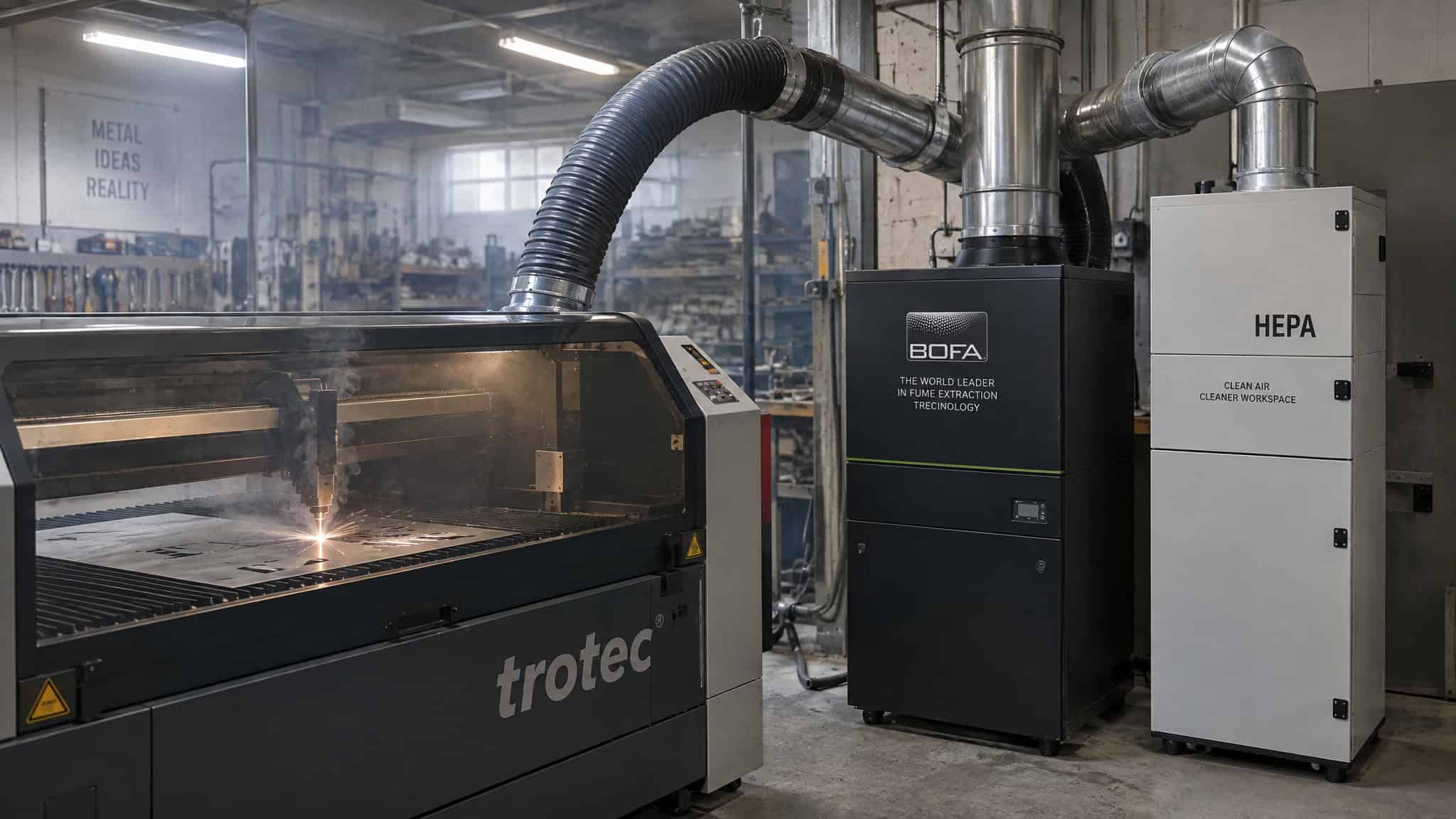
The Board of Laser Safety’s mechanism takes two sentences: the beam’s heat expands the surrounding air, hot treated materials offgas, and what those particles actually are depends entirely on the material under the beam. Worth noting: ANSI labels most enclosed consumer machines Class 1, yet the enclosure stops the beam, not the air. “Enclosed” doesn’t mean “fume-free.”
Why the chemistry is unpredictable
Russ Sadler’s model is the kind of rabbit hole this site exists for, and it explains why material checking is a safety necessity rather than fussiness. Laser energy makes already-jiggling warm molecules jiggle faster. Shake them hard enough and they break apart into atoms that recombine with whatever’s nearby. Safe or nasty comes down entirely to what you put under the beam. Same machine, same settings, completely different chemistry.
Short-term warnings vs. long-term exposure
Your body runs an early-warning system, and the short-term symptoms are: eye irritation, headaches, nausea, and throat discomfort. Specifics land harder than “toxic fumes,” so here they are: lasering plastics, paint, and synthetics can release chlorine, formaldehyde, and hydrogen cyanide.
The trap is that the smells sound familiar. Acrylic gives off a scent like melted plastic; leather, one like a bonfire. That’s exactly why fumes get ignored; your nose tells you it’s fine when it isn’t. And almost anything you laser makes some fumes you don’t want, so the fix is removal, not material paranoia.
Long term, chronic respiratory problems are linked to repeated exposure without extraction. One vendor source also reports potential lung and liver damage; treat that as reported, single-source, medium confidence, not settled fact. The distinction that matters: a weekender’s exposure life looks nothing like an operator running jobs all day. And the social proof is hard to argue with. Schools, makerspaces, and factories all run filtration, because the people around these machines daily don’t treat it as optional.
Fume extraction and ventilation are required equipment, not accessories
Fume extraction and ventilation are required equipment for a desktop laser engraver, not optional accessories, especially in a home studio where jobs run for hours. Without moving air, smoke, dust, and fumes pile up, and that’s a two-front problem: your lungs suffer and your machine suffers, because that gunk attacks the hardware too. Even the hardware wants the fan. Working outdoors significantly cuts risk if that’s an option for you.
The nuance people get wrong: a respirator supplements extraction but never replaces it. The real combo is an extractor plus PPE, belt and suspenders.
Charcoal plus HEPA: a two-filter team
Filtration tech divides labor cleanly. Charcoal filters absorb chemical vapors and gases. HEPA filters catch dust and metal particles. They have to run in tandem to cover all material types, and both need changing on a schedule.
For serious setups, HVAC exhaust is the third leg. For classrooms, small businesses, and solo artists, portable extractors deliver real filtration without an HVAC project, and they move with you.
Which answers the home question directly. A garage with real airflow, or outdoor work, is genuinely workable. An apartment isn’t a hard no, but open-air venting isn’t trivial there, so you need to plan extraction deliberately rather than assume the window handles it.
Never laser PVC, vinyl, ABS, polycarbonate, fiberglass, adhesive foam core board, or coated carbon fiber
No, never laser engrave PVC, vinyl, ABS, polycarbonate, fiberglass, adhesive foam core board, or coated carbon fiber: each one fails in a specific, documented way. This isn’t a vague “be careful with plastics” list. Each entry names its material’s exact byproduct, and most byproducts hit both you and the machine.
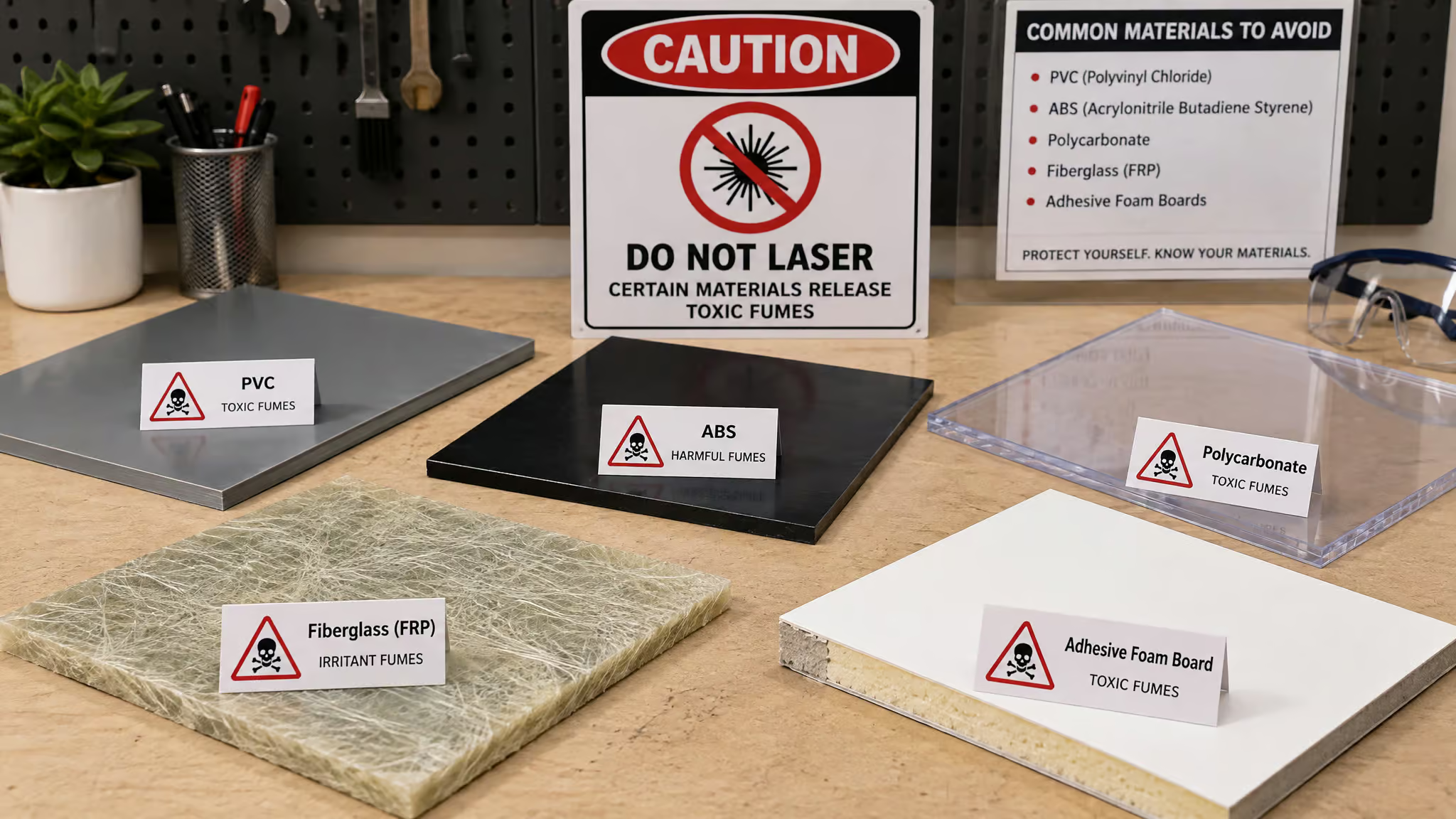
PVC and vinyl ? chlorine gas. The big one. Cutting PVC releases toxic, corrosive chlorine gas that damages lungs badly. Worse, the chlorine forms acids inside the machine and can kill it, possibly on the very first cut.
Glowforge community threads report machines destroyed by exactly that. PVC tops basically every prohibited-materials list across sources, and that level of consensus is rare enough to point out. The field pattern shows up repeatedly in maker forums: someone cuts a mystery plastic, then metal parts corrode and optics fail afterward. The tell is the sharp chlorine smell, and by the time you smell it, the lens and rail damage is already done. Quick aside for the 3D-printing crowd: some resins carry the same chemical risk as PVC, so don’t assume everything in your bin is laser-safe.
Red flag: A sharp chlorine smell mid-job means the machine and your lungs are already taking damage. Stop, vent, and identify the plastic before cutting anything else.
ABS ? hydrogen cyanide. It deserves the specific chemical name. Cutting ABS gives off toxic fumes, hydrogen cyanide among them, hitting operator health and equipment, a double loss. And thanks to 3D printing, odds are good there’s a sheet of it already on your bench.
Polycarbonate ? cresol and yellow, sooty residue. This one’s less a health emergency and more a fail: it burns poorly, smokes, leaves residue that’s bad for you and the machine, and produces bad cuts and engravings even setting health aside. Technically legal, practically useless.
Fiberglass ? toxic fumes plus airborne particles. The two-front problem again. Glass fibers in a resin matrix means both halves of the composite bring their own hazard.
Adhesive foam core board ? the adhesive is the problem. Foam between paper or plastic layers, common in signage. The foam is fine; the glue fumes when cut.
Coated carbon fiber ? may emit dangerous gases. Cool material, wrong tool. Keep the “may”; the hedge is the honest part.
HDPE: the melted-cheese mystery, solved
HDPE deserves its own subsection because it fails differently: it melts instead of cutting. Around 260°F (126°C) is all it takes, which is why your cut lines come out looking like melted cheese. This is the milk-jug, cutting-board, soda-bottle plastic, so it’s everywhere. Two practical notes: molten plastic sticks to skin and burns, so let melty pieces cool before handling, and expect a mess even when everything goes right.
Safe materials, substitutions, and the research burden nobody budgeted for
Running a laser engraving machine safely comes down to a short checklist: extraction and ventilation on, wavelength-rated glasses on, known-safe materials only, a fire extinguisher in reach, and never leaving a running job, plus an MSDS check for anything you can’t positively identify, even when working on laser machine for jewelry engraving with delicate metals. That’s the core of it. Everything else in this article is the explanation of why each item earns its line.
The safe whitelist is short and friendly: wood, acrylic, leather, fabric, paper and cardboard, glass. Even the whitelist has footnotes, though. Glass likes backside engraving or marking spray, and acrylic is fine but flammable if settings drift off.
If you’re unsure about a material’s reflectivity, the internet already ran this experiment, and the same goes for longevity how long does laser engraving last? Search first, because the answer varies wildly by material, coating, and laser type. Then there’s the in-between tier, the materials that fight back. Mirrors and untreated glass bounce the beam unpredictably and give patchy results; workarounds exist, like engraving the back of coated glass or using marking spray.
Copper could theoretically bounce light back into the machine. In a delightfully calibrated forum take, a Glowforge forum author admitted they’ve never actually seen it happen and still skips copper, which is exactly the right nerd-confidence level. Reflective metals take more learning than wood or acrylic, not a hard no.
Substitutions: don’t mourn, swap
The hacker move is swapping, not grieving:
- PVC ? PET or PETG
- Polycarbonate ? acrylic or PETG
- ABS ? acrylic or HDPE
- Fiberglass ? wood or acrylic
- Adhesive foam core ? laser-compatible foam core (vendors make these specifically)
The laser-friendly alternatives ecosystem is wide. You’re not losing creative options, you’re rerouting them.
The MSDS habit and the unknown-material rule
When a material is uncertain, the material safety data sheet is the authoritative toxicity document. Check the combustion or thermal decomposition sections, and get it from the manufacturer. Honest admission: these docs are genuinely hard to read. Sympathy, not gatekeeping.
The rule underneath everything: if you can’t positively ID it, don’t laser it until it’s confirmed safe. Mystery plastic stays mystery. Different machines have different limits too, so your manual is the final authority. RTFM, affectionately. And search maker forums before trying anything new; someone already tried it so you don’t have to.
Here’s the hidden cost to name plainly: “can I engrave this?” is now a research task requiring MSDS literacy that most buyers never planned for. That’s a real disadvantage of laser engraving, the flip side of its planned advantages, even if it never shows up on a spec sheet.
The true cost of ownership: the sticker price is only the entry fee
The hidden costs of owning a laser engraver are the required add-on stack plus a consumables calendar, not just the sticker price. The typical first-time owner discovers that the real first-month spend runs well past the price tag once extraction, glasses, and an extinguisher are actually on the bench, plus the material to attempt the cool things to laser engrave you actually bought the machine for, whether that’s custom keycaps, keyboard plates, or dice. Here’s the stack:
- ~$30 wavelength-rated glasses (match them to your laser’s wavelength)
- Fume extraction with charcoal + HEPA filters
- Fire extinguisher
- Enclosure
- Maintenance schedule
- A CO2 tube on a 1-3 year horizon
On the glasses, one more time because it matters: they’re arguably the best ROI in the whole setup. No replacement tube covers your eyes. Tinted shields around the machine add another layer.
Then the consumables calendar. CO2 tubes die every 1-3 years, and replacements run several hundred dollars. Lenses and mirrors need cleaning weekly with regular use and eventually replacement; belts and rails need periodic inspection. The tell that you’ve skipped maintenance shows up in your output: crisp engravings turn fuzzy.
And if you’re selling work, maintenance is a non-negotiable business cost, not an afterthought. Downtime is lost jobs.
Here’s the per-type economics that generic cost articles skip, and it’s genuinely interesting. CO2 is effectively a consumable subscription: predictable, medium-sized, recurring. Fiber is the opposite. Fiber sources last tens of thousands of hours, which is honestly impressive, but when they fail, it’s rarely a ~$200 fix.
Major repairs can run into the thousands. Rare failures, big bills. So CO2 bills you in steady installments and fiber gambles it all on one shot.
Some context on why tube economics are the default experience: CO2 lasers have been around since the early 1970s and still set the versatility standard, which is why most buyers land on them. On machine prices, the honest answer is that the sources don’t give price ranges, so we won’t either. Price the machine tier you need, then add the documentable stack on top. That’s the real answer.
No risk-free tier: every laser type trades a different disadvantage
The table is the point. There’s no power tier without a catch.
| Type | Power | Typical work | Risk tier | The catch |
|---|---|---|---|---|
| Diode | 1-10W | Hobby, wood, acrylic | Low to moderate | Capability ceiling |
| CO2 | 40-150W | Wood, plastics, leather, glass | Moderate | The tube subscription |
| Fiber | 20-100W | Metal marking, industrial | Moderate to high | Four-figure failure mode |
| Industrial | 500W+ | Steel, large-scale | High | Full compliance stack |
A line of history, because it’s good trivia: laser cutting has been used industrially since 1965, starting with diamonds (yes, diamonds, and yes, that’s delightful), and CO2 lasers followed in the early 1970s, extending cutting to non-metals like fabric. The point isn’t nostalgia. It’s that the tradeoffs above are fifty-plus years of engineering maturity, not teething problems. Every tier here is a deliberate trade.
What lasers can’t do: shallow depth, focus quirks, and the finish that betrays you
Here’s an observation from watching this space closely, and it’s ours: standard lasers mark a shallow surface layer. Deep engraving or curved-surface work needs a rotary fixture or a different process entirely. The recurring expectation gap goes like this: buyers assume one machine handles deep metal stamping or curved items like rings, then discover the rotary attachment is an extra purchase and an extra workflow they hadn’t planned for. That’s a genuine disadvantage, and it’s physics, not product shortcomings.
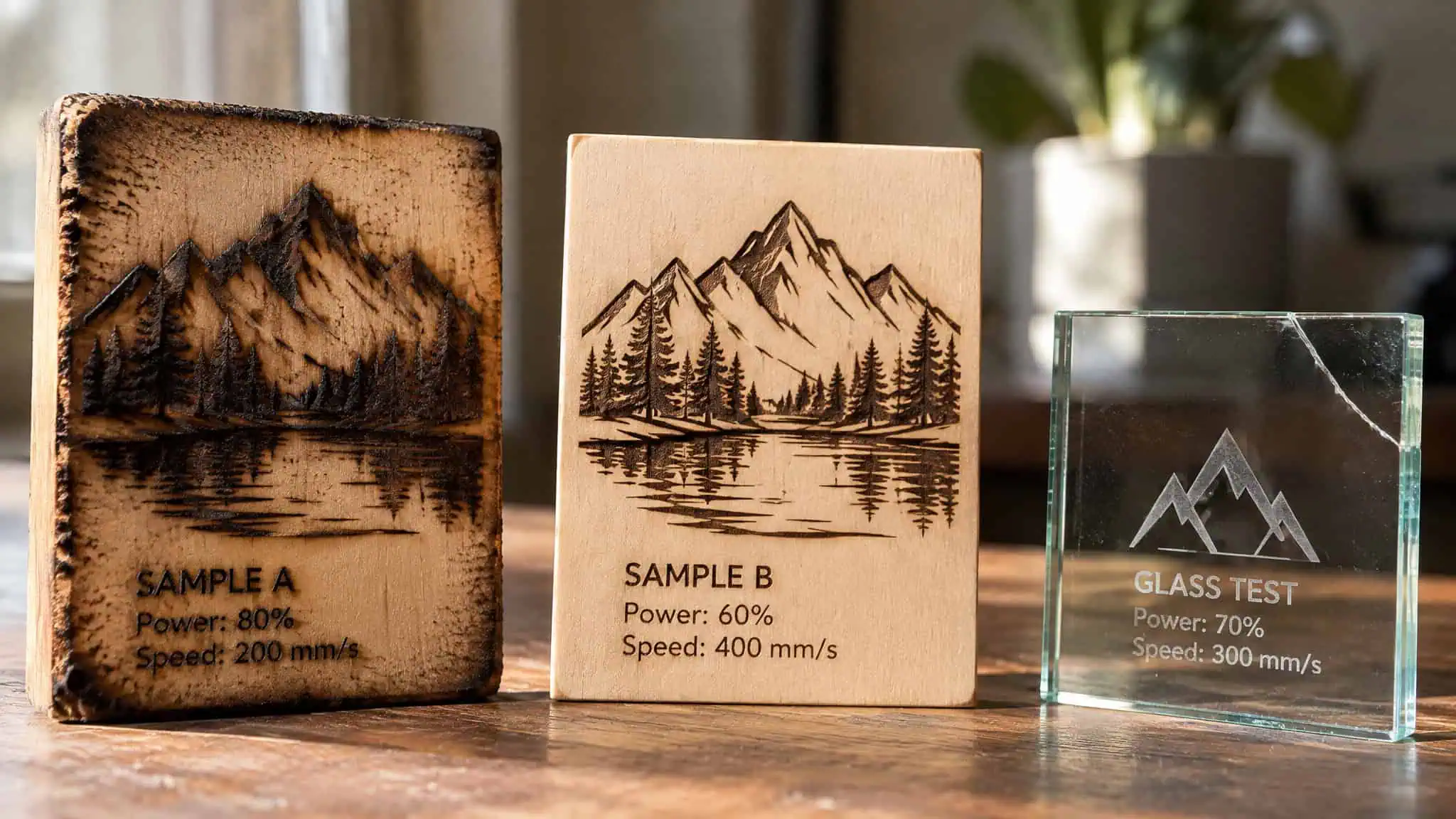
On the advantages-and-disadvantages ledger against traditional engraving: the laser’s trade is speed and precision for depth. It alters the surface by heat rather than cutting into it, and a single pass gives you one tone. No ink, no multi-color. On durability, engraving physically alters the material rather than sitting on top like ink, which is a real advantage, but the sources carry no lifespan data for wood, metal, or glass, so we won’t promise “lasts forever.”
Focus systems and their edge cases
Fixed-focus means manually measuring and setting the laser height for every job. It’s time-consuming, honestly kind of tedious, and human-error-prone; forget it once and you get blurry or shallow output, the classic “why does my result look bad” bug. Auto-focus handles material thickness automatically, which is better, not magic. Transparent or warped materials trick the sensor, and curved items like rings still need manual settings. Even the smart feature has its kryptonite.
When the finished piece turns on you
Even the finished piece has failure modes. Wood scorches at the edges and needs sanding or sealing. Leather curls or warps under heat. Stone and glass can develop microfractures: tiny, initially invisible cracks that weaken the piece.
The sobering example, and it’s a reported one, not ours: an engraved glass award that cracked when the recipient picked it up, weeks after passing every check. Worst possible moment for a hidden flaw to win.
Mitigation is unglamorous but works: dial in speed and power, always test on scrap. Calibration discipline is a quality cost, not fussiness.
The learning curve is behavioral, not technical
The most common beginner problems with laser engraving aren’t software; they’re settings trial-and-error, unlearned safety rituals, and material vetting. You’ll wrestle with speed and power settings regardless of what control software you run, and expect early burn failures to test your commitment before your first good piece. Everyone’s first few coasters look like toast. That’s not gatekeeping; that’s onboarding.
The standard advice is standard because it works: the best laser engraver for beginners is a low-power diode, since the 1-10W tier matches beginner error rates. Start on wood or acrylic, which are forgiving and thoroughly documented. Read the manual thoroughly. Yes, it’s the boring advice.
It still works. Keep the extinguisher nearby, skip unknown plastics and painted surfaces until verified, and keep children and pets out of the area.
But here’s the honest read we keep coming back to: the steepest part of the curve isn’t technical at all. It’s behavioral. Glasses, extraction, supervision, and material checking have to become an every-single-job ritual, not setup-day work. The day you skip the ritual because the job is “just a quick one” is the day the disadvantages stop being theoretical.
Etsy saturation and the margin squeeze: the price war is structurally unwinnable
Laser engraving is worth it for a small seller only if you sell niche trust instead of competing on price. Look at Etsy: it’s wall-to-wall personalized items, with cheap alternatives pouring in from overseas manufacturers. The squeeze fits in one image: a customer sees a $20 mass-produced cutting board and asks why yours is $50. You can’t out-cheap a factory. A solo engraver can’t undercut bulk-material, factory-scale efficiency, so the price war is a game that’s lost before it starts. The realistic play is the niches mass producers can’t compete in, heirloom-quality woodwork, corporate gifting, wedding décor, ultra-fast local turnaround, where price matters less than value.
The counter-move: refuse the war
Profitable niches exist where mass producers can’t follow: heirloom-quality woodwork, high-end corporate gifting, and local turnaround measured in days. The concrete case is instructive: one wedding-décor business sells fully personalized packages, signs, glassware, and favors, all delivered within weeks, at premium prices, because those buyers are shopping for trust, service, and a memorable product, not the cheapest object on the shelf.
Which points at the durable disadvantage hiding under all the physical ones: surviving as a seller requires deliberately refusing the price war, and that’s a business skill, not a machine skill. The laser is the easy part.
From garage to shop floor: the compliance stack scales with the machine
The machine is the same hobby; the overhead is not. Walk it up the ladder. In your garage, the stack is glasses, extraction, an extinguisher, and attention. In a classroom, schools and building managers carry an explicit duty to keep students protected at all times, so the stack becomes institutional. On a shop floor, it formalizes completely.
The logic is simple: industrial lasers are more powerful, so standards are stricter. The requirements list reads like a checklist because it is one: enclosed machines with safety interlocks, industrial-grade fume extractors, formal staff safety training, OSHA-aligned standards, and regular maintenance to prevent malfunctions.
Remember the ANSI breakdown from the fumes section: most enclosed machines are Class 1, while open Class 3B and 4 systems carry both the fume and the beam hazard. Adoption cost isn’t a property of the laser. It’s a property of where you run it.
The go/no-go frame
Here’s the counterweight, stated like a hobbyist defending the bench: laser engravers are not inherently dangerous. Handled properly, with protective gear, safe materials, and ventilation, they’re fine at home, in schools, and in industry. Credit where it’s due: consumer models ship with enclosures, interlocks, and auto-shutoff, and engineering-for-safety that compact is genuinely cool.
None of these drawbacks argue against the craft. They argue for planning ventilation, eye protection, and a maintenance budget from day one. So before you buy, write down four things: your ventilation plan, your eye protection, your material whitelist, and your maintenance calendar. Commit to all four and every disadvantage in this article is a managed cost. Can’t commit to them, and the honest answer is that the laser isn’t your tool yet.
That’s not a verdict against you. It’s the machine telling you what it needs, in the only language it has.
People Also Ask
Is laser engraving worth it?
Yes, if you treat it as a system purchase rather than a machine purchase. Worth it means committing from day one to a ventilation plan, wavelength-rated eye protection, a vetted material whitelist, and a maintenance calendar — the laser itself is almost incidental to that stack. Skip the planning and the real drawbacks, like permanent supervision and consumable costs, stop being managed costs and start being accidents.
Is it safe to watch a laser engraver, or can reflections damage your eyes?
Watching from a distance with the protective cover closed is fine — the hazard is the beam itself, and direct or reflected light causes permanent, irreversible eye damage in seconds. The sneaky path is polished and mirrored surfaces bouncing the beam somewhere unexpected; makers have ruined their machine’s own optics with a stray reflection before realizing the same bounce could have hit their eyes. Wear glasses rated for your laser’s specific wavelength every single run — at about $30 a pair, it’s the best ROI in the whole setup.
How dangerous are laser engraving fumes, and can long-term exposure make you sick?
Serious enough to plan around. The beam produces Laser-Generated Air Contaminants (LGAC) — chemical vapors, aerosols, and smoke whose composition depends entirely on the material — and lasering plastics, paint, and synthetics can release chlorine, formaldehyde, and hydrogen cyanide. Short-term symptoms include eye irritation, headaches, nausea, and throat discomfort, and repeated exposure without extraction is linked to chronic respiratory problems, with some sources also reporting potential lung and liver damage. The trap is that the fumes often smell familiar — acrylic like melted plastic, leather like a bonfire — so your nose tells you it’s fine when it isn’t.
What hidden and ongoing costs come with owning a laser engraving machine?
The sticker price is just the entry fee. The real first-month spend includes wavelength-rated glasses (~$30), fume extraction with charcoal and HEPA filters, a fire extinguisher, and an enclosure. Then the consumables calendar kicks in: CO2 tubes die every 1-3 years at several hundred dollars per replacement, and lenses and mirrors need weekly cleaning with regular use. The economics split by laser type — CO2 bills you in predictable installments, while fiber sources last tens of thousands of hours but can fail with repairs running into the thousands.
What are the most common problems beginners run into with laser engraving?
Settings trial-and-error, unlearned safety rituals, and material vetting — the steepest part of the curve is behavioral, not technical. You’ll wrestle with speed and power regardless of what software you run, and forget the height measurement on a fixed-focus machine once and you get blurry or shallow output. Expect early burn failures before your first good piece, which is why the standard advice is starting with a low-power diode on forgiving, thoroughly documented materials like wood and acrylic.
How long does laser engraving last?
It outlasts surface treatments by nature: engraving physically alters the material rather than sitting on top like ink, which is a genuine durability advantage. But there’s no universal lifespan figure — longevity varies wildly by material, coating, and laser type, so research your specific combination before promising a customer anything. ‘Lasts forever’ oversells it.
