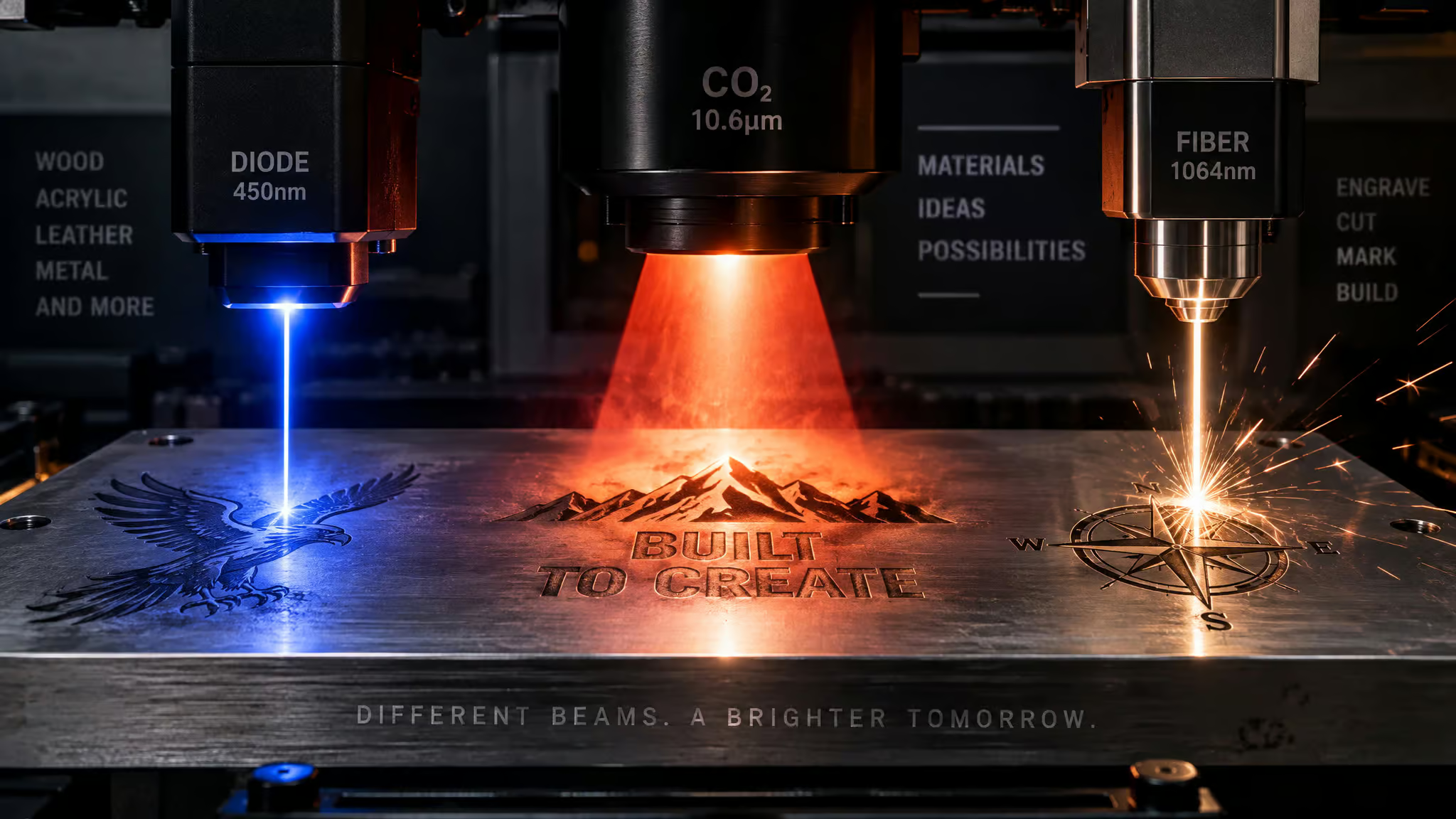
Wavelength and beam quality, not the wattage on the listing, decide what a laser engraver can actually mark: a fiber laser at ~1064 nm couples straight into bare metal, a CO2 laser at 10.6 µm mostly bounces off it, and a blue diode at ~450 nm gets only modest absorption, while power density (laser power concentrated into spot size) determines how much of that absorbed energy turns into a crisp mark. That’s the whole game. Three technologies sold under one “laser engraver” label span roughly $300 to $20,000, and the price gap tracks the physics, not marketing budgets. Three of the four wavelengths worth memorizing are right here: fiber ?1064 nm, CO2 at 10.6 µm, blue diode around 450 nm.
The fourth, UV at 355 nm, waits in its own section later. And underneath the wavelength story sit three laser fundamentals that each earn their keep: coherence gives you sharp edges, monochromaticity enables precise targeting, and directionality lets the beam focus into tight paths fine enough for intricate work.
Credit where due: the comparison this piece leans on comes from Grant Burrage, who has run Thunder Laser machines since 2020, with technical review from Chris Myers. I’ve cross-checked the numbers, but I haven’t personally torched a stainless tag with any of these, so recurring buyer stories show up here as patterns, not workshop anecdotes.
Key Takeaways
Fiber lasers (?1064 nm, M² 1.1-1.3, 20-40 µm spots) dominate bare-metal marking because metal absorbs that wavelength efficiently; CO2 at 10.6 µm needs a marking compound to mark metal at all, and blue diodes (~450 nm) cap out at shallow 5-30 µm spray-assisted marks on stainless.
2025 pricing still stands as of this writing: hobby diodes $300, $1,500, desktop 20 W fiber $2k, $4k, 30-60 W MOPA fiber $5k, $10k, UV 3-7 W $5k, $12k, dual-laser workstations $12k, $20k+, with lenses, fume extraction, and software as real adders.
Match the machine to the material, not the wattage: CO2 for wood, leather, and clear acrylic; fiber for steel, brass, titanium, and serial/UID codes; diode for budget work on anodized aluminum and coated surfaces; UV for glass, ceramics, and cold-marking oddities like fruit.
Table of Contents
Why wavelength decides everything
Here’s the number that sorts the entire market: 1064 nm versus 10,600 nm. Same “laser” label, a wavelength gap of nearly a factor of ten, wildly different machines. Trotec quotes fiber at 1.064 µm; Thunder’s FAQ rounds to ~1,070 nm. That near-infrared wavelength is why metals drink fiber energy so readily, and it’s the whole reason fiber wins on bare metal.
When the wavelength couples efficiently, three good things happen at once: fast, high-contrast marking, true engraving depth, and a smaller heat-affected zone than either CO2 or diode can manage. Honestly kind of elegant. Trotec cites beam intensity up to 100x CO2 on metal; that stat is theirs, and it lands without me rounding it up.
CO2 at 10.6 µm is the inverse case. Bare metal barely absorbs it, so without help you get faint oxidation and discoloration, and that’s the ceiling. No compound, no disappointment isn’t quite how it goes: no compound means exactly that faint smudge.
The blue diode has two failure modes on metal. First, bare metal only modestly absorbs ~450 nm light. Second, and this one is fun: blue light passes straight through clear acrylic and glass without being absorbed at all. The light literally goes through the material.
Want to mark glass on a diode? You need surface treatment first, because there’s nothing for the photons to hit. UV at 355 nm is the oddball we’ll get to later: it breaks chemical bonds instead of burning.
The payoff of knowing this: you can predict from a material alone which laser works, before reading a single listing.
Beam quality and spot size: the spec wattage hides
Fiber lasers are generally better than diode lasers for engraving bare metal, and the reason is wavelength coupling plus beam quality. Power density is simply power divided by spot area, and spot area is governed by a number most listings never print: M², a beam-quality figure where 1.0 is a theoretically perfect beam and higher numbers mean a fuzzier one. Nothing gatekeepy here, just ask for it.
The numbers tell the story. Fiber machines run M² 1.1-1.3, with 1.5 or below recommended, and focus down to roughly 20-40 µm spots through a 160 mm F-theta lens. Multi-emitter diodes often run M² above 2, producing elongated rectangular spots around 80-150 µm on gantry systems. Put those side by side and the consequences follow directly: rougher edges on the diode, and poor readability on micro-text or small DataMatrix codes where the fiber’s tight spot stays legible.
Two machines with identical wattage on the box can produce radically different marks, and this is why. The consensus view, which checks out, is diodes for budget wood and leather work, fiber for metal, and the M² figures are one reason that split holds.
Field size matters too. 70×70 or 110×110 mm F-theta fields hit the sweet spot for crisp marks on stainless and aluminum, and lenses are interchangeable: 110, 150, or 300 mm fields trade sharpness for area. Small field, sharp marks.
Blue diode engravers: the budget tier and its quantified metal ceiling
A cheap 10W diode laser can mark stainless steel, but only shallowly. You’ll need a spray or coating, multiple slow passes, and you’ll land somewhere between 5 and 30 µm deep, honestly, that’s a surface treatment, not engraving. Reliable marking at this tier also wants ?10 W true optical power, a compressed-spot lens, and rigid mechanics, so the coating is only part of the recipe.
What diodes actually do well is more interesting than the metal story. Anodized aluminum bleaches cleanly with minimal depth, which is their best metal trick. Date codes on powder-coated housings, logo fills on plated brass tags, the occasional QR or serial at 100-300 mm/s: all legitimately good jobs. Price is the whole pitch: hobby diodes run $300, $1,500 and compact diode galvos $4,000, $8,000, well under comparable CO2 or fiber.
If you’re going the metal-marking route, the checklist that separates working setups from disappointing ones: at least 10 W of true optical power (advertised watts lie; watch for that), a compressed-spot lens, rigid mechanics, and coatings or sprays to give the light something to absorb. And there’s a pattern worth naming: first-time buyers expecting to engrave stainless on a hobby diode, then posting a forum thread asking why their marks are shallow and fading. The expectation was the bug, not the machine.
Here’s the paradox I like: diodes are the most efficient and longest-lived of the three, over 40% wall-plug efficiency and roughly 50,000 hours of life, yet they’re the worst of the three on bare metal. Efficiency and capability measure different dimensions. Both numbers are true; they don’t compete.
The IR module workaround
One clean escape hatch: add-on 1064 nm IR modules, like the diode+IR pairing in the xTool F1, give a cheap machine actual fiber-wavelength metal capability. Not fiber-grade throughput, but the right wavelength.
Trotec Speedy 100 cross: diode engineering done right
If you want to see what happens when someone takes the diode seriously, look at what Trotec shipped in 2025. The Speedy 100 cross combines eight single-emitter diodes, knife-edged and polarization beam-combined, into a single 40 W 450 nm beam. The module mounts at the rear of the machine with the beam guided by mirrors, which makes it up to 4x faster than module-on-axis diode machines. Specs, rapid-fire: 2.8 m/s engraving, 4 g acceleration, over 40% efficiency, a 1.5 kg module, a quiet fan, and no shelf-life aging of the source.
Tiny wizardry. This is what happens when optical engineers get hold of the budget tier.
CO2 engravers: non-metal dominance and the priced metal workaround
CO2 lasers engrave clear acrylic, glass, and thick non-metals that diode and fiber machines handle poorly or not at all. That’s the headline. Wood, leather, fabric, thick acrylic and MDF, and here’s the subtle but decisive edge: CO2 cuts all acrylic colors, including clear, which diodes can’t touch because blue light passes right through (see above). Vaporization gives CO2 real depth cutting, so it doesn’t just mark, it cuts through, making it the kind of laser machine for engraving that handles fine detail work on delicate pieces. Powder-coated tumblers are a great use case: the coating strips off without harming the stainless underneath.
The metal compound workflow, fully priced
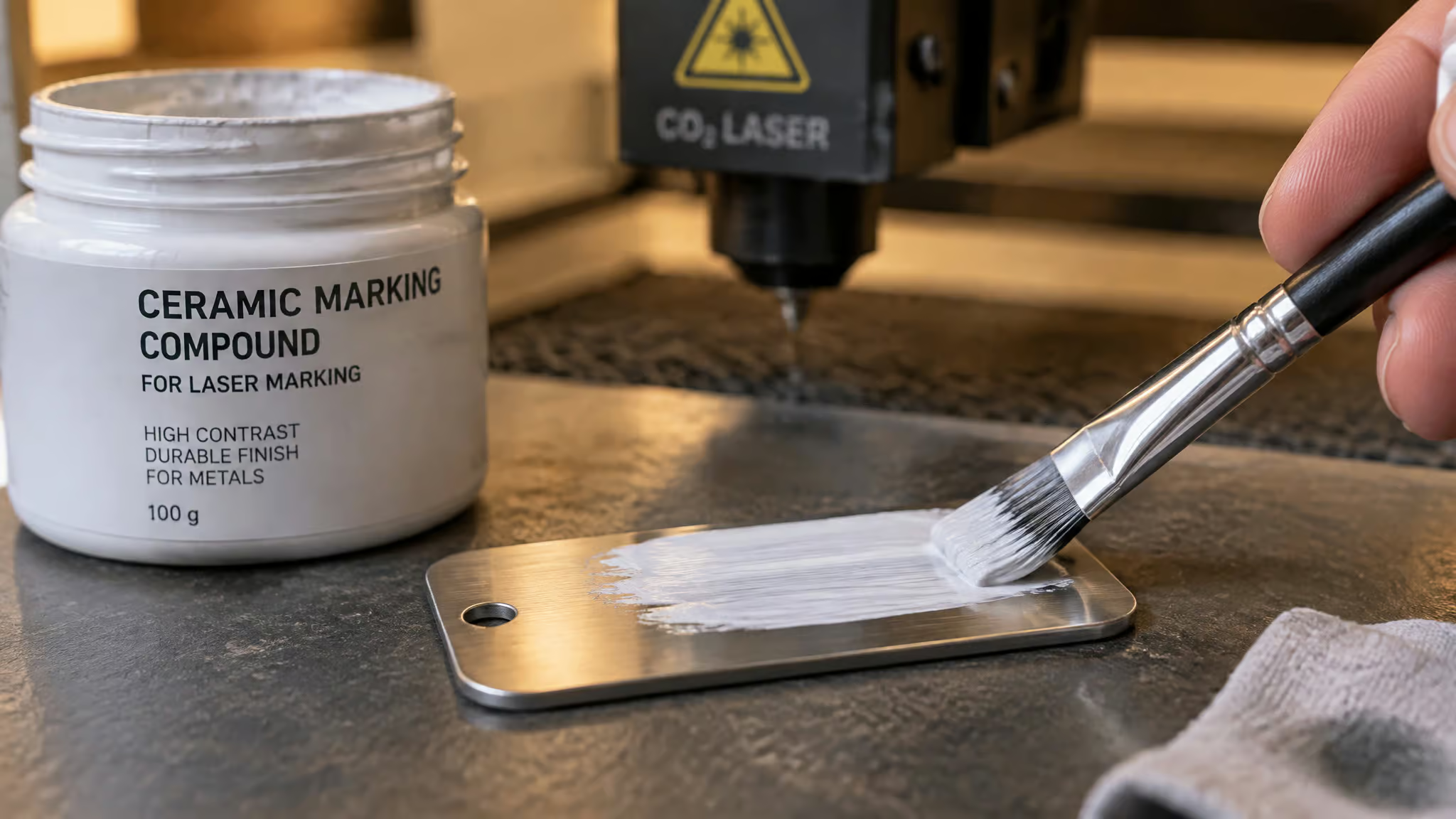
The bare-metal workaround is a marking compound, a ceramic or metal-oxide paste that bonds under heat into a durable dark mark. Genuinely clever chemistry. But run the full cost stack before committing:
- Apply a thin, uniform 10-20 µm wet film and let it air dry.
- Get focus precise, then run multiple fast passes rather than one slow burn, which avoids warping.
- Starting points: 40-60 W, 200-300 mm/s, 300-600 dpi, 1-3 passes, characters larger than 2 mm. On gantry systems, 100-300 mm/s is realistic.
- Consumables run $0.10, $0.30 per square inch, plus post-mark cleaning.
Two hard limits: compound marks are durable but depth-negligible, it’s a coating, not engraving, and DataMatrix codes below about 1 mm are unreliable on CO2. If you need tiny serialization codes, this isn’t your machine.
The pattern shows up over and over: a shop tries compound for occasional metal tags, discovers uneven coats, spends minutes cleaning each mark, and hits sub-1 mm code failures. The math only works if metal jobs are genuinely rare.
When CO2 plus compound beats buying a fiber
If your workload is mostly non-metal with occasional large-character metal IDs, stainless asset tags, anodized aluminum serials, the CO2 stays in the shop and the compound handles it. Bonus: anodized and painted metals mark fine with no compound at all.
Maintenance reality
CO2’s cost of doing business: around 8% wall-plug efficiency, noisier cooling, and a tube that gets replaced, plus mirror and lens upkeep. Not all CO2 machines age the same, though: many run water-cooled glass tubes with shorter lifecycles, while RF-excited tubes last longer, with the One Laser XRF as the cited example. That’s the honest cost of the versatility, not a reason to dismiss the technology.
Fiber engravers: Q-switched vs MOPA and what each wattage tier buys
Here’s the wattage answer up front. 20-30 W handles fast part IDs, UID and QR codes at 300-600 mm/s, and black annealing. 30-60 W is the step up when you need deeper marks in stainless: think 0.2-0.5 mm on cutlery using roughly 50-60 W, 30-60 kHz, 200-400 mm/s, and multiple passes. 100-200 W pulsed MOPA is the overkill tier, and overkill is sometimes correct: that’s rust removal plus deep engraving territory. For most serializing and logo work, an entry benchtop 20-60 W unit covers it.
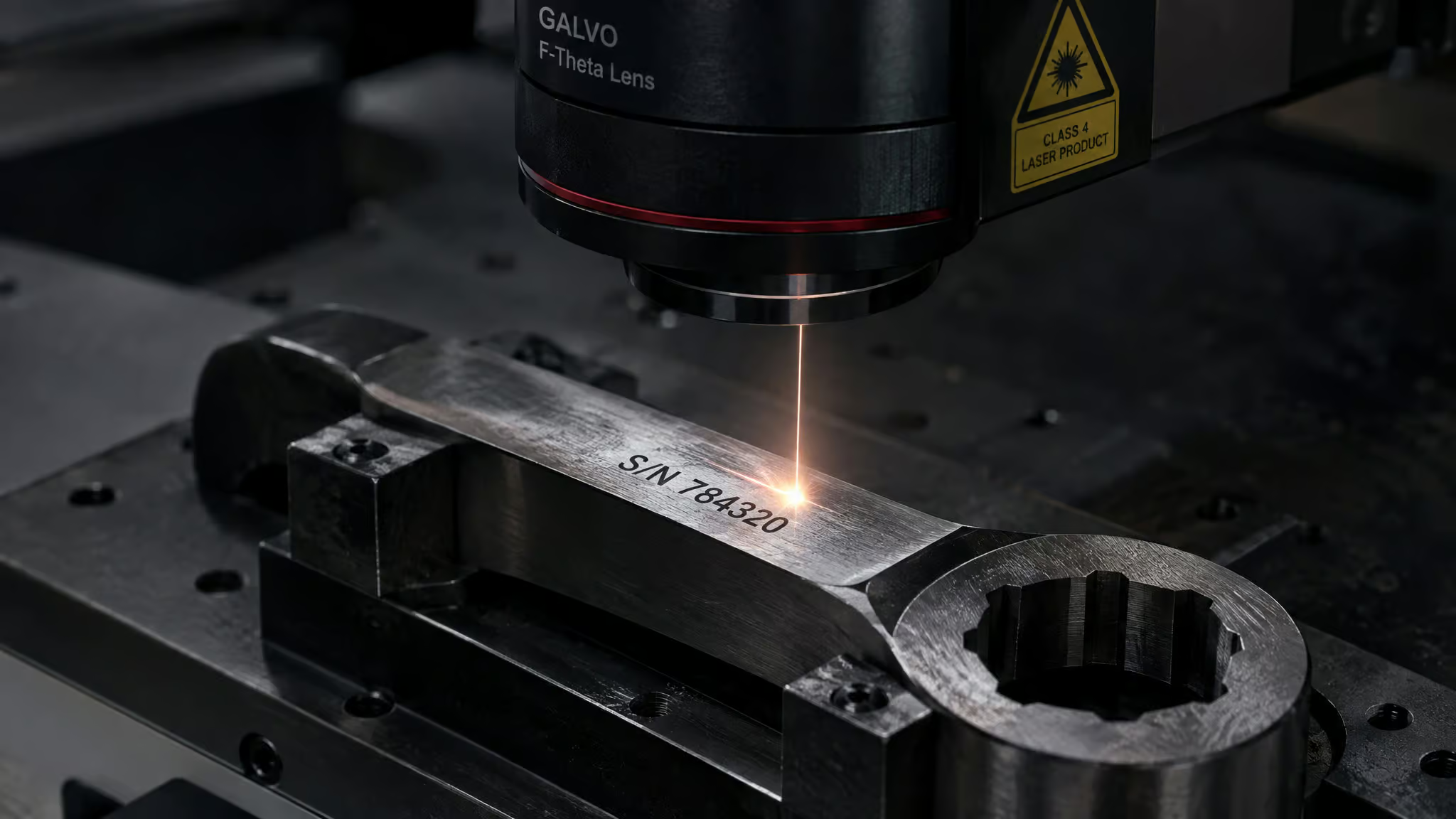
These parameter windows are starting points to iterate from, not recipes. Every alloy and finish shifts the numbers.
MOPA: same wavelength, more knobs
A MOPA fiber laser shares the 1064 nm wavelength but lets you tune pulse duration and frequency, which unlocks behaviors fixed-pulse machines can’t do. The party trick: color marking on stainless via controlled oxidation. You’re growing a precise oxide layer that reads as color. This is wild and I love it.
The tunable pulses also mean gentler processing on thin metals and some plastics, plus genuine deep engraving. The practical upshot: a 30 W MOPA is not a 30 W generic fiber, even though the listings would have you think so.
The marks people actually ask for
The black anneal is the everyday workhorse, the mark you’ve seen on every tool: high frequency around 150-200 kHz, 100-250 mm/s, moderate power, raising an oxide layer without gouging the surface. And jewelry hallmarking is the niche that surprises people: starting points of a 20-30 W MOPA at 150-300 mm/s, 60-100 kHz, 30-60% power produce deep, legible hallmarks on 18K gold or sterling silver. Fiber reaches craft-scale work, no problem. Color marking extends to knives, watches, and tags too.
Throughput reality, honestly stated
A 30-60 W galvo fiber runs at 1-3 m/s, which is a different speed class from any gantry machine. But depth costs time: 0.1 mm of depth on tool steel may take 10-30 passes, about a minute. Be honest with yourself about that when planning production.
Quick-pick configs, if you want shortcuts: a 30 W MOPA whose 110×110 mm field suits everyday industrial ID work; 60 W for heavy depth; MOPA with a 160-210 mm F-theta lens for mixed-alloy job shops; 60-100 W with multi-pass for jewelry and firearms.
Where fiber is weak: clear and organic materials, per Trotec. Its home turf is steel, brass, titanium, aluminum, coated metals, and high-contrast plastics. Even the winner has a kryptonite list.
Fiber laser cleaning: the second job that can pay the premium
The “wait, it does that too?” section. A pulsed MOPA’s short pulses at high peak power pop rust, oxide, and paint off a surface while sparing the base metal, on 50-200 W units scanning at 1-3 m/s. Real use cases: de-rusting carbon steel brackets, weld joint prep, stripping anodized coatings. Practically speaking, switching from deep engraving to cleaning takes a lens swap and new parameters, the machine doesn’t care which job it’s on.
Against sandblasting or chemical stripping, the trade-off list is honest: fewer consumables, less masking, better repeatability, but higher upfront cost plus the need for fume extraction and safety protocols. At steady volumes, cleaning wins on ROI. Keep the condition attached, because at occasional volumes it doesn’t.
Side-by-side comparison: materials, speed, precision, and price
A CO2 laser is the better small-business choice when your product line is mostly non-metal. Everything else in this table follows from that. Here’s my own rundown, with the columns commodity tables skip, if you’re weighing a portable laser engraver instead, see this xTool F1 vs LaserPecker P4 comparison:
| Diode | CO2 | Fiber | |
|---|---|---|---|
| Wavelength | ~450 nm visible blue (yes, you can literally see it) | 10.6 µm infrared | ?1064 nm near-IR |
| Typical wattage | 10-40 W optical | 40-100+ W | 20-200 W |
| Best at | Fast high-res marking on anodized/coated metals and plastics; thin organics | Cutting and engraving wood, leather, fabric, all acrylic colors incl. clear, glass | Metal precision: annealing, deep engraving, UID codes, color marking |
| Mark types | Surface bleach and shallow spray marks | Vaporization cuts, compound surface marks | Anneal, etch, deep engrave, oxide color |
| Min feature size | M² >2, 80-150 µm spots, rough edges | Sub-1 mm DataMatrix unreliable | M² 1.1-1.3, 20-40 µm spots, crisp micro-codes |
| Speed | 100-300 mm/s gantry | Gantry speeds, 100-300 mm/s on compound | 1-3 m/s galvo; 2.8 m/s Speedy 100 cross |
| Maintenance | Essentially nothing | Tube replacement, mirrors, lenses | Very low, 25,000+ h sources |
| Efficiency | >40% | ~8% | 15-20% |
| Architecture | Gantry (mostly) | Gantry | Galvo |
| 2025 price | $300, $1,500 hobby; $4k, $8k galvo | Varies by tube and power | $2k, $4k desktop; $5k, $10k MOPA |
Per-pair verdicts, conversational edition: diode beats CO2 for fast, high-resolution marking on metals and plastics. CO2 wins cutting non-metals, full stop. Fiber owns metal precision, while the diode quietly handles more plastic types and sips power. UV lasers sit outside this table as the fourth option, since their 355 nm cold-marking niche on glass, ceramics, and oddities deserves its own column. Nobody sweeps the bracket.
Architecture: gantry vs galvo vs flying gantry
Galvo is faster for small detailed items; gantry is for large designs and cutting. That’s the answer, and here’s why. A galvo steers a fixed laser beam with mirrors, hitting 1-3 m/s on small parts, but you get a smaller work area and slightly angled cut edges. Gantry machines physically move the laser (or the head) across the bed, which suits big designs and cutting but is slow on fine engraving; diode gantries run 100-300 mm/s.
There’s a third architecture sneaking into home shops: the flying gantry, which is what happens when a galvo and a gantry make a baby, combining both approaches. The Speedy 100 cross’s rear-mounted fixed module with mirror guidance is the fixed-source cousin of that idea. The point: the motion system explains most of the speed differences you see between listings, independent of the laser source itself.
Efficiency, lifespan, and total cost of ownership beyond the sticker
The 2025 price ladder, which still stands: a fiber laser engraver costs $2,000, $10,000 depending on wattage, hobby diodes run $300, $1,500, compact diode galvos $4,000, $8,000, desktop 20 W fiber $2k, $4k, 30-60 W MOPA $5k, $10k, UV (3-7 W) $5k, $12k, and dual-laser workstations $12k, $20k+. CO2 machines sit at a lower purchase price than comparable fiber, but you pay for it later, higher energy bills plus tube replacement and mirror/lens upkeep. Fiber is the opposite deal: pricier upfront, fewer maintenance costs, longer lifespan, and lower power draw under heavy workloads. Note the overlap between MOPA fiber and UV pricing: that choice is material-driven, not budget-driven.
The adders nobody prices
Sticker price is a lie. Lenses run $200, $400 each. Fume extraction is $800, $2k and it’s non-negotiable, full stop. LightBurn is $60/year, LaserGRBL is free.
A 10 W UV machine needs a chiller. CO2-for-metal means recurring compound consumables plus cleaning time.
Efficiency and lifespan, with the bias flagged
Typical ranges, not guarantees: fiber runs 15-20% efficiency with 25,000+ hour maintenance-free life; diodes exceed 40% efficiency at roughly 50,000 hours; CO2 sits around 8%. One honesty beat: most of the fiber economics framing comes from fiber vendors, so treat these as vendor-sourced ranges rather than lab-certified truths. Trust beat, not cynicism.
The ownership arithmetic in one breath each. Fiber: pricier upfront, cheaper to live with, less maintenance, longer life, lower power draw under heavy load. CO2: cheaper to buy, pricier to run, energy bills plus tube replacements. Diode: nothing to service. That’s the maintenance and lifespan answer across all three: diode wins simplicity, fiber wins longevity per dollar over years, CO2 pays for versatility in upkeep.
Safety, enclosures, and software ecosystems
If you’re a beginner, buy an enclosed machine with first-party software: the xTool S1 or Glowforge Aura class of machine. Fully enclosed Class 1 machines, including the xTool S1 and P2, Creality Falcon A1 Pro, and WeCreat units, handle containment and ventilation as designed behavior. Open frames are cheaper, but you’re sourcing ventilation, goggles, and third-party software yourself, so know what you’re signing up for. On ventilation specifically: it matters, but you don’t need an expensive air purifier if an open garage door does the job. Either way, fume extraction earns its line in the budget twice over: your lungs, and your mark contrast, which degrades when fumes hit the lens or the beam path.
Software splits by ecosystem. Fiber galvos run EzCad3; the diode/CO2 hobby world runs LaserGRBL (free) or LightBurn ($60/year). This is the stuff that decides whether you actually use the thing, so weight it accordingly.
trends: dual-laser platforms and named picks by budget
Dual-laser machines like the xTool F2 Ultra are worth it when one cell needs to handle metals plus coated or delicate materials. That’s the condition; outside it, single-source is fine. The “why” is changeover reduction, not hype: a fiber+UV workflow uses UV for coated parts and fiber for bare metal, sharing vision systems and one fixture, so nothing moves between jobs. Trotec’s Flexx Technology plays the same game, alternating CO2 and fiber per material in one system with no manual refocusing.
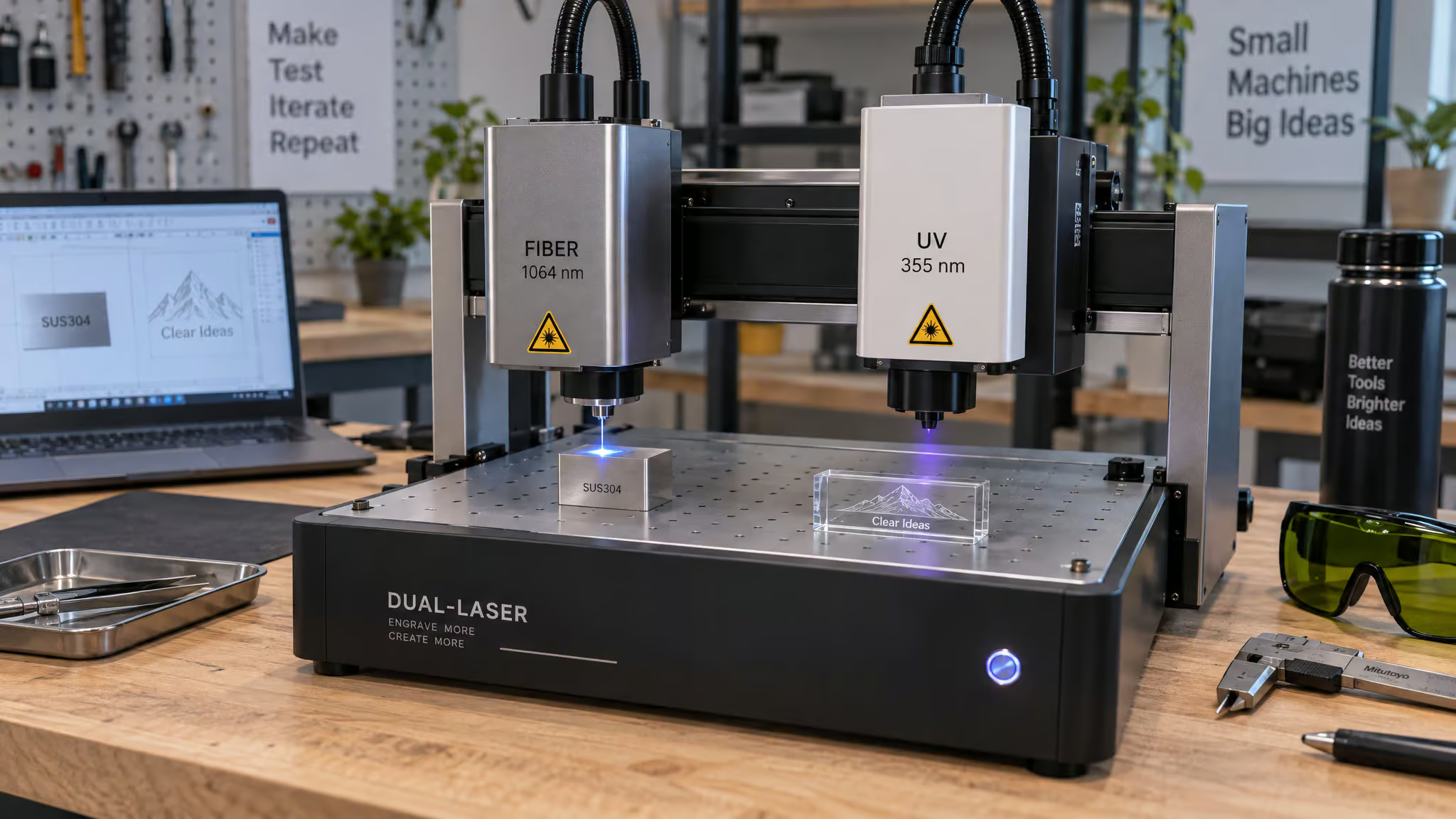
Named picks with exact 2025 pricing, all launched last year: xTool F2 Ultra at $4,999, pairing a 60 W MOPA with a 40 W diode and claiming 15,000 mm/s. The F2 Ultra UV at $4,299 does 355 nm work, etching glass with no prep and engraving inside glass. The xTool P2 at $4,999 cuts 20 mm walnut and clear acrylic. Budget tier: xTool S1 at $1,699, Glowforge Aura at $1,199, Snapmaker Artisan at $2,999, WeCreat Vision Pro at $3,449.99, WeCreat Vista at $1,059 (nice smoke purifier and IR laser, but it didn’t make our best-of list), Commarker Omni1 as a 5 W UV galvo, xTool F1 for craft-fair personalization, Falcon T1 at $2,249, $3,059, and the Falcon2 Pro 60W under $2,000.
Rotary attachments that autofocus and verify codes are leveling up too, and by “intelligent” I mean concretely: auto-focus stabilizes cycle time and code verification catches bad marks before they ship. Boring features that matter at volume.
The buying risk: roadmaps vs shipping products
One honest flag. The announcement-to-shipping gap is real: the Falcon T1 shipped with unreleased UV and MOPA modules still on the roadmap and 57-page calibration documents, and the Mecpow X4 Pro arrived with a cracked acrylic enclosure. I’m not predicting any module’s fate; I’m just saying pay for what’s in the box, not what’s in the brochure.
The UV fourth option: cold marking where the other three fail
For glass and clear acrylic, yes: a UV laser is the better tool, and it’s not close. At 355 nm, UV cold marking breaks chemical bonds instead of burning the material, which is why it marks glass, clear acrylic, ceramics, plastics, and circuit boards without heat damage. Even fruit and pills, yes, fruit, get scorch-free codes. The Commarker Omni1 produces tiny QR codes without scorching and does smoke-free wood engraving.
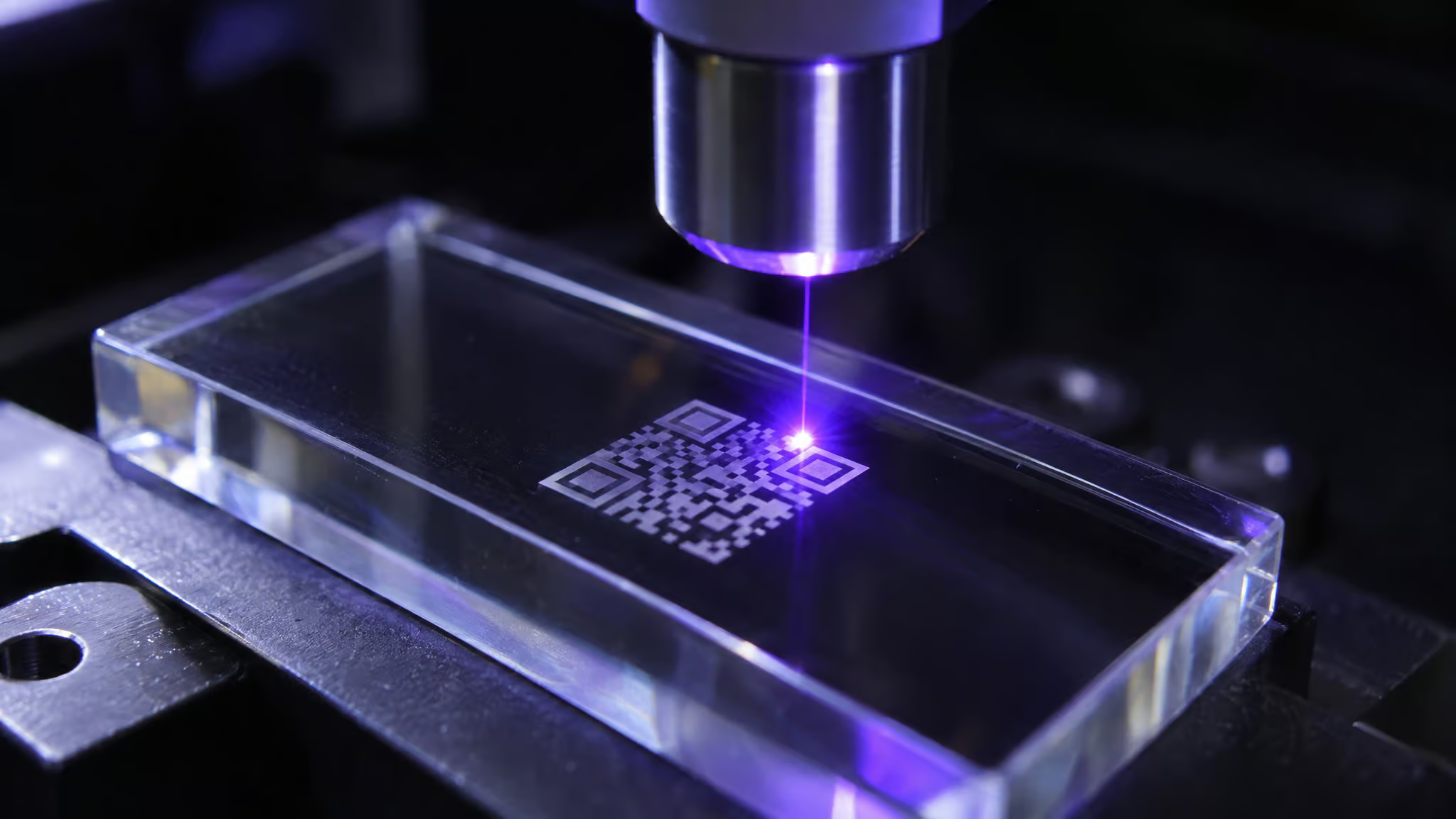
UV lasers earn their slot as the fourth wavelength because the other three simply can’t process these materials without damage. The disqualifiers: $5k, $12k for just 3-7 W of power, a chiller requirement at 10 W, and smaller work areas. On metals it’s best reserved for coated or anodized surfaces, because fiber still owns direct metal. UV rotary systems run slower but excel on high-contrast anodized aluminum and small cylindrical parts. Specialty column, not a default recommendation.
Which should you buy: the conditional framework
Every verdict here comes with a condition attached, because flat recommendations are how people end up with the wrong $5,000 machine. If you liked this framing, the deeper material-by-laser breakdown in our laser engraving materials guide extends it, and the real advantages of laser engraving covers what the technology does well in general.
- Bare metal is the default fiber case. Steel, brass, titanium, aluminum, coated metals, high-contrast plastics, with the wattage tiers from section 5. Fiber beats diode the moment metal throughput or precision matters.
- CO2 only when metals are secondary. Mostly non-metal workload plus occasional metal IDs larger than 2 mm? CO2 plus compound pencils out for the occasional tag, but once metal takes over the workload, the math collapses and fiber pays for itself.
- Diode for occasional coated-metal marks and budget prototyping. Anodized aluminum, powder-coated parts, logo fills. Cheap, cheerful, know its limits.
- UV for glass, clear acrylic, and PCBs. The cold-marking cases the other three physically can’t do.
Future-proofing, from someone who has re-bought gear and regrets it: pick controllers that can add a second source later, price pulsed-fiber cleaning accessories before you need them, ask for the M² spec before buying, get vision alignment and traceability logging, and budget fume extraction from day one, since it protects contrast and uptime.
And the market agrees with the physics: laser engraving grew from $2,177.09M in 2021 to $3,100.3M in 2025, metal engraving machines hit about $132M in 2024, and fiber holds roughly 43.9% market share by 2025. The wavelength did the sorting. Match the tool to the job, not the wattage on the listing, and you’ll be fine.
People Also Ask
Is a fiber laser better than a diode laser?
For bare metal, yes, decisively. Fiber’s ~1064 nm wavelength couples efficiently into metal, and its beam quality (M² 1.1-1.3, 20-40 µm spots) produces crisp marks and micro-codes that multi-emitter diodes (M² often above 2, 80-150 µm elongated spots) can’t match. Diodes fight back on price, efficiency, and lifespan — they’re the budget pick for anodized aluminum, coated surfaces, wood, and leather.
Is a diode laser better than a CO2 laser?
Depends entirely on the material. Diodes beat CO2 for fast, high-resolution marking on anodized and coated metals and some plastics, and they cost a fraction as much with essentially no maintenance. CO2 wins cutting non-metals — wood, leather, fabric, and critically all acrylic colors including clear, which blue diode light passes straight through without being absorbed.
Is fiber laser a better choice than CO2 laser?
If your workload is mostly metal, fiber is the better choice — it anneals, deep-engraves, and marks UID codes on steel, brass, and titanium at 1-3 m/s galvo speeds that no gantry CO2 touches. CO2 only makes sense when metals are secondary: it handles non-metals plus occasional large-character metal IDs via marking compound, but once metal dominates the workload, fiber pays for itself.
Which materials can a CO2 laser engrave that diode and fiber lasers cannot?
CO2 engraves and cuts clear acrylic, which diodes physically can’t mark (blue light passes through unabsorbed) and fiber handles poorly, along with wood, leather, fabric, thick MDF, and glass. Its real depth comes from vaporization, so it cuts through thick non-metals rather than just marking them. On bare metal it needs a marking compound to produce anything durable.
Can a cheap 10W diode laser really engrave stainless steel?
It can mark it, but only shallowly. With a spray or coating, multiple slow passes, and at least 10 W of true optical power, you’ll land 5-30 µm deep — a surface treatment, not engraving. The recurring disappointment isn’t the machine; it’s buyers expecting bare-metal engraving depth from a $300-1,500 hobby diode.
How much does a fiber laser engraver cost compared to CO2 and diode machines in 2025?
Fiber runs $2,000-$10,000 depending on wattage: desktop 20 W units $2k-$4k, 30-60 W MOPA $5k-$10k. Hobby diodes run $300-$1,500 and compact diode galvos $4,000-$8,000, while dual-laser workstations reach $12k-$20k+. The sticker isn’t the whole story — lenses ($200-$400 each), fume extraction ($800-$2k), and software are real adders.
Is a CO2 laser a better choice than a fiber laser for small business use?
Yes, when your product line is mostly non-metal — CO2 is the better small-business choice for cutting and engraving wood, leather, fabric, and acrylic, and marking powder-coated tumblers without harming the stainless underneath. The compound workflow even covers occasional large-character metal tags. The caveat: CO2 runs only ~8% wall-plug efficiency, needs tube replacements and mirror upkeep, and can’t reliably mark DataMatrix codes below about 1 mm.
What maintenance and lifespan should I expect from diode, CO2, and fiber lasers?
Diodes need essentially nothing — over 40% efficiency and roughly 50,000 hours of life. Fiber sources run 25,000+ hours maintenance-free with very low upkeep, though only 15-20% efficiency. CO2 is the expensive one to live with: ~8% efficiency, noisier cooling, mirror and lens care, and a tube that eventually gets replaced, though RF-excited tubes last longer than water-cooled glass ones.
