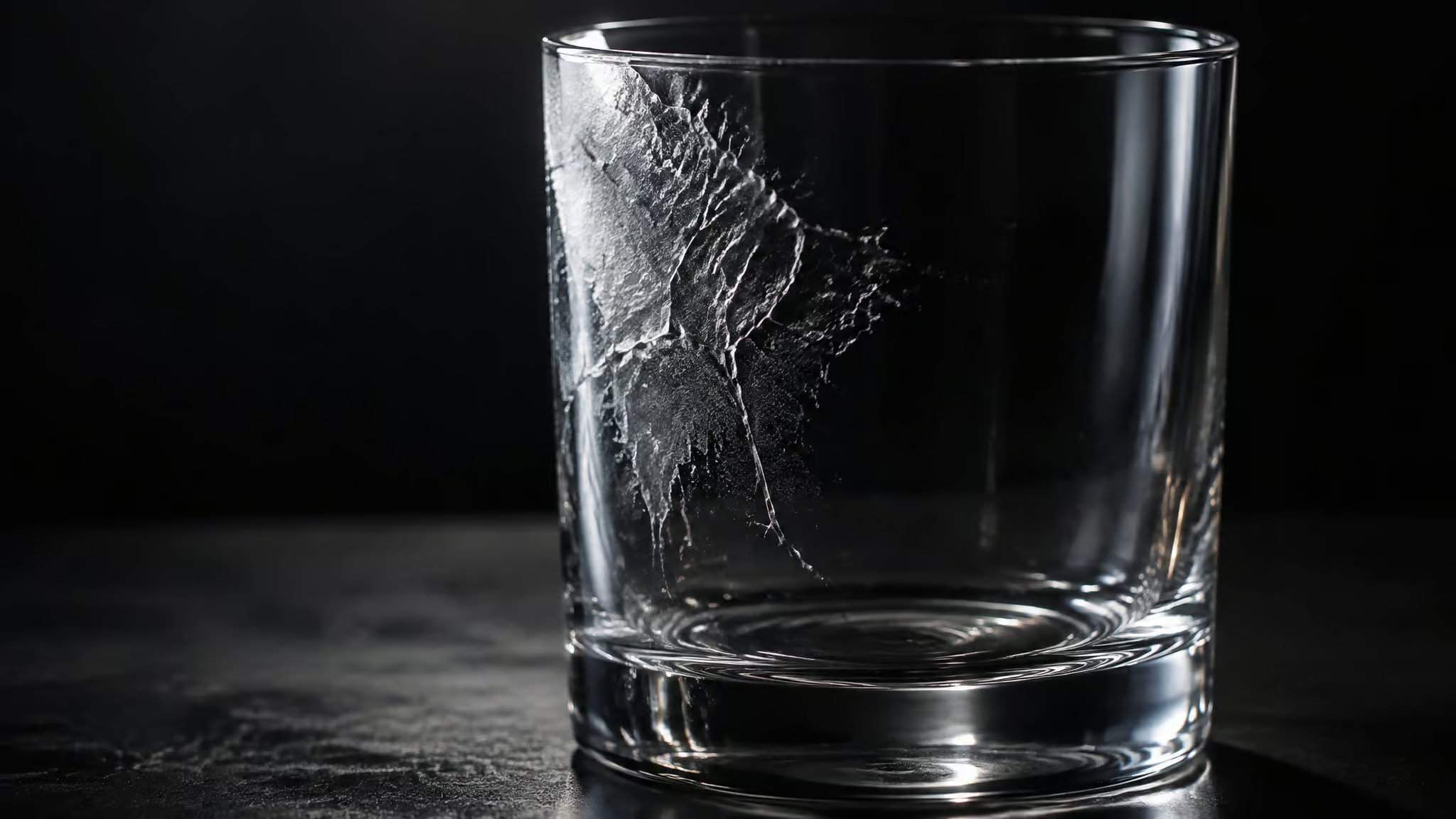
Laser etching on glass isn’t engraving. The mark is a surface-breaking frost of micro-fractures; the beam never removes glass, it cracks the top layer. That single mechanism sits behind every one of the downsides of laser etching glass, and it stopped feeling theoretical when I fell into a 2011 forum thread where someone’s engraving flaked away the first time it was washed. If you’re mid-checkout on a laser or pricing out etched glassware, here’s the shape of it: the etch is shallow, it can flake in the wash, and sandblasting, chemical etching, or rotary engraving is sometimes the better call.
Key Takeaways
Laser etching on glass is a surface-breaking etch, not material removal: heat expands impurities and trapped gases in the surface, creating micro stress fractures that flake away. That puts a hard depth ceiling on the mark no setting removes.
An October 2011 Laserscript forum thread documented the nightmare case: an engraving that looked perfect coming off the machine flaked away in patches during its first wash, and the suggested remedies, Chroma crystal glass or lower power, were tried but never confirmed.
For deep, durable text and logos on glassware, sandblasting is the working answer; the laser’s genuine edge is hairline-fine, consistent detail on flat glass, and CNCKing.com, a laser shop, routes its own deep work to an industrial sandblaster.
Table of Contents
Why laser etching on glass only produces a shallow surface etch
Laser etching on glass is only a surface-breaking etch because the beam doesn’t remove anything. Instead of vaporizing material, the heat soaks into impurities and trapped gases inside the surface, those expand, and the top layer fractures into a field of micro stress fractures that then flake away. The glass itself betrays you: the machine is exploiting faults that were already in the material.
Pedro Hernandez put the contrast plainly on the Laserscript forum: this isn’t engraving the way a diamond engraver or a sandblaster removes material. It’s cracking. CNCKing.com, a laser service shop, describes its own process as micro-exploding the surface layer, which is a vendor happily admitting that precision here comes from controlled destruction. (The broader question of which lasers can even touch glass at all is its own rabbit hole, covered in which lasers can actually engrave glass.)
That mechanism also tells you exactly where the ceiling is. The laser never cuts deeper than the fracture zone, so controlling the fracture pattern is the only lever you have. Steer the cracking well and the etch looks smooth and even. But no settings menu turns cracking into carving, and everything else in this article follows from that.
Why laser engraved glass flakes and chips after washing
Laser engraved glass flakes because the etch is heat-induced stress cracking sitting right at the surface, and a wash cycle finishes the job the laser started. There’s no depth holding the mark in, just a fracture field barely attached to sound glass underneath.
The documented failure
This isn’t a hypothetical edge case. In October 2011, a Laserscript forum user posting as NeedyPickle described a piece that looked good coming off the machine, then flaked away in patches the first time it was washed. Engraving ruined, glass ruined, one wash. That’s the exact outcome buyers fear, and the composites of similar reports suggest flaking concentrates where pulse power ran high or pulses overlapped, which is worth knowing but isn’t a measured law.
The diagnosis, and how unconfirmed it is
A longtime forum regular, posting as Spooky (Dave), diagnosed heat-induced stress cracks. Two remedies surfaced: better-grade glass, Chroma crystal by name, or simply lower power. The thread ends with the fix having been tried, not verified. Treat better glass and lower power as two knobs worth turning, not a guaranteed cure.
The glass variables
Yes, glass type affects laser engraving quality and flaking, annealing, tempering, and surface treatments swing etch intensity and flaking odds, and higher lead content micro-shatters more cleanly under the beam, which is why lead crystal etches so nicely. The paradox is real, though: premium crystal works, and so do Pedro Hernandez’s free picture-glass offcuts from a local framer (he reports never having trouble with them), and CNCKing even etched a piece of fridge glass to demonstrate that no special stock is required. Meanwhile mid-grade stock flakes. The only reliable predictor across all of that is a test piece of your actual glass. Run one before anything you care about goes on the bed.
Living with the shallow frost: readability, cleaning, and texture
The frost reads well at some angles and washes out when the glass is wet or brightly lit, and that same micro-fracture texture traps residue. From what I’ve seen looking at etched pieces, etched drinkware is harder to clean than a deeper blasted etch, and sharper at the edges too. CNCKing’s documented texture description matches: fine-grit sandpaper with a frosty look, visible even in poor lighting, with loose glass debris that brushes right off. Frosted is the controlled version of the fracture mechanism; chipped is the same mechanism uncontrolled.
How to stop glass fracturing when laser engraving (and the ceiling of workarounds)
You control fracturing with a wet heat sink and dot-based engraving, and you can nudge apparent depth with a double pass and a wax fill. None of it creates real depth.
Fracture control settings
- Run the laser through wet paper. The water soaks up heat, so fractures stop spreading next to the beam spot. Pedro Hernandez’s exact recipe is deliberately cheap: a sheet of copier paper soaked in clear vinegar glass cleaner.
- Or wet newspaper, or a drop of washing-up liquid on the glass. Same job, different delivery: keep the surface from overheating locally.
- Engrave at 90% greyscale instead of solid black. At 90% the laser fires discrete dots rather than a continuous pass, so pulses don’t overlap and heat stacking drops.
Depth attempts
Run the job twice. A double pass buys a bit more depth without the cracking you’d trigger by cranking power and DPI on a single pass. Patience over brute force.
Appearance compensation
Wipe white or silver Rub ‘n Buff into the etch and the marking pops bright instead of sitting faintly frosted. Cheap aftercare, visible payoff.
Field note: Every workaround in this stack manages fractures or cosmetics; none of them adds true depth to the mark.
Here’s the contrarian frame for the whole stack: it exists because the laser cannot remove glass. Wet paper, greyscale, double passes, paint fills, all of it is fracture management and cosmetic compensation, and it answers the “can it look deeper” question only up to a hard ceiling no technique breaks. (One machine-category exception, the low-fracture 355nm UV laser approach to glass, changes the mechanism rather than the physics of CO2 etching, and has its own price premium.)
Laser etching vs sandblasting glass for deep engraving: the tradeoff
For deep engraving, sandblasting wins. The laser is sharp, consistent, and shallow; the blaster is deep, durable, and coarser. So pick by what the piece needs: depth and durability from the blaster, or hairline detail from the laser.
The practitioner consensus is blunt. When Gabriel Rangel asked on sawmillcreek.org how to get more depth on glass text and logos, the direct answer ran one line: use sandblasting. Two independent forums, Sawmill Creek and Laserscript, agree the laser tops out at a surface-breaking etch on glass. Even CNCKing.com, a laser shop, concedes that for depth, abrasive sandblasting is the only way to go, and that each technology fits different design specs.
What you trade away with blasting is finish: the sandblast surface comes out grainy and textured, with slightly softer edges and lower fidelity on fine details. What you gain is durability and speed on large areas.
The vendor case is real, with a discount applied. CNCKing argues its laser produces sharper results with consistent depth, no peaks and valleys from abrasive action, and no overspray or underspray, meaning tiny sharp details a blaster would smear come out fine. HITEC LASER’s promotional video makes the louder version of the argument: grinding, sandblasting, and acid etching framed as slow, dusty, and toxic, laser working at a microscopic level, and a client factory that switched to laser mirror frosting and picked up cleaner, faster, more consistent output plus higher-end orders. Read that with the eyebrow raised it deserves: it’s a 2026 sales video, and the upgrade-early-or-catch-up-later urgency is a sales tactic you already know how to smell. Enjoy the frame, don’t take the pitch.
The strongest evidence against laser-superiority marketing is vendor behavior. CNCKing markets laser precision yet keeps an industrial sandblaster and routes deep work to it. On its own showcase piece, an old pen holder with a highly detailed palm-tree etch, the drilled holes showed chipping that the brass inserts were hiding, and the author’s hindsight was that a waterjet would have been the precision play. Judge vendors by what they do, not their copy.
One question stays genuinely open: the dust. One Sawmill Creek poster wasn’t sure whether laser-chipped particles are free silica, noted they’re actually pretty large, and landed on the sensible take: don’t breathe anything flying loose. CNCKing claims the shards are incredibly small, safe to touch, and cleaned off before shipping. Both positions are on the record; nobody has settled it.
| Laser etching | Sandblasting | |
|---|---|---|
| Real depth | No (surface-breaking frost only) | Yes (pressure and dwell time set it) |
| Fine detail | Yes (no overspray or underspray) | Partial (fine details smear) |
| Edge quality | Partial (brittle sandpaper-like frost) | Partial (grainy, slightly softer edges) |
| Durability of the mark | Partial (no direct wear testing, one documented wash-flaking case) | Yes (practitioners consistently call it more durable) |
When to use sandblasting instead of a laser for glassware, and what it costs
Use sandblasting when the mark must be deep and durable: text and logos on glasses, bottles, plaques. Keep the laser for fine detail on flat glass. The equipment decision has more traps than the physics, so figure out whether to buy, outsource, or skip the gear entirely.
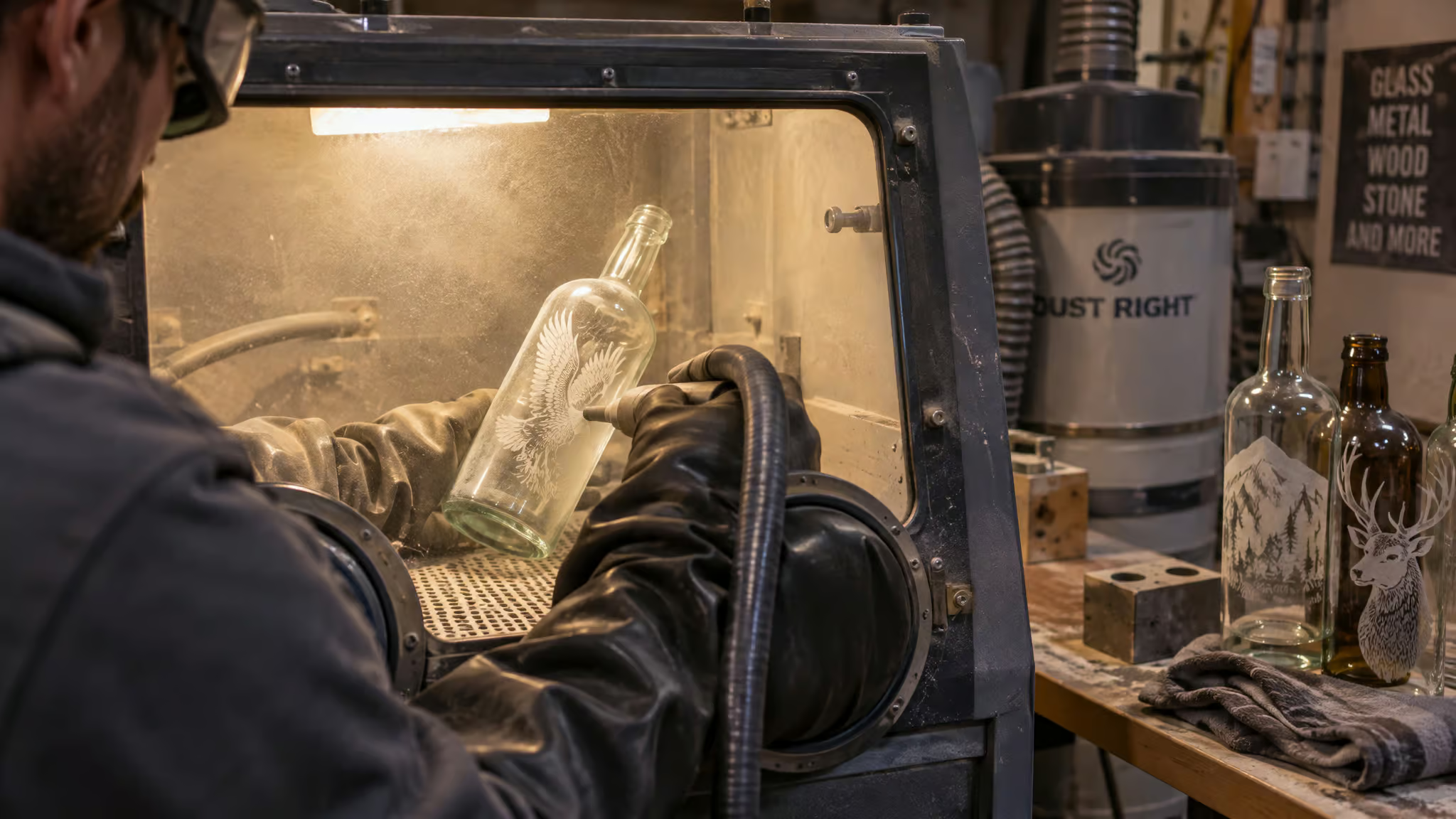
The routing is mostly common sense. Deep personalization means blast it or pay someone. Fine detail on flat glass means the laser is fine. One forum scenario worth keeping: on signs101, in a post dated November 15, 2009, scootinbob was choosing between the two machines for ‘freaky designs’ wrapping around glasses top to bottom, and the laser won because sandblasting means weeding protective masking after plotter-cutting it.
Anyone who has ever peeled weeding mask off a plotter cut just felt a flinch. That workflow cost is a genuine selection factor, and it’s also the laser’s quiet, rarely advertised win: no mask to weed at all.
Now the safety side of it, plainly. Blasting glass with silica sand releases free silica dust, and breathing it causes silicosis, a deadly lung disease that can take years to develop. Most blasters use aluminum oxide now: not the deadly one, but still not dust you want in your lungs, and dust sitting on a finished blasted project stays hazardous when you clean up. Industrial practice is a supplied-air suit and a high-volume exhaust fan, which usefully tells you the scale of the hazard hobbyists flirt with.
Equipment cost runs from a Hobby Lobby aerosol-can kit up to an industrial system holding a ton of abrasive on a big three-phase compressor. The spec people actually botch is the compressor: your compressor’s CFM has to satisfy the blaster’s required CFM, so check that before buying anything. Rags, a Rayzist cabinet owner, prefers a pressure pot over a siphon, and notes that laser tape can stand in for purpose-made Rapid Mask as the masking medium. Then the two real-world outcomes that make this a decision rather than a wishlist. In one forum anecdote, someone’s wife posted the question on myspace, local sandblasting hobbyists replied, and doing the masking in-house while paying them to blast came out cheaper than buying equipment.
Rags, meanwhile, uses his Rayzist on all his glass work, glasses, bottles, plaques, pictures, but less than he expected he would. Both are patterns from practitioner discussions rather than my shop history, but they rhyme: outsourcing clears the capital cost, and the cabinet you own may sit idle more than the purchase fantasy promised.
Cost check: Masking in-house while paying a shop to blast can beat buying a cabinet outright.
As for which dust is more dangerous: on the laser side it’s the unresolved shard disagreement above, and on the blast side it’s silica versus aluminum oxide. Safer depends on which dust you’re standing in.
Chemical etching and the final call on method
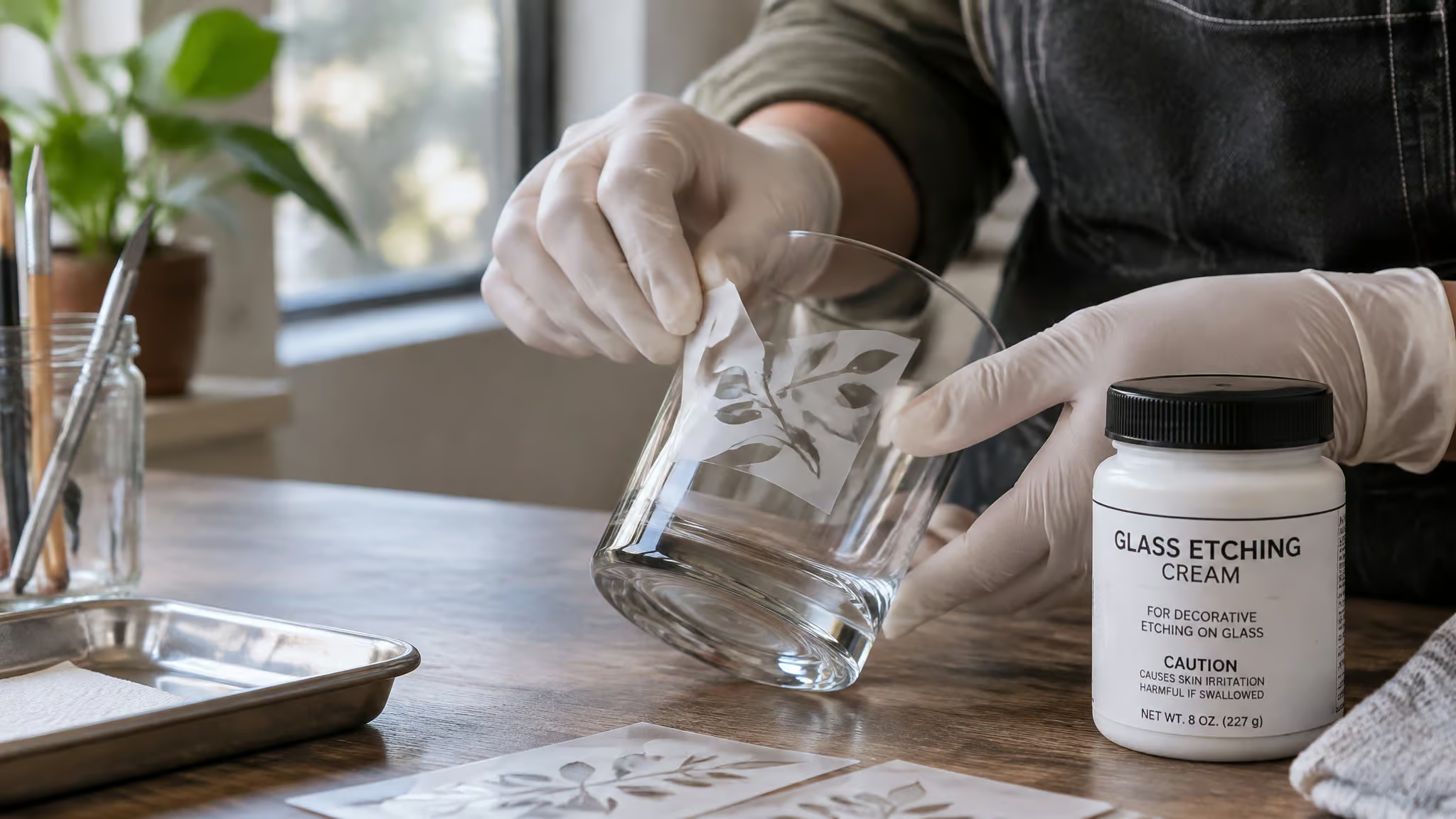
Chemical etching beats the laser on its own turf: smooth, uniform frost with sharp, well-defined edges, fine lines, even photographic images, spanning a light etch up to deep opaque frost. It trades the laser’s convenience for hydrofluoric acid, and it’s still depth-limited.
The workflow is compact: resist on, chemical on (HF acid or acid-based etching powders), wash off, resist off. Chemical dissolves where the laser fractures, which is why chemical edges come out clean instead of micro-chipped. It works on flat glass, curved glass, and glassware, and it suits small runs without heavy equipment costs. The limits, plainly: HF acid is highly toxic and corrosive, demanding strict precautions and real ventilation; depth is limited; and the multi-step process is slow.
Worth knowing that GlassFrostingPowder.com, the source of that comparison, sells etching powder, so chemical’s wins arrive with a commercial accent. Notice it, then move on.
The closing call is a gut check, not a verdict. No method wins on depth, detail, and safety simultaneously. Effect, detail level, project size, and budget pick the method, the same four-factor logic GlassFrostingPowder lays out. Rotary engraving belongs on the shortlist too as a durable, tactile alternative, though that’s my judgment, not something I’ve tested head-to-head.
And if you outsource glass work of any kind, negotiate the boring line item first: transport. Getting glass to the shop and back without breakage is the real fight, and thicker glass is preferable.
Does laser-etched glass wear off or fade over time? No direct testing surfaced. The indirect evidence is the surface-breaking depth and that October 2011 flaking case. The honest position: the frost survives about as well as a fracture field in the top surface can, and that is not a guarantee.
Frequently Asked Questions
Why is my laser engraved glass flaking and chipping after washing?
The etch is heat-induced stress cracking sitting right at the surface, and a wash cycle finishes the job the laser started — there’s no depth holding the mark in. Flaking tends to concentrate where pulse power ran high or pulses overlapped. Better-grade glass and lower power are worth trying, but the fixes were tried, not verified, so treat them as knobs to turn, not a guaranteed cure.
Laser etching vs sandblasting glass: which is better for deep engraving?
Sandblasting wins for depth and durability; the laser wins for hairline-fine, consistent detail on flat glass. The blaster sets real depth through pressure and dwell time, while the laser tops out at a surface-breaking frost. The trade-off is finish: blasted surfaces come out grainy with slightly softer edges, and fine details smear.
When should I use sandblasting instead of a laser for glassware?
Use sandblasting when the mark must be deep and durable — text and logos on glasses, bottles, and plaques. Keep the laser for fine detail on flat glass, where its lack of overspray and no-mask workflow shine. One often-overlooked factor: sandblasting requires weeding protective masking after plotter-cutting it, which the laser never needs.
How to stop glass fracturing when laser engraving?
Run the laser through wet paper — a sheet soaked in clear vinegar glass cleaner is the classic cheap recipe — so the water soaks up heat and stops fractures spreading past the beam spot. Wet newspaper or a drop of washing-up liquid does the same job. Also engrave at 90% greyscale instead of solid black, so the laser fires discrete dots rather than a continuous pass and heat stacking drops.
Does laser etched glass wear off or fade over time?
No direct wear testing has surfaced, so the honest answer is: probably not in the way paint fades, but it’s not a guarantee either. The mark is a fracture field in the top surface, and the documented failure mode isn’t fading — it’s flaking, as in one case where an engraving that looked perfect flaked away in patches during its first wash.
