You unbox a brand-new US flagship, grab a paperclip from the desk, and run a finger along the aluminum frame looking for the tiny pinhole. There isn’t one. No tray, no spring-loaded ejector slot, just solid metal all the way around. Or maybe you’re staring at a spec sheet for a mid-range Android phone or an international import, trying to figure out if your old card will fit or if you’ll have to call carrier support.
That missing tray is the result of a hardware and policy split across modern phones. Some devices have dropped the physical slot entirely, others keep it alongside embedded chips, and a handful of holdouts still require a piece of plastic to touch a tower at all. Getting your next phone onto a network, moving a number across devices, or grabbing data abroad comes down to knowing which camp your hardware sits in and how much control your carrier holds over the switch.
Key Takeaways
Five of seven guides and explainers we checked say new phones still come with a physical SIM card slot, and 15 of 22 forum posters who reported on their own handsets say their current phone has a physical tray (with six running eSIM only and one unsure).
US iPhones from the iPhone 14 onward are eSIM-only and hold up to eight eSIM profiles. International iPhones and most Android phones, including the Galaxy S21+ and Pixel 6+, still keep a physical slot alongside eSIM.
Carriers authorize eSIMs by device IMEI and EID, which lets them block unsupported hardware like the Nothing Phone 3a Pro on AT&T even when a physical SIM delivers full 5G and VoLTE in the exact same phone.
Table of contents
Table of Contents
Do phones still have SIM cards?
Yes, every phone that connects to a cellular network still has a SIM or its embedded equivalent; only the removable plastic card is disappearing. Carriers still need a cryptographic identifier to authenticate your account and route your phone number. That key either sits on a chip you slide into a tray or lives inside circuitry soldered onto the motherboard.
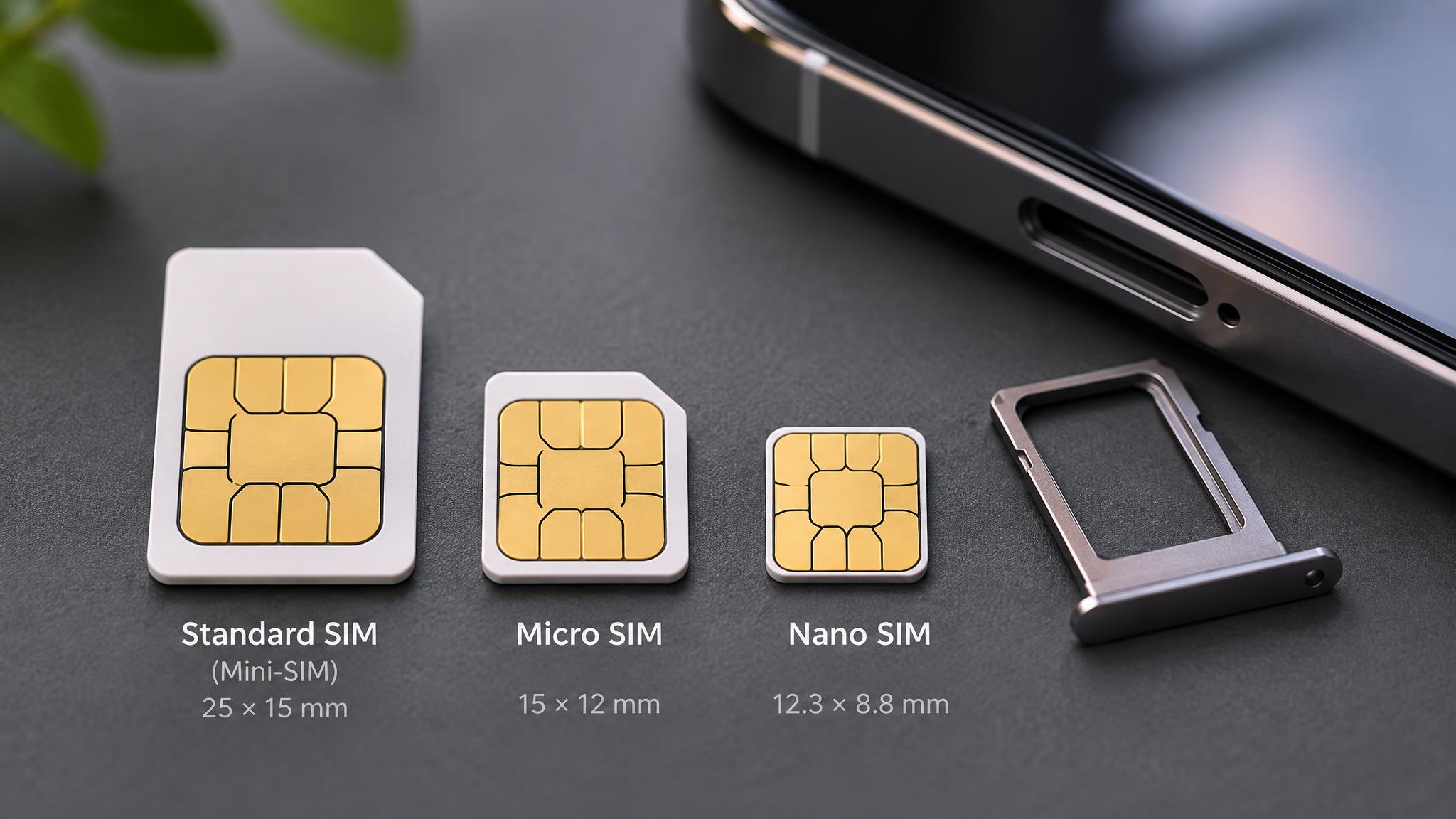
Before embedded chips arrived, physical SIM cards shrank through three distinct generations: Standard (or mini-SIM) cards in older phones, Micro-SIMs in the previous wave of hardware, and the Nano-SIMs found in most modern tray-equipped devices. Regardless of size, a SIM holds your carrier account identifiers and phone number. It doesn’t store your photos or modern contacts, which now live on the phone’s internal storage or in the cloud.
Where the market sits today depends on the ecosystem and region. US iPhones from the iPhone 14 onward are strictly eSIM-only. Most Android phones, like the Samsung Galaxy S21 series and newer or the Google Pixel 6 and newer, give you a physical Nano-SIM slot alongside eSIM support. At the minimalist end of the spectrum, niche devices like HMD’s Barbie Phone and the Light Phone still require a physical SIM card because they lack eSIM hardware entirely.
The guides and real-world users line up on the same side of this split, though the gap is shrinking. Out of seven guides and explainers we checked on whether new phones still ship with a physical SIM slot, five say yes and two say no. Among 22 forum posters asked whether their current handset has a physical slot, 15 say yes, six say no (running eSIM only), and one isn’t sure. If you’re shopping right now, don’t assume a phone’s SIM setup from the brand name. Check the exact model and the country it was built for.
What an eSIM is and how it differs from a physical SIM
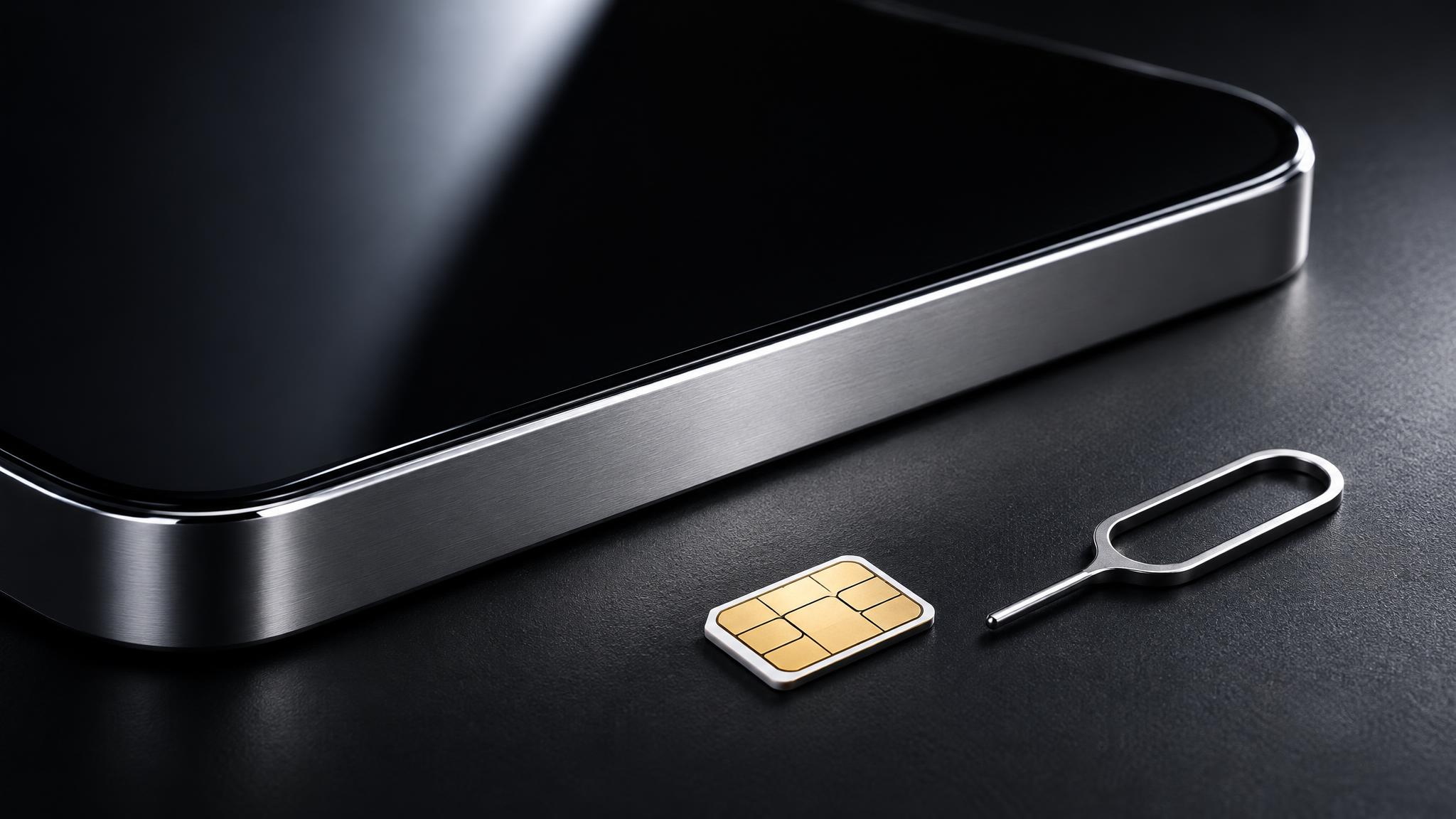
The core difference between a physical SIM and an eSIM comes down to removability and who controls where your line lives. A physical SIM is a tiny, removable chip card that holds your SIM identifiers, account info, and phone number, required to connect to a carrier network. Its superpower is portability: grab an ejector tool or a bent paperclip, pop the tray, and you can move your number to another unlocked phone or swap in a local carrier’s card in seconds.
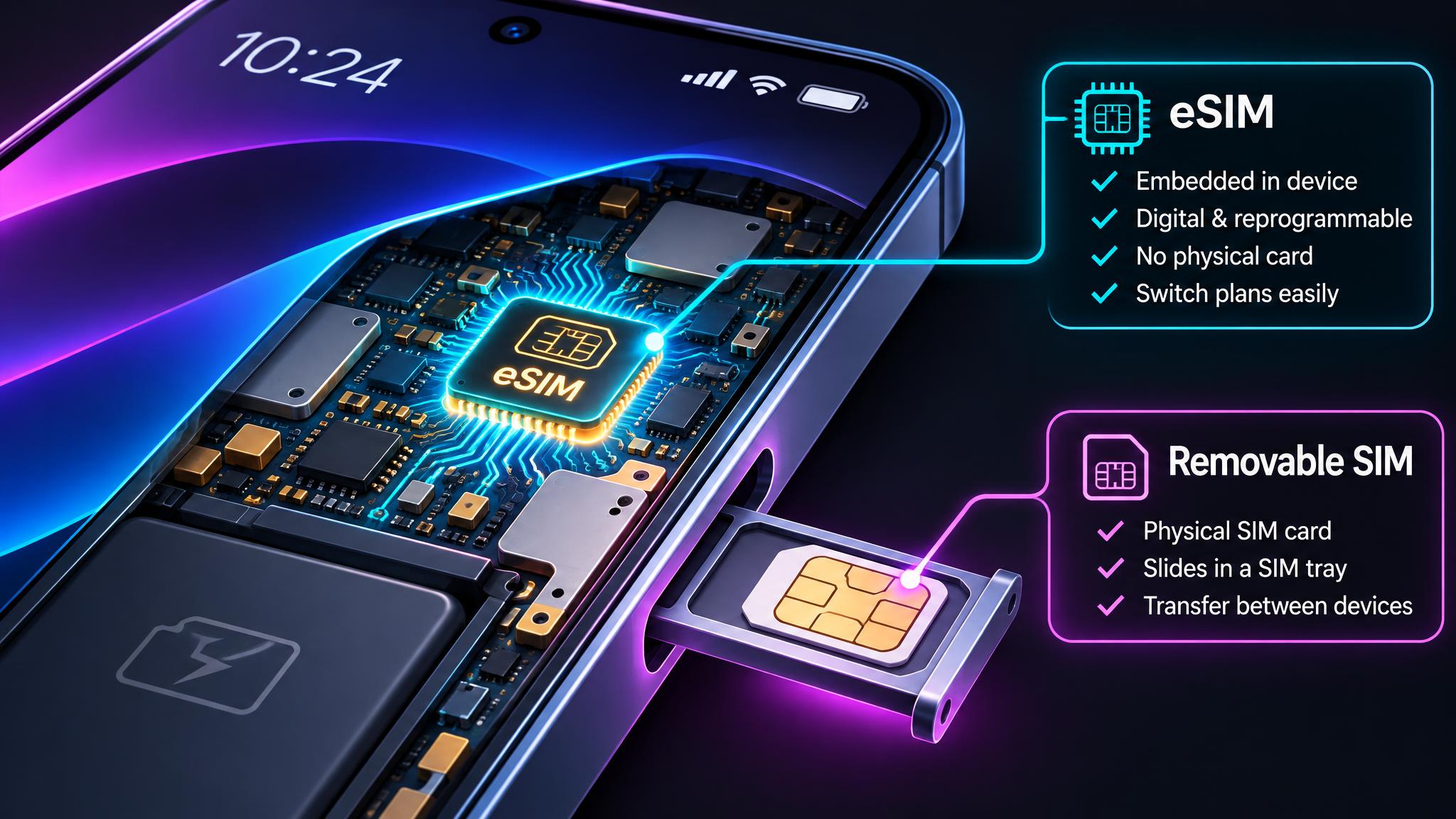
An eSIM is built directly into the phone’s internal circuitry. You can’t eject it, drop it on the carpet, or swap it between devices by hand. Instead, it gets programmed remotely over software, usually through a carrier app, a QR code, or an over-the-air server push.
Moving the SIM into software also breaks the one-slot hardware ceiling. US phones with physical trays almost always give you a single slot, whereas an eSIM lets one phone store multiple lines from different carriers at once, with the latest iPhones holding up to eight eSIM profiles. Many phones also support running a physical SIM and an eSIM at the exact same time, even on separate carriers, keeping both active or leaving one on standby for a classic personal-and-work number split.
Do iPhones have SIM cards?
Yes, iPhones still have SIM cards; in the US, every model since the iPhone 14 uses eSIM only. Whether an iPhone includes a physical SIM tray depends on which generation you buy and which country’s retail channel it came from. Apple eliminated the physical slot across its US lineup starting with the iPhone 14, and the latest iPhones support up to eight eSIMs on a single device instead of a removable card.
That US eSIM-only rule applies across every domestic release from the iPhone 14 onward, covering newer generations such as the iPhone 17. If you buy a current iPhone in the US, there is no tray on the side of the chassis and no way to insert a plastic card.
Outside the US, Apple still ships physical SIM slots on the exact same iPhone generations, so international models let you run a physical card alongside eSIM. If you’re shopping specifically for a US-market iPhone that still takes a physical Nano-SIM, you’ll need to look back to the iPhone 13 or earlier.
Android phones: physical SIM slot plus eSIM
Most Android phones ship with a physical SIM slot and eSIM support. Still, eSIM compatibility isn’t universal across the Android ecosystem. All four guides we checked on whether every Android phone supports eSIM say no.
Samsung supports Dual SIM across a wide hardware range using either Hybrid eSIM (one physical SIM plus one eSIM) or Dual Physical SIM setups, spanning the Galaxy S20 through S26 series, Note 20, Z Fold2 through Fold7, Z Flip3 through Flip8, and many Galaxy A and Galaxy Tab models. Google Pixel 6 and newer handsets also support eSIM, though US Pixel models are following Apple down the eSIM-only path. Before picking a travel plan, such as comparing Airalo vs. Holafly, keep two caveats in mind: eSIM availability on Android can vary depending on the phone’s country of origin, and Wi-Fi-only tablet models lack eSIM hardware altogether.
The eSIM-only shift stops at the US border
Embedded SIMs are clearly replacing physical cards in new flagship phones, led by Apple and Google in the US market. Yet pulling the tray out of the chassis is largely a US policy choice rather than a global hardware inevitability.
Apple and Google still build international variants of their current phones with physical SIM slots intact. Outside the US, several regions still run primarily on physical cards. Carrier eSIM support is expanding quickly and smoother device-to-device transfer tools are expected to catch up, making the shift toward embedded SIMs real, just unevenly distributed across the globe.
How to set up and transfer an eSIM on a Galaxy phone
Galaxy phones manage eSIMs in Settings > Connections > SIM manager, where you toggle physical or eSIM connections and set your Primary SIM default for calls, texts, and data. That same menu houses the Add eSIM and Convert to eSIM tools. Same-OS eSIM transfers are usually straightforward once your carrier account is ready, while cross-OS moves often depend on whether your carrier supports direct transfer. On a Galaxy handset, you can activate a new profile via a QR code, a Discovery Server search, or a carrier push notification, or pull an existing line directly from another Galaxy phone or an iPhone.
Before upgrading devices or changing carriers, confirm with your carrier that your account is ready for the switch, since providers sometimes require extra activation steps on their end.
The three ways to activate an eSIM
Samsung supports three main activation paths inside SIM manager, and each one ends with a device restart to apply the downloaded profile:
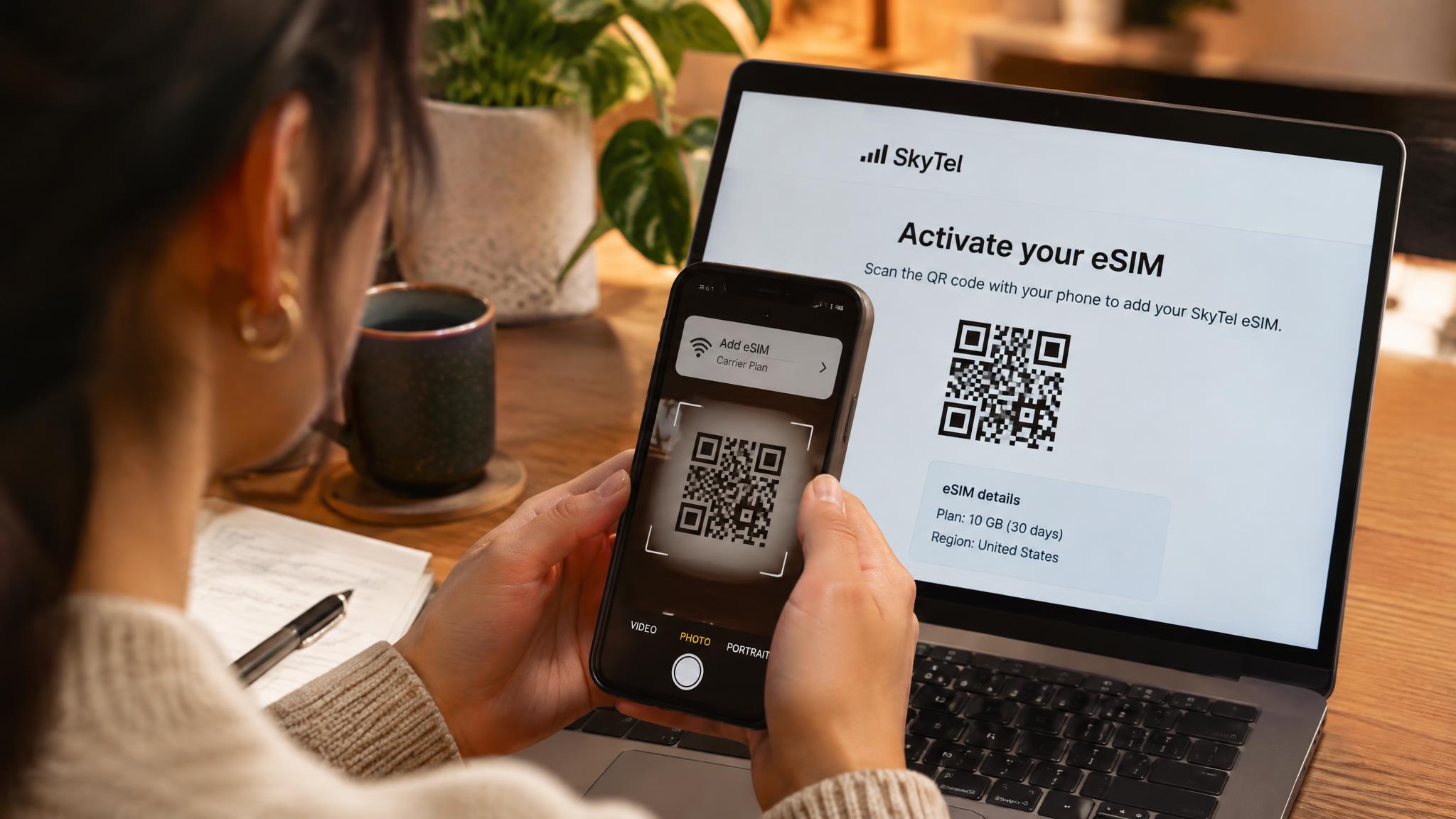
- Scanning a QR code: Open SIM manager > Add eSIM > Scan QR code, point the camera at the code your carrier provided, and restart once the profile finishes downloading.
- Searching the Discovery Server: Tap SIM manager > Add eSIM so the phone searches for an assigned carrier plan (depending on your software version and device, you may need to pick your carrier from a list), tap Add when it finds your profile, and restart.
- Tapping a carrier push notification: When an “eSIM ready” notification pops up on your screen, tap it, select Add to download the profile, and restart the phone.
Transfer an eSIM between Galaxy phones
Moving a line from one Galaxy phone to another stays entirely on the devices when your carrier supports Instant Transfer or Discovery Server. On the new Galaxy phone, open SIM manager > Add eSIM > Transfer SIM from another phone, then type the verification code shown on the new screen into your old phone. Select the SIM you want to move, tap Transfer on both devices, and tap Done on the old phone to finish activating the line on the new hardware.
Same-OS swaps like moving from a Galaxy S21 to a Galaxy S25 (or an iPhone 14 to an iPhone 16) are typically smooth. Samsung’s Discovery Server and Instant Transfer directories cover major networks across North America, Europe, and Asia-Pacific, including US carriers like AT&T, Boost, Cricket, and FirstNet, Canadian networks like Bell and Rogers, Telstra in Australia, Jio in India, and KDDI in Japan.
Transfer an eSIM from iPhone to Galaxy
Moving an eSIM from iOS to a Galaxy phone works without calling support, but only on supported carriers. In the US, that list covers AT&T, T-Mobile, Verizon, and FirstNet; internationally, examples include EE in the UK, Telekom in Germany, Orange and SFR in France, Swisscom in Switzerland, Bell and TELUS in Canada, and KDDI in Japan.
To run the cross-OS transfer, make sure both phones are running current software with Wi-Fi and Bluetooth turned on. The new Galaxy phone generates a QR code (or a passcode) for the iPhone to scan, after which you select the phone number you’re moving and tap Continue twice. If your carrier isn’t on the supported list, you’ll have to contact them directly to reissue the eSIM.
Convert a physical SIM to eSIM
If you’re already running a physical Nano-SIM in a Galaxy phone and want to free up the tray, open SIM manager, select the physical SIM, and tap Convert to eSIM to move the profile onto the embedded chip. Once you have multiple lines active, you can switch numbers on the fly: tap the active SIM indicator below the screen in the Phone app, or tap the SIM icon inside the Messages chat box to pick which line sends your next text.
How to insert a physical SIM card
Physical SIM installation is simple until you poke the wrong pinhole on the frame or try to force a card into a foldable that expects a specific orientation. The core tray mechanics apply to any tray-equipped phone, though the exact foldable and rugged-phone orientations below are documented specifically for Samsung Galaxy hardware.
The standard tray insertion steps
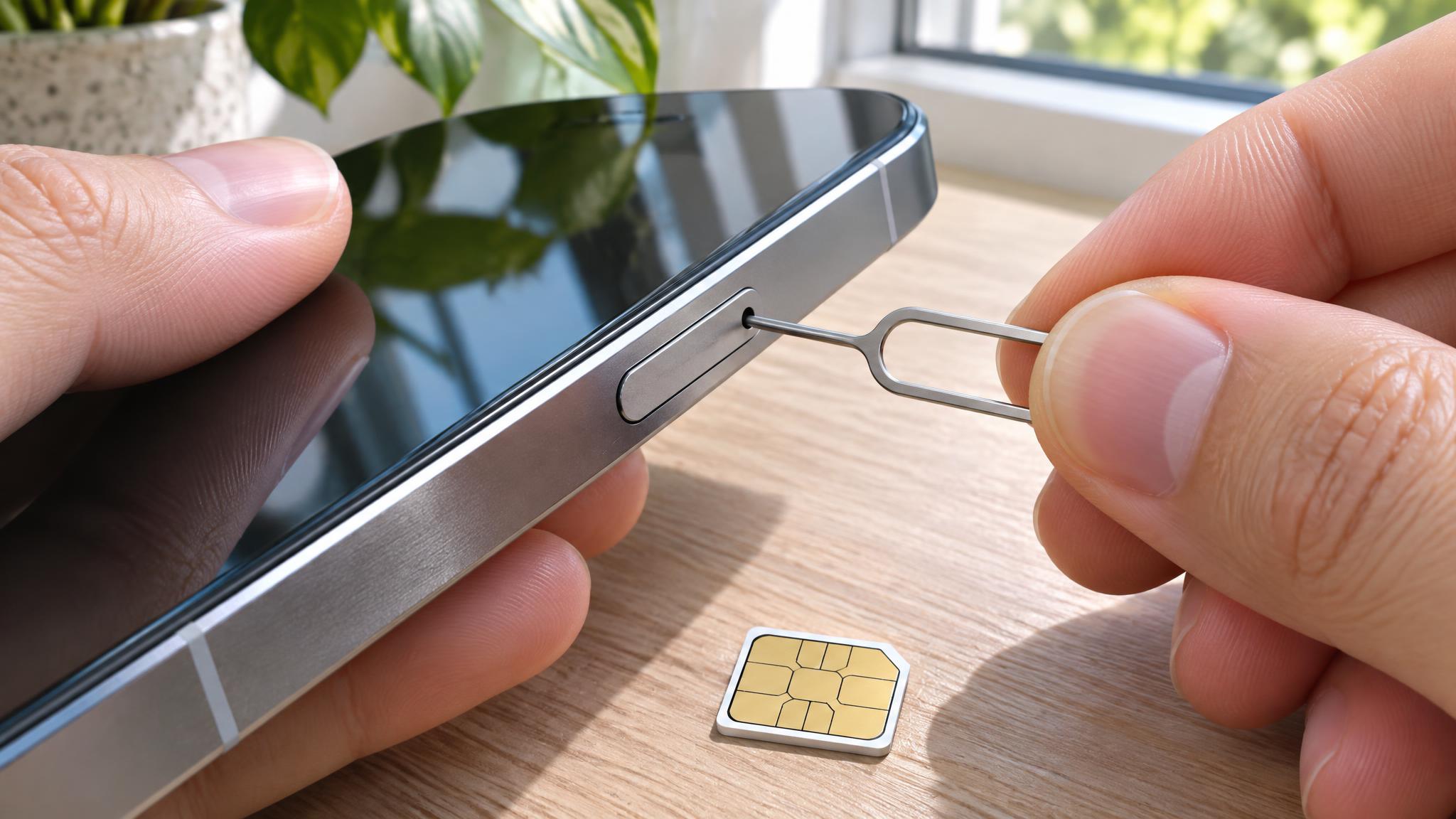
Power the phone completely off before touching the tray. Push a SIM ejector tool (or a straightened paperclip) straight into the tiny hole on the SIM tray, taking care not to jam it into a microphone or speaker hole by mistake. Place the Nano-SIM into the tray by lining up its angled cut corner so it sits flat; the card only fits in one direction, though whether the gold contacts face up or down varies by device. Check that the tray sits completely flush, slide it back into the phone, and power on. If the screen asks for an unlock code after booting, you’ll need to contact the phone’s original carrier.
Foldable SIM orientation by model
Samsung’s foldables change their tray orientation rules from one generation to the next, even though removing the tray works the same way across the Z Fold5 through Fold8 Ultra:
- Z Fold7, Fold8, and Fold8 Ultra: Lay the phone flat with the main screen facing up, and place the SIM with its metal chip facing down.
- Z Fold5 and Fold6: Place the phone screen face down with the camera side facing up.
- Z Flip6, Flip7, Flip7 FE, and Flip8: Keep the clamshell closed while inserting the tray.
- Z Flip5: Open the phone flat before inserting the tray.
- Z TriFold: Unfold the device completely to access the tray on the left side.
The XCover6 Pro’s battery-compartment slot
Rugged hardware skips the side-mounted tray altogether. On the Galaxy XCover6 Pro, pop off the removable back cover, lift out the battery, and slide the SIM card into the internal slot positioned beneath the memory card bay. Drop the battery back in and snap the rear cover shut.
Why eSIM activation fails: carrier control and downtime
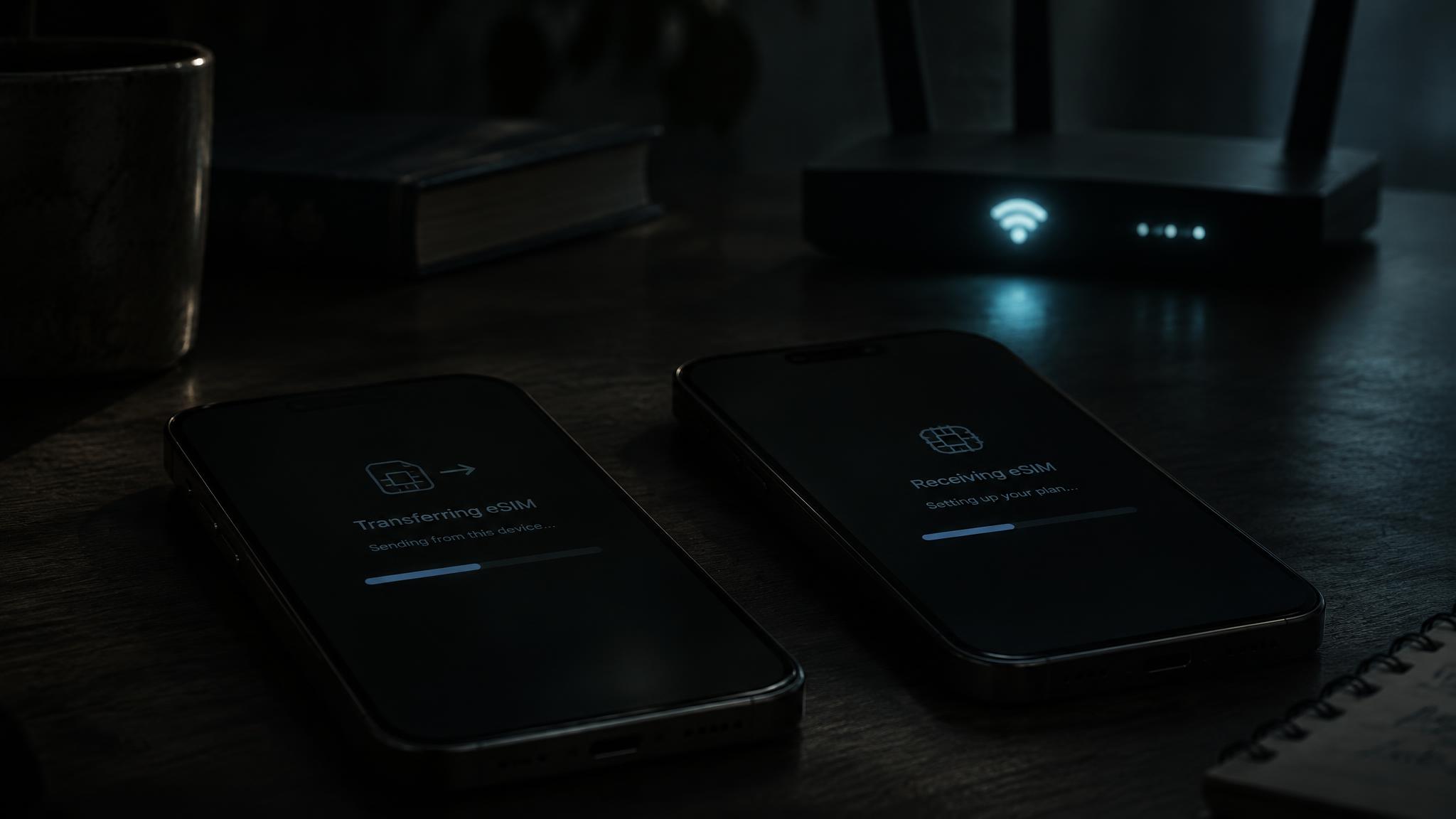
With a physical card, compatibility is mostly a question of whether the phone’s modem supports the right cellular bands. With an eSIM, carriers act as software gatekeepers, and transfers introduce a brief window where neither of your phones can reach a tower.
Carriers approve eSIMs by device model
Carriers control eSIM activations by checking and authorizing a phone’s hardware identifiers, specifically its IMEI and EID. If a phone model isn’t on a carrier’s approved whitelist, the carrier can deny eSIM activation outright, even when the hardware is fully capable.
Brady Snyder, writing at MakeUseOf on March 27, 2026, ran into this exact wall while testing the Nothing Phone 3a Pro. The phone supports eSIM in hardware, yet AT&T refused to activate it because the model wasn’t on its officially supported list. Dropping a physical AT&T SIM into the same Nothing Phone 3a Pro immediately delivered full 5G service with VoLTE.
If you’re wondering whether you can just buy a SIM card and put it in your phone, the answer is yes for physical SIMs on compatible unlocked hardware (though you may still need to activate the plan online or over the phone). With eSIM, buying a plan doesn’t guarantee it’ll provision if your carrier hasn’t cleared that exact device model.
The transfer blackout: both phones go dark
Moving a physical Nano-SIM between two phones takes seconds with an ejector tool. An eSIM transfer takes several minutes, relies on carrier provisioning servers and a stable Wi-Fi connection, and leaves both your old phone and your new phone without cellular service in the middle of the handoff. While both devices are dark, you can’t call carrier support or receive the SMS two-factor authentication codes many accounts require.
Because eSIM activation depends on backend authorization servers, carrier outages can also block eSIM transfers even when the cellular towers themselves are still up. Recent major outages affecting Verizon, AT&T, and T-Mobile have shown how quickly backend hiccups stall software provisioning, whereas a physical SIM swap has zero server-side downtime.
Is it better to use eSIM or a SIM card?
Neither eSIM nor a physical SIM is universally better; eSIM wins on theft resistance and international travel, while a physical SIM wins on user control and cross-device mobility. The right choice depends on whether you stay inside one supported ecosystem on a single phone or move your line across different hardware and carriers. Same-OS transfers on major carrier-approved phones are nearly frictionless, whereas cross-device setups and unsupported hardware are where eSIM’s carrier gatekeeping gets in the way.
The case for eSIM: security and travel
The biggest practical win for eSIM is theft math. If someone steals a phone with a physical SIM, they can pop the tray, pull the card, drop it into another handset to hijack your SMS two-factor codes, and take your stolen phone off the cellular network. An eSIM-bound number only works on that specific device, so a thief can’t yank the card out, and the phone stays trackable via its IMEI.
Embedded SIMs also eliminate the “Sim Not Provisioned” error caused by worn gold contacts or a misaligned tray, and they turn international travel into a quick software download instead of an airport kiosk hunt. I’ve used eSIM only for many years with no physical SIM at all, and none of the worst-case failure modes have ever shown up in my day-to-day use.
The case for the physical SIM: control and downtime
The argument for keeping a physical tray comes down to hardware independence and cost. If your eSIM-only phone breaks or you lose access to your carrier’s app, you can’t just move your number to a spare phone in a drawer. You have to contact the carrier directly, and because carriers routinely verify your identity via SMS, losing access to your active SIM can turn into days or weeks of troubleshooting or an in-person store visit.
Snyder also points to a straightforward cost stake: adding a dedicated tablet line to his 5G plan would cost an extra $25 per month, so he moves one physical SIM between his phone and his iPad Pro instead. Swapping a physical SIM between two phones with nano-SIM slots takes seconds with a SIM-eject tool or paperclip, whereas eSIM transfers take minutes, rely on carrier servers and Wi-Fi, and drop service on both devices during the transfer, blocking carrier phone support and SMS 2FA codes.
You don’t have to pick an extreme. Adding a SIM PIN gives a physical card eSIM-style protection against theft, and running a travel eSIM alongside a main physical line on a dual-SIM phone gives you both worlds. eSIM-only fits people who use carrier-supported phones and rarely swap hardware; physical SIMs fit anyone who jumps between devices, tests unlocked imports, or wants to dodge extra per-device line fees.
Dual SIM and moving one SIM across devices
Galaxy phones support Dual SIM through either Hybrid eSIM (physical SIM plus eSIM) or Dual Physical SIM, letting you set a Primary SIM for defaults and switch lines per call or text inside the Phone and Messages apps.
Even when the hardware supports running two lines at once, most users don’t actually configure it that way. All eight guides we checked that answer yes or no confirm you can use an eSIM and a physical SIM at the same time. Among eight forum posters asked whether they actually run both simultaneously in one phone, five say eSIM only, two say both are active, and one says physical SIM only. Those counts point in different directions because dual-SIM hardware is widespread, yet many people still stick to a single active eSIM for simplicity.
A physical Nano-SIM also travels across device categories that eSIMs rarely reach cleanly: 5G portable hotspots, older cellular iPads, Microsoft Surface Pro tablets, and Lenovo laptops with built-in SIM slots. That kind of cross-device mobility undercuts carriers’ per-device line revenue, which helps explain why eSIM transfers aren’t built to be as fluid as pulling a tray.
Travel eSIMs and their regional limits
For international travel, adding a global or destination travel eSIM in software is the cleanest setup because one phone can hold multiple carrier lines without making you hunt down a physical SIM shop after landing. You keep your home number on standby or active over Wi-Fi while routing local data through a regional profile.
Samsung’s global carrier directories span Africa, Asia-Pacific, Europe, the Americas, and the Middle East, listing roughly 36 US carriers and 13 in Canada, alongside networks across more than 30 European countries, 17 across South and Central America, and 11 in the Middle East. Those listings carry a “may support” qualifier, and legacy or smaller foreign carriers in some regions still lack eSIM provisioning, leaving physical SIMs more flexible off the beaten path. Where supported, eSIM also makes hopping between domestic carriers and MVNOs (resellers riding T-Mobile, AT&T, or Verizon towers, such as Mint, Cricket, Straight Talk, and Red Pocket) much faster.
If you’re hoping to grab a cheap data-only physical SIM in the US instead, expect friction. US carriers routinely block calling-capable phones from using data-only SIMs, and identity verification (KYC) rules may still apply at purchase.
Going SIM-free: Wi-Fi phones and the privacy path
Pull the SIM out of a phone (or skip activating an eSIM) and the device doesn’t turn into a paperweight, though its cellular identity goes dark.
What a phone can still do without a SIM
Without a SIM, a phone still connects to Wi-Fi networks, runs encrypted messaging apps, and handles VoIP voice and video calls without issue. What stops immediately are traditional cellular voice calls, standard SMS texting, and SMS-based two-factor authentication. Even without a SIM inside, the phone’s cellular modem still broadcasts its hardware IMEI when powered on, meaning the device itself remains trackable if its radios are active.
The no-SIM privacy path, and its limits
A presenter in a privacy video on using phones without SIM cards frames the issue around how phone numbers have become de facto identity documents. Because of KYC rules, a SIM card’s fixed IMSI is tied to a verified legal identity, reinforced by government forms, caller ID databases, and SMS 2FA. That link feeds call and text record retention systems and surveillance programs like the FBI’s DCIS database, CALEA-enabled lawful interception, and NSA/PRISM carrier data sharing. It also exposes phones to local IMSI-catcher (Stingray) surveillance, such as the wiretapping used on Michael Cohen, and cell-tower radio tracking that can pin a handset within a mile or less.
To break that link, that presenter points to no-SIM VoIP services like Brax Virtual Phone, which routes calls and texts over the internet with no cellular carrier involved. It provisions US and Canada numbers without KYC through a Canadian trunk provider, starting at a $60/year ($5/month) entry tier with unlimited tiers available. Extension-to-extension calls leave no PSTN record, and the service supports call forwarding, voicemail-to-email, SMS forwarding, browser texting, and virtual numbers that work for 2FA.
For people who still need cellular data on the move, that presenter outlines a few hybrid setups. You can pair anonymous prepaid SIMs with a consistent virtual number on a de-Googled phone, or disable the SIM when idle on Google phones.
Another option is carrying a dedicated portable cellular router to keep your main calling phone away from baseband or IMSI-catcher attacks, or using a spare phone as a hotspot to dodge carrier modem throttling, as happened when T-Mobile throttled a Netgear LTE modem. Even so, that presenter notes a clear limit: no-SIM and VoIP setups won’t protect targeted individuals, because associates’ KYC-linked numbers still map who you talk to, though running SIM-free part-time still cuts routine carrier tracking.

Frequently Asked Questions
Do phones still have SIM cards?
Every cellular phone still uses a SIM to verify your account and route your number, though the removable plastic card is disappearing in favor of embedded chips. US iPhones from the iPhone 14 onward have ditched the tray completely, while international iPhones and most Android handsets—including the Galaxy S21 series and Pixel 6 or newer—still include a physical slot alongside eSIM. On the minimalist end, phones like the Light Phone and HMD’s Barbie Phone still require a physical card because they have no eSIM hardware at all.
What is replacing SIM cards?
Embedded SIMs (eSIMs) built directly into a phone’s motherboard are taking over from removable plastic cards, led by Apple and Google in the US. Instead of sliding a Nano-SIM into a tray, your carrier programs the chip remotely via a QR code, app, or server push, letting a single device hold multiple lines—up to eight profiles on the latest iPhones. That shift is mostly a US policy move for now, since international variants of those same flagships still ship with physical slots.
What is an eSIM and how is it different from a physical SIM card?
A physical SIM is a removable chip card you can pop out with a paperclip and move between unlocked devices in seconds, whereas an eSIM is soldered permanently onto your phone’s motherboard and programmed over software. Because it isn’t tied to a single plastic tray, an eSIM lets one phone store multiple carrier profiles and even run two lines simultaneously. The trade-off is control: carriers authorize eSIMs by checking your device’s IMEI and EID, so they can block unsupported hardware that would work fine with a physical card.
Do iPhones have SIM cards?
Every iPhone still relies on a SIM to hit cellular towers, but whether there’s a physical tray depends on where it was sold. US models from the iPhone 14 onward are strictly eSIM-only—holding up to eight profiles with zero pinholes on the frame—so you’d have to go back to an iPhone 13 or earlier to find a domestic tray. International iPhones from those same newer generations still ship with a physical Nano-SIM slot alongside eSIM.
Does iPhone 17 have a SIM card?
If you buy an iPhone 17 in the US, there is no physical SIM tray—every domestic iPhone since the iPhone 14 runs strictly on eSIM. International versions of Apple’s current lineup still keep a physical Nano-SIM slot alongside eSIM support.
Is it better to use eSIM or SIM card?
Neither option wins outright—it comes down to security and convenience versus hardware freedom. An eSIM is harder for thieves to abuse because they can’t yank the card to hijack your SMS two-factor codes, and I’ve run eSIM-only for years without hitting the worst-case transfer glitches. On the flip side, a physical SIM lets you swap between unlocked phones, tablets, or hotspots in seconds without carrier approval or extra per-device line fees, and it avoids the blackout window when both phones go offline during a software transfer.
Can I just buy a SIM card and put it in my phone?
With a physical Nano-SIM and an unlocked, tray-equipped phone, yes—drop the card in and activate the plan online or by phone, though US carriers often block data-only physical SIMs inside voice-capable phones. With an eSIM, buying a plan doesn’t automatically mean it will activate, because carriers check your device’s IMEI and EID against an approved list. Even a 5G-ready phone like the Nothing Phone 3a Pro can get rejected for eSIM on AT&T while working immediately with a physical card.
How do you transfer a SIM card to a new phone?
If you have a physical Nano-SIM, power both phones off, pop the tray with an ejector tool or bent paperclip, and move the chip over in seconds. For an eSIM, both phones need Wi-Fi, Bluetooth, and a carrier that supports direct transfers—on a Galaxy phone, for example, you head to Settings > Connections > SIM manager > Add eSIM > Transfer SIM from another phone, or scan a carrier QR code. Same-OS swaps are usually painless, while cross-OS moves like iPhone to Galaxy only work automatically on supported carriers such as AT&T, T-Mobile, Verizon, and FirstNet. Expect a few minutes of dead air during an eSIM handoff while neither phone can reach a tower.
How do you insert a SIM card in an iPhone?
First make sure your iPhone actually has a slot—US models from the iPhone 14 onward are eSIM-only with no tray at all. On international iPhones or an iPhone 13 and earlier, power the phone completely off and push a SIM ejector tool or straightened paperclip straight into the tray’s pinhole, taking care not to poke a microphone hole. Line up the Nano-SIM’s angled cut corner so it sits flat in the tray, slide it back in flush, and power on.
What happens to your phone without a SIM card?
Your phone still works over Wi-Fi for browsing, encrypted messaging apps, and VoIP voice or video calls, so it doesn’t turn into a brick. What disappears immediately are traditional cellular calls, standard SMS texts, and SMS-based two-factor authentication codes. Keep in mind that if the cellular radios are powered on, the modem still broadcasts its hardware IMEI, so going SIM-free doesn’t automatically make the device untraceable.