You’ve heard the rule, probably more than once: every 20 minutes, look at something 20 feet away for 20 seconds.
I’ve been asked about the 20/20/20 rule plenty of times in the gaming community. People want to know: does it work? How do you make it stick when you’re locked into a match? And where did this thing even come from? Let’s dig into all of it.
Key Takeaways
The rule was created by optometrist Jeffrey Anshel in the late 1990s specifically for digital eye strain relief — it was never designed or intended to prevent myopia (nearsightedness).
During intense gaming, your blink rate drops from the normal 15–20 blinks per minute to just 4–7 — a drop of more than 60%. That directly causes dry eyes, blurred vision, and headaches.
A 2023 study on 29 laptop users confirmed the rule reduces symptoms but only while users were actively reminded — the benefits faded within a week after reminders stopped, making habit formation the real challenge.
Table of Contents
What Is the 20/20/20 Rule for Gaming? (Definition and Origin)
Here’s the rule in its purest form: take a 20-second break every 20 minutes to look at something at least 20 feet away. That’s it. No equipment, no app, no subscription. The 20-20-20 cadence is the easy-to-remember wrapper around a simple physiological fix — give your eye’s focusing muscle a rest and let the tear film on your eye re-form.
But the rule wasn’t created to stop your eyesight from getting worse — a widespread misconception that matters.
Optometrist Jeffrey Anshel, a 1975 graduate of the Illinois College of Optometry, came up with the idea in the late 1990s while working with patients at a university computer sciences division. He kept seeing young people in their 20s who were becoming nearsighted and getting headaches — but only on weekdays, at the end of the day. The pattern was clear: it was screen-related. Drawing inspiration from strategies that worked for carpal tunnel syndrome prevention, shorter, more frequent breaks beat one long break, he landed on the 20-minute interval.
The rule later got formalized in the 1998 publication Visual Ergonomics in the Workplace, co-authored by James Sheedy, OD, PhD, and others, and was popularized further by Dr. Brian Chou in a February 2018 article in Optometry Times. Anshel, who often lectured on the topic in San Diego, recalls attendees from early ergonomic lectures returning and saying, “Hey, you’re that 20-20-20 guy!” The rule also saw early adoption by the US Navy, which incorporated it into its visual hygiene guidelines.
Here’s the key detail that often gets lost: the rule was built for digital eye strain relief, not myopia control. It doesn’t stop nearsightedness from progressing. Yet somewhere along the way (Anshel once told the story of a conference speaker who misattributed the rule), the myopia angle stuck. Anshel himself has corrected this.
The rule relaxes your ciliary muscles — the ones that lock your focus on close-up objects, and gives your tear film a chance to re-form. That’s comfort, not a prescription change.
Anshel never trademarked the rule. It spread through the American Optometric Association, the American Academy of Optometry, and the Vision Council — free knowledge, not a product.
Why Gamers Need the 20/20/20 Rule
Let’s talk numbers, because the scale of this problem is large.
Over 227 million Americans play video games. The average gamer spends more than eight hours a day staring at screens. That’s a full workday, plus overtime, for your eyes. The real test may be whether is 12 hours gaming too much?
Over half of gamers surveyed by the AOA already have an eye-related diagnosis.
The physiological culprit is your blink rate. Normally, you blink 15 to 20 times a minute. That’s your eye’s built-in tear-film maintenance schedule. When you’re on a screen — especially during high-intensity gaming, that rate drops to 4 to 7 blinks per minute.
That’s a reduction of more than 60%.
Your tear film isn’t getting refreshed. Screens are harder on your eyes than printed pages. Pixels have indistinct edges — darker in the middle, lighter at the edges, so your ciliary muscles have to constantly micro-adjust to maintain focus. It’s like doing reps for your eyeballs all day, except you never got to choose the weight.
The symptoms that follow include dry eyes, blurred vision, and headaches. Neck pain and light sensitivity often tag along. This collection of symptoms is known as Computer Vision Syndrome (CVS).
How to Stick to the 20/20/20 Rule While Gaming
Remembering to do it while you’re in the zone is the real challenge.
The Match-Flow Method: Using Natural Pauses as Break Triggers
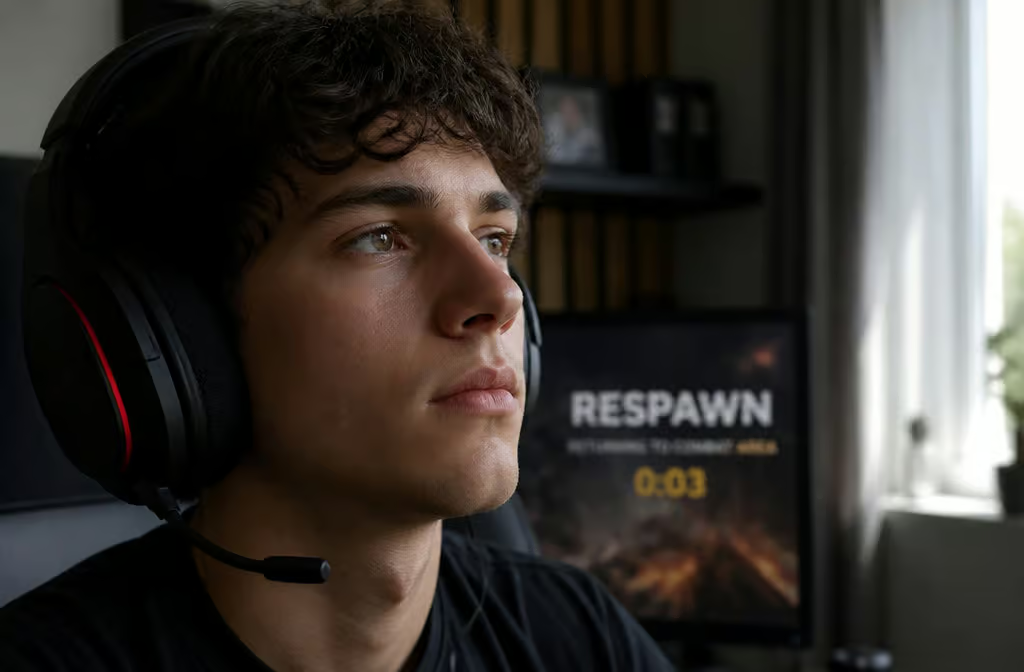
Instead of setting a timer that forces you to alt-tab out every 20 minutes — which breaks concentration and can get you killed, use the breaks the game already gives you.
This is what the Match-Flow method does. You map your 20-second look-away to natural game pauses:
- FPS games: Use death screens. You’re already dead for a few seconds — spend that time looking across the room.
- MOBAs and RPGs: Shop phases and loading screens are perfect. While you’re deciding whether to buy that item, give your eyes a real break.
- Open-world games: Fast-travel sequences, map navigation, and cutscenes are built-in opportunities.
- Any game with round transitions: The time between rounds (death screens, scoreboards, map loading) is a freebie.
This approach reframes the break as part of the flow, not an interruption. The goal isn’t a rigid 20-minute timer — it’s a flexible system that keeps your eyes refreshed without pulling you out of the experience.
The Adherence Problem: Why Reminders Are the Bottleneck
A 2023 study in Contact Lens and Anterior Eye tested the rule on 29 laptop users with digital eye strain. When reminded, they took more breaks, their eye strain improved, and their eyes could refocus faster.
The catch: once the reminders stopped, the benefits faded within a week. The rule works when you actually use it — you need a system.
Bottom line: The 20/20/20 rule works reliably, but only while you’re actively remembering to use it — build a trigger into your game flow rather than relying on willpower.
Practical options include in-game timers, phone alarms, Apple Screen Time features, and dedicated apps like Myopiaapp for tracking habits. But the Match-Flow method has an advantage — linking the break to something you’re already doing in the game means you don’t need a separate reminder. Your next death screen is the reminder, which helps keep your gameplay within the balanced limits that research on how many hours of video games is healthy for adults recommends.
AOA’s Complete Eye Health Tips for Gamers
The American Optometric Association has a broader set of recommendations for gamers that go beyond just the rule:
- Keep artificial tears or lubricating eye drops handy. Sometimes your eyes need chemical backup.
- Stop gaming at least one hour before bed. Blue light from devices disrupts sleep and fatigues retinas, as noted by Dr. Aarushi Bhardwaj. Blue light exposure and sleep quality don’t mix well.
- Stay hydrated — it helps with tear production.
- Clean your face and eyelashes daily. The oil glands around your eyes need to stay clear.
- Create an automated pause or reminder to blink. Even a sticky note on your monitor beats nothing.
Beyond the Rule: Ergonomic Setup and Hardware Tips
The 20/20/20 rule fixes the mechanics inside your eyes. Your monitor setup fixes the input side of the equation. These work together, not as alternatives.
Monitor Positioning and Viewing Distance
This is a quick fix that costs zero dollars. Set your monitor so the top of the screen is at or just slightly below eye level. You should not be looking up at your display. Distance should be 20 to 30 inches — roughly arm’s length.
If you can touch the screen, you’re too close. If you’re leaning forward, you’re too far. A slight downward tilt keeps your eyes in a more natural position.
Brightness Calibration: The Paper Test
This is one cheap hack. Grab a blank sheet of white printer paper and hold it next to your monitor. Adjust your display’s brightness until the white of the paper and the white of the screen look about the same intensity. That’s your ideal brightness for the current room lighting.
A couple of specific caveats: don’t leave HDR mode on constantly. Running maximum brightness in SDR content creates unnecessary eye strain — only enable HDR when you’re actually viewing HDR content. In darker rooms, lower your overall brightness to reduce fatigue and minimize blooming on Mini-LED panels.
Flicker-Free and Low Blue Light Hardware
If you’re shopping for a monitor or already have one that supports these features, here’s what matters.
Flicker-free technology (also called DC dimming) eliminates the rapid on-off cycles of the backlight that cause eye fatigue. Standard PWM dimming flickers at a rate you can’t consciously see but your eyes can feel. DC dimming keeps the current steady.
Hardware-level low blue light filtering is significantly better than software overlays. Software filters (like blue light reduction modes) apply a yellow tint to the whole display, which kills color accuracy — bad for competitive gaming where you need to spot enemies quickly. Hardware filtering cuts the harmful wavelengths at the panel level, so your games still look correct. For users without a supporting monitor, blue light glasses can serve as an alternative, though hardware filtering is generally more effective for preserving color accuracy.
Look for TÜV Rheinland certification. It means the monitor’s eye-care features have been tested against recognized standards, not just marketing claims.
Hardware vs. Habit: When Each Is Enough
Not every session requires the full stack of hardware plus rule. Here’s a quick decision framework:
- Quick session (under an hour): Good hardware alone is probably enough. Set your brightness right, ensure the monitor is positioned correctly, and don’t overthink it.
- Ranked grind (2–4 hours): Combine hardware setup with the 20/20/20 rule. Your eyes will thank you by hour 3.
- Late-night marathon (4+ hours): Definitely use both. And follow the AOA tips — especially the 1-hour pre-sleep cutoff.
- If you already have symptoms: Use both from the start. Don’t wait until your eyes feel bad.
What the Science Says: Evidence and Limitations
Let’s be clear about what the research actually shows, because the internet has a tendency to turn a useful tip into a miracle cure.
The 2023 Study: What It Found and What It Didn’t
The 2023 study on 29 laptop users with digital eye strain is the direct evidence we have. Participants who were reminded to use the 20/20/20 rule took more breaks, reported fewer eye strain symptoms, and showed improvement in accommodative facility — essentially, their eyes could refocus faster.
But the study also showed that improvements stopped when the reminders stopped. After a week without prompts, participants went back to their old patterns and the symptoms returned. This is not a failure of the rule. It’s a demonstration that knowing the rule and following the rule are two different things.
The rule reduces symptoms. The bottleneck is adherence, not efficacy.
Myopia vs. Eye Strain: What the Rule Can and Cannot Do
The 20/20/20 rule does not prevent or stop myopia (nearsightedness). It was created to relieve digital eye strain — the temporary discomfort of dry eyes, blurry vision, and headaches after screen use.
If you’re specifically concerned about myopia control, a 2023 review suggests that longer breaks — at least 5 minutes every hour, may be more effective than the 20/20/20 cadence. That’s a different intervention for a different problem.
If you have uncorrected refractive error (myopia, hyperopia, or astigmatism), digital eye strain symptoms will hit harder. The rule can help with comfort, but if you’re overdue for an eye exam, start there.
For Parents and Young Gamers
Kids’ eyes can benefit from the same rule. But telling a 10-year-old to “look 20 feet away for 20 seconds” won’t stick — you need to make it a game.

Fun Activities to Teach the 20/20/20 Rule
Instead of a timer, turn the break into a quick observation challenge:
- Count cars, trees, or people you can see through the window.
- Play “I Spy” using objects in the distance.
- Spot birds, clouds, or specific building features far away.
- Find something of a particular color and name it.
The goal is to get them actually looking into the distance, not just glancing up from the screen. These activities work because they feel like a mental palette-cleanser rather than a medical command.
Screen Time Limits and the Elbow Rule
For school-aged children, the recommended limit for leisure screen time is two hours a day — a useful anchor, not an absolute. The “elbow rule” is another simple one: hold the device at arm’s length. If your elbow is bent, you’re too close.
Combine these with adequate room lighting and comfortable text sizes. And encourage outdoor time — it’s genuinely beneficial for eye health and gives the eyes a sustained break from near-focus work.
Conclusion: The 20/20/20 Rule as Part of a Complete Eye Health Strategy
The 20/20/20 rule relaxes your ciliary muscles, restores your tear film, and reminds you to blink. It’s not a cure for myopia, not a replacement for an eye exam, and not a magic bullet. But as part of a complete approach — proper monitor positioning, brightness calibration via the Paper Test, flicker-free and low blue light hardware, hydration, and daily habits, it’s genuinely effective.
The Match-Flow method is your best bet: let your game’s natural pauses do the reminding. Once it becomes automatic, you won’t have to think about it.
A practical checklist for your next long session: confirm your monitor is at eye level and arm’s length away. Do the Paper Test to check brightness. Map your Match-Flow triggers (death screens, shop phases, loading screens) before you start playing. If you notice dryness, blurriness, or headaches during the session, you’re already overdue — increase your break frequency and recheck your brightness.
The rule costs nothing, takes no special equipment, and the only barrier is remembering to do it. That’s a pretty good deal for your eyes.
People Also Ask
What is the 20/20/20 rule in gaming?
It’s a simple eye care technique: every 20 minutes, look at something 20 feet away for 20 seconds. The rule was created by optometrist Jeffrey Anshel in the late 1990s specifically to relieve digital eye strain, not to prevent nearsightedness. For gamers, it gives your focusing muscles a break and lets your tear film re-form, which helps with dry eyes, blurred vision, and headaches.
How do I remember to do the 20/20/20 rule while gaming?
The most effective method is to use your game’s natural pauses as break triggers — this is called the Match-Flow method. Use respawn screens in FPS games, shop phases in MOBAs and RPGs, fast-travel sequences in open-world games, and round transitions in any competitive game. This works better than a separate timer because the break becomes part of your gameplay flow rather than an interruption.
Why do my eyes feel worse after gaming even if I use the 20/20/20 rule?
Your blink rate drops from 15-20 blinks per minute to just 4-7 during intense gaming — a reduction of over 60% — which directly causes dry eyes and blurred vision. If you’re still having symptoms, check your monitor setup: the top of the screen should be at or below eye level, and you should sit 20-30 inches away. Also try the Paper Test by holding white paper next to your monitor and matching the brightness.
What’s the difference between the 20/20/20 rule and hardware eye care features?
The 20/20/20 rule fixes the mechanics inside your eyes by giving your focusing muscles a break and restoring your tear film. Hardware features like flicker-free technology and low blue light filtering fix the input side by reducing the strain your monitor causes. They work together, not as alternatives — for sessions under an hour, good hardware alone is probably enough, but for longer gaming sessions, you should use both.
