
You’re staring at a browser called Wave Browser on your machine, and you’re pretty sure you didn’t ask for it. It may have arrived bundled with a lively wallpaper tool or after you clicked an ad promoting a PC speed-up tool. Now Wave Browser sets itself as the default browser, replaces your default search engine, uses more system resources than expected so your laptop fan spins up, and serves pop-up ads on sites that never had them. You’re not alone.
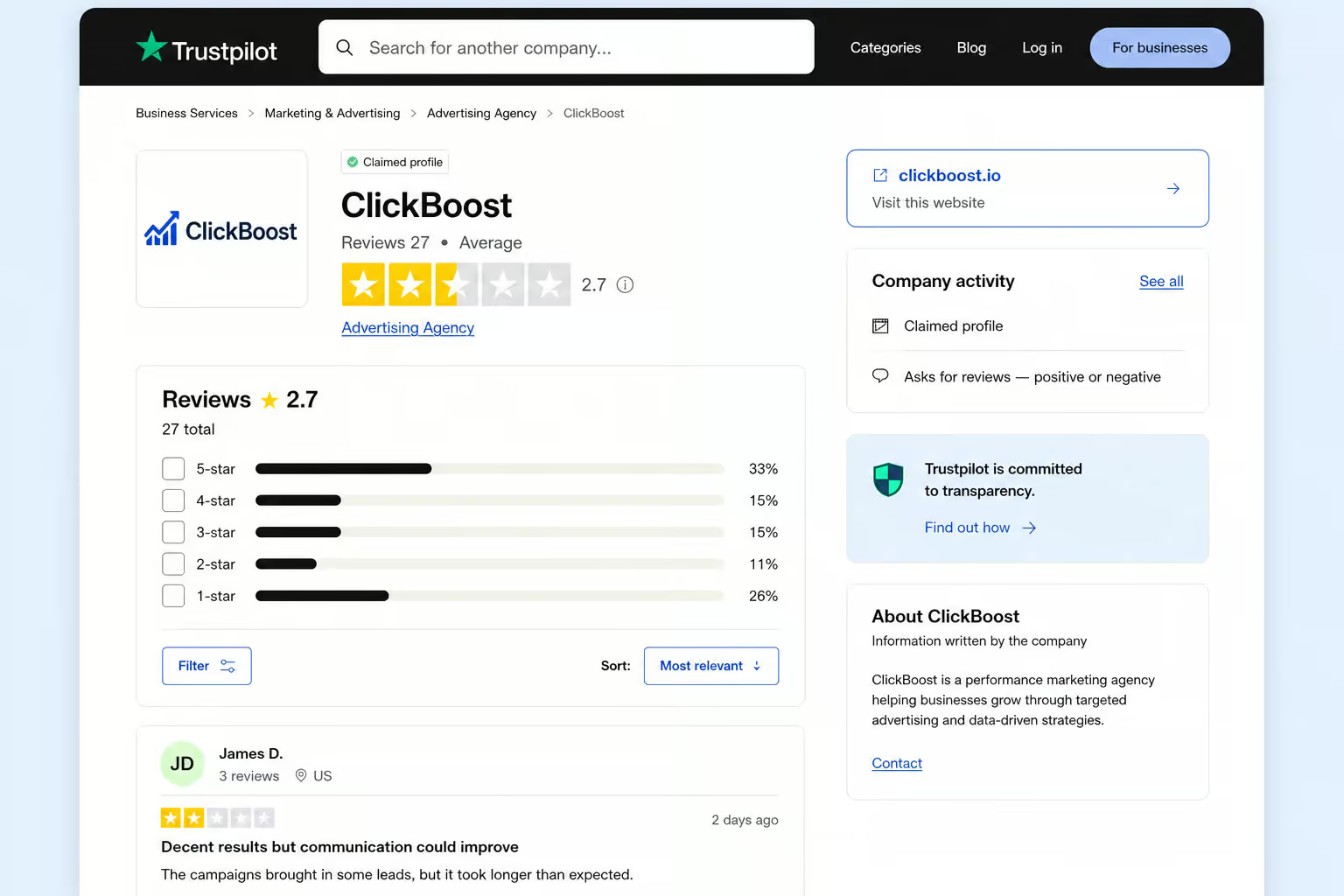
I’ve been digging into this thing, pulling apart its marketing claims, its 27 Trustpilot reviews with a 2.7/5 rating, the Registry keys at HKEY_CURRENT_USERSoftwareWaveBrowser, and the publisher network linking ISIGN International, Eightpoint Technologies Ltd, and Wavesor Software. Here’s what I found.
Key Takeaways
Wave Browser is classified as PUP.Optional.Wave by Malwarebytes — a potentially unwanted program that installs via bundled software like lively wallpaper tools and the “Screw Master Jam” game, with installation options pre-checked or buried in optional settings.
User reports include unauthorized $9.95 recurring charges, a “Managed by Organization” browser lock that required manual deletion of Registry keys at HKEY_CURRENT_USERSoftwareMicrosoftWindowsCurrentVersionUninstallWaveBrowser to fix, and AI-generated customer service replies on Trustpilot.
The browser’s paid Wave PRO tier offers legitimate features (VPN, AI assistant, PDF annotator), but the overall Trustpilot rating is 2.7/5 based on 27 reviews, and the fragmented publisher network (ISIGN International, Eightpoint Technologies, Wavesor Software) raises trust flags.
Table of Contents
What Is Wave Browser? The Polished Facade and the PUP Reality
On its website, Wave Browser looks like a legitimate productivity tool. It’s built on Chromium, the same open-source engine behind Chrome and Edge, so it’s fast and familiar. The marketing talks about being lightweight, customizable, and secure — but Malwarebytes detects it as PUP.Optional. Wave, and its privacy policy states it tracks browsing activities and collects personal data. The paid version, Wave PRO, throws in a VPN, an AI assistant, a PDF annotator, an ad blocker, a file converter, and social media shortcuts. They have a certified partnership with 4ocean, promising to fund the removal of 300,000 pounds of ocean trash by 2028.
Now look at what security tools say. Malwarebytes flags it as PUP.Optional.Wave. That’s the “potentially unwanted program” label — not quite malware, but not something you want hanging around. As ProPrivacy puts it, PUPs are less dangerous than traditional malware but can be sneakier, more intrusive, and harder to remove. Wave Browser redirects traffic to unfamiliar sites, adds unwanted sidebar tools, and runs in the background without notice. That’s the tension: the website says one thing, the antivirus logs say another.
What It Claims to Be
Wave Browser’s own site, promoted across domains including gowavebrowser.com and wavebrowser.com, paints a picture of a modern, feature-rich browser. It’s Chromium-based, so it supports all your Chrome extensions. Wave PRO adds a VPN that user William Grant called “fast and reliable” on Trustpilot, an AI assistant that teacher Jennifer Mitchell uses for lesson planning and grading, and a PDF annotator that Jessica Mills says is genuinely useful. The ad blocker and file converter get praise from users like Jake Rodriguez. The 4ocean partnership is a feel-good environmental angle — they claim a certified partnership with 4ocean to support ocean cleanup.
What Security Tools Say It Is
But the classification from Malwarebytes tells a different story. PUP.Optional.Wave is the exact detection name you’ll see in your security logs — Malwarebytes can detect and remove PUP.Optional. Wave without further user interaction via real-time protection. It’s not a virus in the traditional sense, it doesn’t exploit system vulnerabilities or spread like a worm. Instead, it relies on user “consent” via installation options that are pre-checked or buried in optional settings, and via ads promising faster browsing or performance tools.
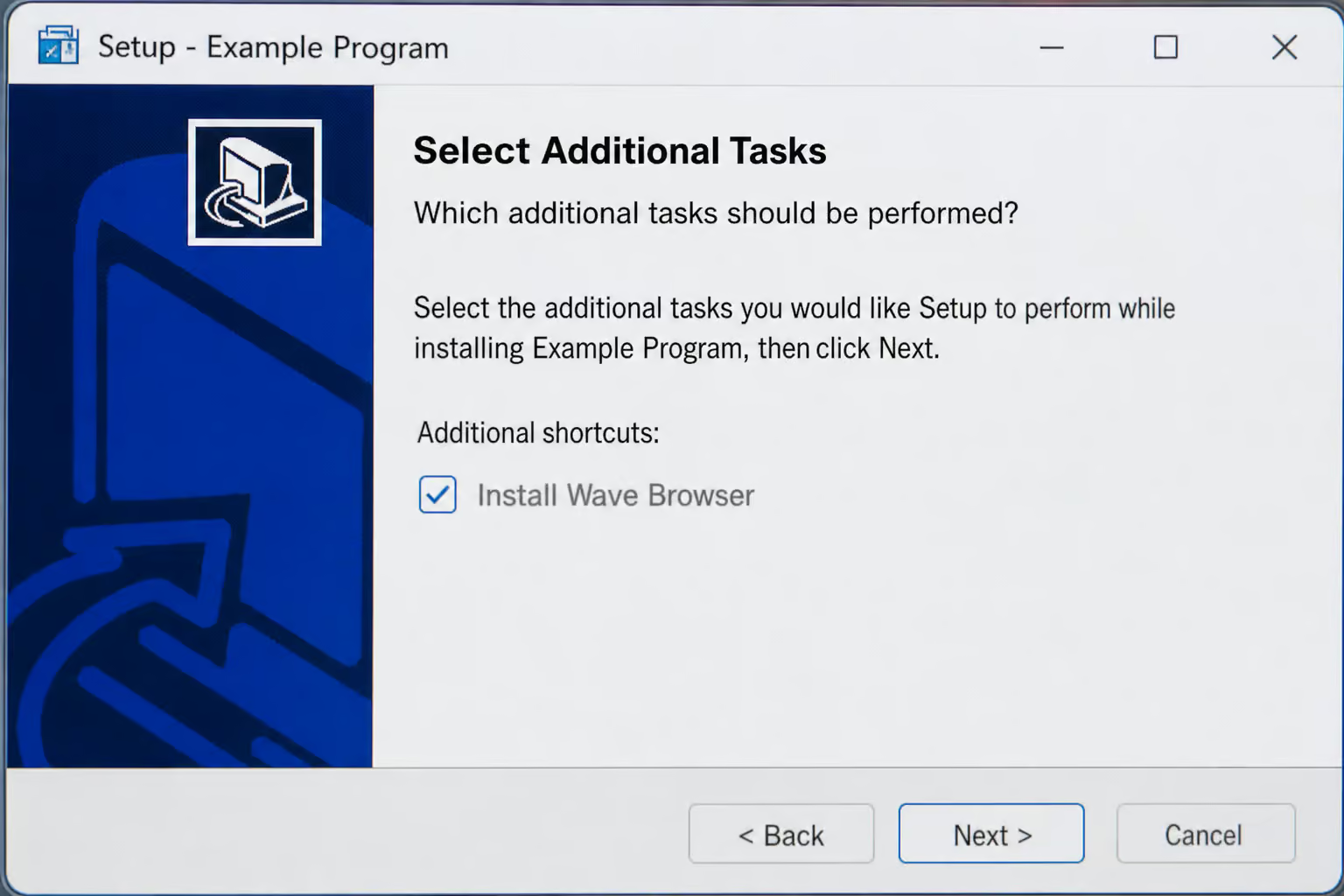
That’s the PUP playbook: get the user to click through without reading, then take over. The fact that it’s Chromium-based makes it look harmless at first glance, because it behaves like a regular browser. But the behavior after installation is where the line blurs.
How Wave Browser Slips Onto Your Machine
You didn’t “hack” yourself, but you were tricked. Wave Browser is distributed via bundling without clear user consent — often with free programs or download tools. The classic scenario: you download a free utility, maybe a lively wallpaper app, as Trustpilot user Darius Cooper reported, and the installer has a pre-checked box or the option is buried in optional settings. You click “Next” a few times without reading, and boom, it’s in.
Another vector is the “Screw Master Jam” game, which is likely not a real game but a deceptive application that funnels users to the same PUP — Wave Browser also appears after clicking ads promoting faster browsing or performance tools. The “speed up your PC” ads you see on sketchy sites are designed to look like system alerts, leading you to download the browser under false pretenses, users unknowingly agree by clicking through standard setup.
There’s also the “helpful relative” scenario: someone in your family installs a harmless-looking free program, and Wave Browser tags along via bundling without clear user consent. Later, the IT-savvy person in the house gets a call about “weird behavior.” An IT director named MattS found it on his family’s laptop, looking like Chrome — the mimicry is deliberate. The name “Wave” phonetically resembles “Brave” (a legitimate privacy browser), and the logo colors are reminiscent of Microsoft Edge. Visual and phonetic confusion.
What Wave Browser Does When It’s Inside
Once it’s in, the pattern is consistent. Wave Browser exhibits browser hijacker behavior — it sets itself as the default browser and replaces the default search engine, you open a link, and suddenly Wave is the default. Your Google searches get replaced with a custom search that serves up sponsored junk. It adds unwanted sidebar tools or extensions, and may run in the background without notice. Some of those extensions claim to be ad blockers, but users report seeing more ads afterward.

Browser Hijacking and Ad Injection
Pop-up ads appear on sites that normally don’t have them — Wave Browser serves pop-up ads on websites that normally do not display them. Your search results become a menu of paid links, sponsored results replace default search engines. The typical “X” button to close an ad is either missing or reloads the ad, classic dark pattern. And it doesn’t stop when you close the browser window.
Wave Browser runs background processes, eating CPU and memory — it uses more system resources than expected. Your laptop fans spin up more often. That’s the PUP tax on your hardware.
Persistence and the “Managed by Organization” Lock
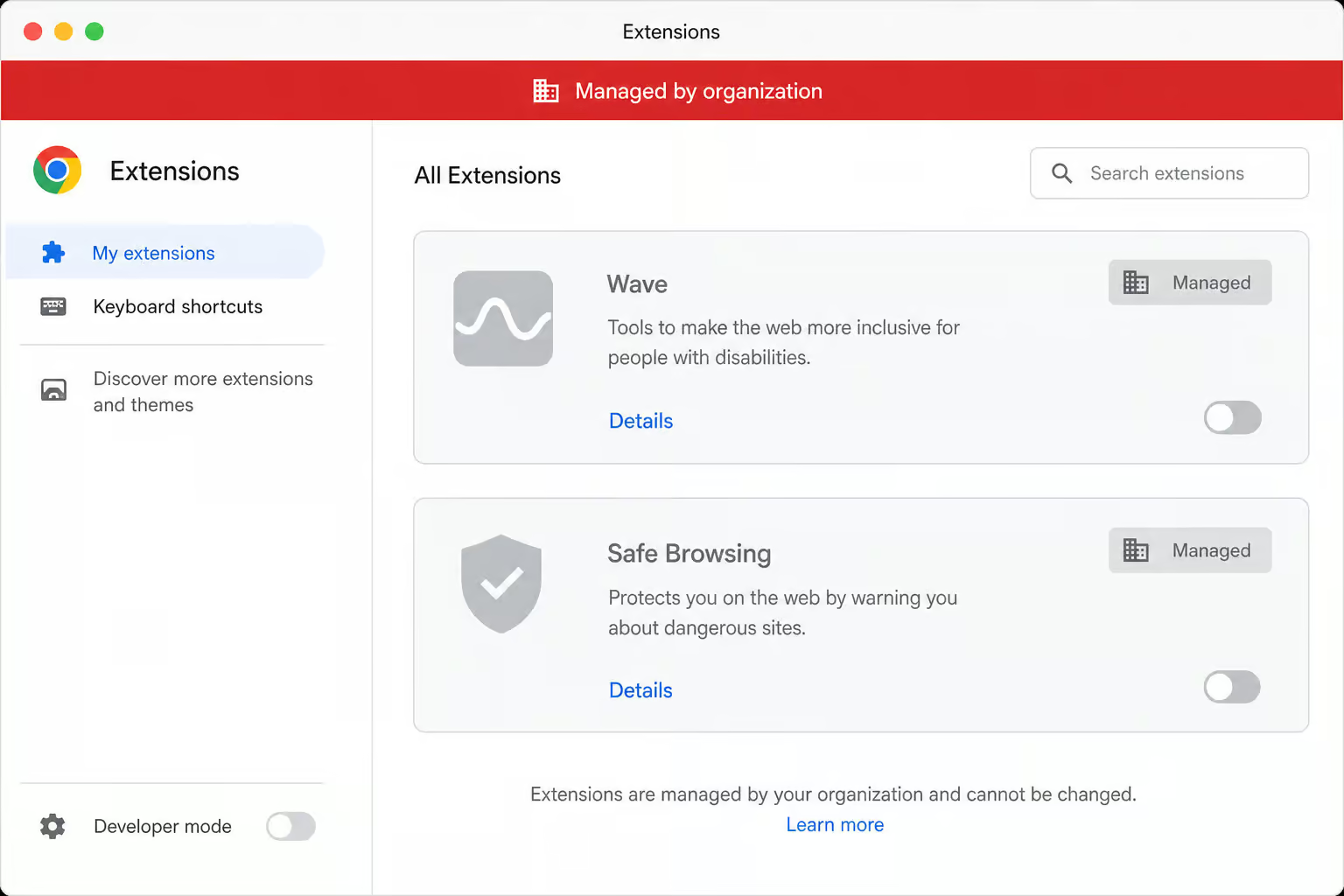
The nightmare is when you try to get rid of it. Standard uninstallers leave artifacts — leftover extensions or settings may remain after uninstall. The app may reinstall itself after a restart or system update. Extensions get grayed out in your browser’s extension manager, extensions that cannot be removed.

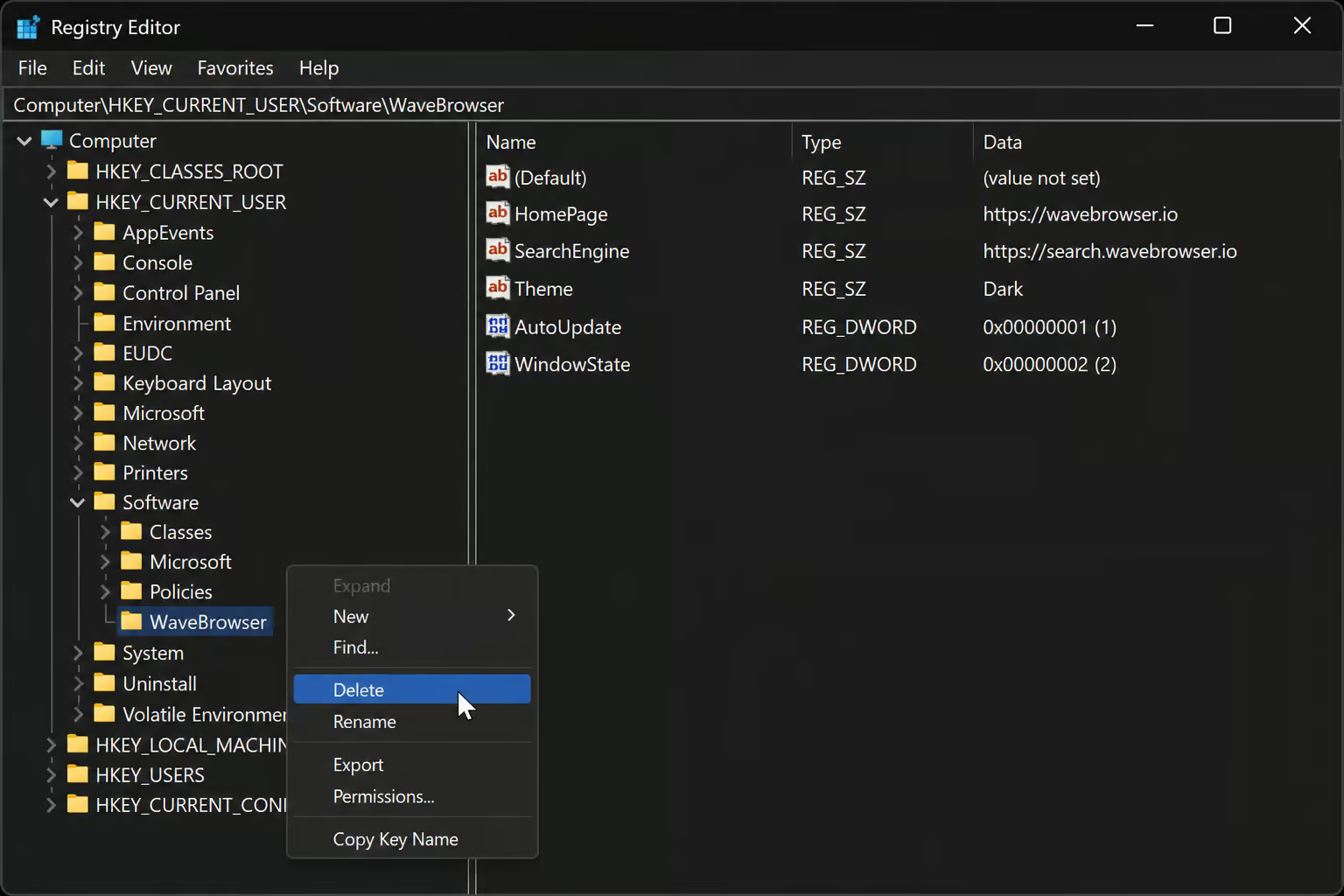
Trustpilot user Johan Lasin reported a creepier edge case: Wave Browser forced his laptop into a “Managed by Organization” enterprise state — that required manually deleting Registry keys at HKEY_CURRENT_USERSoftwareMicrosoftWindowsCurrentVersionUninstallWaveBrowser. That’s normally something IT departments use to control company devices.
Beyond Annoying: The Real Security and Privacy Risks
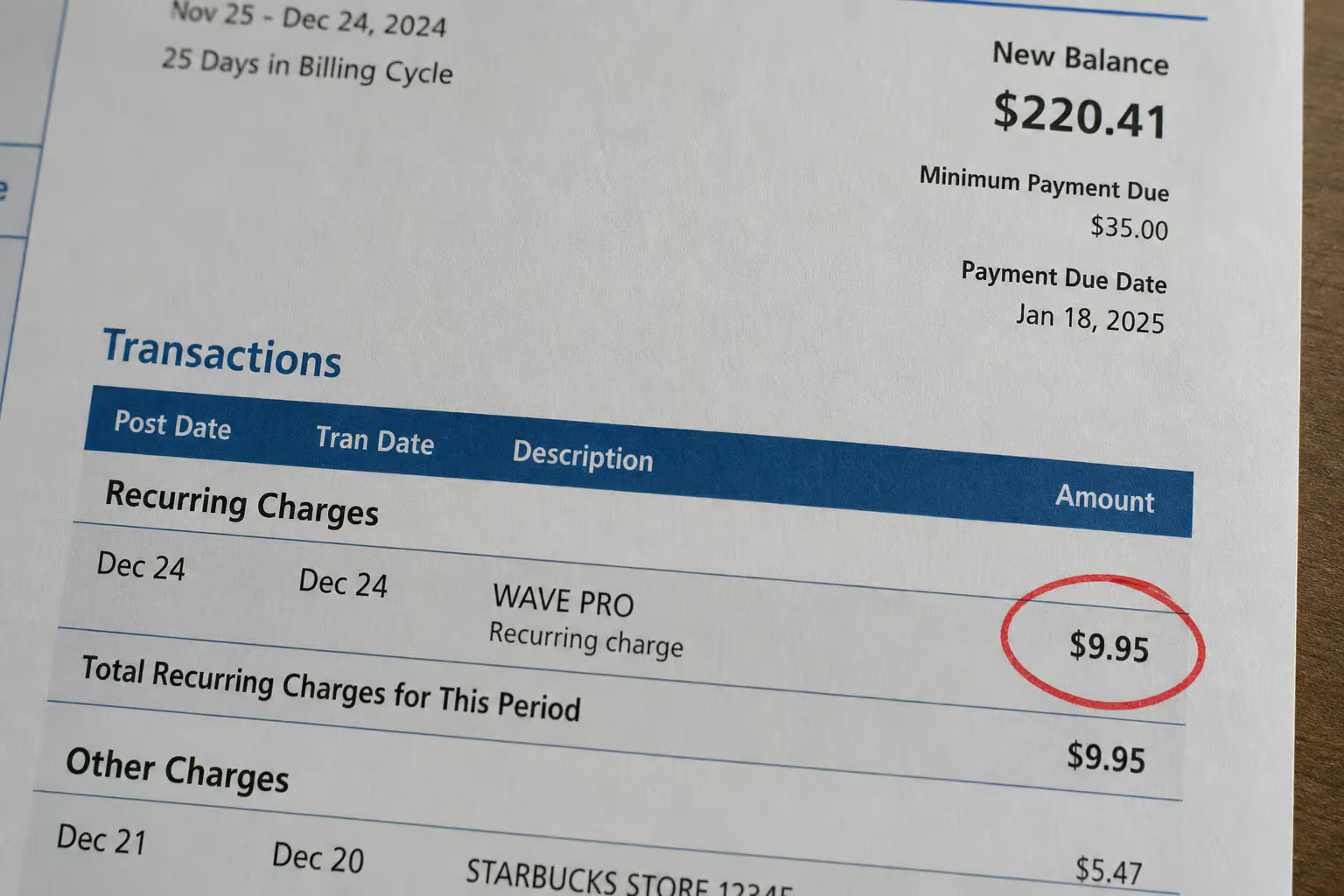
Annoying pop-ups are one thing, but this browser can cost you money. Wave PRO offers a free trial, but users like Robert Shelton report unauthorized recurring charges of $9.95 after the trial ends. He had to ask for a refund. Nate signed up for a free trial and couldn’t cancel — no email response, no phone number to call.
And the injected ads? Some are annoying, but some may link to phishing websites or misleading content. You might think ads are clutter until one asks for your login credentials. The privacy policy itself is honest about data collection: it states it tracks browsing activities and collects personal data. It’s not hidden, buried in the fine print, banking on you not reading it.
Is Wave Browser Malware, or Just a PUP?
Technically, it’s a PUP — not malware. Malware exploits system vulnerabilities. PUPs get your “consent” via pre-checked boxes or options buried in standard setup. But the user impact makes the distinction academic.
Browser hijacking — setting itself as default browser and replacing search engines, unauthorized $9.95 charges, and system policy changes, these behaviors feel more malicious than the “PUP” label suggests. ProPrivacy’s conclusion nails it: PUPs are less dangerous than traditional malware but can be sneakier, more intrusive, and harder to remove.
When a PUP Behaves Like Malware
The Managed-by-Organization lock is an example — it required manual Registry edits to delete keys at HKEY_CURRENT_USERSoftwareMicrosoftWindowsCurrentVersionUninstallWaveBrowser. That’s a system-level change that normally requires admin rights. The unauthorized charges are another behavior that crosses the line from “annoying” to “financial harm.” So while the academic classification is PUP/adware, the practical question for many users is is wave browser malware? The experience is indistinguishable from actual malware.
Who Actually Makes Wave Browser? The Shell Game
Here’s where it gets sketchy. Wave Browser isn’t owned by a single transparent company. There are at least three named entities associated with it: ISIGN International, Eightpoint Technologies Ltd, and Wavesor Software — and it’s promoted across domains gowavebrowser.com, wavebrowser.com, wavebrowser.co, each listing different company names or terms of use. It’s a shell game.
Legitimate software companies don’t hide behind a web of aliases. The fragmentation itself is a red flag — as is the fact that Wave Browser resists standard removal, so if you’re stuck with it, here is a detailed guide on how to uninstall Wave Browser.
The visual and phonetic mimicry is another layer: the name phonetically resembles Brave, the logo colors are reminiscent of Microsoft Edge, the official website looks professional with a marketing campaign. The privacy policy states it tracks browsing activities and collects personal data, but it’s buried.
What Users Actually Say: Productivity Tools vs. Subscription Traps
Trustpilot gives Wave Browser a 2.7 out of 5 rating — “Poor”, with a TrustScore 2.5 out of 5 based on 27 reviews. That small sample size also tells you something about its user base. The reviews split into two camps.
The Wave PRO Experience
Positive reviews highlight Wave PRO features: PDF annotator, AI assistant, VPN, ad blocker, file converter, social media shortcuts. Jennifer Mitchell, a teacher, uses the AI assistant for lesson planning and grading. William Grant says the VPN is fast and reliable. Jessica Mills praises the PDF annotator and metric conversion tool.
Jake Rodriguez likes the file converter, social media shortcuts, and ad blocker. These are specific use cases.
The Subscription Trap and AI Customer Service
Then there’s the horror stories. Robert Shelton got hit with an unauthorized $9.95 charge. Nate couldn’t cancel his free trial. Darius Cooper claims all the Trustpilot replies from the company are AI-generated — some users claim Trustpilot responses are AI-generated. The certified partnership with 4ocean to support ocean cleanup (300,000 pounds of trash removal by 2028) is a feel-good pitch, but it’s hard to verify from a company with this track record.

Why IT Pros Are Watching This Trend
This isn’t a consumer problem. A survey on ITondemand found that 56% of IT decision-makers report an increase in browser-related infections. IT teams often don’t know what software is entering their devices, especially when it’s bundled with free tools. Microsoft has stated that they do not pre-install Wave Browser on new devices — it’s from third-party retailers or bundled software. If you bought a used or refurbished device, the previous owner might have left it there.
How to Remove Wave Browser for Good
Wave Browser is difficult to remove and may persist after uninstall — leftover extensions or settings may remain, and it may reinstall itself after a restart or system update. Here’s the order of operations, skip steps at your own risk.
Windows
- Uninstall via Control Panel or Settings. Go to Apps & Features, find Wave Browser, uninstall.
- Check browser extensions. Open Chrome/Edge, go to extensions, remove anything related to Wave or Wavesor.
- Reset your browser. Go to Settings > Reset and clean up > Restore settings to their original defaults.
- Edit the Registry. This is the advanced step. Open Regedit and delete these keys:
HKEY_CURRENT_USERSoftwareMicrosoftWindowsCurrentVersionUninstallWaveBrowserHKEY_CURRENT_USERSoftwareWaveBrowserHKEY_CURRENT_USERSoftwareWavesor
Warning: editing Registry can break things if you’re not careful.- Delete leftover files. Check these folders:
%APPDATA%Wavesor Software%PROGRAMFILES%Wavesor Software- Also look in
%USERPROFILE%Wavesor Softwareif it’s there. - Run a full antivirus scan. Use Malwarebytes or your preferred tool. It will detect and remove any remaining traces. Malwarebytes specifically catches
PUP.Optional.Wave. - Clean temporary files. Use Disk Cleanup or a tool like CCleaner to remove cached junk.
- Clear browser history, cookies, and cache. This removes any data Wave Browser stored.
macOS
- Drag Wave Browser from the Applications folder to Trash.
- Empty the Trash.
- Remove any browser extensions related to it.
- Reset your browser settings.
Android
- Go to Settings > Apps > Wave Browser.
- Tap Uninstall.
- After uninstall, clear cache and data to make sure it’s gone.
iOS
- Press and hold the Wave Browser icon on the home screen.
- Tap Remove App > Delete App.
- On iOS 14+, check the App Library to confirm it’s gone.
Post-Removal Cleaning
After you’ve done the platform-specific steps, scan for malware using a trustworthy antivirus or anti-malware program. Clean temporary files using Disk Cleanup (Windows) or manually clear Caches folder (macOS), reset web browser settings to default, and clear browser data (history, cookies, cache). This is a multi-pass operation.
Keep It or Kill It?
Here’s a decision framework:
- Did you install Wave Browser knowingly? If no, remove it.
- Are you paying for Wave PRO and actively using its features (VPN, AI, PDF tools)? If yes, and you accept the privacy policy’s data-harvesting terms, it’s your call. But understand the tradeoff.
- Do you accept the privacy policy’s stated data collection — tracking browsing activities and collecting personal data? If no, remove it.
The bottom line: unless you intentionally subscribed to Wave PRO and are comfortable with a company that hides behind multiple aliases, has a 2.7/5 Trustpilot rating, and is known for unauthorized charges, the security recommendation is clear. Remove it and use a trusted alternative — Chrome, Edge, Brave (the privacy-focused browser Wave’s name phonetically resembles), Firefox, or Safari. You’ll sleep better, and your laptop fans will spin down.
Frequently Asked Questions
How did Wave Browser get on my computer?
Wave Browser typically arrives bundled with other free software — a lively wallpaper app, a game called ‘Screw Master Jam,’ or via deceptive ‘speed up your PC’ ads that look like legitimate system alerts. The installation options are often pre-checked or buried in optional settings, so one too many ‘Next’ clicks is all it takes.
Is Wave Browser a safe website?
Wave Browser itself isn’t a website; it’s a Chromium-based browser that installs on your machine. While its marketing site looks professional and touts legitimate features, security tools like Malwarebytes classify it as a potentially unwanted program (PUP.Optional.Wave). The browser tracks your browsing activities, injects pop-up ads, and has a well-documented pattern of user complaints about unauthorized charges.
Is Wave Browser malware or just adware?
Technically it’s classified as a PUP (Potentially Unwanted Program) rather than malware, but the distinction feels academic once it’s on your machine. It doesn’t exploit system vulnerabilities like traditional malware — instead it gets your ‘consent’ through buried checkboxes — but the browser hijacking, unauthorized charges, and ‘Managed by Organization’ lock behave exactly like something far more malicious.
