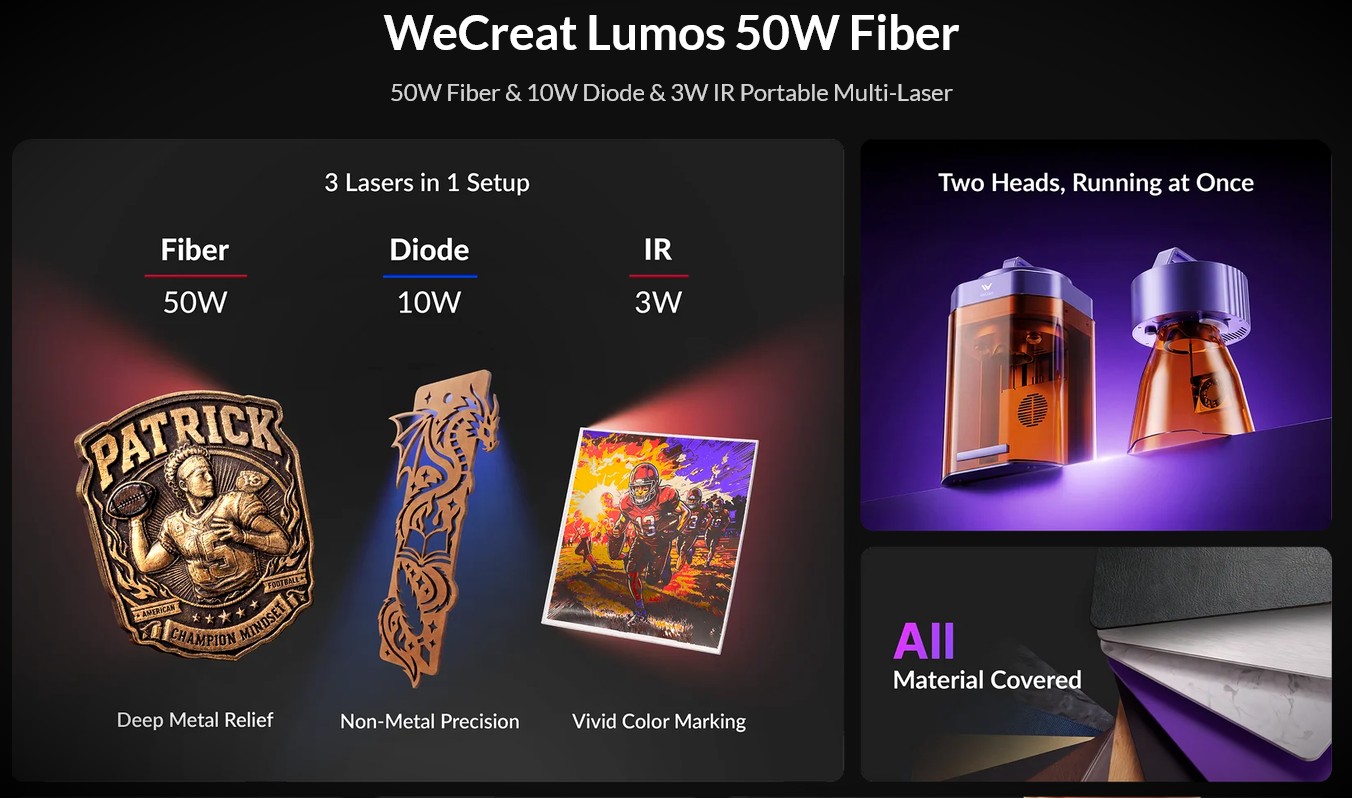
Need real metal-cutting power without giving up the wood, leather, and acrylic jobs that keep a small laser bench busy? This WeCreat Lumos 50W Fiber Laser Engraver Overview covers a portable, triple-laser engraving machine built for geeks who want to move from simple personalization into serious metal engraving.
It combines a 50W fiber laser for metal work with a 10W diode laser and 3W infrared laser for mixed-material projects.
We will sort out what each laser does, what the compact work area means for your projects, and where this machine makes sense before you commit bench space and budget.
Table of Contents
Key Features of the WeCreat Lumos 50W Fiber Laser Engraver
The Lumos 50W is not the same machine as the earlier Lumos dual-laser models. This version adds a true 50W fiber laser head to the existing 10W diode and 3W infrared setup, giving you three distinct laser tools in one compact platform.
That distinction matters. The fiber laser is the part meant for deeper metal engraving and metal cutting, while the diode laser remains the better pick for wood, leather, dark acrylic, slate, and similar DIY projects.
Three laser sources, each with a real job
Instead of trying to force one laser to handle every material, the Lumos 50W lets you switch to the source that fits the job. The official specifications list one-click switching among the 50W fiber, 10W diode, and 3W infrared lasers.
- 50W fiber laser: Use it for stainless steel, brass, aluminum, and other common metals. It is the production-focused choice for deep marks, serial numbers, metal tags, jewelry blanks, and thin-metal cutting.
- 10W diode laser: Use it for material cutting and engraving on basswood, leather, paper, cork, slate, and black acrylic. This is the practical source for coasters, signs, patches, ornaments, and packaging.
- 3W infrared laser: Use it for highprecision metal engraving and fine detail on smaller metal pieces. Its 0.01 mm by 0.01 mm listed spot size makes it useful for tiny text, detailed logos, and delicate jewelry work.
The 50W fiber laser is also what separates this model from a portable diode laser engraver. If metal engraving is a regular paid service rather than an occasional extra, the fiber head gives you a much stronger reason to choose this configuration.
Do not confuse the 50W fiber module with a UV laser. The Lumos 50W does not include a UV laser, so it is not the dedicated choice for ultra-fine glass or specialty plastic marking that calls for ultraviolet laser technology.
High-speed engraving with a camera that prevents waste
The fiber laser reaches a listed maximum speed of 15,000 mm/s, while the diode and infrared modes reach up to 4,000 mm/s. Those top numbers are useful for comparing hardware, but job time still depends on fill density, artwork complexity, material, focus, and the depth of the mark.
The more useful production feature may be the built-in 50MP HD camera. It gives you a live material preview, so you can position text or artwork before you burn through a batch of blanks.
For batch work, accurate placement often saves more money than chasing maximum speed.
The listed camera positioning precision is 0.1 mm, with 0.01 mm ranging precision. For dog tags, metal business cards, nameplates, and small jewelry blanks, use the camera preview to line up the first piece, then lock down a repeatable jig before running the rest of the batch.
Auto and manual focus modes give you two ways to set height. Start with autofocus for flat stock, then use manual focus when an unusual surface, fixture, or accessory needs a closer check.
Compact and portable, with realistic workspace limits
The fiber desktop configuration weighs 7.6 kg, or about 16.8 pounds. The diode and infrared desktop configuration weighs 7 kg, while handheld diode and infrared mode is listed at 2.466 kg.
That makes this engraving machine easier to move than a large cabinet laser, but the standard work area is still only 116 mm by 116 mm, about 4.6 inches square. Think jewelry, tags, coasters, patches, keychains, small plates, and compact fixtures, not wide signage.
| Setup | Best use | What to plan for |
|---|---|---|
| Standard desktop area | Tags, jewelry, coasters, patches, small metal parts | 116 mm by 116 mm workspace |
| Slide extension | Longer projects and repeated layouts | Extends the work area to 520 mm by 116 mm |
| Rotary setup | Tumblers, bottles, and cylindrical blanks | Supports up to a 40-ounce tumbler within a 3 mm to 100 mm diameter range |
If you make large acrylic signs or furniture-scale wood projects, a larger flatbed CNC machine will be a better fit. If you personalize compact products at markets, in a garage shop, or on-site, the Lumos format makes more sense.
Benefits of Using the Lumos 50W Fiber Laser Engraver
The big draw is range without owning three separate machines. You can engrave a stainless tag with the fiber laser, make a leatherette patch with the diode laser, then add detailed metal work with the infrared laser from the same platform.
For geeks who enjoy dialing in materials, this setup creates more room to experiment. You can test fill patterns, line spacing, speed, power, and focus on scrap before committing to a paid order.
- Better metal capability: The 50W fiber laser is rated to cut up to 3 mm stainless steel, which opens doors for metal tags, thin brass parts, and custom hardware.
- Useful material cutting: The 10W diode is rated for up to 8 mm basswood and 6 mm black acrylic, giving you a practical path to layered wood and acrylic projects.
- Small-batch speed: High galvo-style scanning speeds suit engraved logos, serial labels, QR-style marks, and repeated personalization.
- Cleaner positioning: The 50MP camera reduces the guesswork of centering artwork on uneven or small blanks.
- Software flexibility: The machine supports WeCreat MakeIt and LightBurn, so beginners can start with guided tools while advanced users can build more controlled workflows.
LightBurn support is especially useful if you already organize layered SVG or DXF files and want more direct control over laser parameters. MakeIt is the friendlier starting point for camera-based placement, material previews, and quick project setup.
There is one practical catch: color engraving is not guaranteed across every metal, finish, thickness, or curved shape. WeCreat’s own guidance for the 3W infrared color process calls for a test grid on the exact material, and it limits color work on cylinders to bare, shiny metals. Treat color as a calibrated material recipe, not a universal preset.
Material Compatibility and Project Ideas
The Lumos 50W covers a broad material range, but you will get better results by matching each job to the correct laser. That is the difference between making a clean product and wasting blanks during trial and error.
| Material | Recommended laser | Good project fit |
|---|---|---|
| Stainless steel, brass, aluminum | 50W fiber laser | Dog tags, tools, metal cards, serial plates, jewelry |
| Fine metal details | 3W infrared laser | Small logos, fine text, pendants, detailed marks |
| Basswood and plywood | 10W diode laser | Ornaments, coasters, layered art, gift boxes |
| Black acrylic | 10W diode laser | Keychains, signs, QR plaques, desk labels |
| Leather and leatherette | 10W diode laser | Patches, wallets, bag tags, branded accessories |
| Slate and cork | 10W diode laser | Coaster sets, bar accessories, wedding favors |
For fast-selling items, start with blanks that fit inside the 4.6-inch square workspace without rotation. Coasters, tags, patches, and small metal cards keep setup easy and let you use the camera to create repeatable placement.
Use a material test matrix for every new blank. Record the laser type, power, speed, frequency or fill settings, focus position, and result. That small habit turns a one-off experiment into a repeatable production setting.
Specifications of the WeCreat Lumos 50W Fiber Laser Engraver
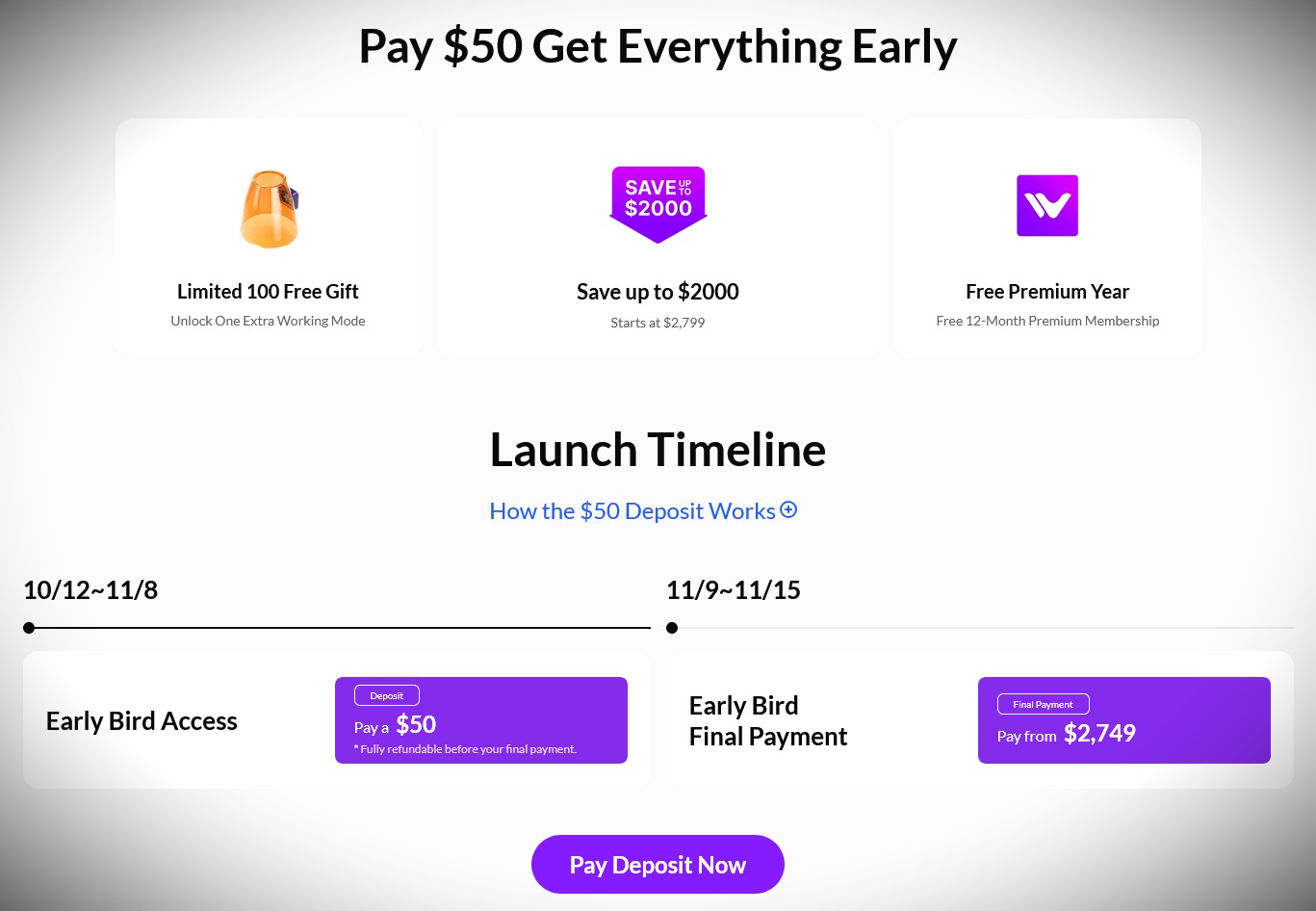
As of October 2026, WeCreat lists the Lumos 50W for United States early access with a $50 refundable deposit and an early-bird starting price of $2,799. The final purchase price, taxes, accessories, and shipping timing can change, so confirm the current checkout details before ordering.
| Spec | Details |
|---|---|
| Product | WeCreat Lumos 50W Fiber Laser Engraver |
| Laser modules | 50W fiber laser, 10W diode laser, and 3W infrared laser |
| Primary uses | Laser engraving and cutting across metal and non-metal materials |
| Maximum metal cutting depth | Up to 3 mm stainless steel with the 50W fiber laser |
| Maximum wood cutting depth | Up to 8 mm basswood with the 10W diode laser |
| Maximum acrylic cutting depth | Up to 6 mm black acrylic with the 10W diode laser |
| Maximum speed | 15,000 mm/s with fiber, 4,000 mm/s with diode and infrared |
| Standard work area | 116 mm by 116 mm, about 4.6 inches by 4.6 inches |
| Extended work area | 520 mm by 116 mm with the optional slide extension |
| Camera | Built-in 50MP HD camera with smart preview |
| Focus | Auto and manual focus modes |
| Laser spot size | 0.03 mm by 0.03 mm fiber, 0.05 mm by 0.05 mm diode, 0.01 mm by 0.01 mm infrared |
| Rotary capacity | Up to a 40-ounce tumbler, 3 mm to 100 mm diameter |
| Weight | 7.6 kg fiber desktop mode, 7 kg diode and infrared desktop mode |
| Software | WeCreat MakeIt and LightBurn |
| Connections | USB and Wi-Fi |
| Starting price | $2,799 early-bird starting price in the United States |
Safety and Setup Checks Before Your First Job
Laser power is useful only if you can run it safely and repeatably. Keep the lid closed during enclosed desktop work, provide ventilation or use a suitable fume extraction setup, and stay with the machine while it runs.
For handheld, rotary, or open-lid work, use laser safety eyewear rated for the active laser wavelength and keep other people and pets away from the work area. The fiber, infrared, and diode sources do not share the same visible-light behavior, so safety gear must match the setup.
- Run a camera alignment test before a large batch, especially after moving the machine.
- Test every new metal, wood, acrylic, coating, or leatherette blank on scrap first.
- Never laser unknown plastics, vinyl, PVC, fiberglass, or materials that can release hazardous fumes.
- Use a jig for repeated parts so your camera preview becomes a reliable production tool.
- Keep a small fire extinguisher nearby and do not leave a cutting job unattended.
One reviewer’s hands-on testing of the earlier Lumos found that camera calibration could be necessary even when the initial preview looked close. That is a useful reminder for this type of compact laser engraver: verify placement with a low-power frame or test mark before you run expensive blanks.
Final Thoughts on the Lumos 50W Fiber Laser Engraver
This WeCreat Lumos 50W Fiber Laser Engraver Overview points to a compact triple-laser system for makers who need more than light metal marking. The 50W fiber laser adds real metal engraving and cutting capability, while the diode laser keeps wood, leather, slate, and acrylic projects on the table.
The 50MP camera, autofocus, LightBurn support, and optional rotary and slide extension make it a flexible laser engraver for small runs and mobile personalization work.
Its 4.6-inch standard work area will not replace a large CNC machine, but for tags, jewelry, patches, coasters, tumblers, and precision engraving, it offers a capable mix of portable hardware and serious fiber laser power.
Pre-Order ItOther Resources
- https://www.ubuy.tl/en/product/TL2826X4M-wecreat-lumos-3w-ir-10w-diode-dual-laser-engraver-built-in-50mp-camera-color-marking-on-metal-4000mm-s-fast-auto-manual-focus-desktop-laser
- https://www.amazon.sa/-/en/WECREAT-Infrared-Switchable-Engraving-Materials/dp/B0DBLV9S3W
- https://www.zelpio.com/blog/wecreate-lumos-flex-review/ (2026-08-19)
- https://www.facebook.com/craftwithfelicia/posts/very-excited-about-the-all-new-wecreat-lumos-flex-laser-cutter-and-engraver/1739641063887439/
- https://misscarriescreations.com/laser-crafting-just-got-easier-with-the-new-wecreat-lumos/
- https://www.ubuy.fo/en/product/QHZ6PXSHA-wecreat-lumos-dual-laser-engraver-with-rotary-10w-diode-3w-ir-laser-4000mm-s-speed-8k-precision-hd-camera-laser-engraving-machine-for
