You’ve heard the horror stories. Wave Browser on Windows shows up uninvited, burrows into your Registry, slaps a “Managed by Organization” state on your machine, and refuses to leave without a Registry-editing exorcism that eats an entire evening. Now you’re staring at the App Store listing, wondering if the iOS version is the same nightmare in a different package.
Apple’s sandboxing and App Store review process physically prevent the forced installations, system hijacking, and Registry meddling that Windows users report. But the company behind Wave Browser still has a credibility problem that’s earned, not imagined.
Key Takeaways
iOS sandboxing and App Store review make the Windows-style forced installations and system hijacking technically impossible on iPhone — the “Managed by Organization” horror story simply cannot happen on iOS
AppEsteem Certification (publicly verifiable) confirms Wave Browser’s intended behavior doesn’t include installing additional programs or making forced system changes, though this certification covers the software as designed, not every user’s experience with bundled installations
The 4ocean partnership is transparent — specific cleanup locations in Bali, Dominican Republic, and Florida, a 300,000+ pound plastic removal goal by 2028, and a live impact tracker showing over 14 million single-use plastic bottle equivalents removed
Table of Contents
Is Wave Browser Safe on iOS?
The short answer is that iOS sandboxing and App Store review make the Windows-style forced installations and system hijacking technically impossible on iPhone. It’s worth noting that there is no publicly available independent security audit or penetration test specifically for the iOS version. The safety assessment here is based on platform constraints and the AppEsteem certification, not a third-party security review.
How iOS sandboxing prevents the Windows problems
The scariest Wave Browser stories come from Windows. Take the IT Director’s account: the browser appeared on a family member’s laptop without consent, forced a “Managed by Organization” state, and required an entire night of Registry editing with code strings to fix. Another user couldn’t play videos on Disney+ or Netflix. Multiple people reported it locking Chrome settings and resisting uninstallation.
None of that can happen on iOS.
iOS apps run in a sandbox — they can’t modify system settings, install additional software, access files outside their container, or make persistent system-level changes without explicit user permission. The App Store review process filters out deceptive installation behavior before the app ever reaches you. And if you decide you don’t want Wave Browser anymore, it’s a long-press and delete. No Registry editing. No security programs. No code strings.
The iOS version requires iOS 17.0 or later, weighs 139.3 MB, and carries a 16+ age rating for “Unrestricted Web Access” — standard stuff for any browser. The developer is Eightpoint Technologies LTD SEZC, which is worth noting but doesn’t change the platform mechanics.

What AppEsteem Certification actually guarantees
Wave Browser holds AppEsteem Certification, which is an independent evaluation of software against five criteria: installation behavior, data handling, transparency, and clean removal. The certification is public and independently verifiable in AppEsteem’s compliance database — you can check it yourself.
According to the certification, Wave Browser doesn’t install additional programs, make forced system changes, or modify settings without user awareness. That’s the official line on how the software is designed to behave.
Here’s the honest caveat: the certification covers the software’s intended behavior, not how it ends up on machines. The Windows reports describe Wave Browser arriving via deceptive bundling — piggybacking on free wallpaper downloads, PDF converters, and Java updaters. The certification doesn’t prevent that distribution method. It only says that if you install Wave Browser directly, it won’t sneak extra software onto your system.
On iOS, where the only installation path is the App Store, that distinction matters less. The app you download from the store is the app you get.
Privacy and Data Collection
Wave Browser’s privacy posture on iOS is a mix of standard data collection practices and a trust deficit created by the company’s Windows behavior.
Official privacy policy vs. what users report
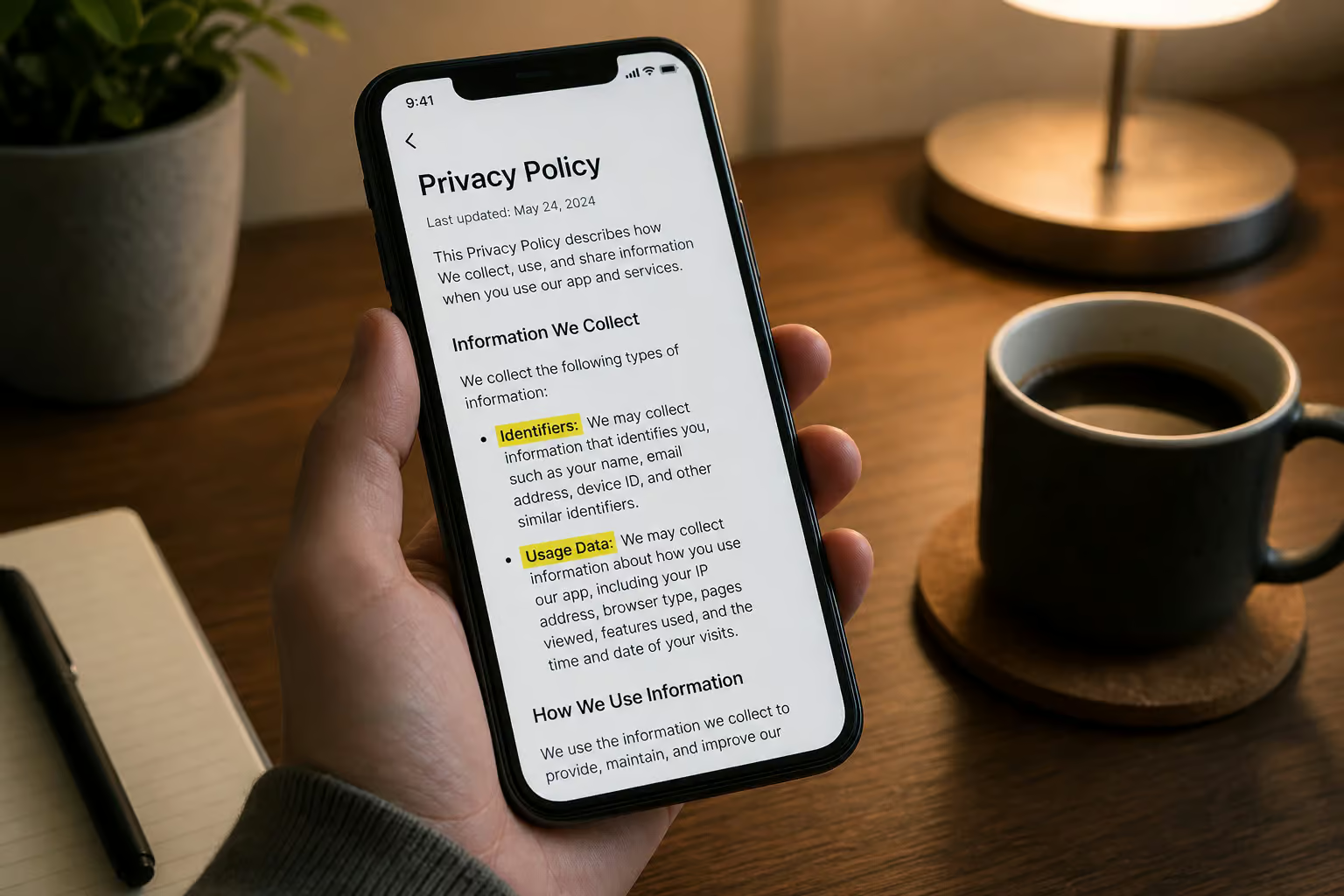
The App Store privacy practices for Wave Browser list two data types: “Identifiers” and “Usage Data.” The official claim is that this data isn’t linked to your identity. That’s a standard privacy posture for a free browser — Chrome and Firefox collect similar categories.
But the company’s Windows behavior creates a credibility gap. Third-party blogs and user reports claim Wave Browser collects data without permission, changes settings without notification, and shows aggressive advertisements. These reports are predominantly Windows-focused, and I couldn’t find iOS-specific complaints about unauthorized data collection. Still, once a company has a documented pattern of ignoring consent on one platform, it’s reasonable to question whether the same philosophy applies elsewhere.
The official policy is standard, but the trust deficit is real.
The Yahoo default search tradeoff
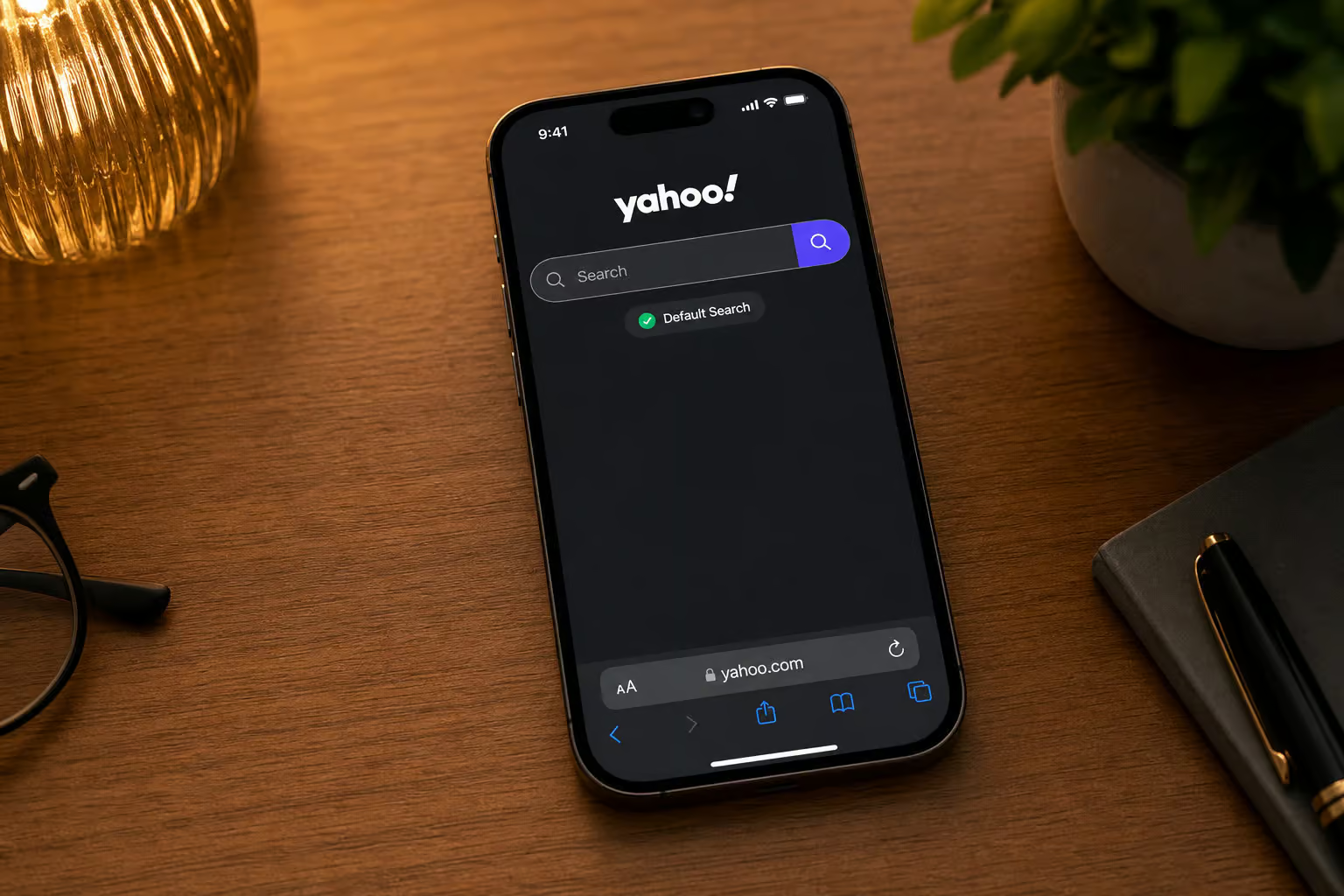
Here’s something you should know before you tap that “Get” button. The download call-to-action reads: “By clicking ‘Get,’ you agree to install the Wave Browser app, set its in-app search to Yahoo, and accept our Terms of Use and Privacy Policy.”
This is the browser’s primary monetization method. Search revenue from Yahoo (or whichever default search partner they’re using) funds the free tier, just like Google pays Mozilla for Firefox’s default search. It’s a disclosed tradeoff, not a hidden trick — but it’s easy to miss in the install flow.
The same disclosure also says Wave may update browser settings on iPhone for a better user experience. That’s vague enough to raise an eyebrow. On iOS, those updates are limited to the app’s own sandbox, but the phrasing doesn’t inspire confidence.
You can change the default search engine after installation. But the default is set to Yahoo, and that’s the bargain you’re accepting upfront.
Eco-Impact Credibility: Does Browsing Really Clean the Ocean?
This is the browser’s unique selling proposition, and honestly — it’s more transparent than I expected.
The 4ocean partnership
Wave Browser is a Certified Cleanup Partner with 4ocean, a legitimate ocean cleanup organization. But how did Wave Browser get on my computer? Every browsing session funds cleanup. You don’t need to click anything extra, make separate donations, or opt in. Just browse normally.
The goal is to remove 300,000+ pounds of plastic and trash by 2028. Cleanup is currently happening in Bali, Indonesia; the Dominican Republic; and Florida, USA. There’s a live impact tracker built into the browser that shows progress — over 14 million single-use plastic bottle equivalents removed so far. Monthly cleanup progress updates provide ongoing transparency.
The user quote “I browse with Wave because it gives back” captures the appeal. Another user called it “an easy to use browser doing real good for the planet.” These aren’t marketing lines — they’re Trustpilot reviews from people who find the eco angle genuinely motivating.
Why the credibility gap matters
The partnership is verifiable. The locations are specific. The numbers are concrete. But when a company uses deceptive installation tactics on Windows — letting a browser appear on someone’s laptop without consent, making it resemble Chrome, resisting uninstallation, it becomes hard to take their environmental mission at face value.
The skepticism isn’t about the eco-claims being false. It’s about the company’s overall behavior creating a trust deficit that spills over into everything else they say. If a company is willing to trick users into installing software, why would they be honest about their environmental impact?
Both things can be true simultaneously: the 4ocean partnership is real and well-documented, and the company has a history of behavior that makes people distrust them. Readers have to decide which weighs more heavily.
User Experience on iOS: Features, Performance, and Daily Use
Wave Browser on iOS aims to stand out not by speed but by bundling productivity tools directly into the browsing experience.
The productivity pitch
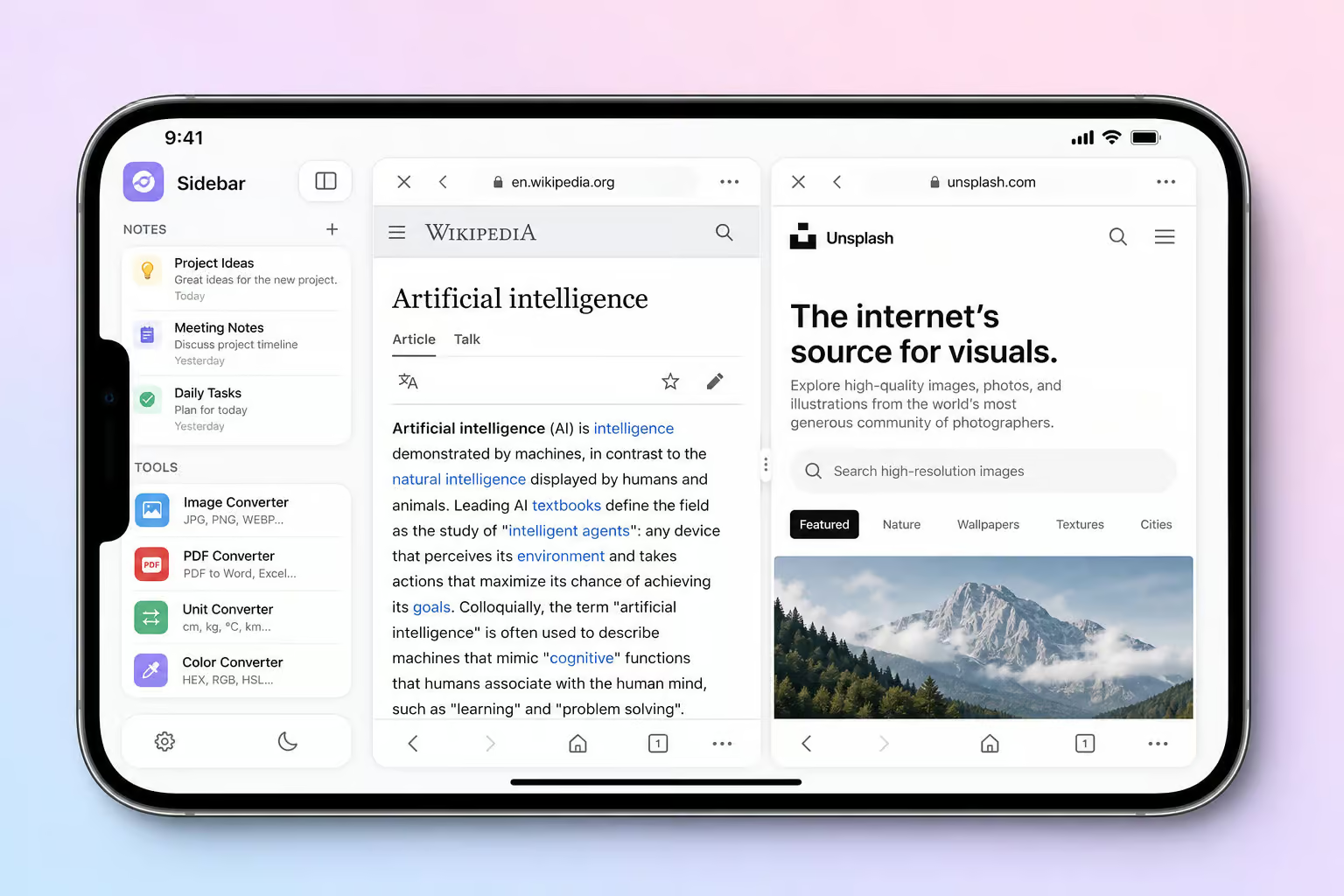
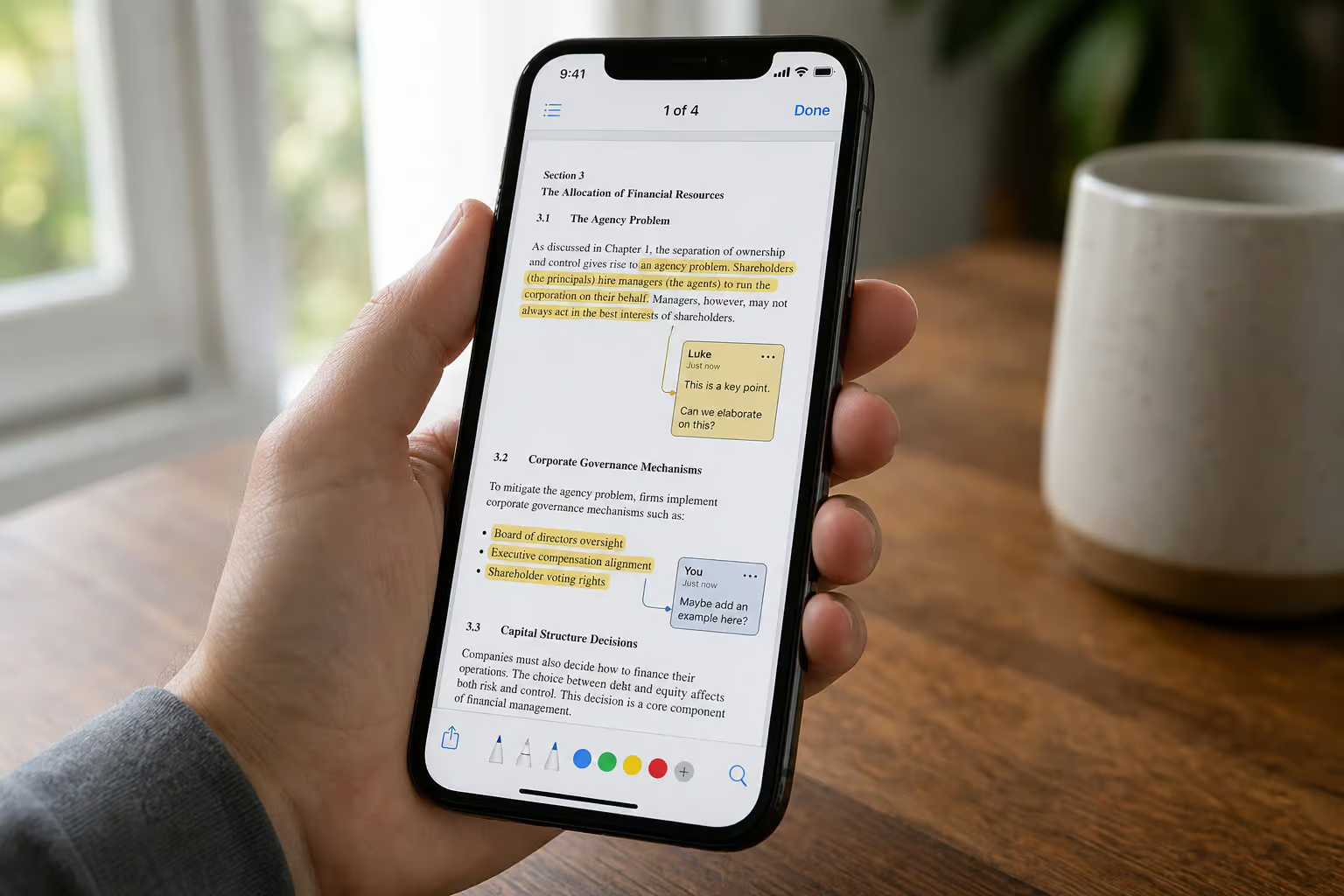
Wave Browser’s iOS app differentiates itself through bundled tools rather than raw performance. The praised feature is the sidebar, which includes Notes, a Converter, Reading List, WhatsApp integration, and social media shortcuts. Multi-split view allows side-by-side browsing — a feature Safari lacks. The PDF annotator lets you highlight text, make notes, and edit PDFs without additional software. There’s also a file converter, metric conversion tools, and a Wave Browser pro subscription tier that claims ad-blocking, VPN, and cloud sync.

Daniela F Pereira, who left four reviews, uses Wave Browser as her default and specifically praises the sidebar and multi-split view for productivity. Jessica Mills loves the PDF annotator. Jennifer Mitchell uses Wave PRO’s AI assistant for lesson planning and grading — she gave it five stars. William Grant called the VPN fast and reliable with worldwide servers.
The WebKit tradeoff
Wave Browser, Chrome, Firefox, and Safari all render pages similarly. You won’t get a speed bump from switching.
The differentiation comes from features and integrations, not performance. Wave Browser’s value proposition is its bundled tools and eco-impact, not faster page loads. Safari offers Intelligent Tracking Prevention, Privacy Report, and deep iOS integration — iCloud Keychain, Handoff, Continuity. Chrome shines if you use Chrome on desktop and want cross-device sync.
So the question isn’t “which browser is faster?” — they’re all WebKit. The question is whether Wave Browser’s sidebar tools and ocean cleanup partnership matter more to you than Safari’s privacy features or Chrome’s sync ecosystem.
What Real Users Say: Analyzing the Trustpilot Reviews
The Trustpilot rating is 2.7 out of 5 from only 27 reviews. That’s a small sample — not statistically robust, but the reviews themselves tell a more interesting story than the aggregate score.
The IT Director’s warning
MattS, an IT Director with two total reviews, gave one star. Wave Browser appeared on a family member’s Windows laptop without their knowledge. It presented itself in a way that could be mistaken for Chrome. His advice: stay away.
When an IT professional says that, it carries weight — this is someone who deals with unwanted software professionally, and their verdict on what is wave browser? It’s a Chromium-based PUP that often gets bundled aggressively.
Positive iOS use cases
The positive reviews paint a different picture:
- Daniela F Pereira (4 reviews, 5 stars): uses Wave Browser as default, praises sidebar and multi-split view for productivity
- Jessica Mills (1 review, 5 stars): loves the PDF annotator and metric conversion tools
- Jennifer Mitchell (1 review, 5 stars): uses Wave PRO’s AI assistant for teaching — lesson planning, grading, engagement ideas
- William Grant (1 review, 5 stars): says the VPN is fast and reliable without speed loss
Caveat: most positive reviewers have only 1-4 total reviews. That doesn’t mean they’re fake, but it’s worth noting.
Billing complaints
This is where things get concerning. Robert Shelton (1 review, 1 star) reported an unauthorized $9.95 charge on his debit card. Reimbursement was promised in 1-2 days but never received. Wave’s support team responded asking for his contact details to investigate, but the user says the money never came.
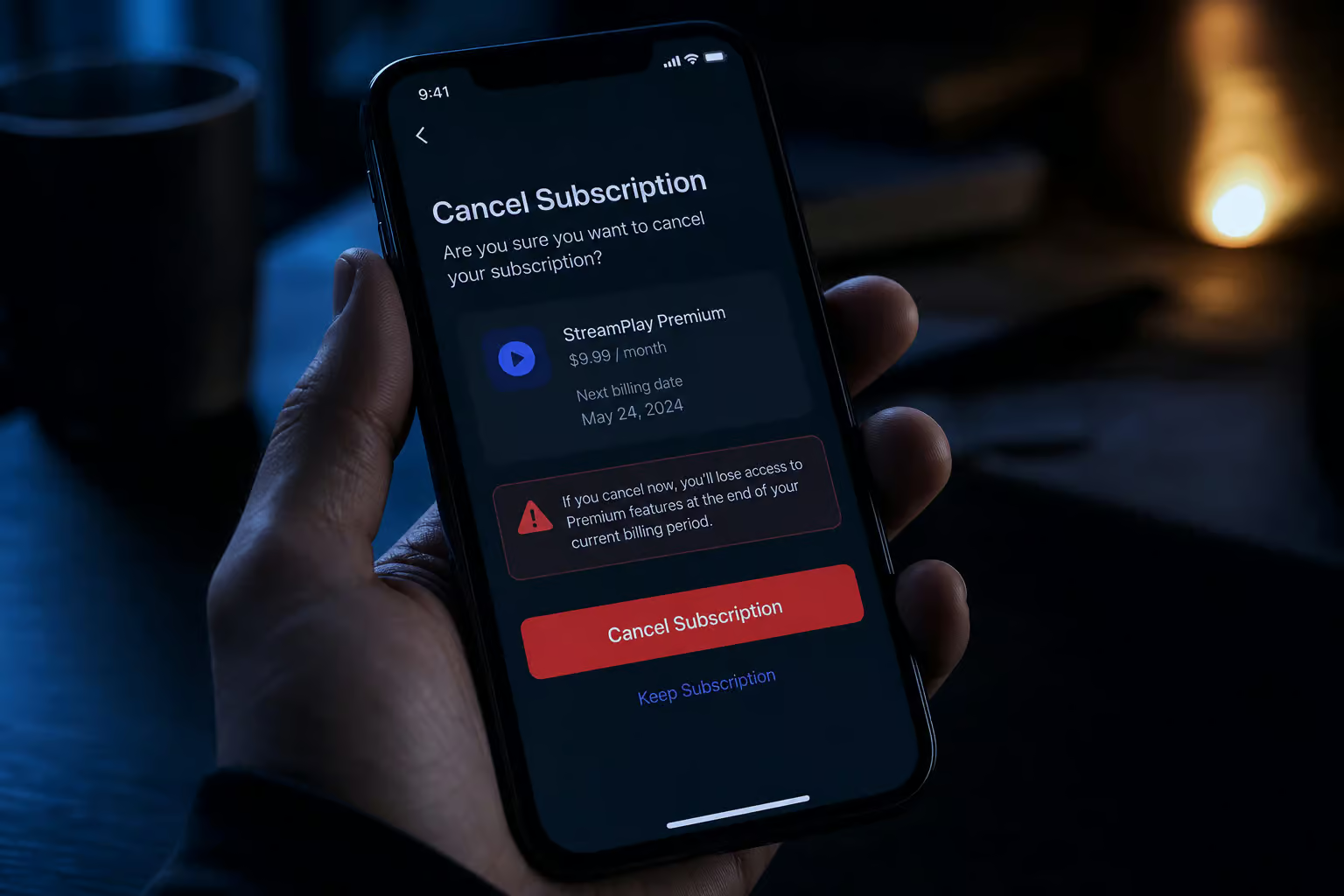
Nate (1 review, 1 star) says he couldn’t cancel the subscription after the free trial. No response to emails or phone calls. Wave’s support responded publicly offering to cancel immediately — but the user says they’d already tried and been ignored.
These are financial harm claims with dollar amounts and broken promises. They’re independent of the safety question — even if the browser is technically safe, the billing practices introduce real risk.
Wave PRO Subscription: Features, Costs, and Risks
Wave PRO adds premium features to the free browser, but the billing complaints from users introduce real financial risk.
What you get
Wave PRO adds three features worth mentioning: a VPN, an AI assistant, and an ad blocker. The VPN has positive reviews for speed and reliability. The AI assistant has genuine use cases — educators using it for lesson planning and grading. The ad blocker removes ads and pop-ups.
The risks
The billing complaints create a separate decision layer. The $9.95 unauthorized charge (a number, not a vague complaint) and the cancellation difficulty are real patterns, not isolated incidents. Support responds publicly, but users report the follow-through doesn’t happen.
The subscription risk is independent of whether the free browser is safe. You might be fine with the free tier but should think twice before entering payment details.
Wave Browser vs. Safari and Chrome on iOS
| If you care most about… | Your best bet |
|---|---|
| Productivity tools (sidebar, multi-split view, PDF) | Wave Browser |
| Eco-impact (4ocean partnership, live tracker) | Wave Browser |
| Privacy (tracking prevention, privacy report) | Safari |
| Deep iOS integration (iCloud Keychain, Handoff) | Safari |
| Cross-device sync with desktop | Chrome |
Installation, Uninstallation, and What to Expect
Installing Wave Browser on iOS is straightforward, but the download agreement contains important disclosures you should read before tapping “Get.”
The download agreement
Before you tap “Get,” know exactly what you’re agreeing to: “By clicking ‘Get,’ you agree to install the Wave Browser app, set its in-app search to Yahoo, and accept our Terms of Use and Privacy Policy.” And: Wave may update browser settings on iPhone for a better user experience.
These are disclosures, not hidden fine print. But they’re easy to breeze past in the install flow.
How to remove it
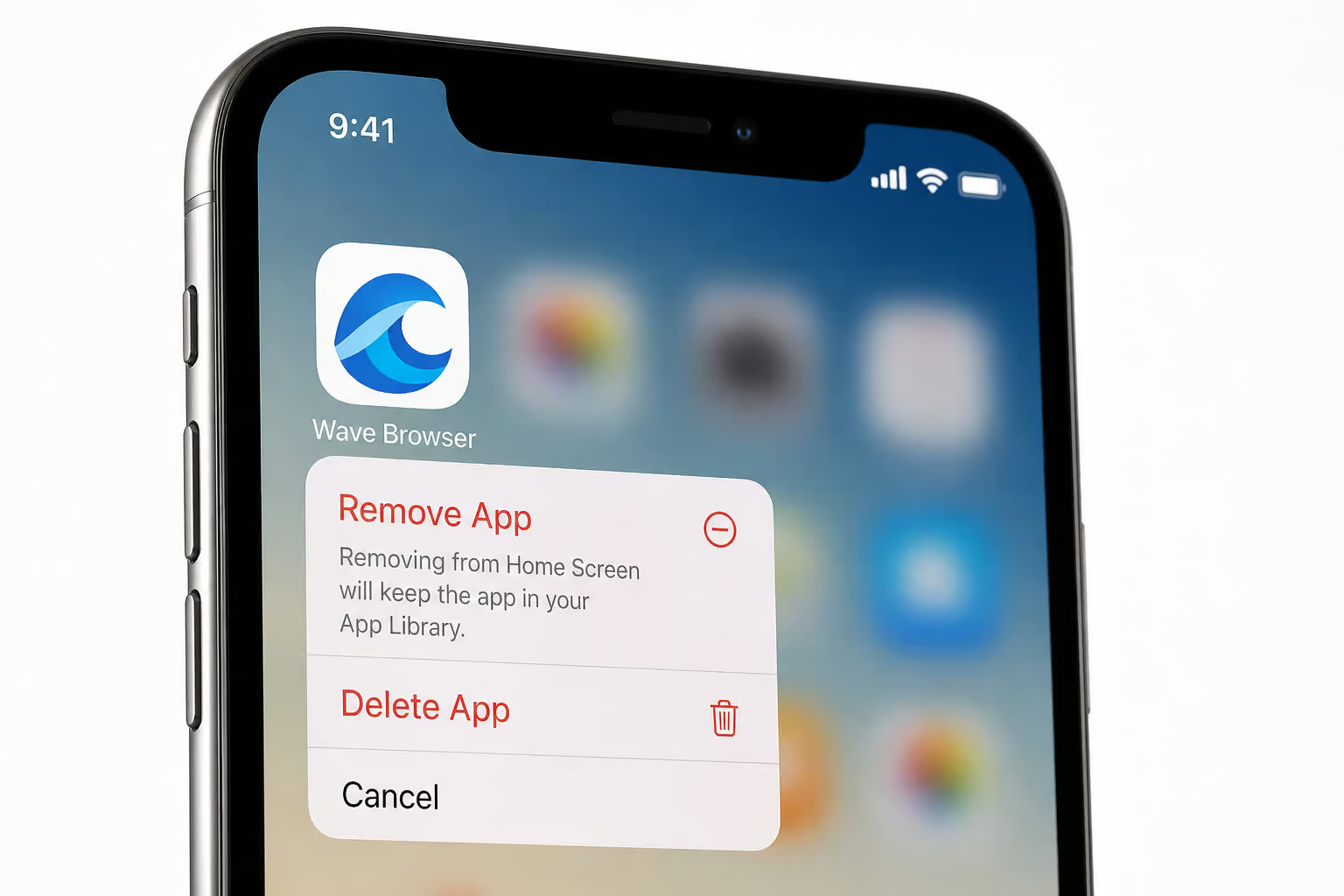
On iOS, removal is straightforward: long-press the app icon, tap Remove App, then Delete App. No Registry editing. No security programs. No code strings. That’s the entire uninstallation process.
Final Verdict: Should You Download Wave Browser on iPhone?
Safer than Windows. iOS sandboxing and App Store review prevent the forced installations, system hijacking, and Registry manipulation reported on Windows. The iOS version can’t behave like the Windows PUP. Remove the Windows horror stories from your mental picture — the iOS version is a different beast.
Eco-claims are verifiable. The 4ocean partnership has specific locations, measurable goals, and a live tracker. It’s more transparent than typical green marketing. If the eco angle matters to you, the evidence supports it.
Privacy is standard, but trust is complicated. The official policy collects identifiers and usage data not linked to identity — standard for a free browser. But the company’s Windows track record creates a credibility gap that’s earned, not paranoid.
The Yahoo search default is a disclosed tradeoff. You can change it, but the browser is monetized through search revenue. That’s the price of free.
Wave PRO has useful features but real billing risks. The VPN and AI assistant are legitimately good. But unauthorized charges and cancellation difficulty are documented, not theoretical.
Who should download it: Users who want productivity tools (sidebar, multi-split view, PDF annotator) and find the ocean cleanup partnership motivating. If that describes you, Wave Browser on iOS is worth trying — with eyes open.
Who should skip it: Privacy purists who want maximum transparency, or anyone who doesn’t want to think about whether a free browser’s data practices match its promises. Safari is a cleaner option if you value simplicity and system integration.
The evidence supports neither “definitely safe” nor “definitely malware.” The iOS version is genuinely safer than Windows, the eco-claims are legitimately transparent, and the billing complaints are genuinely concerning. Your priorities will tell you which side of that equation matters more.
Frequently Asked Questions
What is the Wave browser app?
It’s a Chromium-based browser that bundles productivity tools like a sidebar with Notes, a PDF annotator, multi-split view, and a file converter. It also partners with 4ocean to fund ocean cleanup based on browsing activity, and monetizes through a Yahoo default search and a PRO subscription tier.
Can you change the default search engine in Wave Browser?
Yes, you can change it after installation. The default is set to Yahoo as a disclosed monetization tradeoff — search revenue funds the free tier, similar to how Google pays Mozilla for Firefox’s default search. It’s not hidden, but it’s easy to miss in the install flow.
Is Wave PRO worth the subscription?
The features — VPN, AI assistant, and ad blocker — have positive user reviews for speed and usefulness, especially for educators. But billing complaints about unauthorized charges and difficulty canceling are documented, so you should think twice before entering payment details even if the free browser works fine.
