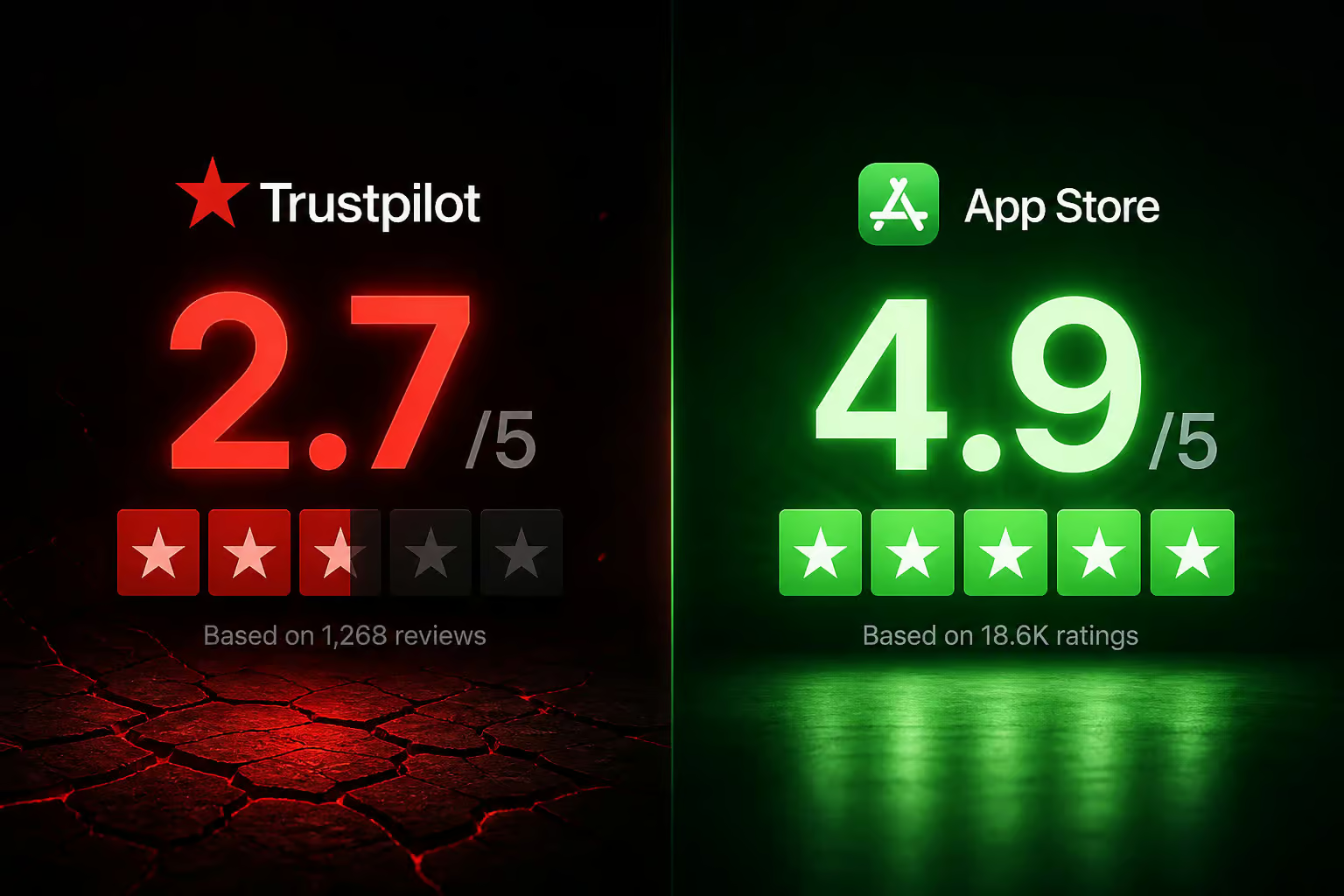
There aren’t many pieces of software that can earn both a 2.7 out of 5 on Trustpilot and a 4.9 out of 5 on the App Store—but Wave Browser pulls off that split. On one side you’ve got an IT director who says it showed up on a family member’s laptop without permission, mimicking Chrome. On the other, a teacher who swears by its integrated AI assistant for lesson planning. Same browser, radically different experiences.
We dug through the company’s pricing page, the Trustpilot page (all 27 reviews), the App Store listing they cite on their own site, Spiceworks forum threads, and the company’s public responses to figure out what’s going on. No hands-on VPN speed tests or AI benchmarks here—just the evidence from both sides, looked at honestly.
Key Takeaways
Trustpilot gives Wave Browser a 2.7/5 from 27 reviews, but its own pricing page proudly cites a 4.9/5 from over 12,000 App Store ratings – the tiny, self-selected Trustpilot sample likely skews toward users who had extreme experiences (accidental installs, billing issues), while the App Store crowd probably found it deliberately.
The free VPN is capped at 30 minutes per month – that’s barely enough to check if it connects. Pro is required for any meaningful use, unlocking unlimited VPN, session recording, transcription, and AI summaries.
User reports include unauthorized $9.95 charges, inability to cancel subscriptions, and a “Managed by Organization” system state that required Registry edits to undo – IT professionals on Spiceworks classify it as a PUP (Potentially Unwanted Program), not malware, but the behavior is aggressive enough that security-conscious users should stay away.
Table of Contents
What Wave Browser Pro Actually Unlocks
Let’s start with the part that makes sense: if you want Wave Browser on your machine, what do you get for the upgrade?
Wave Browser is built on Chromium—same engine as Chrome, Edge, and Brave—so extension compatibility and rendering are familiar. It’s available on Windows, macOS, and Linux. The free tier includes a built-in ad blocker, sidebar tools, and a VPN that’s limited to 30 minutes per month. That’s not a trial; it’s a taste. For any real privacy use, you have to go Pro.
Pro VPN, Recording, and AI Assistant
The Pro VPN is described by William Grant in a 5-star review as “fast and reliable” with worldwide servers. We can’t independently verify speed or server count, but the claim is standard for a VPN product. More interestingly, Pro unlocks unlimited session recording, transcription, and AI summaries—features you don’t usually see bundled with a browser. Jennifer Mitchell, another 5-star reviewer, specifically uses the AI assistant for lesson planning and grading. That’s a unique pitch: a browser that doubles as an educator’s tool.
Sidebar and Utility Tools
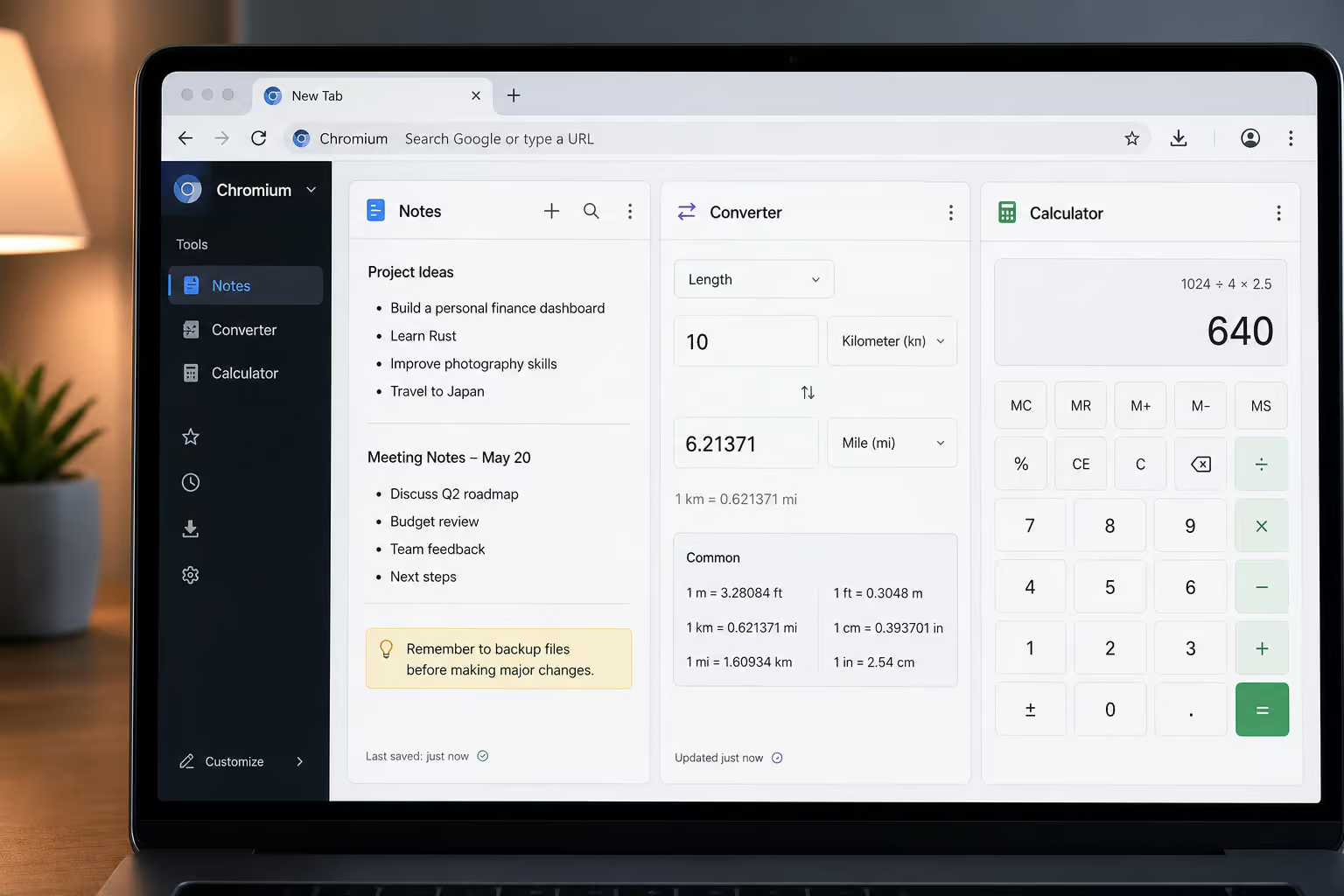
Wave Browser’s sidebar is its best argument for existence. It puts Notes, a Converter, a Reading List, WhatsApp, and other social shortcuts into a multi-split view. You can have a PDF open, make annotations on it, convert a file, and pop open a calculator without leaving the tab. Jessica Mills gave it 5 stars for the PDF annotator and metric conversion tools.
Jake Rodriguez highlighted the file converter, social shortcuts, and ad blocker. These aren’t revolutionary, but they’re convenient that if you’re already using the browser, they save a few clicks.
Memory Saver and Energy Saver features mirror what Chrome and Edge already do—freeing up RAM from inactive tabs and reducing battery drain. Nice to have, not a differentiator.
Free Tier vs. Pro: The Bottom Line
| Feature | Free | Pro |
|---|---|---|
| VPN | 30 minutes/month | Unlimited |
| Recording & transcription | No | Yes |
| AI summaries | No | Yes |
| Ad blocker | Yes | Yes |
| Sidebar tools | Yes | Yes |
| Cloud sync | Yes | Yes |
The 30-minute VPN cap is the clearest gate. You can’t really use Wave Browser as a privacy tool without paying. The AI and recording features are Pro-exclusive, and those are the hooks that set it apart from other Chromium forks.
The Trustpilot vs. App Store Puzzle
The raw numbers are stark: 2.7 out of 5 from 27 reviews on Trustpilot, versus 4.9 out of 5 from over 12,000 reviews on the App Store (as cited on wavebrowser.co/pricing). How can the same product have two opposite reputations?
First, the caveat: Trustpilot’s own page notes that the company “hasn’t invited customers recently,” so the reviews you see may not be representative. People who had a bad experience are far more likely to find Trustpilot on their own and vent. The 27 reviewers are a self-selected sample of the most frustrated users.

Meanwhile, the 12,000+ App Store raters likely downloaded Wave Browser intentionally—either from the App Store or through a direct link. They weren’t tricked into installing it; they chose it. Unlike its Windows counterpart, Wave Browser on iOS is a more conventional web browser available in the App Store, and once you’re using it voluntarily, the tools (sidebar, ad blocker, AI) are genuinely useful. That’s why you see reviews like DANIELA F PEREIRA’s 5-star praise for the sidebar, or the user who said said that Wave helps them navigate the web so quickly and efficiently, and saves the ocean creatures in the process!
Neither sample is a perfect representation. The App Store crowd may be biased toward early adopters who like the features; the Trustpilot crowd may be biased toward victims of bundling. The truth probably lives somewhere in the middle.
How Wave Browser Gets on Your Computer (and Why It’s a PUP)
This is the part that scares people. The most credible report comes from MattS, an IT Director. He wrote that Wave Browser appeared on a family member’s laptop without consent and presented itself in a way that could be mistaken for Chrome. That’s a classic PUP tactic: you think you’re installing something else—a wallpaper app, a system utility—and the browser piggybacks in.
Darius Cooper confirms the pattern: he installed it accidentally while downloading a lively wallpaper. “Zero knowledge of installation,” he says.

But the most alarming detail comes from Johan Lasin. After Wave Browser appeared on his system, it forced a “Managed by Organization” state—a Windows feature normally used by IT departments to control browser settings. Lasin had to edit the Registry and run code strings to undo it. That’s not something a normal browser should ever do. It’s a system-level control grab that makes uninstallation nontrivial.
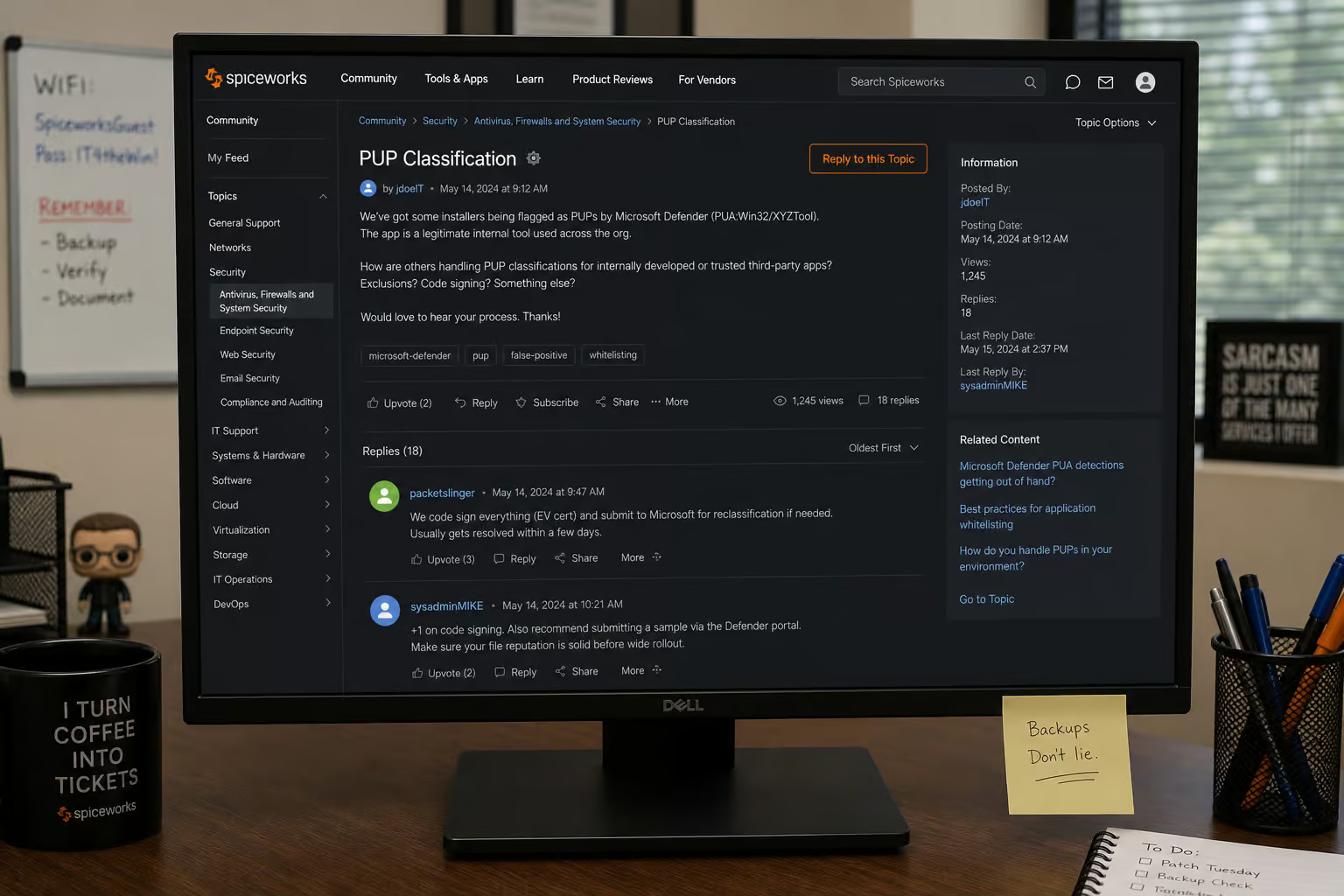
On Spiceworks, IT professionals are unanimous: Wave Browser is a PUP. One post says that fits in the same category as bulk fix all DLL errors tools—the sketchy utilities that promise to fix everything but cause more problems. Another warns that ads can contain exploit vectors and site owners can’t control ad content. Ansel-V goes further, calling it a virus that takes over the device and cannot be uninstalled. That’s a user claim, not a security lab finding, but it shows how strong the feelings run.
The upshot: if you didn’t deliberately seek out Wave Browser and install it from the official site, you should treat its presence as a red flag. IT professionals advise against using it for banking or passwords.
The Subscription and Billing Trap
If the PUP behavior doesn’t scare you off, the billing complaints might. Several users report the same pattern: you sign up for a free trial, the trial ends, and suddenly you can’t cancel.

Robert Shelton says he was charged an unauthorized $9.95 on his debit card. When he asked for a refund, the company promised reimbursement within 1–2 days. That’s a specific amount and timeline, but the user had to chase it.
Nate’s experience is worse: They will not let you cancel subscription after free trial—the cancellation path is hidden or non-functional. No response to emails or calls. No phone number listed on the site, and support emails reportedly go unanswered for weeks.

$9.95 is a deliberately small amount—likely chosen because it’s small enough that most users won’t bother with a chargeback. But if you’re one of the people who accidentally gets charged, it’s still real money, and the cancellation difficulty is a classic dark pattern.
Can You Trust Wave Browser? Company Credibility and the 4ocean Partnership
Wave Browser’s official response to negative reviews is that it’s a legitimate browser built for speed and security. They provide a support email (support@wavebrowser.co) and maintain YouTube guides and social media accounts. The footer says “Crafted in New York City.” So far, so normal.

But Darius Cooper claims all of Wave Browser’s Trustpilot responses are AI-generated. “Plug them into an AI detector,” he challenges. We haven’t run that test, but if true, it means the company is using template replies instead of genuine customer support. That doesn’t inspire confidence.
On the positive side, Wave Browser has a certified partnership with 4ocean, pledging to fund the removal of 300,000 pounds of trash by 2028. Their tagline is “Surf the Web, Save the Ocean.” It’s a tangible commitment, and some users specifically mention it as a reason they support the browser. That’s a differentiator—no other mainstream browser pairs with an ocean cleanup organization.
However, without third-party auditing of the 4ocean partnership, it risks being perceived as greenwashing, especially given the PUP reputation. If you’re skeptical of corporate environmental claims, you have to weigh that against the concrete 300,000 lb target.
The Verdict: Is Wave Browser Pro Worth It?
The truth is conditional on who you are.
For privacy/security-conscious users: Avoid. The PUP distribution method, the “Managed by Organization” hijack, the billing complaints, and the general Spiceworks consensus make this a hard no. One IT Director specifically advises against using it for banking or passwords. If you value system integrity and clean installation, Wave Browser isn’t for you.
For casual users who want integrated tools and like the ocean mission: Potentially acceptable, but go in with eyes open. The sidebar, ad blocker, and AI assistant are legitimately handy. The VPN, if it works as claimed, adds value. But be prepared for possible cancellation headaches and the risk of a $9.95 surprise charge. Download only from the official site, and understand that you’re trusting a company that hasn’t handled its reputation well.
For educators/students considering the AI assistant: The browser-integrated AI for lesson planning and grading is convenient—Jennifer Mitchell found it useful. But compare it against free alternatives like ChatGPT, Copilot, or Google Gemini before committing. The feature might be good enough to justify the Pro price, or it might be outclassed by standalone tools.
Bottom line: Wave Browser Pro has useful features and a feel-good environmental partnership. But it also carries serious PUP baggage, questionable installation practices, and a billing model that many users describe as a trap. We don’t recommend it for anyone handling sensitive data or expecting straightforward billing. For others, the value depends entirely on how much you want those specific sidebar and AI tools—and how much risk you’re willing to accept.
Frequently Asked Questions
Why did WaveBrowser get on my computer?
It typically piggybacks on other software installs — users report it arriving with wallpaper apps or system utilities without clear consent. Once installed, it can mimic Chrome’s appearance, making it hard to notice until it starts causing issues.
How much does Wave Browser cost?
The Pro subscription is $9.95 per month, though users report unauthorized charges at that exact amount after free trials. The free tier exists but caps the VPN at 30 minutes per month, making it nearly unusable for real privacy needs.
What’s the difference between Wave Browser free and Pro?
The free tier includes a built-in ad blocker, sidebar tools, and a VPN capped at 30 minutes per month — barely enough to test if it works. Pro unlocks unlimited VPN, session recording, transcription, and AI summaries, which are the features that actually set it apart from other Chromium browsers.
