Most people who buy or eye a VR headset play a few games and suspect they’re only touching a fraction of what the hardware can actually do. As covered by ultravr.org and infinitevr.tech, the medium has grown far past the shopping-mall arcade novelties of the 1990s: you can fly, create 3D art, tour distant places, or practice skills safely before trying them in real life. Splitting VR into gaming versus non-gaming misses how these apps actually behave. Richie’s Plank Experience isn’t a game at all, but an 80-floor sensory test.
PokerStars VR doubles as an adult social lounge rather than one of the browser-based Dama NV casinos, War Thunder acts as free World War II flight training, and BeAnotherLab’s Swap Genders is a two-person empathy rig. We’ve organized everything a headset does by its actual output: adrenaline, calm, creative work, and spatial presence, while treating 2016-era peripheral rigs and prices as historical hardware benchmarks rather than current storefront listings.
Key Takeaways
A VR headset transforms from an adventure game into a social lounge, training simulator, 3D art studio, or multi-monitor workspace depending on the controllers, room-scale sensors, and apps you pair with it.
High-fidelity immersion relies on physical motion cues and peripherals beyond the display: a $33 Extreme 3D Pro Joystick in War Thunder, Birdly’s hydraulic dive-tipping platform, or the $6,000 to $8,000 tilting Ebove B\01 bike documented in 2016.
Your headset tier gates which virtual worlds you can enter: mobile viewers (Google Cardboard, Samsung Gear VR) and standalone headsets (Quest 2) handle 360 tours, fitness, and social rooms, while PC-tethered systems (Oculus Rift, HTC Vive) and PlayStationVR unlock heavy simulations like Google Earth VR and full-cockpit combat.
Table of Contents
What can you do with a VR headset?
Depending on the display, motion controllers, room-scale sensors, and software you pair together, a VR headset can serve as an adventure gaming rig, social world, education or training simulator, creativity studio, private entertainment room, or augmented and mixed-reality workspace. Across industries, virtual reality is used outside gaming to simulate environments, train workers, and connect people across distances. In healthcare, surgeons practice complex procedures inside risk-free 3D simulations before operating on patients. At home or in public installations, that same spatial hardware lets a user lie on a cross-shaped rig to fly over San Francisco in Birdly, sculpt 3D-printable models in Sculpture VR, or walk through unbuilt architectural blueprints in Arch Virtual.
What you can do with a virtual reality headset comes down to nine distinct functional categories:
- Full-body flight simulation: Lie on a hydraulic platform with speed-matched wind in Birdly.
- Combat and flight gaming: Dogfight inside a 360-degree cockpit in War Thunder.
- Structured fitness: Sweat through competitive, leaderboard-tracked workouts in Fit XR.
- 3D mid-air art: Paint life-size spatial creations floating in open space with Tilt Brush.
- Stereoscopic social cinema: Watch 3D films with distant friends in Big Screen.
- Avatar social hubs: Hang out and build community as a custom character in VR Chat.
- Street View world travel: Walk global landmarks and foreign roads from the sofa in Wander.
- Virtual desktop collaboration: Sit at a shared conference table with physical keyboard tracking in Horizon Workrooms.
- Mindfulness: Block out household and transit distractions across 30+ hours of sessions in Guided Meditation VR.
Hardware spans from fold-up mobile viewers like Google Cardboard and the vintage Samsung Gear VR to standalone headsets like the Quest 2, console setups like PlayStationVR, and PC-tethered rigs like the Oculus Rift and HTC Vive. Because capability and total cost depend on controllers, room-scale sensors, and software rather than the headset’s sticker price alone, the current state of the VR hardware ecosystem and our dedicated catalog of non-gaming VR apps break down how each platform tier holds up.
Life-like shooter games in VR
Pairing a display with hand controllers and motion tracking lets you physically move, aim, dodge, talk to teammates, and crank your neck to peek around cover outside the frame. That physical neck-peek is the exact moment most players realize VR has replaced the flat screen with an interactive space.
As detailed by ultravr.org, Epic Games’ Bullet Train demo drops you into an ultra-realistic urban train station as a vigilante fighting off thugs. The demo uses hand controllers to deliver haptic feedback when firing guns or throwing grenades, and relies on teleport locomotion instead of smooth walking to prevent motion sickness. If you want to test the genre without buying a PC-tethered rig, Zombie Shooter (built for the Fibrum headset and available as one of the genuinely free VR downloads on the App Store and Google Play) offers 360-degree head turning and sharp graphics as a zero-cost entry point for rookies.
Fly a World War II fighter in War Thunder
War Thunder is a free-to-download World War II flight combat simulator with native Oculus Rift support that fits players who want full-cockpit dogfighting without an upfront software cost. Free VR simulation and training apps let users test high-stakes skills and complex vehicles from home before investing in dedicated cockpit hardware. Inside the headset, War Thunder places you in a 3D, 360-degree head-tracked fighter plane where you fire at enemy aircraft, watch flaming wreckage drop below your wings, and spot downed crews parachuting to safety.

Getting the simulator running in VR takes three unglamorous steps inside the War Thunder game launcher: open the launcher, click into the advanced graphics settings, and tick the Oculus Rift checkbox. Once you’re airborne, your flight stick dictates the physical fidelity: a $33 Extreme 3D Pro Joystick gets you flying, while maxflightstick.com’s MaxFighter Extreme runs $2,000. In the adjacent VR racing category alongside Project Cars, simulators like Assetto Corsa push realism further by using mixed reality to blend real-world video of trackside elements directly into the drive.
Ride real-life roller coasters with No Limits 2
No Limits 2 is an Oculus Rift-compatible roller coaster simulator that works like a half-hour trip to a theme park when you want a quick adrenaline buzz before zipping right back to your desk. You spawn inside a standard-looking amusement park, walk up to pick a coaster, and board the train. Once the ride starts, being able to look all around in the headset gives you full 3D perspective on every climb, drop, and inversion.
What makes No Limits 2 a smart household purchase is that it doesn’t stay locked inside the headset. The software also runs in a standard non-VR desktop mode, letting users without an Oculus Rift design and build their own custom roller coasters from scratch or ride tracks built by the rest of the community.
Birdly: full-body flight simulation
Birdly is an installation-grade virtual reality flight simulator that separates itself from headset-only flight apps by pairing an Oculus display with a hydraulic platform and full-body motion cues. High-end environment simulations rely on vestibular and mechanical feedback beyond a screen and headphones to convince the human brain that the body is actually moving through space. Created inside Zurich University’s Interaction Design Program and brought to market by SOMNIACS so users are able “to enjoy the ultimate freedom of a bird and intuitively explore the skies”, the rig places you face-down on a padded, cross-shaped apparatus where movable flaps beneath your arms and hands act as wings.
When you pitch into a dive over the Swiss countryside or downtown San Francisco, a hydraulic mechanism tips the entire platform forward while a front-mounted fan adjusts its airflow speed to match your exact flying velocity. In ultravr.org’s 2016 report, SOMNIACS had completely sold out of Birdly units while working to scale serial manufacturing, leaving public installations at venues like Swiss consulates and the Sundance Film Festival as the practical way to fly it.
Set up VR extreme mountain biking
Setting up VR for extreme mountain biking requires combining three separate components that didn’t ship as a single bundle in 2016: a stationary bike capable of communicating with VR software, a high-end headset such as an Oculus Rift, and a compatible cycling app.
Ebove B\01 vs VirZOOM
In the 2016 hardware lineup, your budget dictated how much the bike fought back. Activetainment’s Ebove B\01 (priced between $6,000 and $8,000, with pre-orders scheduled for Q3 2016 alongside Oslo demos and event rentals) was built natively for VR, physically tilting forward, backward, and side-to-side to match the virtual terrain. At the opposite end, VirZOOM ($199.99, with pre-orders scheduled to ship in Q2 2016) turned a stationary bike into a controller for PC and PS4 across Oculus Rift, HTC Vive, and PlayStationVR, though its physical reactivity was limited strictly to how fast you pedaled.
MTB Freeride and Widerun
On the software side, MTB Freeride operated on PC and Mac as a demanding downhill cycling alpha built to link directly with the tilting Ebove bike. Widerun replicated real-world urban and off-road cycling across more than 10 settings, including San Francisco streets and autumn landscapes, running best on the Oculus Rift while also supporting Samsung Gear VR and Google Cardboard.
Virtual sports with real skill transfer
Virtual sports live or die by their physics engines, and our YouTube VR roundup source highlights three titles that sit at very different points on the difficulty curve. At the precision end, Eleven Table Tennis delivers such dead-on ball-bounce physics and paddle representation that players claim genuine real-world table tennis skill improvement after practicing in the headset.
If you want a slower pace that still demands touch and angle control, Walkabout Mini Golf recreates miniature golf across scenic courses packed with genuinely tricky holes. And when you’re handing the headset to someone jumping into virtual reality for the very first time, Forever Bowl is an easy, undemanding ten-pin bowling on-ramp that won’t overwhelm a rookie with complex controller combinations.
Get in shape with VR fitness apps
VR fitness apps work because they make home workouts enjoyable enough to motivate people who normally hate gyms. Instead of staring at a wall, apps like Fit XR and Supernatural run you through structured, high-effort workout routines while displaying your previous scores alongside other users’ live performance on competitive leaderboards. Fit XR and Supernatural require recurring subscriptions (with free trials), relying on those live leaderboards to keep you showing up.
If you want a heavy cardio session without another monthly bill, Thrill of the Fight is a free-standing, non-subscription boxing classic that’ll leave you drenched in sweat. For users who prefer traditional cardio machines, some services even let you rent a physical exercise bike or elliptical trainer bundled with VR software and a motion tracker for a monthly subscription rather than buying the equipment outright.
Play poker in PokerStars VR
PokerStars VR drops you around a virtual felt table with players from all over the world for a full game of Texas Hold’em. Since the platform runs without age verification, no real money ever changes hands, keeping every pot strictly on play-money chips.
That play-money rule changes the room’s energy in the best way. Beyond the cards, PokerStars VR functions as one of the best adult social lounges on the Quest platform. While free-for-all social hubs can get chaotic, the poker tables tend to draw an older crowd looking for a relaxed game and chilled-out, decent conversation while stacking virtual chips.
Paint in mid-air with Tilt Brush
Tilt Brush is a virtual reality painting studio application that lets artists create life-size abstract or realistic 3D art floating directly in mid-air. Digital creativity apps in VR remove the physical constraints of studio rent, messy materials, and flat two-dimensional canvases. Originally launched on the HTC Vive via Steam (and later known as Google Tilt Brush), the software drops you into a futuristic space where you select from specialized brush types and paint strokes in open space that you can walk around and through.

Beyond mid-air brush strokes, virtual studio apps give creators professional-grade digital paints and modeling tools that support full world-building. Inside these creative suites, users can design custom virtual environments from the ground up or walk step-by-step through the entire ceramics-making process without ever firing a physical kiln.
Become Banksy with Kingspray Graffiti
Kingspray Graffiti hands you a virtual spray can and turns you loose across a selection of gritty urban canvases. If you’ve ever wanted to try street art, the app gives you all the fun of working a wall with zero risk of vandalism charges or defacing private property.
What surprises most people is how fast the physical technique clicks. Because the motion controllers track the angle, distance, and speed of your hand relative to the virtual wall, cap control and can movement translate naturally within a few minutes of practice.
Sculpt in VR and 3D-print the result
Virtual art doesn’t have to stay trapped inside the headset. Sculpture VR is an approachable, cartoon-style sculpting app with a killer hardware bridge: once you finish shaping your model in virtual space, you can export the finished digital files and run them through a physical 3D printer to hold your creation on your desk.
If you already have serious 3D modeling chops and want an industrial-grade pipeline instead of cartoon clay, Gravity Sketch sits at the professional end of the spectrum. It provides a design-focused spatial modeling suite built for advanced creators who want to draft complex three-dimensional geometry at full scale.
Play or learn an instrument in VR
Learning a musical instrument in an apartment usually hits two immediate walls: floor space and angry neighbors. Musical VR apps solve both problems by projecting complete virtual instruments, such as a full drum kit, directly in front of you in empty air.
With the headset on, you practice stick control, rhythm, and coordination across a full kit without dedicating a spare room to hardware or generating acoustic noise that carries through the floor.
Watch movies and TV shows in VR
Some observers expect cinema, rather than gaming, to become virtual reality’s most widespread everyday use, placing viewers at the center of the action with the sights and sounds of a real theater.
Big Screen: the social theater
Because a headset delivers a separate, true stereoscopic view to each eye, 3D movies look noticeably sharper and deeper in VR than they do through passive theater glasses. Big Screen (running natively on Quest 2 in our source roundup) turns that optical advantage into a social cinema where you and far-flung friends sit together in a virtual theater, either streaming your own video files or picking a title from Big Screen’s library.
Netflix and Prime: the solo sanctuary
When you just want to binge a series alone, Amazon Prime and Netflix have native Quest 2 apps, and Netflix puts your screen inside a cozy mountain cabin. For native VR filmmakers, however, immersive cinema creates a fascinating craft problem: standard shot-framing and abrupt scene transitions can feel unsettling when the viewer sits inside the frame, forcing animators and cinematographers to invent new visual grammar, a quirk you’ll also notice when watching 360 and VR180 video on YouTube VR.
Attend live events in Horizon Venues
Horizon Venues brought a changing schedule of comedy clubs, sporting events, and live concerts to Quest users at home. Seeing your favorite band live in person is still the best experience, but catching the show in VR is a very close second. Better yet, it costs a fraction of stadium ticket prices, and you can attend the entire set in your pyjamas.
Those at-home streams sit on a much wider spectrum of live and theatrical VR entertainment. Alongside virtual venues and social cinemas like Big Screen, location-based productions such as The Void and Cirque du Soleil’s Kurios have used virtual reality to put audiences directly inside theatrical sets.
Make friends in VR Chat and Horizon Worlds
Unlike traditional online multiplayer games where players interact through screen-names and objective-based matches, social VR platforms like VR Chat and Horizon Worlds let you step into a three-dimensional avatar inside a shared room, turning simple presence into the main event. These hubs gather diverse groups of people to hang out in fantastical settings, share custom creations, and make friends. In practice, the communities tend to be genuinely welcoming, leading to laugh-out-loud nights with strangers from across the globe.
That warmth comes from avatar disinhibition, which cuts both ways in social VR. Not appearing in your physical body helps shy people come out of their shell and connect, but removing normal face-to-face social brakes also means interactions can quickly get weird. If you’re setting up a shared family headset, configuring platform moderation and multiplayer safety controls alongside age-appropriate VR session limits for kids keeps those open social rooms manageable.
Swap bodies with BeAnotherLab’s Swap Genders
BeAnotherLab’s The Machine to Be Another (in development in our 2016 source report, with its Swap Genders component running on the Oculus Rift) uses sensorimotor choreography to hijack your sense of self. Two partners each put on a headset fitted with a top-mounted camera, and each person’s display shows the live camera feed from the other person’s head.
To make the illusion click, the two participants synchronize and mirror each other’s movements in real time. When you look down or reach out, you see your partner’s body while feeling your own limbs move. BeAnotherLab built the system to teach empathy by letting users physically inhabit another person’s perspective. Alongside Swap Genders, the lab runs an application where partners of different races mirror actions to see themselves in someone else’s skin.
Travel the world with Wander and Google Earth VR
The best VR experiences for travel and education split between Wander for standalone headsets and Google Earth VR for PC-connected setups, alongside structured educational tours like Youvisit, Anne Frank House VR, and Mission ISS. Both travel apps let you stand in front of the pyramids in Egypt or walk the Great Wall of China in realistic 3D without leaving your sofa.
Wander builds its virtual tourism on Google Street View data, letting you walk up London’s Oxford Street, cross the Grand Canyon, or explore winding country roads in nations you’ve never visited. Because it pulls from Street View, Google’s camera coverage defines where you can stand. If you tether a Quest 2 to a gaming PC, you unlock Google Earth VR, where you physically grab the planet with your motion controllers and pull yourself across cities and mountain ranges in full 3D geometry.
Tour college campuses with Youvisit
Before booking cross-country flights for college visits, prospective students and parents can run Youvisit (youvisit.com) on a budget Google Cardboard viewer or an Oculus Rift to tour thousands of international colleges and universities through 360-degree video and photography. If you’re using a phone viewer for tours like this, our walkthrough on using a VR headset with a phone covers how mobile optics compare with dedicated headsets.
Putting on an Oculus Rift lets you walk across campus quads, step inside academic buildings, look wall-to-wall and ceiling-to-ceiling, and in some cases even gauge how much furniture and gear will physically fit inside a specific dorm room. Narrowing down a school list remotely cuts heavy airfare and hotel spending. Beyond Youvisit’s early campus tours, virtual reality education now covers historical site visits, professional procedure practice, and simulated team rehearsals.
Learn in VR: Anne Frank House and Mission ISS
Educational VR shines brightest when it takes you somewhere you could never physically visit or lets you practice a task that’s too expensive or dangerous to attempt in real life. Anne Frank House VR recreates the secret annex in Amsterdam where Anne Frank and her family hid from the Nazis during World War II, letting you walk quietly through the preserved rooms. On a completely different scale, Mission ISS puts you floating inside the International Space Station, an environment otherwise reserved for a tiny handful of astronauts.
That exact same risk-free simulation logic is why virtual reality has become a standard training tool across high-stakes professions, where aviation pilots, surgeons, and military teams rehearse procedures long before stepping into a real cockpit or operating room. Researchers have also begun testing how controlled virtual environments affect focus and attention training for ADHD.
Horizon of Khufu: location-based VR in Denver
If you want to see what warehouse-scale, location-based VR looks like without buying hardware, the Denver edition of the Horizon of Khufu installation ran through February 2026 at York Street Yards (Suite 1168, 3863 N. Steele St.), as reported by the Denver Post in January 2026. The 45-minute experience paired visitors with a virtual Egyptologist guide, blending historical accuracy, immersive tracking technology, and cinematic narrative to put visitors right in front of the Great Pyramid of Giza, one of the ancient world’s Seven Wonders.
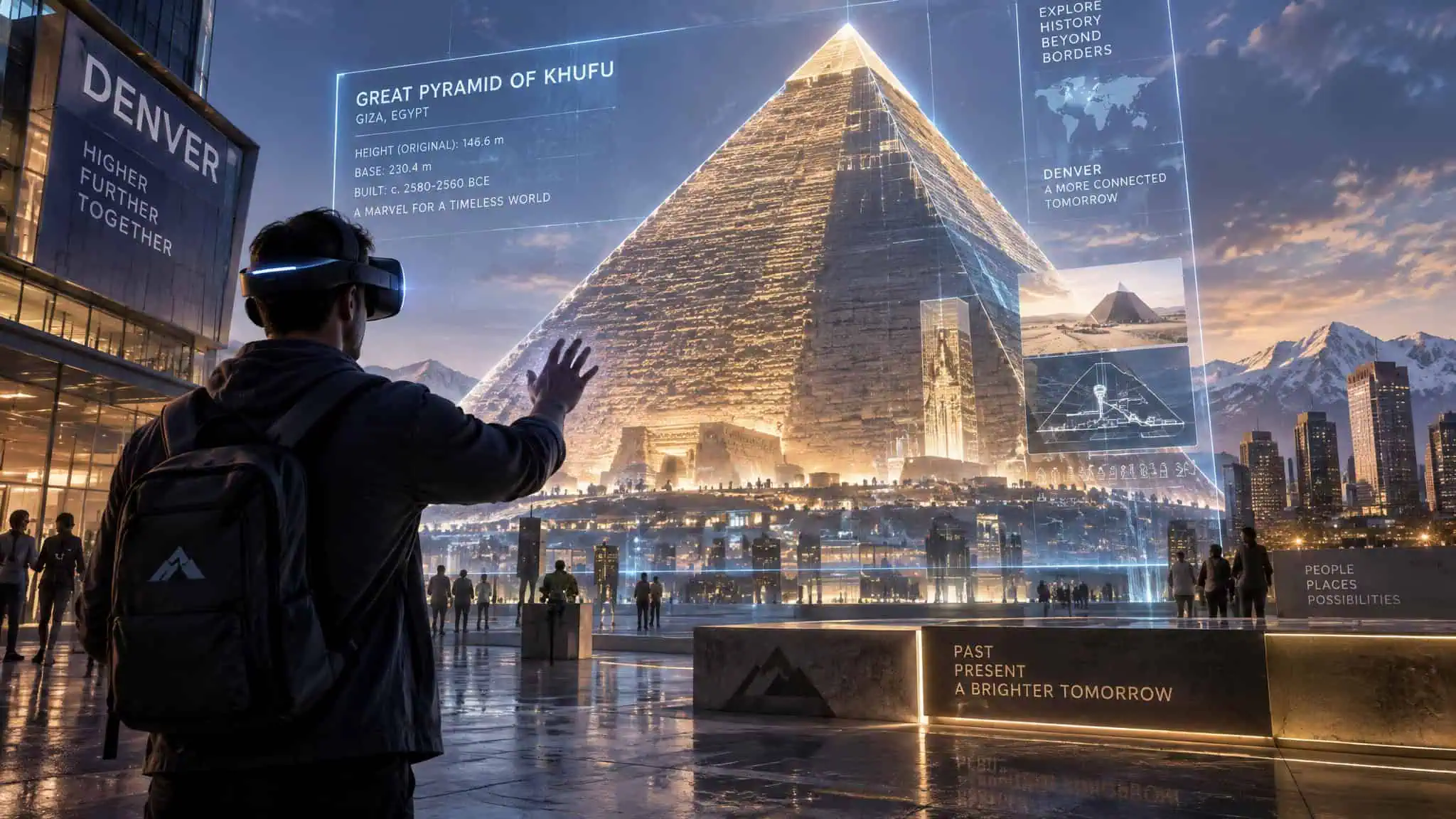
Admission for the Denver run cost $23 to $27 via horizonkheopsexperience.com/denver. The wheelchair-accessible venue restricted entry to ages 10 and up, making the tour an accessible entry point into VR for adults looking to step away from standard puzzle games and shoot-’em-ups.
Hold meetings in Horizon Workrooms
Remote team calls on Quest beat standard Zoom or Microsoft Teams grids because spatial audio and body language stop people from talking over each other. Horizon Workrooms places Quest users as avatars around a virtual conference table while allowing teammates without headsets to join the exact same room via a standard PC and webcam.
Inside the meeting room, you can pull up shared documents, sketch architecture diagrams on a giant virtual whiteboard or chalkboard, and stream your own PC desktop into the space. The feature that makes it usable for actual work is physical keyboard tracking: the headset recognizes your real desk keyboard and brings a pass-through cutout of it into the virtual room, so you can type at full speed without fumbling blind.
Browse the web on a giant virtual monitor
You don’t need enterprise collaboration software to use VR as a productivity upgrade. Opening the native web browser on a Quest 2 replaces a cramped laptop or phone display with a giant curved virtual monitor floating in front of your desk.
When configured properly, the browser layout is clean, sharp, and reacts with snappy precision to the headset’s motion controllers, turning a standalone gaming headset into a multi-screen workstation on a couch or hotel bed. If you’re looking at newer standalone hardware for screen replacement and pass-through work, our breakdown of standout mixed-reality experiences on Quest 3 examines how upgraded lenses change text legibility.
Visualize a building before it’s built
Arch Virtual builds professional architectural visualization apps that turn digital blueprints into walkable 3D interiors, letting builders and enterprise teams catch design mistakes before construction starts. Commercial builders, automotive designers, and real-estate brokers use virtual and mixed reality to inspect unbuilt structures, customize vehicles, and tour distant properties without paying for physical prototypes or airfare. While the NBA’s Sacramento Kings were constructing their new arena, Arch Virtual built a full virtual simulation of the unbuilt venue so stakeholders could evaluate the space before the steel went up.
Wearing an Oculus Rift D2K in one of Arch Virtual’s simulations feels like stepping inside a high-definition video game, The Sims, or Second Life. Instead of guessing room proportions from flat floor plans, a builder or client can walk through an unbuilt house to inspect the stove top, flooring, and bed comforter, or climb into the cheap seats of an incipient basketball arena to verify sightlines to the court. Pragmatic, time-and-money-saving workflows like these are what push virtual reality past novelty status for working adults.
| Platform / Project | Primary Adult / Enterprise Use | Hardware Required | Physical World Integration |
|---|---|---|---|
| Arch Virtual | Pre-construction architectural walk-throughs from digital blueprints | Oculus Rift D2K | No (full virtual interior simulation) |
| Volvo HoloLens Showroom | Automotive structure inspection and live feature customization | Microsoft HoloLens | Yes (holographic car overlaid in a physical dealership) |
| VR Global | Remote international residential real-estate tours and white-label brokerage apps | Oculus Rift, Samsung Gear VR | No (full virtual property tour) |
| Youvisit | Remote real-estate property listings and international university campus inspections | Oculus Rift, Google Cardboard | No (360-degree photo and video immersion) |
| Horizon Workrooms | Hybrid remote team meetings, whiteboarding, and remote desktop access | Quest headset or PC with webcam | Partial (tracks physical desk keyboard inside virtual room) |
Volvo HoloLens Showroom: mixed reality retail
Developed through a collaboration between Volvo and Microsoft, the HoloLens Showroom demonstrates how mixed reality differs from full VR immersion. Instead of sealing the user inside a synthetic world, mixed reality keeps you visually anchored in your physical surroundings while layering interactive virtual objects into the room.
Wearing the Microsoft HoloLens inside an actual brick-and-mortar dealership, a buyer watches a holographic overlay of a Volvo shimmer to life right on the showroom floor. You can peer inside the vehicle’s bare structural bones, add or swap trim features live, and even lift the entire hologram off the ground to rotate it in mid-air. In our 2016 source report, the HoloLens hardware was still in development and projected to cost around $3,000, subject to variations and updates.
Visit virtual real estate
House hunting across state lines or international borders usually burns days of travel and hotel budget on properties that look nothing like their listing photos. VR Global attacks that problem with specialized real-estate tour apps built for Oculus and Samsung Gear VR, while also letting real-estate companies white-label and customize their own brokerage apps.
The workflow is dead simple: a real-estate agent places the headset on a client in the office, and the buyer is immediately whisked inside homes across the globe to check room flow and finishes in 3D. Youvisit.com runs a parallel real-estate listing service compatible with the Oculus Rift, giving buyers and agents a second platform to inspect properties remotely before booking a flight.
Shopping with a VR headset
Online shopping has always suffered from one obvious flaw: you can’t try on a pair of shoes or test how an outfit hangs before clicking buy. Virtual reality retail fixes that gap by letting shoppers put items on in a 3D environment to get an accurate sense of scale and fit from home.
Beyond virtual try-ons, businesses have begun putting full virtual brick-and-mortar storefronts online. Instead of scrolling through flat thumbnail grids, you walk down a virtual aisle, pick up products with your controllers, and rotate them in three dimensions to inspect details before checking out.
Meditate in VR with Guided Meditation VR
The exact same visual isolation that makes a VR shooter intense can be dialed in the opposite direction to block out a noisy house or a crowded airport terminal. Mindfulness apps in VR give you a distraction-free sanctuary to unwind after work, calm an anxious mind, or take a mental reset while working from home or waiting for a flight.
Guided Meditation VR packs over 30 hours of guided meditation sessions set inside quiet, scenic virtual locations designed to help you reach a zen state. For longer relaxation or work sessions inside a headset, following the 20/20/20 rule for VR eye strain and comfort keeps your eyes fresh.
Overcome fear of heights with Richie’s Plank
If you want to see how fast a headset can trick the human nervous system, all you need is a VR setup and Richie’s Plank Experience. The software isn’t a game, and it doesn’t try to be one. It’s a pure sensory experience that challenges you to step out of an elevator and walk across a narrow wooden board suspended 80 floors above a city street.
Because your visual cortex buys the 80-story drop completely, your knees will lock up even though your feet are standing on living-room carpet. Friends use it as a party test for vertigo tolerance, and walking the plank repeatedly can genuinely build confidence for people who fear heights. Once you survive the ledge, the app also includes playful hero modes where you swoop down between city buildings to save the day. For more weird, high-impact tech demos like this, check out the experimental apps and community favorites from Reddit.
Go skydiving in a virtual world
VR skydiving simulations capture the stomach-drop moment at the open door, the rush of free fall, and the pull of the rip cord without the cost of a real jump package. They sit in a broader extreme-flight category that includes Volo Airsport (a physics game for the Oculus Rift), TU Jump Into the Future, Birdly, War Thunder, and MTB Freeride. Because virtual free fall gives your inner ear zero matching gravity cues, there’s a high chance you’ll feel dizzy, so it’s best to test skydiving apps sitting down before trying them standing up.
The VR hardware spectrum: what each tier unlocks
Your headset tier dictates which virtual sub-worlds you can physically enter:
- Mobile viewers (Google Cardboard, vintage Samsung Gear VR): Unlock 360-degree video, Youvisit college tours, Widerun cycling routes, and free entry-level shooters like Fibrum’s Zombie Shooter.
- Standalone Quest 2: Adds cable-free 6DoF tracking for subscription fitness (Fit XR, Supernatural), social rooms (VR Chat, PokerStars VR, beginner-friendly Forever Bowl), stereoscopic 3D movies in Big Screen, and keyboard-tracked meetings in Horizon Workrooms.
- PC-tethered headsets (Oculus Rift, HTC Vive) and PlayStationVR: Pair desktop GPU power with room-scale sensors and motion tracking to unlock Google Earth VR, free War Thunder dogfights, Arch Virtual blueprint walk-throughs, and heavy mechanical rigs like the Ebove B\01 bike.
Frequently Asked Questions
What can I do with VR headset for adults?
Beyond standard gaming, adults use VR for relaxed socializing, professional remote work, real-estate house hunting, and distraction-free mindfulness. PokerStars VR acts as a play-money Texas Hold’em lounge that draws an older crowd for casual conversation, while Guided Meditation VR offers over 30 hours of calming sessions to block out household noise. On the practical side, you can run multi-monitor web workflows, inspect overseas property listings in VR Global, or take historical walk-throughs like Anne Frank House VR.
What are the top VR experiences for creative expression?
Tilt Brush lets you paint life-size 3D artwork right in mid-air and walk through your own strokes, while Kingspray Graffiti tracks your hand speed and angle so you can spray-paint urban walls without the legal trouble. If you prefer working with volume, Sculpture VR lets you shape cartoon-style clay models and export the files to a physical 3D printer, whereas Gravity Sketch offers an industrial-grade spatial modeling suite for complex geometry. You can also practice coordination on full virtual drum kits in empty space without waking the neighbors.
What’s the difference between VR fitness subscriptions and one-time workout apps?
Apps like Fit XR and Supernatural charge recurring monthly subscriptions after a free trial, using structured routines and live competitive leaderboards to keep gym-haters motivated. If you want a brutal cardio session without another monthly bill, Thrill of the Fight is a standalone, non-subscription boxing game that leaves you drenched in sweat. Some fitness services also offer monthly hardware-and-software subscriptions that bundle a physical stationary bike or elliptical trainer with a VR motion tracker.
