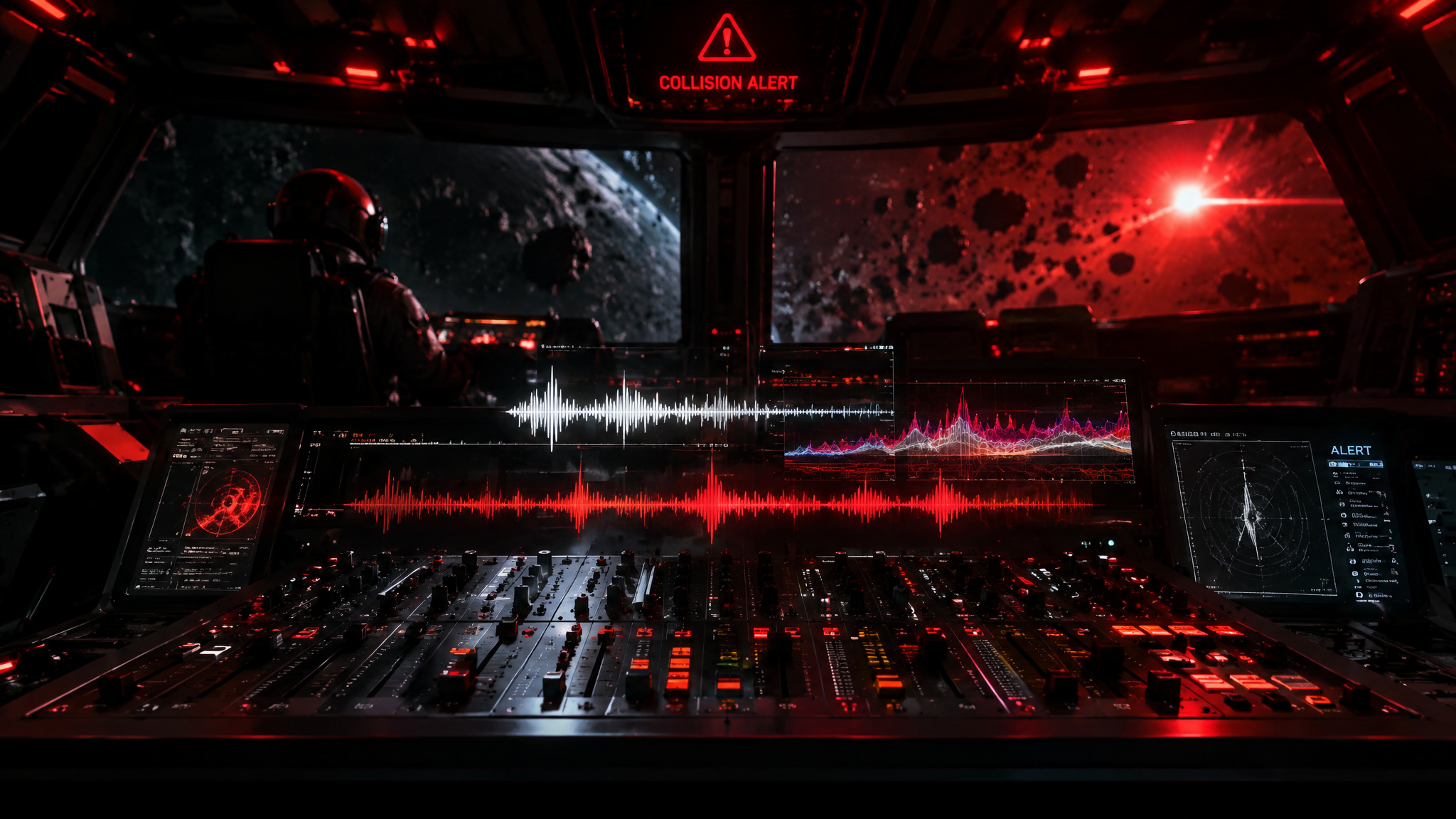
Seedaudio 1.5 is Dreamina’s AI audio generation model, and it produces production-ready audio from text, reference audio, or video. That first sentence is doing a lot of work, so let me back it up with the detail that made me sit up: one of Dreamina’s official example prompts is a sci-fi spaceship scene where a captain asks “How long until impact?”, an engineer answers “Three minutes.”, and a navigation officer warns “We’re losing power.” And the prompt doesn’t stop at dialogue. It also enumerates alarms, radio static, engine rumble, button beeps, mechanical vibrations, heavy breathing, atmospheric drones, and escalating orchestral tension. All of that, from one prompt.
Here’s why that’s unusual. Most AI audio tools hand you a single baked voice track, one flat blob you can’t meaningfully edit. But a scene needs layers. Dialogue sits on top of music, which sits on top of ambience, which sits on top of sound effects, and if you’ve ever tried to splice those together manually you know exactly how much timeline grief that is.
Seedaudio 1.5’s whole pitch is that the layering happens inside the generation: one prompt yields the full mix, and the output arrives as separate tracks you can still move around. You design sounds around moments instead of placing everything by hand afterward. That’s the “wait, this changes the workflow” beat.
The host platform is Dreamina, which sits in the CapCut-adjacent ByteDance orbit, think of it as the repo where this thing lives, alongside video and image models like Seedance and Seedream. The model runs four named workflows, T2A, TA2A, TV2A, and TAV2A, which we’ll decode in a second because they’re the best way to organize the product, the kind of breakdown the product’s own FAQ only names in passing. And the pricing table, once you read it, reveals that what you’re actually buying isn’t a lone audio tool. It’s a bundled production stack, and the audio model is one node in it.
The tension worth naming early: one-prompt generation replacing manual audio splicing. If it works as described, you collapse voice recording, foley, scoring, and splice assembly into a single generation pass. Whether it actually holds up is partly a test-it-yourself question, and we’ll get to exactly which limits stay unverified.
Key Takeaways
Seedaudio 1.5 generates layered audio (dialogue, music, ambience, sound effects) from text, reference audio, or video, via four workflows: T2A, TA2A, TV2A, and TAV2A.
The official example prompts follow a repeatable formula: named cast, verbatim dialogue lines, an enumerated sound-cue list, and musical direction, and the cue list is roughly half the prompt.
Output arrives as separate tracks for dialogue, music, ambience, and effects with timestamp placement, and reusable sound assets keep character voices consistent across scenes and episodes.
Dreamina plans run CAD20.49 (Basic, 90% off) to CAD725 (Ultra, 40% off), but the table bundles video and image model perks, so you’re subscribing to a production stack, not an audio tool.
Table of Contents
The four workflows: T2A, TA2A, TV2A, and TAV2A
The four workflows differ by what inputs you give the model: text alone (T2A, text-to-audio), text plus reference audio (TA2A, audio-to-audio), text plus reference video (TV2A, video-to-audio), or all three at once (TAV2A).
T2A yields complete audio with dialogue, emotion, music, ambience, and effects in 30 languages. TA2A steers tone, accent, emotion, style, rhythm, speed, and non-speech sounds from a reference clip. TV2A reads a reference video and matches dubbing, music, ambience, and effects to the visuals’ actions, mood, pacing, and storyline. TAV2A combines everything for fully directed output.
As a decision tree:
- Script only: T2A.
- Script plus a permitted reference voice: TA2A.
- Script plus finished video: TV2A.
- Script, reference voice, and finished video: TAV2A.
One nuance worth flagging: TA2A’s description says you can selectively copy, modify, or expand features of the reference rather than cloning it wholesale. “Keep the rhythm, change the accent” is the kind of combo that implies, though it’s implied by the feature description, not a documented output pairing.
Prompt anatomy: what the official examples reveal
The official Seedaudio 1.5 examples show that layered cinematic prompts follow a repeatable structure, named cast, verbatim dialogue lines, an enumerated sound-cue list, and musical direction, and the cue list is roughly half the prompt. We dug into all three official prompts, and they read like teardowns of a clever config file.
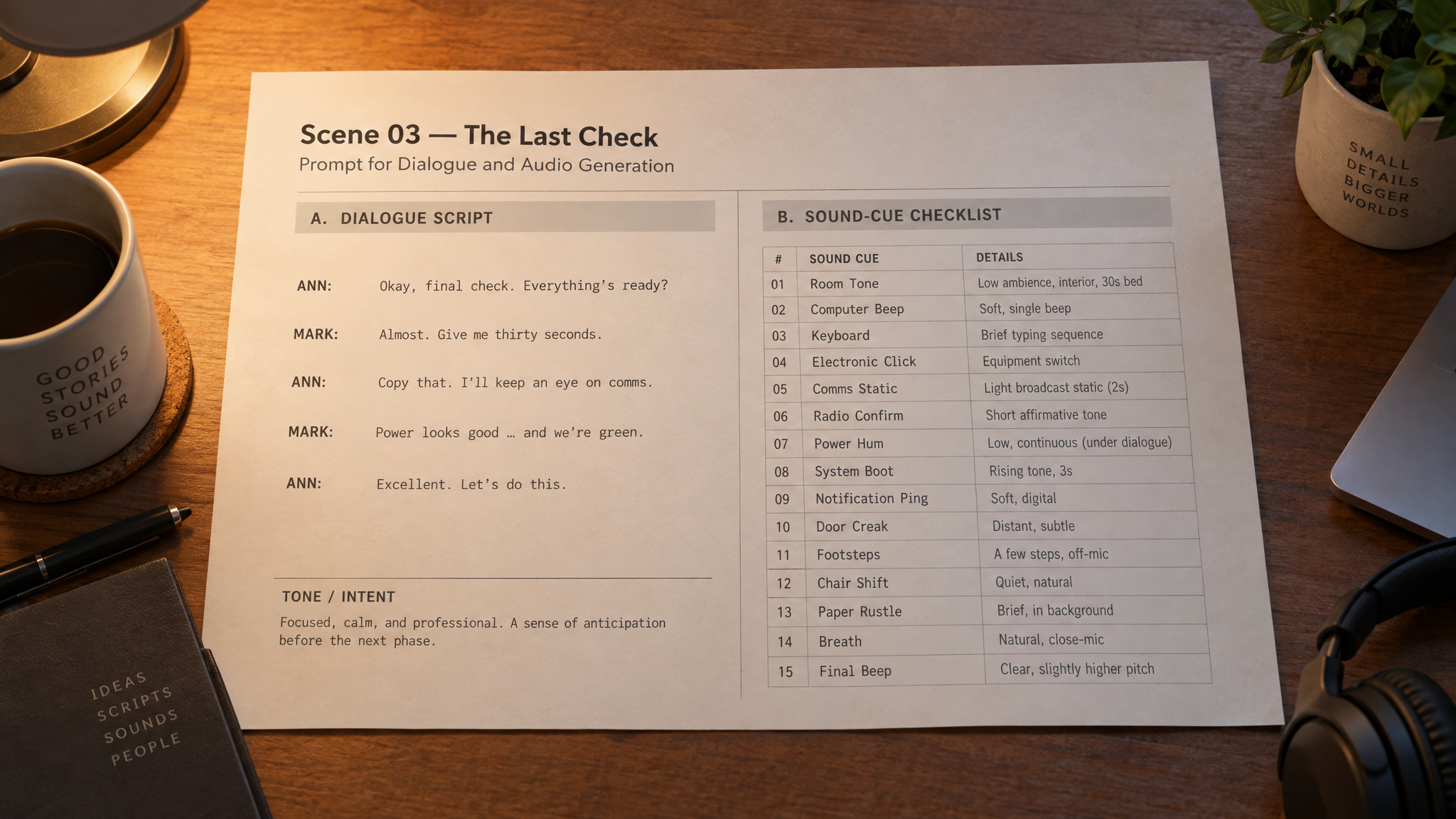
The sci-fi spaceship prompt is the fullest one. Three named characters: a captain, an engineer, a navigation officer. Their lines appear verbatim: “How long until impact?”, “Three minutes.”,“We’re losing power.”
Then comes the non-speech stack, and this is where it gets specific: alarms, button beeps, mechanical vibrations, radio static, heavy breathing, engine rumble, atmospheric drones, and escalating orchestral tension. That’s a full sound-design brief in a single prompt.
That’s eight distinct audio layers, each named, each presumably doing a job in the mix, a count you can verify by rereading the prompt above. The prompt is doing sound-design direction, not just scriptwriting.
The automotive ad prompt follows the same shape, tighter. Three voices, a child (“Is that really our new car?”), a woman (“It feels like the future.”), a man (“Built for every journey.”), plus electronic music, camera-shutter clicks, engine acceleration, tire movement, wind, city ambience, and a polished cinematic finish. Distinct characters, a commercial sound stack, one prompt.
The forest sunrise prompt has zero dialogue: birdsong, rustling leaves, distant flowing water, soft wind, insects, and warm piano with delicate strings growing brighter. One wry aside: the source labels this prompt “boss battle” even though it describes a peaceful sunrise forest scene. No idea what happened there, and I’m not going to invent an explanation, but it’s a good reminder to read prompts in full rather than trusting the label.
The pattern we found across all three:
- Named cast, who speaks, by role
- Verbatim dialogue lines, quoted exactly, not summarized
- Layered sound cues, enumerated, specific, roughly half the prompt
- Musical arc, direction for how the score moves
To be clear, that’s a pattern observed in the official examples, not an officially documented template. But the practical warning it teaches is real: the common first attempt is dialogue plus one vague “add sound effects” instruction, which produces flat single-layer output. And creators who swap the dialogue but keep the original cue list get mismatched audio, because the cue list is half the prompt. Swap the spaceship for a forest and that alarm-and-radio-static list is suddenly wrong for every shot.
Red flag: Swapping dialogue while keeping the original cue list produces mismatched audio — the sound cues are half the prompt, so rewrite them with the scene.
Multi-track stems and timestamps: why the output stays editable
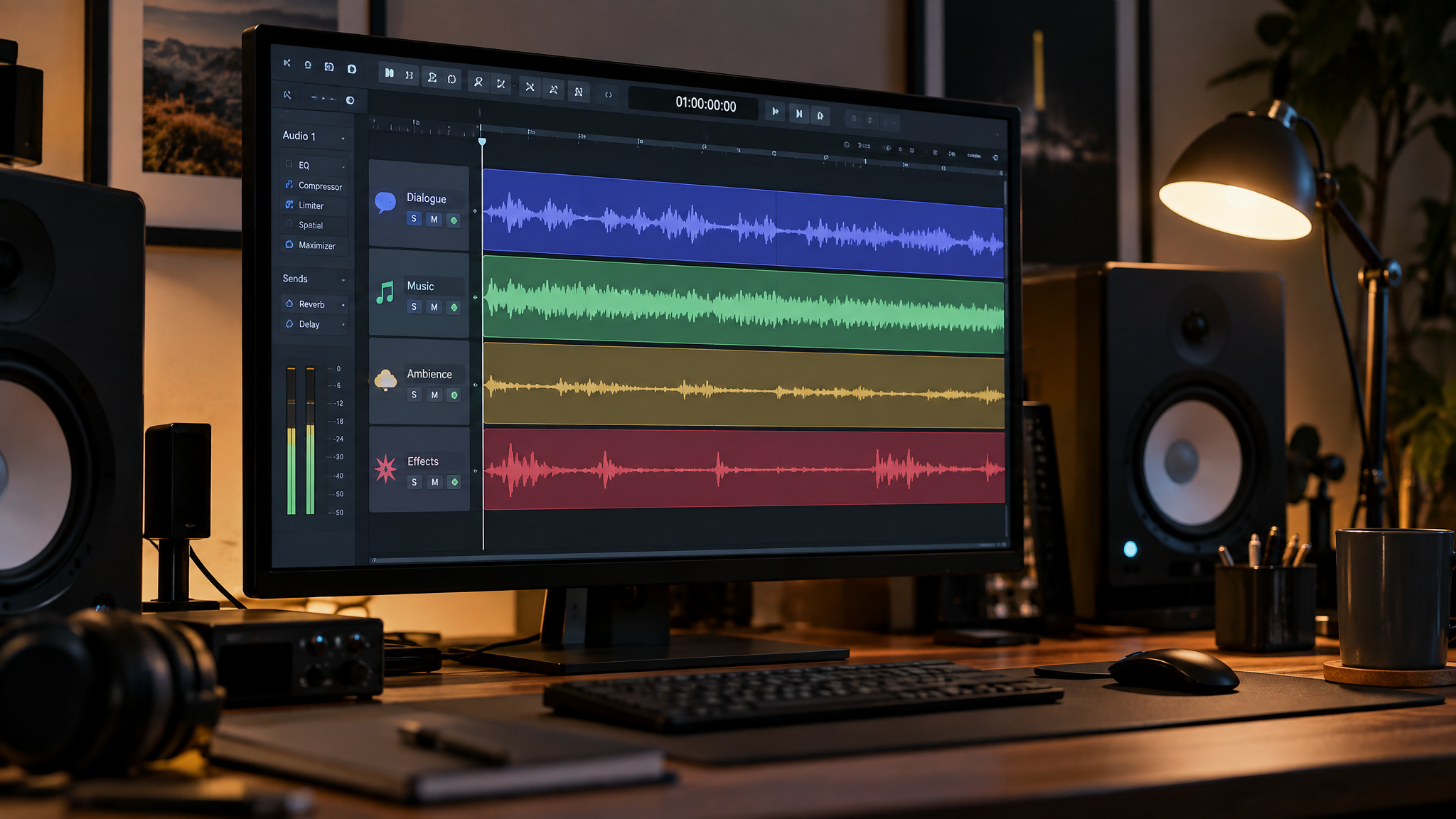
Seedaudio 1.5 output stays editable because it generates separate tracks for dialogue, music, environmental ambience, and sound effects, with timestamps controlling exact placement. The failure this solves is the classic single-bounce problem: with baked AI audio, fixing one mistimed effect means regenerating the whole mix. With stems, your mixing decisions stay reversible. The source also frames a review-and-refinement workflow spanning dialogue, emotion, ambience, foley, effects, music, timestamps, tracks, and dubbing, which is where foley formally enters the picture, and kind of elegant as a workflow framing: iterate on the layers, not the blob.
Voice consistency across scenes and 30-language localization
Character voices stay consistent across scenes and episodes because Seedaudio 1.5 uses reusable sound assets that preserve voices, tones, and styles, which is an asset-management feature, not cloning. Think save-your-preset energy: your character sounds like themselves in episode 6. The episodic bottleneck this targets is a composite pattern anyone doing serialized audio knows: re-prompting a voice from scratch each scene drifts in tone, wholesale cloning is inflexible when only one attribute needs adjusting, and partial attribute transfer, the copy/modify/expand capability, is the implied middle path.
The localization beat is arguably bigger: 30-language support that preserves character performance, rhythm, atmosphere, and narrative cohesion means what gets localized is the whole soundscape, not just a bare voice track. Multilingual dubbing, video-matched audio, timestamps, and independent tracks bundle into faster localization. Here’s what users keep mentioning in testimonials: distinct multi-character voices over background sound, localized dialogue keeping its emotion, and separate tracks making long-form projects easier to wrangle, themes that map directly onto the T2A, TA2A, TV2A, and TAV2A workflows described above. That’s user-reported color, not independently verified proof, but the themes line up neatly with the feature claims.
What it’s built for: films, ads, and game audio
Seedaudio 1.5 targets three project families. AI films and comic dramas, advertising and brand audio, and game voices plus sound design, and each maps to one of the official example prompts. The sci-fi prompt is the episodic-drama case: character dubbing, emotive performances, environmental sound, effects, and music across multi-character, multi-scene work, the same cast-plus-cue-list structure as the captain, engineer, and navigation officer example. The automotive prompt is the brand-audio case: expressive voices, emotive rhythm control, ambient noise, melodic transitions, and effects, matching the child, woman, and man dialogue lines quoted earlier. The forest prompt is the game and environment sound design case, and it’s the least obvious capability of the three, the zero-dialogue case proves the model claims ambience-only generation, not just voice generation.
This is also the natural spot to answer what a single text prompt can generate: the full layer stack in one pass. That collapses voice recording, foley, scoring, and splice assembly into one generation, with the stems handing control back to you at the mix stage.
Pricing: what Dreamina plans actually bundle
Seedaudio 1.5 runs on Dreamina plans priced (as listed on the product page) at Basic CAD20.49 (90% off), Standard CAD50 (40% off), Advanced CAD222 (40% off), and Ultra CAD725 (40% off).
| Plan | Price | Notable extras |
|---|---|---|
| Basic | CAD20.49 (90% off) | Watermark removal, extended video length, higher resolution, up to 60 FPS smoothing, lip sync, fast queue |
| Standard | CAD50 (40% off) | All Basic features; 58% credit savings on Seedance 2.5 at 720p; 60% savings on GPT Image 2.5 |
| Advanced | CAD222 (40% off) | Highest-priority fast queue; Seedream 4.0 free 4K and 2K |
| Ultra | CAD725 (40% off) | 75% credit savings on Seedance 2.5 at 720p; 4K Seedream and Image benefits |
Beyond the table: Seedance 2.0 Fast saves 44% credits at 720p across all tiers. A one-year free unlimited Seedream 4.1 and Seedream 4.5 generation offer (2K on Basic/Standard, 4K on Advanced/Ultra) applied to subscribers who signed up before December 15, 2025, and free Image 5.0 and Image 4.6 for a year came with resolution following tier.
Here’s the contrarian read, stated plainly: look at what’s actually in those plan rows. Watermark removal, frame rate smoothing up to 60 FPS, lip sync, fast queue, that list skews video-side, and the credit savings attach to Seedance video models and image models. The audio model is one node in a bundled Seedance/Seedream pipeline, so the buying decision is which production stack you subscribe to, not which audio model sounds best. One volatility note, once: these prices and the promo deadline are page-specific and may vary; the checkout number is the real one.
Cost check: Plan prices and promo deadlines are page-specific and can change — treat the checkout total, not this table, as the real number.
What the page doesn’t tell you
The official page leaves the decision-critical limits unstated: audio length, per-generation credit cost, and export details appear nowhere in the vendor material, so long-form feasibility can’t be verified from official pages. The page’s own FAQ asks how long Seedaudio 1.5 can generate audio, and the extracted page never answers it, most of the FAQ’s questions stay open. Meanwhile, testimonials assert long-form suitability without any stated duration ceiling, which is exactly the kind of gap you should treat as a question, not a promise.
No source supports benchmark comparisons against alternatives, either. If you’re wondering how it stacks up against, say, ElevenLabs for multi-character dialogue and ambience, the honest answer is that no verified head-to-head data exists, the tradeoffs remain vendor-claimed in all current coverage. Failure-mode guidance is missing too: when context-aware video dubbing is a bad fit (heavily stylized visuals, rapid multi-scene cuts), or when one-prompt generation should give way to manual stem work, the page never says. I’m presenting those as open questions, not answers. I’ve been burned by unstated limits enough times to want the ceiling in writing before committing a season of audio to any tool.
Is it worth using? A grounded verdict
Seedaudio 1.5 is worth trying when you already own layered-production pain, episodic drama, ad localization, game ambience, and when stems and reusable voice assets matter more to you than raw voice quality. It’s worth judging as a post-production tool, not just another voice generator, because timestamped stems plus reusable assets are what set it apart. Concretely: if your workflow lives and dies on keeping a character’s voice consistent across episodes and being able to nudge one effect’s timing without regenerating the mix, this is built for you. If you just need one good voiceover read, the bundle math gets murkier.
The practical next step: start with the mode matching your raw material, adapt one official prompt while keeping the sound-cue list intact, and verify audio-length and credit costs against current plan terms before committing to long-form work. The official ready-to-use prompts make a decent starting bench, the spaceship scene, the car ad, the forest sunrise are all there to pull apart. And the first question for any reader is whether the model can express the character, emotional range, and pacing your project needs.
Frequently Asked Questions
What can Seedaudio 1.5 generate from a single text prompt?
The full layer stack in one pass: multi-character dialogue, emotion, music, ambience, and sound effects. Dreamina’s official sci-fi example prompt produces three character lines plus alarms, radio static, engine rumble, button beeps, heavy breathing, atmospheric drones, and orchestral tension — collapsing voice recording, foley, scoring, and splice assembly into a single generation.
Can Seedaudio 1.5 generate multilingual audio in 30 languages?
Yes — the text-to-audio (T2A) path supports 30 languages, and localization preserves character performance, rhythm, atmosphere, and narrative cohesion. That means the localizable unit is a full soundscape, not a bare voice track, with multilingual dubbing, timestamps, and independent tracks bundling into faster localization.
