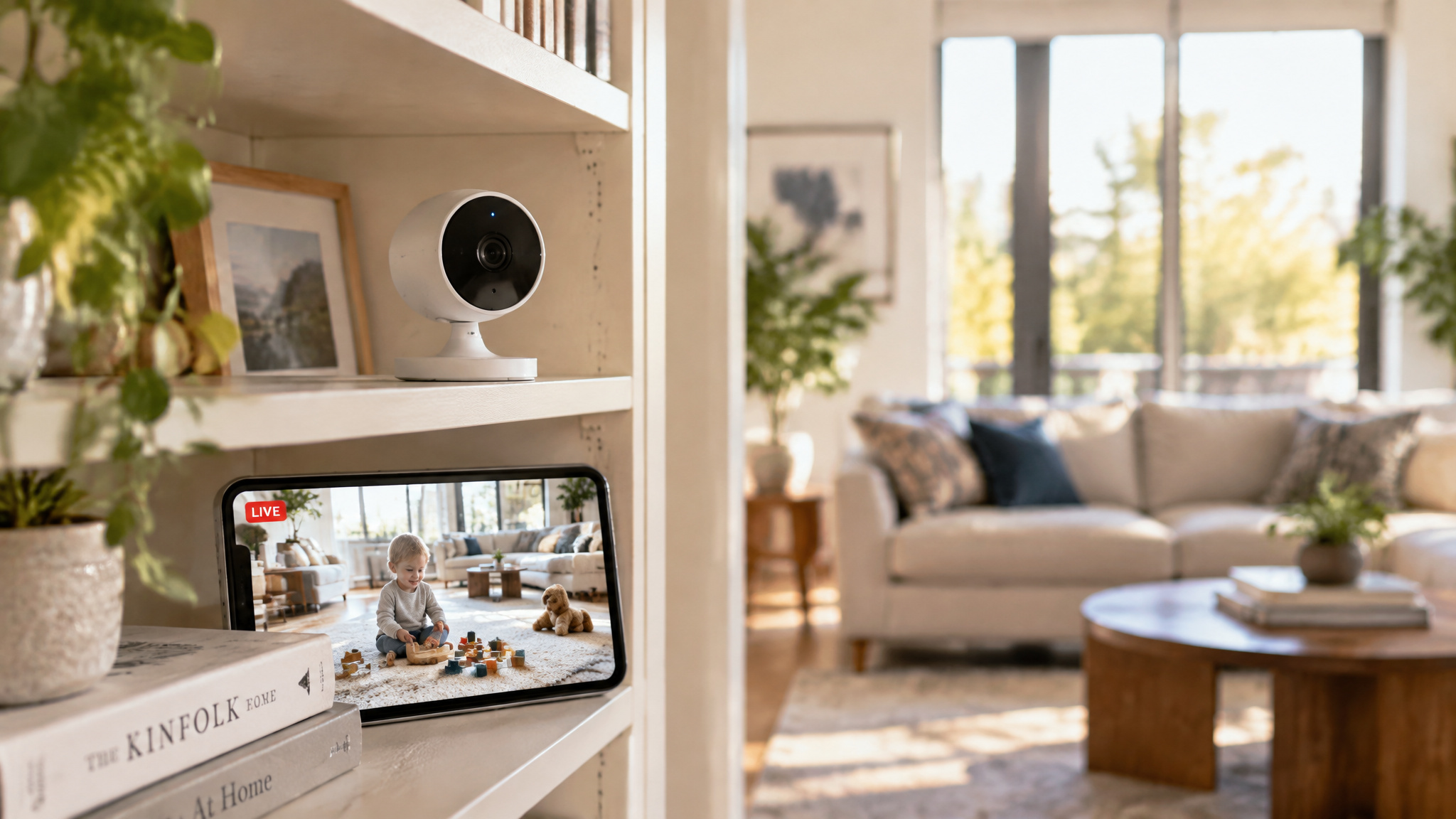
There are many parents who have young children but cannot afford to give up work in order to care for the children. In many instances, the parents decide to take on the services of a childcare professional during the day. While some childcare services involve taking the child to a specific venue some parents decide to opt for a fulltime nanny, particularly with very young children.
Of course, it can be a big worry for any parent to leave their child – and their home – in the hands of what is essentially a stranger. While you can carry out online background checks and similar checks for greater peace of mind, it can still be a worry if you have no idea what it going on while you are not there. This is where nanny cams can prove helpful and have become increasingly popular over recent years.
Many families find that choosing the right type of childcare provider helps ease these worries from the start. For instance, working with a reputable au pair agency allows parents to find screened, live-in caregivers who become part of the household. This arrangement often builds a deeper level of trust than hiring a typical short-term babysitter. When parents feel secure in their choice of caregiver, they may feel less need to monitor every moment. Still, having extra security measures in place is a common way to get an added layer of comfort for busy households.
Key Takeaways
Hidden-camera video recording is legal in all 50 US states outside private spaces like bathrooms, changing areas, and live-in bedrooms, though 13 states expressly prohibit unauthorized camera installation in private places and many require all-party consent for audio.
Disclosing a nanny cam at the first interview and having the hired caregiver sign a written acknowledgment protects trust while deterring mistreatment and shielding the nanny from false accusations.
Remote intruders known as “ratters” target cameras left on default passwords, and Consumer Reports‘ testing of more than 100 models found that even top-rated cameras from Arlo and TP-Link often score middling or lackluster on data privacy.
Table of contents
Table of Contents
What a nanny cam offers working parents
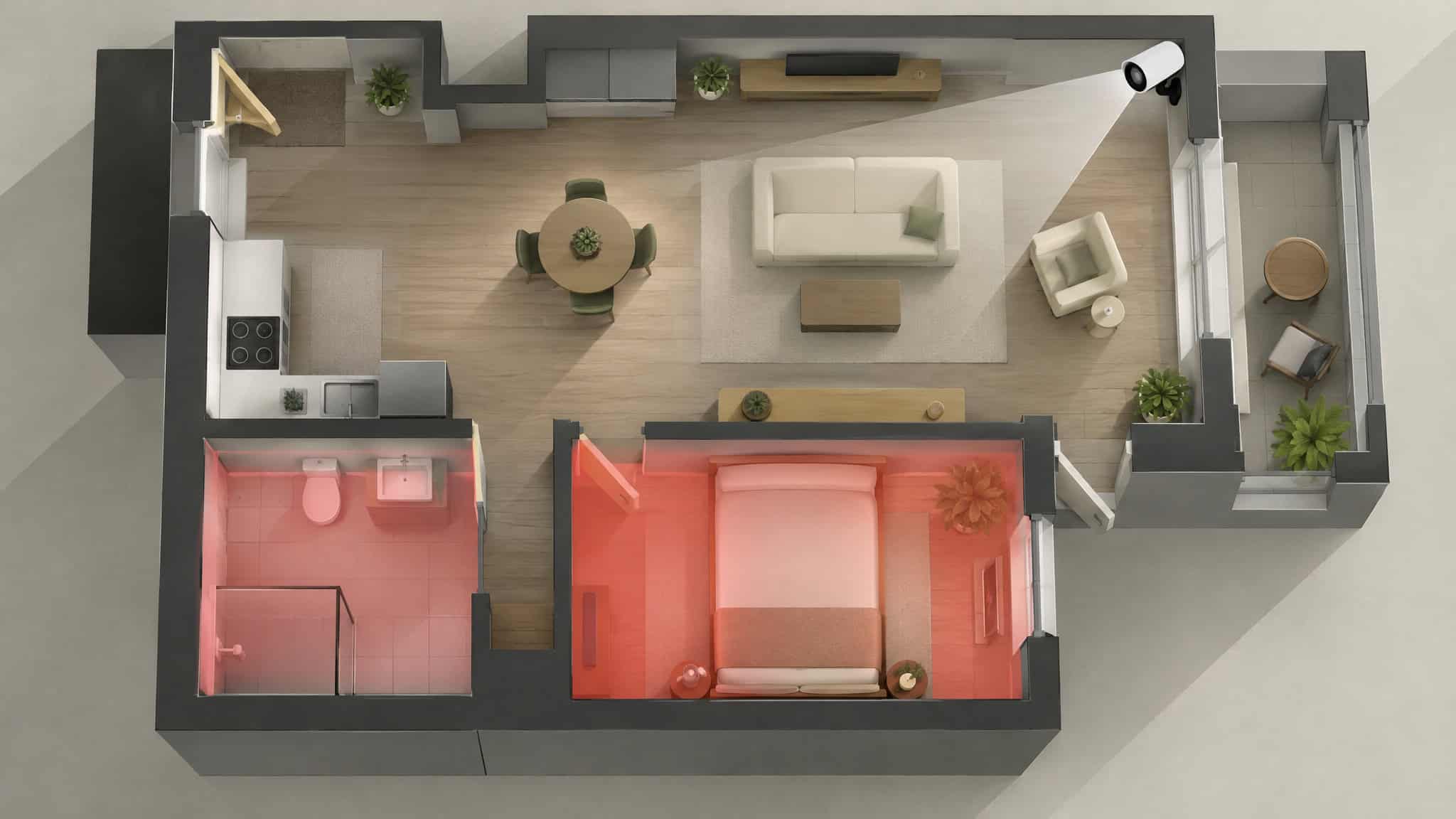
Childcare industry directors frame nanny cams around two simultaneous jobs: giving working parents peace of mind about daily routines and child engagement while shielding caregivers against false accusations by proving when an alleged incident never happened. Modern wireless nanny cameras stream live video to a smartphone, send automated detection alerts, and offer two-way audio for speaking through the camera. Open common spaces where kids and caregivers interact most, including living rooms, playrooms, and kitchens, are the standard mounting spots, while bathrooms and changing areas stay strictly off-limits, and some jurisdictions require posted signs indicating surveillance.
Nanny cam laws: video, audio, and private spaces
Care.com notes that while putting up a home security camera is legal in every state, how and what you record varies by jurisdiction.
Video legality and private places
Video recording via a hidden nanny cam is legal in all 50 US states, provided the camera stays out of areas where a person has a reasonable expectation of privacy. That privacy boundary is the dividing line between lawful household monitoring and a statutory violation, and 13 states expressly prohibit the unauthorized installation or use of cameras in private places.
Under these rules, a private place is any space where someone can reasonably expect to be safe from unauthorized surveillance, which includes bathrooms, changing areas, and a live-in caregiver’s bedroom. State notification rules also vary: some states mandate telling the caregiver that video recording is underway, while many don’t. Even where the law allows secret recording, legal permission doesn’t settle the practical question for every family; one parent noted that living in New Jersey, which allows video and audio recording without permission, didn’t make the decision any simpler because the working relationship with the nanny still sat on the line.
Audio and all-party consent
Yes, a nanny cam can record audio when all-party consent laws are met or the microphone is disabled in states that prohibit unconsented recording. Audio and video recordings are treated differently under US law, making a nanny cam with audio the legally risky version of the product when deployed without permission. Will Smith, a lawyer at Schenk Smith LLC in Atlanta, recommends consulting a criminal defense attorney if you’re unsure of your state’s statutes, because violating these laws is a crime and can constitute illegal eavesdropping.
- One-party consent states: Audio recording is often legal if you’re part of the conversation, meaning at least one party is aware of and consents to the recording.
- Two-party (all-party) consent states: Many states require the consent of everyone being recorded, turning a secret babysitter camera with an active microphone into a potential wiretapping offense.
- Hardware compliance: Nearly all modern security cameras let you disable audio recording in the app settings so you can run video-only monitoring where all-party consent applies.
Placement: where a camera can and cannot go
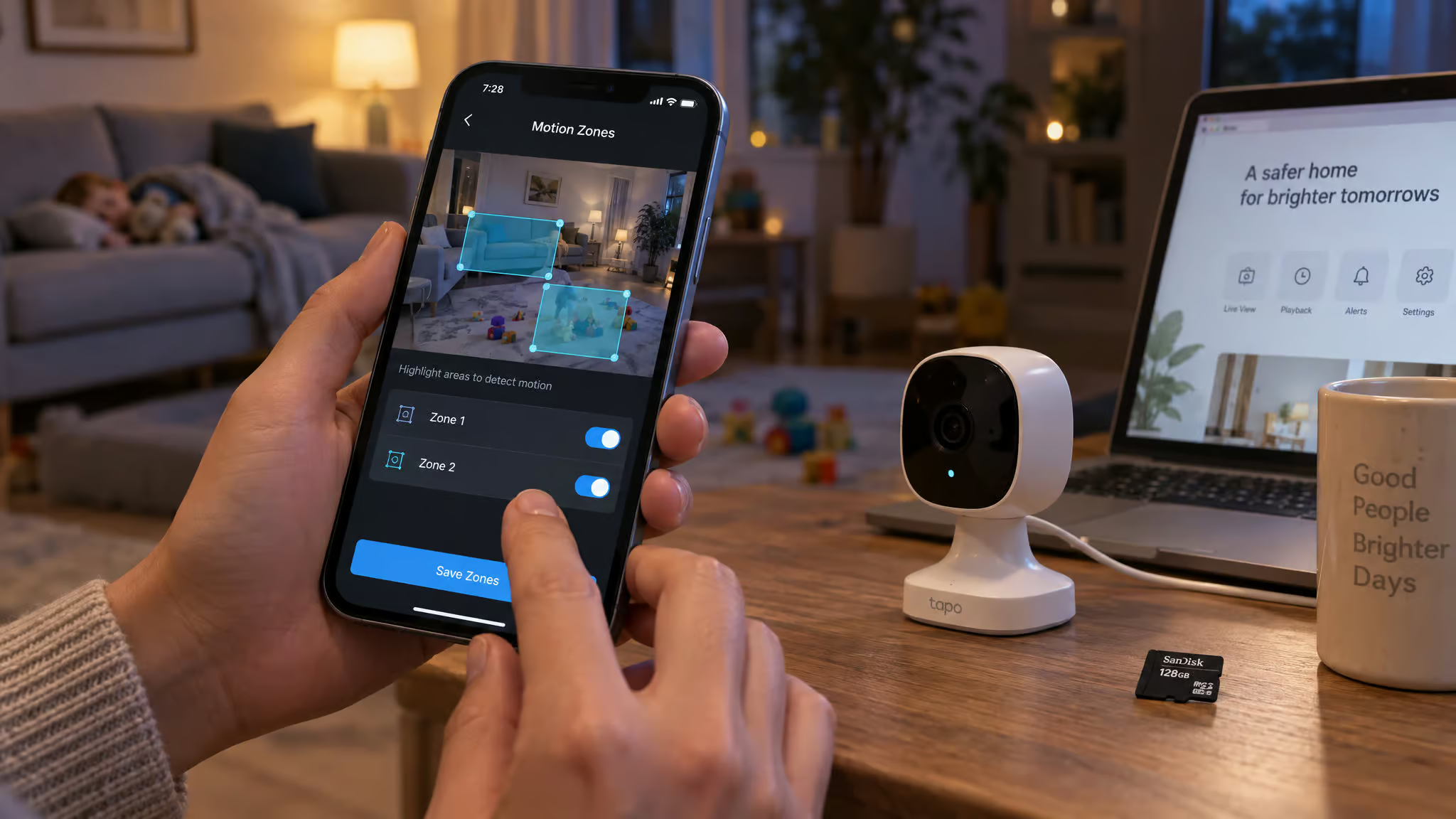
Keeping a nanny camera legal and useful requires mounting it only in shared living areas and tuning the software so irrelevant motion doesn’t flood your phone with false alerts. Living rooms, kitchens, playrooms, and home exteriors are generally acceptable locations, though parents should check local laws before pointing exterior cameras beyond their property. Once the camera is mounted in an allowed room, Consumer Reports recommends configuring activity zones (also called motion zones) in the companion app to watch relevant areas like a crib or front steps while ignoring a spinning ceiling fan.
Telling your nanny: disclosure at the interview
Disclosing a nanny cam at the first interview is the recommended practice for working parents hiring an in-home caregiver. Ethical consensus across legal and childcare experts holds that transparent communication before hiring or installation builds trust, whereas hidden surveillance erodes it, and eNannySource recommends having the hired caregiver sign a written document acknowledging awareness of the camera. Studies and polls cited by eNannySource show that most nannies don’t object to having child-caregiver interactions recorded; they object to being deceived.
Raising camera use during the initial interview acts as a clean filter because the candidate can choose to accept or decline the job before anyone signs a contract.
The nanny’s side: how caregivers view cameras
Parents should avoid using a hidden nanny cam and instead get permission before installing any monitoring device, discussing its purpose, surveyed areas, and monitoring frequency openly beforehand, because covert recording damages trust between parents and caregivers when discovered on the job. Constant or covert observation signals distrust, can make caregivers restless enough to affect care quality, and creates a tense home environment, as illustrated in a Netmums forum thread on nanny cams (39 answers running from 2013 to 2016) where a live-in nanny wrote in 2013 that she would accept a camera only for a short initial period with advance notice, would quit immediately if she found a hidden one, and would never work in America because so many households use them.
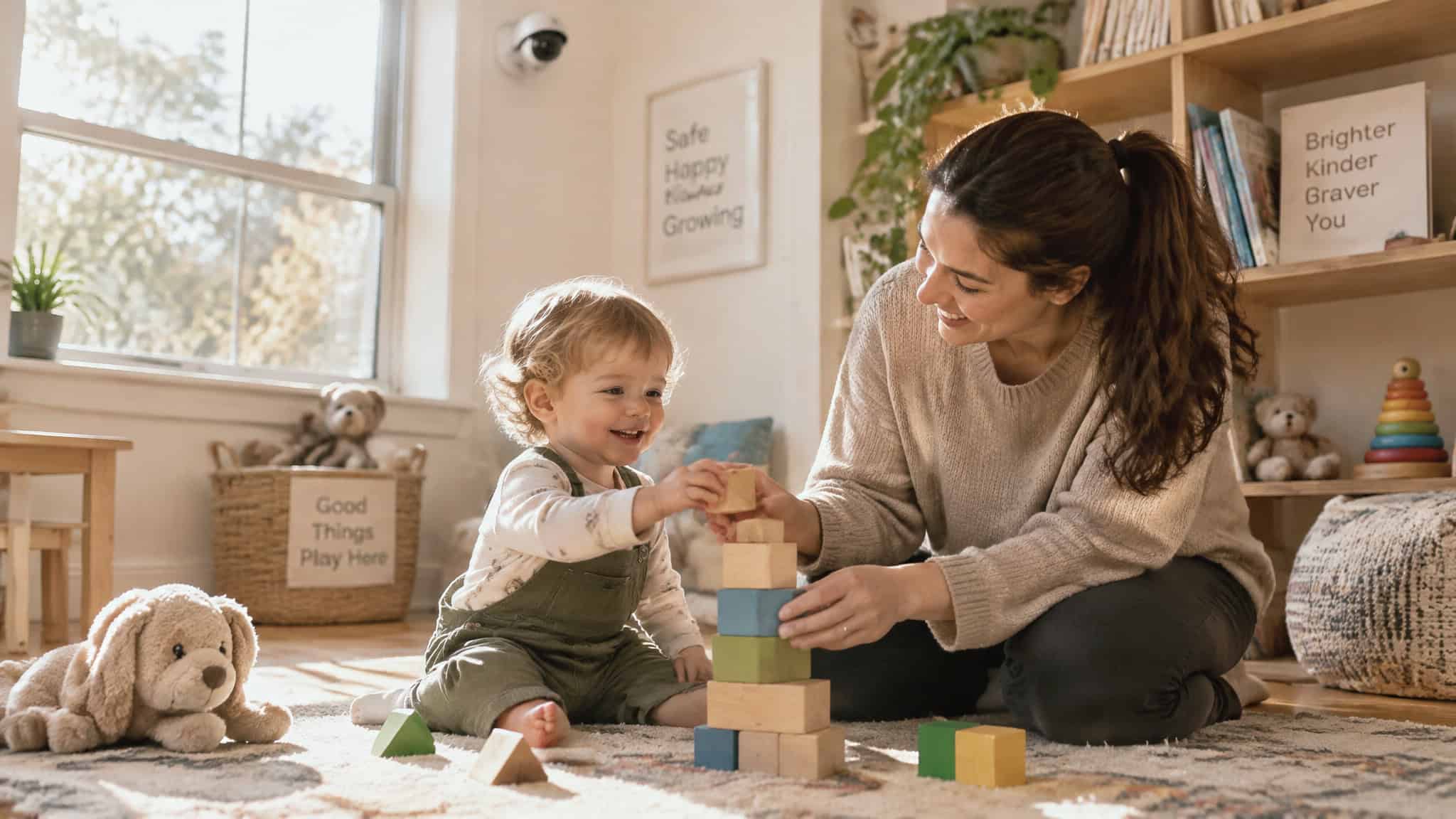
The decisive difference between a visible security camera and a hidden spy camera is that visible cameras deter bad behavior openly and serve as training and documentation tools in nurseries, whereas covert cameras risk ending the employment relationship the moment a caregiver spots one. A childminder in the same Netmums discussion said she would ‘come down like a ton of bricks’ on any covert recording, while other contributors pointed out the two-way trust contradiction: if you need a secret camera to trust your nanny, you’ll never really trust her.
Rather than watching a nanny on camera all day, which signals a lack of trust, strains the working relationship, and risks infringing on the caregiver’s right to a confidential space, employers should get permission beforehand and openly communicate the camera’s purpose, surveyed areas, and monitoring frequency before installation. On the question of all-day workplace monitoring, mums-dads.co.uk notes that in-home caregivers have a right to a confidential space and that feeling constantly watched makes caregivers uneasy or restless, which degrades care quality; in the Netmums forum debate, one nanny said she would accept a camera only for a short initial period with advance notice and would leave immediately if she found a hidden one. Parents in that discussion offered a clear counterpoint: families whose children were hurt by a trusted nanny may wish they had installed a camera on a “better safe than sorry” basis, and one parent considered a cam simply because she had only the nanny’s word about daily activities.
Prevention, not detection: what cameras are actually for
Yes, nanny cams can catch abusive caregivers in documented cases like Adrienne Stewart’s, but the evidence rests on individual anecdotes rather than systematic data, making prevention the real purpose of installing one. In Stewart’s case, her own household cameras missed the mistreatment while her friend’s camera caught the nanny yanking her 1-year-old’s ponytail; afterward, the Stewarts continued running cameras at home and tell every sitter and nanny upfront that the setup is about peace of mind and safety.
Childcare guidance from eNannySource argues that bad behavior should be prevented rather than “caught.” When a caregiver knows a camera is operating in the playroom, that awareness positively influences daily behavior on the same psychological principle as a dummy camera. A 2025 eyespysupply.com analysis on legal nanny cam use alongside childcare industry directors adds that disclosed cameras cut both ways: the recording provides an objective log that protects the caregiver by proving when an alleged incident didn’t happen.
Hacking risk: when the camera becomes the liability
Putting a wireless camera inside a nursery or playroom adds an internet-connected microphone and lens to your home network, which means a device bought for child safety can invert into a security liability if left unhardened against the risks highlighted in FTC home-camera guidance.
Why cameras get hijacked
Nanny cams are vulnerable to hacking by remote intruders known as “ratters” when left on default passwords or bought from cheaper vendors that fail to prioritize security, so securing one requires changing default passwords, applying updates, maintaining strong network security, and limiting camera placement. Because the consumer camera market rewards visible, quantifiable specs rather than backend data protection, Wenyao Xu, a computer science professor at SUNY Buffalo, warned that families who care about household privacy and safety need to take camera hacking seriously because the likelihood of an intrusion is quite high.
In lab testing of more than 100 security camera models by Consumer Reports (written by senior home and appliances writer Daniel Wroclawski, updated by Quentyn Kennemer, with Rich Sulin and Ari Chai handling the lab evaluations for the January 1, 2026 release), even top-rated models from Arlo and TP-Link that scored well on data security and features often carried middling or lackluster data-privacy scores. Based on Xu’s research and FTC home-camera guidance, hardening a setup requires three core habits:
- Change default passwords immediately during initial setup.
- Apply firmware and software updates regularly.
- Limit camera placement and total camera count to shrink your household exposure.
How to secure a nanny cam
Camera vendors compete on size, weight, looks, price, speed, and video resolution because buyers can compare those numbers on a box, whereas no simple consumer metric quantifies security and no camera is 100% secure. Meanwhile, ratter incidents have risen, including cases where hackers spied through nursery webcams, talked to children, or played eerie music through the built-in speaker. Aaron Sachs, a San Antonio father who works in the tech industry, worried specifically about hacking when he and his wife hired a nanny for their young daughter, a concern shared by many parents whether they recruit independently or work through an au pair agency.
Rather than wiring the whole house, Sachs built what he called “minimum viable security and safety”: a single indoor camera pointed at his daughter’s crib that recorded only when triggered by noise near the crib, paired with two exterior cameras used to advise the nanny about visitors. Whenever Sachs and his wife told nanny candidates upfront about the cameras, the caregivers understood.
Choosing and setting up a nanny cam
Strong data protection comes from pairing high data-security models, like the TP-Link Tapo C225 on Apple HomeKit Secure Video or the Ethernet-based eufy HomeBase 3, with strict local or end-to-end encrypted storage, according to Consumer Reports‘ January 1, 2026 testing update of more than 100 security cameras (written by Dan Wroclawski and updated by Quentyn Kennemer), which selects the best nanny cams for strong data security plus pan-and-tilt, crying and loud-noise alerts, and privacy shutters. Even top-rated cameras often earn middling data privacy scores, so at GeekExtreme, our hardware breakdown comes down to local storage versus cloud subscriptions and encryption architecture rather than resolution hype. Most nanny cams work without a monthly subscription by recording to local microSD or base-station storage, while optional cloud plans like Arlo Secure cost $8 to $25 per month.
- Subscription-free local storage: Lorex (included 16GB microSD), TP-Link Kasa KC410S (up to 256GB microSD), TP-Link Tapo C225 (up to 512GB microSD), and eufy HomeBase 3 (built-in local storage with optional hard drive slot).
- Optional cloud plans: Kasa Care ($3/month or $30/year for 1 camera; $10/month or $100/year for up to 10), Tapo Care Premium ($3.49/month or $35/year for 1 camera up to $12/month or $120/year for 10), and Arlo Secure ($8 to $25/month).
Features that matter for childcare monitoring
Selecting a nanny camera that captures real childcare issues without spamming your phone requires matching sensor hardware and audio controls to your room layout: motorized pan-and-tilt, person detection, crying and loud-noise detection (triggering on specific sounds like crying, glass breaking, dogs barking, or cats meowing, or a volume threshold), a privacy mode or physical shutter for when parents are home, two-way audio with an audio-recording toggle, activity zones, and smart-home integration across Amazon Alexa, Apple Home (with Siri), Google Home (with Assistant), or Samsung SmartThings. If you pick a battery-powered camera, it sleeps until its passive infrared (PIR) motion sensor trips across a 10-to-35-foot range, so check the stated detection and recording distance before mounting.
Arlo Essential Indoor 2K
Arlo’s 2K indoor camera, the Essential Indoor (model VMC3060-100NAS), delivers great video quality, strong data security, speedy alerts, two-way audio, Alexa and Google Home/Assistant control, an automated privacy shutter, and a built-in siren, while the half-price HD version (VMC2060-100NAS) performs almost identically with somewhat slower response times. It offers no free storage: Arlo Secure unlocking 30-day cloud storage, activity zones, and people/package/vehicle/pet recognition runs $8/month for one camera, $13/month for unlimited cameras, $18/month adding emergency response buttons, and $25/month adding the Safe app and professional monitoring.
Lorex 2K Pan-Tilt
The Lorex 2K Pan-Tilt pairs strong video quality, motorized pan-and-tilt, two-way audio, person detection, activity zones, loud-sound alerts, privacy mode, and Alexa/Google Assistant control at a relatively low price, though it scores middling on data privacy. It includes a 16GB microSD card for free local recording with no cloud storage or subscription fees.
TP-Link Kasa Smart Pan & Tilt KC410S
The TP-Link Kasa KC410S combines stellar video quality, quick motion alerts, strong data security, data privacy, two-way audio, monitoring zones, person and loud-noise alerts, and Alexa/Google Assistant integration. It records locally for free on a separately sold microSD card up to 256GB or to 30-day Kasa Care cloud storage ($3/month or $30/year for one camera, or $10/month or $100/year for up to 10).
TP-Link Tapo C225
Priced at $50, the TP-Link Tapo C225 earned top marks for response time alongside strong video quality and data security, motorized pan-and-tilt, color night vision, person/pet/sound detection (including crying), motion tracking, activity zones, two-way audio, privacy mode, a siren, microSD support up to 512GB, and Alexa, Apple Home/Siri, Google Home/Assistant, and SmartThings support. To counter its lackluster native data-privacy score, parents can skip Tapo Care Premium and route it through Apple HomeKit Secure Video for end-to-end encrypted iCloud storage (requires paid iCloud+ and a HomePod or Apple TV hub).
eufy HomeBase 3: the non-Wi-Fi alternative
The eufy HomeBase 3 plugs directly into your router via Ethernet, eliminating Wi-Fi setup and reliability headaches while storing video locally with no monthly subscription and integrating with Amazon Echo Show. Compatible S3 Pro outdoor cameras run on 1 hour of daily direct sunlight via a built-in solar panel or USB-C wired power for 24/7 recording; keep cameras close to the base during app setup, and configure and test the system before shipping or mounting because losing access to the primary account email locks you out.
When a nanny cam is the wrong answer
A nanny cam is the wrong choice for a working parent who wants to install a hidden lens to test a caregiver they already suspect of lying, refuses to change default network passwords, or uses hardware as a shortcut around reference checks and daily communication. As eNannySource frames it, the decision to install a camera ultimately reflects your own fears and trust as a parent and employer, because trust in a childcare relationship has to be nurtured rather than manufactured by a sensor.
Carrying the Netmums caregiver argument to its logical conclusion, severe caregiver abuse is rare even if heightened awareness makes every headline feel personal, and if you believe your nanny lies and can’t be trusted around your child without covert recording, the hiring decision is the problem rather than the lack of video. Nanny cams are a sensible tool when disclosed at the first interview, acknowledged in writing, muted on audio where all-party consent applies, locked down with strong passwords and local or encrypted storage, and used to protect both child and caregiver; they become a liability the moment they’re hidden to spy on an employee.
Frequently Asked Questions
Can a nanny cam record audio, and is audio recording legal in my state?
Modern cameras easily capture sound, but turning on the microphone without permission can trigger felony wiretapping or eavesdropping charges depending on where you live. In one-party consent states, audio usually requires at least one participant in the conversation to agree, while two-party (all-party) consent states require permission from everyone recorded. To stay compliant when you don’t have explicit consent, you can simply toggle off audio recording in the camera’s companion app and run video-only monitoring.
Will a hidden camera damage the trust between me and my caregiver?
Secret surveillance wrecks the employment relationship the moment a caregiver spots the lens, often prompting them to quit on the spot. Visible, disclosed cameras openly deter bad behavior and protect caregivers with an objective log of events, whereas covert lenses signal suspicion and create a tense household. If you feel you need a secret camera to catch a nanny lying, the real issue is your hiring choice rather than a lack of video.
What features should I look for in a nanny cam with audio and two-way talk?
Look for a toggle to disable audio recording for legal compliance alongside two-way talk, motorized pan-and-tilt, person detection, and sound alerts that trigger specifically on baby cries or loud noises. Activity zones are essential for watching a crib or play mat while ignoring a spinning ceiling fan, and a physical shutter or privacy mode lets you kill the lens when you’re off the clock. If you choose a battery-powered model, verify its passive infrared (PIR) sensor range—typically 10 to 35 feet—since the camera sleeps until motion trips that boundary.