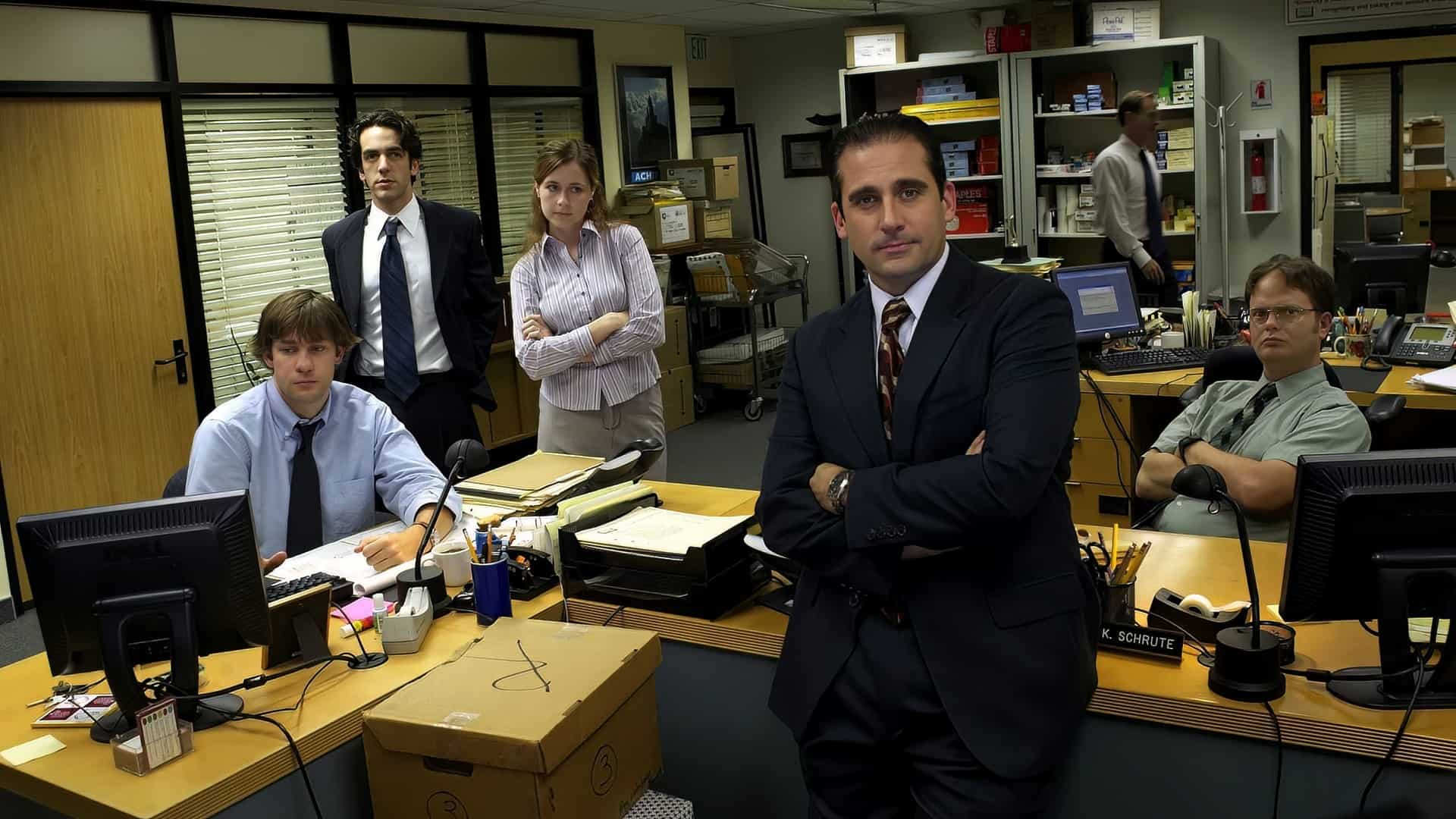
I loved watching The Office, so I compiled this gallery of background images from the show to upgrade the daily grid of remote video calls. When the U.S. version premiered on NBC in 2005, nobody was thinking about webcam edge detection, yet close to two decades of reruns have done the cultural legwork for us. A huge portion of today’s remote workforce recognizes the Scranton branch on sight because the series shaped how office workers joke about fire drills and workplace pranks. Dropping a Dunder Mifflin room behind your chair is a low-risk way to spot fellow fans on a call without derailing the agenda.
Fan communities like the r/DunderMifflin subreddit still trade and upgrade these image files for Zoom and Microsoft Teams, hunting down cleaner crops and higher pixel counts so the joke actually survives video compression. Each scene below pairs its specific episode moment and desk props with the resolution details and app settings that keep it sharp on camera.
Key Takeaways
Grab the 1440p Conference Room Interview Window file from Joe’s Daily (shared via r/DunderMifflin) rather than lower-resolution copies, because Zoom may downgrade uploaded image resolution and needs at least 1920×1080 or 1280×720 pixels at a 16:9 aspect ratio.
You don’t need a physical green screen for modern Zoom calls; a solid-colored backdrop is an optional quality upgrade for blurry or patchy cutouts, while changing your background only requires account admin rights and enabling “Virtual Background” in Settings.
Buildremote maintains a 12-background collection (updated March 18, 2024) and Joe’s Daily offers a tighter 5-scene curation, with the Conference Room Interview Window serving as the safest professional pick for high-stakes calls like job interviews.
Table of Contents
The conference room interview window background
You can grab a high-resolution 1440p version of the Dunder Mifflin Conference Room Interview Window background via a community share on the r/DunderMifflin subreddit (hosted on Joe’s Daily), which is worth seeking out because Zoom may downgrade the resolution of whatever image you upload. Starting with more pixels than you need keeps the blinds and wood paneling crisp after compression, and the original Reddit poster, imaginexus, even noted wishing they had posted that 1440p file from the start.
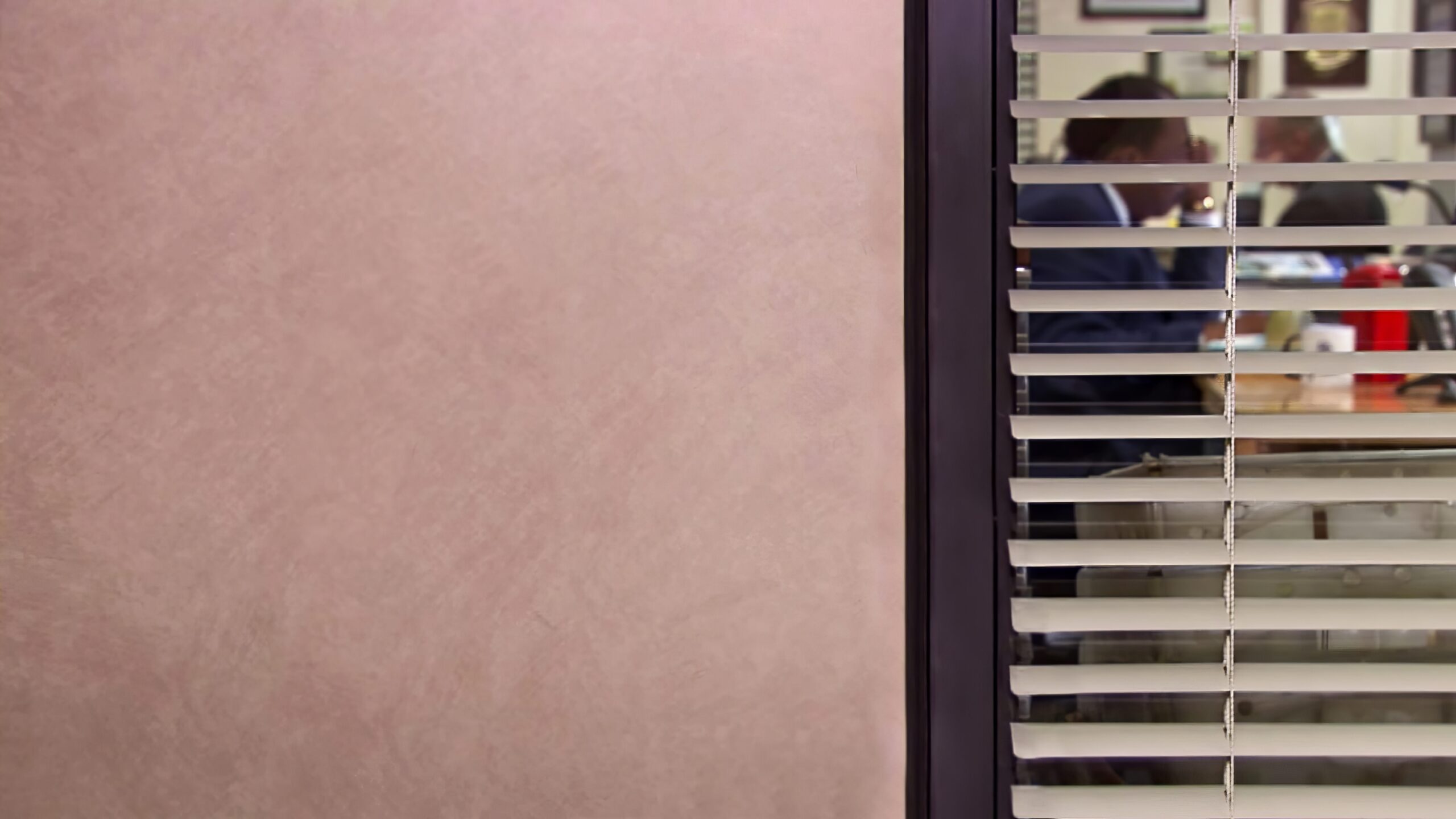
The frame itself is the classic talking-head setup where the majority of the show’s interviews are filmed, so dropping it behind your webcam puts you right inside the series. Fans in the Reddit thread immediately paired this confessional backdrop with Dwight Schrute’s interview quote after leaving Dunder Mifflin:
‘How would I describe myself in 3 words? Hard working. Alpha male. JACKHAMMER.’
One commenter joked that the line practically guarantees a job offer, while Reddit user vigilantepro linked the YouTube clip of the scene for anyone needing a refresher before joining a call.
Michael Scott’s office desk background
Michael Scott’s Office Desk background is the fan-favorite manager’s office view from the series, anchoring a wider set of Michael Scott scenes that also reference his World’s Best Boss mug setup and the Wayne Gretzky quote wall from his Michael Scott Paper Company storyline. Among fans, anything featuring Michael Scott is pure gold, and sitting behind his desk lets you step into the regional manager’s chair without saying a word.
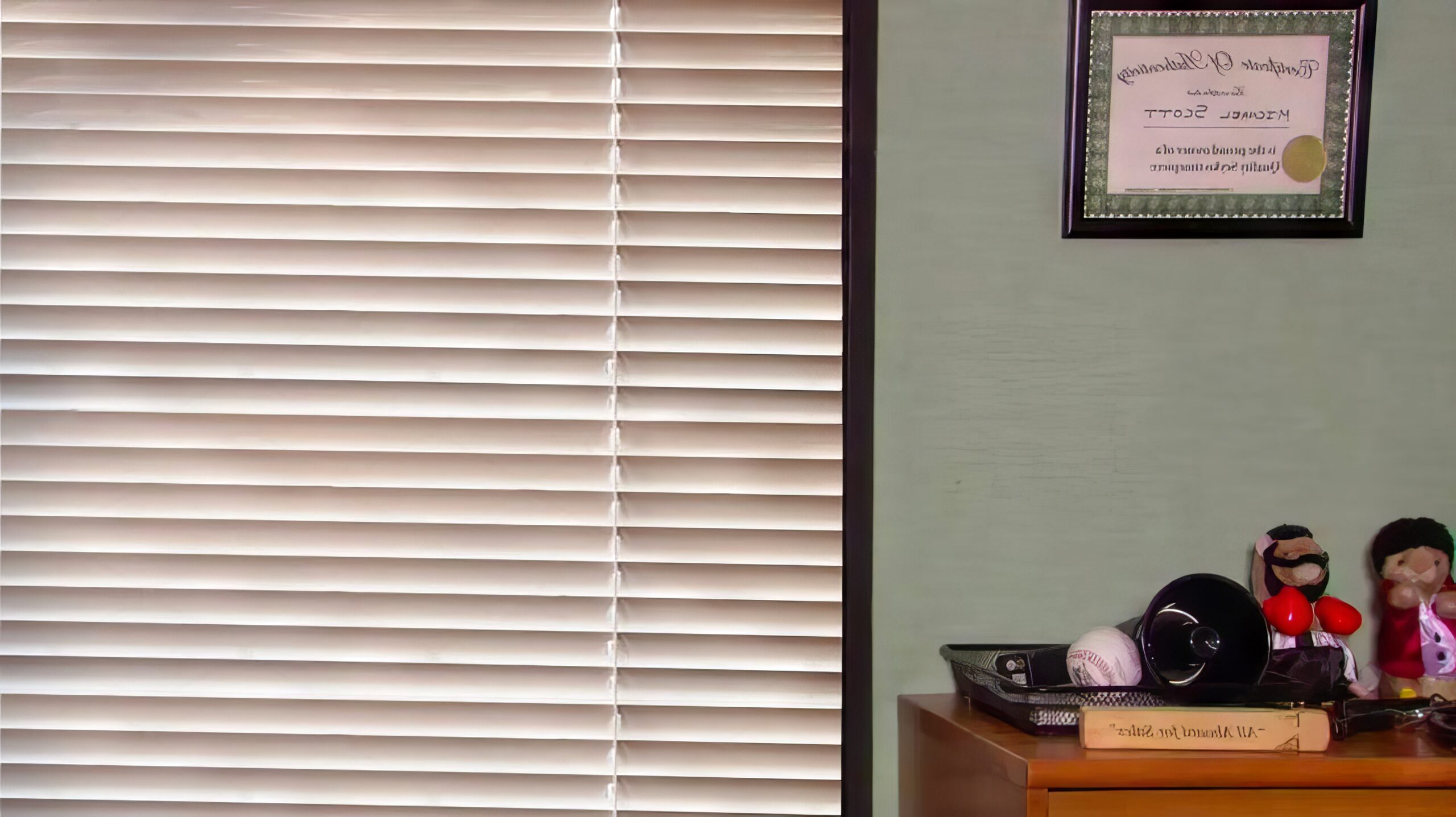
What makes this specific angle so useful on a real work call is how well it plays to two different audiences at once. Buildremote points out the small boxing bear sitting on the shelf in the background, a prop detail that catches the eye even for call participants who’ve never watched an episode. Even when your co-workers don’t know the show at all, the wood trim, window blinds, and shelving read cleanly as a standard, believable office backdrop.
Michael Scott’s Wayne Gretzky quote background
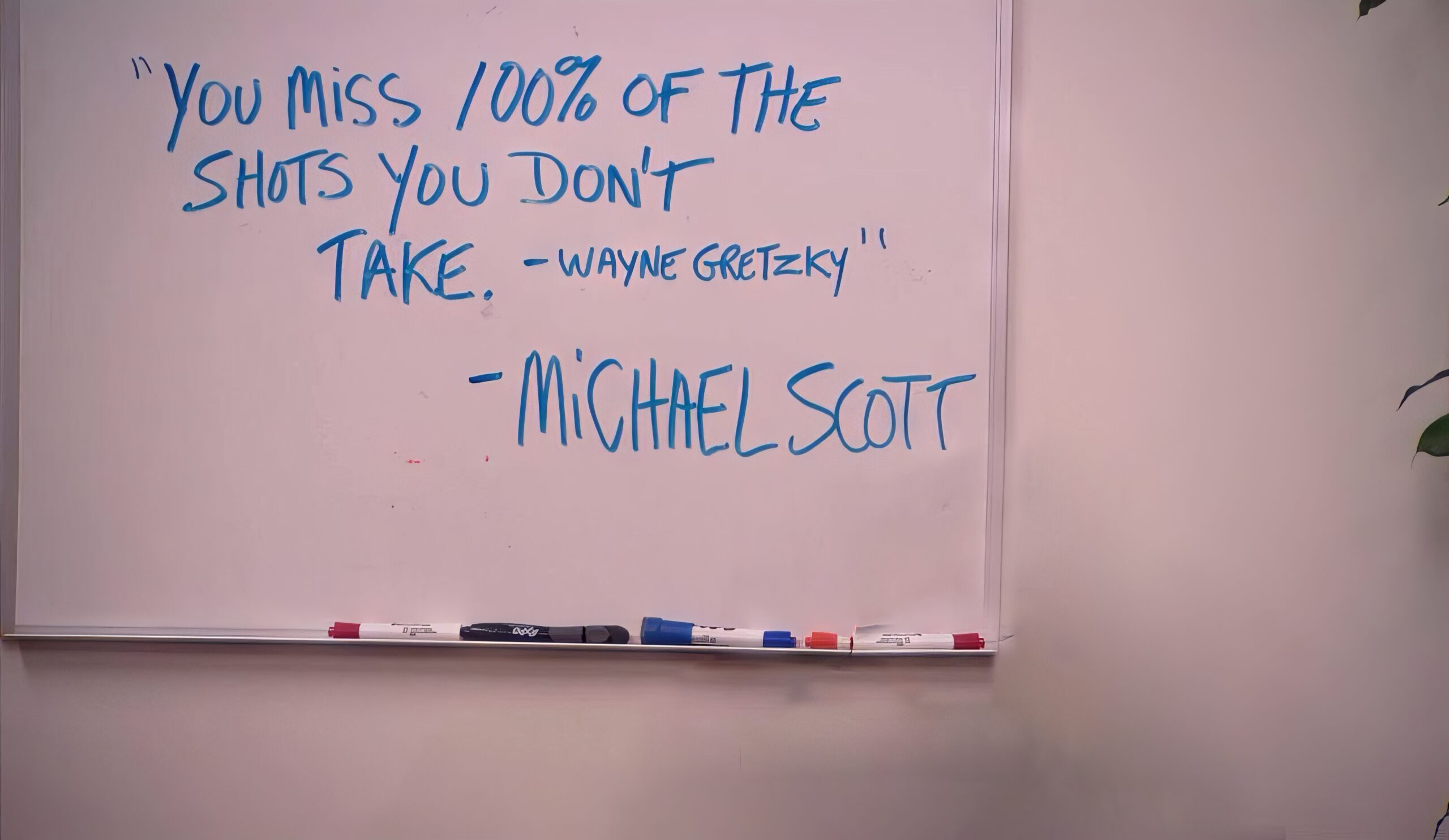
The Michael Scott Wayne Gretzky Quote background captures the moment from the Michael Scott Paper Company arc where Michael stands in front of a whiteboard contemplating his life decisions right after quitting Dunder Mifflin to start his own paper company. It’s a peak motivational scene for the character because the signature joke of the frame is the double attribution: Michael writes out the famous hockey quote and then famously takes credit for the stolen line right underneath Wayne Gretzky’s name.
If you look closely at the edges of the downloadable file on Joe’s Daily, you might spot a slight visual quirk where the regional manager used to stand. The creator of this background file apologized for the rough editing on the image, noting that it was tricky cutting Michael out of the photo cleanly while still preserving high image quality. On a standard webcam feed, your own shoulders sit right over the edited spot anyway.
Jim Halpert’s desk background
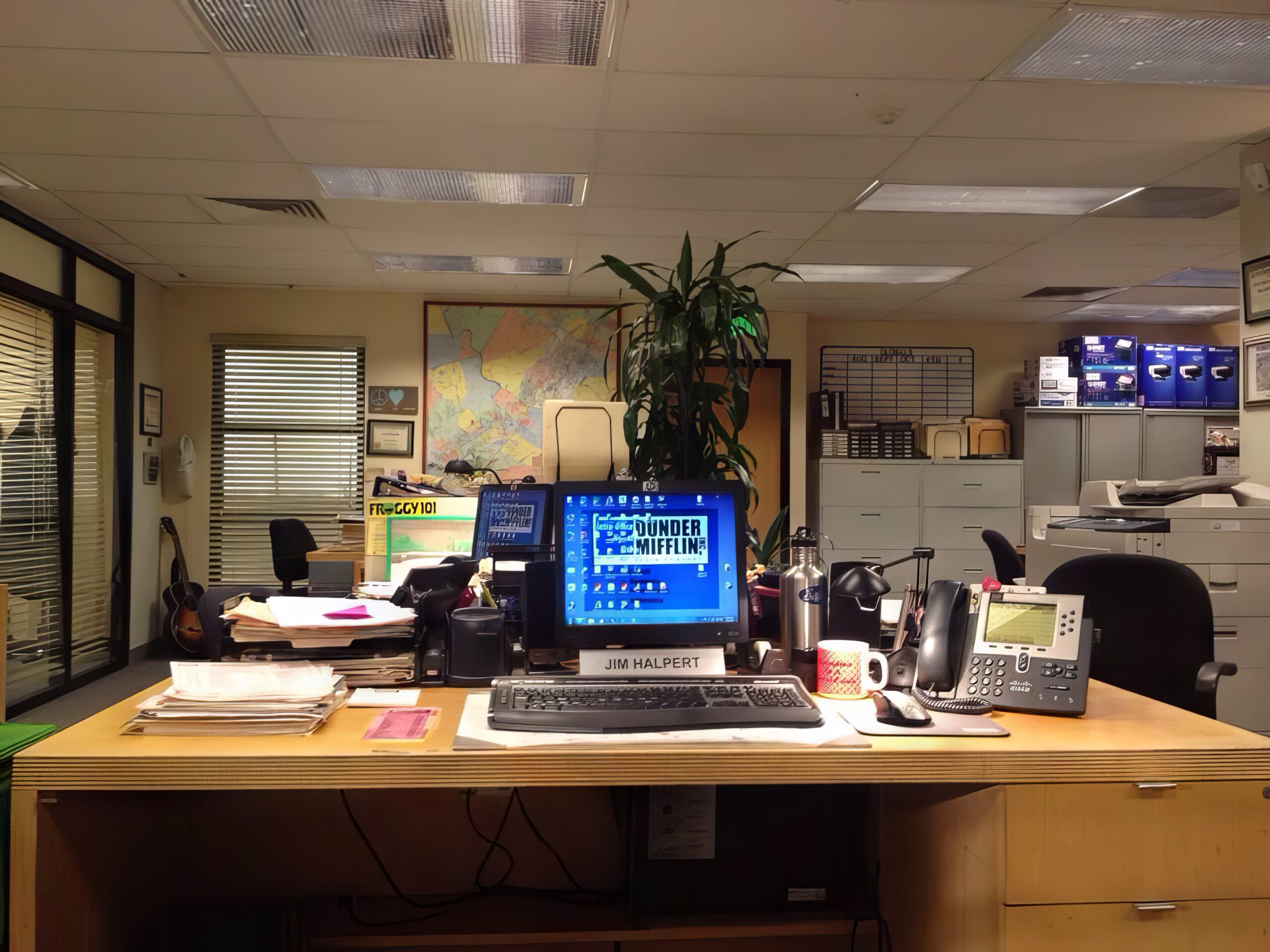
Jim Halpert’s Desk background puts your webcam right at the workspace of one of the show’s most beloved characters, trading the closed-door manager’s office for the main Scranton sales floor. Where Michael’s office carries executive-parody energy, Jim’s clump of desks is the everyday heart of the branch, complete with the familiar partitions, phones, and paperwork that frame dozens of cold opens.
Buildremote pitches this shot as the go-to choice when you’re in doubt about which scene to load, since it lets you sit at the desk of the office prankster. Because the angle looks out across a normal corporate floor without a giant sight gag written on the wall, it settles easily into casual internal syncs and weekly check-ins. Fellow fans will clock the desk layout right away, while everyone else just sees a lived-in cubicle.
Pam Beesly’s art show background
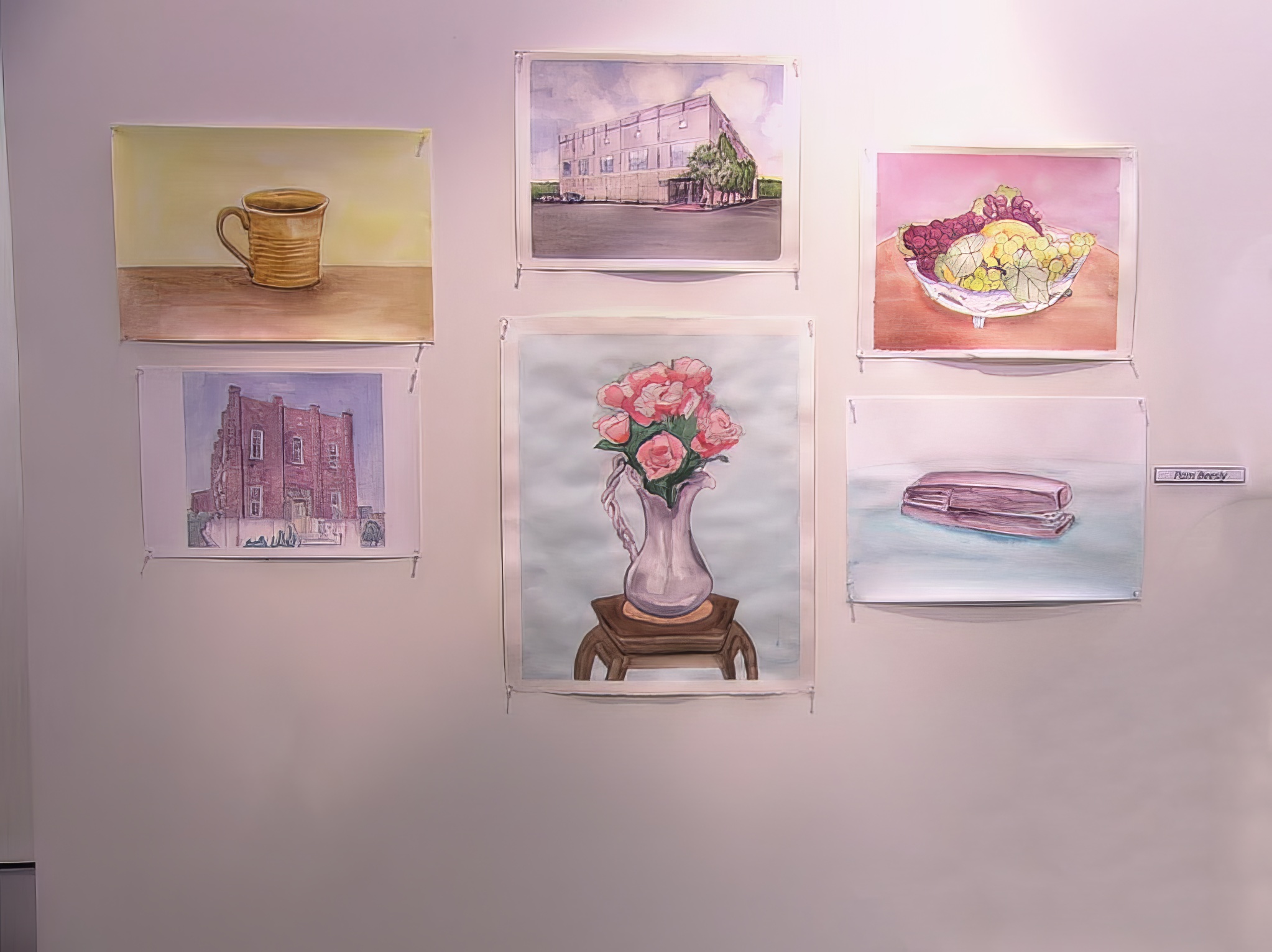
The Pam Beesly Art Show background is a gallery-wall virtual backdrop pulled from Season 3, Episode 17 of The Office, capturing the room where only Oscar Martinez and his boyfriend attended Pam’s showing and insulted her art behind her back right before Michael Scott arrived and bought her painting of the Dunder Mifflin office building. That contrast turns a simple white room of framed sketches into one of the most recognizable emotional beats in the entire run.
While most fandom backgrounds lean on loud visual gags, this frame carries genuine weight for people who know the series. Both Joe’s Daily and Buildremote highlight the scene, with Buildremote connecting the episode to Pam’s broader character arc and Joe’s Daily noting that Michael buying the office building painting remains one of the sweetest moments in the show. On camera, the clean gallery wall looks bright and uncluttered while quietly rewarding anyone who recognizes the watercolors.
Dunder Mifflin bullpen and logo backgrounds
The Dunder Mifflin Employees background places you directly on the Scranton sales bullpen floor with the hard-working cast visible behind your chair, while the companion Dunder Mifflin Logo background swaps the room for a plain company banner. Both options lean into visual gags rather than trying to fool anyone into thinking you’re sitting in a real home study.
In the bullpen shot, the cast members are looking straight toward the lens. Buildremote frames that collective stare as a way for the Scranton crew to remind co-workers who goof off during meetings to get some work done. If a room full of staring paper salespeople feels too busy for your camera frame, the plain Dunder Mifflin logo backdrop runs on a simpler joke: you don’t actually work for a paper company, but on a video call, it’s the logo that counts.
Michael Scott Zoom background variants
Beyond the standard desk shot, Buildremote’s collection includes three distinct Michael Scott variants: conducting your meeting right next to the recognizable World’s Best Boss mug, having Michael peer over your shoulder into the frame, and using his organized office workspace to cover up a cluttered real-world desk.
The Office whiteboard meeting room background
The Office Whiteboard Meeting Room background places a Dunder Mifflin conference room whiteboard behind your chair with a handwritten message encouraging your co-workers to shoot for the stars, or at least the hockey net.
How to use your Office background on Zoom, Teams, and Meet
The same downloaded image file works across Zoom, Microsoft Teams, and Google Meet, though each platform buries its upload button in a slightly different spot and app menu labels can shift across software updates.
| Platform | Pre-meeting upload path | Account or setup caveat |
|---|---|---|
| Zoom | Settings > Virtual Background > + | Partial (requires account admin rights) |
| Microsoft Teams | Camera on > Background Filters > Add New | Partial (feature may be unavailable if menu is hidden) |
| Google Meet | Apply Visual Effects > Upload a Background Image > Join Now | Yes (available in pre-join screen) |
Zoom
Changing your virtual background in Zoom requires account admin rights first; once you’re signed into the Zoom desktop app, open Settings, confirm the “Virtual Background” option is enabled, and click the + symbol to upload your image file. If you’re already inside a live call and want to swap scenes on the fly, click the ^ arrow next to the Stop Video button and select “Choose Virtual Background.” Having a solid-colored screen behind your chair still improves Zoom’s cutout quality, though it’s an optional enhancer rather than a strict requirement.
Microsoft Teams and Google Meet
In Microsoft Teams, you set up an Office background before the meeting starts by turning your camera on, clicking Background Filters, and selecting Add New to upload the image from your computer, while in Google Meet you open the app, select a meeting, click Apply Visual Effects in the bottom right corner, choose Upload a Background Image to pick your file, and click Join Now. Teams users have one extra hurdle to watch for: if the Background Filters button isn’t visible on your pre-join screen, the feature may simply be unavailable on your specific account or hardware setup.
Google Meet quick-swap flow
Once you’ve loaded your file through “Apply Visual Effects” and “Upload a Background Image” in the bottom right corner of the preview pane, Google Meet holds onto that selection as you hit “Join Now,” making it a fast two-click path before stepping into a room. By the time a 300-background roundup was published on July 28, 2021, and another seven-minute setup guide followed on July 27, 2023, custom backdrops had already become a standard way to add personality to calls and make a memorable first impression.
Do you need a green screen for a Zoom background?
You no longer need a physical green screen for a Zoom virtual background, a solid-colored backdrop is strictly an optional edge-detection upgrade for anyone whose cutout looks blurry, patchy, or incomplete, and if the background image itself looks fuzzy, the fix is uploading a high-resolution file like the 1440p conference room image because Zoom may downgrade uploaded image resolution. For callers with a basic webcam setup or no room to hang a physical screen, the smartest move is downloading the full-size, highest-resolution image available at a 16:9 aspect ratio.
Older setup guides sometimes warn that unticking “I have a green screen” in Zoom triggers a quality warning that requires buying physical fabric to fix. As r/DunderMifflin commenter ClikeX put it,
“Don’t even need green screens anymore.”
Software edge detection handles normal rooms fine, while pixel count does the real heavy lifting. Zoom recommends background images or videos sized at 1920×1080 pixels or 1280×720 pixels using a 16:9 aspect ratio, which is exactly why the Reddit community traded a 1440p Conference Room Interview Window file rather than settling for compressed copies.
Which Office background fits which meeting
Whether a funny The Office background is appropriate for a Zoom job interview depends on picking a neutral-looking room over an obvious sight gag, and when comparing a novelty fandom backdrop to a realistic office background, a realistic or neutral room looks more professional on high-stakes calls. That balance makes the Conference Room Interview Window the safest crossover pick in the gallery: to a recruiter who has never seen the show, the wood trim and blinds look like a plain office window, while a fellow fan immediately catches the talking-head reference. On r/DunderMifflin, user vigilantepro even set up a physical green screen specifically to use the Conference Room Interview Window background for real job interviews.
For lower-stakes meetings, you can match the scene to the room’s energy:
- Casual internal team calls: Jim Halpert’s Desk works as an easygoing default that still looks like a normal workplace.
- Leadership syncs or fan-heavy groups: Michael Scott’s World’s Best Boss mug, the shot of Michael peering over your shoulder, or the Wayne Gretzky quote wall fit calls where an overt joke is welcome.
Where to download more Office backgrounds
You can download free, full-size The Office virtual backgrounds directly by clicking any image in Buildremote’s 12-background collection or grabbing the 5 curated scenes on Joe’s Daily; for fans hunting for the best selection beyond the conference room, Buildremote also points to Pericror, Virtual Office Ninja, and Ebaumsworld, while shoppers looking for physical gear like the World’s Best Boss mug or the #1 bestselling Stanley Hudson dribbling shirt can buy The Office shirts, mugs, and tote bags through Joe’s Daily’s shop.
Between the two main hubs, the choice comes down to breadth versus tight fan curation. Buildremote’s guide by Henry O’Loughlin (published May 16, 2023, and updated March 18, 2024) is the largest maintained set at 12 backgrounds, and clicking any picture in the post opens the full-size file.
Much as modern offices trade physical dry-erase boards for a digital message board, its lineup turns classic workplace fixtures into virtual backdrops, covering the Conference Room Interview Window, Jim Halpert’s desk, the Dunder Mifflin employees bullpen, Pam’s art show, the Michael Scott variants, the hockey-net whiteboard, and the Dunder Mifflin logo. Buildremote also credits four external libraries as both its image sources and the best places to browse further:
- Joe’s Daily
- Pericror
- Virtual Office Ninja
- Ebaumsworld
Joe’s Daily takes a more selective approach. Its author says they’ve watched the entire series 15+ times, enough to quote nearly every episode, and narrowed a larger pool of images down to 5 high-quality favorites: the Conference Room Interview Window, Michael Scott’s Office Desk, the Michael Scott Wayne Gretzky Quote, Jim Halpert’s Desk, and the Pam Beesly Art Show. Alongside those downloads, Joe’s Daily runs a merch store stocking The Office shirts, mugs, and tote bags, where the Stanley Hudson dribbling shirt ranks as its #1 bestseller.
If you decide a specific call requires a strictly non-fandom backdrop or a physical room upgrade instead of a Dunder Mifflin gag, Buildremote also publishes dedicated guides covering Home Office Background Ideas, 5 Video Conference Backgrounds Reviewed, Home Office Room Dividers, and an Anyvoo Review.
Frequently Asked Questions
Where can I find The Office Zoom backgrounds for free download?
You can grab full-size files for free from Buildremote’s 12-scene collection (updated March 18, 2024) by clicking directly on any picture, or pick from the 5 fan-curated scenes hosted on Joe’s Daily. For even more options, check out the external libraries on Pericror, Virtual Office Ninja, and Ebaumsworld, or browse the r/DunderMifflin subreddit where fans regularly swap upgraded image files.
Do I need a green screen for a Zoom virtual background?
No, modern software edge detection handles standard rooms without any extra hardware. A solid-colored physical backdrop is strictly an optional boost if you notice your webcam cutout looking patchy or incomplete around your shoulders. If the background picture itself looks blurry, the actual solution is uploading a higher-resolution 16:9 image rather than hanging green fabric.
What is the Michael Scott office desk background and which show moments does it reference?
This backdrop places your chair right behind the regional manager’s desk in Scranton, featuring a subtle boxing bear prop on the shelf that catches the eye even while the wood trim and blinds pass as a normal room to non-fans. It anchors a broader set of Michael Scott scenes that nod to his iconic World’s Best Boss mug, a shot of him peeking over your shoulder, and the Michael Scott Paper Company storyline where he wrote a Wayne Gretzky quote on a whiteboard and credited himself underneath.
What is the Pam Beesly art show background from The Office?
Pulled from Season 3, Episode 17, this backdrop shows the white gallery wall from the art show where only Oscar Martinez and his boyfriend showed up—insulting Pam’s work behind her back—right before Michael Scott arrived to buy her watercolor of the Dunder Mifflin building. On a video call, the framed sketches give you a bright, uncluttered wall that doubles as a quiet nod to one of the sweetest moments in the series.
