You’ve been told to use strong, random passwords your whole digital life. Then you try to remember one like VYffnxK9O$VuL59k and it’s game over. Maybe you write it down, reuse something weak, or just reset it every time. Mnemonic passwords are a research-backed third path that doesn’t force you to choose between “secure” and “rememberable.”
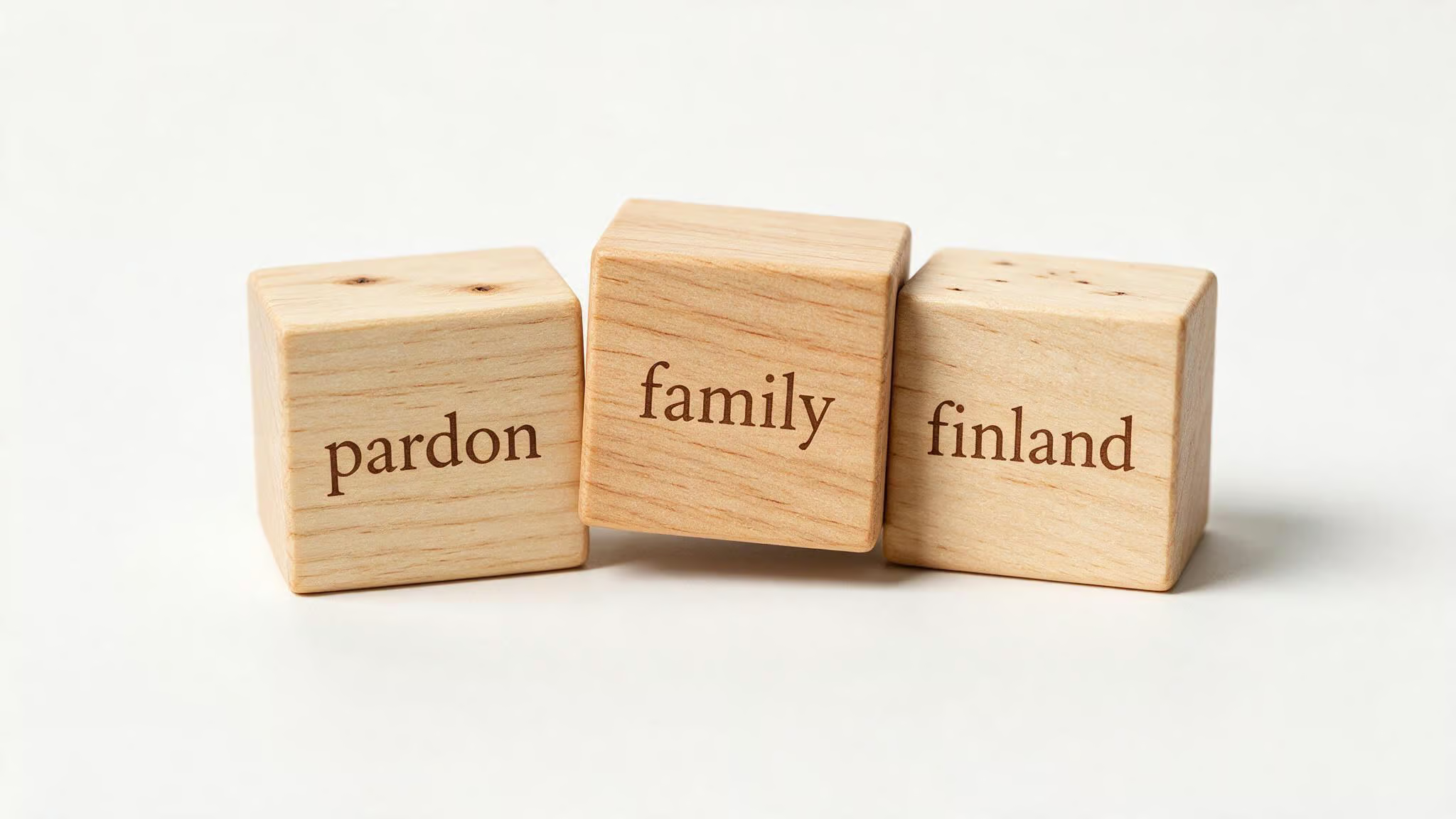
Instead of a random jumble, you get something like pardon-family-finland. Three common words, easy to picture, and — as a 2017 NDSS study showed, a lowercase-only mnemonic password can be as strong as one using the full 7-bit ASCII character set. Mnemonic passwords aren’t on the 500 worst passwords list, they’re easier to communicate over voice than random strings, and they’ve got a one-in-four-billion randomness floor.
Key Takeaways
A 2017 NDSS study found that lowercase-only mnemonic passwords match the strength of those using the full 7-bit ASCII set — you don’t need symbols to be secure.
A 2014 study using Person-Action-Object stories and spaced repetition achieved 77% recall of four passwords over 158 days.
A mnemonic like pardon-family-finland is easier to communicate over voice than VYffnxK9O$VuL59k, solving the help-desk phone call problem.
Table of Contents
Why your password strategy is overdue for a mnemonic upgrade
Standard password advice has been stuck in this loop: “Make it random. Make it long. Throw in symbols.
Don’t write it down. Change it every month.” That advice gave us VYffnxK9O$VuL59k — technically strong, but impossible to hold in your head for more than five minutes after you copy it. The result is that people reuse passwords, write them on sticky notes, or fall back to password123 because they can remember it.
Mnemonic passwords break that loop. They’re built from words — random, unrelated words, that your brain can latch onto with very little effort. pardon-family-finland isn’t a sentence, it’s three words that form a picture. And because those words are chosen randomly (not from your life story), the resulting password is still one in four billion to guess.
I was digging into the NDSS 2017 paper A Large-scale Analysis of the Mnemonic Password Advice, and one finding stopped me cold: lowercase-only mnemonic passwords are comparable in strength to those using the full ASCII smörgåsbord of symbols, numbers, and case. That means you don’t need VYffnxK9O$VuL59k-style complexity to be safe. You need randomness and length.
What makes a mnemonic password different from a passphrase
Most people lump them together, but they’re different tools with different trade-offs.
A mnemonic password is typically the initials of a sentence — or in the case of pardon-family-finland, three random words. It’s not a grammatical statement.
A passphrase is whole words strung together into a sentence-like structure. Forum user on Art of Memory came up with ARoninIsAShogunlessSamurai — a complete thought, even if it’s a weird one.
Passphrases follow natural language patterns, making them easier to memorize but also more predictable against smart guessing. Mnemonic passwords via initials (like the ones generated by mnencode) are fully random word combinations, so they bypass that predictability. They also communicate differently: say “pardon-family-finland” once and the other person gets it. Spell out ARoninIsAShogunlessSamurai and you’re going to repeat yourself.
The NDSS paper specifically analyzed initials-based mnemonics, not passphrases. The research on passphrases (like XKCD’s “correct horse battery staple”) shows that a passphrase of similar length to a random character string is as hard to crack and easier to memorize — know you’re using a different tool when you go that route.
The science of mnemonic passwords — what the research actually found
The NDSS 2017 paper is your credibility anchor here. The researchers constructed one of the largest corpora of human-chosen mnemonics and two web sentence corpora from the 27.3 TB ClueWeb12 web crawl. They tested 18 generation rules for mnemonic password construction with varying sentence complexity and used position-dependent language models to estimate password strength.
The headline finding: lowercase-only mnemonic passwords match the strength of those using the full 7-bit visible ASCII set. It means you don’t need to sprinkle @#$% everywhere for the mnemonic to be strong, but if you are still wondering what are some good passwords to remember, top-rated patterns from security experts include phrase-based, acronym-based, and hybrid methods with their respective pros and cons.
But there’s nuance. The same paper found that less complex mnemonics (shorter phrases, simpler sentences) reduce password strength in offline scenarios — but by less than you’d expect. The bigger takeaway: longer mnemonic passwords provide more security in offline but not necessarily in online scenarios. This is the offline/online tradeoff that most articles miss.
Other studies back the usability. The 2014 study used spaced repetition and PAO stories (e.g., ‘Bill Gates swallowing a bike on a beach’) to help users remember multiple strong passwords, and found that 77% of participants recalled all four stories over 158 days. The 2019 study evaluated four common mnemonic password creation strategies with 209 participants. And in 2020, the DeepMnemonic framework showed you can use AI to automatically generate mnemonic sentences for strong passwords.
The bottom line: mnemonic passwords are about as memorable as freely chosen passwords with at least one non-letter character — but they’re built from random, guess-resistant words. A mnemonic passwords list can help you explore examples ranging from simple phrases to complex sentences.
How to generate mnemonic passwords — tools and manual methods
You’ve got three solid paths: automated, web-based, and manual.
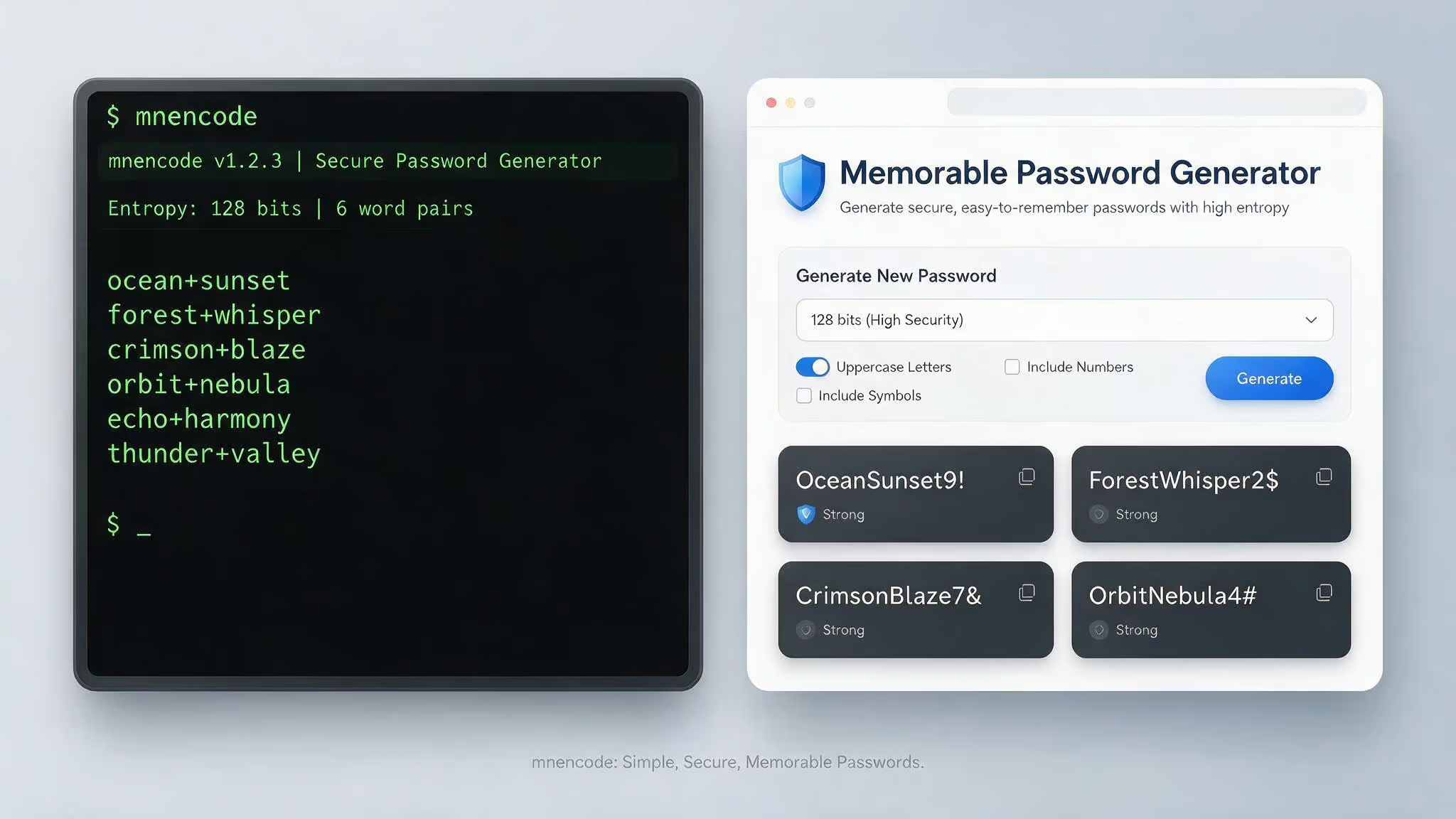
Pathway 1: mnencode (CLI tool) — This uses /dev/urandom for cryptographically secure randomness and spits out three random words. Some examples from running it: bishop-ingrid-panel, reptile-prelude-vampire, press-podium-aztec, sweet-coconut-status, titanic-relax-volcano.
Pathway 2: Memorable Password Generator (web tool) — Runs entirely in your browser (client-side only, nothing stored or sent to a server). Four generation types: Words, Phrase, with or without special characters. Examples: Words: AlarmLinimentPotency65; Phrase: doghouse-strained-observe-spend; Words with special chars: Exh!b!tMyr!@dUnlucky; Phrase with special chars: v@p0r!z3-cr!m$0n-pluck. The special character option uses classic leet-speak replacements: a?@, e?3, i?!, o?0, s?$. It’s built on Vue.js, passhelp, and clipboard.js.
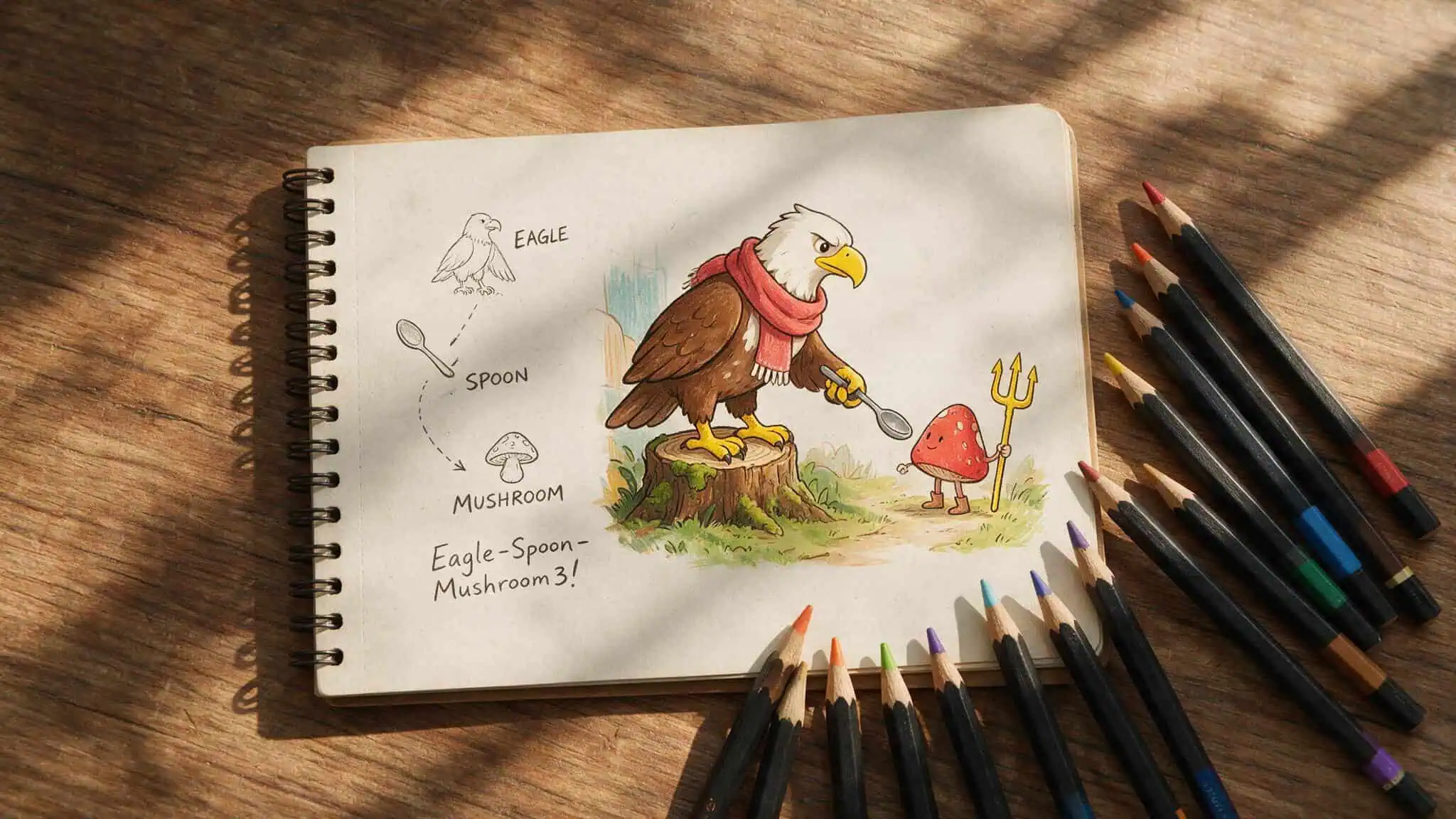
Pathway 3: Manual construction — Combine easy-to-picture words with a number and symbol. Example: Eagle-Spoon-Mushroom3!. For passphrases, allow 3 to 15 words. Minimum recommended length is 12 to 15 characters. The key is randomness — don’t use personal info or famous quotes, or you lose the security advantage.
Pick your flavor. If you want zero thought, use mnencode or the web generator. If you’re the type who likes to craft, manual works fine.
Memory techniques for password recall — from PAO stories to the Major System
This is where the geek cred comes in. These aren’t generic “write it down” tips; they’re techniques from competitive memorizers.
Person-Action-Object (PAO) stories — Encode each part of the password as a vivid, weird scene. Instead of Eagle-Spoon-Mushroom3!, picture an eagle using a spoon to eat a mushroom, and that mushroom is holding a trident (the 3) and shouting (the !). A 2014 study on what is the best way to memorize passwords showed that 77% of participants remembered four such stories over 158 days with spaced repetition. It works best for 3 to 5 passwords.
Major System encoding — Convert letters to numbers using a phonetic mapping. Example: opensesame becomes o9e20e0a3e. Then add a second rule linking vowels to special characters: !9?20?0#3?. Now you’ve got numbers and symbols without losing the mnemonic structure.
Another example: password ? 9a006o41 ? 9#006!41. It’s a reproducible algorithm, not a one-off trick.
Symbol visualization — Memory expert Phil Chambers suggests giving abstract symbols concrete images: # = hash brown, ^ = carrot, > = cheese grater. Embed those into your PAO story.
Singing to a tune — Set the password to a known melody (think advertising jingle). It’s silly, but music is a powerful memory anchor.
Site-linking — Connect the mnemonic imagery to the website name. For Amazon, maybe your PAO story involves a river. Quick context recall.
The books “Remember It!” by Nelson Dellis (which includes a chapter on password memorization) and “How to Train Your Memory” by Phil Chambers are great deep dives if you want the full system.
When mnemonic passwords fall short — tradeoffs and limitations
Mnemonic passwords are great, but they’re not perfect, and pretending otherwise helps no one.
Limitation 1: Offline vs. online attacks — Longer mnemonic passwords help against offline brute force (where someone has your password hash file). They don’t help as much against online attacks like credential stuffing, which is rate-limited but bypasses length entirely. If you use the same mnemonic password across sites and one gets leaked, all your accounts are toast. The NDSS paper explicitly notes this tradeoff.
Limitation 2: Predictability risk — If your mnemonic is a famous quote or common phrase, it’s guessable. The research shows less complex mnemonics reduce password strength in offline scenarios by less than expected, but that’s not zero. Use random word combinations (like mnencode generates), not personal sentences. Don’t use “Ilove2EatPizza!” — that’s guessable.
Limitation 3: Scaling problem — Memory techniques work for 3 to 5 critical passwords. The average person has over 100 accounts. You’re not remembering all of those with PAO stories. Password managers are the right tool for everything else. Trying to memorize random gibberish for 100 sites is clunky and not recommended, as the source says, don’t bother.
Putting it all together — a hybrid password strategy
Here’s the system I’d actually use. It’s practical.
Step 1: Pick your critical passwords (3 to 5 max) — Email, banking, work account, password manager master password. Apply PAO stories or Major System encoding to these. Use spaced repetition: test daily, then weekly, then monthly. The 2014 study shows this works.
Step 2: Use a password manager for all other accounts — Modern password managers use strong encryption and zero-knowledge designs; provider cannot see passwords. They eliminate the reuse problem entirely. You only need to remember one master password (the mnemonic you created in Step 1).
Step 3: Enable MFA everywhere — Even if your mnemonic password gets cracked (unlikely but possible), MFA stops the attacker. Passkeys are phishing-resistant. Use both.
Step 4: Follow modern length rules — Passwords should be at least 16 characters long. Each account should have a unique password. If it’s long, unique, and random, you don’t need to change it regularly (NIST agrees).
Step 5: Update passwords by creating a new mnemonic scene — Don’t try to modify the old one; that creates confusion. Build a fresh PAO story or regenerate with mnencode.
That’s it. Start with one critical account: pick a mnemonic, build a story, test yourself for a week. Then expand to one or two more. Use a password manager for the long tail. MFA everywhere.
Conclusion
Mnemonic passwords are a research-backed system for securing the passwords you need to remember. Lowercase can be strong, length beats complexity, and the offline/online tradeoff matters.
Your next step: pick one account — probably your email or password manager. Build a PAO story or apply the Major System. Test recall for a week using spaced repetition. Then do it for one or two more.
The research from 2014, 2017, 2019, and 2020 backs this up. It’s a system that works.
Frequently Asked Questions
What are some good passwords to remember?
Good passwords to remember are mnemonic passwords — random word combinations like ‘reptile-prelude-vampire’ or ‘sweet-coconut-status’. They’re easy to recall because your brain can latch onto the imagery, and research shows they can be as strong as passwords using symbols and numbers.
How do mnemonic passwords differ from passphrases?
Mnemonic passwords are typically random word combinations like ‘pardon-family-finland’, while passphrases are whole words strung into a sentence-like structure, like ‘correct horse battery staple’. Mnemonic passwords bypass the natural language patterns that make passphrases more predictable against smart guessing.
