Here’s the password problem nobody likes to admit: you either type P@$$w0rd! and hope for the best, or you write down Gx7#vTq!92Lm@ZpW on a sticky note. Neither is great. The first is a hacker’s welcome mat; the second defeats the entire purpose of having a password.
The complaint isn’t that passwords exist — it’s that we’re asked to memorize strong, unique ones and update them regularly without getting confused. Random gibberish like Gx7#vTq!92Lm@ZpW is secure against brute-force attacks but completely impractical for human memory. That’s why password reuse is the biggest culprit in data breaches. We fall back on the same weak credentials because our brains can’t juggle fifty unique strings of nonsense.
A passphrase like ARoninIsAShogunlessSamurai — a string of easy-to-picture words with occasional numbers and symbols, is safer and far easier to remember than a jumble of characters. The trick is knowing how to build, anchor, and update these passphrases so they don’t dissolve into mental static after a week.
Let’s be honest about the scope: these techniques work for your 5–10 most critical passwords — your master password, banking, email, social media, a couple work accounts. For the hundreds of other accounts, use a password manager. Your brain is not a database for 300 unique strings.
Key Takeaways
A passphrase of easy-to-picture words (like Eagle-Spoon-Mushroom3!) linked to a bizarre, multi-sensory mental scene beats random gibberish for memorability and security
The Major System lets you turn any base word into a deterministic, complex password using digit-to-consonant mapping and vowel-to-symbol substitution — no lookup needed
Research shows 77% of participants recalled all four Person-Action-Object (PAO) stories over 158 days with spaced repetition, demonstrating the method’s effectiveness.
Table of Contents
The Passphrase + Visual Storytelling Method — Your First Practical System
Build a long passphrase from concrete, image-friendly words, then link it to the website by creating a memorable little movie in your head.
Building the scene: from website to password
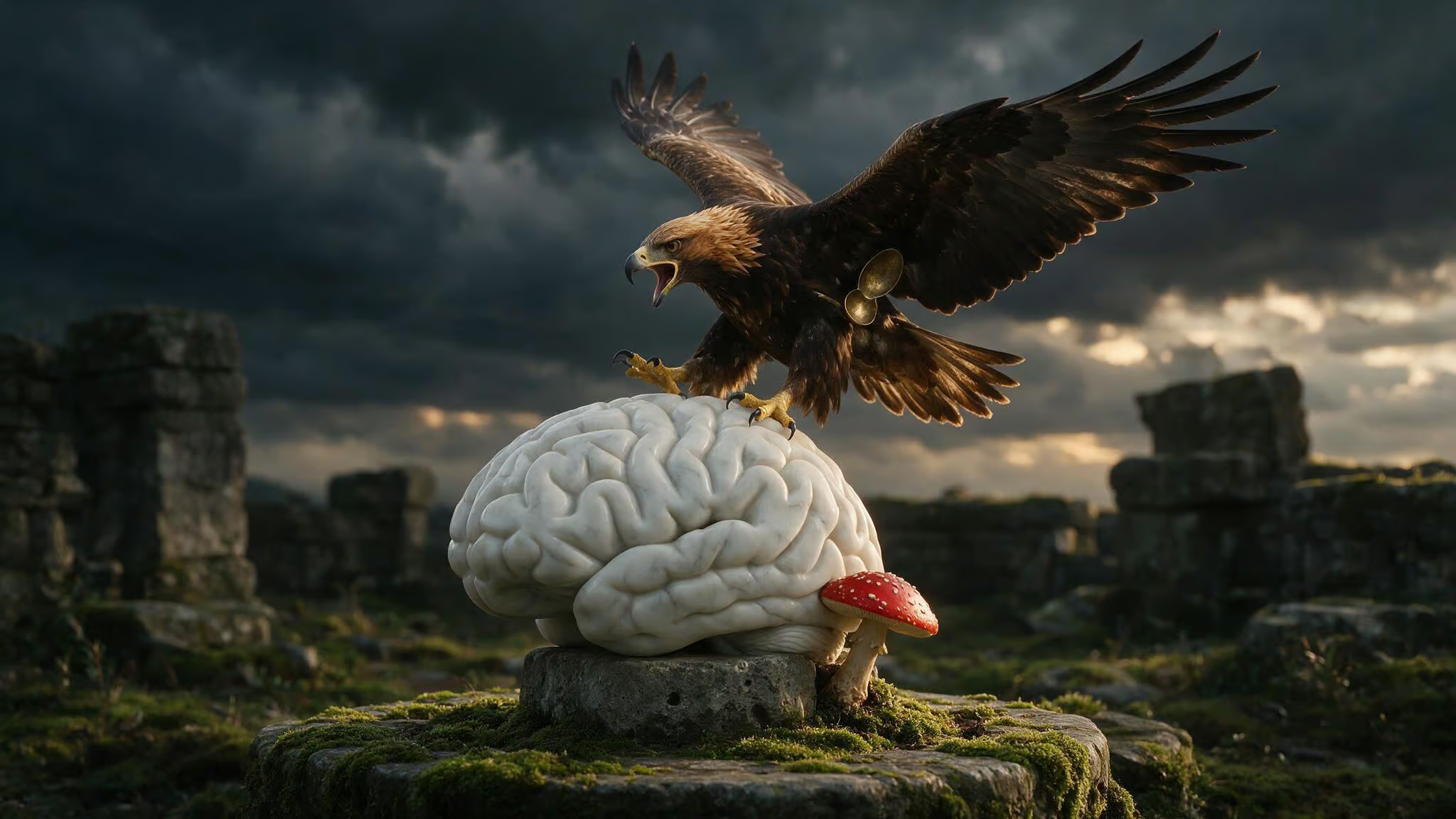
Let’s walk through a full example. Suppose you need a password for a site called Art Of Memory. You don’t want to type ArtOfMemory2024! — that’s too obvious. Instead, start with three random objects: an eagle, a spoon, and a mushroom. String them together with a number and a symbol: Eagle-Spoon-Mushroom3!.
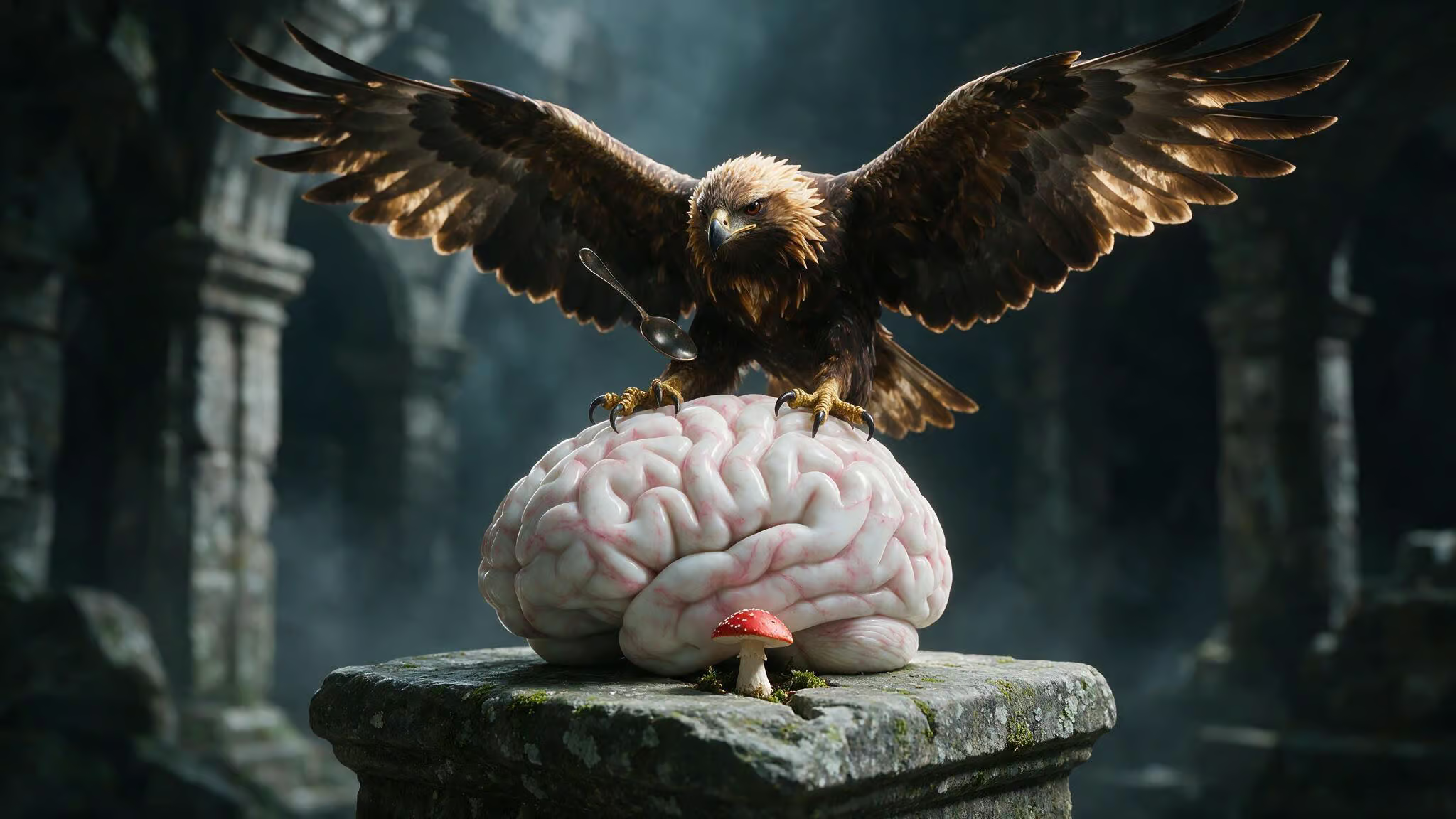
Now you need to link that passphrase to the site so you don’t confuse it with passwords for other accounts. For Art Of Memory, imagine an eagle — a golden eagle, landing on a brain sculpture. The brain is marble, veined with pink lines. The eagle has a spoon clutched in its feathers, and from the surface of the brain, a single red-capped mushroom is pushing up through the stone.
That’s your password. When you type it, you’re not recalling characters — you’re remembering that weird scene. The site triggers the brain sculpture, the brain triggers the eagle, the eagle brings the spoon and the mushroom, and the number 3 anchors the digit.
Making the scene bizarre and multi-sensory
The scene has to be weird. Boring images slip through your memory.
Go beyond picturing the eagle. What does its screech sound like — a high, piercing cry? How does the mushroom feel when you touch it, smooth and cool, or slimy? What does the brain sculpture smell like?
Old library dust and ozone? The more senses you engage, the stronger the memory trace. Your brain remembers sensory-rich experiences, not abstract strings of characters.
How to update an old password using this system
You will need to change this password. Maybe a breach, maybe a periodic refresh. The trick is to change one element of the scene while keeping everything else intact.
Instead of the spoon, put a fork in the eagle’s feathers. Now your password is Eagle-Fork-Mushroom3!. The narrative shift is tiny — a single prop swap, but the mental update is easier than creating an entirely new scene from scratch. Keep the primary element that links to the website (the brain sculpture for Art Of Memory) and change a secondary object. The whole scene stays familiar, and your recall stays reliable.
Algorithmic Encoding — The Major System + Symbol Rules
The passphrase method works for creating memorable strings, but what if you want something more systematic? Something you can regenerate from memory months later even if you forget the exact string? That’s where the Major System comes in.
The Major System: digit-to-consonant mapping
The Major System is a mnemonic technique that encodes numbers as consonant sounds. Each digit 0–9 maps to a specific set of consonant sounds:
- 0 = s, z
- 1 = t, d
- 2 = n
- 3 = m
- 4 = r
- 5 = l
- 6 = sh, j, ch
- 7 = k, g
- 8 = f, v
- 9 = p, b
Vowels and the consonants w, h, and y have no numeric value and act as fillers. So the number 42 becomes “r” (4) + “n” (2) — “ran”. The number 87 becomes “f” (8) + “k” (7), “fake” or “fig”. You can convert any number into a word by finding consonant sequences that match.
Start with 5 digits, then expand. Once you have it down, you can convert any number into a memorable word or phrase.
Encoding base words into passwords
Here’s where it gets useful for passwords. Take a base word — something you know and can’t forget, and encode it using the Major System.
Let’s use opensesame. Write it out and replace any consonant that maps to a digit, leaving vowels as-is. You get:
o (vowel, skip) ? 9 (p maps to 9) ? e (vowel, skip) ? 2 (s? No — s maps to 0. Wait, let me redo this carefully.)
Actually, opensesame breaks down as: o (vowel), p (9), e (vowel), n (2), s (0), e (vowel), s (0), a (vowel), m (3), e (vowel). So the encoded version is: o9e20e0a3e. Read it aloud — it’s still pronounceable, has a rhythm, and you can regenerate it by remembering the base word opensesame and the mapping rules.
Same process with password: p (9), a (vowel), s (0), s (0), w (skip — w has no value), o (vowel), r (4), d (1). That gives you 9a006o41.
You memorize the base word and the transformation rules, not the final password itself. Months later, you can regenerate the exact string from scratch.
Adding symbol rules for extra complexity
A password with only letters and numbers is okay but not great. You want symbols in there too. This is where Phil Chambers’ symbol visualizations come in.
Chamber’s system maps each symbol to a memorable image: # is hash brown (the shredded potato patty), ^ is a carrot (the vegetable), > is a cheese grater. These images can slot into your mental scene just like any other element.
Combine that with vowel-to-symbol substitution rules:
a?@or^e?3i?1or!o?0u?(_)
Now take the encoded opensesame you already have. Swap the vowels:
o?0e?3a?@e?3
You get !9?20?0#3? — a password with uppercase, lowercase, numbers, and symbols, all generated deterministically from a base word you can’t forget.
Advanced Mnemonic Systems — PAO, Pegword, and Double-Alphabet
The passphrase and Major System methods handle most situations. But what if you need to memorize a truly random password — something like 90BHVdDRhaCu, generated by a password manager and utterly meaningless? The ultimate geek guide to mnemonic passwords shows you can encode even that into a memorable story. It just takes a more sophisticated toolkit.
These systems require upfront investment but are the only way to handle arbitrary strings at scale.
Person-Action-Object for numbers
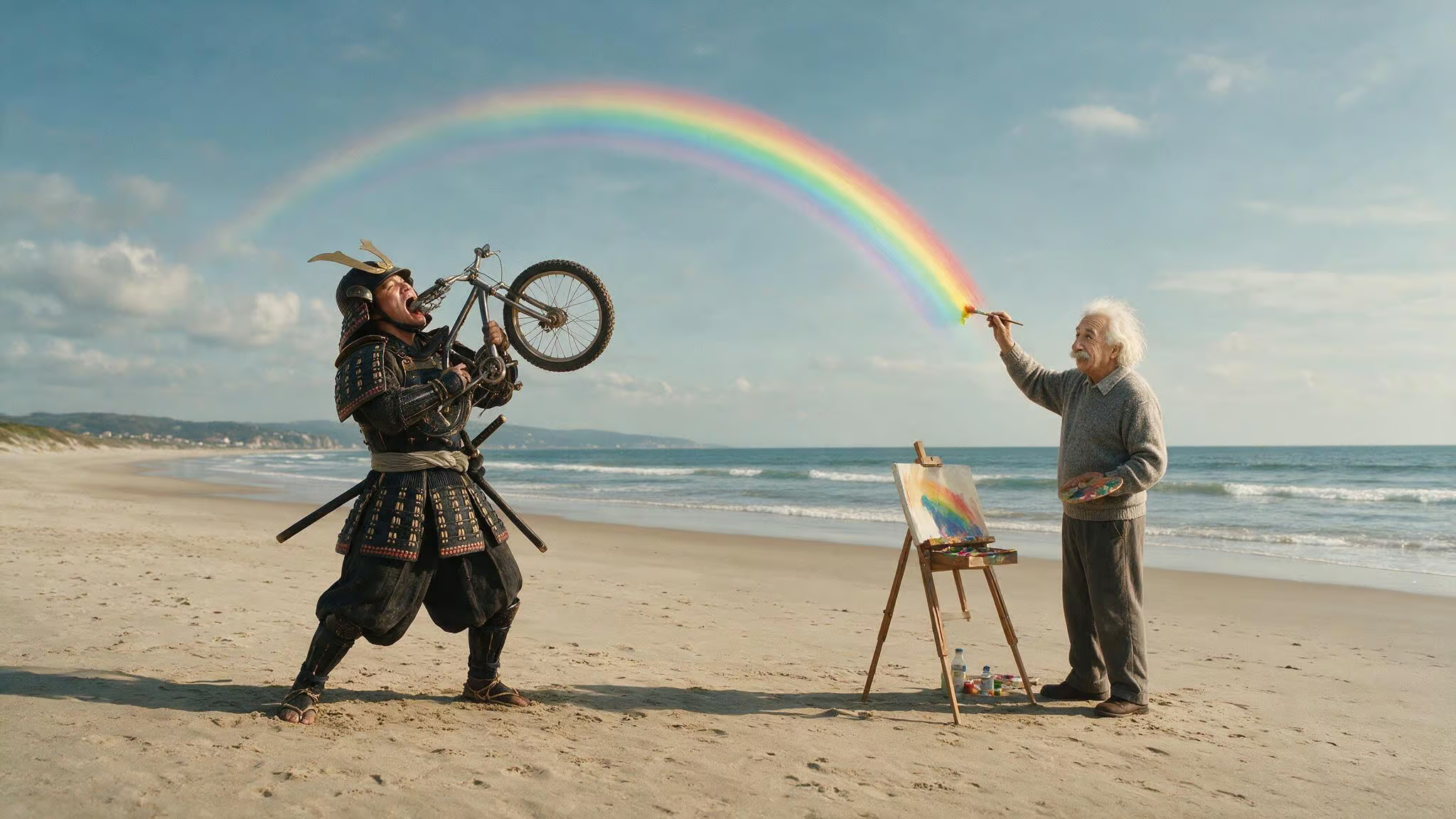
Person-Action-Object (PAO) is a memory technique. You create a vivid mental image of a famous person doing a specific action to a specific object, all in a particular scene. For example, imagine Bill Gates swallowing a bike on a beach — the image is so bizarre it’s almost impossible to forget.
For passwords, you build a 00–99 PAO system on top of the Major Method. Each two-digit number from 00 to 99 gets a predetermined person, action, and object. Number 42 might map to “samurai from the film Ran” (person), “swallowing” (action), “bike” (object). Number 87 might be “Einstein” (person), “painting” (action), “rainbow” (object).
Combine them into a scene: a samurai swallowing a bike while Einstein paints a rainbow. That encodes the number sequence 42-87.
The system takes work to build — you need 100 people, 100 actions, and 100 objects, all anchored to number pairs via the Major System.
Pegword system for letters
For alphabetic characters, the pegword method gives you a ready-made image for each letter:
- A = Apple
- B = Bun
- C = Cookie Monster
- D = Dog
- …through Z = Zebra
This is your mental lookup table. When you see the letter “B” in a password, you think “bun” — a hamburger bun, sesame seeds on top, warm from the toaster. The image is concrete, not abstract.
Double-alphabet for letter pairs
For longer passwords, encoding every letter gets tedious. A double-alphabet system compresses things by giving you one image for every two-letter combination:
- AB = Abacus
- AC = Accountant
- AD = Admiral
- …ZU = Zulu
Instead of remembering “A” then “B” then “C”, you remember one image for “AB” and one for “C.” It halves the number of images you need for a given password length.
To encode a password like 90BHVdDRhaCu, you’d break it into chunks: 90 (PAO), BH (double-alphabet ? Beehive), Vd (VA? No, VD? There’s the challenge — your system needs to handle every pair).
The Memory Palace — Storing Multiple Passwords Without Confusion
The techniques so far give you ways to create and recall individual passwords. But the user complaint is: I have multiple accounts, and I keep mixing them up. That’s where the Memory Palace comes in, along with top-rated mnemonic password patterns from security experts, such as what are some good passwords to remember? Phrase-based, acronym-based, and hybrid methods each have their own pros and cons.
Creating a familiar journey
Use a location you know: your home. Start at the front door, walk through the hallway, then the kitchen, living room, bedroom, and bathroom. Each station in that journey is a slot where you’ll place one password’s mnemonic scene.
Draw a floorplan to reinforce the sequence. It doesn’t need to be architectural — a rough sketch of rooms in order is enough. The act of drawing engages spatial memory and makes the walkthrough more reliable.
Placing password images in the palace
Assign each password to a station. Your email password scene goes at the front door. Your banking password scene lands on the kitchen table. Your social media password sits on the bedroom nightstand.
When you need to recall your banking password, you walk into the kitchen and see the scene on the table. The spatial order means you can’t confuse it with the email password — that’s at the front door, a different location.
This works because humans have spatial memory. You can navigate your own house in the dark. You can remember where you left your keys.
Updating passwords in the palace
To update a password, you replace the image at the station without changing the station itself. If your banking password is represented by an eagle on the kitchen table, change it to a different bird — a crow, or a mechanical owl. The kitchen table station stays, but the content changes.
This prevents the “where did I put that” scramble. You know the password lives in the kitchen. You just need to refresh what’s sitting there.
A nuance: Memory Palace recall is associative and image-based, not visual or sequential like a photograph. You might recall that Tungsten’s atomic number is 74 because of a specific bizarre image, but not be able to recall the element above it on the periodic table. That’s normal. It’s a filing system. The stations give you retrieval cues, not recall of everything around them.
What the Research Says — Do These Techniques Actually Work?
Research confirms that mnemonic techniques, when paired with structured practice, can dramatically improve password recall without sacrificing security.
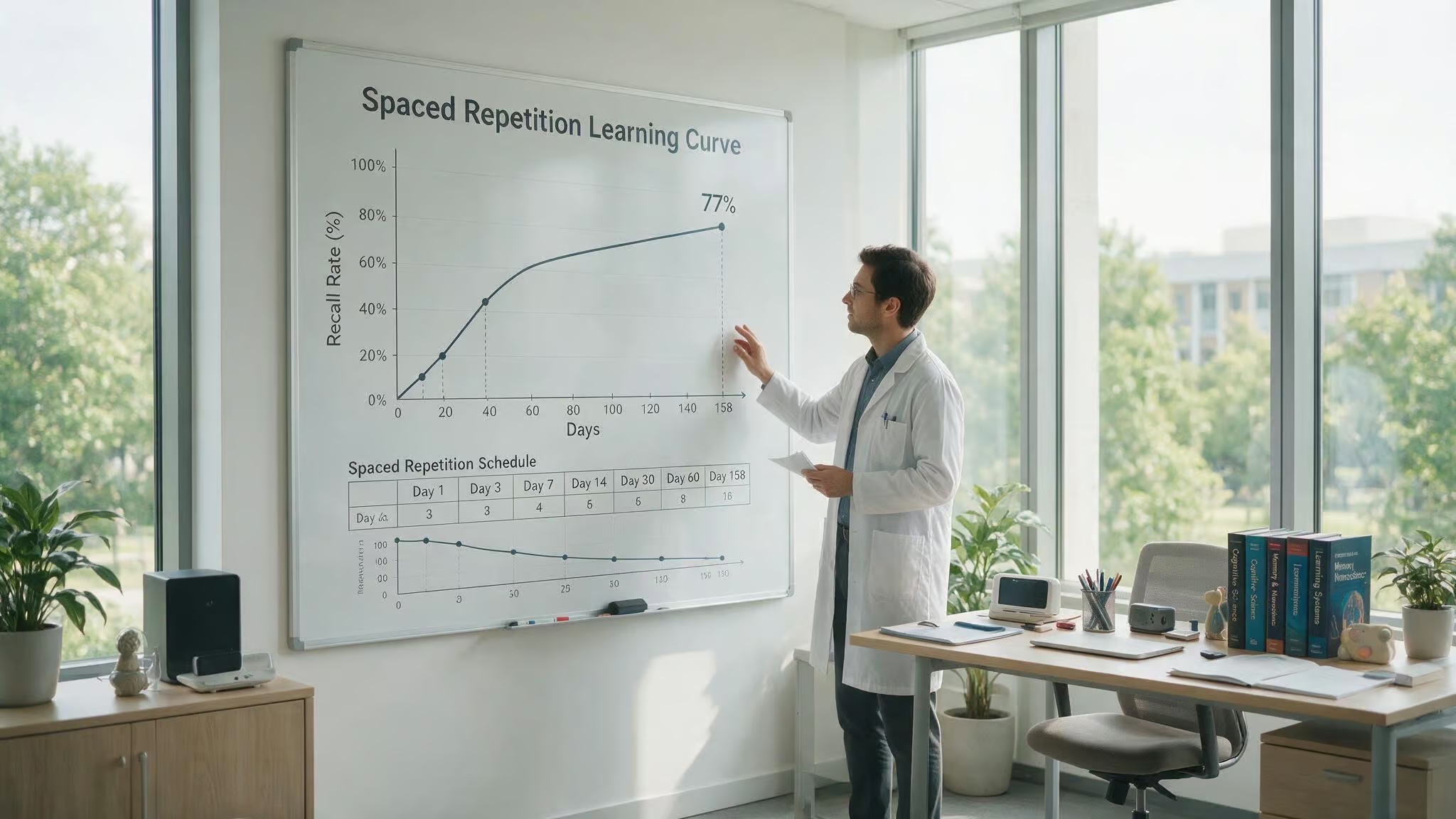
Spaced repetition and PAO (2014)
The result: 77% of participants recalled all four PAO stories over 158 days using spaced repetition. That’s five months later. The methodology had participants memorize person-action-object scenes — like Bill Gates swallowing a bike on a beach, and then recall them on an escalating schedule: daily for the first week, then every few days, then weekly. The 77% figure isn’t “most people kind of remembered”, it’s more than three-quarters of people perfectly recalled every detail of every scene after half a year.
Mnemonic vs user-chosen passwords (2017)
An analysis compared mnemonic passwords against freely chosen passwords with non-letter characters. The conclusion: mnemonic passwords are as memorable as the passwords people choose on their own — and potentially more secure, because mnemonics encourage complexity without sacrificing recall.
Empirical study of four strategies (2019)
A study with 209 participants put four mnemonic strategies head to head. The findings: some strategies work better for certain user types. The key is to find the approach that clicks for you and practice it deliberately.
AI-generated mnemonics: DeepMnemonic (2020)
Researchers built DeepMnemonic, a framework that generates mnemonic sentences for strong passwords. You feed it a secure random password, and it spits out a memorable sentence encoding the same characters. It’s not ready for consumer use yet, but it points at a future where you don’t have to build your own system from scratch.
The Honest Truth — When to Use a Password Manager Instead
Even memory champions use password managers for volume. Your brain is not a database for 300 unique strings of characters.
The decision rule: 5–10 passwords vs. hundreds
Memory techniques are best for your 5–10 most critical passwords: your master password, banking, email, social media, and one or two work accounts. These are the ones you type daily and can’t afford to lose.
For everything else — the hundreds of throwaway accounts across services you visit once a quarter, use a password manager. Don’t try to encode your Netflix login into a PAO story. It’s not worth the slot.
What to look for in a password manager
A good password manager generates and stores unlimited strong passwords, offers autofill, integrates two-factor authentication, and syncs across your devices. Proton Pass is an example: it’s free, open-source, end-to-end encrypted, and includes integrated 2FA and hide-my-email aliases. The open-source code means it can be audited for security. End-to-end encryption means the provider can’t read your vault.
You still need to remember one master password — make it a strong passphrase using the techniques from this article, and the manager handles the rest.
Recovery, Backup, and Staying Safe — Making Your System Resilient
Even with the best system, forgetting happens. Memories are stored chemically, and cells die. Here’s how to make your system resilient.
What to do if you forget your password
First, stop panicking. Stress hormones impair memory recall. Take a breath.
Second, think back to when you created the password. What was the image? What website did you connect it to? Try to reconstruct the context — what you were doing, where you were sitting, what time of day it was.
Third, doodle. Drawing the scene or the characters can trigger recall through a different neural pathway. Sketch the brain sculpture, the eagle, the spoon. Sometimes the act of drawing engages the visual centers that abstract recall can’t reach.
Fourth, visualize the keyboard. Imagine your fingers typing the password. Muscle memory is separate from visual memory — your hands might remember the sequence even when your conscious mind draws a blank.
If all else fails, use the “forgot password” link and start over with a simpler mnemonic this time. It’s a pain, but it beats being locked out.
Backup for loved ones
Someone you trust needs to be able to access your accounts in an emergency. Keep a physical backup — flash cards in a safe, or a sealed envelope with your master password and critical account details. This is digital estate planning.
Cybersecurity habits beyond passwords
A strong password is one layer of the security onion. Enable two-factor authentication on every account that supports it. Keep your OS, browser, and apps updated — patches fix holes that malware exploits to steal passwords. Back up your password manager’s database (and everything else) so a hard drive failure doesn’t mean losing all your accounts.
“Never click, always search manually.” If you get an email from your bank asking you to log in, don’t click the link. Open a new browser tab and type the address yourself. Phishing attacks are the most common way passwords get stolen, and this behavior change stops most of them cold.
For teaching kids, turn it into a game: take a word like easterbunny and transform it into 3aste4Bunn33 by swapping vowels for numbers and capitalizing some letters. Show them the before and after — it’s visual, concrete, and makes the concept of password strength click without a lecture.
People Also Ask
What is the best easy to remember passwords?
The best easy-to-remember passwords are passphrases built from 3–4 unrelated, image-friendly words strung together with a number and symbol — like Eagle-Spoon-Mushroom3!. They’re far more secure than a short jumble of characters because length beats complexity against brute-force attacks, and the visual scene makes them stick in memory without a sticky note.
What is the hardest password to remember?
The hardest passwords to remember are random strings of gibberish like Gx7#vTq!92Lm@ZpW — exactly what most security advice tells you to use. They’re secure against brute-force attacks but completely impractical for human memory, which is why people either write them down or reuse weak passwords across accounts. A well-built passphrase with a mnemonic scene is both secure and actually recallable.
How does the Major System turn a word into a password?
The Major System maps each digit 0–9 to specific consonant sounds — for example, 4 maps to ‘r’ and 2 maps to ‘n’, so 42 becomes ‘ran’. You take a base word like ‘opensesame’, replace each consonant with its corresponding digit, and leave vowels as fillers, producing something like ‘o9e20e0a3e’. You memorize the base word and the mapping rules, not the final password, so you can regenerate the exact string months later.
