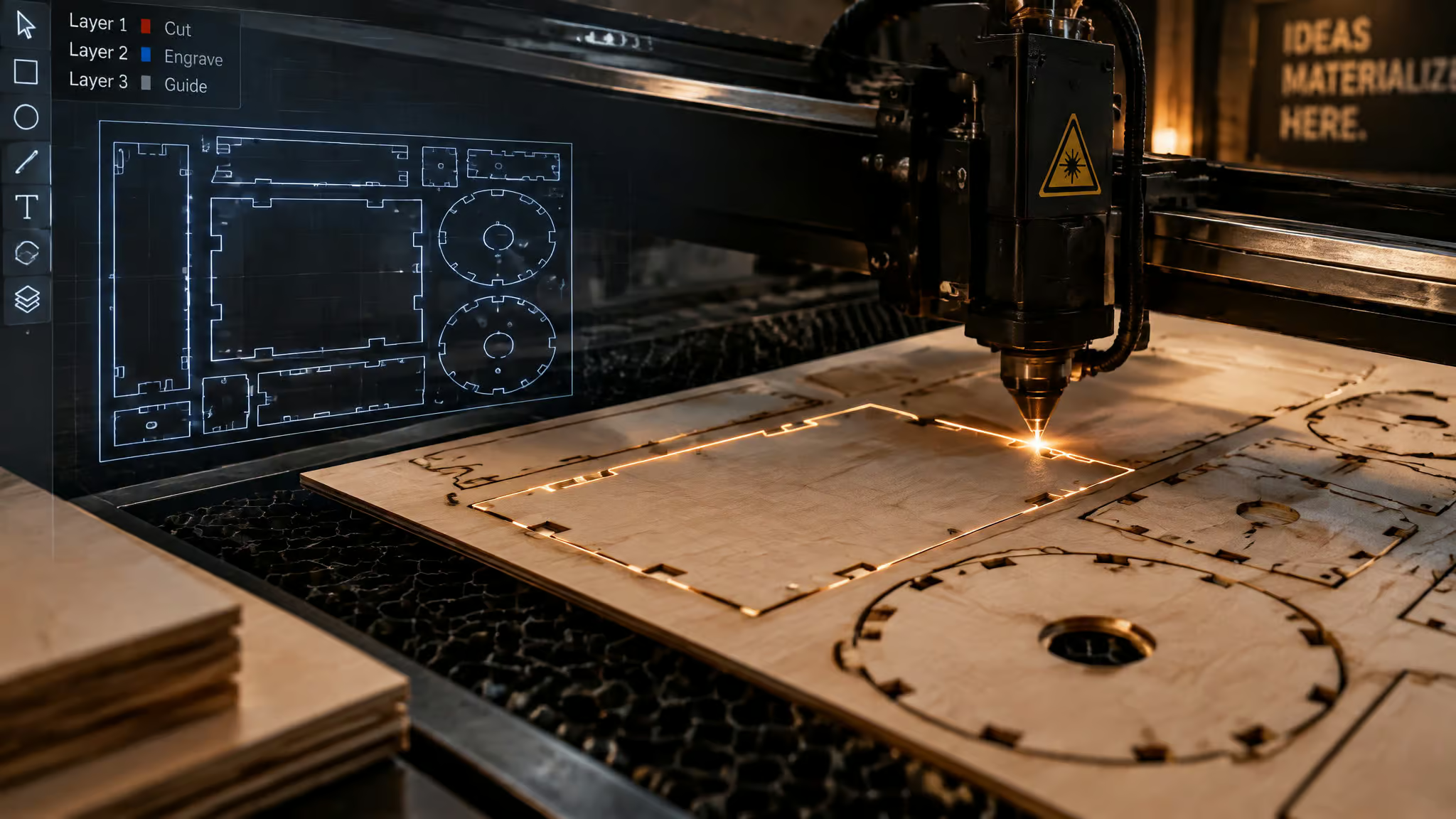
Two sheets of 3 mm plywood sit on the laser bed, and the project on the workbench needs an enclosure before the weekend is over. Grabbing a free laser cut box template sounds like a five-minute job until the tabs come off the machine three millimeters too loose, or the download button hides a checkout form asking for a home billing address. Free laser files come from two very different places: online parametric generators that calculate a custom cut plan around your exact material thickness, and download repositories that host fixed, pre-made designs. A zero-dollar download tag doesn’t guarantee a cut-ready vector file.
At GeekExtreme, we filtered these sources by checking their actual download mechanics, export formats, parameter math, and license fine print rather than scraping together a link dump. Two quiet traps decide whether a file works on the first cut: whether a tool measures internal or external box dimensions, and whether the site’s license actually lets you sell what comes off the bed.
Key Takeaways
Parametric generators like Boxes.py and MakerCase build custom-sized files around your material thickness, while repositories like 3axis.co (~9,000 free projects) and Trotec Laser supply ready-made designs.
MakerBox measures internal dimensions, so a 100x100x100 mm box cut from 3 mm material requires entering 94x94x94, and its PDF-only output must be converted to SVG or DXF in software such as LightBurn.
Seven repositories (Trotec Laser, Epilog Laser, 3axis.co, Free Patterns Area, Free Vector, Vector Art, and DXF Downloads) require no account, while Creative Fabrica’s roughly $49/year commercial license revokes your right to sell items from previously downloaded files if your subscription lapses.
Table of Contents
Free laser cut box templates: the short answer
Makers looking for round or cylindrical boxes should use MakerCase’s polygon (three or more sides) or rounded-corner styles, as none of the six tools reviewed here is a dedicated cylindrical box generator. Beginners with no design skills should start at Trotec Laser for ready-made project files bundled with detailed explanations and required laser settings, or use MakerCase and Boxes.py to generate custom-sized boxes with zero vector editing.
- Boxes.py (custom generator): Best when you have a ruler and need hinged lids, pirate chests, drawers, or native LightBurn files built to your millimeter dimensions.
- MakerCase (custom generator): Fastest path to a 3D-previewed finger-joint or T-slot box in inches or millimeters.
- 3axis.co (ready-made repository): Nearly 9,000 free DXF, CDR, and EPS projects with no account required, making it a practical place to see how other makers engineer tricky assemblies like hanging a lampshade before you build your own.
- Trotec Laser (ready-made repository): Vetted zip archives (AI, CDR, DXF, PDF, SVG) with machine settings included, whereas general vector sites mix boxes in with mandalas, keychains, and wall decor.
Generator or download: which box template path fits
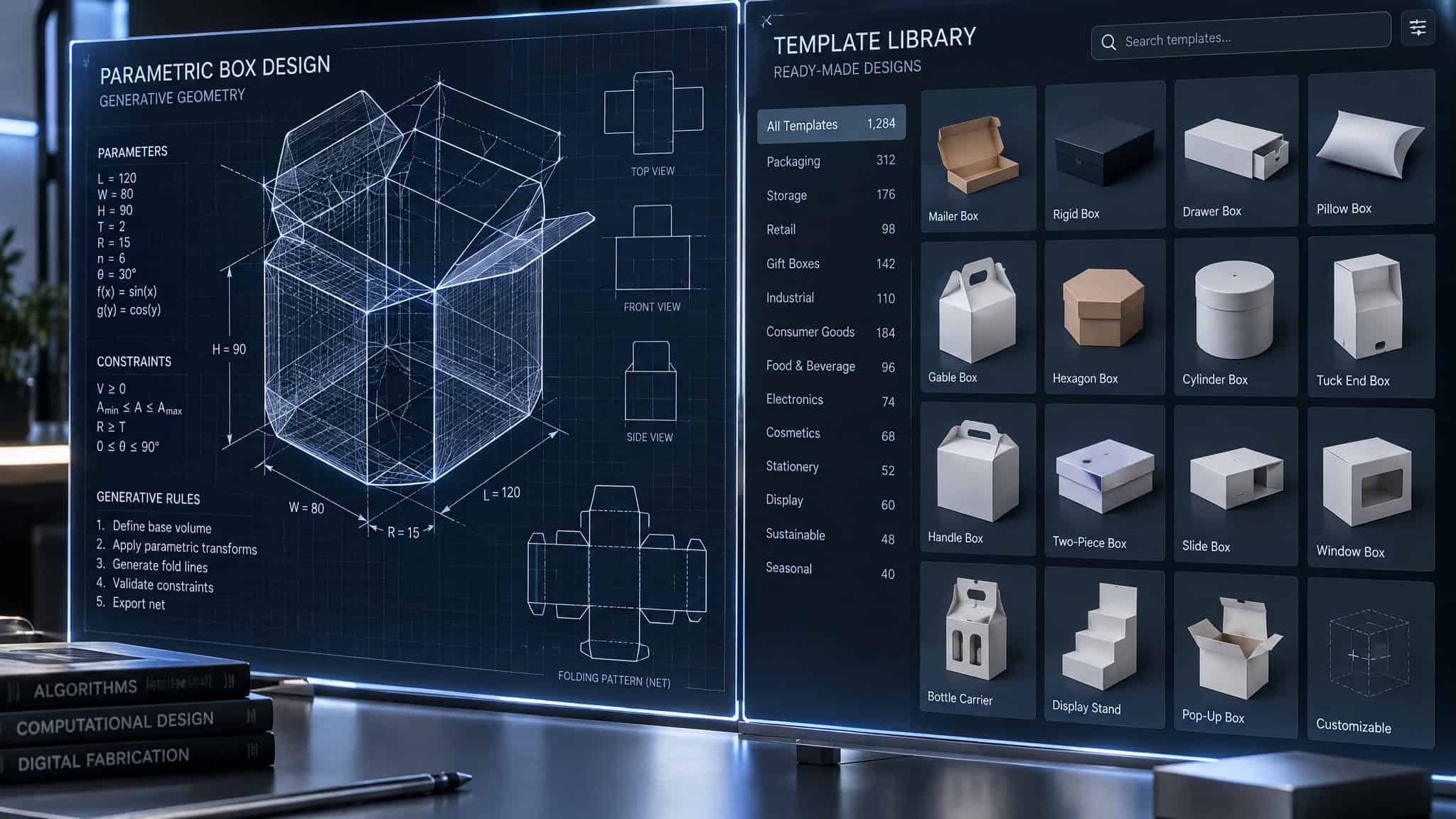
Free laser cut box templates come from two paths: parametric box generators such as MakerCase and Boxes.py that calculate custom cut files when a box must fit a measured object or specific material thickness, and template repositories that host pre-made projects for makers who want decorative designs and don’t mind resizing or path cleanup. Online vector generators instantly build custom-sized box plans from your dimensions and material thickness, while repository downloads lock you into the original designer’s sheet stock unless you edit every slot by hand.
- Material thickness and fit: Parametric generators calculate finger joints around your exact caliper measurement (such as 3 mm or 1/8 in stock); fixed repository templates only fit if your wood matches the original upload.
- Closure and joint control: Generators let you pick open trays, hinged lids, flat edges, or adjustable finger counts before exporting; repository listings rarely specify lid mechanics upfront.
- File hygiene and provenance: Generators output clean mathematical vectors; open community repositories often require cleaning up duplicated cut lines, open paths, or mixed cut and engrave layers.
Six free generators handle custom sizing: Boxd Designer, MakerBox, Jerome L.C. Laser, MakerCase, Boxes.py, and Basic Box Designer (CutGen). CutGen pitches Basic Box Designer directly at the headaches of static downloads: messy pre-made files, ill-fitting joints, and boxes that come off the bed too small or too large. After creating a free account, you feed Basic Box Designer your measured dimensions, material thickness, curve value, and joints per side to get a clean parametric SVG.
Repository files still earn a tab in your browser when you want decorative latticework, wooden jewelry boxes, lanterns, or multi-part projects where plain rectangular walls look too utilitarian. Provenance splits repository quality in half. Manufacturer libraries from Trotec Laser and Epilog Laser ship tested project files alongside the exact machine settings used to cut them. Open community hubs trade that curation for sheer variety, meaning you’ll inspect the vectors in your laser software before firing the tube.
Six free box generators, compared tool by tool
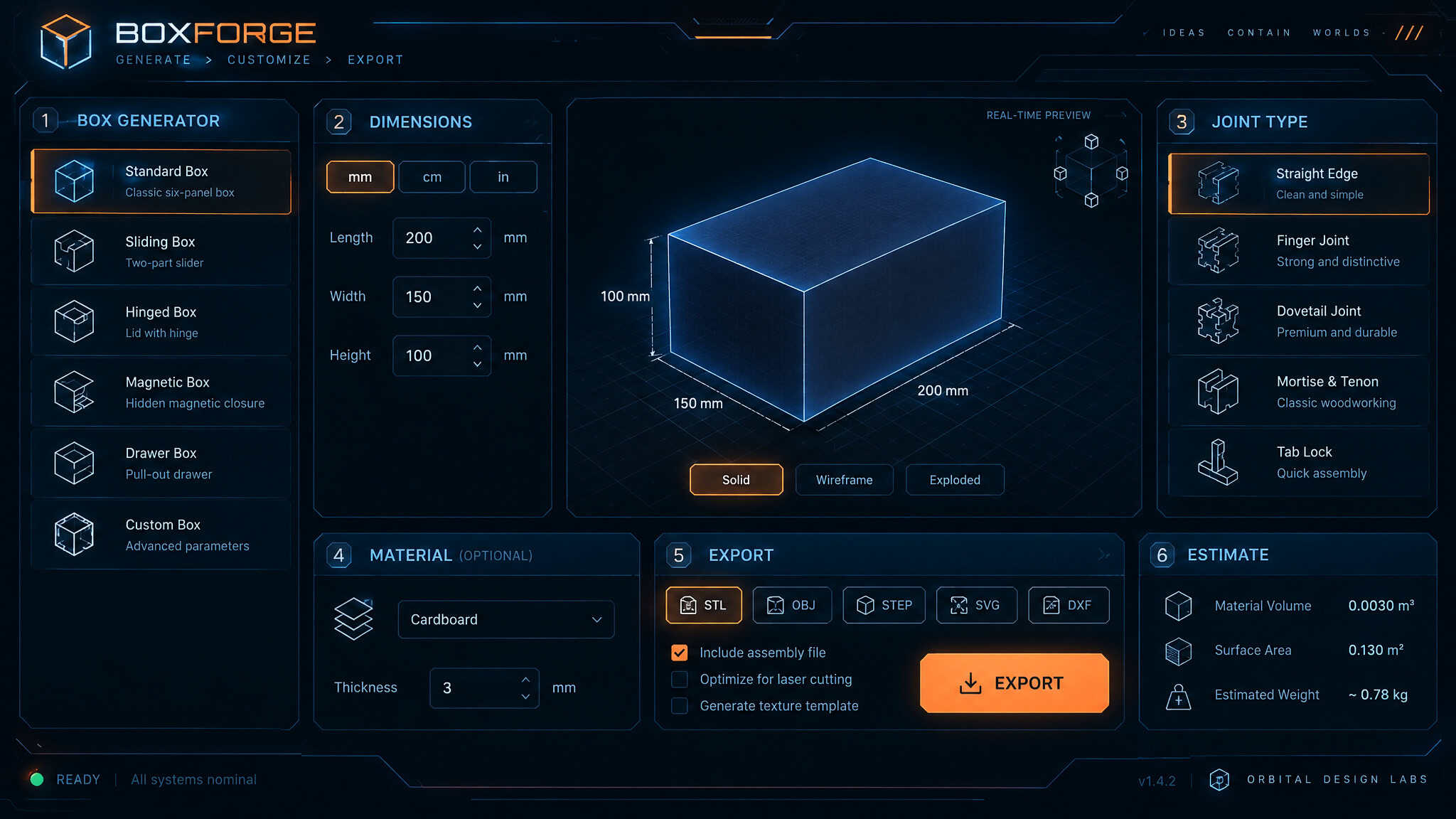
Measure your object and your material thickness first, then type the width, height, depth, and thickness into one of the six generators below.
| Generator | Box styles | Units | Joint options | Export formats | Lid / cover options | Dimension convention |
|---|---|---|---|---|---|---|
| Boxd Designer | Solid or open-top | in, mm, cm | Standard tabs | PDF, DXF, SVG | Yes (include cover toggle) | Standard input |
| MakerBox | Rectangular | mm | Auto tab width | Partial (standard box) | Internal (subtract walls) | |
| Jerome L.C. Laser | Open, closed, frame, sloped | mm | Adjustable tab spacing | DXF | Yes (open, closed, frame) | Standard mm input |
| MakerCase | Simple, polygon (3+), rounded, dividers | in, mm | Flat, finger slider, T-Slots | SVG, DXF | Yes (open-top or closed) | Internal or external |
| Boxes.py | Standard, hinged, chest, drawer, heart, flexible, Universal | mm | Finger, H, S stackable, E straight | DXF, LightBurn, PDF, SVG | Yes (chest, flat, none, hinged) | Internal or external (outside box) |
| Basic Box Designer (CutGen) | Parametric box | Measured units | Adjustable joints per side | SVG | Partial (standard box) | Inside measurement |
Boxd Designer
Boxd Designer generates files instantly on clicking design, accepts inches, millimeters, or centimeters (such as 4x4x4 in with 0.125 in material or 100x100x100 mm with 3 mm stock), and exports PDF, DXF, or SVG.
MakerBox
MakerBox takes internal dimensions, calculates tab width automatically, leaves kerf at zero if unknown, offers optional margin, 3 mm suggested padding, stroke thickness, and autofit PDF page size, and exports PDF only.
Jerome L.C. Laser
Jerome L.C. Laser (tool name from an unverified video transcription) provides a live preview window, millimeter inputs for material thickness, width, depth, and height, tab-altering spacing, open box (tray), closed box, and frame (closed box with hole) options, dividers, truss detail, sloped sides, and DXF-only export.
MakerCase
MakerCase (makercase.com) pairs a live 3D preview with thickness presets, label/spacing controls, cut line color/thickness, and curve compensation, powering shop builds from holiday lanterns, rolling ribbon rack tops, and shipping dividers to car vent clip racks, bottle cap Plinko boxes, and laser filter boxes.
Boxes.py
Boxes.py adds bread boxes, rectangular and angled builds, Breakaway Parts tabs, QR/debug codes, labels, a reference rectangle, Inner Corners (set on Corner), and a Burn setting.
Basic Box Designer (CutGen)
Basic Box Designer requires a free account, takes curve value and inside dimensions (demonstrated sizing a box for “Mr Waddlesworth”), and exports SVG.
Where to get a box template with a lid
Getting a lidded box template is fastest in a generator: Boxes.py offers hinged boxes, pirate chests, and Universal Box chest/flat/none lids, Boxd Designer toggles include cover for trays or pencil boxes, Jerome L.C. Laser selects closed, open tray, or hole-cut frame, and MakerCase toggles open vs closed.
MakerCase vs Boxes.py for finger-joint boxes
MakerCase wins for quick inch-or-millimeter finger-joint or T-slot boxes with a live 3D preview, while Boxes.py wins when you need hinged lids, drawers, specialized base edges, or native LightBurn export.
Why your laser cut box doesn’t fit: dimensions and kerf
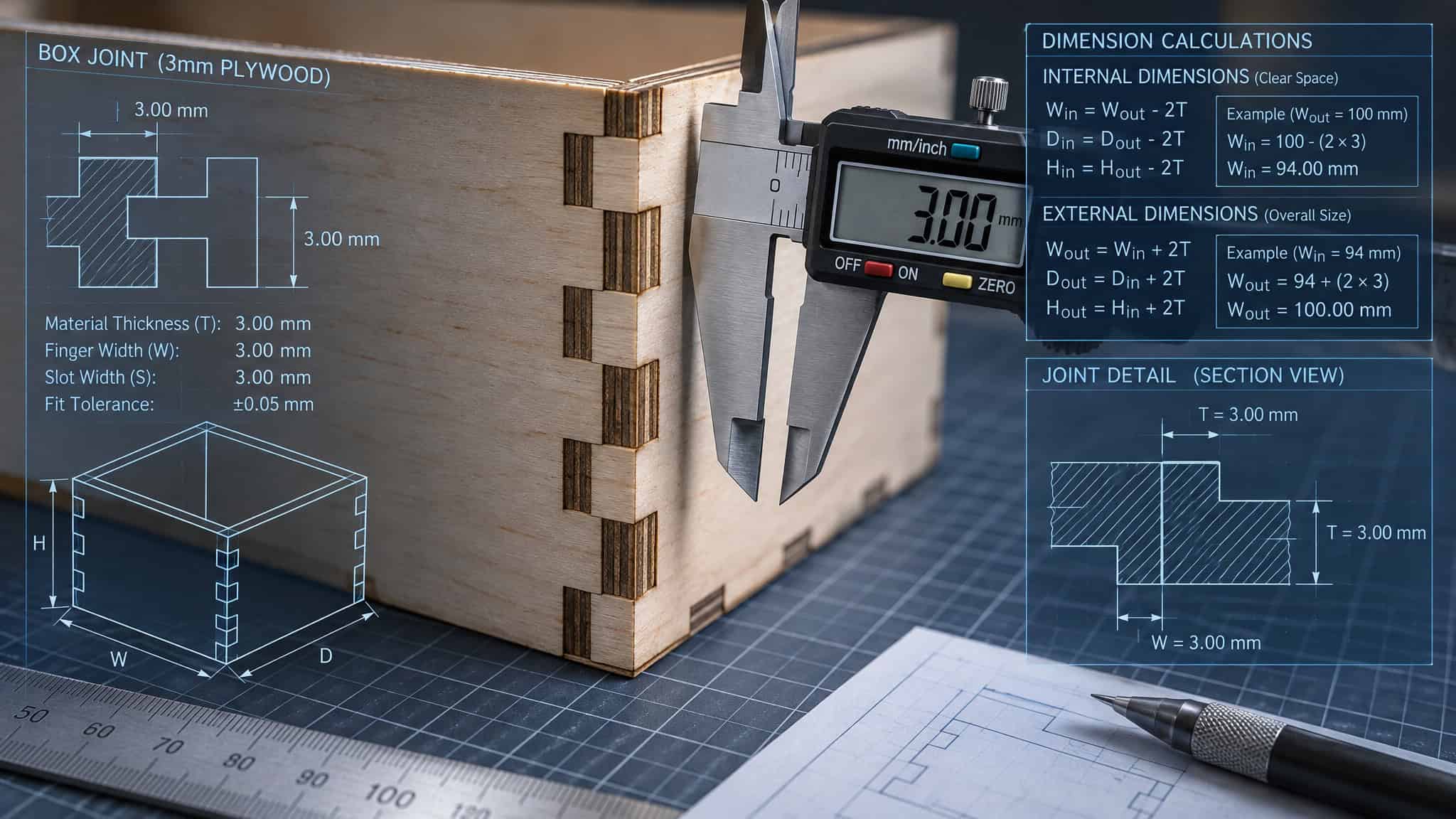
Most first-cut laser box failures come from entering external measurements into an internal-dimension tool like MakerBox (where a 100x100x100 mm box in 3 mm stock requires entering 94x94x94) or cutting a fixed template built for a different sheet thickness. Parametric generators only produce tight finger joints when your dimension convention, caliper-measured material thickness, and kerf settings match the software’s math. When those inputs drift by even half a millimeter, corner tabs either protrude past the face of the box or refuse to seat without a mallet.
- Internal vs external dimension convention: Check whether the generator measures the inside cavity or outside footprint before typing numbers.
- Wall-thickness subtraction (MakerBox rule): Subtract two wall thicknesses per axis when using MakerBox’s internal dimension fields.
- Explicit convention toggles: Select inside or outside directly in MakerCase, or toggle the
outsidecheckbox in Boxes.py. - Kerf compensation: Kerf is the width of material the laser beam burns away during a cut; in MakerBox, leave the kerf field at zero if you don’t know your machine’s exact cut width.
Walk through what happens on a first pass with MakerBox when you skip the wall math. You want a 100x100x100 mm cube cut from 3 mm plywood, and you type 100 into all three fields. Because MakerBox treats your input as the interior cavity and adds 3 mm walls on both sides of every axis, the finished panels come off the bed 6 mm oversize in width, depth, and height. To land on the target size for a 100x100x100 mm internal box in 3 mm stock, you subtract two wall thicknesses (6 mm) per axis and enter 94x94x94, set the suggested padding to 3 mm, leave PDF page size on autofit, and let the software choose the tab width.
That subtraction rule is a MakerBox quirk, not something every generator does. In MakerCase and Basic Box Designer, the workflow starts by measuring the object going inside the box and the sheet stock, setting the measurement toggle to inside, and letting the tool position the outer walls automatically. Boxes.py defaults to millimeter X, Y, and H inputs and flips between internal and external sizing with a single outside checkbox, alongside a Burn setting for kerf tightness. Once your joints fit dry on the bench, you can step through the rest of cutting and engraving a finished wooden box without wasting hardwood on bad corners.
Free laser cut file repositories, site by site
Seven free laser cut file sites require no account to download: Trotec Laser, Epilog Laser, 3axis.co, Free Patterns Area, Free Vector, Vector Art, and DXF Downloads. While free repositories host thousands of ready-to-cut projects, anonymous access on some sites trades off against checkout forms or unvetted community uploads that need an antivirus scan.
- Trotec Laser: No account; zip archives with AI, CDR, DXF, PDF, and SVG plus required laser settings.
- Epilog Laser: Anonymous access; zip archives with CDR files and Epilog machine settings.
- 3axis.co: No account; nearly 9,000 projects in DXF, CDR, and EPS.
- Free Patterns Area: No account; 3D CNC/laser files in CDR, DXF, SVG, EPS, PDF, PNG, DWG, and STL.
- Free Vector: No login; compressed CDR, SDL, and DXF files.
- Vector Art: No account; 1,500+ files in CDR, DXF, AI, EPS, and PDF.
- DXF Downloads: No login; cut-optimized DXF files.
Whether you need an account depends on the site: seven repositories need no login, Vecteezy and K-40 Laser Cutter make login optional, Laser-Ready Templates skips login but requires billing details at checkout, and Design Bundles mandates an account.
| Repository | Formats | Account required | Checkout or pop-up friction |
|---|---|---|---|
| Trotec Laser | AI, CDR, DXF, PDF, SVG | No | No |
| Epilog Laser | CDR | No | No |
| 3axis.co | DXF, CDR, EPS | No | No (antivirus scan advised) |
| Free Patterns Area | CDR, DXF, SVG, EPS, PDF, PNG, DWG, STL | No | No |
| Ponoko | EPS, SVG | No (per 2023 roundup) | Partial (customizable per project) |
| Design Bundles | DXF, SVG, EPS, PDF, PNG, AI, CDR, JPG | Yes | Yes (account gate) |
| Vecteezy | AI, JPG, PDF, DPS | No | Partial (dismissible login pop-up) |
| Free Vector | CDR, SDL, DXF | No | No |
| K-40 Laser Cutter | SVG, DXF, AI, CDR | No (optional) | Yes (checkout flow) |
| Vector Art | CDR, DXF, AI, EPS, PDF | No | No |
| DXF Downloads | DXF | No | No |
| Laser-Ready Templates | CDR, PDF, AI, DXF, EPS, SVG | No | Yes (billing details at checkout) |
Trotec Laser and Epilog Laser
Both manufacturer libraries bundle detailed project explanations and tested machine parameters right in the zip download.
3axis.co
Catalogs drill bit organizers, acrylic designs, mirror frames, wall decor, keychains, Christmas decor, cat houses, doll furniture, a lamp, a full-size chair, and a 3D pterodactyl.
Free Patterns Area
Stocks wooden jewelry boxes, lanterns, lampshades, napkin holders, frames, wall art, airplane models, and cat houses, alongside free software.
Ponoko
Reported in LaserAZE’s 2023 roundup for customizable decorations, stands, enclosures, faceplates, city blocks, maps, coasters, clocks, and vases.
Design Bundles
Tracks Creative Fabrica’s model with subscriptions, per-item buys, and free-section mandalas, cake toppers, keychains, earrings, and art.
Vecteezy
Close the login pop-up for anonymous zip downloads, or log in to track download history.
Free Vector, Vector Art, and DXF Downloads
Straightforward anonymous vector libraries for quick cut paths.
K-40 Laser Cutter and Laser-Ready Templates
K-40 uses optional signups so you don’t re-type details at checkout, whereas Laser-Ready Templates demands personal billing details on free checkouts.
Are free laser file sites safe to download from?
Yes, when you match your caution to the host: manufacturer libraries ship vetted files, open-source repositories like 3axis.co should be scanned with antivirus software before opening, and checkout-gated sites like Laser-Ready Templates collect billing info.
File formats: what drops into your laser software
SVG (Scalable Vector Graphics) is a layered vector format and the best file type for laser cutting because it separates cut paths from engrave layers cleanly, whereas raster formats like PNG and JPEG must be traced inside your laser software first. Format inventories across free sites often hide an extra workflow step: CDR-heavy libraries (Free Vector, Vector Art, Epilog Laser) favor CorelDRAW users, while DXF-only hubs (DXF Downloads, Jerome L.C. Laser) strip away SVG’s color-coded layer convenience. If your cut lines import at the wrong scale or drop their layer assignments, compare how SVG and DXF files behave inside laser software before recutting.
Converting MakerBox PDFs to SVG or DXF
Converting a MakerBox file to SVG or DXF requires importing its PDF-only output into vector-capable software such as LightBurn and exporting the paths, a step you can skip entirely by using Boxd Designer, MakerCase, or Boxes.py for direct SVG and DXF downloads.
Generating and importing boxes in LightBurn
Getting a custom box into LightBurn without format conversion requires exporting a native .lbrn LightBurn file directly from Boxes.py, or importing an SVG/DXF from MakerCase or Boxd Designer. While LightBurn and xTool Creative Space include built-in tools for basic shapes and design libraries (plants, animals, holiday items, shapes), they mainly act as the layout and conversion hub for external generators like MakerBox.
License fine print: what ‘free’ permits
Yes, you can sell physical products cut from free or downloaded laser files, but only when the creator or platform explicitly grants a commercial-use license. Copyright law gives the original designer exclusive rights to copy, display, and distribute their work, so selling items cut from personal-use-only files is copyright infringement. Even cutting copyrighted files for personal, non-sold projects sits in a discouraged gray area, and pulling graphics straight from Google Images is off-limits.
Subscription-lapse traps on Creative Fabrica and Design Bundles
Creative Fabrica charges roughly $49/year (billed annually, with a free trial) for full catalog access and a commercial license that lets you sell physical cut products while prohibiting resale of the digital file itself. In a recurring trap across subscription marketplaces like Creative Fabrica and Design Bundles (where one reviewed annual pass covered 24 downloaded items before non-renewal), letting your subscription lapse revokes your legal right to make and sell items from files you already downloaded.
Branded Etsy files and unverified repository uploads
Major brands including Disney, the NFL, the NBA, Marvel, and Nickelodeon don’t typically license intellectual property to individual makers, so engraving a downloaded Cinderella graphic onto a tumbler for sale infringes copyright. Etsy hosts plenty of unauthorized branded laser graphics because the platform doesn’t scrub violations frequently; stick to unbranded original artist designs and check each file’s license on repositories like 3axis.co before selling.
From template to cut: nesting, prep, and design tools
Turning a template into a finished part runs through five steps: generate or download the file, verify internal-vs-external dimensions, convert the format if needed, nest the parts onto your sheet size, and send the job to the laser.
Nesting parts with svgnest.com
Nesting tool svgnest.com packs parts across one or multiple user-sized boards and exports a grouped cut file, fitting 26 ten-inch-tall alphabet letters into a 12×20 inch cutting area.
Prepping images for engraving
A web-based engraving prep app (transcribed as “Imgur” in source notes, actual name unverified) handles puzzle making, masking, material slicing, background removal, vectorizing, color correction, and resizing for acrylic nightlights, AI wood-plank engravings, and tumbler logos.
Designing from scratch in Canva and Illustrator
Makers pair Adobe Illustrator or built-in LightBurn and xTool Creative Space shape libraries with Canva (free with optional paid features) for bulk design merging, clip art, and craft-show signs, brochures, mock-ups, t-shirts, flags, banners, and paint labels.
Where to start with free box templates
Open Boxes.py right now if you have calipers and need a custom millimeter box with a hinged lid, chest top, or native LightBurn export, or open MakerCase if you want a fast inch-or-millimeter finger-joint box with a live 3D preview; if you want a ready-made design instead, grab a machine-tested zip from Trotec Laser or Epilog Laser, or browse 3axis.co’s ~9,000 files with an antivirus scan queued. Before firing the laser or listing a cut box for sale, check whether your generator measures internal or external walls and confirm the file carries an active commercial license.
Frequently Asked Questions
What’s the difference between a free laser cut box generator and downloading a ready-made template?
A parametric generator like MakerCase or Boxes.py calculates clean mathematical vectors custom-sized to your exact dimensions and caliper-measured material thickness. Ready-made repository downloads give you decorative latticework, lanterns, or jewelry boxes, but the slots only fit if your plywood matches the original designer’s sheet stock. Community downloads also frequently require manual vector cleanup to fix open paths, duplicate cut lines, or scrambled layers.
MakerCase vs Boxes.py: which box generator is better for finger joint boxes?
MakerCase is the better pick when you want a fast finger-joint or T-slot box in inches or millimeters with a live 3D preview. Boxes.py takes the lead if your millimeter build needs hinged lids, drawers, specialized edge joints, or a native LightBurn file right out of the browser.
Why does my laser cut box template not fit together: kerf and material thickness explained?
Joints usually fail because your wood doesn’t match a static template’s slot size, you mixed up internal and external box dimensions, or your kerf setting is off. In an internal-dimension tool like MakerBox, typing 100x100x100 mm with 3 mm stock adds walls to the outside and yields a box 6 mm too wide on every axis unless you subtract two wall thicknesses and enter 94x94x94. Kerf—the width of material the laser beam vaporizes—also affects joint tightness, though you should leave MakerBox’s kerf value at zero if you haven’t measured your machine’s cut width.
