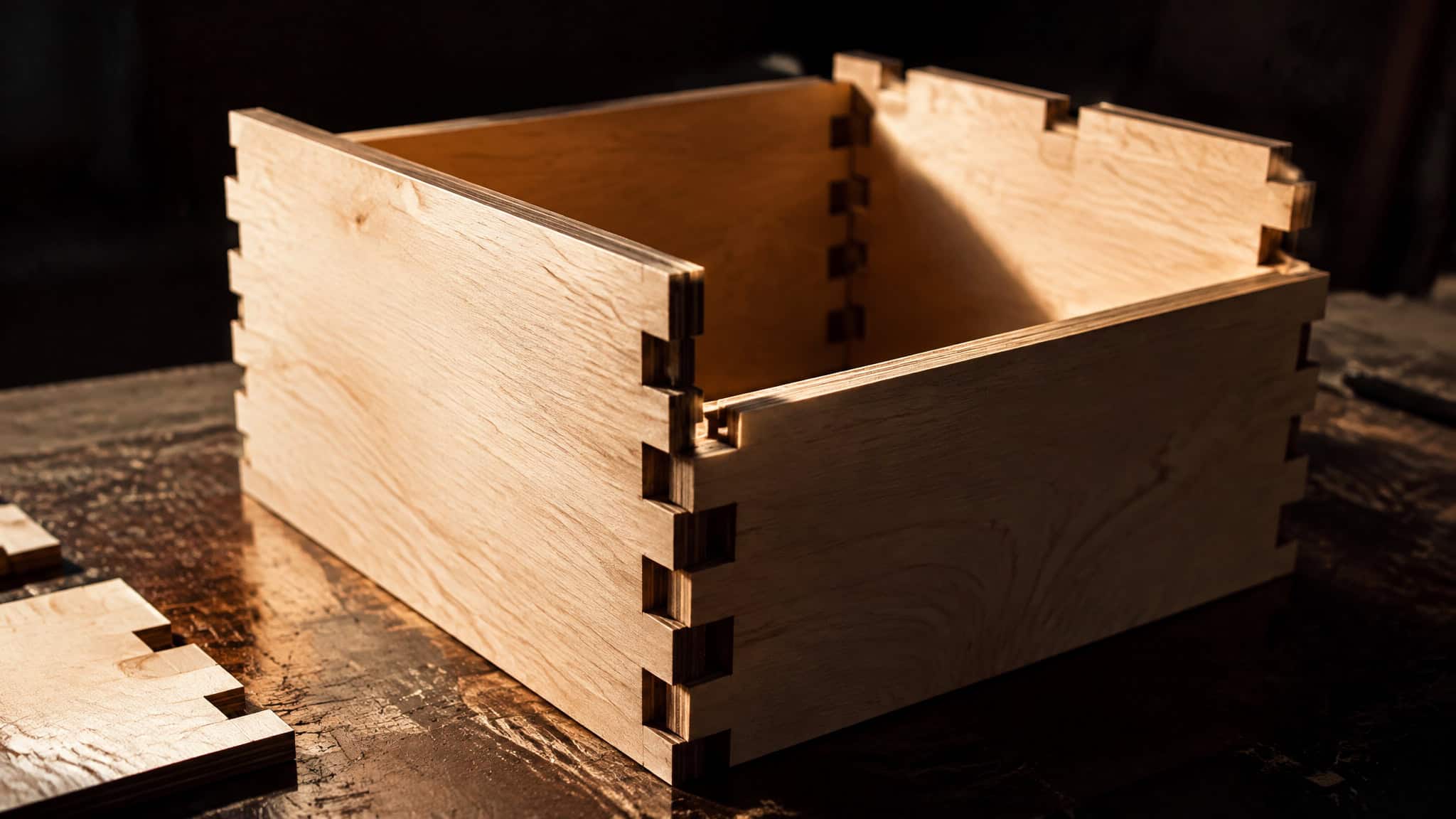
Drawing a finger-jointed box by hand in a CAD package means squinting at a screen, nudging lines by tenths of a millimeter, and hoping a single miscalculation doesn’t turn a fresh sheet of plywood into firewood when the tabs refuse to close. A parametric laser cut box generator replaces that fragile line-drawing loop with algorithmic input variables: you type your dimensions and board thickness into a customizer or source file, and the software computes the interlocking joint geometry into a ready-to-cut vector layout. “Generator” isn’t a single product category, though. It spans a wild spectrum of complexity and effort.
At the bare-metal end sits a 2014 C program simple enough for an Arduino to run by editing a few source variables. In the middle sits a browser-based Thingiverse customizer. At the deep end sits Boxes.py, an open-source Python package with a full Python API for scripting custom parts. Picking the right tool means matching that architecture to your coding comfort and laser software workflow.
Key Takeaways
Boxes.py is a free, open-source Python generator that exports LightBurn files directly and generates finger joints, flat dovetails, living-hinge flex cuts, meshing gears (such as a 15 vs 30 tooth 1:2 pair), and ~28mm-bed honeycomb hold-down pins.
SharkNado’s Thingiverse generator (thing:2238681, USD 0.00) defines size variables as outer dimensions, requiring you to add 2x material thickness per side for inner dimensions and run OpenSCAD locally to export a .DXF file, though it achieves glue-free snap assembly on 3mm pebble plywood at cor = 0.25.
Mike’s 2014 C box generator outputs .SVG files using nothing more complex than printf(), cutting cleanly on the first try at Fab Lab xChc despite lacking an argc/argv command-line interface.
Table of Contents
| Model | Why it stands out |
|---|---|
| Mike’s C box generator | Mike’s C program uses only printf() as its complicated component, meaning an Arduino could generate the SVG output. Hackaday article |
| Thingiverse box generator 2238681 | If you need defined inner dimensions, add 2x of the material thickness to each side. With the right parameters you can assemble the box wit Publisher product markup for Simple |
| Boxes.py | Boxespy is an Open Source box generator written in Python. |
What a laser cut box generator does
A Python-based or code-driven box generator beats manual CAD software by automating parametric control and eliminating human joint-drawing errors, and you can get free finger-joint templates through three distinct tools: the open-source Python package Boxes.py, SharkNado’s Thingiverse customizer (thing:2238681, priced at USD 0.00), and newcomer Mike’s free C source code from his 2014-12-04 Hackaday writeup. Whether you enter measurements into Boxes.py menus, tweak browser sliders on Thingiverse, or edit constants in Mike’s C file, all three calculate finger joints, which are the rectangular interlocking tabs along panel edges that lock a box together.
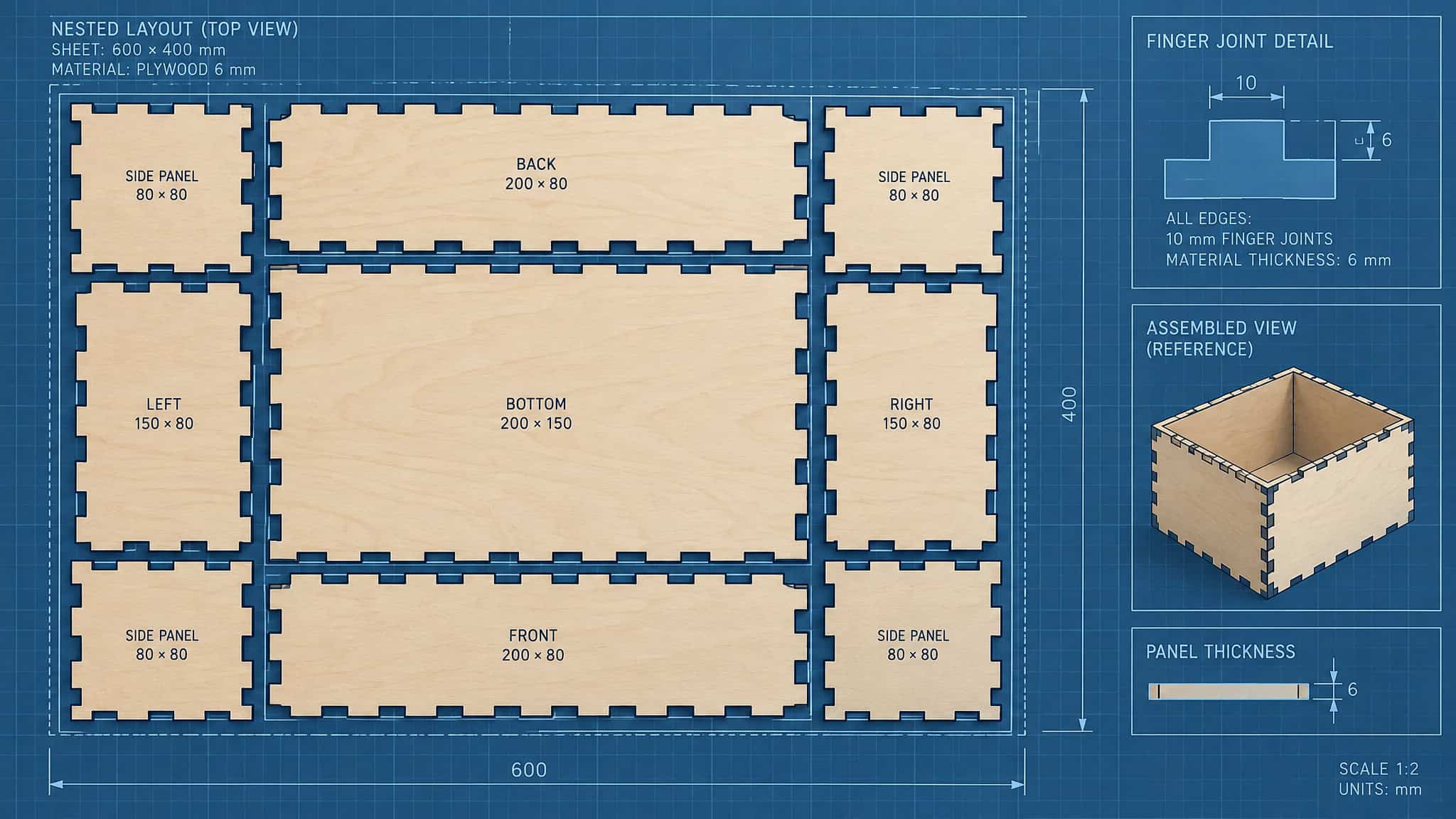
Change your box dimensions, switch from an open-top bin to a fully enclosed box with a specific lid style, or adjust material thickness, and the algorithm recalculates every tab and slot automatically. As Mike noted in his Hackaday piece, generating a box via code avoids squinting at a CAD package nudging lines by tenths of a millimeter, making a mistake, and having to redo the entire layout. Box generators are very, very simple tools: they remove the risk of manual error in joint design, but the creative aspects of the project, such as choosing the right wood and planning any engravings, remain the user’s work.
Mike’s C box generator: SVG from a few lines of code
Mike’s C program is a minimal source-code .SVG box generator written in the C programming language whose defining limitation is the complete absence of an argc and argv command-line interface, meaning you have to edit variables directly inside the C source code and recompile for every new box size. Reported on Hackaday on 2014-12-04, laser-cutting newcomer Mike decided to write his own C generator rather than sit down and learn a traditional CAD package first. The resulting codebase is delightfully bare-bones.
The only remotely complicated component in the entire program is printf(), making the math and output logic simple enough that even an Arduino could spit out the .SVG file for a laser cut box. Leaving out argc and argv meant passing up the exact feature that would turn the script into a proper command-line utility that creates .SVG boxes on the fly, though Mike noted he might add command-line functionality some other time. Despite the hard-coded workflow, when he tested the output at his hackerspace, Fab Lab xChc, the members were impressed that the generated file worked on the very first run with zero wasted material.
Thingiverse box generator 2238681: simple, with caveats
SharkNado’s “Simple parametric box generator for laser cut” on Thingiverse (ID, SKU, and MPN 2238681, listed at USD 0.00 and InStock) is a free browser-customizable tool built mostly for laser cutting that also exports .STL files for 3D printing, or for printing on paper, gluing onto wood, and sawing out by hand. Version 1.2 added 'box' and 'shelf' modes, corrected customizer options for the 3D-printable view, and added a random color preview, though two specific quirks require attention before cutting.
Outer vs inner dimensions in thing:2238681
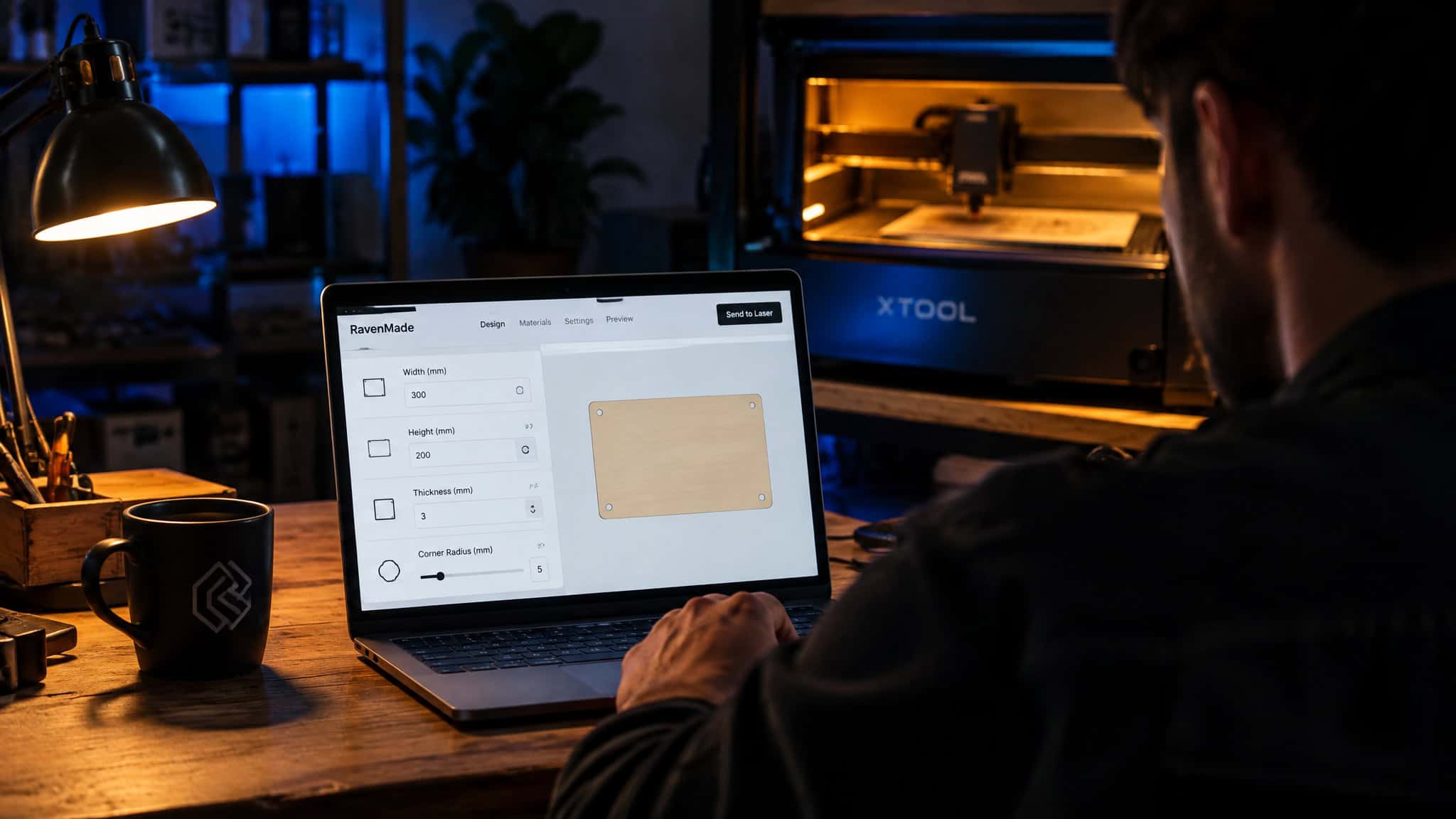
Because thing:2238681 defines its input size variables as outer dimensions, you must add 2x the material thickness to each side whenever you need to hit a specific inner dimension. This outer-dimension convention is a rule of SharkNado’s script rather than a universal law across all generators, and typing the exact width of an item you want to store inside without adding that 2x board thickness buffer produces a box too cramped for its contents.
Getting a DXF file from the Thingiverse generator
Generating a .DXF file for 2D laser cutting from thing:2238681 requires downloading the source file and running OpenSCAD as a separate local step. While the built-in Thingiverse customizer handles parameter tweaks in the browser and exports .STL files directly, it won’t hand you a laser-ready .DXF on its own.
Boxes.py: the deep end of the generator spectrum
Documented in a Glowforge community forum thread (/t/shelving-file-generator/17984/3) and an unsponsored walkthrough video by Paw Paw’s WorkShop, Boxes.py is free, open-source Python software that pairs ready-to-use parametric generators with a Python API for writing your own. Beyond standard finger-jointed containers, it natively generates meshing gears, living-hinge flex cuts, and flat dovetail joints.
Boxes.py joints and adjustable parameters
The library covers finger joints, flat dovetails, flex cuts for rounded corners, screw holes and slots, hinges, pulleys, and gears. You can tune finger joint size and spacing alongside flex-cut settings directly in the menus for cleaner cuts.
Gears, flex boxes, and hold down pins
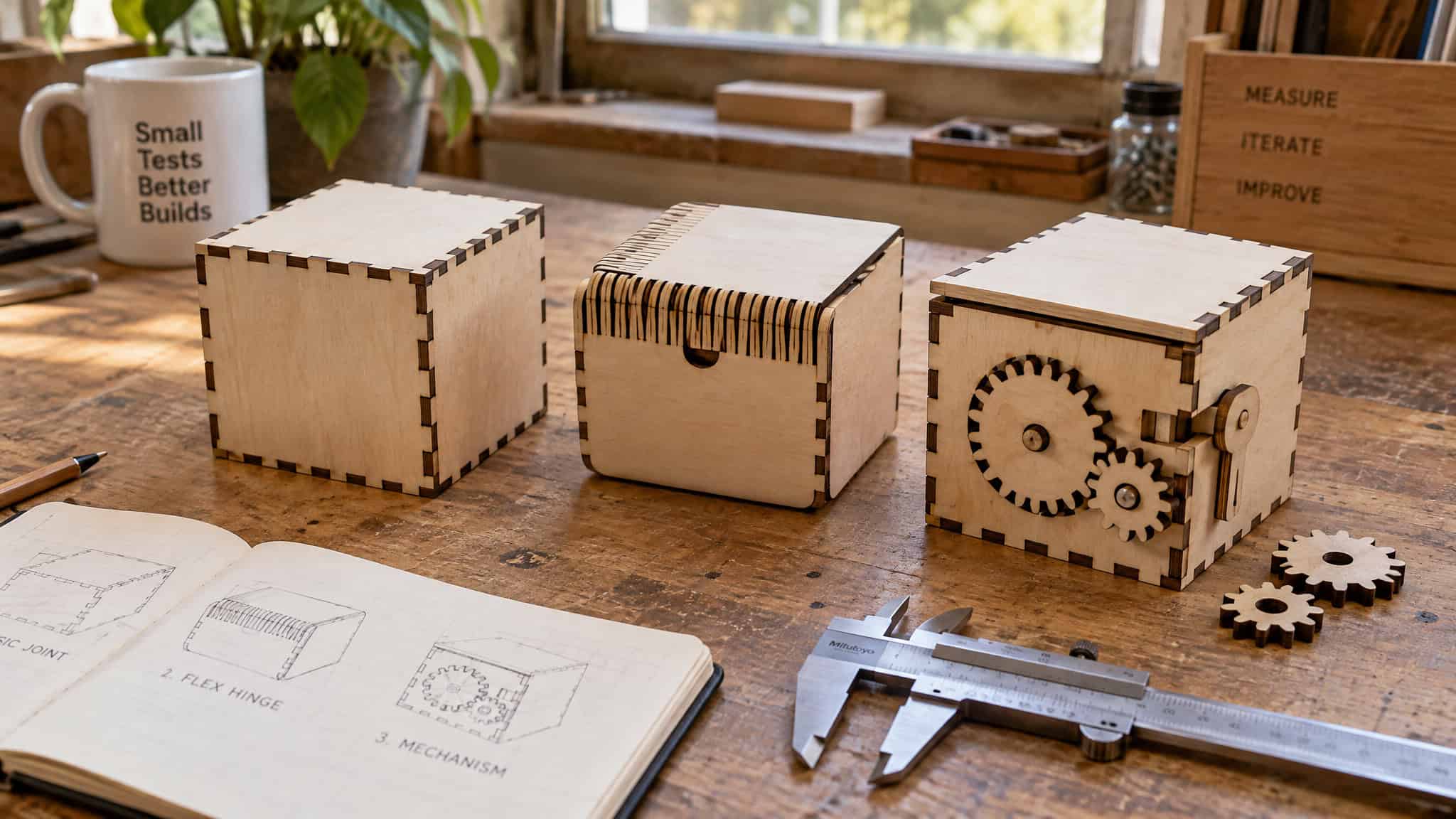
To generate laser hold-down pins under the parts and samples menu, enter your honeycomb bed thickness (~28mm on the video host’s laser), desired pin length (~20mm), honeycomb hole width (7mm shaft width), and wood thickness (3mm) to export cuttable pins, which the host duplicated with Ctrl+D in LightBurn to cut 12 pins. The walkthrough also proved meshing gear pairs with adjustable tooth count, shaft size, and D-shaft percentage (15 vs 30 teeth yields a 1:2 ratio, with shaft two matching shaft one), a closed flex box with a top, lid, and heart cutout (150mm size, 50mm height), and an electronics box with screw-down bottom feet and hold-down-pin snap slots that regenerated every dimension cleanly when resized to 50mm.
Trays, shelves, and paint storage racks
Organizer options span lidded, closed, and hinged boxes, trays and drawer inserts with drop-in or angled slide-in dividers, wall-mounted projects, hole patterns, and shelves for paint and small tools. The host demonstrated a stackable paint rack for 33.8 fl oz bottles (100mm tall, 36mm can diameter, adjustable minimum bottle spacing, and an alternating hex hole pattern to see the paint), alongside planned Warhammer storage (bins with drawers, shelves, and brush holders) for his son.
How to generate a laser cut box file with Boxes.py
Boxes.py is a parametric tool that generates cut-ready files by letting you select a template from its menu, enter your board dimensions and material thickness, tune joint spacing, and export the vector layout. As a free, open-source, Python-based generator, it handles everything from basic finger-jointed boxes to living hinges and mechanical parts without manual CAD drafting. In Paw Paw’s WorkShop’s video walkthrough (https://www.youtube.com/watch?v=6P1cuzsae5o), the host shows that Boxes.py LightBurn export produces native LightBurn files directly, eliminating intermediate SVG or DXF conversion steps:
- Select a project generator from the menu, such as a closed box with a specific lid style, a divided tray, a shelf, or a rounded-corner flex box.
- Enter your target dimensions and exact measured material thickness.
- Adjust the finger-joint size and spacing or tweak the flex-cut settings for your wood.
- Choose
Boxes.pyLightBurn export (or your preferred vector option) to generate the file.
The generator outputs all box panels laid out flat and nested, ready to load straight into your laser software for cutting and assembly. While Boxes.py is an open-source Python package with an API, this browser-menu workflow requires no local Python installation commands.
Kerf and material thickness: the glue-free fit
First cuts from a new generator frequently come out too tight to press together or too loose to hold without glue because the maker trusted the nominal thickness printed on the plywood sheet or left kerf compensation untouched. Every finger-joint box is engineered for one exact board thickness: a layout calculated for 3mm wood will assemble loosely in 2.8mm stock (where glue often has to fill the small gaps) and won’t go together at all if the board runs thicker. Finger size also trades strength against appearance, as larger fingers cut faster and hold stronger while smaller tabs look more refined and decorative. Getting a glue-free snap fit is purely a parameter problem.
On Thingiverse thing:2238681, SharkNado proved that 3mm pebble plywood configured with cor = 0.25 snaps together cleanly without glue (cor is that specific generator’s compensation variable, not a universal parameter name). Always test the dry fit before gluing and clamping as a final step; smooth plywood paints well, though laser-cut edges come out very dark with fine dust, and stubborn residue wipes off with a gentle baby-wipe or fine-grit sandpaper.
Choosing by output format: SVG, DXF, STL, LightBurn
The smartest way to pick a box generator is starting from the vector file format your laser software accepts natively, which avoids generating a custom layout only to discover its format or scale requires an unadvertised conversion tool. The three generators profiled here take completely different export paths to create the vector lines and curves the laser follows: Mike’s C program outputs .SVG files only, Thingiverse thing:2238681 exports .STL for 3D printing but requires OpenSCAD to get a .DXF, and Boxes.py exports LightBurn files directly.
Why unsponsored walkthroughs recommend generators
Community trust in free tools like Boxes.py comes from unsponsored, parameter-specific maker walkthroughs, spanning Mike’s 2014-12-04 Hackaday report at Fab Lab xChc, the Glowforge forum (/t/shelving-file-generator/17984/3), Louisiana Hobby Guy’s videos, and Paw Paw’s WorkShop‘s explicitly unsponsored YouTube walkthrough spanning 336 subtitle segments (A Close Look at BOXES.PY for Laser Projects, https://www.youtube.com/watch?v=6P1cuzsae5o). As the Paw Paw’s WorkShop host explains, he sends makers the link to the free generator software rather than sharing his own cut files, because a static file tuned for one laser bed and sheet thickness won’t fit another maker’s setup.
Boxes.py vs Thingiverse parametric box generator
Boxes.py is an open-source Python generator with a full API and direct LightBurn export, while the Thingiverse parametric box generator (thing:2238681) is a browser customizer focused on basic finger-joint boxes and 3D-printable .STL exports. Choose Boxes.py when you need joint variety, mechanical part generators, or direct LightBurn files; choose thing:2238681 when you want a simple browser form or an .STL file for 3D printing.
Across the laser-cutting community, Boxes.py serves as the go-to open-source Python toolkit for complex parametric control, hinges, and living-hinge flex cuts, while thing:2238681 fills the role of a quick dual-purpose laser and 3D-print utility. Their parameter depth shows that split clearly: Boxes.py lets you configure 15 vs 30 tooth meshing gears (1:2 ratio) and honeycomb hold-down pins sized for a ~28mm bed with 7mm holes, while thing:2238681 centers on outer-dimension box inputs (requiring + 2x material thickness per side for inner dimensions) and a cor = 0.25 compensation setting for glue-free 3mm pebble plywood cuts.
| Feature / Criterion | Boxes.py | Thingiverse thing:2238681 | Mike’s C Generator |
|---|---|---|---|
| Input Method | Parameter menu + Python API | Web customizer (outer dimensions; add 2x thickness per side for inner) | Edit variables in C source code (no argc/argv CLI) |
| Joint & Part Variety | Yes (finger joints, flat dovetails, flex cuts, screw holes/slots, hinges, gears, pulleys, trays, shelves, hold-down pins) | Partial (finger-joint 'box' and 'shelf' modes in v1.2) | Partial (basic finger-joint boxes of any size) |
| Native Output Formats | Direct LightBurn export | .STL natively, .DXF via OpenSCAD | .SVG only |
| Custom API Extensibility | Yes (Python API for custom generators) | No | Partial (editable C source using printf(), simple enough for an Arduino) |
| Extra Tool Dependencies | No (direct export to LightBurn) | Yes (requires OpenSCAD for .DXF) | Yes (requires C compilation; no CLI) |
Sitting alongside both web-accessible tools, Mike’s C generator anchors the minimal-code end of the spectrum. Where Boxes.py exposes a full Python API and thing:2238681 wraps its logic in the Thingiverse customizer and OpenSCAD, Mike’s program strips box generation down to raw C constants and printf() calls. It has zero external software dependencies beyond a standard C compiler and outputs .SVG vector paths ready for the laser, trading away command-line flags and graphical menus for a script so lightweight it cut cleanly on its first run at Fab Lab xChc.
Which laser cut box generator fits your skill level
The laser cut box generator options for hobbyists are Mike’s C source-code generator for code-comfortable minimalists, Thingiverse thing:2238681 for browser customizer and 3D-printer crossover users, and Boxes.py for LightBurn users and Python tinkerers. While hobbyists frequently search for parametric tools such as MakerCase, Cuttle, and Vector Painter Box Generator to configure board thickness, kerf compensation, and .SVG or .DXF exports, picking the tool whose guts match how you actually work is the shortest path to a finished cut, proven by benchmarks like Mike’s zero-scrap first cut at Fab Lab xChc and SharkNado’s glue-free cor = 0.25 calibration on 3mm pebble plywood:
- Code-comfortable minimalists (Mike’s C generator): If you’re happy editing a few C variables and compiling to get a clean
.SVGwith zero UI bloat, aprintf()-based script is genuinely sufficient and worked on the first try at Fab Lab xChc. - Browser customizer and 3D-print crossover makers (Thingiverse
thing:2238681): Ideal when you want aUSD 0.00online form that outputs.STLfiles for 3D printing alongside laser layouts, provided you add2xmaterial thickness per side for inner dimensions and keep OpenSCAD installed for.DXFexports. - LightBurn users, organizers, and Python extenders (
Boxes.py): The clear pick when you want direct LightBurn export, adjustable finger spacing and flex cuts, non-box hardware (1:2gear pairs,~28mm-bed hold-down pins,33.8 fl ozbottle paint racks), or a Python API to script custom generators.
At GeekExtreme, we classify fabrication tools by looking under the hood at their implementation architecture (comparing a printf() C file against an OpenSCAD Thingiverse wrapper and an extensible Python API) and scoring four concrete criteria: input parameters (how many and how exposed), output quality signals (such as Boxes.py cleanly regenerating every slot when the electronics box was resized to 50mm), kerf handling, and native format match. Readers also frequently ask about MakerBox, Fusion 360 plugins, and MakerCase, or look for a tested free box template to skip setup entirely. Specific parameter menus, kerf variables, and export paths for MakerBox, Fusion 360 plugins, and MakerCase aren’t established here, so run any candidate through those same four checks before cutting a full sheet: verify whether dimensions are inner or outer, check if it exports your laser’s native format without a second app, measure your real wood thickness with calipers (since a 3mm design fails on 2.8mm stock), and run a test cut to dial in your equivalent of cor = 0.25 on 3mm pebble plywood.
Frequently Asked Questions
Where can I find a free laser cut box template generator for finger joints?
Three free options handle parametric finger joints depending on how you like to work: the open-source Python tool Boxes.py, SharkNado’s browser-based Thingiverse customizer (thing:2238681, priced at USD 0.00), and Mike’s minimal 2014 C program. All three calculate interlocking rectangular tabs automatically based on your dimensions and board thickness, sparing you from drawing and nudging every joint by hand in CAD.
Do I need to download and install Boxes.py as a beginner?
No local Python installation or command-line setup is required to generate standard cuts. While Boxes.py is an open-source Python package with an API for coding custom generators, beginners can simply use the browser menus to pick a template, plug in dimensions, and export native LightBurn files directly.
