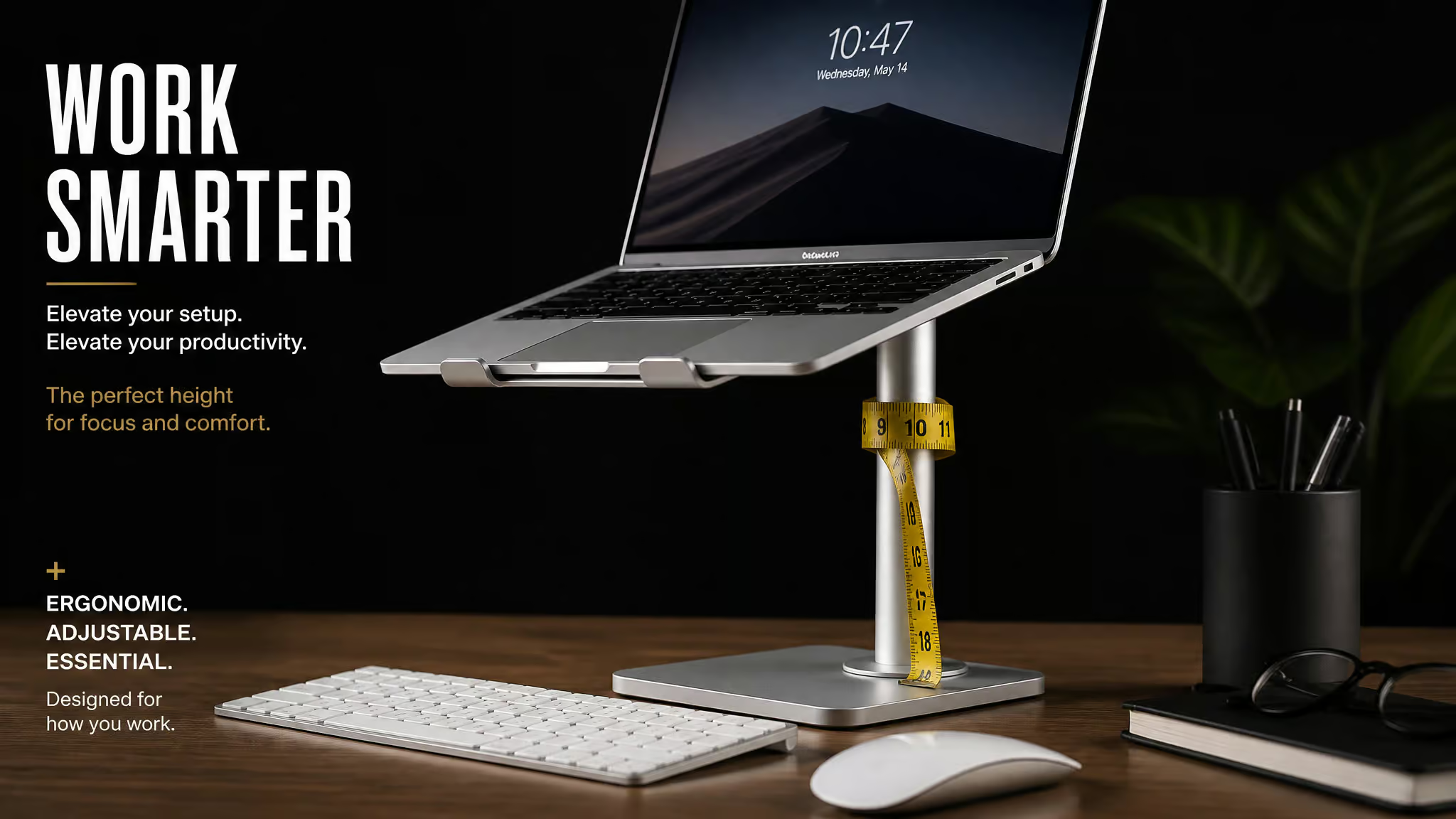
Somewhere on Amazon right now, a laptop stand is advertising 20 inches of height and delivering 17. That’s not my estimate; that’s Wirecutter’s tape measure on the Lifelong Upryze, a stand that made it to top-pick status despite losing three inches somewhere between the marketing copy and the physical world. I went through the testing notes from Consumer Reports, Wirecutter, WIRED, and Pack Hacker so your neck doesn’t have to. The receipts matter more than I expected.
Here’s the situation most of us are actually in: the laptop was supposed to be a screen-and-keyboard combo you’d occasionally take to a coffee shop, and now it’s your full-time desk machine, sitting flat on a desk like it’s fine. It’s not fine. Per the ergonomics people at Consumer Reports and Wirecutter, looking at a flat laptop bends your neck 45 to 60 degrees, which is roughly the angle of someone staring at their shoes. A laptop stand fixes that.
But it’s only half a desktop, and some of the marketing specs don’t survive measurement. So let’s audit.
Key Takeaways
Consumer Reports’ top budget pick is the Insignia Ergonomic Laptop Stand at $32, which raises a laptop about 8 inches with zero assembly; the priciest stand in CR’s under-$50 test, the $45 PWR+, was the worst performer. And it wasn’t a fluke win. CR tested five stands, all under $50, with a 13-inch MacBook Air, buying them from Amazon and Best Buy like anyone else would.
Wirecutter’s long-standing top desk pick was the Rain Design iLevel 2 (6.5-8.5 inch range), but as of its April 2026 update the top pick is the Native Union Laptop Stand, a 3-ounce foldable with a 2-inch lift. Any “best” claim without a date is marketing.
Typical needed elevation is 6 to 8 inches, and you can find your number for free: stack books until the screen top sits 1 to 2 inches above eye level, measure, then buy to that height.
Table of Contents
Do you actually need a laptop stand?
Yes, if you use a laptop more than about an hour a day: a laptop stand raises the screen to eye level so your neck stops bending 45 to 60 degrees, but it only works with an external keyboard and mouse, because raising the laptop raises the keyboard too. Skip the peripherals and you’ve just traded neck strain for wrist strain. That’s the gotcha nobody puts on the product page.
How high should it actually go?
The rule of thumb from the CR ergonomics crowd: the screen top lands at eye level or a touch beneath it, keyboard at or below elbow height with arms near 90 degrees, screen 20 to 30 inches from your face, feet flat, knees at 90 degrees. If your desk faces a window, angle the screen perpendicular to the glass to kill glare. Wirecutter’s variant puts the screen top just above eye level instead of just below, which tells you the labs quibble by an inch or two; the consensus zone is the point.
For most people that works out to 6 to 8 inches of elevation. Hold onto that number, because every pick below gets measured against it.
Field note: Wear progressive lenses? The screen drops slightly below eye level — your glasses change the geometry, not the advice.
One wrinkle I genuinely enjoy: if you wear progressive lenses, the screen goes slightly below eye level. Glasses change the math.
The peripherals math
Here’s what a real setup costs: roughly $30 for a stand plus under $20 for a basic keyboard-and-mouse combo. That’s an approximation of an all-in-one desktop for about $50. Lisa Chow, a communications specialist at Consumer Reports, got a stand once pandemic WFH went from temporary to permanent, without it, she says, she’d be hunched over for long stretches. Nearly a dozen of her CR coworkers volunteered stand endorsements in Slack, unprompted. When the group chat reaches consensus without being asked, that’s data.
What to do instead (the free tier)
The best hack in this whole article costs nothing: stack books until the top of your screen sits 1 to 2 inches above eye level, then measure the stack. That number is the height you should buy to, and doing this first prevents the most common failure pattern I see in the reviews, which is people skipping the measurement, buying a fixed 6-inch riser, then stacking books under it. You end up solving the problem twice, once with money.
Wide, flat books, textbooks, cookbooks, coffee-table books, work about as well as a fixed stand, with one honest gap: no airflow underneath. A stand lifts the laptop and lets air circulate beneath it, which is a real cooling benefit. Books sit flush.
And if the desk is permanent, the honest answer is monitor-first. A decent 24-inch monitor runs $150 or less and gets you a bigger screen plus a bigger height range than any stand. Where a stand still shines is the dual setup: laptop at correct height as the second screen next to the monitor.
What to look for in a laptop stand, by spec, not marketing
Buy by measured height range, typing-force stability, weight capacity, and adjustability precision, and distrust the listed specs, because they routinely fail a tape-measure check. This is exactly the kind of audit we run around here, and the results are consistently entertaining.
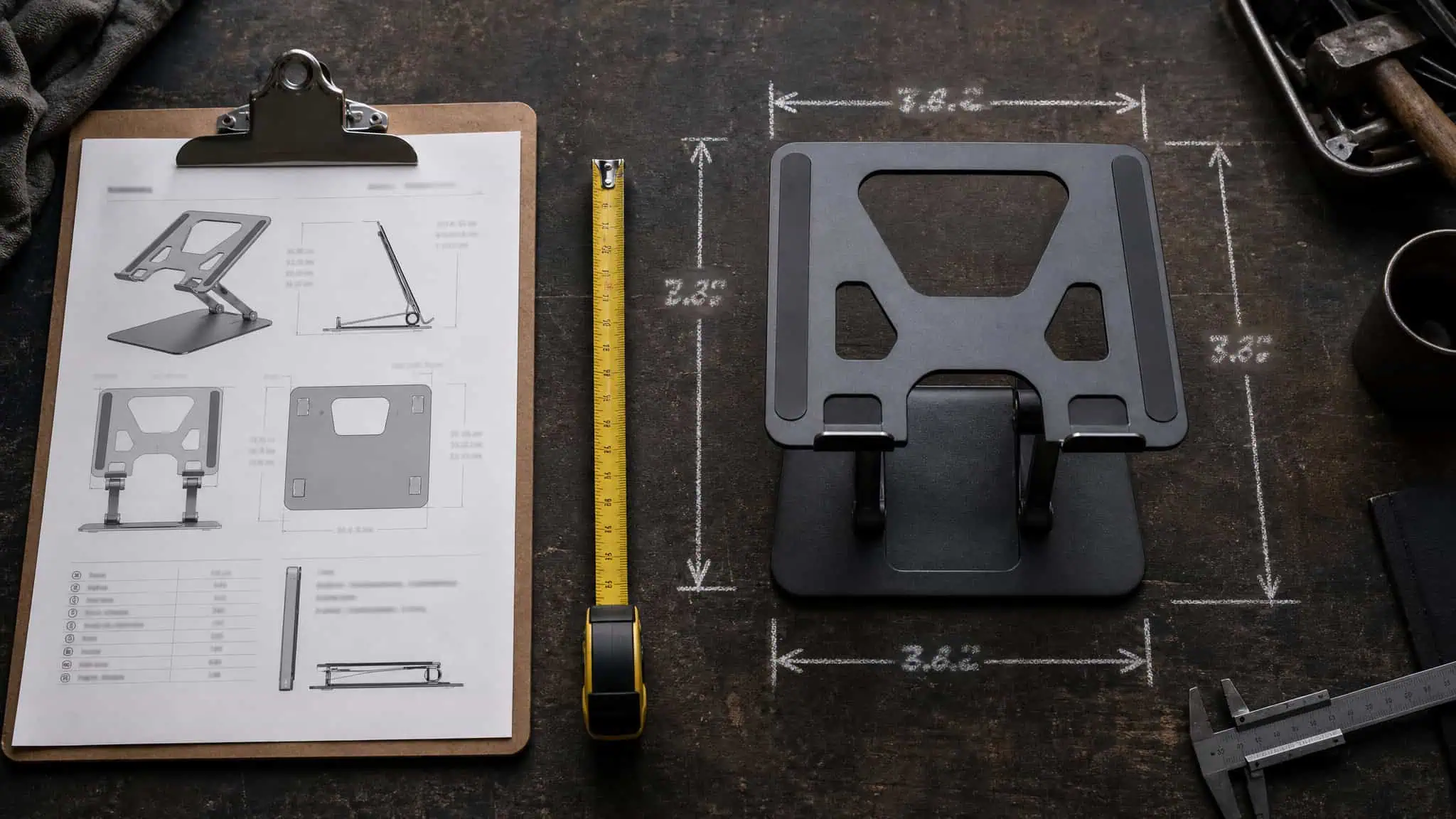
Claimed vs measured: the scandal section
Three documented cases, each from one tester’s hands-on measurement, not proof of industry-wide false advertising:
- The Upryze claims 20 inches. Wirecutter measured 17.
- The Tonmom advertises eight height settings. WIRED found the eighth “setting” is a round cutout the latches physically don’t fit. Seven real settings, one decorative hole.
- The PWR+’s lowest setting is over 11 inches, which at a desk is ergonomically useless unless you’re very, very tall.
The lesson generalizes: a listed max height is a claim. A measured height is a fact. Ask which one you’re buying.
Buyer rule: Only trust a height number someone actually put a tape measure against — a listed max is marketing, a measured one is data.
Types, materials, and what you’re trading
Quick orientation map before the picks: adjustable desk stands (the main event), portable/foldable stands, cooling stands with USB fans or mesh, lap desks, vertical stands, and monitor risers. Each is for a different setup, and this article mostly lives in the first two.
Materials are a tradeoff table: aluminum conducts heat away and keeps weight down, steel buys stability, plastic is cheap and wobbles, wood looks great. Adjustable stands span 2 to 17 inches of elevation. Portables should ideally come in under a pound, and some hit under 6 ounces while holding up to 13 pounds of laptop, which is a genuinely absurd strength-to-weight ratio.
Wirecutter’s remaining criteria are worth stealing: no wobble while typing, awareness that most stands can’t fit 17-inch laptops, appearance (you stare at this thing all day), cable management, and for portables, no finger-pinch during fold-out. That last one sounds trivial until you’ve pinched yourself in a cafe. And fine adjustment beats close enough, especially on sit-stand desks and shared desks where the “right” height changes by user.
Cooling and bonus features
Elevation alone enables under-laptop airflow. That’s per Antonette Asedillo, who runs CR’s laptop testing: lift the laptop, air circulates underneath, heat dissipates. The passive fix works. The bolt-on USB fans add basically nothing, unless you’re running a hot gaming laptop, which is the one honest exception.
As for swing-out phone stands and similar bonus features: nobody uses them. Spec sheets love them because they’re free to list. The Kentevin below has one, and I’d bet money it has deployed a phone zero times in its life.
Quick fixes worth knowing before they’re needed: center the laptop on the platform, respect the weight capacity, take the laptop off before adjusting the stand, and silicone lube fixes stiff hinges. Side perks that come free: the webcam ends up at eye level for calls (yes, including for the working hard staged shots), and you get storage underneath.
The travel-testers’ rubric: stability vs viewing angle vs packability
Before the picks start, meet Pack Hacker, the crew that actually lives out of a backpack, working from Pattaya beaches and, at least once, a Walmart parking lot. Field credibility: established. Their three criteria are the cleanest test protocol in this space:
- Stability: the shake test. Laptop aboard, move the table. Gloriously simple, and it catches wobble no spec sheet mentions.
- Viewing angle: including how easy the adjustment is. Can you fix the height one-handed at a coffee shop?
- Packability: does it fit a sling, and what does it weigh?
Their conclusion is the thesis for everything below: no stand wins all three. So you pick your sacrifice first, then shop.
Best laptop stands under $50, tested side by side
Consumer Reports’ top budget pick is the Insignia at $32, and the whole field is worth walking through, because where each one fails teaches you more than where it wins. CR bought five stands under $50 at retail, at Amazon and Best Buy, and tested them all with a 13-inch MacBook Air. There are dozens of near-identical lookalikes, so the style-level lessons transfer even where the exact unit doesn’t.
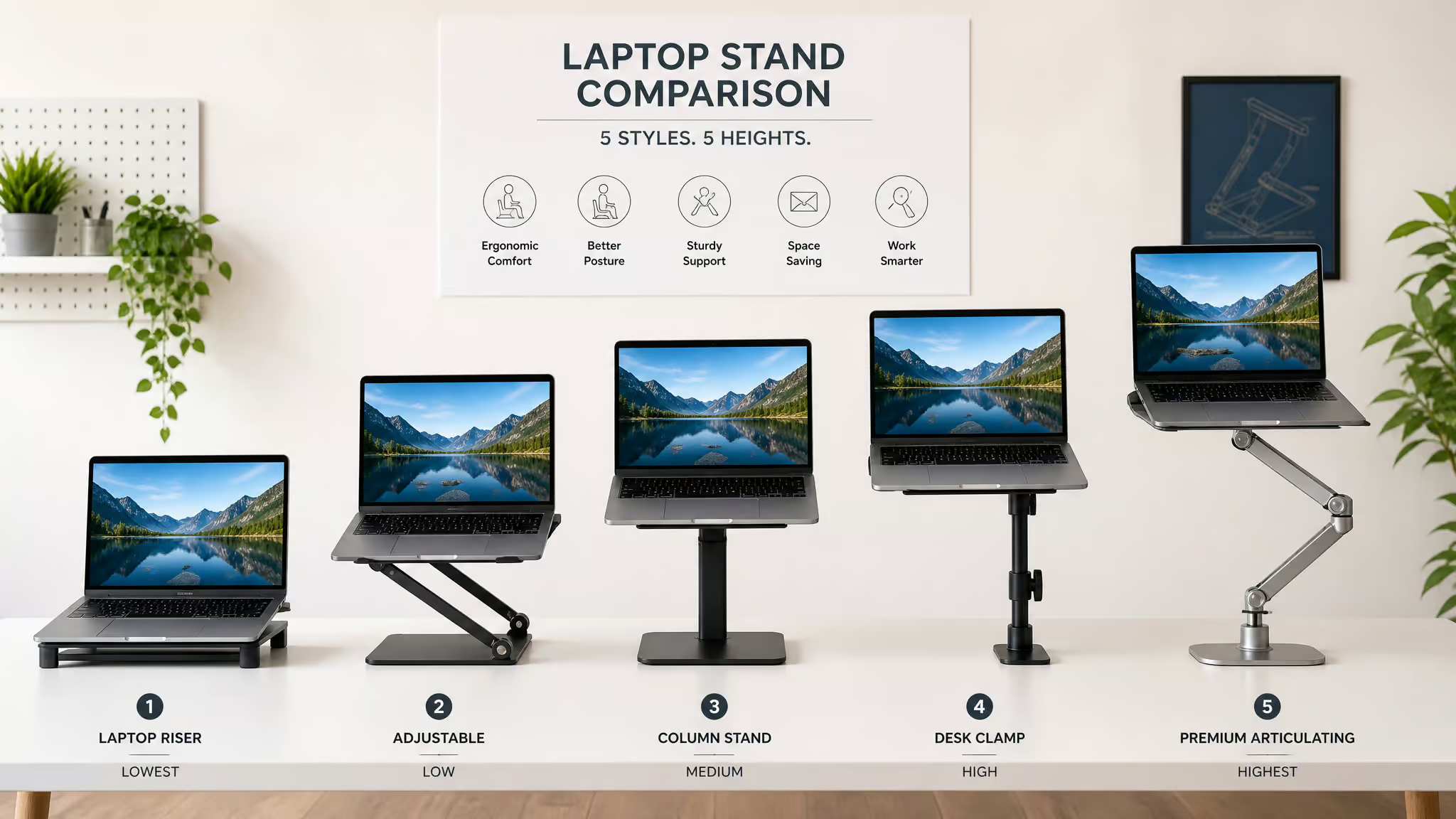
Insignia Ergonomic Laptop Stand: $32
Best Buy’s house brand quietly wins. Lightweight aluminum, zero assembly, no tools, and twin arms you press or pull to adjust. There are no locks, yet it feels sturdy, which is honestly kind of elegant. It raises up to about 8 inches, right in the middle of the 6 to 8 inch zone most people need. One limitation, one clause: silver only.
Besign LSX5: $20
The cheapest of the adjustable desk picks. It ships assembled, and the only quirk is needing the included Allen wrench to loosen the joints in the lone arm before you can adjust it. Once set, you get 8 inches of height plus tilt, more degrees of freedom than most at this price, and it’s solid once configured. Comes in black, gray, and silver.
Soundance: $25
The one-trick pick: snap two arms into the base and you’re done, with a fixed height around 6 inches and no tilt. If your book-stack test lands at 6 inches, this one works. It comes in 10 colors. The catch worth knowing: Wirecutter’s sample wouldn’t assemble at all, with parts that didn’t fit and rough metal edges. That’s the lookalike lottery in action: same listing, different luck.
Kentevin: $15
This is basically a plastic doorstop. Wedge shape, rubber pad, no assembly, and eight ridged grooves that set the slope. The honest catch: it only lifts 5.5 to 7 inches, which limits how much ergonomic good it can do. It also has a flip-out phone stand, which, as established, nobody uses.
PWR+: $45
Priciest of the batch and the worst fit. Accordion legs, a TV-dinner-tray silhouette, wobble and rattle in use, and on the couch it forces you into a hunch. Its lowest setting is over 11 inches, which CR’s reviewer figured only works for someone who plays center in the NBA. It’s also over 16 inches wide, so it eats an extra-large desk. More money is not more better.
The main desk picks: Rain Design’s dynasty and the top pick that changed
As of Wirecutter’s April 2026 update, the top pick is the Native Union Laptop Stand. Before that, the Rain Design iLevel 2 held the crown for years, and CR’s sub-$50 answer remains the Insignia. The meta-skill here matters more than any single pick: any “best laptop stand” claim without a date is marketing.
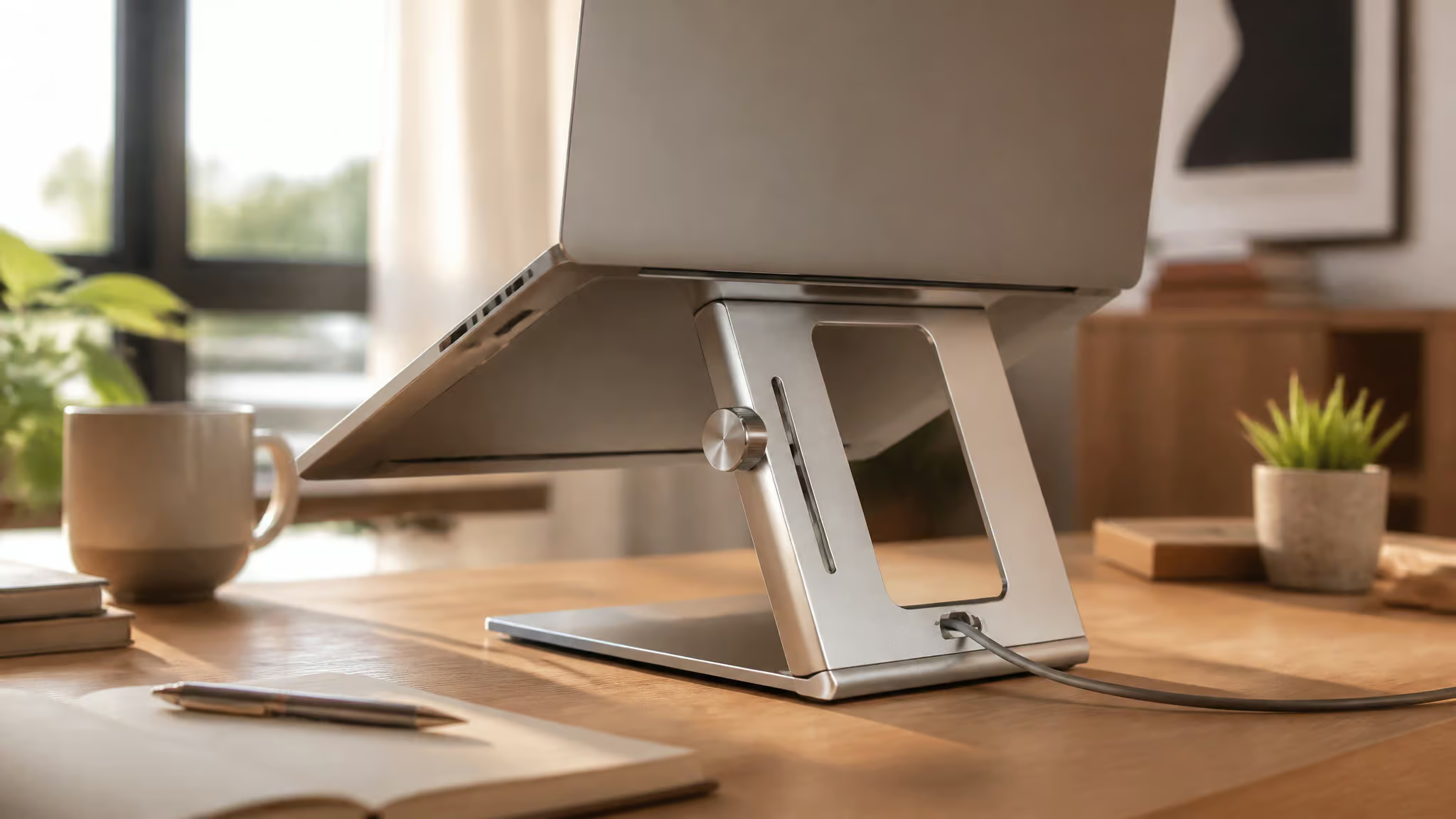
Rain Design iLevel 2: the long-reigning pick
Wirecutter landed on the iLevel 2 after considering 41 stands and testing 20 of them over three years. The test machines ran 3 to 7 pounds, from an 11-inch Chromebook to a 7-pound 15-inch gaming laptop, plus long-term soak time in a coworking space and home offices. They consulted Alan Hedge at Cornell and ergonomist Lisa Zakhari along the way. Melanie Pinola wrote the original guide and covered home-office gear from 2011 to 2024; Kaitlyn Wells co-authored. That’s a real testing record, and it shows, the same hype-free, specs-first spirit we bring to our guide to laptop snaps.
The stand itself: anodized aluminum, with a knob-slide adjustment that was the easiest of everything they tested. Height range is 6.5 to 8.5 inches, which covers the typical needed elevation. No wobble across the entire test fleet, a strong front hinge that resists tipping, and an open back that hides cables and conducts heat away.
Pack Hacker’s counterpoint, from the same product: well-built with a micro-adjust slider, but less height than you’d expect and bulky for travel. Price context: the stands Wirecutter researched averaged around $30, and the iLevel 2 costs more. For all-day daily use, that premium is justified.
Native Union and the April 2026 handoff
The Native Union Laptop Stand is the current top pick, and its spec is a flex in the opposite direction: 3 ounces, 8 x 6 x 0.1 inches, a 2-inch lift when folded. Wirecutter’s same April 2026 update named the Opipura best portable. The iLevel 2-to-Native-Union shift is the lesson: guides change, and the guide date tells you which world you’re shopping in.
Rain Design mStand: the fixed-height exception
The mStand is the only non-adjustable stand Wirecutter recommends, at a fixed lift of 5.9 to about 6 inches, and it earns the exception because nothing under $40 they tested was more stable. One-piece aluminum is noticeably less wobbly than the bolt-together cheap stands. There’s a cable hole in back, a nook up front for your keyboard or phone, six finishes, and it holds heavy laptops fine.
The durability beat is my favorite data point in this whole rabbit hole: YouTube commenters report 8 to 9 years of daily use with only the TPU feet yellowing. Comment sections are data, sometimes.
Also in the inventory
Quick hits: the HumanCentric, the Ergotron Neo-Flex (comparable to the iLevel 2 but bulky), and the Nulaxy C3 at $14 to $20 with a 6-inch lift, plus a C1 variant spanning 2.4 to 10.6 inches.
Tall and sit-stand laptop stands: where measured height decides
For a sit-stand setup, Wirecutter’s pick is the Lifelong Upryze: 17 measured inches of lift, the sturdiest tall stand they tested. This is the category where the claimed-vs-measured gap stops being funny and becomes the whole buying decision.
The Upryze, load-tested
The head-to-head that decides it: the Upryze held a 7-pound 15-inch gaming laptop steady while the obVus Solutions Laptop Tower Stand, which maxes at 21 inches on paper, sank under the same load. Measured reality, 1, marketing specs, 0.
The caveats, stated calmly: stiff hinges make adjusting it a workout, though that stiffness is the price of a stand that holds weight at height. And at tall settings it can topple backward if bumped or typed on hard. It folds to roughly 12 x 12 x 3 inches and weighs 4.6 pounds, so you can judge the “portable” claim yourself. For comparison, the PWR+ also extends to 17 inches, but wrapped in USB-fan gimmickry.
Height ceilings: the spec that actually matters here
The Roost was comfortable for 6’2″ testers; the Logitech Casa was too low for a 6’1″ one. For sit-stand desks and tall users, max measured height is the deciding spec. Everything else is decoration.
Best portable laptop stands for travel and commuting
Pick your sacrifice first: the ~$10 Tonmom if packability and price matter most to you, the Roost V3 if you weight stability, adhesive options if you weight zero bulk. Here’s the field, applied against the rubric.

Tonmom: ~$10, and the disagreement is the story
Ten bucks. Wirecutter’s portable pick: 0.6 pounds, folds to about 10.5 x 2 x 0.75 inches, which is to say the size of a thick metal ruler, with a 4 to 7 inch range over its seven settings, and you’ll want to verify it’s actually locked. Silicone at every contact point, easy setup and collapse, sturdy enough for laptops up to 15 inches. For commuting it wins outright over the 4.6-pound Upryze and the 3-pound Branch on weight.
WIRED’s verdict on the same product: avoid. Wobbly, free-floating parts, and the reviewer never felt the laptop was safe. Both things are true; this is a price-vs-stability weighting choice, not a contradiction. Bonus reason for caution: the brand has no known website. And remember that eighth “setting” that’s actually an unfittable hole.
Red flag: Two testers reached opposite verdicts on the same $10 stand — when price and stability conflict, decide which one you’re sacrificing before checkout.
Roost V3: Pack Hacker’s Best Value
These people have used Roost stands for almost a decade, which is its own spec. The V3 passes the shake test, offers seven labeled self-locking height levels up to 14 inches, and scissor-folds down to a slim stick with a pouch. This audience loves a good fold-down, and this is a good fold-down. Caveats: the rear legs lack silicone feet and can slide on slick tables, 6’2″ testers were comfortable but taller folks less so, and it costs roughly 10 times the Tonmom. You’re paying for the fold and the years.
MOFT: the one that attaches to your laptop
Okay, so this one sticks to your laptop. Residue-free adhesive, folds out origami-style, leather-look finish. And here’s the delightful part: it passed the shake test. Weirdly stable.
The limits are structural: it lifts the rear only 2 to 3 inches with no height adjustment, so this is a tilt nudge, nowhere near eye-level territory. Long-term adhesive aging is an open question; we don’t know yet. Sibling aside: the MOFT Z is a 2-pound variant with a 10-inch standing-box mode and three sitting angles, for people who found the original insufficiently strange.
Nillkin Bolster Plus: legs that live on your laptop
The concept first: leg modules stick to the underside of your laptop, with two feet per module and long legs offering two positions. Once they’re on, it’s very stable, and the legs snap in securely. The catches: you have to dodge vents and speaker holes when placing the feet, so read your laptop’s underside first, and viewing angles are limited.
RIWUCT: the Pixar lamp
Hinge-based platform that looks exactly like the Pixar lamp, and the comparison earns its place because it explains the entire form factor in one image. It’s very stable, silicone on the base and surface, and the Pack Hacker tester called teammates over to watch how little the laptop moved in the shake test. That’s a demo moment. No locks, so the hinges may loosen over time; it’s bulky and heavy, and the folded prongs jut out, though it fits most daypacks.
ElfAnt and mBar Pro+: the extremes of the spectrum
The ElfAnt deploys like a mini scissor lift, pegs and multiple legs, machinery energy, and it’s very adjustable in height and angle. But it’s noisy: metal-on-metal jangling, which both WIRED and Wirecutter flagged independently. Cross-source agreement makes the quirk stick. You also can’t adjust it with the laptop aboard.
The Rain Design mBar Pro+ is the opposite bet: $58 per WIRED, a slim aluminum bar with a 5.5-inch lift that folds to 9.5 x 6 inches. Say it plainly: this one isn’t fixing your neck. Its actual trick is airflow, thanks to minimal contact with the laptop. Slightly wobbly but not unsafe, with rubber pads, and sharp edges that can scratch bagmates.
Also considered
The Nexstand, the iVoler, and the Moft Carry Sleeve round out the list without changing the verdict structure.
Stands to avoid: the lookalike QC checklist
Start with the cautionary tale: WIRED’s Gogoonike Laptop Stand arrived with nicks, faded paint, and a base that wouldn’t sit flat, for a stand whose entire job is sitting flat. Nobody’s saying the brand always ships duds; this is one documented unit. But one documented unit is enough to build a pre-checkout screen, because the failure modes repeat across the tested sources:
- Finish damage out of the box: nicks, faded paint, cheap pads (Gogoonike).
- Non-flat bases that rock (Gogoonike again).
- Parts that don’t fit and rough metal edges (Wirecutter’s Soundance sample).
- Settings that don’t actually fit the latches (the Tonmom’s phantom eighth notch).
- Noisy, jangly hardware (the ElfAnt).
The dozens-of-clones ecosystem means the same silhouette can be brilliant or garbage depending on which shipment you get. It’s chaos, but it’s checkable chaos.
Stability for photography and gear-critical setups
Here’s how I’d shortlist for a tethered or tripod-adjacent setup, working only from the documented tests, because my job here is the audit, not the bench. First filter: survived the shake test under load. That keeps the RIWUCT, whose silicone surfaces and sheer mass eat bumps, and the Roost V3, whose labeled self-locking levels don’t creep. It drops the Tonmom and the PWR+, both documented wobbler-and-rattlers. The travel-focused testers behind these tests ran the shake with the laptop aboard on a moved table, and their honest conclusion was that no single stand excels at stability, viewing angle, and packability all at once, which is exactly why the shortlist starts with stability and accepts the trade.
Then placement discipline, which matters more than the stand: center the laptop, respect the weight capacity (the sub-1-lb portables holding up to 13 pounds is the ratio to keep in mind), and take the laptop off before adjusting anything. The Nillkin demands extra care here, since its feet must avoid vents and speaker holes. And if the desk faces a window, angle the screen perpendicular to the glass; glare is the cheapest problem to solve and the one everyone ignores.
Aesthetic, luxury, and niche picks, and when they’re justified
Buy premium for materials and specific use cases, not ergonomics. And for desk aesthetics, wood is the move: the Branch at $65, the Grovemade Walnut at $200, Oakywood, and the Coreminded Vertical at $35 in oak with USB-C cable storage. The tradeoff is real: wood gives up aluminum’s heat conduction in exchange for looking like furniture.
Logitech Casa Pop-Up Desk: $180 of transformer
WIRED scored it 9/10 and tested it in pink, which they described as very cutesy. The concept: a notebook-shaped case that unfolds into a stand, keyboard, mouse, and cable management. The tradeoffs are honest ones: great peripherals, plasticky stand and case, and a fixed stand height that was fine for the 5’6″ tester and too low for the 6’1″ one. That’s a fit question, not a flaw. It’s also heavier than buying the pieces separately.
Wood and material-forward
The Grovemade Walnut at $200 and their Desk Shelf at $180 are the beautiful-object tier, and I respect it while gently noting you’re paying desk-flex prices. The Branch is the sensible wood-adjacent pick at $65: MDF platform, up to 7 inches of angle adjustment, 3 pounds, which is worth knowing next to the Tonmom’s 0.6 if commuting is in the picture.
Specialty: whiteboards, laps, and folders
The FluidStance Lift at $79 is a magnetic steel whiteboard that is also a laptop riser. Wait, it’s a whiteboard? Yes. That’s the pitch and it rules.
For bed and couch use, the answer is a lap desk, specifically the Nnewvante Laptop Desk at $61, because CR’s PWR+ couch test showed the failure mode of trying to balance an accordion stand on a cushion: hunching and rattling. Also in the WIRED use-case picks: the Ringke Folding Stand 2 at $34, the Elago L4, and the Flexispot AlcoveRiser M7. One honest limitation: the tested sources contain no guidance on floor stands, so I won’t invent any.
Durability, dated verdicts, and what’s coming next
Everything in this guide so far is a snapshot, so this closing section is about the time axis: which stands have actually lasted, which verdicts have expired, and what the next generation of stands is promising. The short version is that durability evidence is thin but real, dated claims are everywhere, and the future is mostly unverified.
Linus Tech Tips, eight years ago
Around eight years back, Linus Tech Tips ran a video asking which laptop stand on the market was the best, covering the Crane Stand Elevate, the Roost, the Twelve South Curve/HiRise/ParcSlope, and Rain Design’s line, and concluded most MacBook Pro stands are poor products. It was also sponsored. Read it as historical context, not current guidance; the market has moved since.
What’s actually durable, per the long tail: the mStand’s 8 to 9 years of daily-use reports and Pack Hacker’s near-decade with Roost stands. Be clear-eyed about this: it’s anecdotal. Nothing systematic exists on hinge wear or adhesive aging. (The $999 Apple monitor stand joke gets its clause: community canon, and yes, it’s funny.)
Where stands are heading
Flagged as trend material, low confidence, not tested claims: smart integration like wireless charging and AI posture tracking, carbon fiber and recycled materials, modular designs, and thermoelectric cooling. Watch the space; don’t pre-order it.
The decision path, in order: measure first with the book stack until the screen top sits 1 to 2 inches above eye level. Buy the keyboard and mouse before the stand, or the stand is half a fix. If the desk is permanent, monitor-first, $150 or less for a decent 24-inch. For travel, pick your sacrifice before you pick your stand.
And date-stamp every “best” claim you read, including mine. By need: Insignia under $50, iLevel 2 or mStand at the desk, Roost V3 in the bag, Upryze to stand.
People Also Ask
What can I use instead of a laptop stand?
A stack of wide, flat books works about as well as a fixed stand: pile them until the top of your screen sits 1 to 2 inches above eye level, then measure the stack. The one gap is airflow, since books sit flush against the desk while a stand lifts the laptop and lets heat dissipate. If your desk is permanent, a 24-inch monitor at $150 or less is the better overall buy.
What is the best laptop stand to buy?
It depends on the job: Consumer Reports’ budget pick is the Insignia Ergonomic Laptop Stand at $32, Wirecutter’s desk pick as of its April 2026 update is the Native Union Laptop Stand, the Rain Design iLevel 2 and mStand remain strong fixed-desk choices, the Roost V3 is the travel pick, and the Lifelong Upryze is the sit-stand pick. Any “best” claim without a date is marketing.
Do laptop stands help with laptop cooling and overheating?
Elevation alone is the real cooling fix: lifting the laptop lets air circulate underneath so heat dissipates, per Consumer Reports’ laptop testing lead. The bolt-on USB fans most cooling stands advertise add basically nothing, with one honest exception — a hot gaming laptop. Books stacked under a laptop don’t count, since they block the airflow a stand provides.
Which laptop stand is best for travel and remote work?
Pick your sacrifice first, because no stand wins stability, viewing angle, and packability all at once. The ~$10 Tonmom wins on packability and price but drew a wobbly verdict from WIRED; the Roost V3 wins on stability with labeled self-locking levels up to 14 inches but costs roughly ten times as much. Adhesive options like the MOFT add zero bulk but only tilt the laptop 2 to 3 inches.
