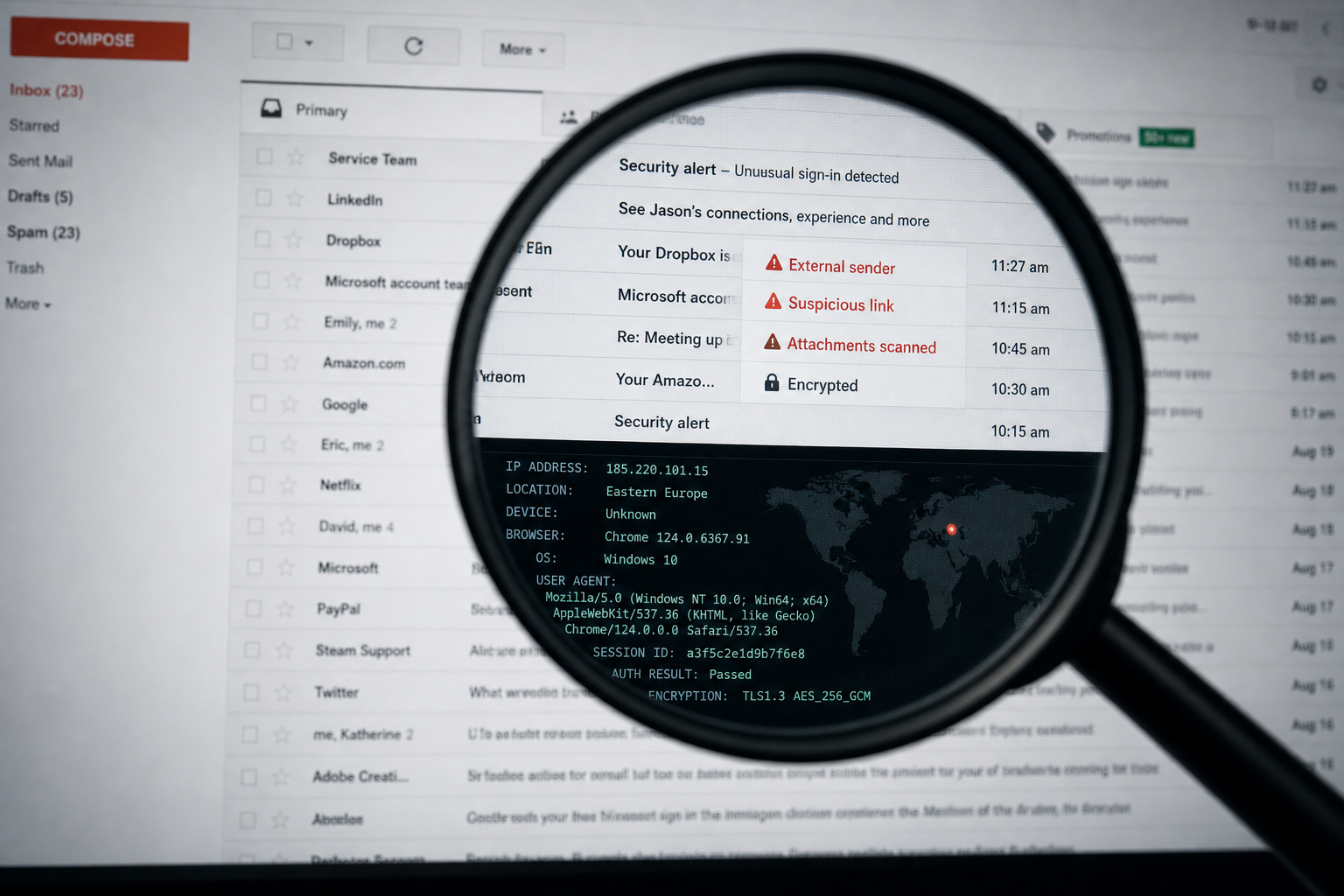
Fake emails are not always obvious anymore. The old scammer tells — broken English, weird formatting, and obvious typos — still exist, but they are not the whole game. Modern phishing emails can look polished, personal, and weirdly convincing.
That is what makes them dangerous. A fake email does not need to fool you forever. It only needs to fool you for thirty seconds while you click a link, open an attachment, or reply with information you should never send.
The good news is that fake emails almost always leave evidence. The sender address, the domain name, the links, the headers, the timing, the wording — each one gives you a clue. You do not need to be a cybersecurity expert to spot most scams. You just need to slow down and know what to check.
This guide walks through the practical signs of a fake email address, from quick visual checks anyone can do to deeper tools like WHOIS lookups, email headers, and verification services.
Key Takeaways
In 2023, approximately one in four individuals encountered a phishing attack — fake emails are everywhere, but they leave detectable traces.
A domain registered less than 90 days ago is a major red flag, especially when the sender claims to represent a decades-old company.
Email header analysis — checking the Received: from field, Return-Path, and Reply-To — reveals the true origin of a message, no matter what the display name says.
Table of Contents
Why This Matters
Turns out, about one in four individuals fell victim to a phishing attack in 2023. That’s not an isolated problem — it’s widespread. The Anti-Phishing Working Group tracks these numbers, and they keep climbing. Scammers launch thousands of attacks daily, and too many succeed.
The good news? Fake email addresses leave traces. Every scam email has tells — some obvious, some subtle, but all discoverable if you know where to look. According to CleanTalk’s data, about 30% of email addresses used to spam websites are fake. That’s a lot of noise in the system.
From quick visual checks that take two seconds to technical forensics that reveal an email’s true origin, this guide walks through the full toolkit. Let’s dig in.
Inspect the Sender’s Email Address
Before you trust an email, start by examining the sender’s address closely. This simple step can reveal many scams right away. A fake email address is one created by a scammer; a spoofed address is a legitimate address that has been impersonated. Both are dangerous, but the detection methods differ slightly.
Hover Over the Display Name (The Single Most Useful Check)
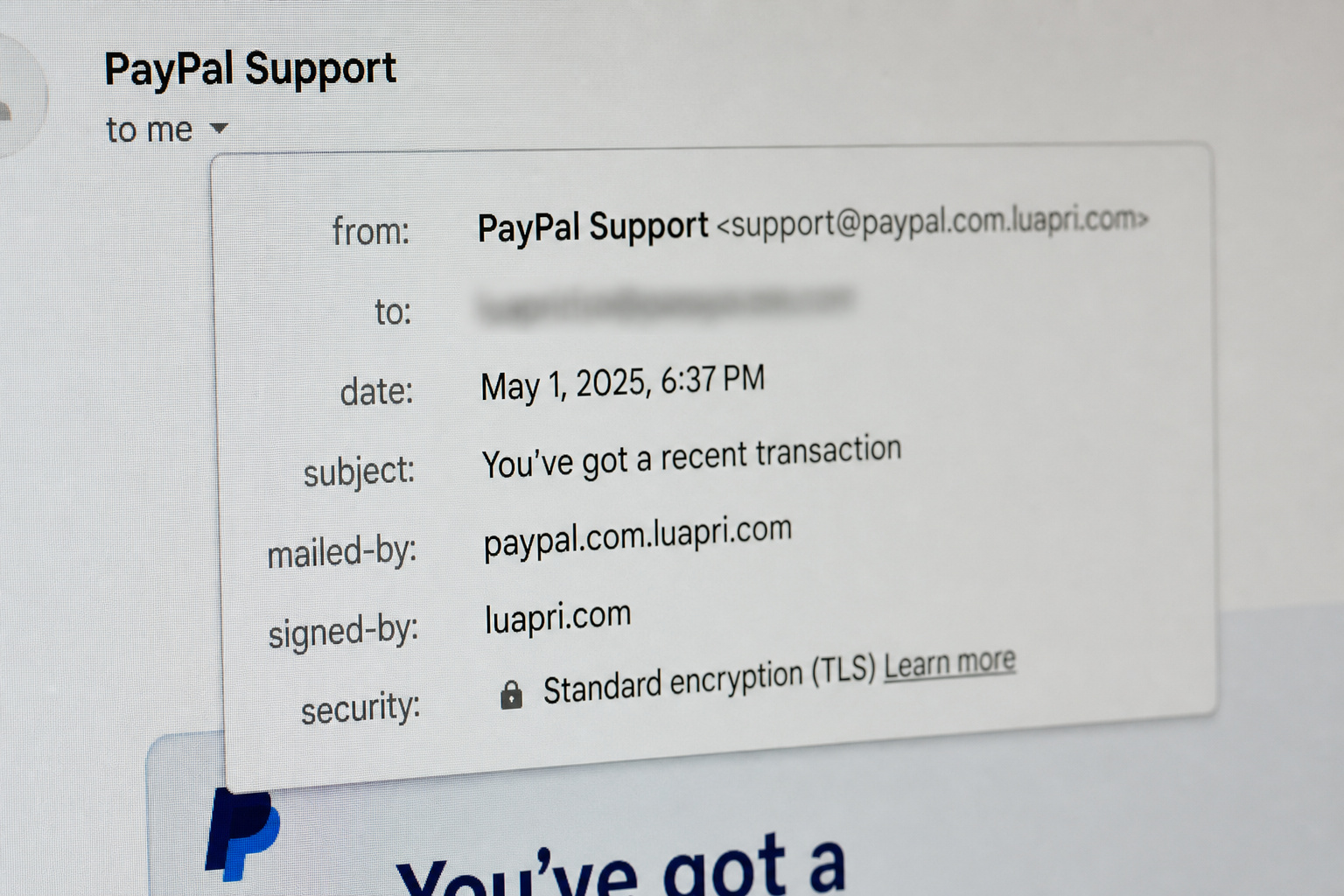
Before you even open an email, hover over the sender’s display name. The real email address will pop up. Scammers can spoof the display name to show “PayPal Support” while the actual address is something entirely different. Don’t trust the name alone.
Character Substitutions and Transposition Tricks
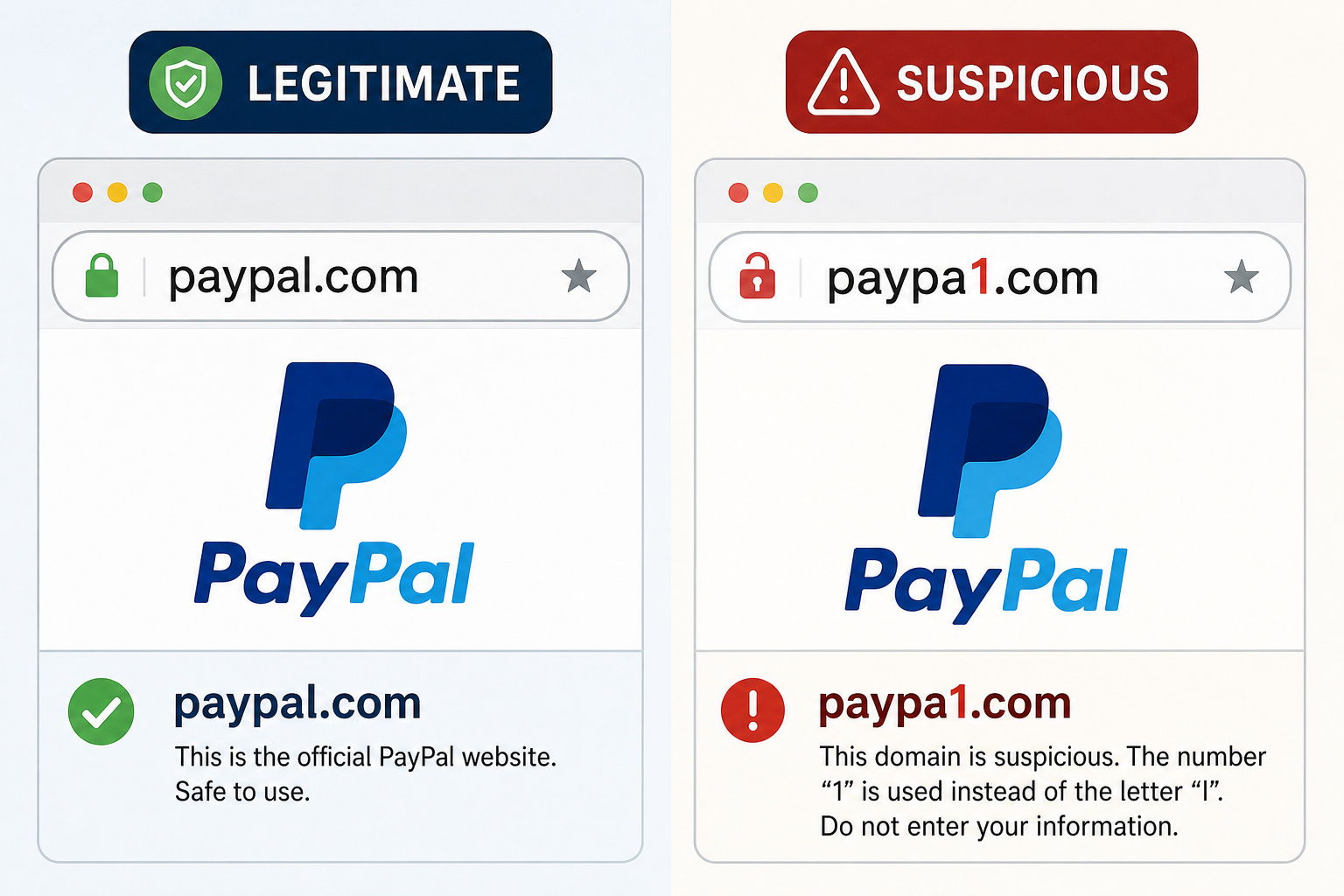
The classic ‘one weird trick’ of scammers: swap out a character, and suddenly support@paypal.com becomes support@paypa1.com. Swapping the number “1” for the letter “l” is a classic trick.
Same with amaz0n.com — zero for “o”, or g00gle.com. The “rn” trick for “m” is a bit more clever: walrnart.com looks a lot like walmart.com at a glance. Sneaky.
Other variations to watch for:
– .co substituted for .com (e.g., company.co instead of company.com)
– Domains that include a legitimate brand name, like support@microsoftsupport.com — it contains “microsoft” but it’s not the real Microsoft
– TLD misspellings like gmail.con instead of gmail.com
Real brand domains are clean and consistent — google.com, amazon.com. No weird TLDs, no extra characters.
Unusual TLDs (.xyz, .top, and Friends)
The top-level domain can be a dead giveaway. Legitimate companies stick to familiar TLDs — .com, .org, .net, country-specific ones. If you see an email from your bank using a .xyz or .top domain, that’s a red flag. Real financial institutions don’t operate on bargain-bin domains.
Misleading Subdomains
Subdomains can trick you. An email from update@subdomain.amazon.com might look official, but the real domain is subdomain.amazon.com, not amazon.com. The scammer can register subdomain.company.com and make it look like a corporate email. Always check the domain after the @ symbol — that’s the part that matters.
Watch for Generic Greetings
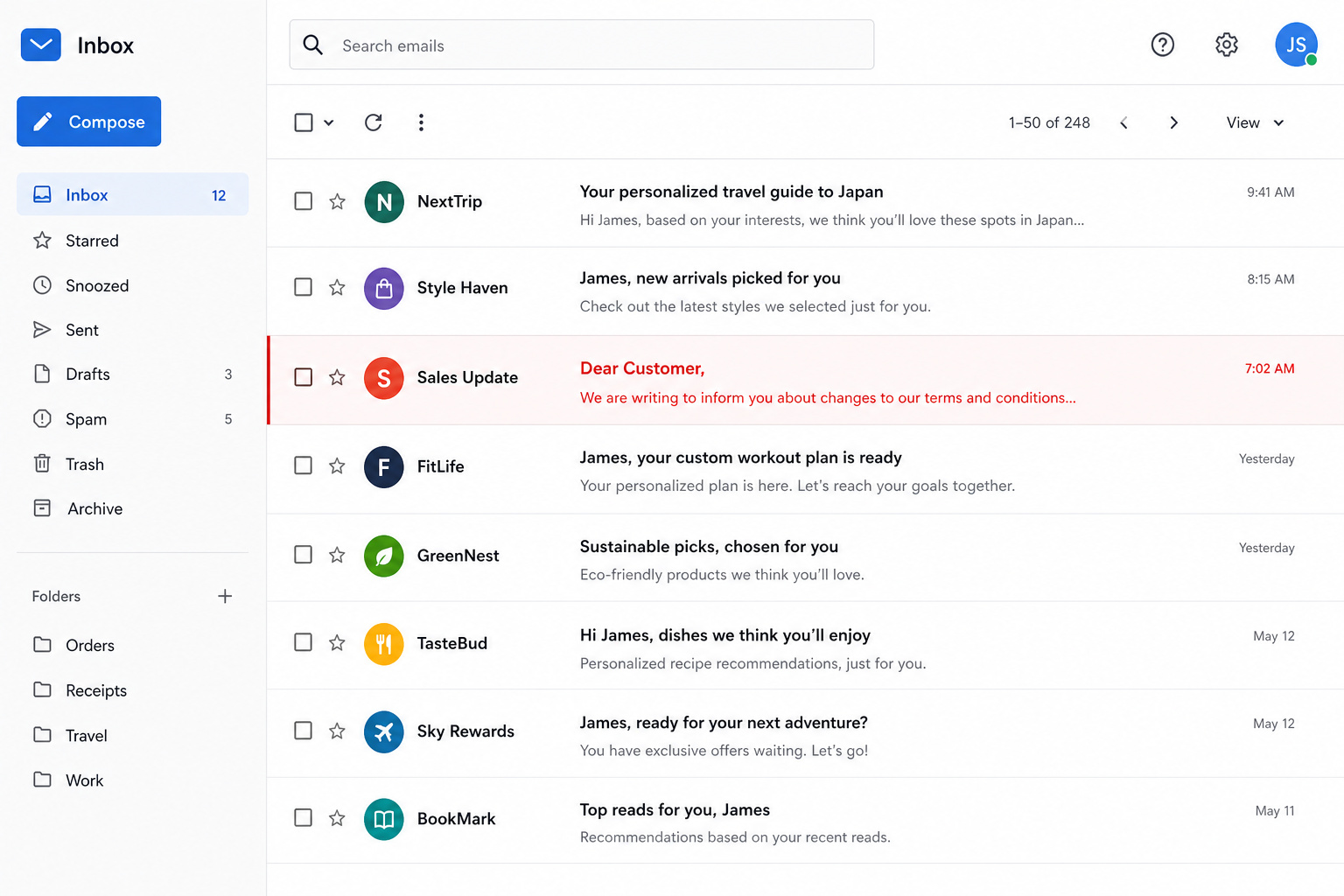
Does the email address you by name? If it starts with “Dear Customer” or “Dear User,” that’s a mass-mailed scam signal. Legitimate companies know your name. Real businesses personalize their emails — if they don’t know your name, they probably aren’t emailing you.
Misspellings and Grammar (and the Absence of Them)
Typos and bad grammar are classic phishing indicators. Scammers often write in multiple languages, so their English might be off. But here’s the contrarian twist: modern phishers are getting better at writing. A well-written email doesn’t automatically mean it’s legit. The absence of errors can make you more vulnerable if you assume it means safe.
If a coworker suddenly uses overly formal language or strange phrasing, that’s a red flag — it’s not them being nice. It’s likely a compromised account or an impersonator.
Urgent or Threatening Language
Urgency is a phisher’s best friend. Subject lines like “Your Account Is Locked!” or “Immediate Action Required” are designed to make you react without thinking. A common BEC tactic involves a message claiming the sender is in a meeting and needs a gift card sent immediately. Uses urgency and authority to bypass your brain.
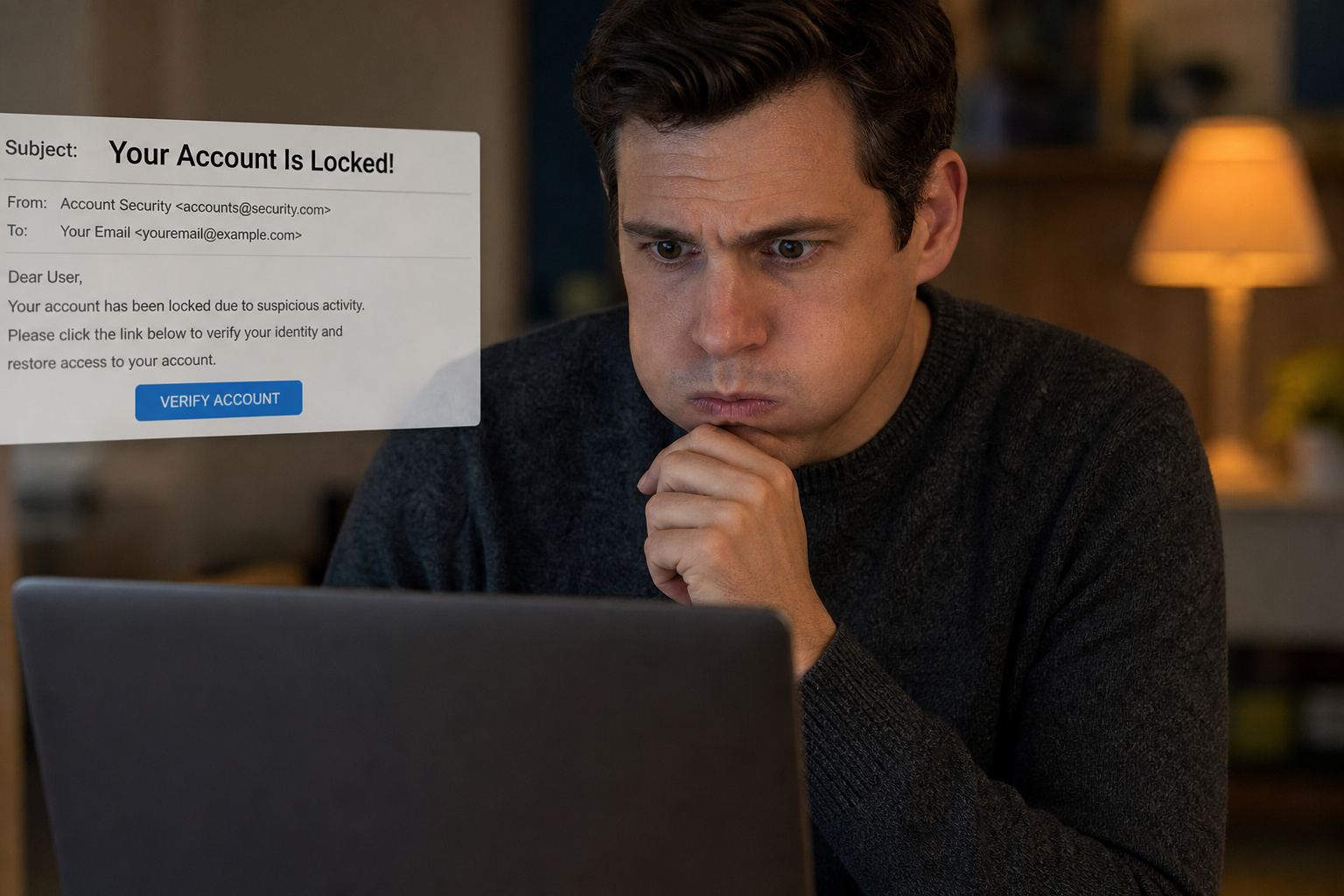
Phishing emails often threaten dire consequences if you don’t act immediately. Your account was hacked, provide your info immediately. “Claim this exclusive offer before it expires.” If an email makes you feel panicked, take a breath before acting. That panic is by design.
Requests for Personal Information
Legitimate businesses don’t ask for passwords or credit card info via email. Period. Real companies will never email you asking for your password, SSN, or bank details — they already have that info. No legitimate organization emails you a link to “update your payment information.” That’s a phishing classic.
Email isn’t a secure way to send sensitive data. Legitimate organizations know this and won’t ask for it that way. If an email asks for personal information, it’s a scam. Full stop.
Hover Over Links to Check Destinations
Hover over any link in the email to see where it goes. The displayed text can say anything; the URL is the truth. A link that says “amazon.com” but points to amaz0n-login.net? Run. On mobile, long-press the link to preview the destination URL. Same trick, mobile-friendly.
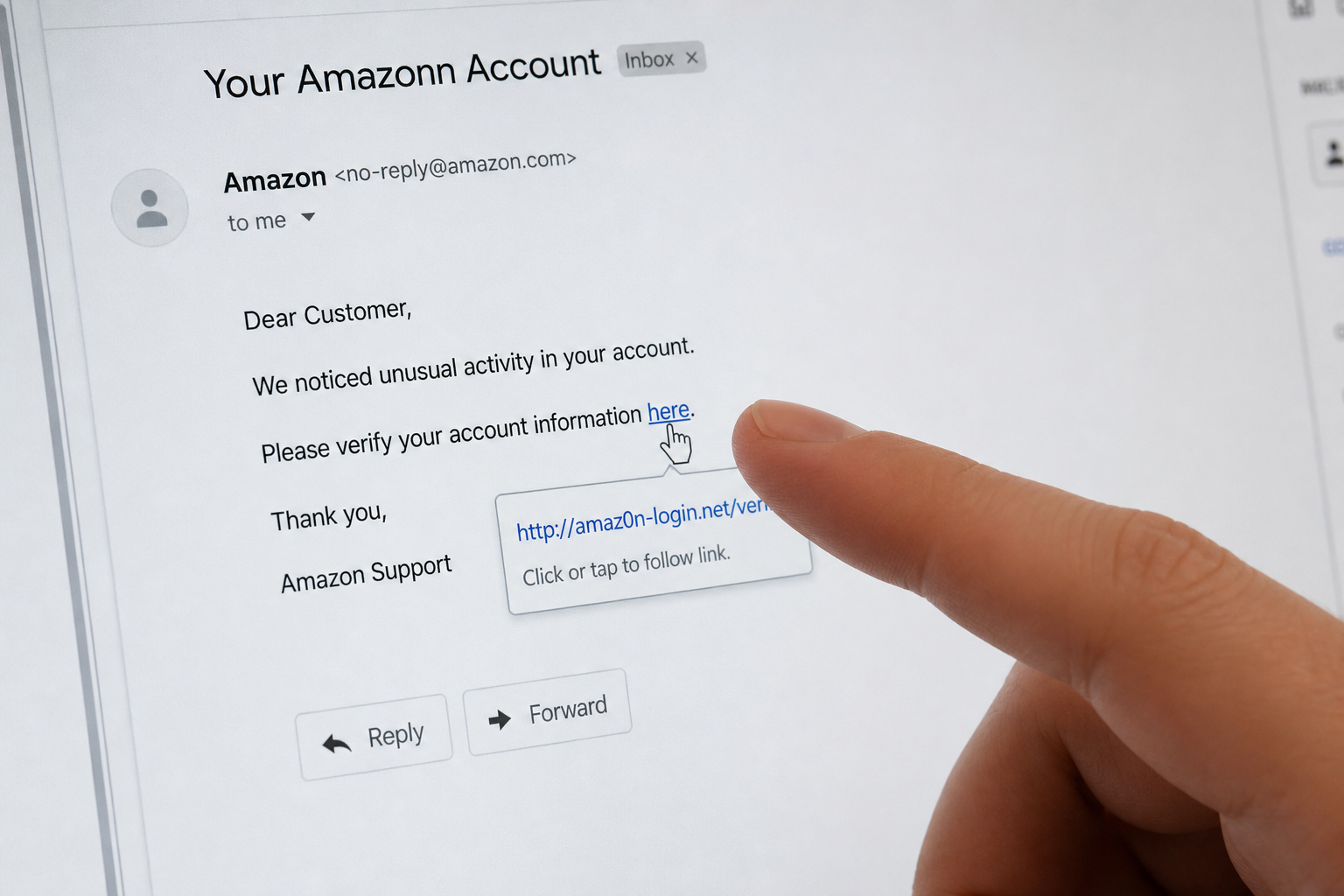
This two-second check stops most phishing attempts cold. It’s that simple.
Analyze Email Headers
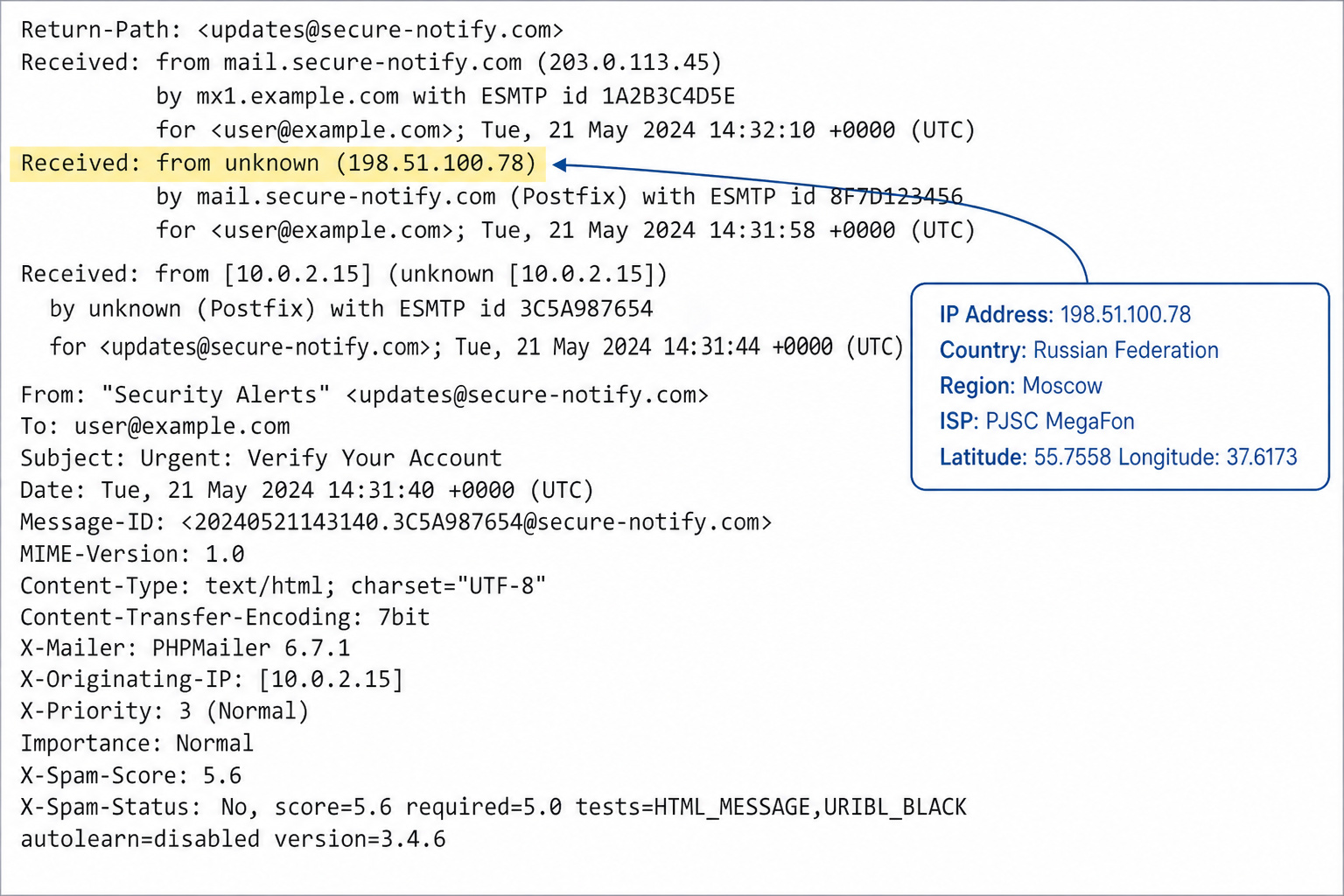
Alright, now we’re getting into the good stuff. Email headers are the behind-the-scenes data that tells you where an email came from. It’s the server log — the email’s true origin, path, and authentication checks. So, how can I verify if an email is legit? For the technically curious, this is gold.
Accessing Headers in Gmail and Outlook
In Gmail, click the three dots and choose “Show Original.” Boom — the raw header data appears. In Outlook, it’s File > Properties > Internet Headers. A bit buried, but worth knowing.
Key Fields to Examine
The “Received: from” field shows every server the email passed through. You can trace its journey. If an email claims to be from a US-based company but the header shows it originated from a server in Nigeria, that’s suspicious.
Check Return-Path and Reply-To for mismatches. If the return path doesn’t match the claimed sender domain, something’s off. Tools like ARIN and WHOIS let you look up who owns an IP address. Here’s a real IP from a phishing attempt: 195.95.147.58. Look it up in ARIN or WHOIS and see where it traces to.
Timestamp Discrepancies
Headers contain timestamps. A client who usually emails 8-5 sending one at midnight is a timing red flag. Cross-reference with the sender’s timezone. Inconsistencies are suspicious and worth investigating.
Use WHOIS to Check Domain Age
Here’s a trick most people don’t know about. If you want to see what public clues can reveal, you can Free check email address owner using WHOIS and ICANN data to see when a domain was registered, by whom, and whether it’s legitimate. A domain registered less than 90 days ago is a red flag, especially if the email claims to be from a decades-old company.
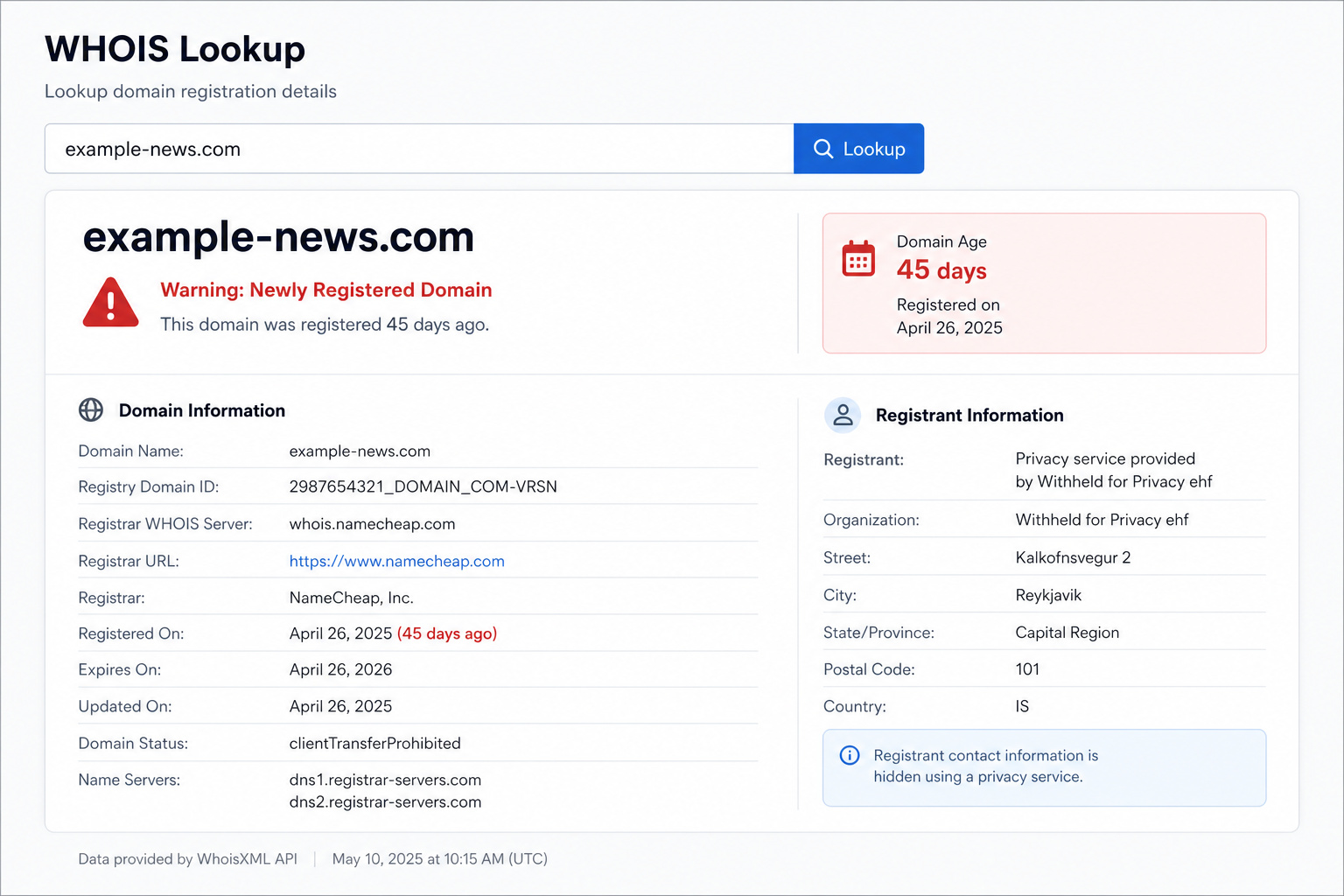
Check for HTTPS and consistent branding on the domain’s website. A fresh domain with no SSL certificate and a half-baked landing page? That’s not a real business.
Suspicious Attachments
Attachments can be malware. Be wary of unsolicited invoices, receipts, or .zip files. A fake invoice attachment might look official but contains malware. If you weren’t expecting it, don’t open it. If an attachment has an unusual name or seems to hide its content from security software, it’s likely malicious.
Unexpected Communication from Known Contacts
Here’s where it gets tricky. The email might come from someone you know — their account got compromised. A message from your boss with unusual language or a weird request is a red flag. Compare the suspicious email with older ones from the same person. Look for differences in the signature, display name, or writing style.
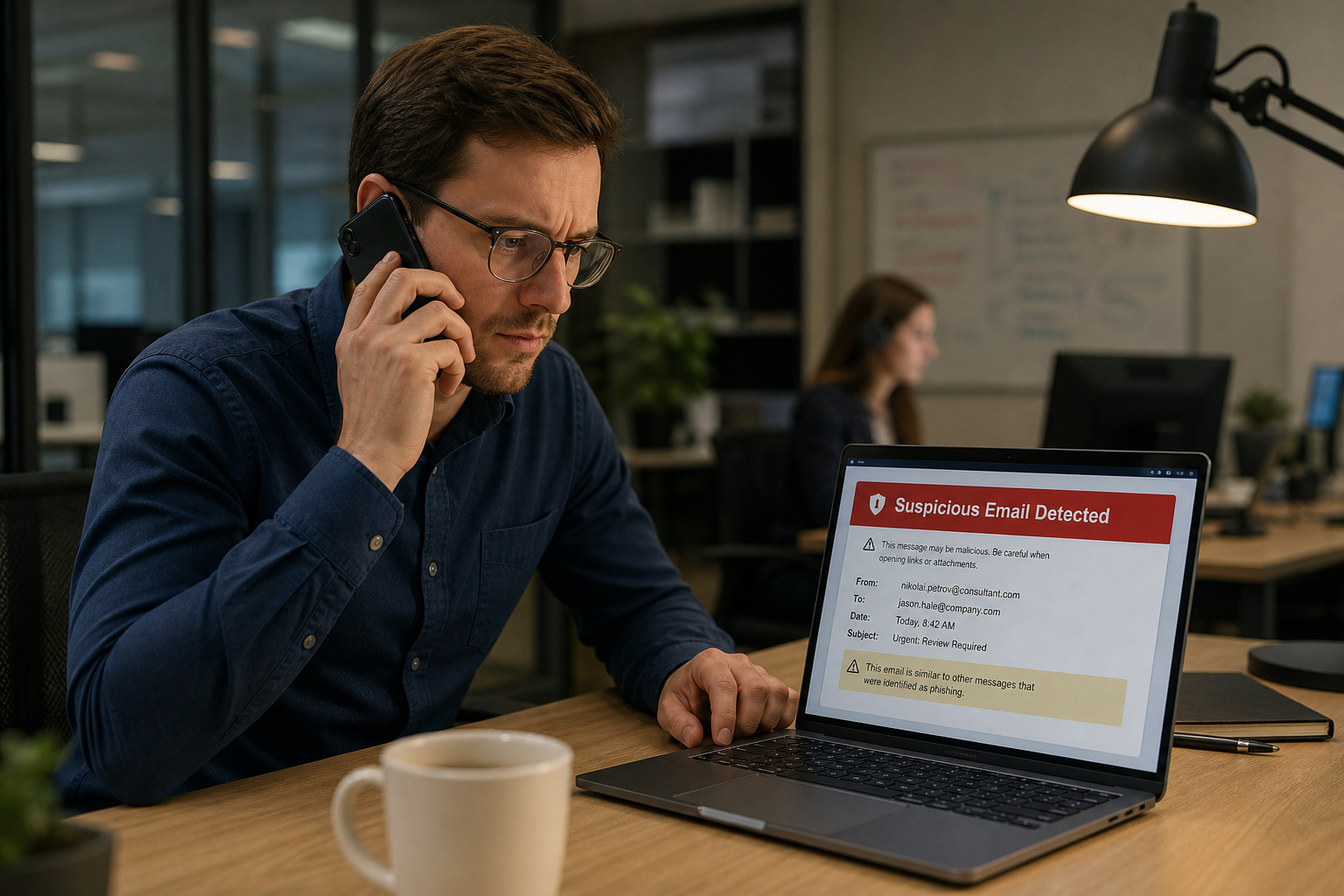
To verify, call the person using a number you know is theirs (not one from the email). That’s the only safe way to confirm.
Unusual Payment Requests and Suspicious Subject Lines
If an email asks for payment in an unusual way — gift cards, wire transfers, it’s almost certainly a scam. A vendor sending an invoice mid-month instead of the usual first-of-month pattern? That’s a red flag. Always verify payment changes.
You’d think phishing subject lines would be dramatic. Some are. But the most-clicked ones are boring — and that’s the danger. The six most-clicked phishing subject lines include:
- “Email Account Updates”
- “Remote Working Satisfaction Survey”
- “Acknowledge Your Appraisal”
- “Important: Dress Code Changes”
- “Password Check Required Immediately”
- “Vacation Policy Update”
Generic, boring, effective. They reference online services or social media in a generic way. That’s the danger — they fly under the radar.
Timestamp Anomalies and Trusting Your Gut
Your subconscious often catches anomalies your conscious mind misses. An email from a colleague at midnight when they usually work 9-5? That merits a second look (and a phone call). If something feels wrong, it probably is. Your intuition is a good security tool — use it as a tie-breaker when other checks are inconclusive.
Search Engines as Scam Detectors
Before you do anything else, Google the email address or subject line. Search engines are great at surfacing known phishing campaigns. If it’s a known scam, it’ll show up in top results. A quick search can save you a lot of trouble. While this catches obvious scams, it won’t catch highly targeted ones—so knowing how to tell if it’s a scammer email helps you catch the more sophisticated attempts.
Disposable and Role-Based Email Addresses
Not all disposable emails are malicious — some people use them for privacy. But for businesses, they’re a strong signal of low-quality leads or potential abuse. Disposable domains like mailinator.com and 10minutemail.com are designed for temporary use, and scammers love them.
Role-based addresses — info@, admin@, sales@ — are red flags when you expect personal contact. About 30% of emails used to spam websites are fake, and a significant portion are disposable. Email verification tools and block lists can automatically flag these.
Email Verification Tools (Free, Single, and Bulk)
Here’s the toolbox. Different tools for different jobs. Note that these tools are less effective against scammers who use legitimate domains that have been compromised or lookalike domains that pass basic checks.
Free and Single-Check Tools
Email Hippo is a good choice for one-off checks — fast and simple. CleanTalk’s email checker connects to the mail server to verify existence. No guesswork, no test message sent.
Bulk and Commercial Tools
NeverBounce shines for bulk verification, especially for e-commerce newsletters. Clean your list before sending. ZeroBounce is great for targeted campaigns — it identifies spam traps and hard bounces to safeguard your sender reputation. Hunter.io can validate an email, check the domain, and flag risks.
Using verification tools can reduce bounce rates by up to 70%. That’s an improvement in deliverability and a strong defense against fake addresses.
Advanced Protections (MFA, Passwords, Updates, SPF/DKIM/DMARC)
Even if a fake email slips through, these measures stop the attacker from exploiting it. Think of them as safety nets.
Multi-Factor Authentication
MFA is one of the best defenses. Even if a scammer gets your password, they can’t log in without the second factor. MFA uses something you know (password), something you have (phone), or something you are (fingerprint). With MFA, a stolen password alone isn’t enough.
Password Managers and Strong Passwords
Password managers like LastPass or 1Password create and store strong passwords. Use one. Regularly updating passwords is good practice, and a password manager makes it painless. NIST now recommends length over complexity — a long passphrase beats a short jumble of characters.
Keeping Software Updated
Keeping your email client and operating system updated patches security holes. Automatic updates are your friend.
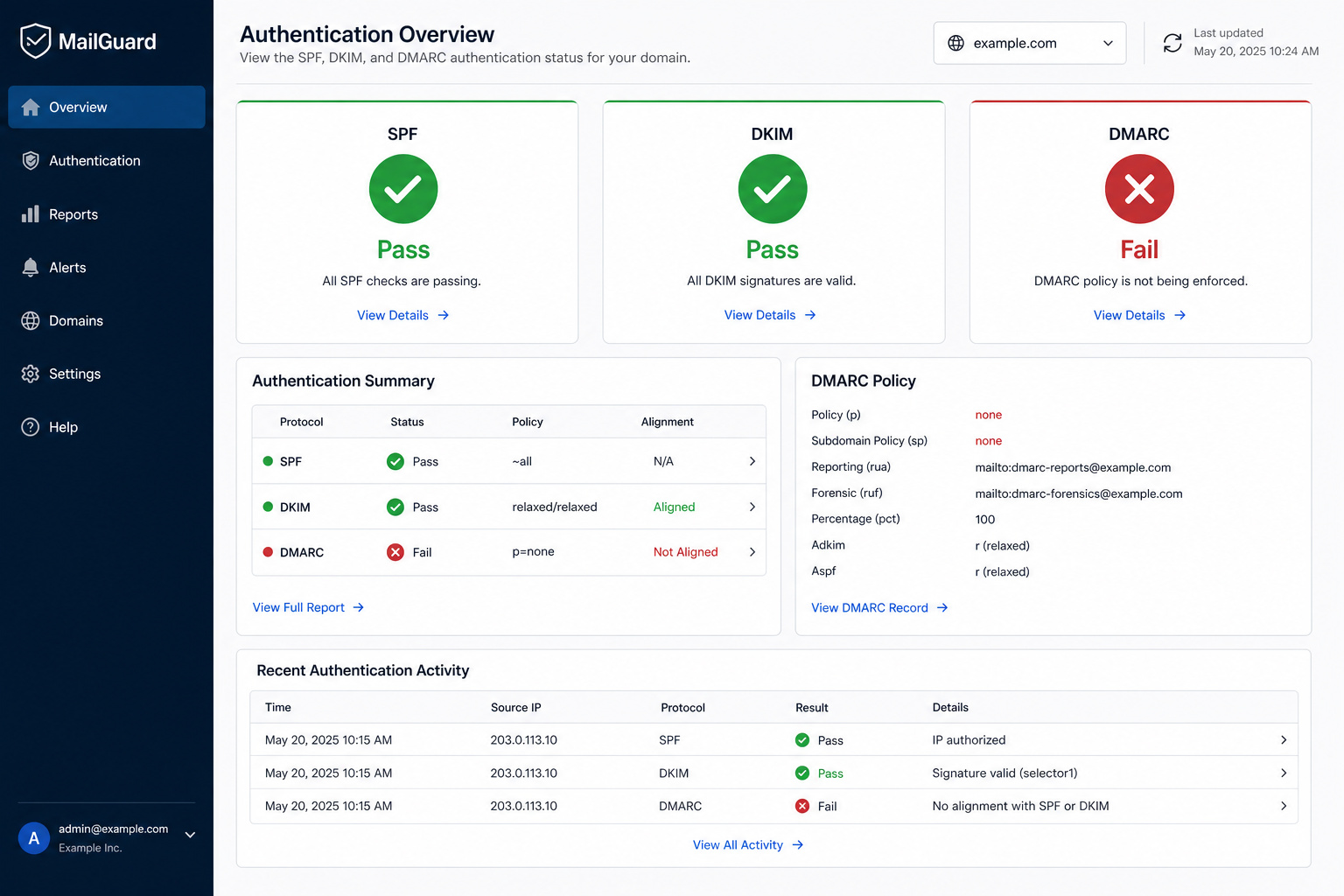
SPF, DKIM, and DMARC (The Authentication Triad)
For domain owners, SPF, DKIM, and DMARC are the backbone of email security. SPF records list which IPs are allowed to send email for your domain. DKIM adds a digital signature to emails, ensuring the message wasn’t tampered with in transit. DMARC tells email servers what to do with messages that fail SPF or DKIM checks — delete or quarantine them.
Vasile Diaconu from DuoCircle put it well: The expense of monitoring is minimal when weighed against the cost of a successful impersonation attack.
Machine Learning and Automated Detection
Machine learning models analyze email data — sender, content, links, and compare it to known patterns to spot phishing. They learn to catch subtle cues that would slip past a static rule set. Combined with DNS lookups and authentication protocols, ML provides robust filtering that evolves with each scam attempt.
Incident Response — What to Do
The moment you suspect a fake email, the clock starts. Here’s exactly what to do.
Immediate Steps
- Don’t click links or open attachments
- Contact the company using a phone number or website you know is legitimate (not from the suspicious email).
- Forward the phishing email to reportphishing@apwg.org — the Anti-Phishing Working Group tracks these campaigns
- Forward phishing text messages to 7726 (SPAM) — this helps carriers block the number
- Report the attempt to the FTC at ReportFraud.ftc.gov
If You Already Responded or Clicked
- If a scammer got your SSN, credit card, or bank info, go to IdentityTheft.gov for a recovery plan
- If you clicked a link or opened an attachment, run a full security scan immediately. Update your security software, scan for malware, and remove anything it finds
Building the Habit
No single indicator is definitive. The more red flags you spot, the more confident you can be. The combination of visual checks, technical analysis, and protective tools creates a layered defense.
Here’s the ironic part: people ignore about 70% of legitimate emails — yet still nearly fall for the one that matters most. That’s normal. The challenge is real, but so are the tools.
Frequently Asked Questions
How do you verify if an email address is real or fake?
Start by hovering over the display name to reveal the actual email address — scammers spoof the name but not the address. Then check the domain after the @ symbol for misspellings, unusual TLDs like .xyz, or misleading subdomains. For deeper verification, examine email headers (Received: from, Return-Path, Reply-To) and use WHOIS to check if the domain was registered less than 90 days ago.
What is an example of a fake email?
A classic example is an email that shows “PayPal Support” as the display name but the actual address is something like support@paypa1.com — swapping the letter ‘l’ for the number ‘1’. Another is amaz0n.com using a zero instead of an ‘o’, or a domain like microsoftsupport.com that includes a brand name but isn’t the real Microsoft domain.
Can a fake email be detected?
Yes, fake emails leave detectable traces. Quick visual checks like hovering over the display name or link destinations catch most scams. Technical analysis of email headers, domain age via WHOIS, and email verification tools like Email Hippo or CleanTalk’s checker can confirm if an address is real. The more red flags you spot — generic greetings, urgency, requests for personal info — the more confident you can be it’s fake.
What’s the difference between a spoofed display name and a fake email address?
A spoofed display name shows a trusted name like “PayPal Support” while the actual email address behind it is something completely different. The fake email address is the real address used to send the scam. Hovering over the display name reveals the true address, so you can spot the mismatch immediately.
Why do scammers use urgent language in phishing emails?
Urgency is designed to make you react without thinking. Subject lines like “Your Account Is Locked!” or “Immediate Action Required” trigger panic, bypassing your rational brain. That panic is intentional — it stops you from doing the two-second checks that would reveal the scam.
How do email authentication protocols like SPF, DKIM, and DMARC help?
SPF records list which IPs are allowed to send email for a domain, DKIM adds a digital signature to verify the message wasn’t tampered with, and DMARC tells email servers what to do with messages that fail those checks — delete or quarantine them. For domain owners, these three protocols form the backbone of email security and prevent impersonation attacks.
