So you open the Play Store, search “anonymous browsing,” and two apps stare back at you: Orbot and I2P. Both promise privacy. Both claim to route your traffic through a hidden network. I’ve been testing both on Android for the past few weeks, digging into how they route, how they drain your battery, and which one works for the thing you’re trying to do. Here’s what I found.
Key Takeaways
Tor is designed for anonymous clearnet browsing — you can visit regular websites like Google or Wikipedia through exit nodes. I2P is an internal darknet: traffic stays inside the network, and you cannot access the open web without a clearnet proxy (which is discouraged).
On Android, Orbot (Tor) should be downloaded from GitHub, not Google Play or F-Droid, because those stores often have outdated versions. For I2P, the recommended setup is InviZible + Cromite browser with a LAN-only firewall to prevent accidental leaks.
I2P uses 12-hop round trips for hidden services (6 inbound + 6 outbound) versus Tor’s 6 hops, making I2P faster for internal sites (~1-3s RTT) but Tor faster for clearnet (~200-500ms RTT). I2P’s mandatory background relaying also drains battery more than Tor’s on-demand circuits.
Table of Contents
Architecture Deep Dive: Why Tor and I2P Route Differently
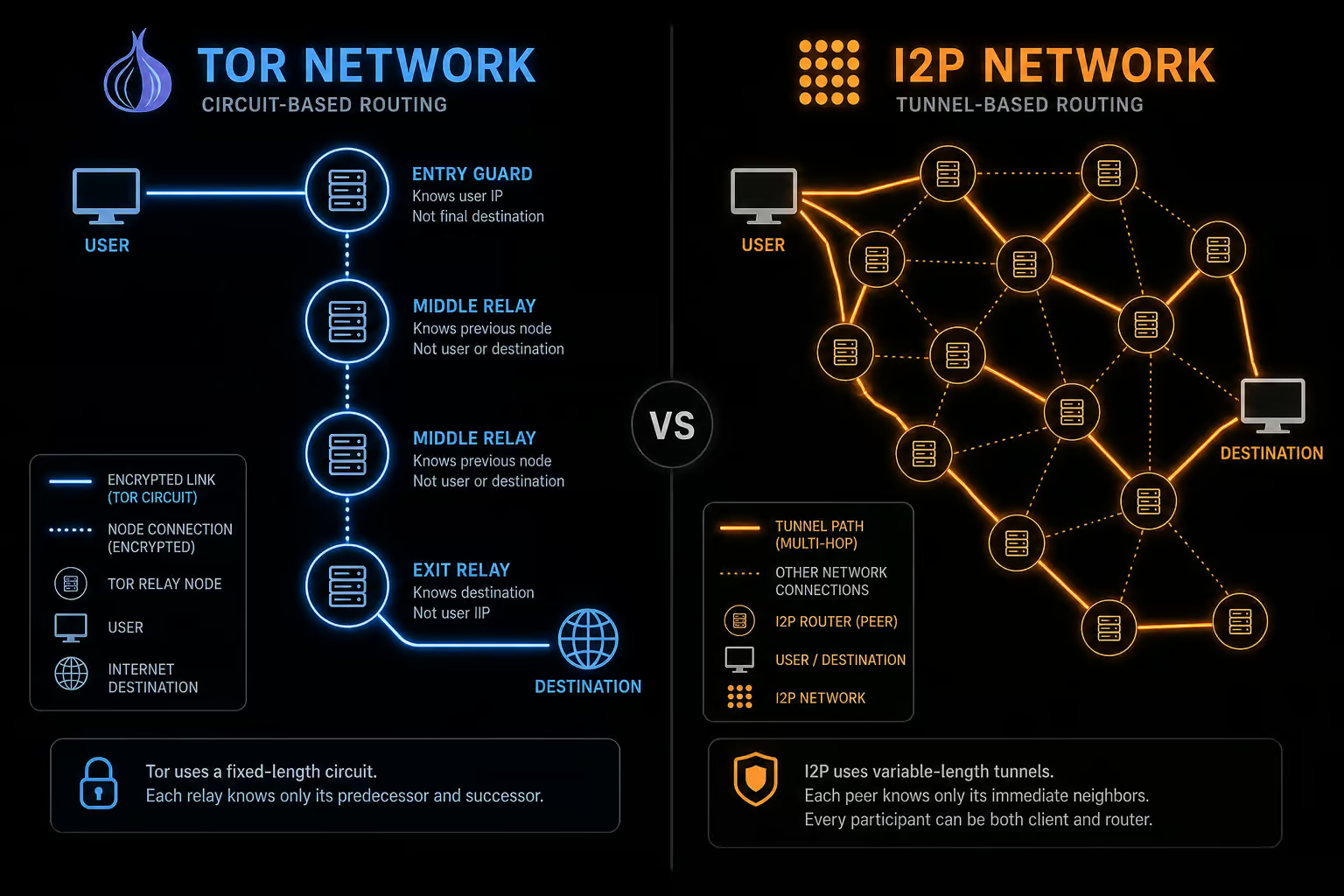
The core difference between Tor and I2P lies in how they build paths through their networks. Tor uses circuits, while I2P uses tunnels — and that distinction drives everything from speed to anonymity.
Tor’s circuit-switched model
Tor builds a single bidirectional circuit for each session, typically three hops. When you request a website, your traffic flows through the same path in and out — an entry guard, a middle relay, and an exit node. Each hop peels off one layer of encryption (hence “onion routing”). For hidden services (.onion sites), Tor uses six hops total, three to a rendezvous point and three back. The whole thing is coordinated by nine hardcoded directory authorities that tell your client where the relays are.
That circuit-switched approach is efficient for browsing: you set up the path once, then all packets follow the same route. But it also means a single slow exit node can bottleneck your whole session. Typical round-trip time to a clearnet site through a Tor exit is around 200–500 milliseconds.
I2P’s packet-switched tunnels
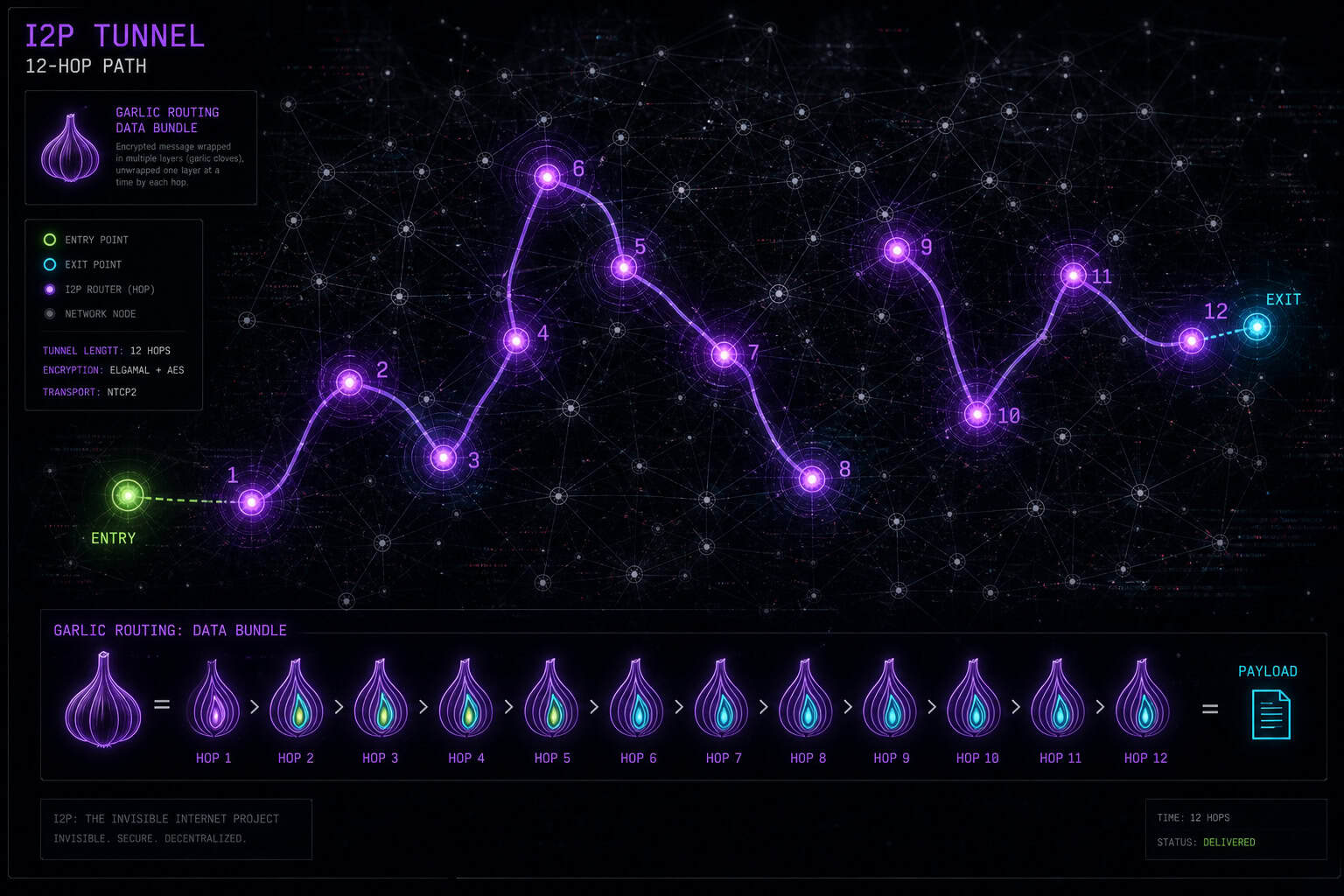
I2P takes a different approach. Instead of one bidirectional circuit, it builds separate inbound and outbound tunnels — each six hops long. That’s twelve hops for a hidden service round trip. But here’s the part: each packet can take a different path through the tunnel, and data is bundled into a single encrypted container (garlic routing) that reduces metadata leakage. The network has no central directory authorities; instead, it uses a distributed Kademlia DHT (called netDB) with floodfill routers.
Because every packet can follow a different route, timing correlation attacks become much harder. The tradeoff is overhead. I2P internal services typically see 1–3 second round trips, which feels sluggish compared to Tor’s clearnet performance — but for the things I2P is built for (eepsites, P2P apps), that latency is acceptable.
I2P uses packet-switched tunnels with unidirectional inbound/outbound paths. Separate inbound/outbound paths plus per-packet routing make it a pain to correlate traffic, but it costs more hops and more battery.
Use Case Fit: Tor for Clearnet, I2P for Internal Services
This is the point that trips up most new users, and you need to internalize. You cannot browse Google, YouTube, or any regular website on I2P. Period.
Tor’s purpose — anonymous clearnet access
Tor was designed to let you visit the regular internet without leaving a trace. Exit nodes combine traffic from multiple users and send it to the open web. Hidden services (.onion sites) are a useful side effect — they let you host a site that’s only reachable inside Tor. For example, the Privacy Guides website has a Tor onion address (xoe4…vjqd.onion) that you can only access from inside the Tor network. But the job of Tor is anonymous clearnet browsing.
I2P’s purpose — internal hidden services
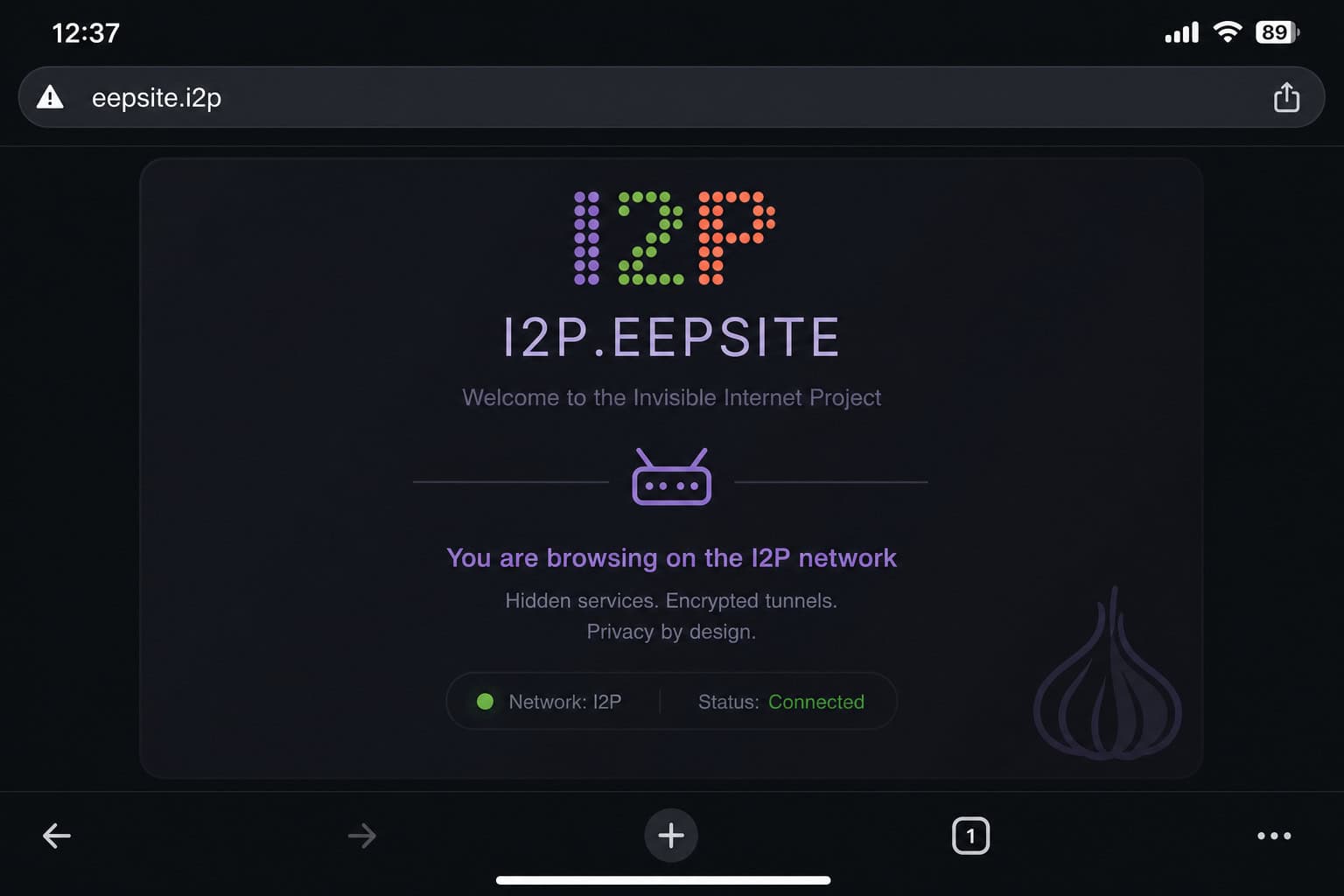
I2P keeps everything inside its own walls. There are no exit nodes. You access eepsites (domains ending in .i2p), run BitTorrent clients, send encrypted messages, or use distributed storage — but you never leave the network. The Privacy Guides I2P eepsite (privacyguides.i2p) is a good real-world example of something you can only reach from inside I2P.
If you try to type google.com into a browser routed through I2P, nothing loads. You’d need a clearnet proxy, and the I2P project actively discourages that because it can leak your real IP. So the rule is simple: if you want to browse the regular web anonymously, use Tor. If you want to mess around with internal services, use I2P.
Android App Ecosystem: Orbot, I2P App, and InviZible
Getting these networks running on Android is less straightforward than on desktop. Here’s the practical setup I used.
Orbot for Tor
Orbot is the primary Tor client for Android. But there’s a catch: the version on Google Play and the Guardian Project’s F-Droid repository is often outdated. I ran into that myself — installed from Play Store, saw it was stuck on an old release, and things weren’t working. The fix is to download the latest APK directly from GitHub.
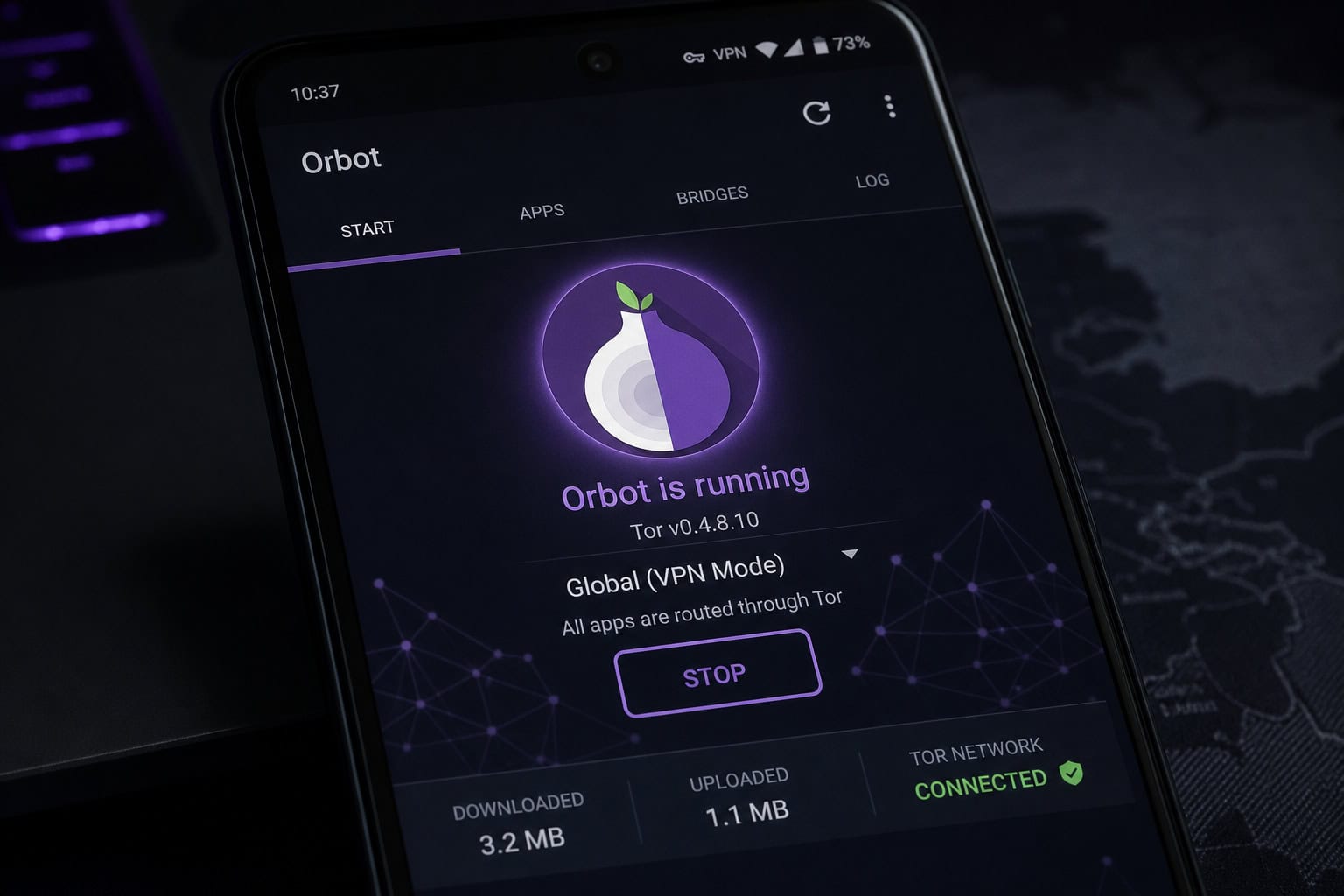
Orbot offers two modes: VpnService, which routes all device traffic through Tor, or per-app proxying via SOCKS/HTTP. If you use VpnService, make sure you enable the VPN kill switch in Android’s network settings to prevent leaks if the connection drops. One more tip: the “Isolate Destination Address” setting is fine at its default — the current recommendation is not to change it unless you really know you need to travel anonymously.
I2P on Android — the app situation
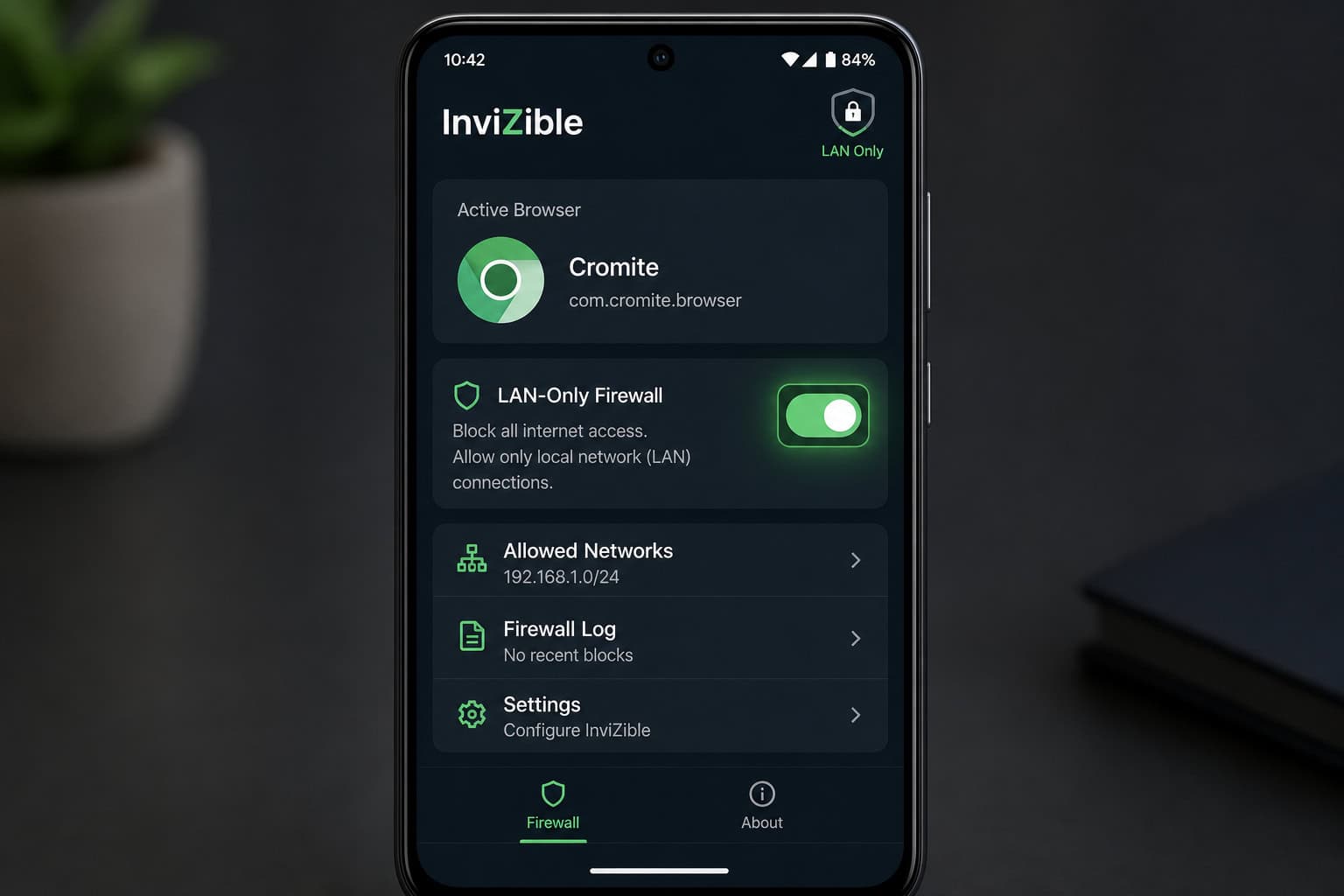
The official I2P app exists, but on mobile it’s limited. The route I’d recommend is InviZible, a third-party client that bundles everything, available on F-Droid. Pair it with the Cromite browser (or any browser you trust), but here’s the critical step: restrict that browser to LAN-only in the app firewall. This prevents the browser from leaking clearnet requests outside the I2P network. It’s a configuration detail that makes a difference.
A note on iOS
I didn’t test iOS myself, but the source notes that Orbot on iOS imposes an artificial memory limit on network extensions, which can cause crashes and potential leaks. iOS also lacks a built-in OS feature that can block connections without a VPN. If you care about serious anonymity, desktop is always safer than mobile, and iOS is particularly problematic.
Performance and Battery Drain on Mobile
Numbers matter more than claims here. I2P has roughly 50,000–55,000 active nodes; Tor has around 10,000 relays and bridges. But more nodes don’t mean faster browsing — it’s about infrastructure quality.
I2P nodes are mostly residential machines that relay traffic by default. Every I2P node relays traffic for other users by default, unlike Tor which relies on dedicated relay volunteers. The practical question is is I2P better than VPN? Tor, by contrast, relies on dedicated volunteers running relays on stable infrastructure. The result: Tor’s relays are generally more reliable for clearnet traffic, but I2P’s sheer node count helps with anonymity.
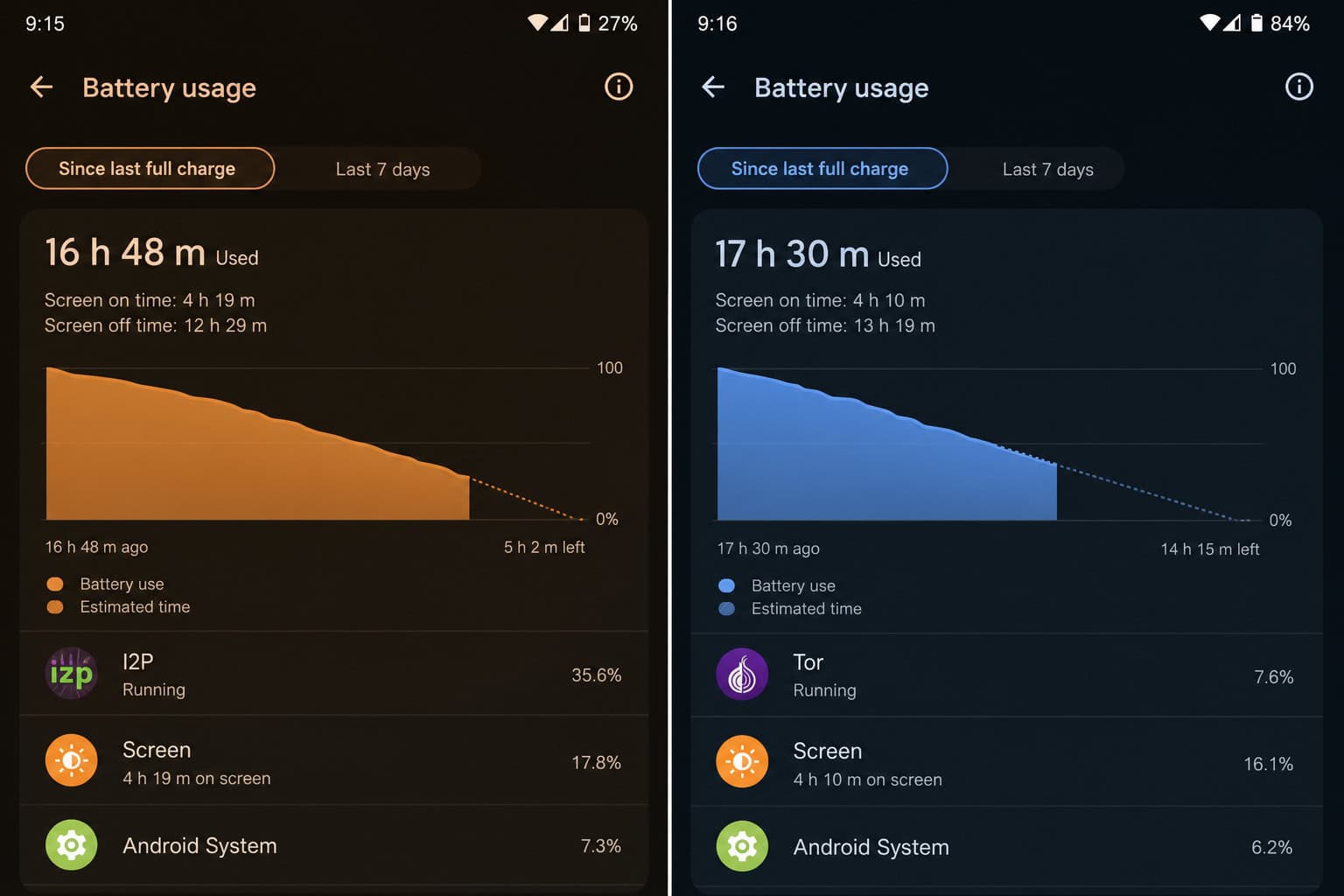
Battery impact is the difference on a phone. I2P relays traffic in the background even when you’re not actively using the network. My phone got warmer during I2P use. Tor only runs circuits when you have an active session — on-demand, not always-on.
Speed tradeoff: Tor’s exit nodes create a bottleneck for clearnet browsing (200–500ms RTT). I2P has no exit bottleneck because it never leaves the network, but higher internal latency (1–3s RTT) due to more hops. A deep-dive comparison of i2p vs tor shows that hidden services are where I2P shines — its 12-hop round trip is optimized for internal services, so it often loads eepsites faster than Tor loads .onion sites.
P2P applications? Running BitTorrent on Tor is a bad idea — it harms the network and your anonymity. Running P2P apps like BitTorrent is challenging on Tor and can impact Tor network performance, but it’s easy and performant on I2P. If you’re into decentralized file sharing, Using P2P applications such as BitTorrent on Tor is difficult and can significantly degrade Tor network performance, but it’s very easy and performant on I2P.
Censorship Resistance and ISP Visibility
If you’re in a region where the internet is heavily restricted, Tor’s bridge network is its feature. Bridges are unlisted relays that help users connect without being blocked. Pluggable transports (obfuscation tools) make Tor traffic harder to identify. I2P has no equivalent bridge infrastructure — it relies on volunteer-run directory servers for the initial connection, which are easier to block.
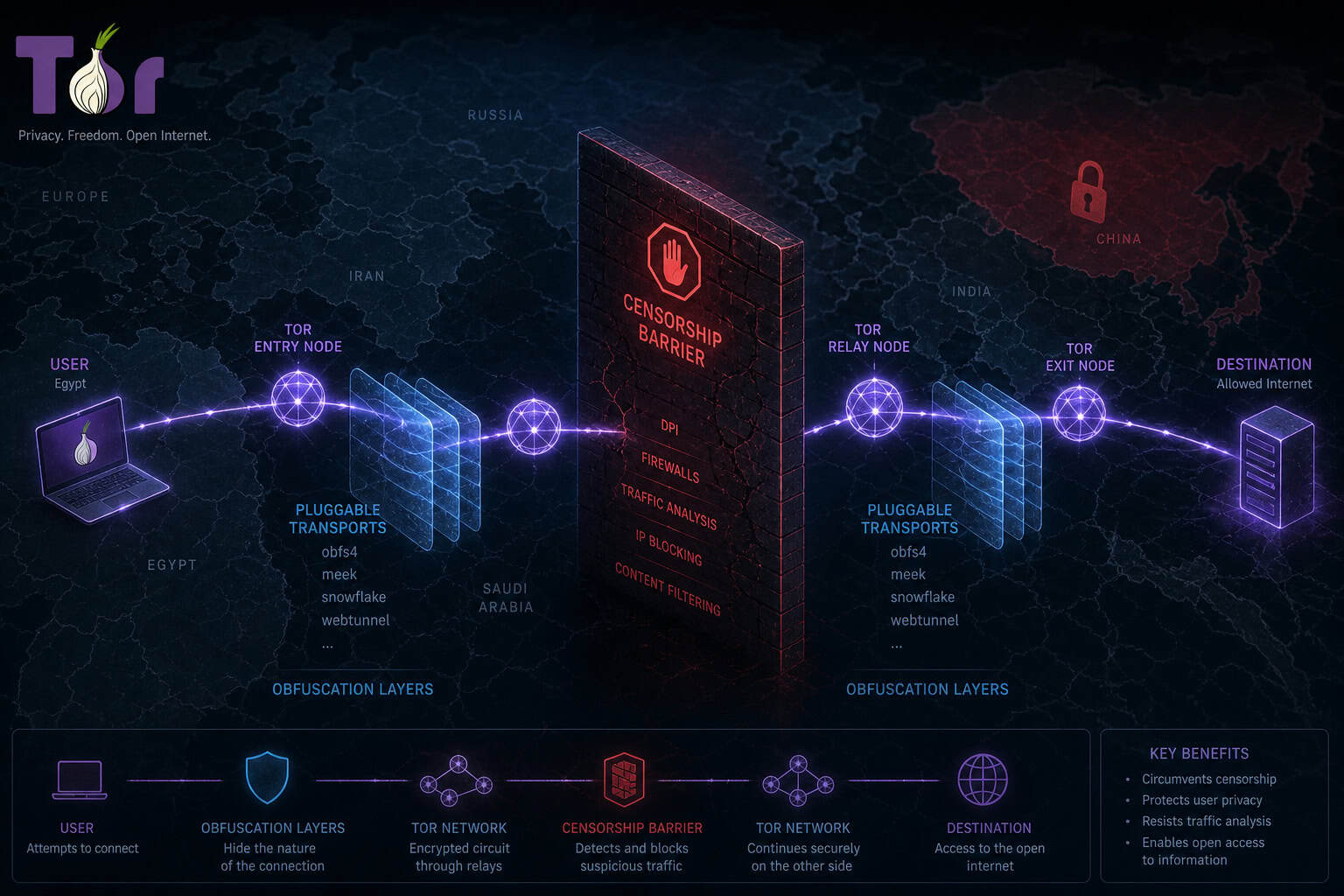
Both networks are visible to your ISP. They can see that you’re using Tor or I2P (the IP addresses of relays and directory servers are known), but they cannot see the content of your traffic. If you want to hide Tor or I2P usage entirely, you can tunnel through a trustworthy VPN — but that adds complexity and you have to trust the VPN provider. This raises the question: Is I2P a darknet? It depends on how you define the term, as I2P functions as an anonymous overlay network distinct from Tor’s hidden services and Freenet.
Once I2P is connected, its distributed netDB (Kademlia DHT) means there’s no central point of failure. The vulnerability is the initial bootstrapping. For censored users, Tor is more resistant to censorship thanks to its network of bridges and varying pluggable transports.
Browser Privacy and Fingerprinting: A Critical Android Concern
Your IP isn’t the only thing that identifies you — your browser fingerprint is as revealing. Tor Browser includes anti-fingerprinting measures and a uniform browser profile. Every Tor Browser user looks identical to a fingerprinting script, so you blend into the crowd.
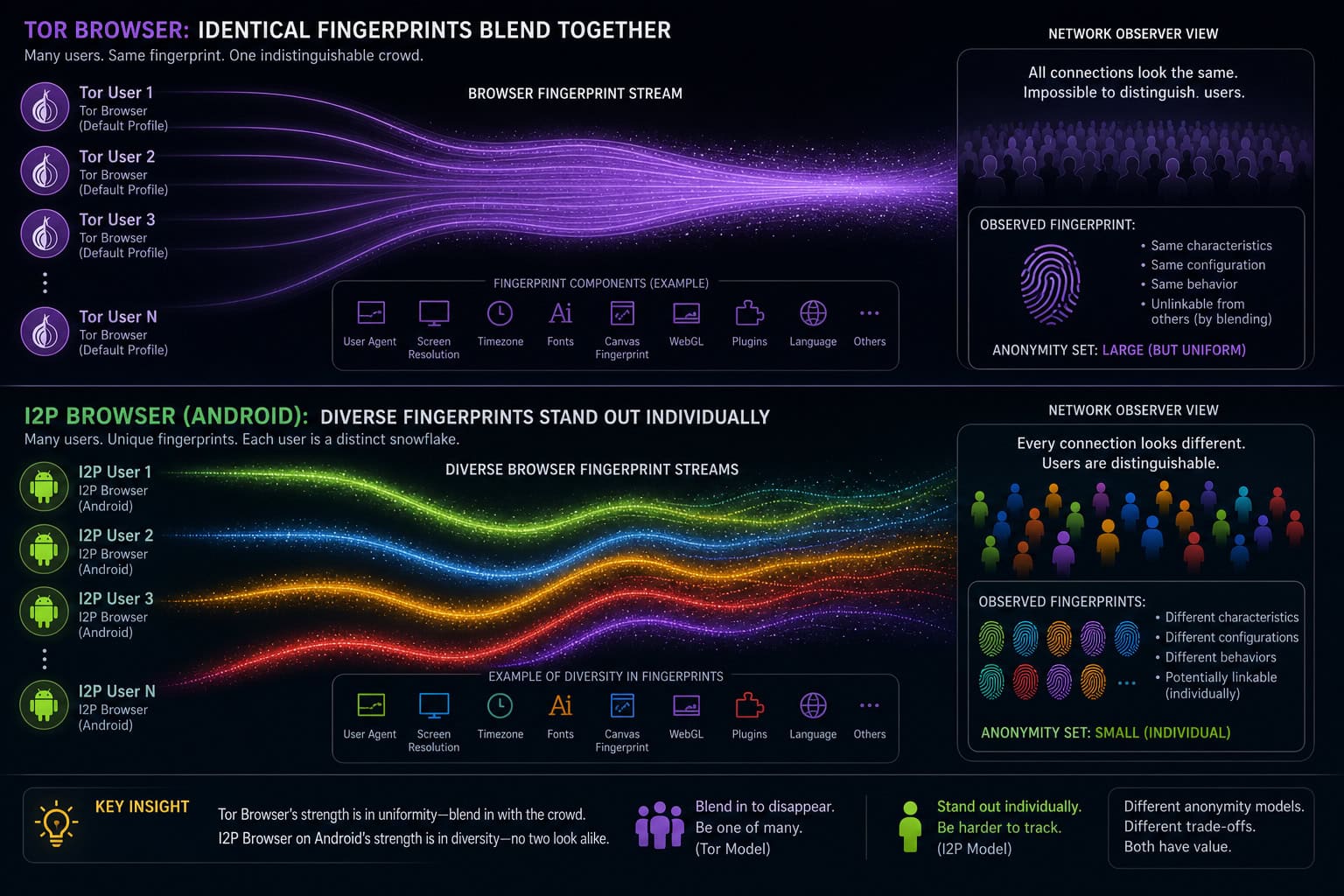
On I2P, you’re using a regular web browser — Cromite, Vanadium, whatever. There’s no uniform profile. Every I2P user’s browser looks different. On Android, where browser diversity is greater (different builds, different screen sizes, different extensions), the fingerprinting risk is amplified. Even if the network layer anonymizes your IP, a unique fingerprint can identify you across sessions.
The recommended Android setup (Cromite + LAN-only firewall) prevents clearnet leaks, but it does nothing for fingerprinting. Tor is more focused on browser privacy (anti-fingerprinting) with a dedicated Tor Browser. I2P is used via a regular web browser; configuring the browser for privacy may not achieve the same browser fingerprint as other I2P users.
Participation Models: Snowflake and Universal Relaying
Both networks let you contribute from Android, but the philosophies are different.

Snowflake for Tor
Snowflake lets you donate bandwidth to the Tor network by opening a Snowflake proxy in a browser tab. It helps censored users connect. The risk is low — even lower than running a Tor relay or bridge, because you’re just proxying traffic, not exposing your own browsing. Important caveat: don’t install Snowflake as a browser extension.
Extensions increase attack surface. Just open it in a tab. It won’t increase your own privacy, but it’s a tiny altruistic act that genuinely helps people.
Universal relaying in I2P
Every I2P node relays traffic by default. That’s how the network reaches ~50,000 nodes. It’s democratic: the anonymity set grows because everyone participates. On a phone, that means constant background relaying — battery drain even when you’re not using the network. You can disable it in settings, but doing so reduces the network’s resilience.
On a phone, Tor’s “volunteer when you want” approach is friendlier to battery life. I2P’s mandatory relaying is a commitment.
Which Should You Use on Android? A Practical Decision Guide
Let’s put it side by side.
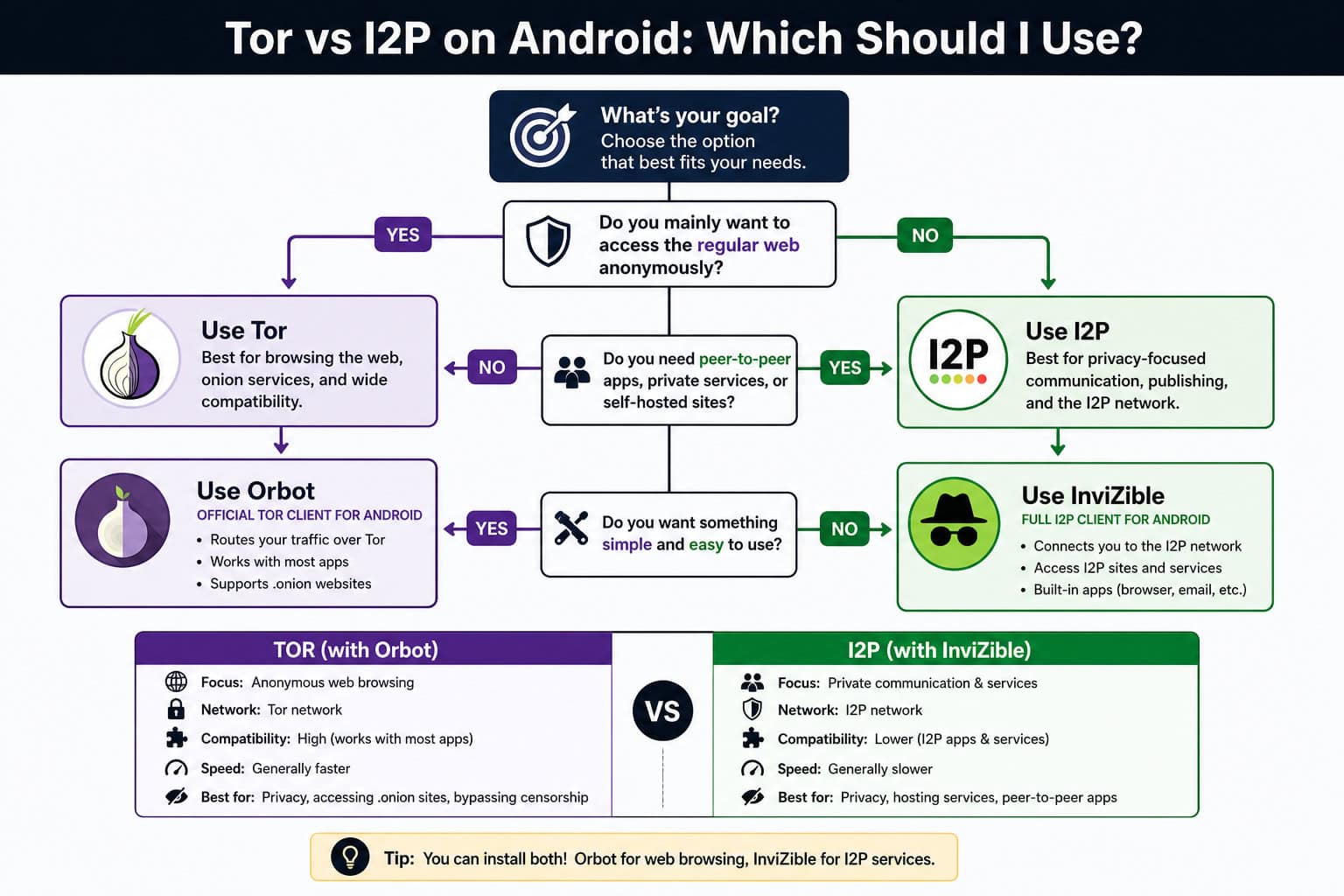
| Factor | Tor (Orbot) | I2P (InviZible/Cromite) |
|---|---|---|
| Primary use case | Anonymous clearnet browsing, censorship circumvention | Accessing .i2p hidden services, running P2P apps |
| Can browse regular web? | Yes (via exit nodes) | No (internal network only) |
| Android app | Orbot (download from GitHub) | InviZible + Cromite (LAN-only firewall) |
| Battery impact | Lower (on-demand circuits) | Higher (mandatory background relaying) |
| Speed | Fast for clearnet (200–500ms), slower for hidden services | Faster for hidden services (1–3s), no clearnet access |
| Censorship resistance | Excellent (bridges, pluggable transports) | Limited (no bridge infrastructure) |
| Browser fingerprinting | Good (uniform Tor Browser profile) | Poor (no uniform browser) |
| Best for | Most Android users seeking practical mobile privacy | I2P enthusiasts, eepsite browsers, P2P users |
For most people, Tor via Orbot is the first choice. If you know you need I2P-specific services — eepsites, BitTorrent over I2P, encrypted messaging, then the InviZible + Cromite setup works, but be aware of the fingerprinting gap and battery drain.
If you’re not sure, start with Tor. It’s more forgiving, better documented, and has a larger community. It’s safer to use Tor on a desktop computer than on a mobile device. Match the tool to your threat model.
Conclusion: Mobile Anonymity Is About Choosing the Right Tool
The architecture differences between Tor and I2P aren’t academic. They determine what you can do, how fast it feels, how long your battery lasts, and how anonymous you really are. Tor gives you access to the open web with privacy. I2P gives you a self-contained darknet with performance for internal services.
If you want to browse the regular web anonymously on Android, use Orbot from GitHub. If you want to dip into the I2P world and you’re okay with the tradeoffs, use InviZible plus Cromite with a LAN-only firewall. Don’t confuse the two — they’re built for different jobs.
People also Ask
Is I2P better than Tor?
It depends entirely on what you’re trying to do. Tor is better for anonymous clearnet browsing—visiting regular websites like Wikipedia or Google—while I2P is built for internal services like eepsites and P2P file sharing. Each tool excels at its own job.
Is I2P a darknet?
Yes, I2P functions as an internal darknet. Traffic stays inside the network with no exit nodes, so you cannot reach regular websites without a clearnet proxy (which is discouraged). It’s designed for accessing .i2p sites and running decentralized applications.
Why does I2P drain battery faster than Tor on Android?
I2P requires all nodes to relay traffic by default in the background, even when you’re not actively using the network, which generates extra heat and battery drain. Tor only builds circuits on-demand when you have an active session, making it much friendlier for mobile use.
Which is faster for browsing: Tor with .onion sites or I2P with eepsites?
I2P typically loads eepsites faster than Tor loads .onion sites because its 12-hop round trip is optimized for internal hidden services, with 1–3 second latency. Tor’s .onion performance is often slower due to the clearnet-facing bottleneck at exit nodes.
