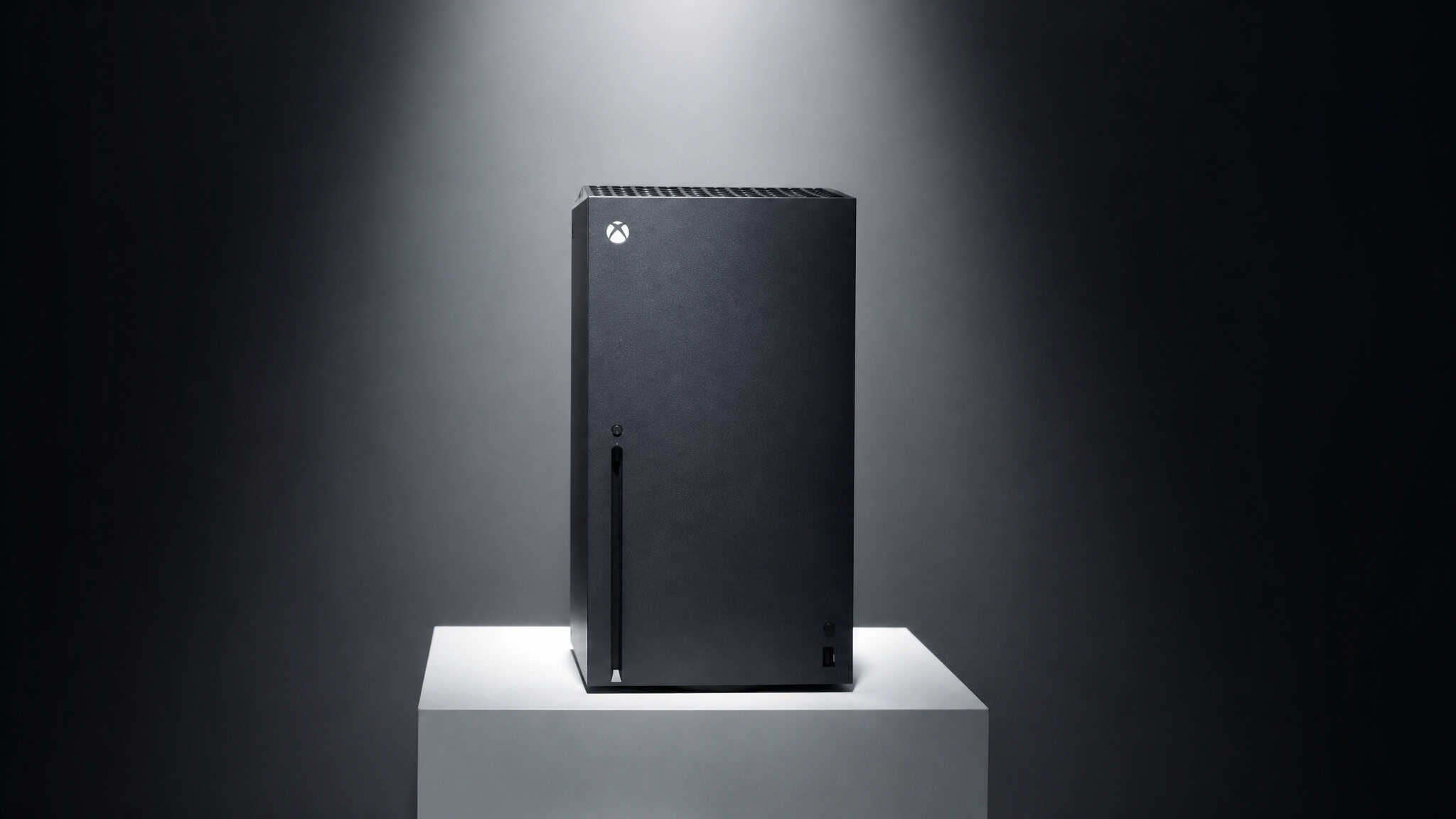
Yes, You Can Get an Xbox for Free. Here’s How the Math Actually Works.
There are exactly two legitimate ways to get an Xbox console without spending your own money. One is guaranteed but slow, the other is fast but luck-based.
Microsoft Rewards, Microsoft’s free loyalty program, has a documented path to a free console. And the sweepstakes?
Those have winners—Microsoft publishes their names and locations on an official page. Camille from France won $1,000,000. Patricia from Texas won a Mercedes-Benz. Christopher from Arizona won an ROG Ally.
Jeff from Georgia won Apple AirPods 4, and Lily from Washington won AirPods Pro 3.
Both paths are legitimate, but they’re different.
Key Takeaways
Two legitimate paths exist: earn Microsoft Rewards points (guaranteed but slow) or enter the sweepstakes (fast but lottery-level odds). The points path lets you spend directly on an Xbox console at checkout—no gift card middleman needed.
A dedicated daily routine of Bing searches, Daily Set quests, and 15 minutes of Game Pass play can earn roughly 10,000 points per month. That’s down from 20,000 before a 2024 program nerf, effectively doubling the time needed for a free console.
Game Pass Ultimate subscribers get a 4x points multiplier and can earn up to 100,000 points per year from gameplay (up from 58,000). With daily consistency, that can put a Series X within 12–18 months—though the $20/month subscription cost must be factored into the total picture.
Table of Contents
What Is Microsoft Rewards and Why It Actually Matters for a Free Console
Microsoft Rewards is a free loyalty program that costs nothing to join. You sign up once, and then every point you earn from searching on Bing, playing games, and shopping at the Microsoft Store flows into a single balance — just Microsoft’s own program.
You can spend those points directly on an Xbox console at checkout on the console’s Store. You’re not limited to redeeming for gift cards and then buying the console. You apply your points like a coupon during checkout. That’s the key insight that makes this a legitimate path to a free console, not just a way to save a few bucks on games.
The program is open to members 18 or older in eligible regions. You don’t need a subscription to join, though Game Pass dramatically speeds things up—more on that in a minute.
Your Daily Point-Earning Routine: Searches, Sets, and Streaks
Think of it as a daily checklist that takes maybe 15 minutes total.
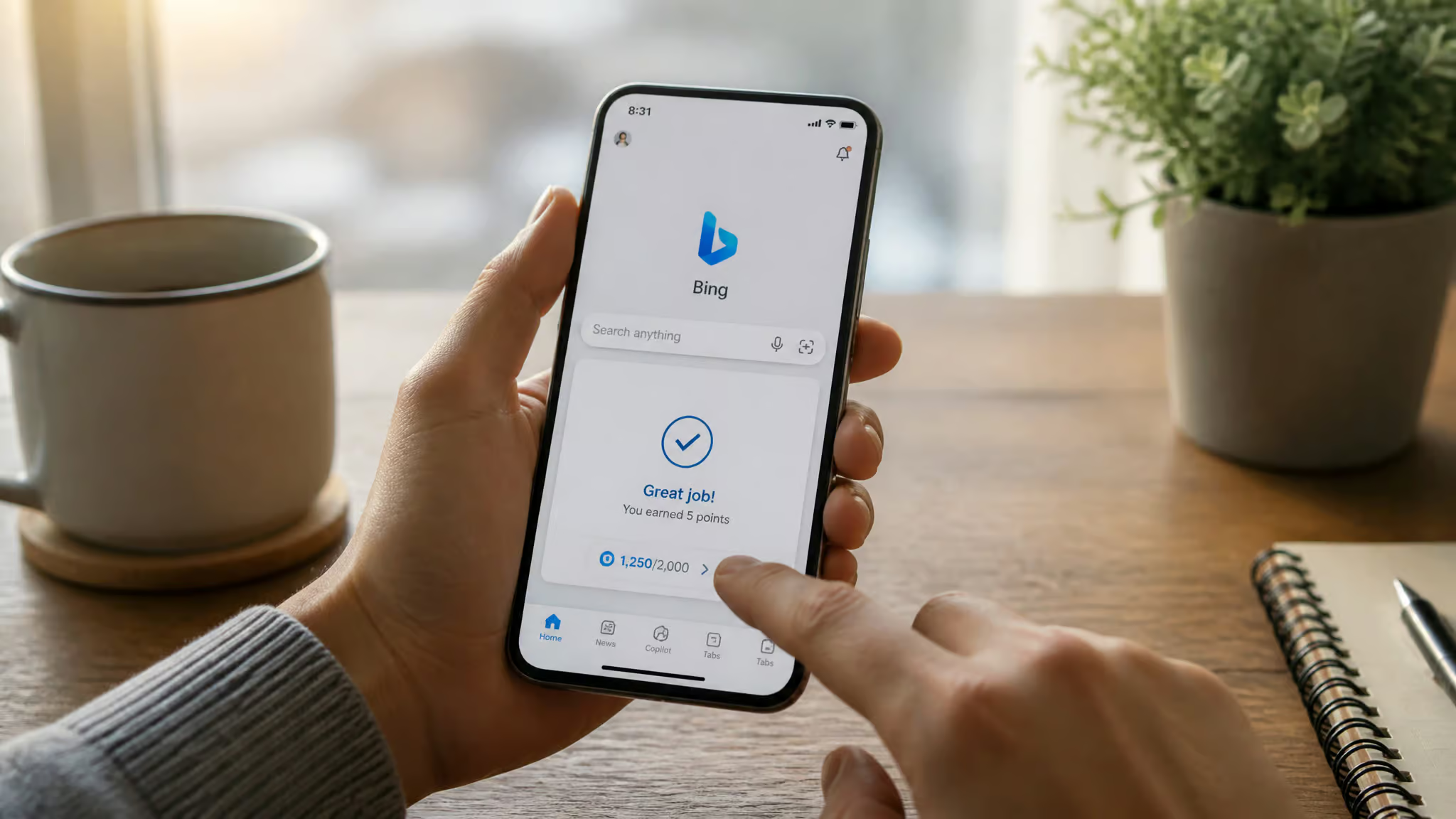
Bing searches. This is the biggest single source. At Gold status (more on what that means later), you can earn up to 60 points per day from PC and mobile searches combined, as per the approved source-backed specifics. That works out to roughly 2,000 points per month just by using Bing instead of Google for your daily searches.
Explore on Bing. There’s a section on Bing that prompts specific searches each day. Click through them for an extra 10 points. That’s about 1,000 points per month.
Daily Set. On a browser or the Microsoft Edge app on Xbox, there’s a Daily Set—usually a quick quiz or poll. It’s worth at least 30 points per day, with streak bonuses. Call it 1,000 points per month.
Daily Play. If you have Game Pass, just play any game for 15 minutes. Any game. You earn 10–20 points per day depending on your subscription tier. That’s 300–600 points per month for doing what you’d probably do anyway.
Visual Search. Bing’s Visual Search tool gives you 5 points per day, with occasional 100-point bonuses. It’s tiny, but it adds up to around 400 points per month.
Microsoft Bing app check-in. The Bing mobile app has a daily check-in feature that nets about 100 points per week.
Realistic monthly total: roughly 10,000 points. That’s the theoretical max for a dedicated daily grinder.
The honest truth: In practice, most people earn 6,000–8,000 because you might miss days or quests won’t trigger properly. And here’s the painful part: until 2024, you could earn up to 20,000 points per month. Microsoft halved that cap, which means earning a free console now takes roughly twice as long as it used to.
10,000 points is worth about $10 in Xbox credit per month.
Earning Points Through Gameplay and Quests
Playing any Game Pass game for at least 15 minutes a day earns you those 10–20 points. But there’s more.
The Rewards hub has daily, weekly, and monthly quests, with exclusive quests for Game Pass Ultimate and Premium subscribers—things like 4 and 8 monthly packs and weekly streaks. Limited-time offers and quests for extra points also pop up regularly, so it’s worth checking the Rewards app every few days.
Critical gotcha: Points don’t auto-credit. You have to claim them from the Rewards hub after each session or quest completion. I’ve seen people lose thousands of points because they didn’t realize they had to manually collect them.
There’s also a smaller earn from buying games and add-ons at the Microsoft Store—points earned per dollar spent vary by tier, a kickback on purchases you’d make anyway. It’s not going to fund a console on its own, but it’s worth knowing about.
The Subscription Multiplier: Game Pass Ultimate vs. Premium vs. Essential
This is where the math gets interesting. Microsoft offers four tiers of Rewards membership, and the multiplier differences are dramatic.
Member and Essential have no bonus earn rate. You earn 1x points on playing and shopping. Max play value per year is $20–$25.
Premium gives you 2x points and a $50 annual play cap. Ultimate gives you 4x points and a $100 annual play cap.
Here’s the contrarian angle most guides won’t tell you: Game Pass Ultimate is not a shortcut to a free console. It’s a multiplier that requires existing spending. Ultimate costs $20/month. That’s $240 per year. You have to factor that cost into your total “price” for the console.
But if you’re already subscribed to Ultimate—which you should be if you play a lot of games—you’re leaving points on the table by not grinding. The 4x multiplier means your daily play (15 minutes of any game) earns 20 points instead of 10. Your Bing searches earn at the highest cap. Your shopping back can reach 10% in points.
The annual gameplay cap for Ultimate was raised from 58,000 to 100,000 points per year. That’s nearly double—a signal Microsoft wants people grinding for points.
Understanding Tiers: Level 2, Gold, and Why Missing 500 Points Costs You
Here’s the trap that catches most people. Microsoft Rewards has two levels. Under the old system, they’re called Level 1 and Level 2. A new Silver/Gold system is rolling out (expected July 2026), but the concept is the same.
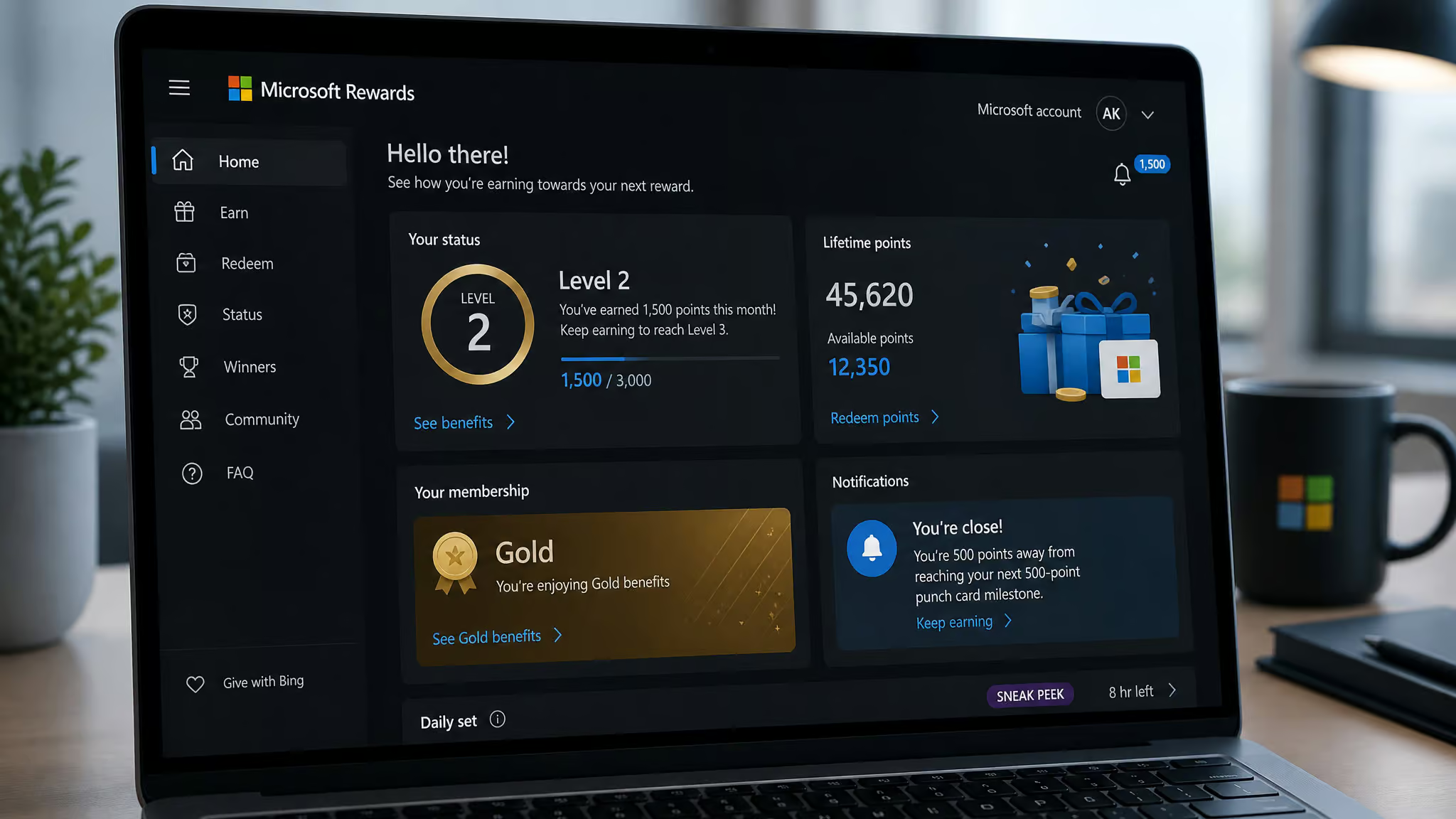
To reach and keep Level 2 (or Gold), you need to earn 500 Microsoft Rewards points per month. That’s easy to do with daily searches and a few quests.
What happens if you miss that threshold: Your earn rate on purchases and your per-search cap drops significantly—roughly half. So if you earn Level 2 one month, then fall 50 points short the next, your earning rate resets for the following 30 days. A single lazy week can cost you weeks of reduced earning.
This is the pattern I’ve seen in the community: users posting “my points dropped” after missing the threshold by a small margin. It’s one of the most common failure points.
Set a monthly reminder to check your status. It takes five seconds.
The Silver/Gold rollout (coming July 2026) significantly alters browser and PC-based activities, as per the approved source-backed specifics. Most US users haven’t seen it yet. If you start seeing references to “Silver” and “Gold” instead of Level 1 and Level 2 in your browser, you’re on the new system. Keep an eye on the Rewards dashboard for changes.
The Real Math: How Long Until Your Free Xbox?
Let’s do the math.
An Xbox Series S costs roughly $300. At 10,000 points per month (worth about $10 in credit), that’s 300,000 points—roughly 30 months at the theoretical max, but you can speed things up with free game giveaways on Epic Games Store.
An Xbox Series X costs roughly $500–600. That’s 500,000–600,000 points, or 50–60 months at 10,000 per month.
At the more realistic 6,000–8,000 points per month that most dedicated users achieve, you’re looking at 6–8 years for a Series X.
But here’s where Game Pass Ultimate changes the equation. An Ultimate subscriber earning near the 100,000 annual gameplay cap could earn enough points in 12–18 months for a Series X. That requires daily consistency and never missing a major quest cycle, but it’s achievable.
The 2024 nerf matters here. Until 2024, you could earn up to 20,000 points per month. At that rate, a Series X was 2–3 years away. The halving of the monthly max effectively doubled the time needed.
Points expire. The exact timeline is in the Services Agreement, but the short version is: points typically expire 18 months after your last earning activity, so don’t let your balance sit idle for too long. If you’re going to grind, have a plan for spending.
How to Redeem Your Points for an Xbox Console
There are three paths to spending your points on a console. Two are well-known; one is the hidden gem: actually finding out whether Sony’s various contests and promotions mean you genuinely can I get PlayStation for free.
Path 1: Direct console checkout. This is the method most people don’t know about. On the console’s Store, during checkout for an Xbox, you can apply your points directly. No gift card middleman.
No codes to enter. Just your point balance as a discount. It’s explicitly stated in Microsoft’s official Rewards with Xbox documentation.
Path 2: Gift card redemption. This is the method most guides mention. Redeem your points for Xbox Gift Cards, then use those to buy the console. It’s more flexible—you can use gift card credit for other things too—but it adds an extra step, and it’s only one part of our comprehensive guide to how to get a free gaming console.
Path 3: Game Pass subscription redemption. 35,000 points buys 3 months of Game Pass Ultimate. This is indirectly helpful: spending on Game Pass accelerates your future earning (via the multiplier), but it delays your console purchase.
The key tradeoff: Do you hoard every point for the console (slow but certain) or spend some on Game Pass to earn faster (faster earning, but delays the console)?
I’ve personally used points for things like Diablo 4 battle passes and Overwatch 2 coins—small stuff that shows how the system feels in practice. I haven’t earned a full console this way, but the direct console checkout option is real and documented.
The Sweepstakes Route: Real Prizes, Real Odds, Real Winners
The odds are what you’d expect from a free-to-enter sweepstakes.
Entry methods:
You can enter with points: 100 points = 1 entry, 250 = 5 entries, 500 = 25 entries. The best bulk rate is 500 points for 25 entries—50 points per entry instead of 100.
Or you can enter for free via mail. Take a 3×5 card, hand-print your full name, address, phone number, date of birth, and email. Mail it to a jurisdiction-specific address (check the official rules for yours).
Each mailed request gets you 25 entries. One request per envelope. No purchase necessary.
Prize structure:
There are 216 total prizes across 12 monthly drawings. The Xbox Prize Package—an Xbox Series X 1TB plus a 1-year Game Pass subscription—is awarded in Monthly Sweepstakes #3, #5, and #8. There are also Surface Pro and Laptop packages, $5,000 prepaid gift cards, and a grand prize of $1,000,000 USD.
Real winners (from Microsoft’s official page):
- Camille (France) — $1,000,000
- Ivan (Singapore) — $1,000,000
- Nate and Ron — $1,000,000 each
- Patricia from Texas won a Mercedes-Benz.
- Bruce from Utah won a Mercedes-Benz.
- Christopher (Arizona) — ROG Xbox Ally
- Carlos (Madrid, Spain) — Acer Copilot+ PC
- Multiple $50 Xbox Gift Card winners across the US and UK
Eligibility: 18 eligible jurisdictions including the US, Canada, UK, France, Germany, Japan, and others. You must be of age of majority in your jurisdiction. Microsoft employees can’t enter. Requests must be postmarked by 5/21/26 and received by 5/29/26.
The Sweepstakes Period runs from September 2, 2025 to August 31, 2026. Mail-in entries must be postmarked by 5/21/26 and received by 5/29/26. Instant Win and Sweepstakes end 5/21/26 at 11:59:59 PM PT, as per the approved source-backed specifics.
What happens if you win: You have 5 business days to return documents (Declaration of Eligibility, Liability Release, and a W9 if you’re in the US and the prize is $600+). You have 3 business days to respond to contact. Miss those windows and you forfeit. Canadian and Mexican winners must correctly answer a skill-testing question (math—no calculators) unaided to win.
Physical prizes take 4–6 weeks for delivery. Random sweepstakes draws occur at approximately 2:00 PM PT on each draw date listed in Rule #3.
The honest truth about odds: Hundreds of thousands of entries per drawing. One winner per jurisdiction per month. The mail-in method gives you 25 free entries per month—better than zero, but still extremely low odds.
A newer model/version of a prize may be substituted in Sponsor’s sole discretion, and Sponsor reserves the right to substitute a prize with one of comparable or greater value. All taxes and other costs not specified are the Winner’s responsibility.
Common Pitfalls and Time Wasters
Three mistakes derail point grinders: letting points expire, losing Gold status by a small margin, and ignoring program rule changes. Don’t make them.

Letting points expire. They do expire. Have a plan for spending them before they vanish. Check the Services Agreement for exact expiry timelines. Missed prize claims are generally forfeited with no recovery option, so respond promptly if you win a sweepstakes.
Losing Level 2/Gold status. That 500-point monthly threshold matters more than people think. Falling short by even 50 points halves your earning rate for the next 30 days. Set a monthly reminder.
The program is actively changing. The 2024 nerf dropped the monthly max from 20,000 to 10,000 points per month. The new Silver/Gold system (coming July 2026) significantly alters browser and PC-based activities. What worked in 2023 may not work in 2026. Check the Rewards dashboard and community forums regularly.
Scams. No automated entry devices are allowed in the sweepstakes—Sponsor may disqualify entrants suspected of tampering, cheating, hacking, or using automated means. Microsoft doesn’t email winners asking for payment or personal info beyond standard claim documents, which may include Declaration of Eligibility, Liability Release, and W9. If it sounds too good to be true, it’s probably a scam piggybacking on the program’s legitimacy; Sponsor may disqualify entrants suspected of tampering, cheating, hacking, or using automated means. Sponsor may disqualify entrants suspected of tampering, cheating, hacking, or using automated means.
Which Path Is Right for You?
The guaranteed path (points): This is for patient users who already have Game Pass Ultimate. You’re spending $20/month anyway—might as well earn 4x points while you play. Expect 12–18 months for a Series X with daily consistency. If you don’t have Ultimate, the timeline stretches to several years.
The sweepstakes path: This is for anyone who wants a shot with zero cost. Use the mail-in method for 25 free entries per month. Expect to never win, but it costs nothing.
The combined approach (best option): Earn points through your daily routine. Use some for sweepstakes entries—500 points for 25 entries is cheap. Save the rest toward the console. You’re hedging your bets.
Other options outside Microsoft Rewards: Trade-in programs at retailers like GameStop and Best Buy, seasonal console promotions, and Xbox All Access financing plans are legitimate alternatives for reducing or spreading out the cost of a console. These fall outside the Microsoft Rewards focus of this guide but are worth researching if you want additional paths to a free or discounted Xbox.
If you’re already in the Microsoft ecosystem—using Bing, playing Game Pass, shopping at the Microsoft Store—you’re leaving points on the table by not signing up for Rewards.
Go sign up. Start the daily routine. Mail in a 3×5 card once a month. And if you win? Let me know.
