59% of passwords can be cracked in under an hour — that’s not a typo. Kaspersky’s 2024 study ran the numbers, and the result: intelligent algorithms running on hardware like an RTX 4090 can crack 59% of all passwords in under an hour. World Password Day falls on May 1, 2025, which makes this the time to figure out how to build passwords that survive contact with the enemy.
The techniques that make a password crack-resistant — length of 12–16 characters, mixed character types, no personal info, and the techniques that make it memorable aren’t opposites, they’re the same thing, if you know the trick.
Key Takeaways
59% of all passwords can be cracked in under an hour using intelligent algorithms and consumer-grade hardware like an RTX 4090, per Kaspersky’s 2024 study
AI-generated passwords aren’t safe — Kaspersky’s test found 88% of DeepSeek passwords and 87% of Llama passwords were insufficiently secure, with ChatGPT at 33%
Numeric mnemonics work when you pair unrelated words with a personally meaningful but non-obvious number (like a first Disneyland trip year, not a birth year) and sprinkle in special characters
Table of Contents
The Password Crisis in 2025
Let that 59% number sink in. 59% of all passwords out there right now — the ones protecting email accounts, banking portals, social media profiles, can be broken in under an hour by a determined attacker with the right tools. And “the right tools” doesn’t mean a supercomputer in a basement. It means a decent GPU and software that knows what patterns to look for, as reported by Kaspersky Daily.
The Kaspersky study, published in 2024, used intelligent algorithms that don’t brute-force every combination. They prioritize. They know that most passwords follow predictable structures: a word, a capital letter, a number swapped in, a special character tacked on the end — and 59% crack in under an hour. They’ve seen millions of breached credentials, and they’ve learned the habits we fall into.
Phase two of that study is already underway, with results to be shared via blog or Telegram. The first batch already told us that moderately complex passwords — ones that look fine on the surface, are falling too.
This isn’t about “password123” anymore. It’s about passwords that feel secure but aren’t. And with World Password Day coming up on May 1, 2025, there’s no better time to audit what you’re using and build something better.
The Four Rules That Make Any Password Work
Before we get into the mnemonics, we need to understand the constraints — consequences of how cracking algorithms work.
Length is your best friend
A 12-character password with mixed types has about 10^24 possible combinations. Drop that to 8 characters using only lowercase letters, and you’re looking at roughly 10^11 possibilities. That’s thirteen orders of magnitude difference. The recommended password length is 12–16 characters. Every character you add multiplies the attacker’s work exponentially.
Mix your character types
A password must include numbers, lowercase and uppercase letters, and special characters. A password that only uses lowercase letters can be cracked with a much smaller search space. Adding numbers and symbols forces the algorithm to check every possibility, not just letter combinations.
Keep your personal life out of it
This is the rule people break most often, and it’s the one that matters most for numeric passwords. Your birth year, your pet’s name, your street number — these are details that can be easily traced back to you. A number that’s meaningful to you but meaningless to anyone else? That’s the gold standard.
Never reuse
A password needs to be unique to each of your accounts. Yes, it’s a pain. That’s why we need systems for generating and remembering them — systems that work for dozens of accounts, not just one.
Basic Numeric Mnemonics: Unrelated Words + a Personal Number
Here’s the simplest system that works. String together unrelated words like seed phrases, then add a couple of numbers and special characters on the end that are meaningful to you but not easily guessed.
Let’s look at an example: DryLandStandGift2015;)
Four short words — shorter words are easier to remember. A year. A winking face. That’s 20 characters of mixed case, numbers, and special characters. It’s long, it’s complex, and it’s memorable once you know the story behind it.
The key to the number part: 2015 is not a birth year. Avoid using the birth year of yourself or a relative; instead choose something like the year of your first Disneyland visit. Or their wedding date. Or the model year of their first car. It’s meaningful to them — but anyone scraping social media profiles won’t find it listed under “basic facts about me.”
This is the trick that makes numeric passwords work. The number needs to be:
- Meaningful enough that you won’t forget it
- Non-obvious enough that a stranger can’t guess it from your public profiles
- Repeatable enough that you can use variations of the same pattern across multiple accounts
For multiple accounts, keep the number the same but change the words. Same year, different phrase. Same anniversary, different random nouns. The number is your anchor; the words are the unique identifier for each service.
Your first car’s license plate from 15 years ago? That’s not in any database. Your wedding anniversary? Only your friends know it, and they’re not trying to crack your email.
Advanced Numeric Mnemonics: Favorite Quotes Become Passwords
For an advanced technique: think of a favorite line from a song or a memorable quote from a movie, then replace every second or third letter with special characters.
The system: take a favorite movie quote, song lyric, or book line. Then replace every second or third letter with special characters, especially ones that are easy to type on a phone’s numeric keyboard.
Here’s the anchor example: Wi4ga/di0mL&vi@sa (derived from Harry Potter charm ‘Wingardium Leviosa’)
Looks like somebody spilled a keyboard, right? But it’s Wingardium Leviosa — the Harry Potter charm, transformed according to the advanced rule. The ‘i’ becomes a ‘4’. The ‘a’ becomes an ‘@’. The letters are swapped for symbols that look similar or sit nearby on a phone keyboard.
The transformation rule is the password, not the individual characters. Once you’ve practiced the mapping a few times, your fingers learn the pattern.
This technique answers the question “What is the best way to remember a complex password with numbers and symbols?” The answer isn’t to memorize 20 random characters. It’s to memorize a story, a line, a piece of culture you love — then apply a simple translation rule that turns it into a set of easy passwords to remember but hard to guess that a cracking algorithm can’t predict.
Using easily accessible special characters (those on a phone’s on-screen keyboard in numeric mode) is handier. Avoid characters that require multiple taps or switching keyboards.
The Trap of AI-Generated Passwords
Kaspersky’s Data Science team, led by Alexey Antonov, ran a controlled test: they generated 1,000 passwords each from ChatGPT, Llama, and DeepSeek. The results: 88% of DeepSeek passwords, 87% of Llama passwords, and 33% of ChatGPT passwords were found insufficiently secure.
DeepSeek was the worst — 88% of its passwords were found insufficiently secure. Llama wasn’t far behind at 87%. Even ChatGPT, the best of the three, had a 33% failure rate. A lack of special characters or numbers was found in 26% of passwords generated by ChatGPT.
DeepSeek and Llama generated passwords consisting of dictionary words with letters replaced by similar-looking numbers or symbols: B@n@n@7, S1mP1eL1on, and a whole family of P@ssw0rd variants — a geek-curated password examples list across categories like mnemonic phrases, leet-speak variations, and hybrid patterns, with a breakdown of why each works or fails. The classic letter-swap trick — ‘a’ becomes ‘@’, ‘o’ becomes ‘0’, that users think is clever is exactly what cracking algorithms check first. These models generated what looked like passwords to a human, but what looked like low-hanging fruit to a machine.
ChatGPT was more sophisticated, generating strings like qLUx@^9Wp#YZ and LU#@^9WpYqxZ that look random. But character frequency analysis shows non-random distribution (e.g., ChatGPT favors x and p, Llama loves # and p, DeepSeek hooked on t and w). A truly random generator distributes characters evenly. These were biased — and bias is exploitable.
LLM-generated passwords are predictable and insecure. AI creates combinations that only appear random. Use Kaspersky Password Checker service or Kaspersky Password Manager for truly random passwords — these use cryptographically secure generators to make passwords that don’t contain detectable patterns. Kaspersky’s Password Checker and Password Manager both use this kind of generator, as do most reputable password managers.
Remembering Random Passwords with Mnemonics
So if we shouldn’t use AI-generated passwords, and our own clever tricks have limits, how do we remember truly random strings?
Here’s a worked example from Kaspersky’s own testing.
Consider this password from Kaspersky Password Manager: HSVpk*VR0Gkq#WwJ
That’s 16 characters of pure chaos. No pattern, no repetition, no bias. A cracking algorithm would need to check every possible combination, which makes it unbreakable within any reasonable timeframe.
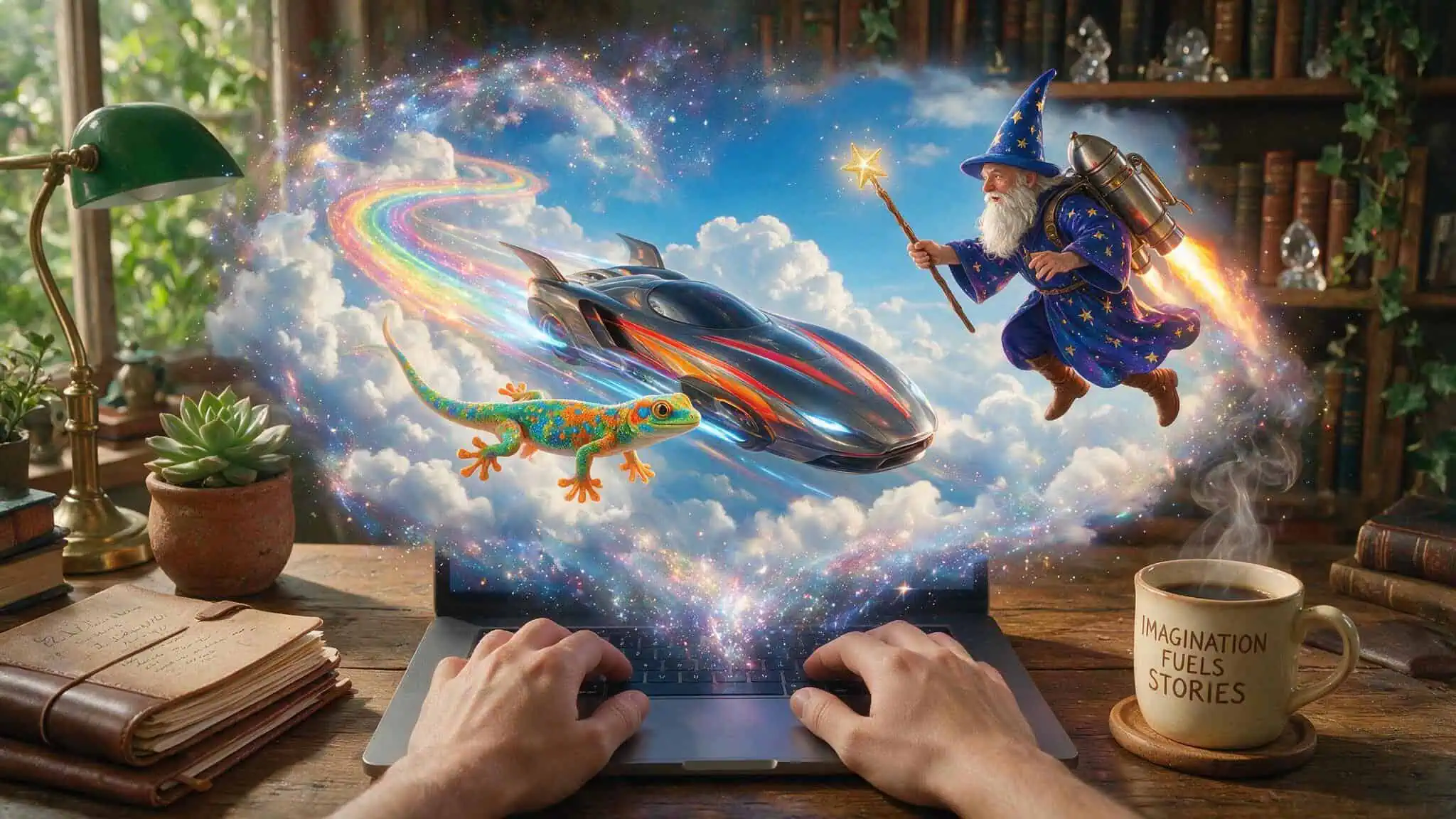
Now, how do you remember that? Kaspersky’s team created a mnemonic story: A High-Speed Vehicle reaches its pk (peak), then hits VR (virtual reality) and accelerates to 0 (zero). A Gkq (gecko) appears with a # (hashtag) and meets WwJ (a wizard with a jetpack).
Abstract, vivid, slightly ridiculous imagery sticks in the brain far better than logical associations. Our brains are wired to remember weird stories, not sequences of characters.
The technique works like this:
- Generate a truly random password using a secure tool
- Break it into chunks of 2-4 characters
- Assign a mental image to each chunk — ideally something visual or story-based
4.
Weave the images into a single narrative 5. Practice typing the password while recalling the story
This is the same method described in the ultimate geek guide to mnemonic passwords, which cuts through the hype of password managers and complex rules with real, memorable systems.
After a few repetitions, your muscle memory takes over. The story becomes a scaffold you only need for the first week or two.
You can also draw the scene if that’s more your style. Visual mnemonics work just as well as verbal ones — whatever makes the sequence concrete in your mind.
Why Browser Storage Is a Security Time Bomb
Before we talk about password managers, let’s talk about what not to do. Browser password storage is convenient. It’s also insecure.
Cybercriminals can use simple scripts to pull passwords stored in browsers in mere seconds. There’s no encryption on most browser storage — just a layer of obfuscation that any determined attacker can bypass. And if you sync your passwords through a Google account? That’s another attack surface. Compromise the Google account, and all your browser-stored passwords are exposed at once.
A dedicated password manager avoids this entirely. Kaspersky Password Manager uses AES-256 encryption (same as U.S. NSA) — the the same symmetric encryption algorithm employed by the U.S. National Security Agency for storing state secrets. The algorithm uses a main password, which only you know (even we don’t know it) as the encryption key. No one, not even Kaspersky employees, can access your encrypted vault.
Kaspersky Password Manager features: generate passwords, autofill, cross-platform, encrypted sync, 2FA codes, leak alerts — generates unique and truly random password combinations, fills in passwords on computers and mobile devices, available for iOS, Android, macOS, Windows; browser extensions, password database synchronized across devices in encrypted form.
Beyond the Password: Multi-Factor Authentication as Your Safety Net
A strong password is necessary but not sufficient. The most secure password in the world doesn’t help if someone phishes it or if a service you use gets breached. That’s where multi-factor authentication comes in.
Authentication methods have evolved. Here’s where things stand in 2025:
- Traditional login — your password, nothing else. Baseline, but insufficient alone
- Third-party login — using Google, Facebook, or Apple. Convenient, but creates a single point of failure
- 2FA via SMS — a one-time code sent to your phone. Better than nothing, but SMS is vulnerable to SIM-swapping
- Authenticator app — Kaspersky, Google Authenticator, Microsoft Authenticator. Generates time-based codes on your device, no network required
- Hardware key — Flipper, YubiKey, USB tokens. Physical possession required for access
- Passkeys and biometrics — using fingerprints, face scans, or device-based credentials. This is the direction the industry is moving
The ideal setup: a strong, unique password stored in a password manager, plus two-factor authentication through an authenticator app (not SMS) wherever possible. For high-value accounts — email, banking, password manager itself, a hardware key is worth the investment.
Combining these layers creates synergistic security. A cracker might get past your password through a breach. They might compromise your phone number through social engineering. But getting past all three — password + authenticator app + hardware key, is a different level of difficulty.
Practical Workflow: Building Your Numeric Mnemonic Password Step by Step
Let’s put this all together with a concrete example that shows exactly how to transform a sensitive number — say, a wedding anniversary or a personal milestone, into a strong, memorable password.
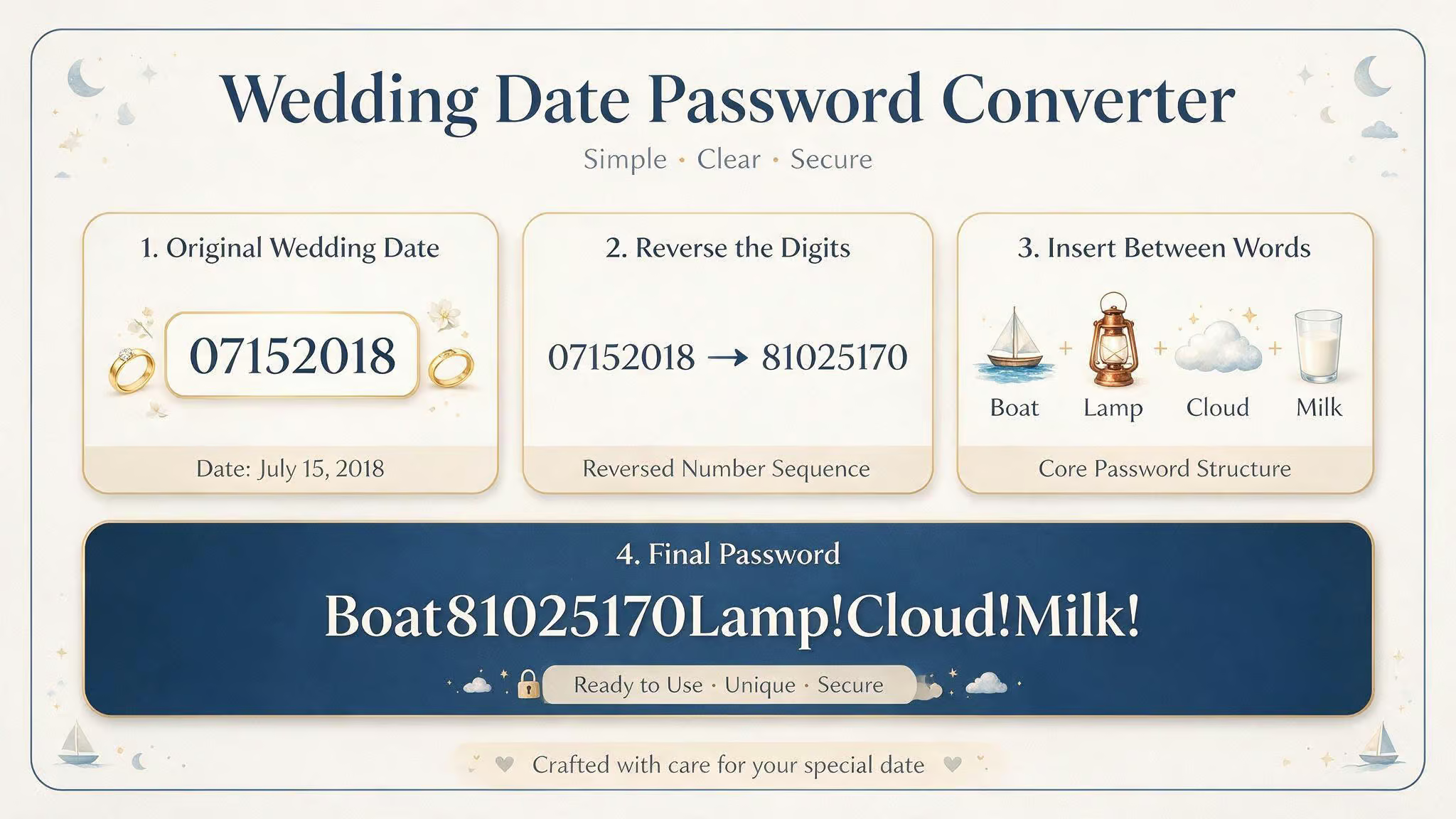
Step 1: Pick your number. Let’s say your wedding anniversary is July 15, 2018. The raw date is 07152018. That’s eight digits — a decent start, but not long enough on its own and guessable in its raw form.
Step 2: Add a transformation. Instead of using the date directly, reverse it: 8205170. Or interleave it with another meaningful number from a different domain. Or split it into chunks and insert them into unrelated words.
Step 3: Choose a phrase. Pick three or four short, unrelated words. Something like Boat – Lamp – Cloud – Milk. Short words are easier to type and remember.
Step 4: Assemble. Combine the words with your transformed number. BoatLampCloudMilk8205170
Step 5: Add special characters. Insert a special character between each word, or one on each end. Boat! Lamp!
Cloud! Milk!8205170
Step 6: Practice. Type it a few times. Adjust the special characters if they feel awkward. The goal is something that flows under your fingers.
This specific formula — short unrelated words + transformed date + special characters, produces a password that’s roughly 25 characters long, uses all character types, and has zero personal information in any obvious form. The number is meaningful to you, but the transformation makes it unrecognizable to anyone who knows your anniversary.
Write neither down literally, but a hint like “backwards + words + !” is enough for most brains to reconstruct the full password after a day or two of use.
The Only Password Strategy You Need in 2025
There’s no single perfect password. The perfect password for one account is useless — dangerous, even, if you reuse it elsewhere. What you need isn’t one password. It’s a system.
The system, which aligns with guidance from Kaspersky Daily:
- A password manager with AES-256 encryption for storage and generation
- Mnemonic techniques (basic or advanced) for the single master password you commit to memory
- Two-factor authentication via authenticator app on every account that supports it
- Hardware keys on your most critical accounts
The Kaspersky team is still running phase two of their password study. The results, when they arrive on the blog or Telegram channel, will confirm what we already suspect: 59% of passwords crackable in under an hour.
World Password Day falls on May 1, 2025. Start with one account. Build the mnemonic.
Practice it. Then do the next one.
People Also Ask
What is a good password with numbers?
A good password with numbers uses a personally meaningful but non-obvious number — like the year of your first Disneyland trip or a wedding anniversary — paired with unrelated short words and special characters. The number should be meaningful enough to remember but not something a stranger could find from your public profiles, like a birth year.
What’s a good 8 digit password?
An 8-digit password is too short for real security — a 12- to 16-character password with mixed types has exponentially more combinations. If you must use 8 characters, combine digits with uppercase and lowercase letters and special characters, but know that even moderately complex 8-character passwords can be cracked quickly by modern algorithms.
Why is browser password storage risky?
Browser password storage is risky because cybercriminals can use simple scripts to extract stored passwords in seconds, and most browser storage uses only obfuscation, not real encryption. If your browser syncs passwords through a Google account, compromising that account exposes all your saved passwords at once.
How does multi-factor authentication improve password security?
Multi-factor authentication adds a second layer of protection beyond your password, so even if a password is phished or leaked in a breach, an attacker still needs your second factor. The most secure setup combines a strong unique password with an authenticator app (not SMS) and a hardware key for high-value accounts like email and banking.
