
Every AI detector on the planet claims near-perfect accuracy. Winston AI’s headline is 99.98%, backed by a #1 DetectArena ranking, 10M+ users, and press mentions from the NY Times, Wired, BBC, and Forbes. Big claims. I wanted to see what actually happens when you feed it real text, so I ran it through a three-test gauntlet alongside the rest of the field, plus one long-document torture test.
The short version: Winston AI vs other detectors isn’t a beauty contest. It’s a tradeoff between which errors you can live with. The headline number hides a real catch, and “best” depends entirely on whether you’re a teacher who can’t afford to miss AI or a writer who can’t afford a false accusation. Here’s the messy reality.
Key Takeaways
Winston’s 99.98% accuracy claim is benchmark-specific, not a universal guarantee: in my testing, it overflagged a mixed human+AI sample (41% human content read as just 3% human) and missed humanized text entirely.
The OCR and 11-language support genuinely set it apart, most detectors can’t pull text from scanned docs or handwriting, which is a real differentiator for educators and international teams.
A simple humanizer pass (QuillBot or EssayDone) flipped Winston’s verdict from 0% to 100% human, and AI paragraphs tucked into a 22,000-word novel went completely unnoticed.
Table of Contents
Winston AI features: OCR, 11 languages, and the full suite
The core detector is the main event. It analyzes writing patterns, syntax, and flow to spot output from ChatGPT, Claude, Gemini, and LLaMA. Paste text, upload a document, or hit the API, results come back in seconds with a 0-100 human/AI score. That part works the way you’d expect.
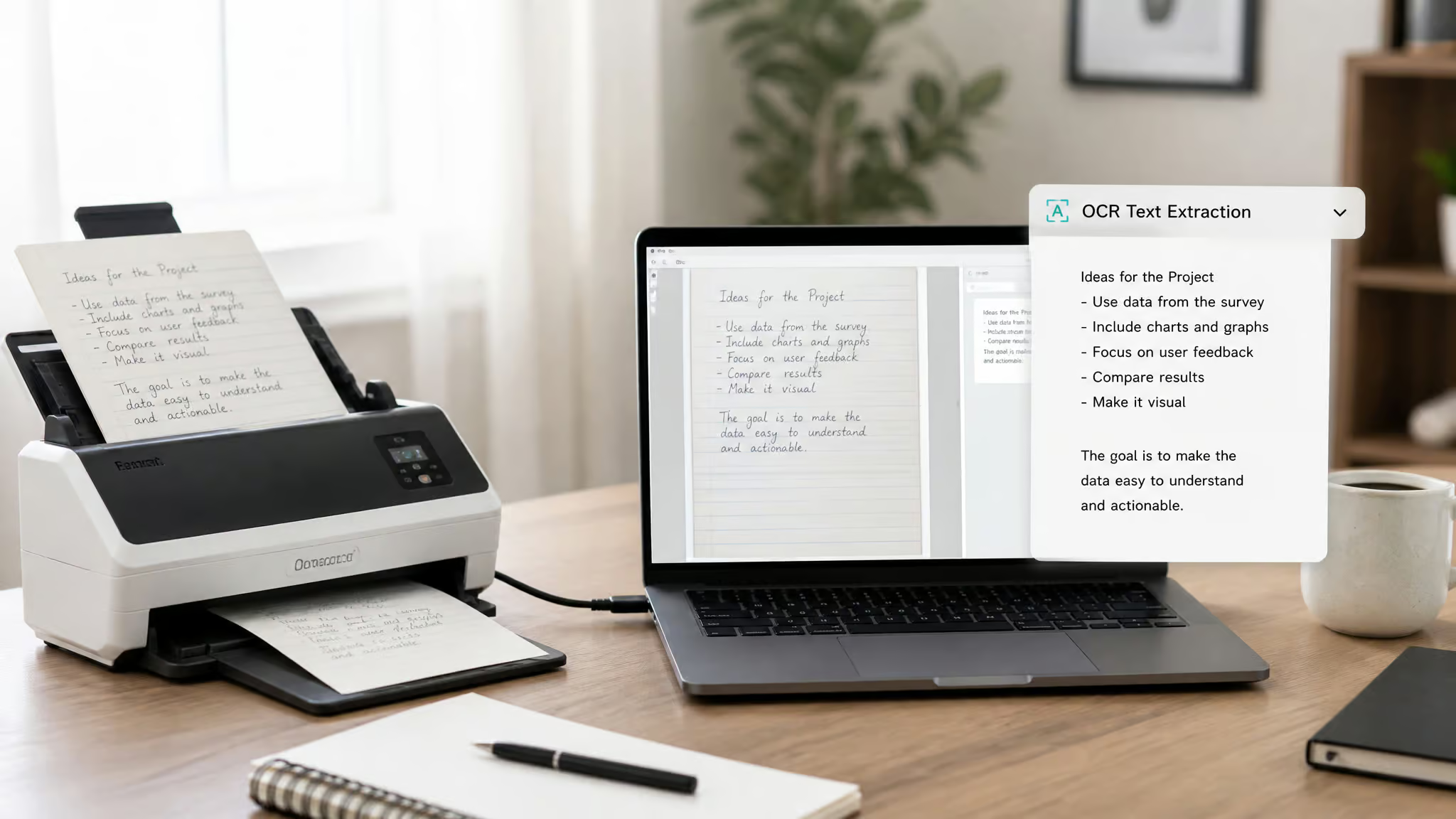
But two features actually set it apart from the field.
OCR and 11 languages: the workflow differentiators
Winston’s OCR extracts text from scanned documents and images, .docx, .png, .jpg, including handwriting. This is the feature most competitors simply don’t offer. For an educator scanning handwritten assignments or a publisher digitizing old documents, OCR removes a real manual-transcription bottleneck before detection even starts. It’s not a spec-sheet novelty; it’s the difference between scanning a kid’s notebook and transcribing it by hand.
The language support is similarly broad: English, French, Spanish, Portuguese, German, Dutch, Polish, Italian, Indonesian, Romanian, and Chinese (Simplified). That’s 11 languages. Most detectors handle a handful of Western European languages and call it done.
Beyond detection: the rest of the suite
Winston bundles a plagiarism checker with source tracking, a similarity checker, a readability score, writing feedback, a grammar checker, and AI image/deepfake detection. The sentence-by-sentence prediction map is genuinely useful, it gives you a per-line breakdown of which parts it flags as AI, color-coded, so you’re not staring at one opaque percentage.
One notable absence: there’s no paraphraser. Plenty of detectors bundle a rewriter these days, but Winston deliberately skips it. The stated reasoning is that they’re in the business of preserving human writing, not laundering AI text. Fair enough, but know that going in if you wanted that feature.
Accuracy: what the 99.98% claim really means
Winston says it’s trained on the largest dataset of human-reviewed text, validated by peer-reviewed studies and ranked #1 on DetectArena. That’s the claim.
Here’s what I actually saw.
The headline claim and what it doesn’t tell you
That 99.98% figure is benchmark-specific. It’s the result a detector gets when evaluated against a test set, not a promise about what happens with your specific essay, blog post, or cover letter. The peer-reviewed validation is more than most tools offer, but benchmarks measure controlled conditions. Real text is messier. Independent peer-reviewed studies and transparent benchmarks back Winston AI’s reputation, but my own tests on ChatGPT output showed mixed results. ZeroGPT, for instance, was middlingly accurate except on cover letters.
Three real-world tests
I ran a documented three-test battery. Pure AI text, clear-cut ChatGPT output. Mixed text, about 41% human-written content blended with AI. And humanized text. AI output run through a paraphrasing tool.
- Pure AI text: Winston flagged it at 0% human. Correct call.
- Mixed text (41% human): Winston flagged it at just 3% human. Nearly half the content was genuinely human-written, and the tool said almost all of it was AI. It wasn’t just wrong; it was aggressively wrong in one direction.
- Humanized text: Missed entirely. Read as 100% human.
Then the long-document test: I inserted AI paragraphs into a 22,000-word novel. Winston missed every single one.
The pattern is the lesson. Winston leans cautious on short and mixed text, it’s better at not missing AI, but it cries wolf on genuine human work. Yet in long-form, it goes completely blind. The real decision isn’t whether the 99.98% headline holds. It’s which failure mode you can tolerate.
How AI detection works, and why humanizers defeat it
This is the part that gets interesting. Detectors aren’t reading meaning; they’re looking at surface patterns.

The mechanics under the hood
Winston uses natural language processing and machine learning to distinguish human from AI writing patterns. It trains on pre-2021 data because post-2021 content is “questionable”, contaminated by LLM output. That’s a genuinely clever self-protection move, but it comes with a blind spot: the model may have trouble with newer writing styles that emerged after its training data cutoff.
There’s also a 600-character minimum. Shorter text can’t be reliably categorized, which is the kind of constraint that bites students pasting in three-sentence responses. The detection signals themselves, things like perplexity and burstiness, which GPTZero popularized, are statistical fingerprints of how humans and LLMs choose words differently. Humans are more unpredictable; LLMs tend toward statistical sameness.
The humanizer arms race
Here’s the kicker. Because detection operates on surface features, phrasing, syntax, rhythm, anything that erases those features erases the detection. In testing, running fully AI text through QuillBot’s humanizer and EssayDone flipped Winston’s verdict from 0% to 100% human. A simple paraphrase pass defeated the tool. Weekly model updates help Winston keep pace, but they’re inherently reactive: the LLMs and humanizers move first, the detectors chase.
If you want the full forensic toolkit for spotting AI text by hand, the stylistic quirks, the telltale patterns that tip you off before you run a checker. I’ve got a deeper guide on how to detect AI writing.
The AI detector landscape: Winston vs. the field
Here’s the thing about the market: it’s segmented by stakeholder, not by raw accuracy. Each tool owns a niche, and that affects what it optimizes for, and what it misses.
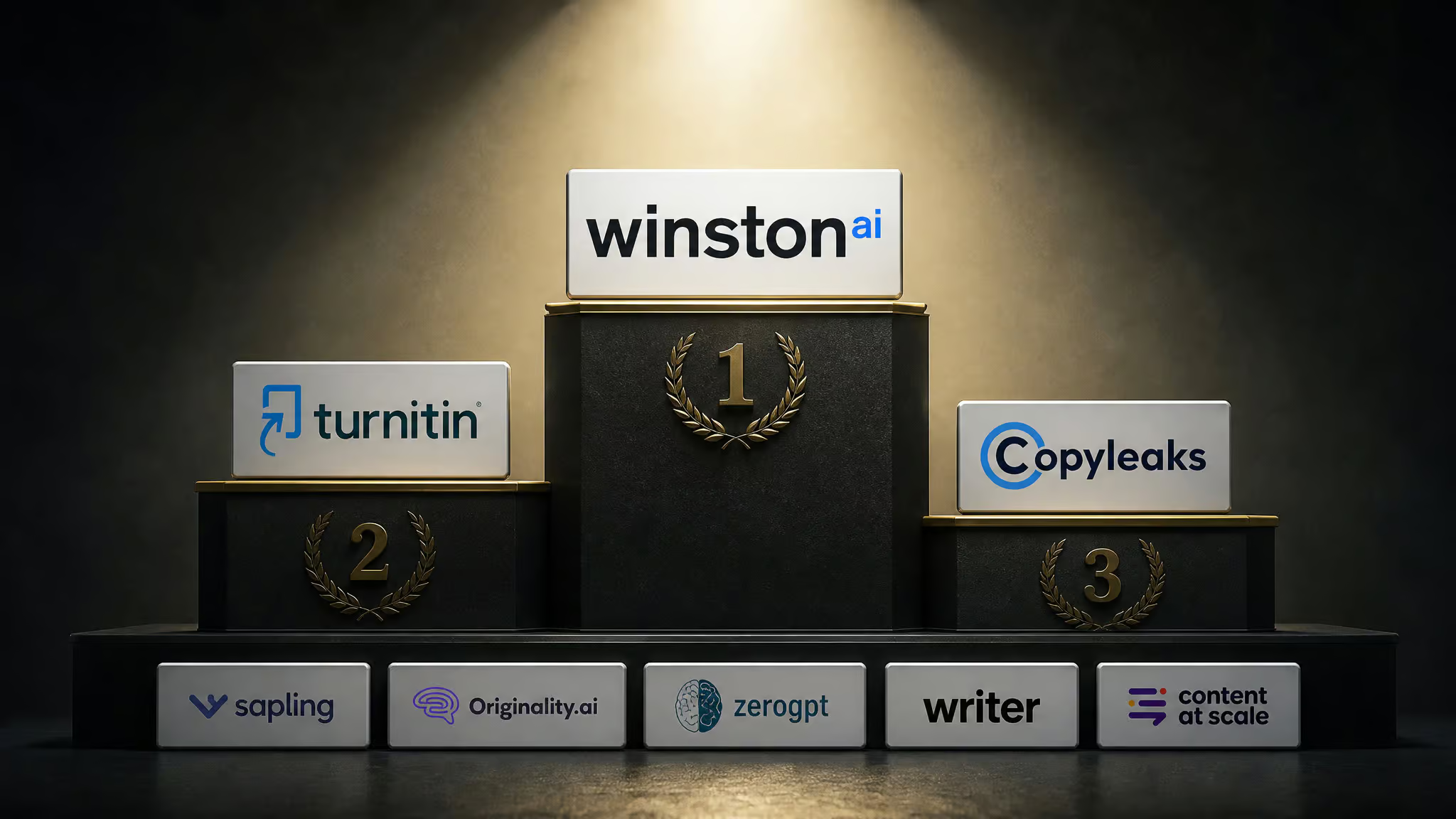
If you’re asking about “top 3 detectors,” the consistent answer is GPTZero, Turnitin, and Winston. They anchor different corners: GPTZero for educators who want transparent analysis, Turnitin for institutions that need LMS integration, and Winston for anyone who wants the all-in-one breadth, text plus image detection, OCR, and plagiarism in a single suite. That breadth is both Winston’s strength and the source of its tradeoffs.
| Tool | Accuracy claim | Standout features | Languages | Pricing model | Best for |
|---|---|---|---|---|---|
| Winston AI | Claims 99.98%, #1 DetectArena | OCR, plagiarism checker, image/deepfake detection, sentence map | 11 languages including Chinese | Credit-based, free trial, $12, $19/mo | Document-heavy, multilingual users |
| GPTZero | Perplexity/burstiness analysis | Advanced Scan with per-sentence highlighting, generous free tier | Limited vs. Winston | Free tier + paid | Educators wanting transparency |
| Turnitin | Conservative to avoid false accusations | LMS integration (Blackboard, Moodle) | Institutional | Bundled via universities | Institutions |
| Originality.ai | Aggressive detection | Site-wide scanning for SEO | Limited | Paid | SEO/marketing teams |
| Copyleaks | Broad coverage | 30+ languages | 30+ languages | Paid | Multilingual content teams |
| QuillBot | Detection + rewriting | Free tier plus humanizer | Multiple | Freemium | Budget users needing a rewriter |
For browser-based quick checks without installing anything, my guide on how to detect AI writing online covers the web tools and extensions that work well in a pinch.
Winston AI vs. GPTZero: which is more reliable?
Straight answer: reliability depends on your use case and your error tolerance, not on any ranking. Both tools miss humanized text. Both overflag some human writing. The difference is in what each optimizes for. In a head-to-head on mixed text, GPTZero’s Advanced Scan correctly flagged the AI-generated sentences in orange, while Winston AI overflagged the same sample, so GPTZero was more precise there. Winston AI still has potential, especially for deepfake detection, and it handles large scanned documents well, but it lacks a paraphraser and its top-tier pricing runs a bit higher than GPTZero’s annual plan.
Accuracy on the same text
On my test samples, GPTZero’s Advanced Scan was more precise on the mixed text, it correctly flagged the AI sentences in orange while giving a cleaner read on the human sections. Winston gave a less accurate verdict on that same sample, leaning toward overflagging.
Features and workflow
Winston brings OCR, 11 languages, and a sentence-by-sentence prediction map. GPTZero brings transparency for educators, the perplexity and burstiness scores make its reasoning inspectable, and its free tier is generous.
Who should choose which
Choose Winston if you’re scanning documents, need multilingual detection, and want the full suite in one place. Choose GPTZero if you’re an educator who wants a transparent free-tier tool you can show students and explain during a conversation.
Winston AI vs. Turnitin: the academic standard
This comparison is about embedded-versus-standalone workflow, not about which detector is “better.” Many universities now bake AI detection directly into Turnitin, which lives inside Blackboard and Moodle. Students deal with it whether they like it or not, it’s part of the grading pipeline.
Turnitin takes a conservative approach because false accusations in grading are a liability. It’s less likely to falsely flag a student, but more prone to missing subtle or lightly edited AI assistance. Winston’s academic edge is different: OCR for handwritten and scanned assignments, a standalone plagiarism checker, and that 0-100 human score. But it’s a separate workflow. You’re not grading inside Winston; you’re copying text in and out.
The practical consequence: if your institution uses Turnitin, that’s the tool your grade crosses. A standalone detector like Winston only helps if you’re using it voluntarily, before submission.
Winston AI vs. Originality.ai, Copyleaks, and the rest of the field
The specialists go deep where Winston goes broad.
Originality.ai: the SEO and marketing specialist
Originality is built for digital marketers and SEO managers. It has powerful site-wide scanning for auditing published content at scale and an aggressive plagiarism checker. The tradeoff: higher false-positive rates on formal human writing. If you’re publishing a polished legal or academic-style piece, Originality is more likely to cry wolf.
Copyleaks, QuillBot, and ZeroGPT
Copyleaks supports 30+ languages, three times Winston’s count. QuillBot offers a free tier plus a humanizer bundled in. ZeroGPT and similar budget tools compete on simplicity and low price, nothing more.
Winston’s position: the all-in-one play. It doesn’t go as deep on site-wide scanning as Originality, match Copyleaks’ language count, or undercut on price. But nothing else in one package does text detection, image/deepfake detection, OCR, and plagiarism checking. There’s a genuine link here to how detection overlaps with plagiarism checking, that intersection deserves its own treatment in my guide on AI detection and plagiarism checkers.
Pricing and plans: what does Winston AI really cost?
The free trial is a taste, not a meal. You get credits without a credit card, you run a quick test, and then you hit the paywall fast if you’re scanning a lot. Notably, the trial expires after 7 days even if you have unused credits left.
Credits, tiers, and the gotchas
Winston runs on credits: AI scans cost 1 credit per word, while plagiarism scans cost 2 credits per word. That means a full plagiarism check costs double the credits of a plain AI check.
The tier structure has a classic feature-gating problem. The Essential plan at $12/month lacks advanced plagiarism. The Advanced plan at $19/month gets you the full advertised suite. If you want the Essential Plagiarism tier, you lose Advanced AI Models Detection, Multi-language detection, and Paraphrased Content Detection.
Tradeoffs everywhere. The true cost of “Winston AI with everything” is the Advanced plan, not the $12 entry price.
There’s also small UX friction, like having to toggle the plagiarism feature on manually, easy to forget, which means you might run a scan that doesn’t include the check you thought it was running. And full reports are locked behind the paid tiers.
How the field compares on price
GPTZero’s free tier is genuinely generous, and QuillBot offers free access plus its humanizer. Competitor pricing varies by plan and should be checked against current rates, but the pattern is clear: Winston’s full-suite pricing lands on the premium side, especially against GPTZero’s annual plan.
Which detector is right for you? Education, SEO, and writing
Pick your tool based on which error you can’t afford. This is the entire decision in one framing.
Educators, catch everything, accept some false flags
Academic integrity demands recall. Missing AI-generated work means a student slipped through; a rare false flag on a genuine essay is the cost of that vigilance. Winston positions itself as preferred for academic institutions, and the handwriting OCR genuinely helps for in-class assignments. GPTZero is the direct competitor here for teachers who want transparent scoring, and Turnitin remains the institutional standard if your school is already wired for it.
SEO writers, precision over recall
For publishing, the math flips. Low-quality or unoriginal content struggles in search results, but falsely flagging your own human writing is worse, it tanks processes that depend on publishing. You want a detector that never cries wolf on genuine content you’ve written and edited. Originality.ai’s aggressive stance is aimed at content farms; Winston’s mixed-text overflagging is dangerous for this audience.
General writers, the human score as a pre-flight check
If you’re submitting somewhere that screens for AI, the 0-100 human score is a pre-publishing check. Run your draft, confirm it reads as human, submit. The sentence-by-sentence map helps you spot which sections a detector might flag so you can revise them, though the humanizer loophole cuts both ways here.
How to test AI detectors yourself
Don’t trust any review, including this one. Here’s a replicable three-test template I use because it exposes how detectors actually behave:
- Pure AI text. Generate a clearly AI-written paragraph and scan it. A correct detector says 0% human.
- Mixed human+AI text. Blend roughly half human-written content with half AI output. Detectors that overflag, like Winston did on my 41%-human sample, fail this test badly.
- Humanized text. Take fully AI output, run it through a paraphrasing tool like QuillBot, and scan the result. Most detectors, including Winston, see 100% human.
Then run a long-document test. Paste AI paragraphs into a longer human-written piece. This is where many detectors go blind entirely.
Compare scores across tools on the same samples. Interpret results through the false-positive/false-negative lens rather than a single percentage. Short paragraphs behave differently from long documents, so test on your own text types, the kind you actually produce.
Is Winston AI safe? Privacy and data handling
Here’s the uncomfortable gap. The source material doesn’t disclose what happens to submitted text and documents, and “Is Winston AI safe?” is a very real search query, because students and writers submit sensitive work to these tools daily.
What happens to your uploaded text?
Nobody audits what detectors do with your essays. The source is silent on data handling, whether submitted text is stored, used for training, or shared. That silence is a legitimate concern. Before pasting a dissertation chapter or a confidential client document into any scanner, review the tool’s privacy policy first.
Trust signals vs. disclosure gaps
Winston has credibility signals, 10M+ users, the NY Times/Wired/BBC/Forbes mentions. Those establish that the tool isn’t a random fly-by-night project. But press mentions don’t answer the data-handling question. It’s also worth remembering the legal context: detectors are used in hiring, admissions, and academic discipline, so the results carry weight. Use them responsibly, and don’t submit anything you wouldn’t want stored.
matching the tool to your error tolerance
I ran the tests, pure AI, mixed text, humanized output, and a long-document torture test. The verdict is grounded in that digging, not in the marketing page. Winston’s claim of 99.98% accuracy holds up on clean cases: pure AI text gets flagged correctly. It falls apart on the messy reality: mixed human+AI text gets overflagged, humanized text gets missed completely, and AI paragraphs hidden inside a long document vanish entirely.
The strengths are real. OCR for handwriting and scanned docs. 11 languages including Chinese. An all-in-one suite that bundles plagiarism, grammar, writing feedback, and image detection. The 99.98% benchmark and the DetectArena ranking are legitimate credibility markers.
And the weaknesses are real. The mixed-text overflagging, the humanizer blind spot, the long-document gap, and pricing that gates the full feature set behind the $19 tier.
So: educators, Winston’s caution works in your favor, you want recall, and OCR genuinely helps. SEO writers, be careful, this tool will flag your human drafts. Institutions, Turnitin’s LMS integration makes it the default choice. And if you’re a general writer who just wants a pre-publishing authenticity check with granular sentence-level feedback, Winston is a solid pick, just know its limits before you trust it with something important.
Frequently Asked Questions
Is Winston AI good?
Winston AI is good for document-heavy, multilingual users who want an all-in-one suite. It excels at OCR and supports 11 languages, but it overflags mixed human+AI text and misses humanized text entirely, so its accuracy depends on your use case and error tolerance.
How does Winston AI detect AI?
Winston AI uses natural language processing and machine learning to analyze surface patterns like perplexity and burstiness, which are statistical fingerprints of how humans and LLMs choose words. It trains on pre-2021 data to avoid contamination, but this creates a blind spot for newer writing styles.
