Real talk for a second: AI is behind a frankly ridiculous amount of what you read on the internet right now. Emails. Product descriptions. Forum replies that somehow agree with everyone.
Even some subtitles, if you think about it too hard. And here’s the kicker: almost none of it comes with a disclaimer. Nobody’s slapping a little written by something that dreams in tensor math badge on it.
So if you want to know how to detect AI writing online without losing your mind, you’re not alone. The tools have come a long way from “count the em-dashes and hope,” but no single detector is a magic bullet, and the ones that pretend otherwise will happily flag the Declaration of Independence as machine-generated. This is a solved-enough problem to be useful, but it’s also a cat-and-mouse game that requires actual judgment. Here’s the full picture.
Key Takeaways
In a 30-tool test run against AI text generated by ChatGPT, Gemini, and Claude (roughly 1,000 words each, same prompt) plus three human-written samples, including the Declaration of Independence and the Magna Carta as controls, only Pangram Labs and Copyleaks caught every AI sample and cleared every human one.
GPTZero claims a 99% true-positive rate on AI vs. human text, a 1% false-positive floor for ESL writers, and 96.5% accuracy on mixed human-plus-AI documents, but those are the company’s own numbers, not an independent benchmark.
No detector is 100% accurate, so a positive hit is a flag, not a verdict: re-read the flagged sentences yourself, confirm with a second tool, and never use an AI detector alone to penalize a human writer.
Table of Contents
Why “just read it” doesn’t work anymore
There was a golden era, roughly 2022 through early 2023, where you could spot AI text by eye reliably. The prose was so polished it squeaked. Every paragraph ended with a tidy summary sentence. It used “delve” and “it’s important to note” with an enthusiasm no human has ever possessed.
Those days are over. Modern models are trained to sound bored, casual, and occasionally wrong-in-a-realistic-way, which makes them convincing.
That’s why detection matters beyond curiosity: you need to know what you’re reading. Whether you’re vetting a freelance writer’s portfolio, eyeballing a vendor’s documentation, or checking whether a student actually wrote that essay, it matters. And the tools have matured to match. The flagship example is GPTZero, which launched in January 2023, claims over 10 million users, and is used across 3,500+ schools and 100+ organizations.
It supports English, German, Portuguese, French, and Spanish, and its detection model is continuously retrained on recent releases like GPT-4.1, o3, Gemini 2.5 Pro, Claude Sonnet 4, and Deepseek. That last part matters more than you’d think: a detector trained on last year’s model will miss this year’s.
How AI detectors actually work
Strip away the marketing and every detector on the market is doing the same core thing: measuring how surprised a language model is by your text.
The two big signals are:
- Perplexity, how predictable the text is. AI text is, on average, more predictable than human text because it’s literally generated by predicting the next token over and over. Low perplexity means this reads like what the model itself would write.
- Burstiness, how much the sentence rhythm varies. Humans are bursty. We write a 60-word monster sentence, then a five-word jab, then a medium one. AI tends to hold a steady, uniform cadence like it’s maintaining a 65-mph cruise-control pace on the highway.
GPTZero frames this as a hundreds-of-factors analysis across the document, looking at token-level probability, sentence-level variation, and perplexity/burstiness together. The clever part is the training: these detectors are built on the same underlying architecture as the generators, but fine-tuned to recognize artificially generated text, it’s how you’d train a spy to spot another spy by feeding them the rival agency’s tells.
The catch: it’s an arms race. Every new model release gets better at sounding human, and every detector has to chase. That’s why the GPTZero-style retraining loop (include GPT-4.1, o3, Claude Sonnet 4, etc. in the training data) is genuinely important. A detector that isn’t actively chasing new models is dead on arrival.
The eyeball test: what AI text still gets wrong
Even with all that math, there are tells you can catch by eye, they just aren’t the old this paragraph has five sentences and all of them end with a summary tells. What modern AI still struggles with:
- Uniform structure. AI loves parallel structure. Three sentences, same length, same rhythm, each one completing a thought. Humans don’t write like that.
- Perfect predictability. You can guess the next sentence and be right. A human writer will wander.
- Mechanical “niche” vocabulary. Current models overuse words like “delve,” “tapestry,” “landscape,” and “it’s worth noting”, not because those are wrong, but because the model’s probability distribution makes them more likely than a human would.
That said: the eyeball test is a screening tool, not proof. There are humans whose natural writing trips detectors, especially non-native English speakers, who tend to write with more uniform sentence structure and more predictable patterns. That’s a real problem, and the tools are starting to address it. GPTZero, for example, has an ESL-specific mode that’s de-biased for non-native writers, lowering false positives to a claimed 1% floor.
Copyleaks offers a similar ESL option. If you’re going to run detection on anyone, you need to know whether the tool you’re using has ESL handling built in, otherwise you’re just making a model’s biases into your own. And if you want a deeper breakdown of the tells themselves, our field guide to detecting AI writing goes deeper into the stylistic forensics.
Your browser is the detective’s desk: extensions that check as you go
The fastest way to screen text is a browser extension so you can check anything you’re reading, anywhere. The tools break down like this:
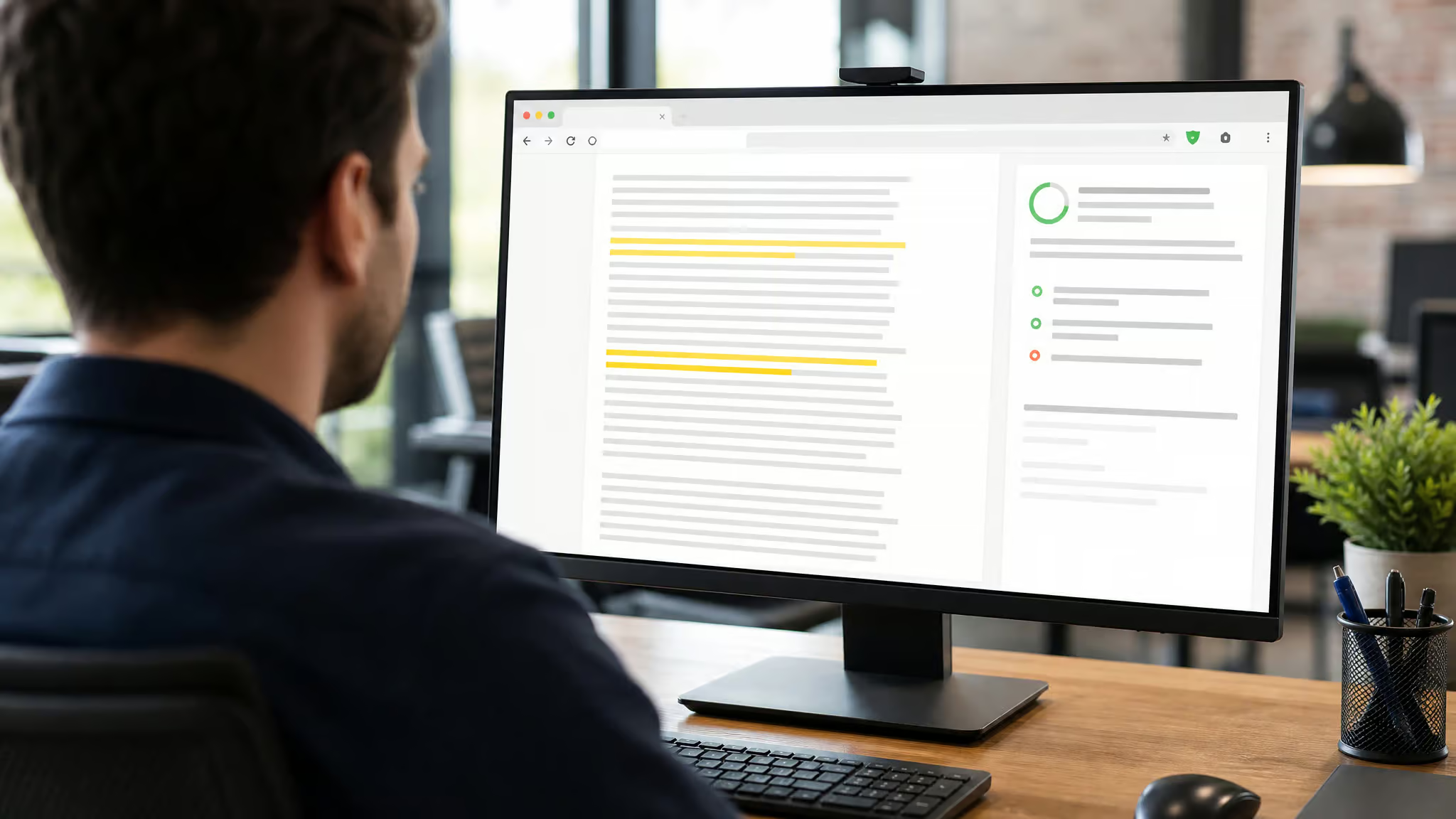
GPTZero for Chrome, the one-stop heavyweight. You can hover over any text on any website and get an instant “human vs. AI” read, you can paste in a document for a full scan, and it integrates directly with Google Docs. Two features genuinely stand out:
- Writing-room mode: a split-screen editor that shows you where in your document the AI-ish text sits while you write, useful for catching “wait, did I actually write that paragraph or did the autocomplete spirit take over?”
- Video-replay / typing-pattern analysis: it reconstructs the writing process from edit timestamps and typing fingerprints, so you can see whether a document was drafted in one furious burst (or pasted wholesale) versus genuinely built up over time. This is the closest thing to evidence that a text was human-written.
Sapling.ai, a solid lightweight option: native detection that highlights the exact part of the text it considers AI-generated, with a 30-day free trial. It’s geared toward customer-service teams but works fine for general screening.
Originality.ai, the “audit your whole site” option. It bundles four checks into one: AI detection, plagiarism detection, a readability score, and fact-checking. It also ships a Site Scanner that can sweep every page of your website for AI-generated content, genuinely useful if you run a publication, an agency, or anywhere that publishes a lot of text and needs a compliance layer. In testing it landed an 89% true-positive rate on AI text with zero false positives, the best raw accuracy of the mid-tier tools.
DetectGPT (Stanford), the academic option. Instead of “is this AI or human?” it asks whether the text is more likely to come from a specific model given the surrounding context. It’s built for verifying suspected-generated passages where you already have a candidate model in mind, interesting as a forensic tool, less useful as a general gatekeeper.
Pangram Labs and Copyleaks, both run extension versions that integrate with Google Docs and Canvas (the LMS), making them the natural picks for educators. We’ll get to why they’re both very worth checking in the results section, they were the two that passed everything.
Running a proper check: a GPTZero walkthrough
When you run a document through GPTZero, here’s the technical breakdown of what’s actually happening under the hood, this is where it gets satisfyingly nerdy:
- Document classification. The API returns one of three verdicts:
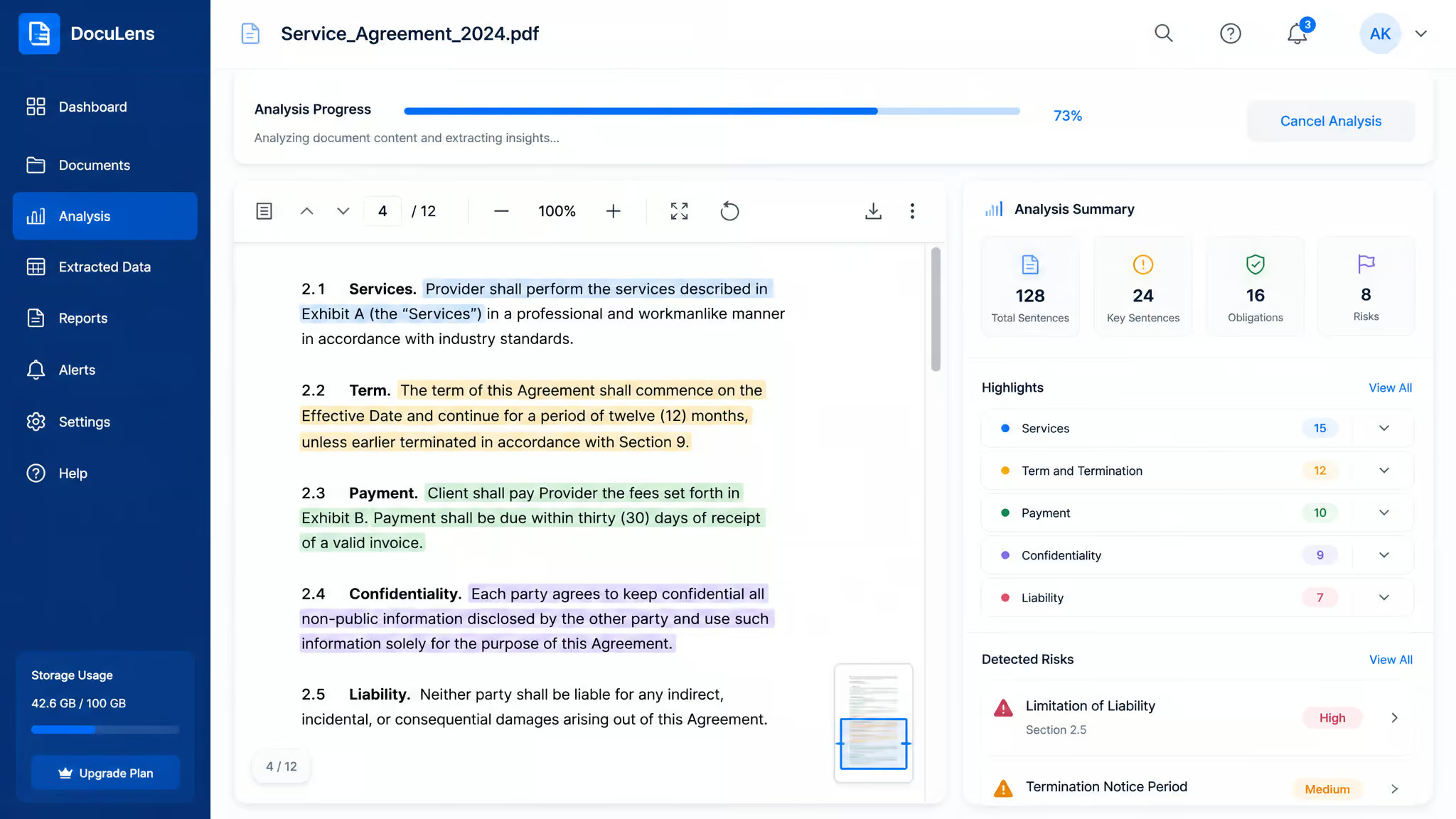
HUMAN_ONLY,AI_ONLY, or, and this is the one most people don’t know aboutMIXED. That matters more than you’d think. Real-world AI use is rarely “the whole essay was generated.” It’s usually “human intro, AI body, human conclusion.” GPTZero specifically claims 96.5% accuracy on mixed documents, which is precisely the hard case that trips most detectors. - confidence_category. Every verdict comes with a confidence level: high, medium, or low. The numbers get genuinely impressive at the high-confidence tier: GPTZero reports that at high confidence, 99.1% of human documents are classified correctly as human, and 98.4% of AI documents are classified correctly as AI. The tool is telling you “I’m very sure about this one” versus “this is a coin flip.” Pay attention to that field. A low-confidence verdict should send you back to manual review, not to the accusation highway.
- Sentence-level highlighting. The report flags the specific sentences it believes are AI-generated, with a per-sentence probability. This is your manual-review map: go read those sentences yourself. If the “AI” sentences are a clean paragraph that reads like a perfectly drafted summary, that’s confirmatory. If they’re scattered fragments that read like a tired human Tuesday-afternoon draft, give the verdict the side-eye.
One genuinely good policy detail: GPTZero says it doesn’t store your document, and your dashboard inputs go through aggregate/anonymized pipelines for training and tuning. If you’re running anything sensitive through a detector (a contract draft, a student’s essay, a vendor’s proposal), that’s worth knowing before you paste.
And here’s the calibration trick worth stealing from the big test that built the 30-tool benchmark: the human control samples were the Declaration of Independence, the Magna Carta, and an author’s own writing. Run your detector against a known sample of your own writing before you trust it on someone else’s. A detector that flags the Magna Carta as AI has a bias problem, and you want to find that out about the tool before you use it on a real person.
The 30-tool gauntlet: what actually passed
Before we get to results, the ground rules that keep this honest:
- No detector is 100% accurate. Anyone selling you “99.99% confidence” is selling you a story.
- Longer inputs beat short ones. Document-level analysis is dramatically more reliable than sentence-level checks. A 50-word fragment is a coin flip; a 500-word document is a useful test.
- The tools work best in English. Run them on other languages and you’re in the wild west.
Now, the test that drove this whole conversation: three AI samples, each roughly 1,000 words generated with the same prompt using ChatGPT 4o, Google’s Gemini 2.0, and Claude 3.5. Plus three human samples: the Declaration of Independence, the Magna Carta, and a piece written by an actual human. The pass bar was strict: an AI text had to score at least 75% “likely AI” to count as caught, and a human text had to score under 25% to avoid being a false positive. Every tool was run on its free tier.
The two that passed everything
Pangram Labs and Copyleaks were the only tools that caught all three AI samples and cleared all three human samples. Pangram’s detector was co-authored by David Hartshorne, its director of science (and a research team that actually publishes peer-reviewed work on AI text detection), the pedigree shows. Copyleaks brings the same reliability plus an ESL option and Canvas/Google Docs integrations, which makes it genuinely useful in classroom settings.
Great at catching AI, but they’ll burn your humans
Hive caught 56% of AI text, but flagged every single human sample as AI. JustDone passed most of its AI tests (it only whiffed on one Claude sample) but also flagged all three human texts as AI. These tools are like a smoke detector that also goes off when you make toast. Useless in a real workflow.
The solid middle ground
Originality.ai, 89% true-positive rate, zero false positives. The best accuracy-per-dollar of the mid-tier. Winston AI, 82% true-positive, zero false positives. If you want a tool that won’t shout at a human writer, Winston is the one that has a dedicated head-to-head comparison worth reading if you’re evaluating options: Winston AI vs. the field.
Scribbr, caught two of the three AI samples, and passed every human sample. Conservative, but honest. Content at Scale, caught 78% of AI text, but flagged a third of the human samples as AI. The catch rate is fine; the false-positive rate is a dealbreaker for serious use.
The misfires and the model-lotteries
ZeroGPT, failed every AI test, never scored above 50% on anything, and was wildly overconfident while doing it. Grammar (the grammar-checker’s detector), failed all three AI samples outright. SciSpace, failed all AI tests and only got the human samples right 67% of the time. Isgen and Plagium, caught barely anything (11% and 22% respectively).
Plagium was clean on humans but missed all Gemini and Claude output entirely. Surfer, failed every ChatGPT sample but passed every Gemini sample. A literal coin flip depending on which model wrote the text. Merlin, Smodin, and DetectGPT, all choked specifically on Claude outputs and on historical documents, which suggests their training data skews toward modern web text.
One more name worth knowing: Turnitin, the academic gold standard. It wasn’t included in this test because it’s not publicly accessible (institutions have to license it), but it’s the closest thing to “court-admissible” AI detection in education right now.
The free-and-cheap tier, quickly
- Smodin: genuinely free, no sign-up, no limit, exports to PDF.
- Content at Scale: 100 free checks a day on the free tier; paid plans start around $14/month.
- Kazan SEO: 5 free checks a week (5,000 characters), $15/month for unlimited.
- Crossplag: free with a 1,000-word cap, fine for quick checks, useless for long documents.
- Merlin: 3 free credits, paid plans from ~$19/month.
- If you’re running this on a zero-dollar budget, our free detector playbook lays out how to stack the free-tier tools for better coverage.
A sane workflow for the appropriately paranoid
The tools give you evidence, not verdicts. Here’s the workflow that keeps you accurate and honest:
- Calibrate first. Run your own writing through the tool. Run a known AI text through it. You’ll learn the detector’s personality, what it over-flags, what it under-flags, before you point it at anything that matters.
- Screen, don’t convict. Use the detector to generate a shortlist of documents worth a manual read. A positive hit means “read this closely,” not “accuse the author.”
- When you get a hit, read the flagged sentences yourself. Sentence-level highlighting is your cheat sheet. If the flagged sentences read like a perfectly polished, logically dense block with no typos, that’s a real signal. If they read like a tired human at 11pm on a Tuesday, the tool is wrong.
- Re-check with a second detector. Tools disagree constantly. If two independent detectors flag the same passage, the signal is much stronger.
- Watch for model-lottery effects. As the test showed, some tools miss entire model families. A single detector’s “human” verdict isn’t a guarantee, it’s one model’s opinion.
- Be gentle with non-native writers. ESL-mode tools (GPTZero, Copyleaks) are getting good, but remember the test results: even good tools flag legitimate human writing in this population more often. If you’re screening student or freelancer work, use ESL-aware tools and treat low-confidence hits as “needs a conversation,” not “caught.”
- Give feedback to the tool teams. Genuinely, most of these tools have a “this was wrong” report button, and they use the corrections to retrain. You’re not just being civic; you’re improving the detector you depend on.
And one last red flag: be very suspicious of tools that sell both detection and “humanizing.” A vendor that also rewrites AI text to dodge detection is a cop selling getaway cars. If a tool’s parent company profits from both sides of the fence, assume their detector isn’t exactly motivated to catch their own side’s output.
The honest bottom line
How to detect AI writing online, in one line: use a modern detector that’s retrained on current models, treat its output as a flag rather than a verdict, and always sanity-check the result against the actual text. The tools are good, genuinely good, at telling you where to look. But the final call still requires your own eyes, your own judgment, and a healthy respect for how often the models get it wrong.
The arms race will keep going: new models arrive, detectors chase them, new models evade, detectors adapt. What won’t change is the core skill, reading with attention, questioning results, and giving humans the benefit of the doubt until the evidence is genuinely there. That part of the job is still very much yours.
Frequently Asked Questions
Is there an app that can detect AI writing?
Yes, several. GPTZero, Copyleaks, and Originality.ai all offer browser extensions or web apps that can scan text for AI-generated content. GPTZero even has a Chrome extension that lets you hover over any text on a webpage for an instant read, and it integrates with Google Docs.
Is there a free AI Detector available?
Yes, several. Smodin is genuinely free with no sign-up or limits, Content at Scale offers 100 free checks per day, and Kazan SEO gives you 5 free checks a week. Crossplag is free but caps documents at 1,000 words, and Merlin offers 3 free credits. Free tiers are fine for quick checks, but for serious screening, a paid tool like Copyleaks or Originality.ai is more reliable.
How do AI detectors work?
They measure how ‘surprised’ a language model is by your text using two main signals: perplexity (how predictable the text is) and burstiness (how much sentence rhythm varies). AI text tends to have low perplexity and low burstiness, while human writing is more varied and less predictable. Detectors are trained on the same architecture as the generators but fine-tuned to spot these patterns.
