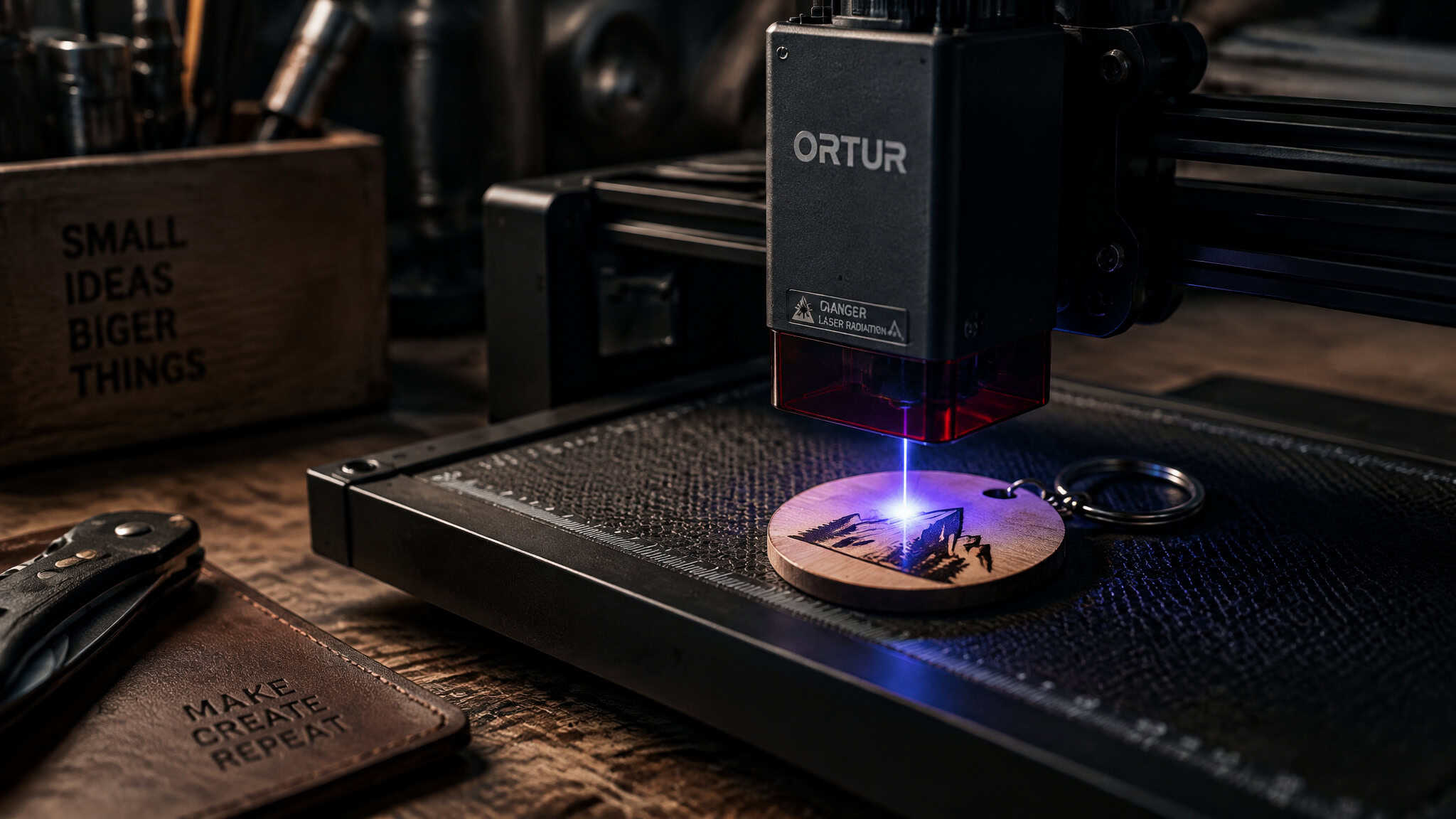
Freshly unboxed laser engravers trigger the same impulse as a new 3D printer or home-lab server: you want to run a real job immediately. Still, nobody wants to torch an expensive blank, buy material the beam can’t mark, or spend two hours hunting blindly for vector files. Here at GeekExtreme, we treat that first weekend with new hardware as a zero-risk calibration pass. Simple and free laser engraving projects break cleanly into a three-tier cost ladder: truly free runs using workshop offcuts and dollar-store finds, pennies-per-unit items built on $0.18 to $0.40 keychain hardware, and under-$10 blanks from hardware and craft aisles.
Starting in the free tier gives you a consequence-free sandbox to validate speed settings, power levels, and design workflows because a failed pass costs nothing. Many of the exact unit economics in this breakdown come from How-To Geek author Patrick Campanale’s March 9, 2026 project guide, which draws on his nearly half a decade of laser engraving experience teaching others to run their machines. Campanale started in tech in 2010 covering Palm/webOS, launched his own site in 2014, and has published more than 14,000 articles at 9to5Toys since 2017.
Key Takeaways
Beginner projects split into three exact cost tiers: near-free scrap-buster earrings (under $1 per pair, some under $0.50, using 1/8-inch max material), $0.18 DIY or $0.40 bulk wooden keychains, and under-$10 blanks like $3 Monarch Pine stainless necklaces, under-$5 luggage tags, $5 Harbor Freight tape measures, and $7 Home Depot hammers.
Matching the blank to your laser’s wavelength comes before buying materials: any diode laser handles engraving-only wood, cork, and faux leather, while marking bare stainless steel requires a fiber, infrared (IR), or UV laser (or a 20W diode like the xTool F1 Ultra for surface color variation).
You can test your setup at zero software cost using LightBurn‘s 30-day free trial (a $60 one-time license afterward) paired with free shared files from xTool Creator’s Club, then fund future materials by turning low-cost personalized blanks into word-of-mouth local orders.
Table of Contents
Simple and free laser engraving projects at a glance
Simple and free laser engraving projects are low-complexity, single-step jobs that let beginners test their machine setup using leftover scraps, dollar-store items, or blanks costing under $10. Beginner projects pair easy engraving techniques with zero-cost design files or ready-made blanks like cork coasters, wood keychains, faux-leather patches, slate coasters, coated tumblers, and basswood puzzles, sorting cleanly by unit cost:
- Under $1: Scrap-buster wood or acrylic earrings (under $1 per pair, some under $0.50), DIY keychains ($0.18 hardware from an Amazon kit plus a few cents of scrap), and bulk pre-made wooden keychains ($0.40 all-in).
- $1 to $5: Dollar Tree mirrors, cork coasters, faux leather patches, unfinished wood frames, wood canister lids, stainless bottle openers, Monarch Pine stainless steel necklaces ($3), luggage tags (under $5), and PITTSBURGH 25-foot tape measures ($5).
- $7 and specialty blanks: Stanley wooden claw hammers ($7), acacia serving boards, 3mm Basswood photo puzzles, coated tumblers, aluminum and wooden wallets, Basswood and acrylic desk organizers, and high school sports ornaments.
All ten beginner blank projects demonstrated by YouTube creator Creative Ramblings are engraving-only with zero cutting required, sourced from Dollar Tree, Walmart, Amazon, and local craft stores. YouTube creator Cornelius Creations also ranks the top five best-selling project categories from 5 to 1: wallets, cutting boards, tumblers, jewelry, and “you” (the maker’s own interpersonal skills).
Match the project to your laser before you buy blanks
Your choice between a diode, CO2, galvo, or fiber/infrared (IR)/UV laser depends on your target materials (bare metal vs. organic stock), budget, speed, and cutting thickness. Every engraving-only wood, cork, and faux-leather project in this guide runs on virtually any diode laser, making them ideal first laser engraving projects for beginners.
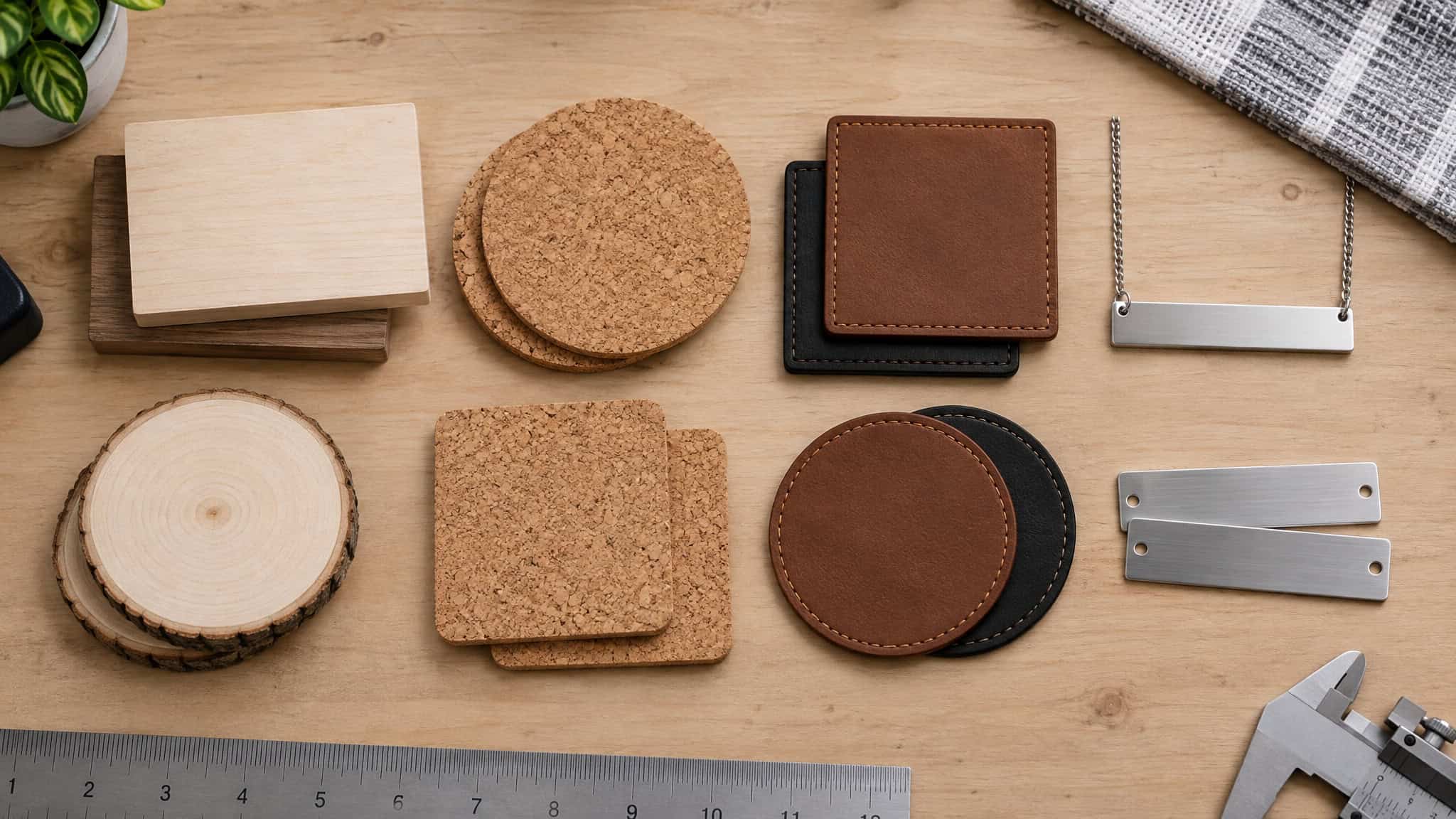
New owners often hit a hardware wall right after graduating from wood to metal: they buy stainless steel necklace bars or bottle openers, run a basic diode pass, and leave little or no mark. True metal marking on bare stainless steel requires a fiber, IR, or UV laser, such as the xTool F1, which pairs a 10W blue diode with a 2W IR laser.
A high-wattage diode marks rather than engraves bare stainless: on the xTool F1 Ultra, its 20W diode produces distinct color variation on stainless steel grill tools. Laser type also explains hardware price tags: the xTool M1 is a diode laser rather than a CO2 machine, which is why it costs roughly half the price of the CO2 xTool P2. For cutting, the 20W Creality Falcon A1 Pro easily slices 1/8-inch materials, while galvo-style lasers beat gantry systems on small-item speed, finishing a luggage tag in under a minute compared to 2 to 3 minutes on an 80W xTool P3.
Luggage tags: a 2-minute project with a 2x resale margin
Luggage tag blanks cost under $5 and resell for $10 to $12, turning a 2-to-3-minute engraving run on an 80W xTool P3 (or an under-one-minute pass on a galvo laser) into a clean 2x margin. They work just as well for personal gear as they do for small-batch sales: Campanale pulled a luggage tag blank from a supplier order and engraved it for his own bag ahead of a new business trip and his first flight in a few years. That supplier choice is where beginners need to pay attention. Luggage tag blanks must be certified laser-safe from dedicated laser vendors like MakerFlo or Lancaster Laser Supply, because not every faux-leather or plastic tag sold on Amazon is safe to put under a beam.
Custom keychains: the $0.18 project
Laser-engraved keychains cost under a dollar each, running between $0.18 in hardware plus a few cents of scrap material and $0.40 all-in for pre-made blanks. That pennies-per-piece floor holds for both scratch-cut custom shapes made from workshop offcuts and bulk pre-cut wooden tags engraved straight out of the box. A 100-piece keychain hardware kit on Amazon costs under $10 and yields 50 complete keychains (since each piece uses one keyring and one lobster claw), putting your hardware cost at $0.18 per unit, while bulk pre-made wooden blanks run $0.40 each all-in.
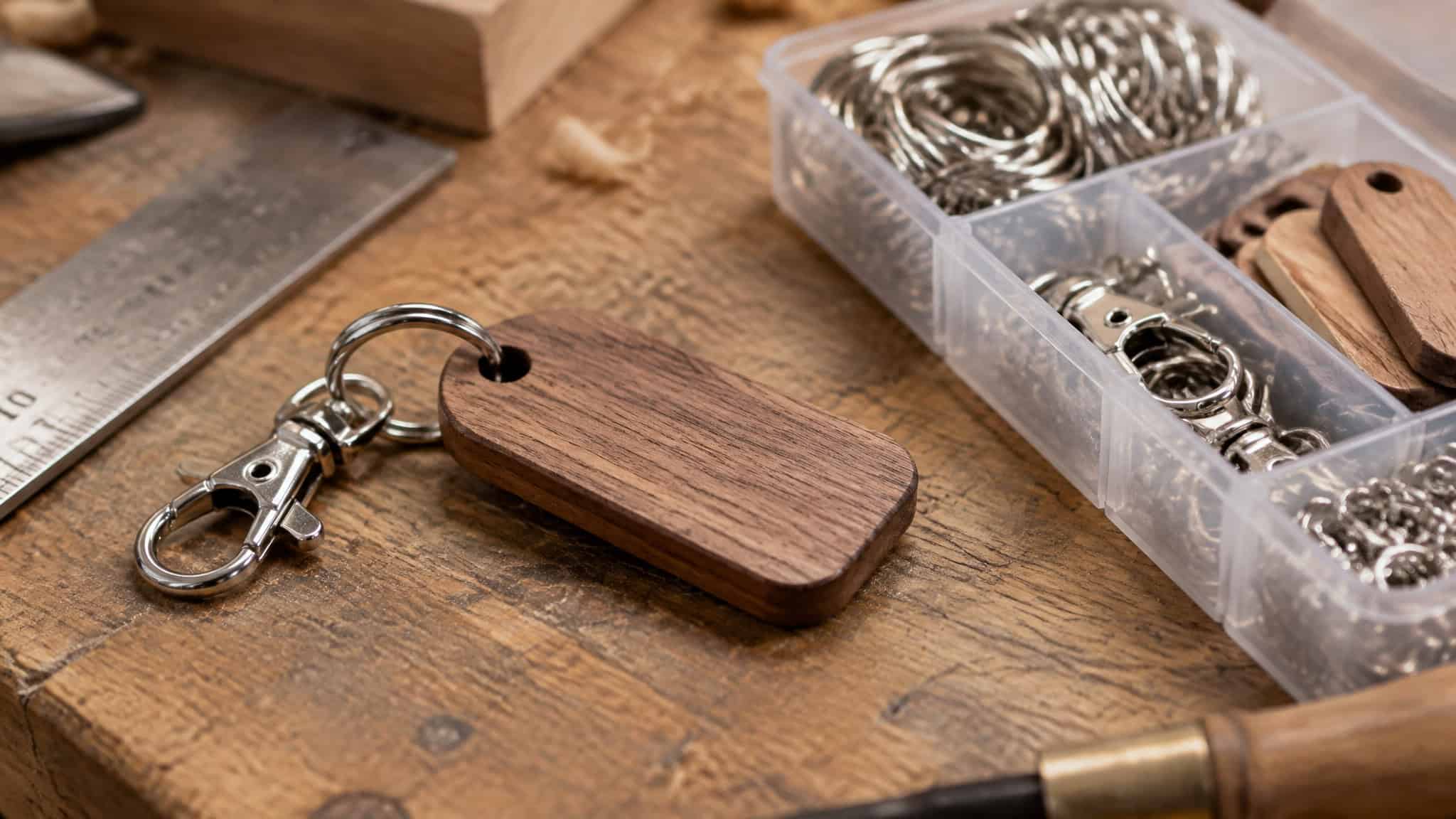
Because the unit cost is so low, first keychain batches are the best place to learn the classic beginner lesson: early failures rarely come from laser physics, and instead happen at the spelling and alignment stage when a typo or off-center graphic goes unnoticed until the beam fires. Proofing every text layer and dropping blanks into a simple alignment jig before committing hardware keeps those $0.40 runs from hitting the scrap bin.
Keychains from scratch
If your laser can cut 1/8-inch sheet stock, you can slice and engrave custom shapes out of leftover TruFlat or acrylic, snap on the $0.18 keyring and lobster-claw assembly from your 100-piece kit, and turn a few cents of offcut material into a finished tag.
Bulk pre-made wooden keychains
Buying pre-made wooden blanks in bulk brings the all-in cost to $0.40 per keychain with zero cutting required. Campanale keeps a stock of these bulk wooden blanks on the shelf at all times so he can knock out fast client orders or last-minute gifts in minutes.
Keychains with GPS coordinates
To turn a basic blank into a high-margin personalized item, Cornelius Creations proposes engraving location-based keychains featuring the GPS coordinates of a meaningful spot, such as a first date, a childhood home, or an engagement location. Pairing those coordinates with a clean vector icon like a heart, mountains, or an anchor turns a sub-dollar blank into a best-selling budget product.
Wood keychains for real estate clients
Craft-store wood keychains engrave cleanly on any laser, though galvo-style machines like the xTool F1 Ultra blaze through small items fastest. Engraving a custom home design onto wooden keychains gives you a ready-made closing gift for new-home buyers that you can pitch in batches to local real estate agents.
Wood or acrylic earrings: the scrap buster
Leftover scrap wood or acrylic is enough for laser-engraved earrings that cost under $1 per pair all-in, with some pairs dropping under $0.50, as long as you cap material thickness at 1/8 inch. Because earring silhouettes have tiny footprints, you can nest them into the odd-shaped offcuts left behind by larger cutting jobs, turning waste material into near-free jewelry or keychains that use only a few cents of stock plus $0.18 in hardware.
Campanale calls wood and acrylic earrings the ultimate “scrap buster” because your only extra out-of-pocket purchase is a bag of earring studs or hooks. When pulling pieces from your scrap bin, treat 1/8 inch as your practical maximum thickness: thinner wood or acrylic weighs less and stays put comfortably on the ear, whereas thicker stock pulls on the lobe and feels clunky.
Stainless steel necklaces: $3 blanks that need the right laser
A Monarch Pine horizontal bar stainless steel necklace blank costs $3 and takes under a minute to engrave, provided your machine uses a fiber, IR, or UV laser source. Simply etching a name across that $3 horizontal bar turns it into an immediate gift-worthy piece, and Campanale notes for transparency that while he has known Monarch Pine owner Katie for years, he was already buying blanks from the company before they met.
A standard blue diode won’t cut it here, so you’ll need a setup like the xTool F1’s 2W IR module or a dedicated fiber machine to mark the bare stainless steel. Once you have an infrared or fiber laser on the bench, metal jewelry, especially gold-plated and silver-plated necklaces, becomes one of the fastest, lowest-friction projects you can run.
Engraved tools: $5 and $7 hardware-store blanks
A $5 Harbor Freight tape measure and a $7 Home Depot hammer are everyday hardware-store tools that double as budget Father’s Day laser engraving blanks. Personalizing functional workshop gear gives you a high-margin gift item without paying craft-boutique markups, and Father’s Day drives steady seasonal demand for custom-etched tools. A PITTSBURGH 25-foot tape measure runs $5 at Harbor Freight and a Stanley wooden claw hammer costs $7 at Home Depot, a pair of blanks that Campanale has repeatedly engraved and sold.
Grill tools: marking stainless with a diode
Seasonal clearance aisles are another solid source for wood-handled stainless steel grill tools, where you can customize the wood grip and the metal spatula blade in the same job. Creative Ramblings used the xTool F1 Ultra’s 20W diode to mark the stainless steel base on clearance grill tools: because a high-wattage diode marks rather than engraves bare stainless steel, the pass creates a cool surface color variation that works for gifts or logo-branded sales.
Dollar-store and craft-store blanks: ten engraving-only projects
Ten engraving-only projects from Creative Ramblings use cheap blanks from Dollar Tree, Walmart, Michaels, Amazon, and local craft stores with zero laser cutting required.
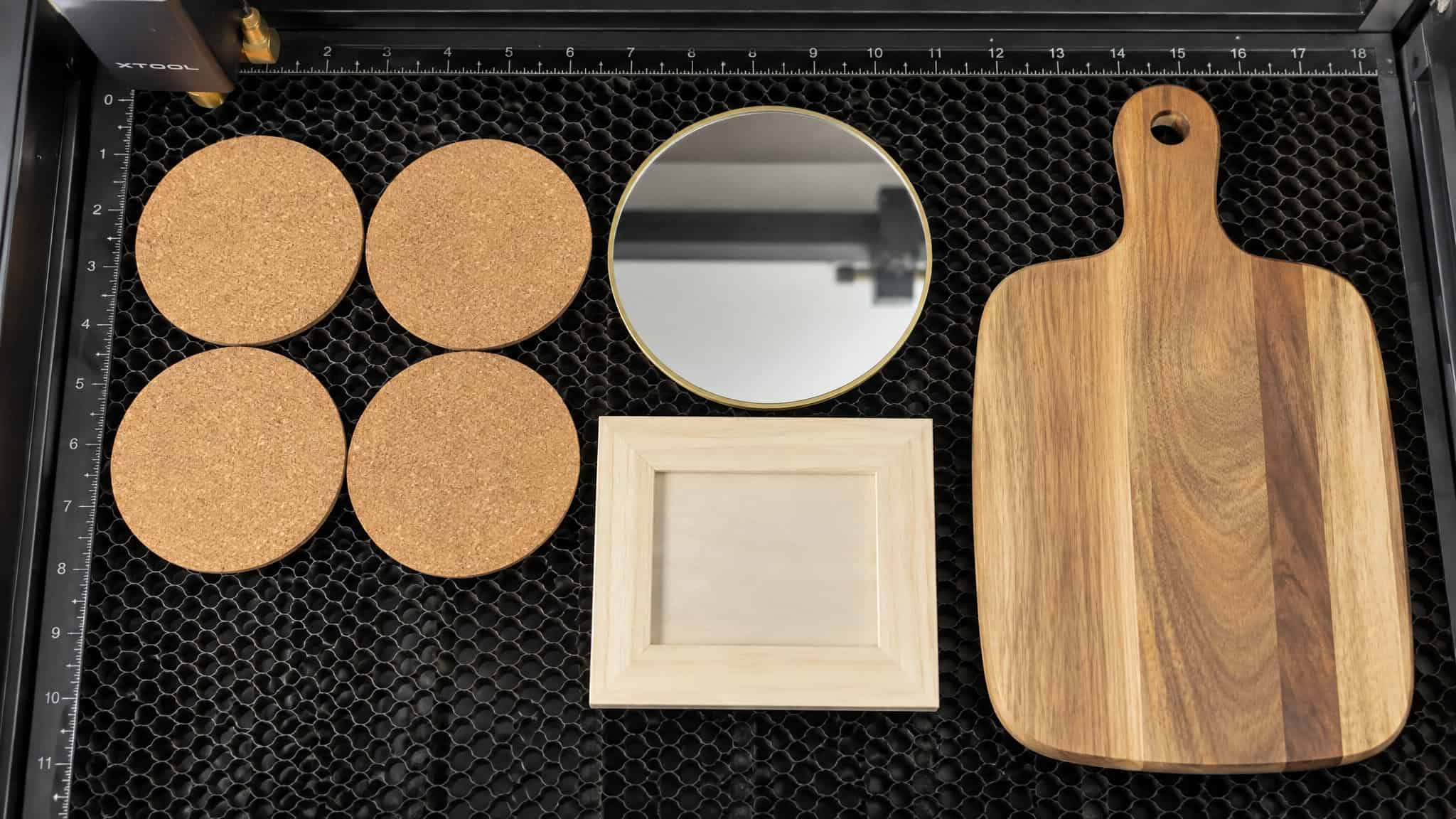
Engraved acacia serving board
Food-safe acacia serving boards from craft stores burn at different contrasts across dark and light wood grain, so a family or business name like “Bona Petit” stands out cleanly along the top edge.
Unfinished wood frames
An unfinished wood picture frame from Michaels drops straight onto any diode laser bed and engraves cleanly using standard Basswood settings for gifts or logo-branded merch.
Cork coasters
Cork coasters engrave rapidly at low power on any diode laser, with the F1 Ultra’s 20W diode producing crisp graphics and scannable QR codes for local businesses, gifts, or home use.
Faux leather patches
Pre-made faux leather patches with adhesive-sticker or iron-on backing, including xTool patches that reveal a metallic gold or silver layer underneath when etched, can be engraved with graphics like a Great Lakes map and pressed onto a beanie.
Canisters with wood lids
Food-safe, heat-proof kitchen canisters topped with wooden lids take custom top-lid engravings easily for labeled coffee or pantry jars.
Engraving a Dollar Tree mirror, step by step
Engraving the back of a Dollar Tree mirror lets your custom graphic show cleanly through to the front glass in four quick steps: tape off the target area on the back of the mirror, mirror your design horizontally in your software, laser-engrave through the rear coating, and wipe the etched area clean with rubbing alcohol.
Stainless steel bottle openers
Coated or bare stainless steel bottle openers round out the sub-$10 blank bin and engrave best using either a 10W diode to strip surface coatings or an IR module to mark the metal.
Serving and cutting boards: cheap at sale prices, saturated by choice
Conventional side-hustle advice warns makers away from cutting boards because the market is saturated, but sourcing food-safe acacia boards at roughly 40% off during Hobby Lobby sales (or in bulk online) turns that saturation into an advantage. Buyers aren’t looking for generic catalog art; they want last names, handwritten family recipes, cooking graphics, or business logos, and browsing Etsy for the top five name-design styles shows how quickly simple personalization wins. Because natural acacia grain varies in density, your engraving will take on different tones across dark and light sections, a look that helped one of Cornelius Creations’ “Bona Petit” charcuterie boards get photographed for a local magazine, especially once you dial in how different wood grains react to laser engraving.
Interactive wine and sherry pairing boards
Instead of leaving the wood blank around a family name, engraving a wine or sherry pairing guide with labeled zones for cheese, crackers, and fruits turns a cutting board into an interactive table piece. Pairing one large guide board with two smaller boards engraved on the F1 Ultra’s blue diode creates a higher-ticket charcuterie bundle, especially when you stage the wood with real food for social media photos.
Custom engraved photo puzzles
Turning a family snapshot into a custom jigsaw puzzle on 3mm Basswood takes a two-pass workflow: convert the photograph to grayscale and run the raster engraving pass first, then run a vector puzzle-grid cutting layer sourced from an Etsy file. Because the laser slices the interlocking teeth right through the engraved image, the finished piece works as an interactive experience rather than a static plaque, tapping straight into nostalgia.
Cornelius Creations used this exact 3mm Basswood setup to build a surprise gift puzzle featuring his boss and her family. If you want to sell custom puzzles, the highest-demand niches are baby pictures for grandparents, wedding portraits, vacation memories, hobby themes, and especially pet photos, which are a consistently profitable niche, provided you stick to customer-owned photos and avoid copyrighted images.
Engraved tumblers: the biggest seller that needs a rotary
Anyone who wants to wrap a seamless design all the way around a cylindrical cup needs a rotary attachment, such as the xTool RA2Pro paired with an xTool M1 Ultra, which turns the vessel in sync with the laser head as it strips the powder or anodized coating. That hardware upgrade unlocks what Cornelius Creations ranks as his single biggest seller and most requested product: coated aluminum tumblers.
Buying coated blanks in bulk keeps per-unit costs down across dozens of colors, sizes, and styles that move fast as Christmas gifts. You don’t need overcomplicated wrap graphics to move inventory, either; pairing a niche hobby theme with a personalized name on a tumbler, or etching anniversary dates and sentimental text onto wine glasses and flasks, drives steady repeat orders.
Aluminum and wooden wallets: flex targeting in action
Blank aluminum and wooden wallets sourced from Alibaba or online vendors turn into high-margin sellers when you build limited-run sets around flex targeting (combining two complementary themes that a specific niche audience already cares about) or simple serif-font name personalization in the lower corner. Rather than uploading generic clip art and hoping for traffic, Cornelius Creations tested flex targeting in the Southern US by pairing We the People American flag graphics with firearms-flag motifs, tapping directly into regional family values and hunting culture.
When buyers don’t want a graphic theme, they usually want a clean, classy name etched in the bottom corner in a serif typeface. At a sample price of $40 for a custom wallet, sliding an engraved aluminum insert card with product details and a thank-you note inside the wallet before shipping elevates the unboxing experience for pennies.
Engraved desk organizers: the free-sample B2B door-opener
Delivering a single free sample desk organizer customized with a local company’s logo is one of the cleanest ways to unlock bulk business-to-business (B2B) corporate gifting orders. In his six-project walkthrough, Cornelius Creations cut and engraved project #6 on an xTool P2S using Basswood, acrylic, and a ready-made Etsy template file, adding a custom name, job title, company logo, or motivational quote to the front plate. Instead of waiting for retail shoppers to find your shop, email the marketing director at a local company, ask for their vector logo file, and drop off a finished sample organizer for their desk. Once a corporate buyer sees their own branding in wood and acrylic, you can raise the per-unit package value by bundling the organizer with an engraved pen, a matching coaster, or a phone holder.
Pet jewelry and key fobs
Gold-plated, silver-plated, and stainless steel necklaces and pet collar tags are among the fastest, simplest, and lowest-cost projects you can run on an infrared, fiber, or UV laser, especially on a galvo setup like the xTool F1 (10W blue diode plus 2W IR) or F1 Ultra, which can mark a metal tag in under a minute. If you want to push beyond text-only name tags, Cornelius Creations points to his friend at Shawn Flow Laser Creations, who targets pet owners as a distinct audience by engraving custom pet photographs directly onto key fobs.
Stadium Series ornaments: seasonal local partnerships
Local high school sports team ornaments, often called “Stadium Series” ornaments, sell heavily on Etsy for about $15 to $20 apiece, and makers can capture that seasonal demand offline by asking to speak with a school principal about partnering for the Christmas ornament season.
The best-selling “project” is you
Interpersonal communication ranks as the #1 best-selling “project” ahead of jewelry, tumblers, cutting boards, and wallets because most buyers just want a simple personalized item (“do the simple, but do the simple extraordinarily well”) and return based on your character and integrity. When someone messages you asking what a $40 custom wallet costs, never reply with a bare number: greet them, thank them for reaching out, state the $40 price, offer design options, and ask what they want to create.
Where to get free designs and files (and what’s free)
Free laser design files come from community sharing hubs like xTool Creator’s Club and open vector directories, fitting beginners who want to run their first job during LightBurn’s 30-day free trial without spending a dime on software or artwork. Makers can separate truly free community assets from paid marketplaces right from day one: while general maker repositories like Thingiverse, 3axis.co, Instructables, and the Glowforge Community Forum circulate free user-uploaded vectors in SVG, DXF, and AI formats, the project creators in this guide rely on xTool Creator’s Club to download free shared project designs, pair them with LightBurn’s 30-day free trial (which imports SVG and DXF files natively before requiring a $60 one-time license), and only turn to Creative Fabrica for fonts and graphics or Etsy when buying multi-piece cutting templates like puzzle grids, desk organizers, and pairing-board layouts.
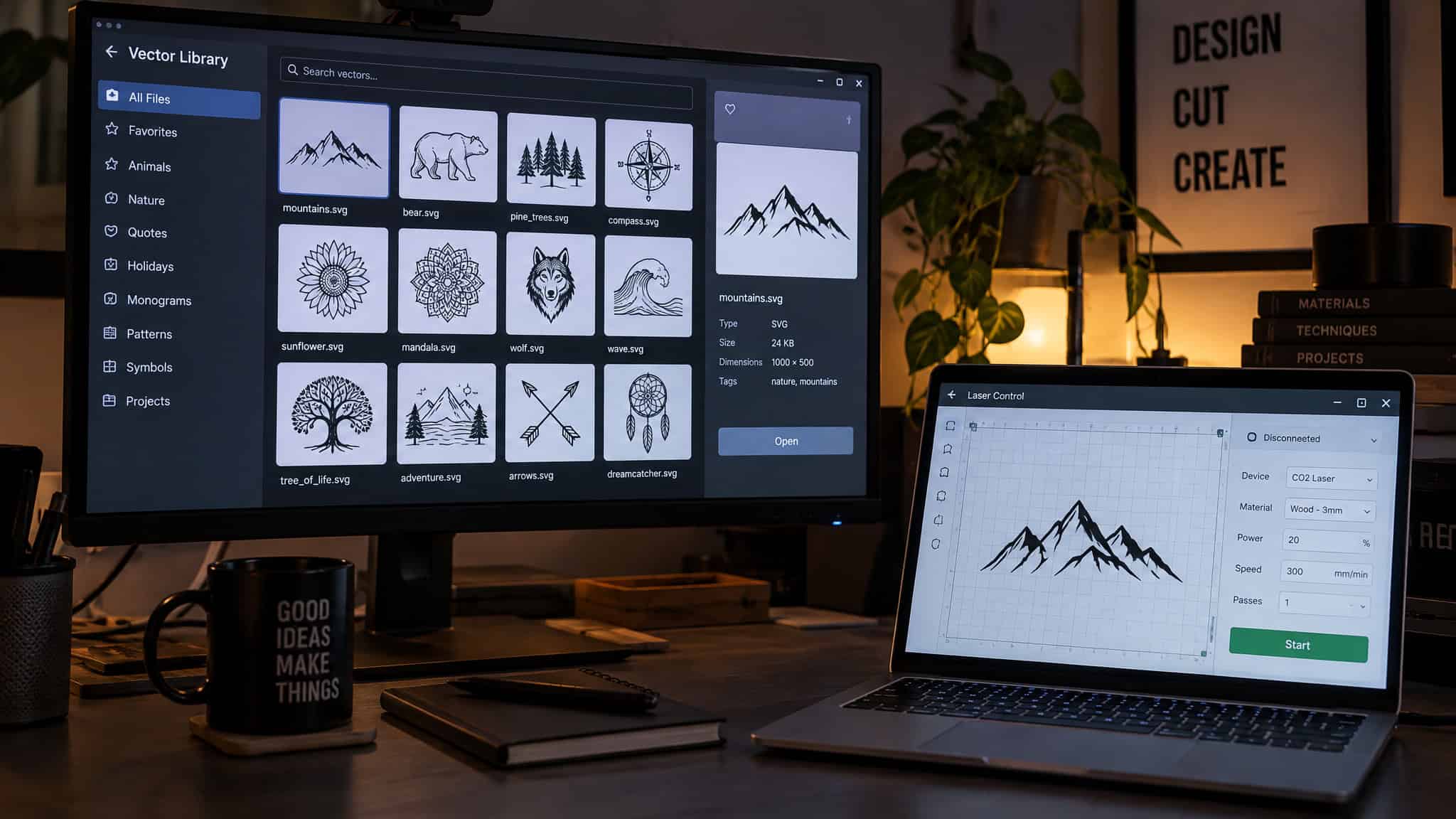
LightBurn: the software behind every project
Per MakeUseOf‘s software guide, LightBurn handles engraving and cutting jobs on Windows, macOS, and Linux. You can grab its 30-day free trial via J Tech Photonics before paying the $60 one-time fee. It imports AI, DXF, PNG, JPG, BMP, and SVG files and speeds up layout work with built-in keyboard shortcuts (Ctrl+L, Ctrl+R, Ctrl+E, Ctrl+T, Ctrl+I). Under the hood, LightBurn talks to Boss Laser, Cohesion3D (GRBL), Due (GRBL), FabKit, Gerbil (GRBL), Gistroy (GRBL), and standard GRBL controllers over Ethernet/UDP, Serial/USB (where you enter the device name and X/Y work area in millimeters), or Packet/USB, with origin settings for Rear/Front and Left/Right (“From Left” for G-code machines like Marlin or Shapeoko, and Auto “home” on startup for homing-capable lasers).
For rasters, it gives you seven image modes: Threshold, Ordered, Dither, Atkinson, Jarvis (the go-to for high-quality photo dithering), Newsprint (for smoothie controllers and high-DPI jobs), and Grayscale (for 3D engraving), alongside three cutting-order modes (Order by Layer, Group, or Priority) that can cut inner shapes first and strip overlapping lines. Because every material reacts differently, you still need to test speed and power settings per machine and material before running a final piece.
Free learning and shared designs
In a hands-on xTool M1 review, blogger The Suburban Mom noted that YouTube tutorials and xTool’s official Facebook group are the best free learning channels. She pointed out a disconnect between the M1’s strong hardware quality and xTool’s own thin educational content, found the purchase website confusing, and noted that xTool’s native software has limited ready-to-create projects, which is exactly why makers use xTool Creator’s Club alongside Creative Fabrica and Etsy.
The laser-safe sourcing rule: why cheap marketplace blanks can cost you the most
Beginners should avoid uncertified general-marketplace blanks because not everything sold on Amazon is safe to put under a laser, making dedicated laser-supply stores the only reliable source for mystery-free materials. Grabbing the cheapest bulk pack of faux-leather tags or coated metal blanks off a general retail listing is a classic rookie trap: uncertified plastics and synthetic coatings can scorch, melt into a gummy mess, or release hazardous fumes the moment the beam hits them. That’s why Campanale buys his under-$5 luggage tag blanks from laser-dedicated vendors like MakerFlo and Lancaster Laser Supply. Those specialty suppliers test and certify their stock for laser use.
The real cost of “free”: the machine and its accessories
Preventing scorched or inconsistent engravings on cheap wood requires an Air Assist attachment blowing air across the cut to clear smoke and heat, combined with testing speed and power settings for each specific machine and material. Even a $0.40 keychain sits on top of an $800 to $1,400 hardware footprint: during the xTool Anniversary Sale cited by The Suburban Mom (which offered up to 60% off through October 6 plus 4% cash back via xTool rewards; current prices may vary), the xTool M1-5W retailed at $1,299 (on sale for $799), the M1 deluxe package with Air Assist ran under $1,000, and the M1-10W bundle with RA2Pro rotary, Air Assist, Riser Base, and a Premium Material Box (19 materials, 245 pieces) was listed at $1,399.09 with a 15% off code.
Accessories that certain projects quietly require
Air Assist stops scorch marks; the RA2Pro rotary turns tumblers; the Smoke Purifier filters exhaust (critical for acrylic and metal); and the Riser Base with Honeycomb Panel lifts the enclosure for thicker blanks while keeping enclosed walls for eye protection.
What the M1 actually is
The xTool M1 combines a diode laser (where the 10W model out-powers the 5W unit) with a physical blade for cutting vinyl, leather, and felt; it cuts and engraves wood, paper, foam, fabric, felt, and leather, and engraves opaque acrylic, stainless steel, coated or anodized metal, stone, and rubber, leaving The Suburban Mom recommending it after nearly a month of ownership with “about a zillion ideas” and asking what she was going to make next.
Turning near-free projects into free marketing
Selling simple personalized laser-engraved items can be profitable because sub-$5 blanks and sale-priced boards carry strong unit margins and turn inexpensive product giveaways into word-of-mouth orders for makers who focus on clean customization. When your raw blanks only cost $0.40 to $5 alongside top-selling categories like coated tumblers and acacia cutting boards, gifting a few personalized pieces to seed your local market is a low-risk way to launch monetizable laser engraving projects:
- Luggage tags: Blanks cost under $5 and sell for $10 to $12 in a 2-to-3-minute run.
- High school sports ornaments: “Stadium Series” designs sell for $15 to $20 each on Etsy and through school partnerships.
- Simple name engraving: Clean personalized names consistently outsell complex graphics across wallets, boards, and drinkware.
- Word-of-mouth multiplier: In Cornelius Creations’ experience, giving away a single free engraved serving board generated six paid orders within a month.
To run that same local playbook, grab three to five acacia boards (roughly 40% off during Hobby Lobby sales) or coated tumblers, engrave them with your friends’ families’ last names, shoot staged lifestyle photos, reels, and process videos for your local Facebook and Instagram feeds, and hand the finished pieces to your friends so their kitchen counters do the selling for you.
Your first projects, in order
- No, laser engraving isn’t difficult to learn for a complete beginner when you start with single-step engraving-only projects rather than complex multi-step builds.
- Under-five-minute first run: An initial xTool M1 test project engraving a small wooden tag with a logo took less than five minutes.
- Single-step starter blanks: Beginners should start with single-step projects like slate coasters, etched stone coasters, or dog tags while experimenting with laser speed and power per machine and material before tackling advanced multi-step projects like a 12-pencil jig cut from 3mm basswood.
- Low-cost scrap testing: Wood or acrylic earrings up to 1/8-inch thick fit into scrap material for under $1 (some under $0.50) a pair, and double-checking spelling before firing prevents having to redo misspelled keychains.
- Under-five-minute first run: In The Suburban Mom’s xTool M1 test, engraving a small wooden tag with a logo took less than five minutes within an hour of unboxing.
- Three-step project progression: Start this week with zero-cost scrap runs and single-step engraving-only blanks (cork coasters, slate coasters, etched stone coasters, dog tags, scrap earrings, or $0.40 keychains) while testing speed and power per material, then graduate to multi-step cut-and-engrave builds.
- The spelling-check rule: Always proofread text layers before firing the laser; Cornelius Creations misspelled his own wife’s name on two keychains and had to redo both, showing that early mistakes happen at the keyboard rather than the laser head.
The pencil jig: your first multi-step project
Once single-step coasters feel routine, step up to vinyl-decorated wooden hangers, acrylic graduation ornaments, or The Suburban Mom’s 12-pencil jig: she designed the template in Photoshop and cut it from a 3mm Basswood sample to hold a dozen pencils straight at once, solving rolling and alignment in a single reusable fixture.
Frequently Asked Questions
What are simple and free laser engraving projects for beginners?
The easiest starting runs are single-step, engraving-only jobs using workshop offcuts or dollar-store finds like cork coasters, Dollar Tree mirrors, unfinished Michaels wood frames, and faux-leather patches. You can also cut custom earrings or keychains out of scrap material for pennies, giving you a zero-risk way to dial in your speed and power settings before buying expensive blanks.
What can I laser engrave using scrap wood or leftover material?
Leftover TruFlat, wood, or acrylic offcuts are ideal for nested small-footprint items like custom earrings and scratch-built keychains. As long as you keep your scrap stock at or under 1/8 inch so earrings stay lightweight on the ear, your only out-of-pocket cost is a bag of earring hooks or $0.18 in keychain hardware.
Is laser engraving difficult to learn as a complete beginner?
No, you can go from unboxing a machine like the xTool M1 to engraving a small wooden logo tag in under an hour, with the actual pass taking less than five minutes. Early mistakes rarely come from complicated laser physics; they usually happen when you forget to test speed and power on a scrap piece or fail to proofread a text layer for typos before firing the beam.
Can laser engraving be profitable?
Yes, low-cost blanks carry strong unit margins when you focus on clean personalization rather than complex clip art. Under-$5 luggage tags resell for $10 to $12 after a two-to-three-minute pass, high school “Stadium Series” ornaments fetch $15 to $20, and gifting a single personalized acacia serving board or logo-branded desk organizer can quickly generate local word-of-mouth and corporate bulk orders.
