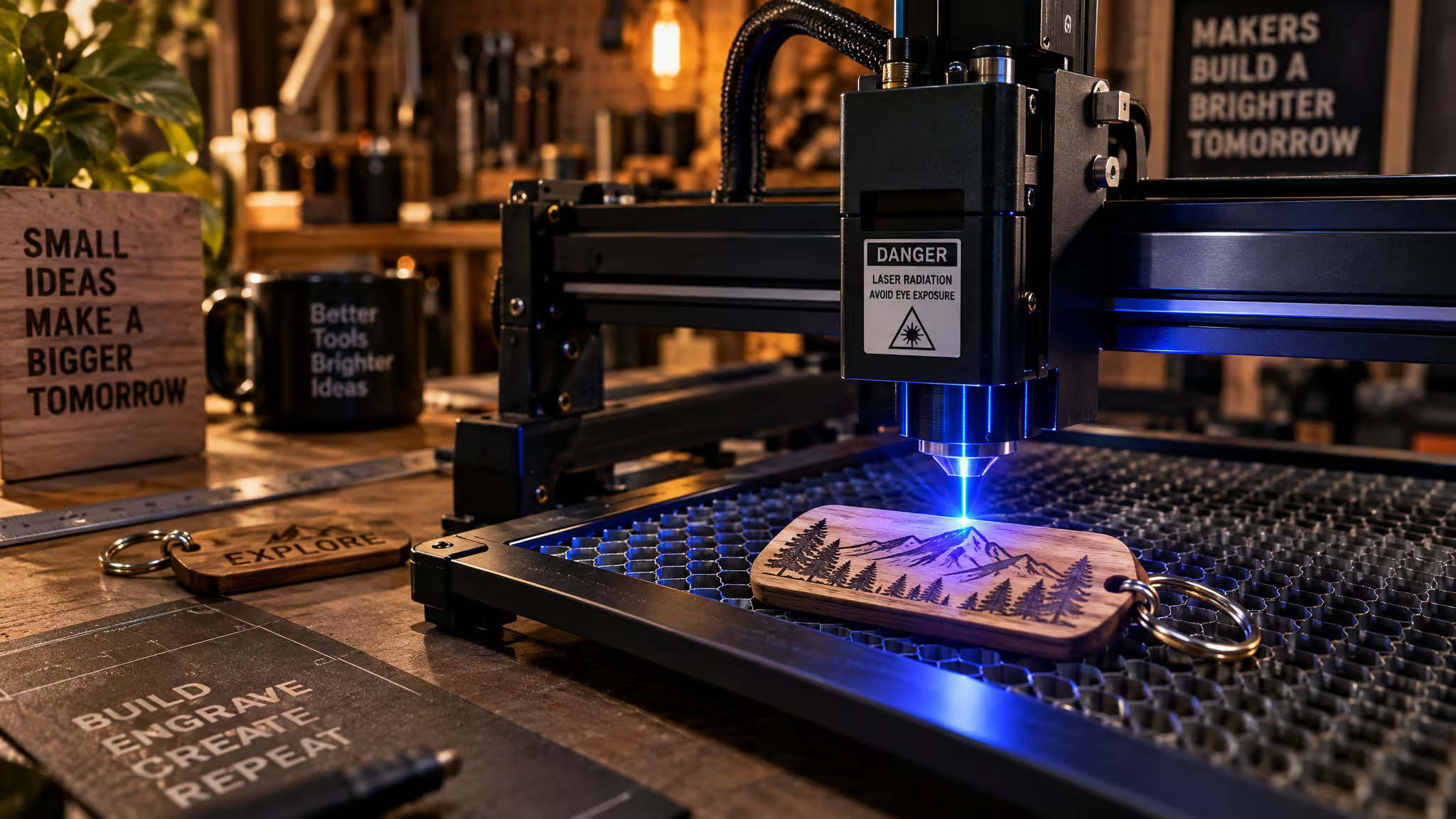
Scroll through a massive laser showcase and you’ll see an eight-layer topographic wall map sitting right next to a basic cork coaster, as if both take the same Saturday afternoon to pull off. Laser cutting has become a go-to way to start building physical products because tabletop machines are affordable, relatively easy to learn, and only ask for a vector design to get moving.
Lisa Horn’s 33-minute Ponoko roundup, published June 5, 2024, pulled 150 project ideas from Etsy shops, Instagram, Pinterest, and maker blogs. She organized 100 by product categories (spanning numbered project ranges 20 to 41, 61 to 78, 79 to 97, and 98 to 100) and divided the other 50 across 10 top-selling materials. At GeekExtreme, sorting out practical laser engraving projects for beginners means running that huge catalog through a workflow and unit-economics filter. We group builds from store-bought blanks up to complex stretch projects, then check blank cost and engraving minutes against resale price before you ever power on a diode.
Key Takeaways
Store-bought blanks from Dollar Tree, Walmart, Amazon, and craft stores eliminate cutting variables completely, letting beginners start with $1.25 mirrors, $0.40 bulk wood keychains, and under-$5 luggage tags that engrave in 1 to 3 minutes and resell for $10 to $12.
Laser wavelength dictates material limits: a beginner diode laser handles wood, leather, cork, and color-marking stainless steel, whereas cutting clear acrylic requires a CO2 laser and true bare-metal engraving requires a fiber, IR, or UV source.
Never laser cut PVC vinyl (which releases hydrochloric acid and chlorine gas) or chromium-tanned leather (which releases carcinogenic chromium); stick to safe starter stock like 3.2mm birch plywood, 3.0mm acrylic, and 2.7mm or 6.7mm amber bamboo.
Table of Contents
Engraving-only starter projects on store-bought blanks
If you’ve never run a laser before, start with engraving-only projects on store-bought blanks: they’re the easiest first wins because you only manage a single pass. Pre-made blanks from Dollar Tree, Walmart, Amazon, and craft stores remove material shaping and through-cutting variables so you only manage a single engraving pass on items like $1.25 mirrors, coasters, keychains, serving boards, plant markers, tumblers, bottle openers, and faux leather patches. Sarah at Creative Ramblings demonstrated 10 of these no-cut projects using Creative Fabrica fonts and graphics for music, state pride, school logos, and local business branding.
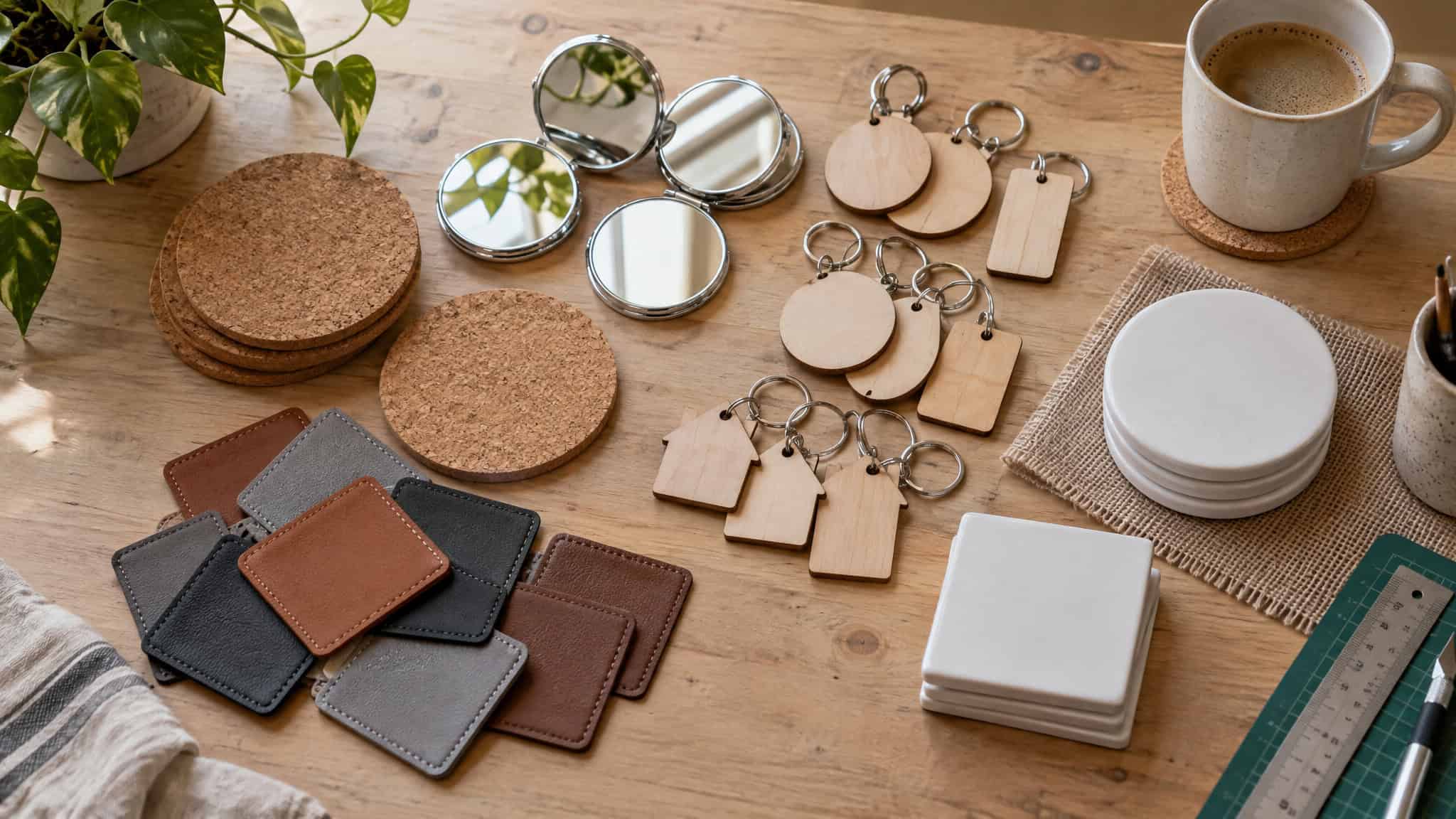
Because settings vary even on identical machines, she notes that published numbers are only a starting point. Beginners who attempt ambitious cuts first often scorch stock, whereas those who start with store-bought blanks only have to manage the engraving pass.
Acacia wood serving board
A craft-store acacia board engraved with “Bona Petit” on a diode laser stays food-safe for serving, though engraving contrast shifts between dark and light wood grain.
Unfinished wood frame
An unfinished frame from Michael’s runs cleanly on a diode laser using standard basswood settings and adapts to any occasion.
Cork coasters
Cork engraves easily on any diode laser, and a 20W diode like the xTool F1 Ultra produces fast, crisp QR-code coasters for local businesses.
Faux leather hat patches
Adhesive or iron-on faux leather patches can reveal metallic gold or silver beneath the top layer when engraved, like a Great Lakes map patch pressed onto a beanie.
Wood-lid kitchen canisters
Engraving the wooden lid of a food-safe, heat-proof glass jar turns an off-the-shelf container into custom kitchen storage.
Coated aluminum tumblers
Running coated tumblers on an xTool M1 Ultra with a rotary attachment wraps designs fully around the cylinder for holiday gifts or retail stock.
Dollar Tree mirrors
At $1.25 per blank, you tape off the rear design area, mirror the graphic horizontally, burn off the back coating, and wipe it clean with rubbing alcohol.
Stainless steel grill tools
A diode laser can’t engrave bare stainless steel, but it can color-mark the metal base alongside the wooden handle for branded gifts.
Craft-store wood keychains
Wooden keychains engrave on any machine, though galvo lasers process small batches much faster for real estate agent closing gifts featuring “home” motifs.
Stainless steel wallet bottle openers
A 10W diode laser color-marks initials or logos onto stainless wallet openers for craft markets, whereas an IR module produces a different finish.
Five tested projects under $10 with real resale math
Simple beginner projects like luggage tags, keychains, necklaces, and hand tools take between under 1 minute on a galvo, fiber, IR, or UV laser and 2 to 5 minutes on an 80W CO2 machine like the xTool P3. Patrick Campanale brings roughly five years of laser engraving experience and has written over 14,000 articles at 9to5Toys since 2017. In hands-on testing published March 9, 2026 for How-To Geek, he timed and costed five beginner projects that each run under $10 to make (some under $1) and resell at a profit.
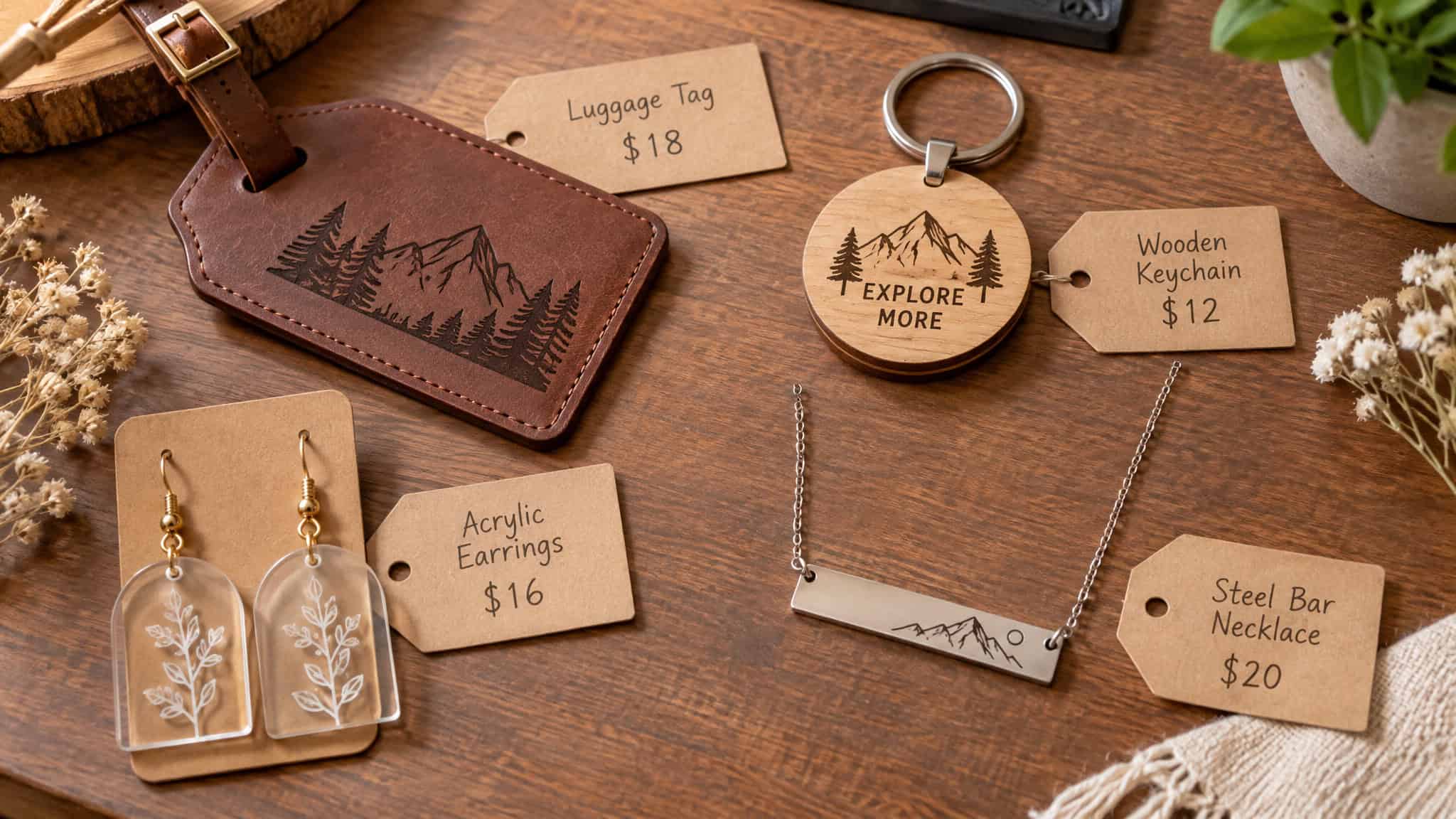
Luggage tags
Laser-safe blanks from MakerFlo or Lancaster Laser Supply cost under $5 and sell for $10 to $12. An xTool P3 engraves one in 2 to 3 minutes, while a galvo unit finishes in under a minute.
Custom keychains
A 100-piece Amazon kit under $10 builds 50 keychains at $0.18 in hardware each, while bulk wooden blanks run $0.40 all-in, with TruFlat or acrylic paired with a keyring as preferred stocks.
Wood or acrylic earrings
Cut from 1/8-inch acrylic or TruFlat because thicker stock won’t sit right on ear hooks or studs, most pairs cost under $1 (and sometimes under $0.50) as a high-margin scrap-buster.
Stainless steel bar necklaces
Metal marking requires a fiber, IR, or UV laser; a $3 horizontal bar necklace from Monarch Pine (Campanale notes he knows owner Katie and bought from the supplier before meeting her) engraves in under 1 minute.
Personalized Father’s Day tools
Engraving and cutting a custom insert for a $5 Harbor Freight PITTSBURGH 25-foot tape measure takes about 5 minutes. For a faster wood pass, a $7 Stanley claw hammer takes about 3 minutes right on the handle.
Laser-cut clock designs to learn from
A standard clock movement fits into everything from a flat engraved portrait to a multi-material parametric sculpture. These 19 designs break down which faces rely on basic flat cuts and which require deep assembly.
Mid-Century Modern Moth Clock
Chicago artist Sarah Mimo, a former freelance textile designer, layered wood details inspired by ornate European public clocks.
Honeycomb Clock
Etsy seller Woodinky merged Voronoi diagrams with parametric design theory into an open cellular frame.
The Great Wave Clock
RockwoodArtShop laser-engraved a high-precision wood reproduction of Katsushika Hokusai’s The Great Wave Off Kanagawa.
Dodecagon Clock
NIUSdesign filled a 12-sided polygon with repeating triangles and trapezoids for a sharp geometric face.
Nursery Time Clock
Etsy seller ohlittlewren cut a gender-neutral birch woodland owl accented with painted cool mint details.
Baltic Birch Clocks
Anthropologie turned solid wood into natural geometric giraffe and honeycomb silhouettes.
Cityscapes Clock
Etsy seller Laserangelo layered laser-cut birch New York City roads and waterways over an acrylic landmass background.
Bulldog Clock
Adam Regester Design turned an original pet-portrait line drawing into a realistic, durable wood engraving.
Time Flies Clock
SnazzyNestShop cut two birds breaking directly out of the outer clock silhouette.
Camera Time
Maiko Kuzunishi combined laser-cut bamboo and leather into a vintage camera body.
Clock Gear Art
Etsy seller MadnessAndTea spent a year of design and experimentation building the Norse Midgard Serpent from wooden clock gears.
Target Clock
Etsy seller Momendala adapted a whimsical hand-drawn illustration into a cut wall clock.
Setting Sun Clock
Etsy seller ardeola cut 6mm birch segments and hand-painted them in metallic gold, red, orange, and yellow.
Redshank + Samphire Clock
Artist Max Cairns paired coastal birds and habitat flora in a turquoise and blue palette for his “Britain, Naturally” collection.
Modern Flora Clock
A geometric nature motif cut from matte black acrylic gives this face a clean modern profile.
Play On Words Clock
WoodEnvyDotCom spelled out the hours in cut letters instead of numerals.
Winged Clock
This build swaps standard clock hands for laser-cut wings rather than cutting the dial face.
Millennium Falcon Wall Clock
HamsterCheeksStore cut the iconic sci-fi ship silhouette into a functional wall clock.
Bamboo and Acrylic Clocks
Design studio decoylab mounted white laser-cut acrylic clock faces atop warm bamboo bases.
Sellable home décor projects by category
Matching your product category to desktop laser tolerances and cheap sheet goods turns hobbyist home décor into retail stock. Even a compact workspace can produce commercial-grade pieces in the right niche.
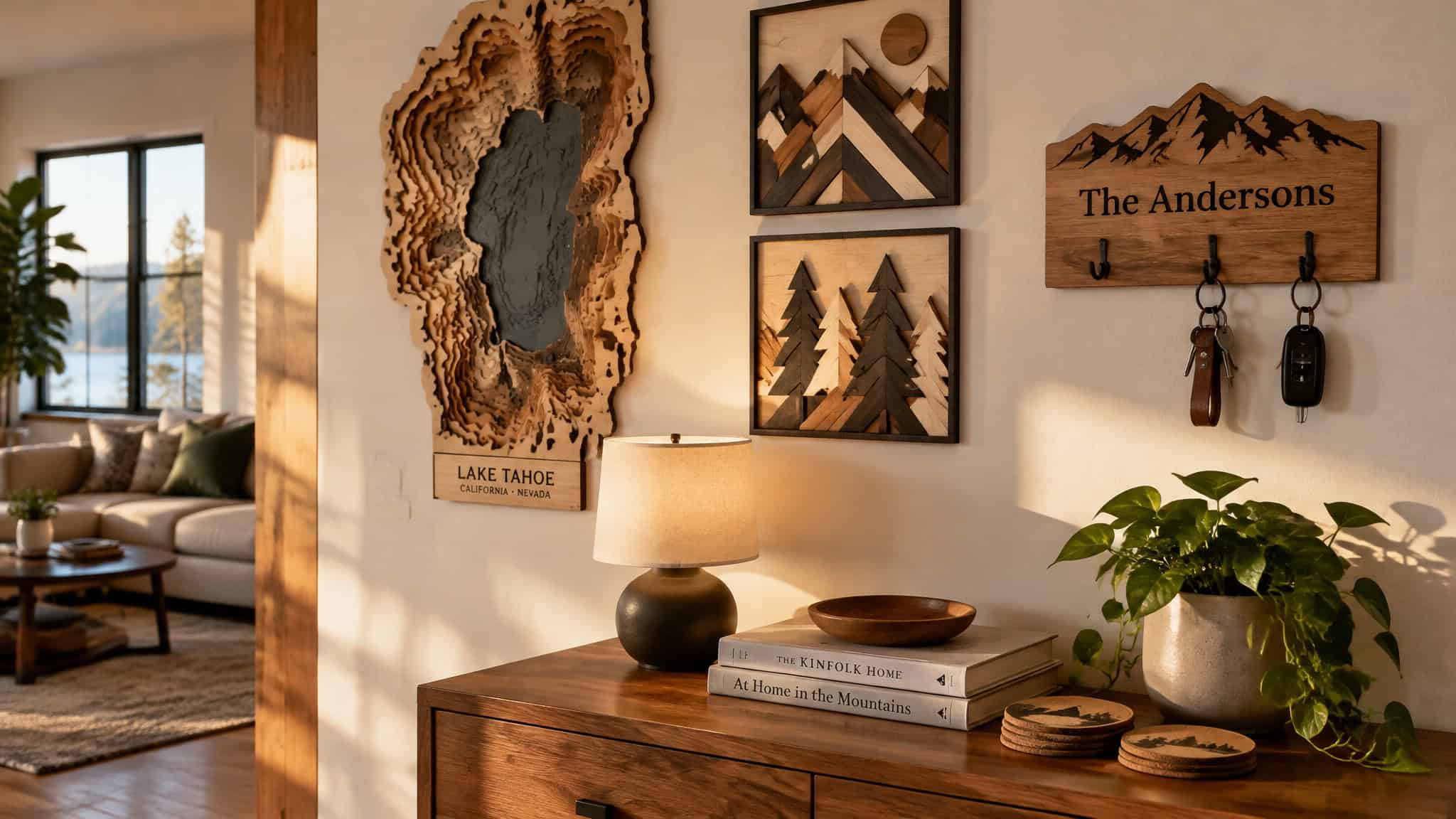
Maps and terrains
Wood is the top choice for memorabilia maps and pairs cleanly with epoxy resin, metals, and plastics, as seen in WoodIN’s wooden world map and DifferentMaps’ wooden map with resin water bodies.
Mounted decorations and wall art
Tight beam tolerances keep thin wood, plastic, and metal bridges intact across minimal and intricate pieces from shops like metalwallartt, BibbeyDesigns, and WoodPeckerDesignCA.
Key holders
Family-name plaques in laminate, wood, or thin metal often integrate puzzle-fit keychain inserts, a format sold by the BOKKY company, MoodForWood, and Ideanity.
Drink coasters
Small footprints suit compact engravers using cheap cork, plywood, or wood; National Parks Coasters render all 59 U.S. National Parks on cork using pictograms built from each park’s letters, alongside category sellers ArtStylosBois and BelfieldTreasures.
Kitchen appliances and boards
You can engrave blank spatulas and bottle openers or cut simple boards from scratch like KazillionArts and InsideAdventure.
Embossing roller pins
KnightingaleCrafts and CutItOutLasers engrave dough-patterning roller pins, stamps, and stencils, though not every laser cutter can handle cylindrical stock.
Toothpaste squeezers
Small keys that press the last drops from toothpaste or hair dye tubes give shops like Pwwtoys and Bubblebox an easy impulse item.
Holders and mounts
Interlocking 2D stands for phones, tablets, glasses, headphones, and jewelry focus on stable balance, led by MignonandMignon, HollyandPaul, and TowerRex’s board game card holders.
Bookmarks and plant tags: entry-level practice projects
Engraved bookmarks and garden plant tags are dedicated entry-level practice projects because they use flat sheet stock and simple outer profiles. Instead of risking expensive thick boards on your first through-cuts, you can dial in speed and power on thin veneers and stakes, then add value through pattern design or hand finishing.
Laser-cut bookmarks
Jane Blease laser-cuts bookmarks from walnut, oak, or ash veneers and hand-embroiders colorful thread through the perforated grid. Mayúscula Brands designed Arabic Architecture Inspired Bookmarks for Zeri Crafts by translating Al Sadu Bedouin weaving patterns and mashrabiyas into delicate cut latticework. Pop-culture and heritage niches work just as well on flat stock, such as VectorEngraving’s cut Doctor Who TARDIS bookmark and ThePinkMonkeyCompany’s engraved Tudor rose leather bookmark.
Garden and plant tags
Simple wooden stakes let beginners practice text kerning, vector outlines, and batch nesting on cheap stock before moving to larger signage, exemplified by ReeceDesignWorks’ humorous Bernie Sanders garden tag.
Signs and lighting projects
Commercial and home signage spans edge-lit clear acrylic, reclaimed wood, negative-space office plaques, and exterior boards, all judged on five design criteria: shape, lighting, material contrast, typography, and negative space.
Commercial and wayfinding signage
The Galaxy Hotel in Crete, Greece directs guests with an edge-lit clear acrylic room sign where light catches the engraved text. At the University of Shiga Prefecture, Masahiro Minami created round illuminated restroom signs, while Jack Candlish mounted a Wellington, New Zealand coffee shop sign onto macrocarpa wood slats for warm outdoor contrast.
Acrylic diffusion lamps
SturlesiDesign’s iLLuminite collection pairs laser-cut clear acrylic plates with LED bases so the etched lines diffuse light across the room.
Cardboard and aperture lighting
Graypants’ Scraplight pendants and David Graas’ “Not A Box” lamp prove corrugated cardboard cuts into warm architectural fixtures, while MagicWoOod projects wall messages through a cut aperture and GeekDadLaser lights a flat-cut Halloween house from within.
Wedding and event projects that double as keepsakes
Personalized wedding place cards, save-the-dates, reception signs, and engraved holiday hardware like $7 Stanley claw hammers (about 3 minutes to engrave) and $5 Harbor Freight PITTSBURGH tape measures (about 5 minutes) make the best beginner gifts for couples and holiday shoppers because custom names, dates, and venues turn inexpensive blanks into permanent keepsakes. Across Ponoko’s eight wedding decoration categories plus a custom bridal shoes bonus concept, a single laser-cut piece handles event staging and guest gifting at the same time.
Custom venue invitations
For their ceremony at Brazil’s Amantikir Garden in Campos do Jordão, Renata and Dante designed a custom laser-cut wedding invitation.
Script table numbers
LettersToYou cuts freestanding MDF script table numbers and finishes them in white, black, silver, gold, or rose gold paint.
Dual-purpose calligraphy place cards
Laura Hooper’s wooden calligraphy place cards mark each guest’s seat at dinner and go home afterward as personalized favors.
Save-the-dates and reception signage
Engraved wooden save-the-dates, custom wedding book covers, cut invitation envelopes, and wood-framed edge-lit reception signs carry the couple’s initials or story across the venue.
Stretch builds: projects to grow into
Stretch builds push you past flat cutting into electronics integration, kerf-cut wood bending, multi-depth layering, and flat-pack mechanical engineering. Hardware makers wire up Connor Nishijima’s edge-lit acrylic Lixie Clock (an LED Nixie alternative on a wood base), IBM Research’s open-source Raspberry Pi TJBot for IBM Watson, and the Polaroid-printing Raspberry Pi SelfieBot, or cut foldable metallic PCB enclosures with solder stencils, 3mm acrylic Raspberry Pi cases, and Prusa i3 or RepRap 3D printer frames.
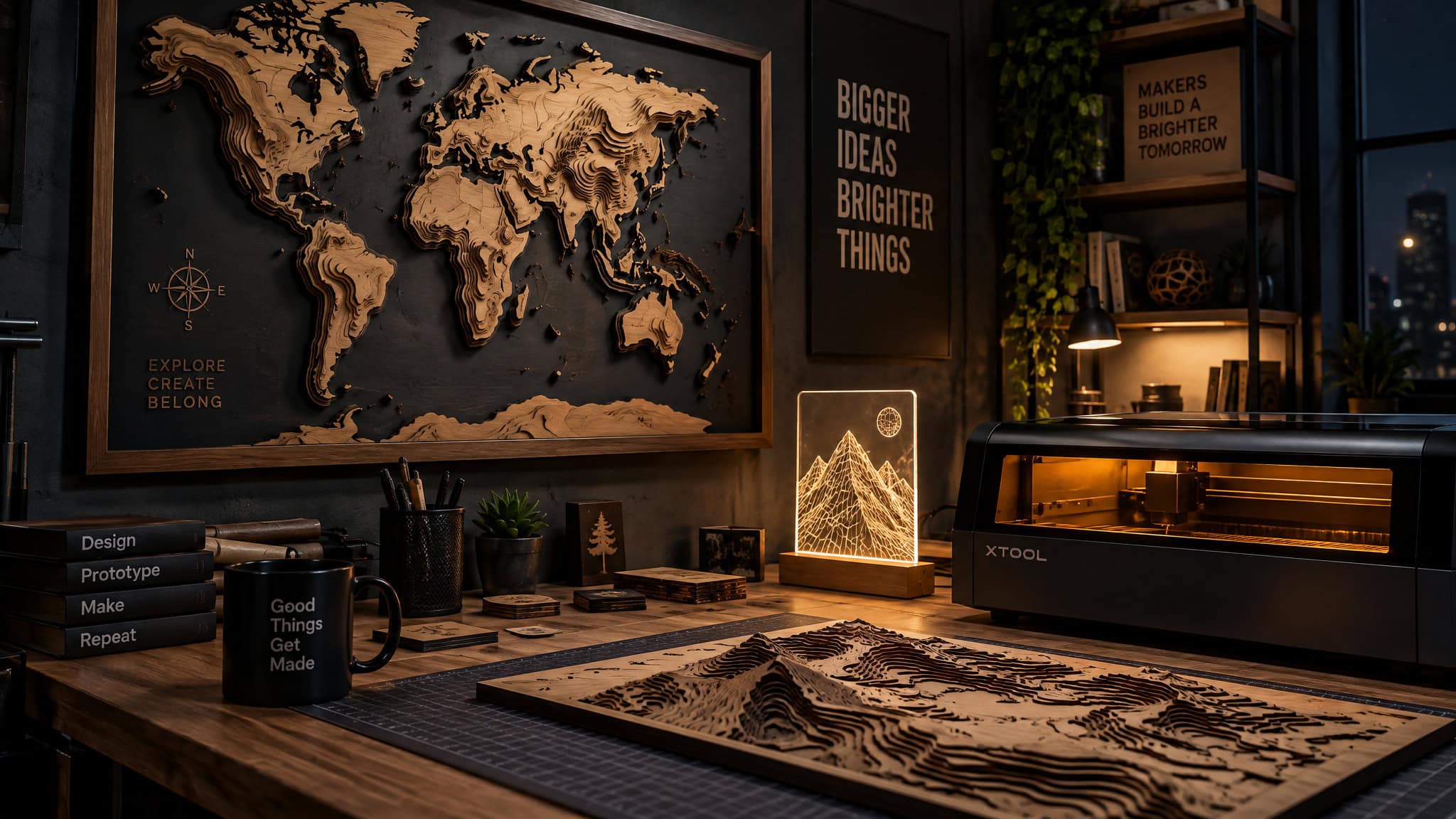
Woodworkers bend flat sheets via Stanford Product Realization Lab’s Kerf Cut Teeny Lamp, stack Lake Art’s eight-depth wall maps, or hang Potato Press’s stainless-wire mosaic screen. Flat-pack mechanical and design builds round out the upper tier: the screwdriver-built MeArm Arduino robot arm, XWorkbox’s STEM hydraulic arm, Andy Shen’s interlocking bamboo Booboo drones, TheCraftyCowLtd’s 3D MDF animal heads, Matthew Livaudais’s Kasparov vs. Karpov birch chess set, Joanna Vanderpuije’s geometric skirt, Molly McGrath’s architectural jewelry and housewares, and furniture by Giancarlo Zema, Origami Furniture, lesfollesmarquises, and Artbirdfeeder.
What your laser can and cannot do
A desktop diode laser is enough for beginner wood, leather, cork, and coated-metal projects, whereas cutting clear acrylic or running heavy leather and cardboard jobs requires a CO2 laser, and true bare-metal engraving requires a fiber, IR, or UV laser. Buyers often purchase a diode laser expecting to engrave bare steel or tumblers, only to discover on their first metal blank that they need an infrared or fiber source or a rotary chuck. Understanding how diode and CO2 specs divide beginner projects keeps you from buying stock your optics can’t touch.
Metal marking vs. bare-metal engraving
A beginner diode laser can’t engrave into bare stainless steel, though a 10W diode can color-mark stainless steel surfaces like wallet bottle openers and grill tools; carving into bare stainless, brass, aluminum, copper, or titanium requires a fiber, IR, or UV laser. Individual consumer machines are generally LED/diode or CO2 units under 40W, so working across multiple materials can require multiple machines or a dual-source unit like the xTool F1 ($1,099, 10W diode plus 2W IR) or xTool F2 (15W diode plus 5W IR with a 50MP camera). Low-power lasers still cut thin elements and engrave textiles and leather for wallets, bracelets, and luggage tags.
Machine-specific exclusions and rotary rules
Full-wrap designs on coated aluminum tumblers require a rotary attachment, and enclosed craft diodes carry strict wavelength limits: the 6W Glowforge Aura cuts wood, leather, paper, cardstock, fabric, and dark acrylic, but is incompatible with MDF, PVC vinyl, and white, blue, or clear acrylic.
Flat geometry and zero-force cutting
Laser cutters only cut flat sheet shapes and rarely produce complex 3D contours directly, but because the beam exerts zero mechanical force on the stock, it cuts delicate internal geometries that a saw blade would snap.
Beginner laser engraving machines: which one to buy
The right beginner laser engraving machine is the one matched to your target blank size, material list, and whether you plan to sell your output, ranging from the $299.99 AlgoLaser Pixi 5W for computer-free small blanks up to the $2,499 Bambu Lab R1 55W CO2 for commercial thick cuts. Modern desktop units don’t need a dedicated computer or an industrial shop setup. Instead, your workspace, rotary needs, and acrylic or metal goals decide between an entry-level diode and an enclosed CO2 cutter.
SlashGear’s ranked beginner lineup and How-To Geek’s tested hardware prove that gap with concrete specs: the 3.9″x3.9″ AlgoLaser Pixi earns 4.2/5 across 35 Amazon reviews, the 12″x12″ Glowforge Aura scores 4.5/5 across 83 Glowforge site reviews, and the rotary-ready WeCreat Vision 20W holds 4.8/5 across 424 reviews. Users still recommend running test settings on scrap before locking in a workflow, and machine prices may vary.
AlgoLaser Pixi 5W ($299.99)
Arriving pre-assembled with a 3.9″x3.9″ work area, the Pixi runs AlgoOS on a built-in touchscreen loaded with over 300 designs and presets so you can engrave small wood and cork blanks without a computer.
Glowforge Aura ($1,199)
This 6W enclosed diode provides a 12″x12″ (144 sq in) workspace, a pass-through slot, and an HD positioning camera for wood, leather, paper, cardstock, fabric, and dark acrylic, though it runs slowly on large jobs and can’t process MDF, PVC vinyl, or white, blue, or clear acrylic.
WeCreat Vision 20W ($1,590)
This 20W diode features automatic lifting up to 140mm and rotary support for full-wrap tumblers, though you’ll want to watch the instructional videos during setup.
Bambu Lab R1 ($2,499)
Built for makers planning to monetize, this 55W CO2 machine features a 600x300mm bed (the largest of the four ranked beginner units), cuts 20mm thick stock in a single pass, auto-aligns in about 1 minute, and supports an optional conveyor feeder for materials up to 3,000mm.
Crossover IR and commercial CO2 options
For metal marking and 1/8-inch cutting around the $1,000 mark, the xTool F1 ($1,099) pairs a 10W diode with a 2W IR laser, while the pre-assembled Creality Falcon A1 Pro ($1,099) packs a 20W diode with an optional 2W IR module. Buyers on a tight budget also look to the K40 CO2 laser class, while high-volume shops step up to the commercial xTool P3 ($6,999, 80W CO2 with quad-camera alignment and xTool Studio software).
| Machine | Price | Laser Power & Type | Work Area | Metal Marking | Rotary Support | Rating |
|---|---|---|---|---|---|---|
| AlgoLaser Pixi 5W | $299.99 | 5W Diode | 3.9″ x 3.9″ | Partial (color-marks stainless only) | No | 4.2/5 (35 reviews) |
| xTool F1 | $1,099 | 10W Diode + 2W IR | Portable galvo bed | Yes (2W IR module included) | Partial (optional accessory) | Yes (tested for <1 min galvo tags) |
| Creality Falcon A1 Pro | $1,099 | 20W Diode | Desktop bed (cuts 1/8″ stock) | Partial (with optional 2W IR module) | Partial (optional accessory) | Yes (pre-assembled) |
| Glowforge Aura | $1,199 | 6W Diode | 12″ x 12″ | Partial (color-marks stainless only) | No | 4.5/5 (83 reviews) |
| WeCreat Vision 20W | $1,590 | 20W Diode | 140mm auto-lift bed | Partial (color-marks stainless only) | Yes (full-wrap tumblers) | 4.8/5 (424 reviews) |
| Bambu Lab R1 | $2,499 | 55W CO2 | 600 x 300 mm | No (CO2 wavelength) | Partial (optional accessory) | Yes (1-min auto-alignment) |
| xTool P3 | $6,999 | 80W CO2 | Commercial bed (quad-camera) | No (CO2 wavelength) | Partial (optional accessory) | Yes (2-3 min luggage tags) |
Materials starter kit: what to buy first and what never to cut
Stocking your shop with exact millimeter sheet thicknesses saves wasted passes, while knowing two non-negotiable chemical rules protects your lungs and optics.
Dangerous materials to never laser cut
PVC (vinyl) and chromium-tanned leather are dangerous and must never be laser cut: PVC releases hydrochloric acid and toxic chlorine gas that destroy lungs and machine internals, while chromium-tanned leather releases carcinogenic chromium fumes. Meanwhile, 4.0mm corrugated cardboard is cheap and cuts fast for prototyping (accounting for 20 designs in the Ponoko catalog), but it catches fire easily unless treated with fire retardant.
Best wood thicknesses for plywood, bamboo, and MDF
Scale models, jewelry, housings, drones, clocks, prototypes, and signs work best in 3.2mm birch plywood because it’s lightweight, strong, dimensionally stable, and budget-friendly, while 5.2mm birch veneer offers thicker economical stock with occasional surface knots. For wood projects that depend on fine grain and clean settings, 2.7mm and 6.7mm amber bamboo is 100% renewable, as strong as plywood, and holds crisp detail, whereas 6.0mm MDF offers a warm golden tone that glues and paints easily as a hardwood substitute for 3D flat-pack animal heads and lamps. Wood also tops the list for layered maps paired with epoxy resin, metal, or plastic.
Acrylic vs. wood for your first project
Birch plywood (3.2mm) is cheaper for structural practice cuts, whereas 3.0mm acrylic is easier when you want high-contrast visual finishes right off the bed without sanding or painting. Clear 3.0mm acrylic melts smoothly at the edges, engraves frosty white, heat-bends, and acts as a budget glass alternative for builds like 3mm Raspberry Pi cases; 3.0mm black acrylic yields frosty-white engraving contrast for jewelry; 3.0mm matte black acrylic delivers a non-reflective satin finish for badges, tableware, book covers, and POS displays; 3.0mm white acrylic cuts cleanly for intricate shapes; and 270gsm smooth white card stock handles delicate botanical paper art.
Getting designs without design skills
Beginners can find free laser-cuttable templates and SVG files for wood projects on open repositories like Thingiverse and Wikimal, download commercial-ready fonts and graphics from Creative Fabrica, or skip external files entirely by using built-in machine libraries and on-blank text tools. Starting with simple, zero-cost project files lets you test focus and framing before paying for vector bundles.
Free repositories and pattern libraries
Thingiverse and Wikimal host open-source templates for structural builds like 3D animal heads and Raspberry Pi enclosures. For surface art, Creative Fabrica supplies themed graphics covering local business logos, state pride, and school spirit.
Built-in machine presets and typography scale
The AlgoLaser Pixi 5W ships with over 300 built-in designs and material presets right on its touchscreen so you don’t need a computer. When you move into custom signage, commercial font libraries like Monotype span 20,000 typefaces (such as Quire Sans) to keep lettering sharp.
The zero-file blank workflow
Engraving store-bought coasters, keychains, and tool handles only requires typing text or dropping a basic shape into software like xTool Studio, bypassing vector path editing altogether.
Design for the laser: geometry, nesting, and kerf
Geometric designs cut faster and cost less to produce than curved organic shapes because laser heads traverse straight lines more quickly and adjacent geometric parts can nest together to share a single cutting line. While laser cutters only cut flat shapes and exert zero mechanical force (keeping delicate thin bridges intact), slicing closely spaced kerf slits into flat sheet wood allows the board to bend into curved 3D silhouettes like the Stanford Product Realization Lab’s Kerf Cut Teeny Lamp.
Try before you buy: makerspaces and the first-run ritual
You can use a laser engraver without buying one by bringing your own compatible materials to a public library makerspace that provides commercial machines and staff assistance.
The public library makerspace model
On September 28, 2026, Abilene Public Library announced that it added an xTool M2 (a 10W or 20W blue diode laser with dual cameras and auto material detection for wood, acrylic, leather, paper, cardboard, bamboo, and some metals) and an xTool F2 (a portable 15W diode plus 5W IR unit with a 50MP camera, autofocus, curved-surface engraving, and batch processing for stainless steel, aluminum, brass, copper, and titanium) to its Makerspace at Abilene Heritage Square, alongside its 3D printer, sublimation printer, T-shirt/mug/hat presses, and laminators. Community members bring compatible stock during regular hours with staff help (checking branch guidelines for booking, time limits, and any small consumable fees), and Adult Services staff member Jon Long will lead a free beginner workshop on the xTool M2 covering operation, software, safety, and a hands-on example on Wednesday, November 4, 2026 at 10:00 AM.
The scrap test-swatch ritual
Beginners often copy a forum chart for the same nominal wood and get scorched or under-marked results because machine optics and material batches both vary. Running a small test-swatch grid on scrap or the underside of a blank before committing the face saves the project.
Selling your first laser-engraved products
Personalized, low-cost laser-engraved blanks, such as luggage tags, keychains, earrings, and cork coasters, are the best-selling beginner products that let new makers earn a profit right away. Focusing on high-demand projects you can sell locally to real estate agents, small businesses, wedding planners, and holiday shoppers using quality sheet stock lets a sub-40W desktop machine compete with commercial goods, as shown by Patrick Campanale’s tested math where laser-safe luggage tags costing under $5 engrave in 2 to 3 minutes on an xTool P3 (or under 1 minute on a galvo laser) and resell for $10 to $12.
Local B2B and event niches that buy in batches
Generic marketplace listings face stiff manufacturer competition, so local custom work wins on speed and specificity. Cork coasters engraved with crisp QR codes on a 20W diode pitch directly to local bars and cafes, while stainless wallet bottle openers marked on a 10W diode move quickly at craft markets.
Real estate agents buy bulk wooden keychains ($0.40 all-in, or $0.18 in hardware from a 100-piece sub-$10 Amazon kit making 50 keychains) engraved with “home” designs as closing gifts. For weddings and holidays, MDF script table numbers, calligraphy wood place cards that double as guest favors, 1/8-inch TruFlat or acrylic scrap-buster earrings (under $1 per pair, down to $0.50), $3 Monarch Pine stainless bar necklaces, and Father’s Day hardware ($5 tape measures and $7 hammers) turn quick engraving passes into giftable margins.
| Project | Blank Cost | Engraving Time | Resale / Buyer Channel | Laser Requirement |
|---|---|---|---|---|
| Laser-safe luggage tags | Under $5 | 2-3 min (xTool P3) / <1 min (galvo) | $10-$12 retail & custom gifts | Diode, CO2, or Galvo |
| Custom keychains (wood/acrylic/TruFlat) | $0.18 hardware / $0.40 wood all-in | Fast batch (fastest on galvo) | Real estate closing gifts & craft markets | Any laser (CO2/Diode/Galvo) |
| 1/8″ Acrylic or TruFlat earrings | Under $1 per pair (some <$0.50) | Fast scrap-buster cut | Craft markets & jewelry boutiques | Diode (dark acrylic/wood) or CO2 |
| Stainless bar necklace (Monarch Pine) | $3 | Under 1 minute | Personalized jewelry buyers | Fiber, IR, or UV laser required |
| PITTSBURGH 25-ft tape measure | $5 | ~5 minutes | Personalized Father’s Day gifts | Diode or CO2 (custom insert) |
| Stanley wooden claw hammer | $7 | ~3 minutes | Personalized Father’s Day gifts | Diode or CO2 (wood handle) |
| Dollar Tree mirror | $1.25 | Single rear-coating pass | Custom home décor gifts | Diode or CO2 |
| QR-code cork coasters | Low-cost bulk cork | Fast pass (crisp on 20W diode) | Local B2B cafes & businesses | Any diode or CO2 laser |
Scaling from a tabletop machine to 10,000 units
Laser-cut products built from quality sheet materials look just as sharp as big-company merchandise. A sub-40W home LED or CO2 machine can easily bottleneck on a big local client order. For larger batches, on-demand services like Ponoko cut runs from 1 to 10,000 units on industrial lasers with trained operators.
Frequently Asked Questions
What laser engraved products sell best and can I actually make money as a beginner?
Yes, especially if you skip crowded generic marketplaces and pitch custom batch orders to local businesses, real estate agents, and wedding planners. High-margin winners include under-$5 luggage tags from MakerFlo or Lancaster Laser Supply that engrave in 1 to 3 minutes and flip for $10 to $12, $0.40 wooden closing-gift keychains, QR-code cork coasters for cafes, and scrap-buster 1/8-inch acrylic or TruFlat earrings costing under $1 a pair. You can also turn quick profits on $3 Monarch Pine stainless bar necklaces, personalized Father’s Day hardware, and wooden wedding place cards that double as guest favors.
Is a diode laser enough for a beginner, or do I need a CO2 laser for these projects?
A desktop diode laser is plenty if you plan to stick to wood, cork, leather, paper, dark acrylic, and coated metals. You only need to step up to a CO2 machine like the 55W Bambu Lab R1 or 80W xTool P3 if your project list involves cutting clear, white, or blue acrylic, slicing thick 20mm stock in a single pass, or running heavy leather and cardboard production.
Which materials are dangerous or impossible to laser engrave or cut safely?
Never put PVC vinyl or chromium-tanned leather under a laser beam: PVC off-gasses hydrochloric acid and toxic chlorine gas that wreck your lungs and corrode machine internals, while chromium-tanned leather releases carcinogenic chromium fumes. You also have to watch out for 4.0mm corrugated cardboard, which cuts great for prototypes but catches fire easily unless treated with fire retardant, and remember that diode lasers like the 6W Glowforge Aura physically cannot process MDF or clear, white, and blue acrylic.
