
You’re trying to keep track of a massive, messy web of digital keys. The typical person manages 100 passwords, a cognitive load that leaves 75% of Americans feeling frustrated by management demands. To cope, roughly 23 million people default to using “123456,” and others resort to leaving sticky notes under their keyboards—a poor security practice. Industry consensus confirms that using a password manager is safer than these manual habits, effectively reducing risk.
At GeekExtreme, we live in the trenches of API deployments, multiple environment variables, and administrative dashboards. We know what it feels like to run a complex operation, and we’ve learned that hoping your team or users can memorize randomized strings is a pipe dream. That’s why we run our setups without relying on native browser sync profiles. Instead of chasing a hypothetical, 100% hack-proof utopia, it’s far more productive to approach this as a deliberate risk-migration strategy. You’re moving your operations from unmanaged human error to a hardened cryptographic vault. We are centralizing our risk, but with the right architecture, we can lock that entry point down to make brute-forcing a joke.
Key Takeaways
Moving away from the chaotic practice of managing over 100 passwords manually reduces password fatigue and stops the dangerous reliance on easily guessed defaults like “123456” used by 23 million people.
Implementing dual cryptographic baselines—specifically AES-256 block ciphers and PBKDF2 key-stretching—guarantees that database decryption remains local, safe, and computationally infeasible for attackers.
Investing in password managers like Proton Pass or Password Boss cuts down expensive IT help desk ticket queues by automating self-service credential resets and multi-tenant portal handoffs.
Table of Contents
The Core Advantages of Adopting a Credential Vault (Pros)
Shifting your secret management to a dedicated tool changes the way you interact with the web. Instead of racking your brain to remember complex characters, you outsource that heavy lifting to local client databases designed to organize, generate, and store high-entropy keys on your behalf.
Ease of use: Eliminating the cognitive load of memory
A credential vault takes over the mundane task of remembering every unique string you own. Instead of breaking security rules by recycling a single compromised password across ten different services, the manager prompts you with a clean, unobtrusive UI right when you hit a login portal, enabling painless authentication.
Enhanced security: Complex, automated, and randomized generation
Password generators change this entirely by acting like a simple, automated script. With one click, they spit out long, truly randomized characters that make credential stuffing attacks useless. Because the software handles the input, you do not need to know what the password looks like.
Mobile compatibility: Secure access across all devices on the go
Standalone credential managers are designed for native cross-platform synchronization, meaning they securely sync your encrypted vault database across iOS, Android, and desktop ecosystems without forcing you to deal with manual Database exports. You can pull your credentials up on the subway or at a local coffee shop as easily as at your home setup.
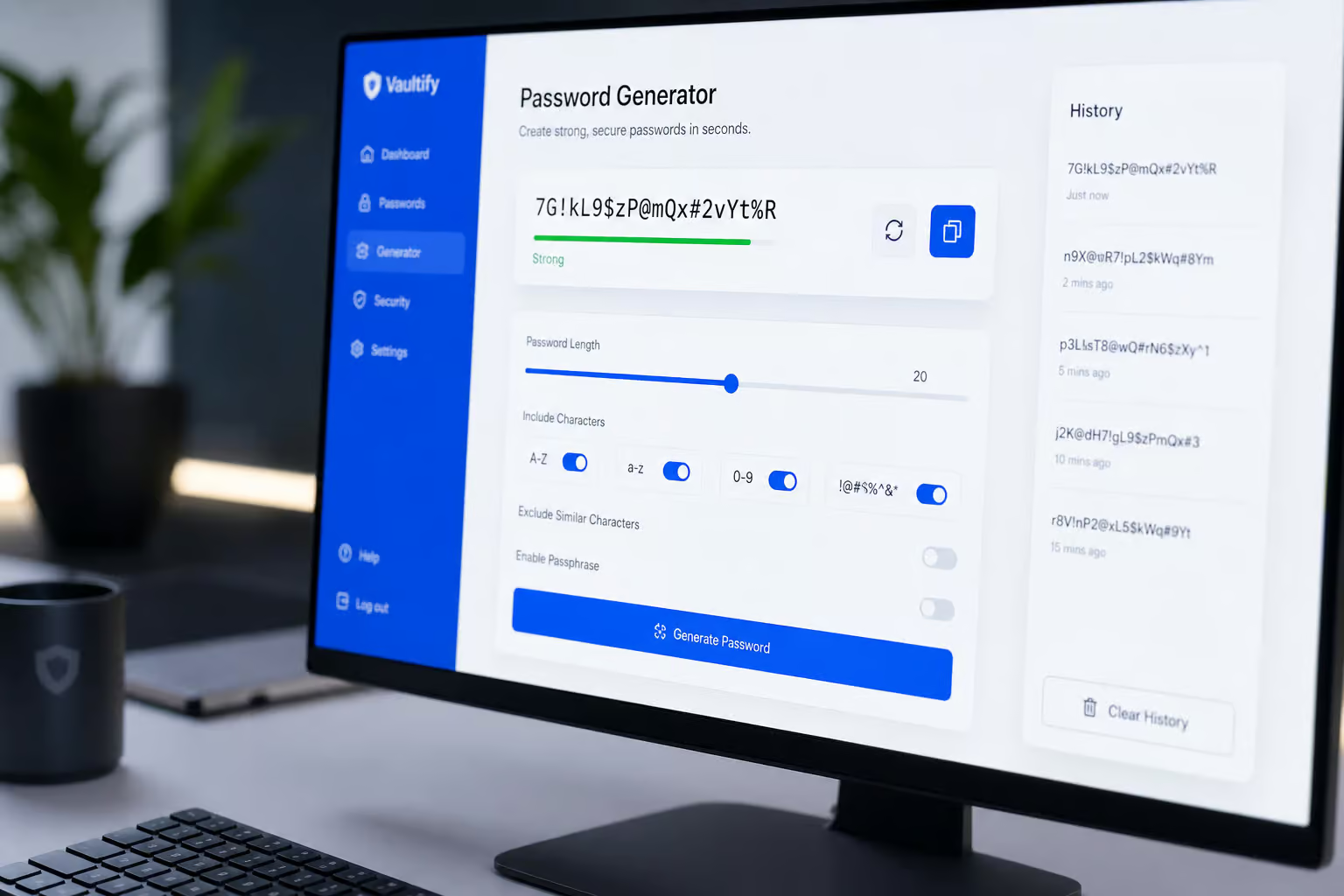
Storing password recovery questions: Converting biographical facts into high-entropy secrets
One of our favorite workflow tricks is treating security recovery questions as auxiliary passwords. If you answer “What was the name of your first pet?” honestly, you’re handing malicious social engineers an open door via public records or social media searches. By relying on a digital manager, you can generate random, unguessable strings for those recovery fields and store them directly inside your secure vault profiles instead of real facts.
The Inherent Vulnerabilities and Usability Limitations (Cons)
While adopting a credential manager introduces significant security benefits, transitioning away from manual password habits is not without its specific trade-offs. Centralized vaulting consolidates your security posture, yet it simultaneously creates a single point of failure that must be mitigated by MFA. Password managers do not protect against all threats, such as phishing, and can create a false sense of security, which requires managing your expectations regarding human behavior.
Single point of failure: Managing the master password vulnerability
The primary trade-off of a password vault is obvious: you’re centralizing your risk into a single, high-value target. If an unauthorized actor gains access to your master password, they get the keys to your entire digital kingdom. That’s why binding Multi-Factor Authentication (MFA) directly to your master credential is a non-negotiable insurance policy. If you don’t use MFA to gate your centralized vulnerability, you’re leaving the vault door unlocked.
False sense of security: Falling victim to social engineering and phishing
Software doesn’t cure human complacency. If you fall asleep at the wheel because you think your database has your back, you’re vulnerable to phishing scams. A password manager won’t stop you from navigating to a perfectly spoofed social engineering site and typing your credentials directly into an attacker’s fake form. Centralized security tools don’t replace ongoing situational vigilance.
Technical compatibility gaps: Autofill and browser recognition failures
The web is messy, populated by legacy portals and non-standard CSS or dynamic login forms. Sometimes, an application’s browser autofill extension simply fails to match the login fields properly. When this happens, users often revert to copying and pasting credentials directly to their local OS clipboard. This creates a risk, since the system clipboard is uninsulated and readable by other running processes.
Cloud storage and privacy concerns: Hesitation over centralized hosting
Choosing a cloud-syncing manager requires a degree of trust in someone else’s infrastructure. Developers and security professionals look askance at third-party cloud hosting for their encrypted databases, sparking a preference for local-only vaults that rely on peer-to-peer sync protocols rather than cloud storage structures.
Perceived login friction: Navigating the extra steps in daily workflows
Adding an authentication loop to your morning boot routine can feel like a speed bump. Entering your master key, handling an MFA challenge response, and verifying your endpoints feels clunky, but learning this workflow prevents hours spent recovering compromised bank accounts later.
Cryptographic Baselines: Navigating the Standards of AES-256 and PBKDF2
Under the hood of any reputable password vault—as explored in this Proton Pass review and migration guide—lies a math-heavy defense system designed to protect you even if your raw database file falls into enemy hands. If a tool doesn’t showcase these exact baseline protocols, it’s not a password manager—it’s an uninsulated text file waiting to be exploited.

AES-256 and zero-knowledge architecture
The industry standard for robust security is AES-256 Encryption, a symmetric block cipher. When paired with a strict zero-knowledge architecture, the password manager provider never has access to your master password or your decrypted database. Everything is encrypted and decrypted locally on your endpoint. Even if hackers successfully breach a vault provider’s cloud databases, they are left with unreadable blobs of data that are safe against brute-force attacks.
PBKDF2 key-stretching
To make guess-and-test attacks mathematically impossible, modern vaults use PBKDF2 (Password-Based Key Derivation Function 2) for key stretching. This function mathematically runs your master password through thousands of hashing loops before generating the final encryption key. This process creates a speed bump on your local device—imperceptible for a login, but a wall for a hacker’s GPU array trying to brute-force your database.
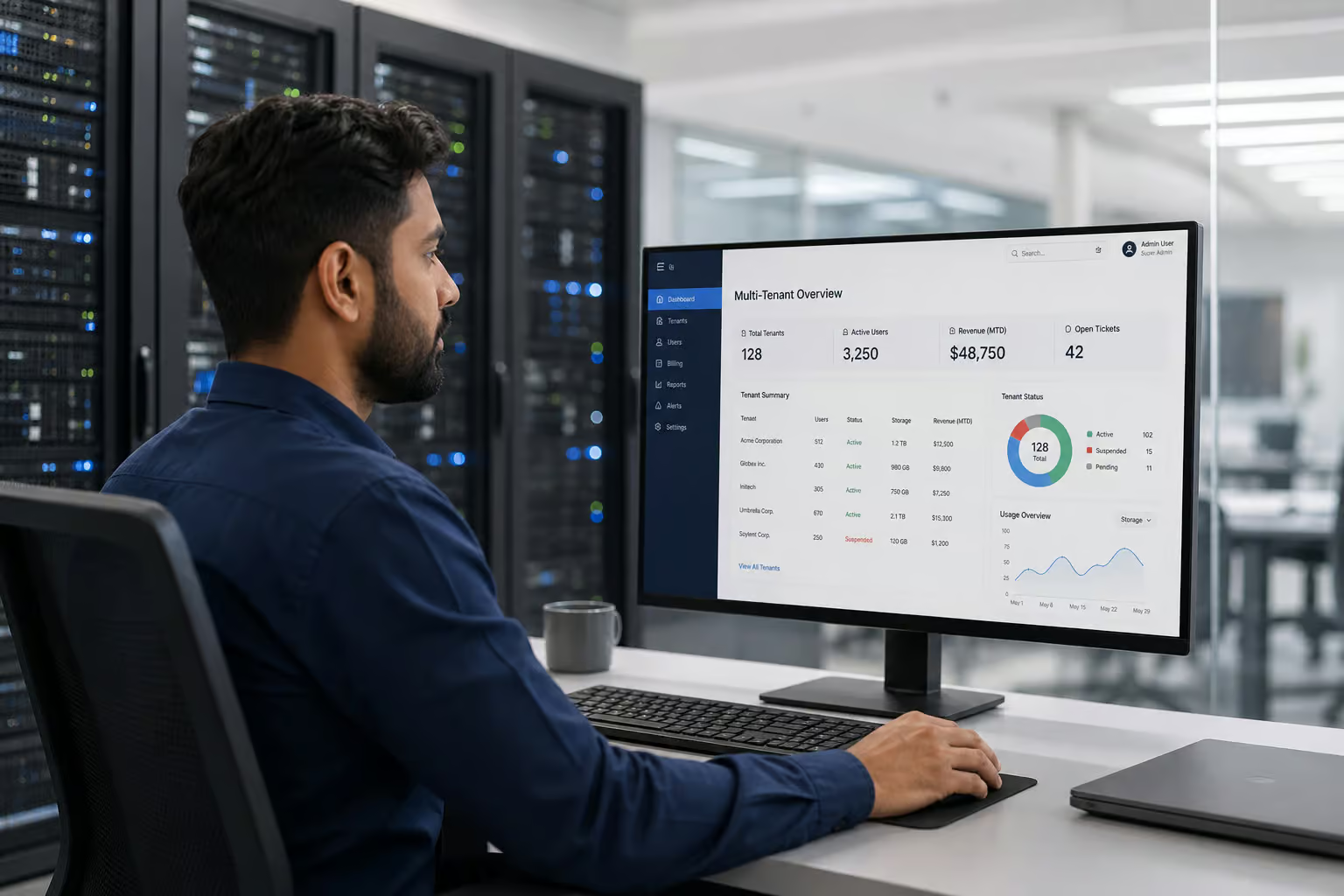
Business-Grade Pros: Scaling Credential Administration for Team Efficiency
From an organizational standpoint, credentials aren’t a personal security choice or a matter of living anonymously—they are a core business operational metric. Managing identities across a growing firm or a Managed Service Provider (MSP) requires scalable administrative tools to keep teams productive.
Time savings on password resets: Mitigating help desk ticket drain
In our systems administrative workflows, the most tedious ticket is the password reset. For MSPs and IT admins, deploying built-in credential tools bypasses these requests. Self-service credential tools intercept basic user lockouts before they clog up active support queues, letting technicians focus on core product delivery.
Credential administration: Incorporating SSO, MFA, and multi-tenant portals
MSP-tuned platforms like Password Boss are designed for MSPs with multi-tenant management. These tools allow IT administrators to integrate Single Sign-On (SSO) configurations and enforce MFA constraints across completely isolated client structures. Spending $3 to $6 per user/month on these setups is a bargain when compared to the labor costs of handling credentials across corporate identities.
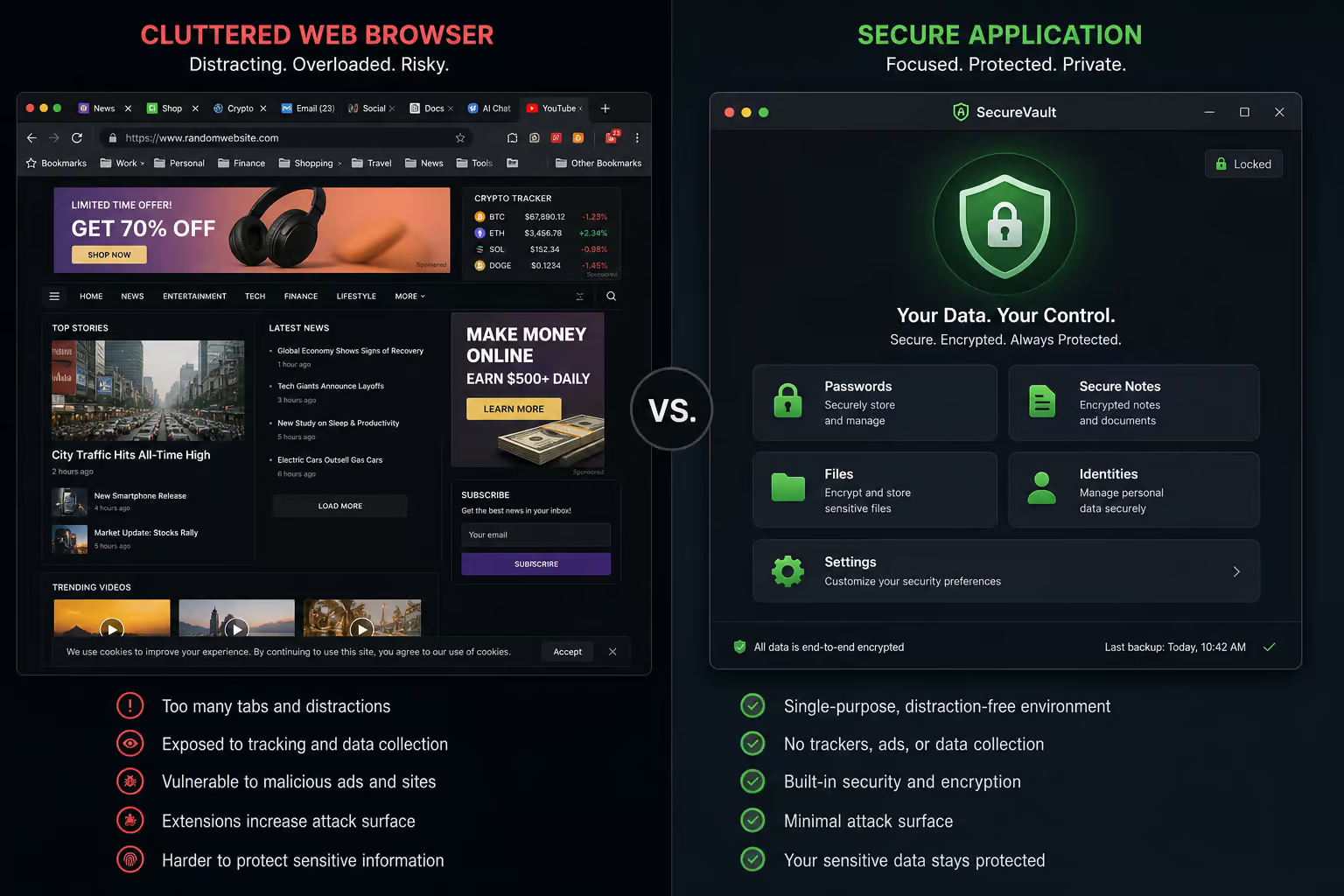
Browser-Based Lockboxes vs. Standalone Password Managers
Using browsers as credential vaults ignores the boundary between web-content parsing and secret storage. There is a systemic, isolation-level difference between standard web browsers and dedicated standalone services.
Process isolation and malware vectors
Standard web browsers are built to navigate the open web, coordinate untrusted scripts, and parse heavy media. Because browser-native managers run in the same process space as web apps, scripts, and extensions, they are low-hanging fruit. Information-stealer malware target these native browser profiles first because they lack the sandboxed cryptographic process isolation of a dedicated, standalone password manager application. Dedicated vaults isolate their decryption processes entirely, shielding your keys from prying local memory scripts.
Beyond the Master Key: Session Hijacking and Account Lockouts
With an AES-256 local database, there are attack mechanics that can bypass your static credentials. Knowing how to step around these traps is the difference between network defense and security theater.

Cookie harvesting and session token hijacking
If malware compromises your client machine, hackers don’t need to guess your master credentials. They can simply swipe your active, authorized browser session cookies. This bypasses both standard password logs and MFA requirements globally. Mitigating this risk requires strict conditional access controls and high endpoint hygiene rather than relying solely on your secret vault.
The zero-host recovery trap
Because a secure manager operates on a strict zero-knowledge model, the hosting provider cannot decrypt your data, and they cannot help you recover your vault if you lose your master credentials. To avoid a permanent lockout, you must configure offline emergency recovery packages—such as printing out a secure offline recovery sheet and locking it inside a physical home safe.
The Risk-Migration Trade-Off: The Final Verdict on Password Managers
This step moves your vulnerability surface from human error to a cryptographic gate.
Transitioning cleanly to a dedicated vault
Cybersecurity consensus from leading voices like the Kelser Corporation reinforces that adopting a password vault is the single most effective way to eliminate weak, reused credentials. When choosing a manager for your devices, select a tool that matches your specific operating systems (ensuring native cross-platform synchronization without clunky manual exports), offers robust zero-knowledge architecture, and enforces strict MFA integration.
People Also Ask
What is the downside of using a password manager?
The primary drawback is that you consolidate all your risk into a single, high-value target protected by one master password. If an attacker gains access to that master key, they can reach everything, which is why binding the vault with multi-factor authentication is non-negotiable. Additionally, they do not shield you from phishing or social engineering, as these tools cannot prevent a user from manually inputting credentials into a fraudulent site.
Why is Google really warning users to stop using their passwords?
The danger stems from human behaviors like password reuse and the reliance on simple patterns like ‘123456,’ which provide almost no friction against modern credential stuffing attacks. Manual password management is widely considered a failure because it forces humans to handle a cognitive load of over 100 credentials, leading directly to poor security hygiene. Shifting to an automated vault removes these human errors by creating and storing high-entropy, randomized strings that are impossible to guess.
Is a password manager worth the cost for my business?
Yes, professional-grade managers generally cost between $3 and $6 per user per month, which is highly efficient when compared to the overhead of manual credential administration. These tools drastically reduce expensive IT help desk tickets by automating self-service password resets and allowing administrators to manage multi-tenant environments through centralized portals. It essentially transforms password management from a time-consuming support burden into a scalable, secure operational utility.
What’s the difference between browser-based lockboxes and standalone applications?
The core difference lies in process isolation and the surface area for attacks. Browser-native managers operate within the same process space as your web apps and scripts, making them primary targets for information-stealing malware. Standalone password managers use dedicated, sandboxed cryptographic processes, ensuring that your secret keys remain isolated from the web content you are actively browsing.
How does the zero-knowledge architecture protect my data?
In a zero-knowledge configuration, all encryption and decryption occur locally on your own device rather than on the vendor’s servers. Because the provider never has the keys to your master password or the decrypted database, they cannot see your secrets even if their own cloud infrastructure is breached. You are left with encrypted data that is mathematically infeasible for attackers to read.
Can I recover my vault if I lose my master password?
Because secure managers operate on a strict zero-knowledge model, the service provider cannot decrypt or reset your vault if you lose the master key. You are entirely responsible for your own recovery path, which should include creating and physically securing an offline recovery sheet. Without these pre-arranged offline backups, losing your credentials usually results in a permanent and irreversible lockout from your data.
