
There’s a specific kind of frustration that only hits when you’re staring at an email bounce notification after trying to send a 2GB file. The message is polite enough — “your attachment exceeds the size limit”, but the subtext is clear: email was never designed for large file transfer.
You start with email, hit the wall, graduate to WeTransfer or Dropbox, and for a while, things seem fine. Then you start noticing the cracks. Your files live on someone else’s server. You’re trusting an American company with data that might need to stay in the EU. The free tier runs out, and suddenly you’re paying $10 a month for something you still don’t actually own.
The problem isn’t the price tag — it’s the lack of control. But what if you could cut out the middleman entirely?
Key Takeaways
ProjectSend gives you dedicated client accounts, download limits, and auto-expiration — features that Dropbox, WeTransfer, and even Nextcloud don’t offer
Sharry implements the tus protocol for resumable uploads, meaning a dropped connection at 95% doesn’t force you to start over from scratch
If you self-host on shared hosting, your provider may technically be a data processor under GDPR, requiring a formal Data Processing Agreement
Table of Contents
Why Large File Sharing Is Still Broken
The core issue is that the tools most people reach for weren’t built for the job. Email attachments top out at 25MB on most providers. Google Docs requires a Google account and trusts your data to an American company. WeTransfer is not hosted in the EU, which creates a data residency risk for European organizations that might not even realize it’s a problem.

Dropbox and WeTransfer both start at around $10 a month for their base plans, and you still don’t own your data.
There is.
The Self-Hosted Solution: Cutting Out the Middleman
You grab a tool, install it on your own hardware — could be a Raspberry Pi, could be a $5-a-month VPS, could be a proper server rack, and your files never leave your infrastructure. Self-hosted tools allow sharing via link or web login without requiring users to use SFTP or SSH. They just get a link or a web login, same as they would with any commercial service, except now you’re in control.
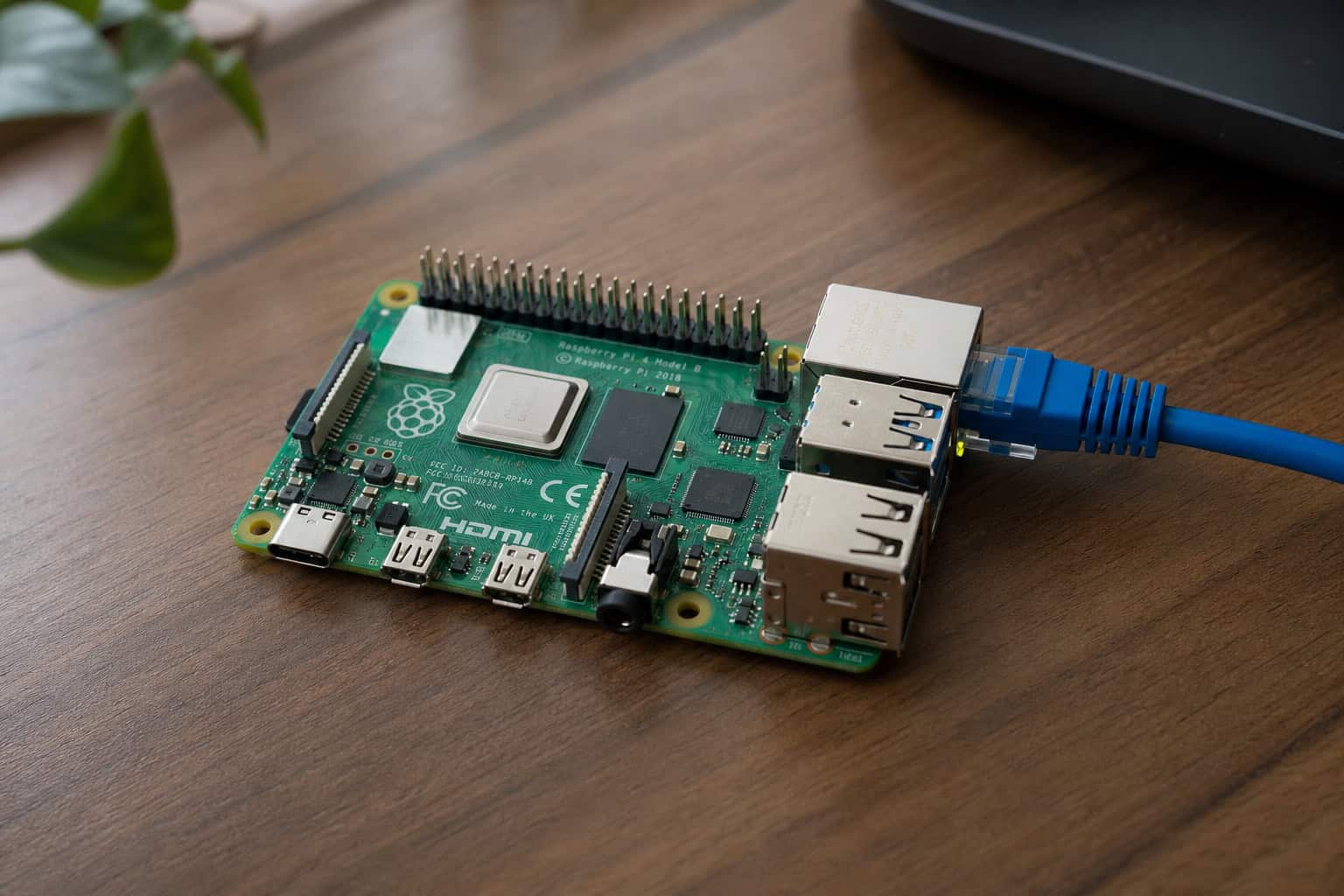
Because these tools are open source, you can inspect every line of code. You can fork the project if you want to add features. You avoid data mining, surprise terms-of-service changes, and third-party server exposure. The tradeoff is that you own the maintenance and infrastructure.
Let’s look at the actual options, starting with the simplest.
Lightweight Tools for Quick, One-Off Shares
Sometimes you don’t need user management, audit logs, or client portals. You just need to get a file to someone and move on with your day.

Sharry — The Resumable Upload Champion
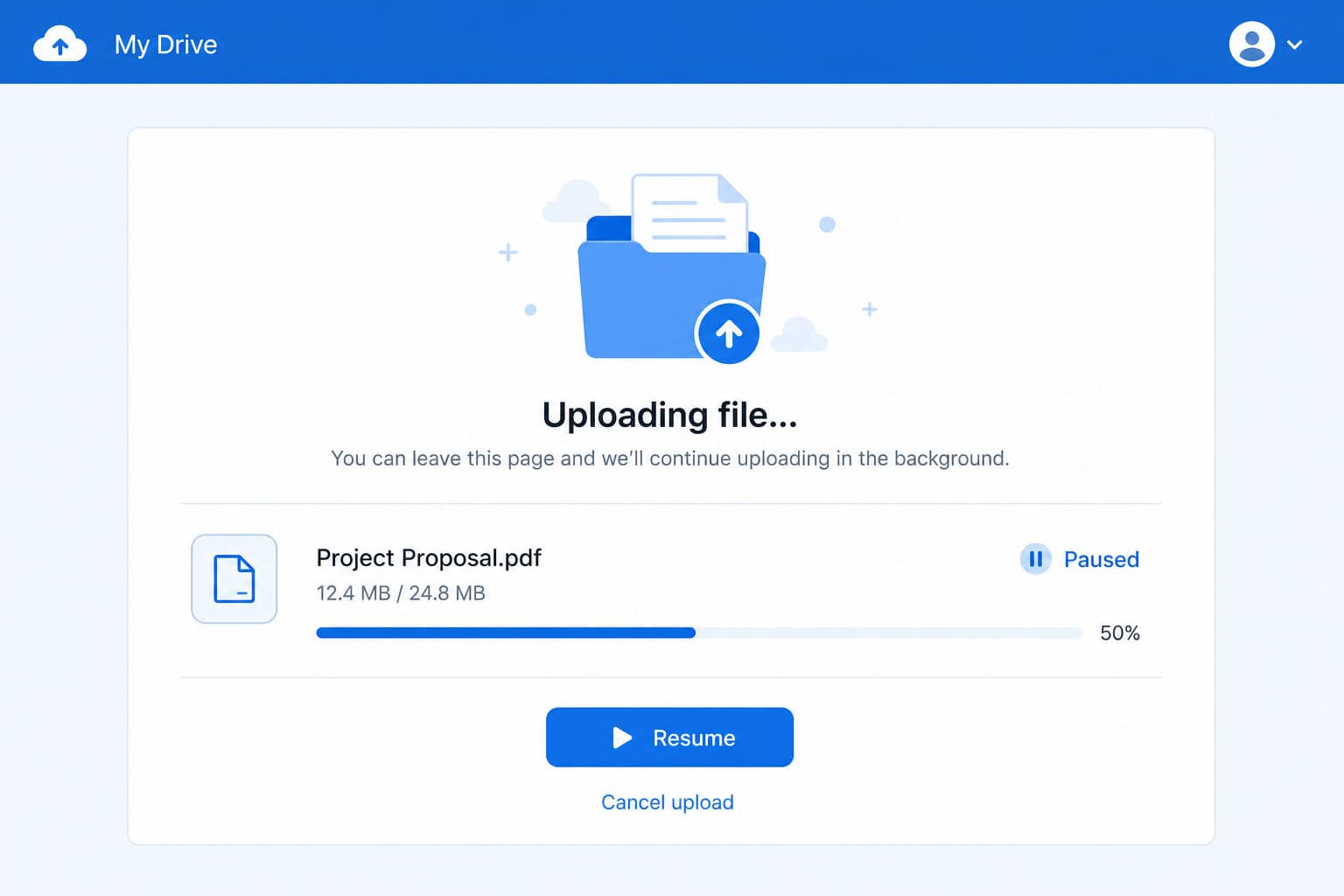
Sharry is a self-hosted web application for file sharing via generated URLs, and it has one killer feature that sets it apart: it implements the tus protocol for resumable uploads. If your connection drops mid-upload — and that happens often with multi-GB files, you don’t start over. You pick up from the last chunk received. I’ve had this save me from a 4GB upload failure that would have meant waiting another hour. It’s a feature you appreciate when you’re staring at a “upload failed at 99%” error.
The URLs Sharry generates are hard to guess, which adds a layer of security. You can require authentication for uploads, set optional passwords and time limits, and create alias pages that let anyone upload files to you — like a digital drop box you can turn on and off. The backend is written in Scala, the frontend in Elm, and it’s distributed under GPLv3+. Installation options include deb packages, zip archives, Nix/NixOS modules, or Docker.
YouTransfer.io — Dead Simple, Docker-Only
YouTransfer.io is about as minimalist as it gets. Upload files to server, share link or email. No accounts, no user management, no fuss. It’s free and open source, runs on Node.js, and requires Docker to install.
There’s a functional demo on the website if you want to kick the tires before committing. If you’re already in the Docker ecosystem, it’s a one-liner to spin up. If you’re not, it’s a small hurdle, but the simplicity of the tool itself is hard to beat.
Erugo — Nicer Links and Download Tracking
Erugo goes for a slightly more polished experience. It’s MIT licensed, so you can do whatever you want with the code, including forking it. The share links are human-friendly — easier to read and remember than random strings. You get password protection, customizable branding, and a powerful dashboard with download tracking.
It’s Docker-based, so spinning up an instance takes minutes, and it’s sponsored by Box To Play VPS, which gives it some ongoing backing. The Erugo MIT license gives you full freedom to modify and redistribute the code without restriction.
Enterprise-Ready Platforms with Granular Control
When you need to manage who has access to what, set expiration dates, enforce download limits, and keep audit logs, you need something with more muscle.
ProjectSend — The Workhorse of Self-Hosted File Sharing
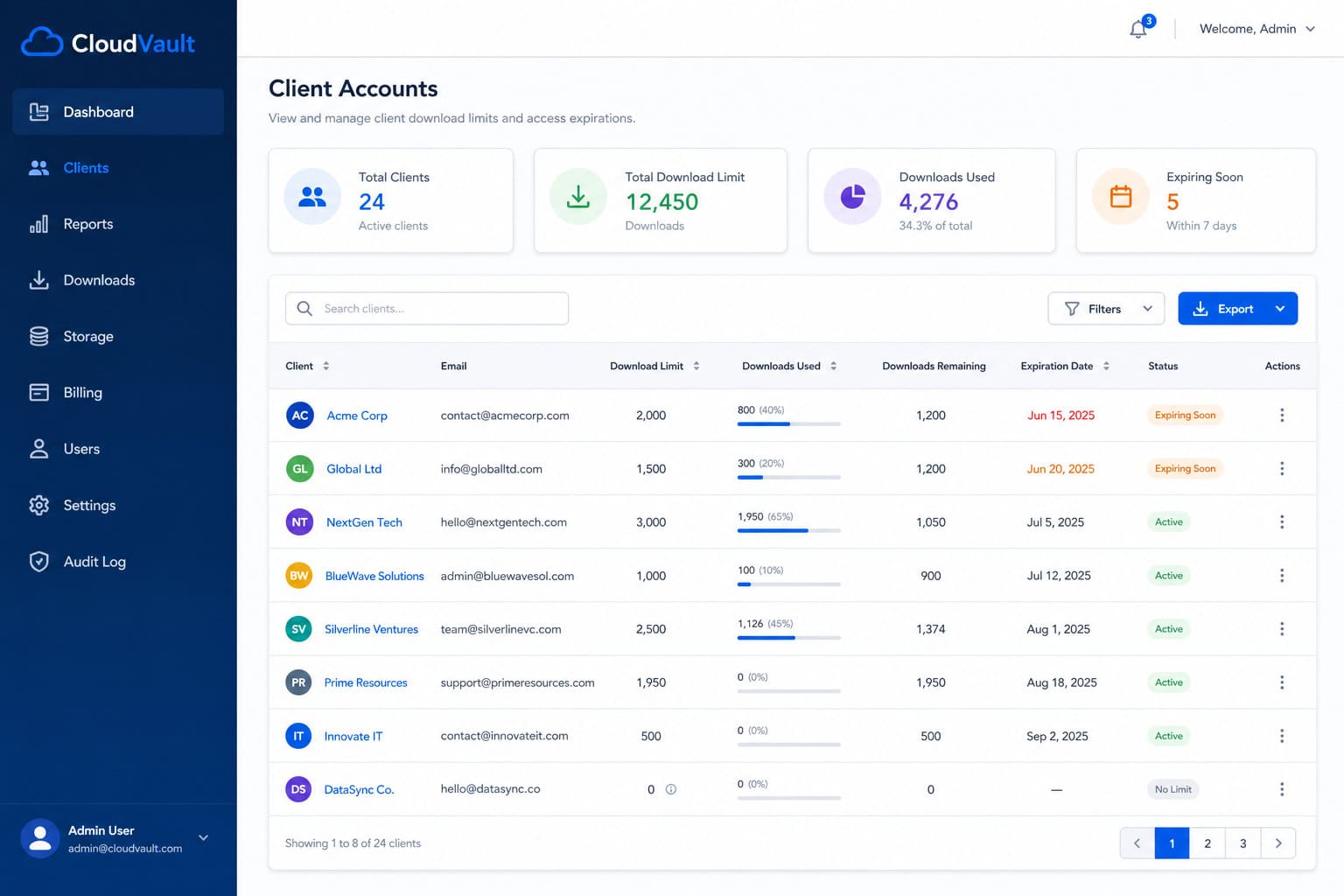
ProjectSend is free, open source under GPL v2, and runs on standard LAMP stack hardware — PHP 7.1+, MySQL 5+, shared hosting friendly. I’ve been using it for years with clients, and it just works. Each client gets their own login. You can organize them into groups, set download limits and disk quotas, auto-expire files after a certain date, and control whether clients can upload files back to you.
The encryption at rest is AES-256-GCM, which is the current gold standard. Two-factor authentication works via email codes or TOTP apps like Google Authenticator and Authy. LDAP/Active Directory integration means your users can log in with existing credentials.
The project has 59-plus contributors on GitHub and supports over 70 languages. There’s an automated system update feature, a roles manager for permissions, S3 storage support, and detailed audit logs. It’s one of those tools that’s simple enough to set up in minutes but deep enough to handle real organizational needs.
FileCloud — The Compliance Beast
FileCloud is the enterprise-grade self-hosted file sharing solution, and it’s not open source. It targets Global 2000 companies, which tells you something about its feature set. Deployable on Windows or Linux servers, it supports FIPS 140-2 encryption — important if you need to check a government compliance box, customer-managed keys, role-based access, data loss prevention (DLP), digital rights management (DRM), OCR and pattern search, antivirus scanning, ransomware protection, two-factor authentication, backups, and Active Directory/LDAP integration. It also offers hybrid cloud deployment, letting you keep some data on-prem and some in AWS or Azure.
The unlimited external accounts feature is a big deal if you’re sharing with lots of clients or partners. You can customize the branding to make it look like your own product. Pricing isn’t publicly specified — it’s the kind of tool where you talk to a sales team, but if your organization needs to check every compliance box on the list, FileCloud is the option that has them all.
FileSender — Built by and for Research and Education
FileSender comes out of the research and education community, specifically the NRENs (National Research and Education Networks) that move massive datasets between universities and labs. It’s open source, white-label, and designed for organizations that need to share large files with user authentication and automatic deletion after a set time. The project is alive and kicking — version 3.10 dropped recently with new features and bug fixes. At TNC26 in Helsinki, 34 representatives from 20 organizations across 17 countries met to discuss its development. If you’re in the academic world, there’s probably already a FileSender node near you.
How ProjectSend Compares to the Big Names
The ProjectSend team maintains a feature matrix that makes the gaps in commercial tools painfully obvious. Let me save you the cross-referencing:
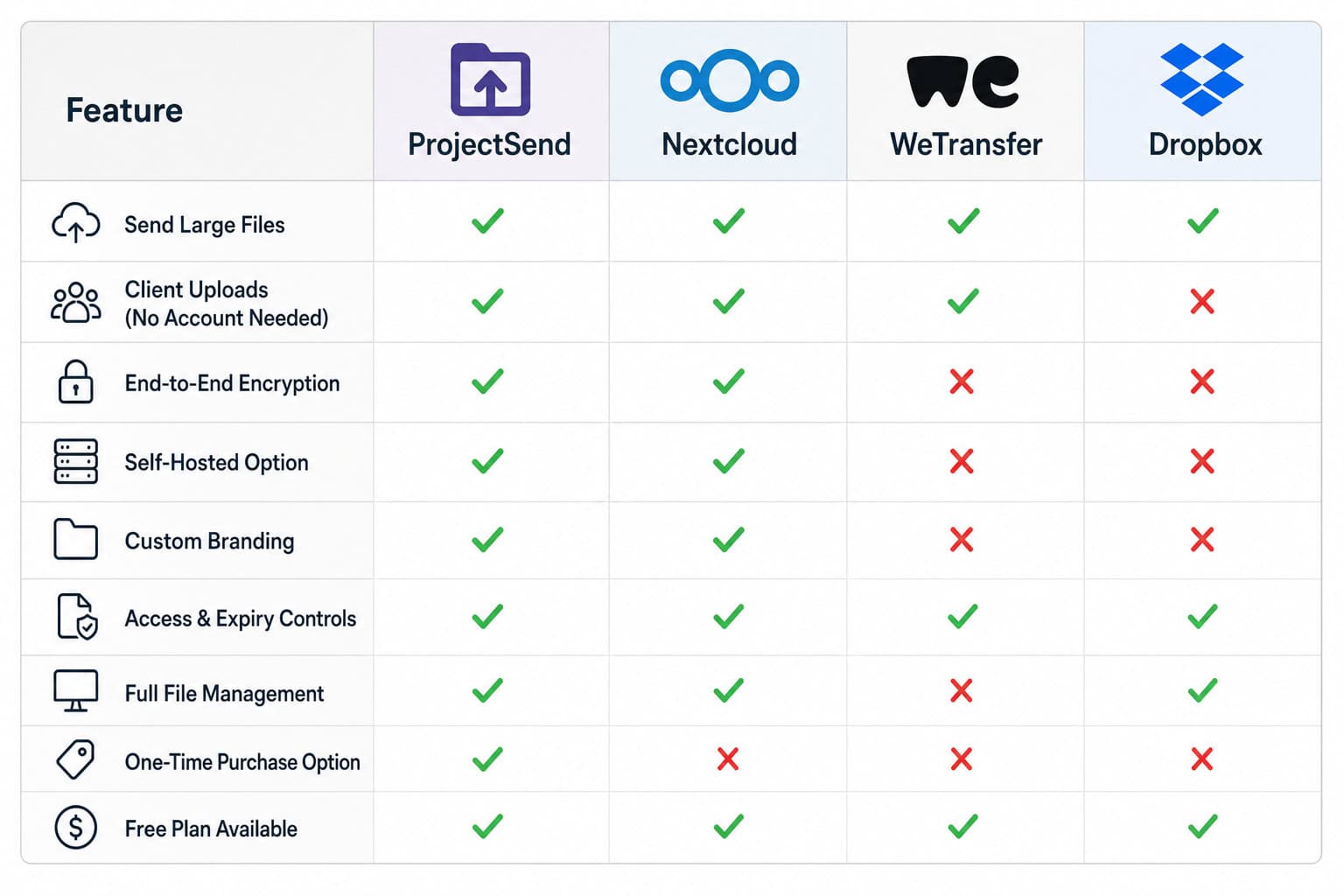
ProjectSend gives you self-hosted control, open source code, dedicated client accounts, client groups, auto-expiring files, the ability for clients to upload back to you, download limits, AES-256-GCM encryption at rest, customizable client portal themes, two-factor authentication, 70-plus languages, S3 storage support, and runs on shared hosting with low setup complexity. It’s free.
Nextcloud is self-hosted and open source, with partial client accounts and auto-expiring files. Clients can upload back. It supports encryption at rest, two-factor authentication, and S3 storage. But there are no client groups, no download limits, no client portal themes, and it doesn’t run on shared hosting. For short-term storage without hassle, Volafile is an alternative with large file uploads up to 20GB, though setup complexity is medium and it’s also free.
WeTransfer is not self-hosted, not open source, has no dedicated client accounts, no client groups, no download limits, and no client portal themes. Auto-expiring files exist only in the Pro plan. Clients can’t upload files back. Two-factor authentication is partial. And it’s not hosted in the EU, which matters for GDPR. For alternatives that also let you send large files without an account, services like files over miles and Smash offer similar functionality, but pricing starts at $10 a month.
Dropbox is not self-hosted, not open source, has no dedicated client accounts, no client groups, no auto-expiring files, no download limits, no client portal themes, and two-factor authentication is partial. Clients can upload files back, and there’s encryption at rest. But is Dropbox send large files actually faster or more reliable than a direct shared link? We benchmarked upload times, expiration controls, and real-world download speeds. Pricing starts at $10 a month.
Download limits, client groups, and shared hosting compatibility are features that matter in practice, and the household-name services simply don’t offer them.
Security and Compliance: A Layered Approach
Security isn’t a single toggle — it’s a stack. Encryption at rest using AES-256-GCM or FIPS 140-2 handles one layer. SSL/TLS handles transit. Two-factor authentication via email codes or TOTP handles access. LDAP/Active Directory integration handles identity management.
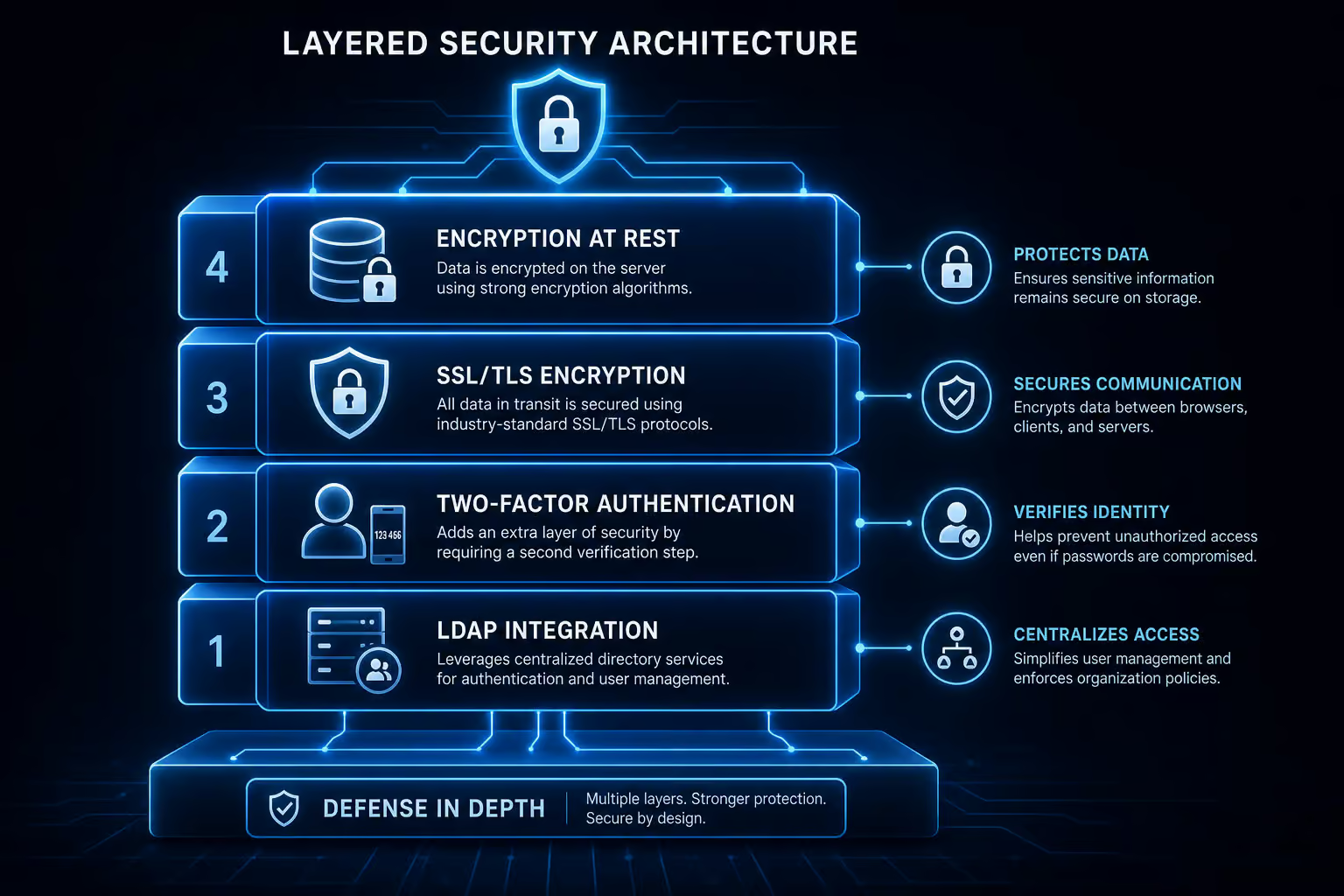
But the most overlooked layer in the stack is auto-expiration. You set a file to delete after seven days or thirty days or whatever makes sense, and your server doesn’t turn into a landfill of expired shares. ProjectSend has it. FileSender has it.

FileCloud has retention policies. The combination of 2FA plus expiration plus audit logs is what real-world compliance reviews actually look for.
FileCloud extends this further with DLP scanning for sensitive data, DRM controls for what users can do with downloaded files, antivirus scanning on upload, and ransomware protection. It’s a fortress, not a lock on the door.
The Swiss Army Knife Problem: When Feature Bloat Hurts
Nextcloud and Owncloud are often described as Swiss Army knives — they do file sharing, calendars, contacts, chat, and more. That’s great if you need all of it. But if all you want is a simple, reliable way to send files to clients, you’re paying for features you don’t use while missing features you do need.

I’ve seen teams adopt Nextcloud for file sharing only to realize they can’t set download limits, can’t organize external users into groups, and can’t run it on their existing shared hosting plan. The tool is fantastic for full collaboration suites, but for the specific job of sending files to people outside your organization, a focused tool like ProjectSend or Sharry is actually more capable in the areas that matter, especially when you compare their approach to large file sharing. Sometimes you need a screwdriver, not a full socket set.
Installation and Deployment: From Softaculous to Docker
The right deployment method depends on your comfort level and infrastructure.
If you have cPanel with Softaculous, ProjectSend and FileRun can be installed in a few clicks. No command line required. ProjectSend needs PHP 7.1+ and MySQL 5+, which is standard on any shared hosting plan. FileRun needs PHP 7.2+ with the ionCube loader, which is a bit more unusual but still widely supported. FileRun also offers dedicated desktop and mobile sync clients, letting you keep folders in sync across devices just like a commercial cloud service.
If you’re comfortable with Docker, Sharry, Erugo, and YouTransfer.io all spin up with a single command. Consistency across environments, no dependency hell. ProjectSend also has an unofficial Docker image maintained by LinuxServer.io, which is well-regarded in the community.
If you prefer native packages, Sharry offers deb, zip, and Nix installations. FileCloud runs on Windows or Linux servers with full OS flexibility.
Cost, Licensing, and Community Support
ProjectSend is GPL v2. Sharry is GPLv3+. Erugo and YouTransfer.io are MIT. FileSender is open source. Nextcloud is AGPL. All of these let you inspect the code, modify it, and redistribute it under the terms of their respective licenses.
FileRun is free for commercial or private use but isn’t open source — you can’t peek under the hood. FileCloud is enterprise-grade with undisclosed pricing and a dedicated sales team.
Community support varies. ProjectSend has a Patreon, 59-plus contributors, and over 70 language translations. Sharry accepts donations via Liberapay and PayPal. FileSender has mailing lists and an active development community. Erugo is sponsored by Box To Play VPS. These projects are alive and maintained, not abandoned repos gathering dust.
GDPR and Self-Hosting: The Data Processor Catch
Here’s a catch many people miss. If you install a self-hosted file sharing tool on shared hosting — say, ProjectSend on a Blacknight account, your hosting provider may technically be a data processor under GDPR. That means you need a formal Data Processing Agreement (DPA) with them. It’s a paperwork requirement, not a technical blocker, but it’s real.
If you run the software on your own servers — on-prem hardware or a self-managed VPS, this doesn’t apply. You’re the data controller, and you control the full stack.
Self-hosted tools give you the ability to implement GDPR-friendly policies — auto-deletion, encryption, audit logs, access controls, but you have to actually do it. The tool doesn’t make you compliant by itself. You need to configure expiration dates, enable encryption, set up audit logging, and establish your data retention policies. The tools remove the technical barriers, but the operational responsibility is still yours.
How to Choose: A Decision Framework
Here’s how I think about it.
Occasional anonymous shares under 2GB: YouTransfer.io or Erugo. No accounts, no fuss, just a link.
Multi-GB files over unreliable connections: Sharry. The tus protocol is worth it alone. Resumable uploads save time and frustration.
Professional client-facing sharing with accounts, expiration, and limits: ProjectSend. It’s free, runs on shared hosting, and has the client management features that Dropbox and WeTransfer lack. If your budget allows, FileCloud covers the same ground with enterprise-grade extras.
Compliance-heavy environments (GDPR, HIPAA, FIPS): FileCloud for the full suite — FIPS 140-2, DLP, DRM, antivirus, ransomware protection. FileSender is the alternative if you’re in research or education and need white-label deployment with automatic deletion.
Research and education white-label: FileSender. The community is active, the deployment map is global, and it’s purpose-built for your use case.
You can start simple and upgrade. Deploy Sharry or ProjectSend on a cheap VPS, test the workflow, add features as you need them. Self-hosted software means you’re not locked into a tier or a contract.
Your Data, Your Rules
Sovereignty. When you use a commercial file sharing service, you’re renting space from a company that can change its terms, adjust its pricing, or decide that your data is no longer welcome. When you self-host, the rules are yours. Your files live on your hardware, under your encryption, with your access policies. No third-party servers, no surprise terms-of-service updates, no data mining.
The upfront cost is time and infrastructure. The payoff is control.
Start with ProjectSend or Sharry, whichever matches your need. Set it up on a $5 VPS or repurpose an old machine in your home lab. Configure expiration dates. Enable two-factor authentication.
Test it with a colleague. Once you see how straightforward it is, you may wonder why you didn’t switch sooner.
People Also Ask
What is the best software to share large files?
The best software depends on your needs. For occasional anonymous shares under 2GB, lightweight tools like YouTransfer.io or Erugo work well. For multi-GB files over unreliable connections, Sharry’s resumable uploads are a lifesaver. For professional client-facing sharing with accounts, expiration, and download limits, ProjectSend is a strong free option that runs on shared hosting.
How can I send 20 GB files for free?
Self-hosted tools like Sharry or ProjectSend let you send files of any size for free, limited only by your own server’s storage and bandwidth. Sharry supports resumable uploads via the tus protocol, so a dropped connection at 95% won’t force you to restart. You’ll need your own hardware or a cheap VPS, but there are no per-file or per-month fees.
Is self-hosting file sharing software worth the effort?
Yes, if you value control over your data and don’t want to pay monthly fees or trust a third-party server. The tradeoff is you own the maintenance and infrastructure — you’ll need to handle updates, backups, and security configurations. For many people, the payoff of having your files on your hardware with your encryption and access policies is worth the initial setup time.
