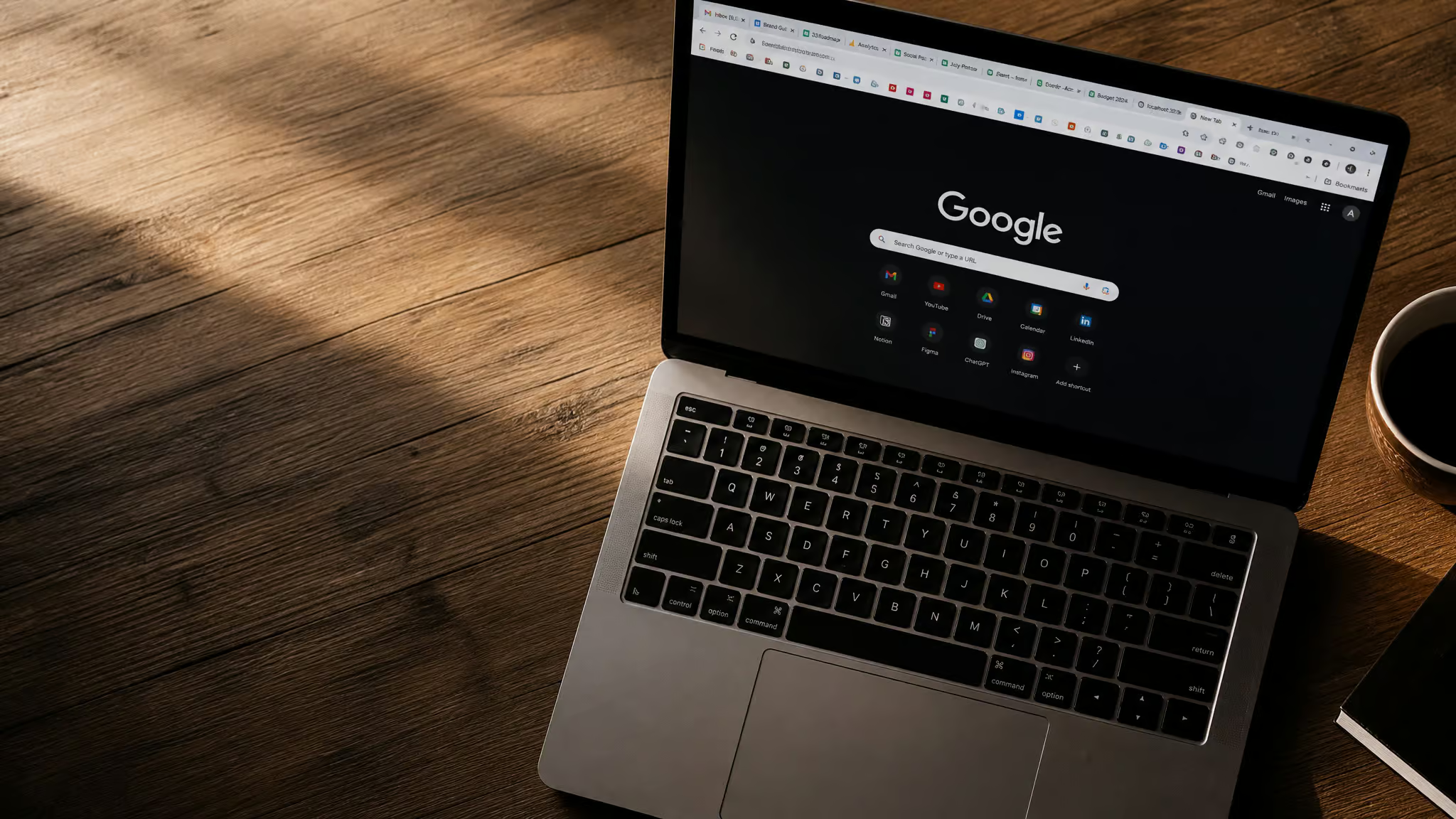
I went looking for one good laptop photo idea and came back with a search count I can’t unsee and a strong opinion about bias lighting. Here’s the problem in one number: searching “creative desk” on Adobe Stock returns 1,963,452 results. Not 1,963,453. That’s a point-in-time count, but it’s close enough to tell you exactly what every laptop snap looks like before you take it: centered machine, coffee at upper right, plant at upper left, screen blank as a dead monitor.There are 8,938 of these in video form too, because apparently the cliché wanted motion.
The annoying part is that the fix isn’t expensive gear or a photography degree. It’s knowing which formula you’re copying and then deliberately breaking it. Stock marketplaces don’t editorialize; they’re pure catalogs, so nobody tells you this.What follows is our idea bank of laptop snap ideas, grouped by mood and how much work they take: flat lays, workspace shots from 39 real photographer desks, café setups, and night-mode rigs where your screen does the lighting.
Key Takeaways
A “creative desk” search on Adobe Stock turns up 1,963,452 still results plus 8,938 videos, and the compositions inside them (the centered laptop, the matching coffee and plant, the empty-screen mockup, the shot straight-on against a white desk) are the four formulas to consciously break.
The tip repeated most often among the 39 photographer workspaces Shotkit profiles: put natural light on the side of the desk, never behind the monitor, or you’re shooting a silhouette.
For small desks, what’s off the surface makes the photo: an Ikea Skadis pegboard (30×22 inches) with a vertically mounted M1 MacBook Air beats any amount of decor.
Table of Contents
Flat lays: keep the props, break the geometry
The props that make a laptop flat lay look professional are the standard vocabulary of the genre: coffee, a plant, a notebook, sticky notes, color swatches, the occasional mood board. That’s fine.The props aren’t your problem. Your problem is copying the stock geometry that comes bundled with them.

And the catalog happily documents that geometry for you. Adobe Stock’s own image titles read like stage directions: “Overhead shot of wooden desk with laptop.”“Mockup workspace desk and copy space.” There’s a whole subgenre of front-view shots on white tables. You know exactly what these look like, because you’ve scrolled past roughly two million of them.
So here are the four formulas to avoid, straight out of the catalog: the centered machine, the symmetric coffee-and-plant arrangement, the blank-screen mockup with copy space, and the front-view white desk.The first flat lay everyone shoots (this is the classic first attempt) follows the formula perfectly: laptop dead center, coffee upper right, plant upper left. It lands indistinguishable from the entire catalog it was cribbed from.
The fixes are compositional, not financial. Put the laptop off-grid instead of centered.Let one object get cropped at the frame edge, which instantly signals a human took this and not a template. And above all, put real work on the screen.
Copy space and empty screens are stock conventions, artifacts of images designed to have text overlaid on them later. An in-use screen, with your actual messy browser tabs and a half-written document, is the tell of a personal snap.It’s kind of elegant that the difference between generic and personal is just whether the machine is on.
If you want to study the enemy properly, Adobe’s free trial gets you 10 Stock images plus unlimited AI-driven image editing and generation, and Firefly’s whole pitch is “can’t find it, generate it,” which is text-prompt image generation and a neat one-liner even if you never use it. There’s also Magnific, the platform formerly known as Freepik, which offers free and premium stock (including generative AI options) for “creative laptop layout” searches, and claims over a million subscribers across 22 languages. Those are its own numbers, not ours.Either catalog is worth an hour of study before you go consciously subverting it.
The side-light rule that fixes most laptop snaps
Natural light from the side of the desk, never from behind the monitor. That’s the tip most often repeated among Shotkit’s 39 profiled photographer workspaces, and when 39 working photographers independently arrive at the same advice, you listen.
The why is simple.A window behind your screen turns the laptop into a backlit silhouette: the camera exposes for the bright window, and everything you actually wanted to photograph goes dark. A window to the side lights the laptop and your hands the way you actually see them. Same rule at the café, by the way.
Workspace snaps: steal from real photographer desks
What working photographers actually keep on their desks is exact gear plus exactly one practical tip each, which is what makes Shotkit’s 39-profile workspace tour so addictive, and what makes any workspace that photographs as real worth studying.I fell down this tour and didn’t come out for an hour. Here are the desks worth stealing from.
Douglas Levy’s setup is the power-user example, and the specs deserve to be listed plainly: i7 9700k, 128GB DDR4, a 2080ti, and twin UNRAID servers, 40TB each, running over 10GbE. Twin 40TB home servers over 10 gigabit networking. This is home-lab catnip, and his desk photographs like it means it.Ben Kelmer, a wedding and photojournalism shooter, pairs a 27-inch Dell with a maxed-out 16-inch MacBook Pro and runs an annual rotation of Lacie 8TB archival drives, which is cheap insurance for your work no matter what you shoot. Brett Ferguson’s desk hides the nerdiest detail of the bunch: a dedicated 500GB Photoshop scratch disk, plus Eizo CG279X and CS240 monitors, the color-accurate displays that professionals actually edit on. Matija Kljunak’s workspace absorbs a Drobo 5D with 27TB and five Nikon bodies with eight lenses, which tells you how much gear a real desk can make look natural.
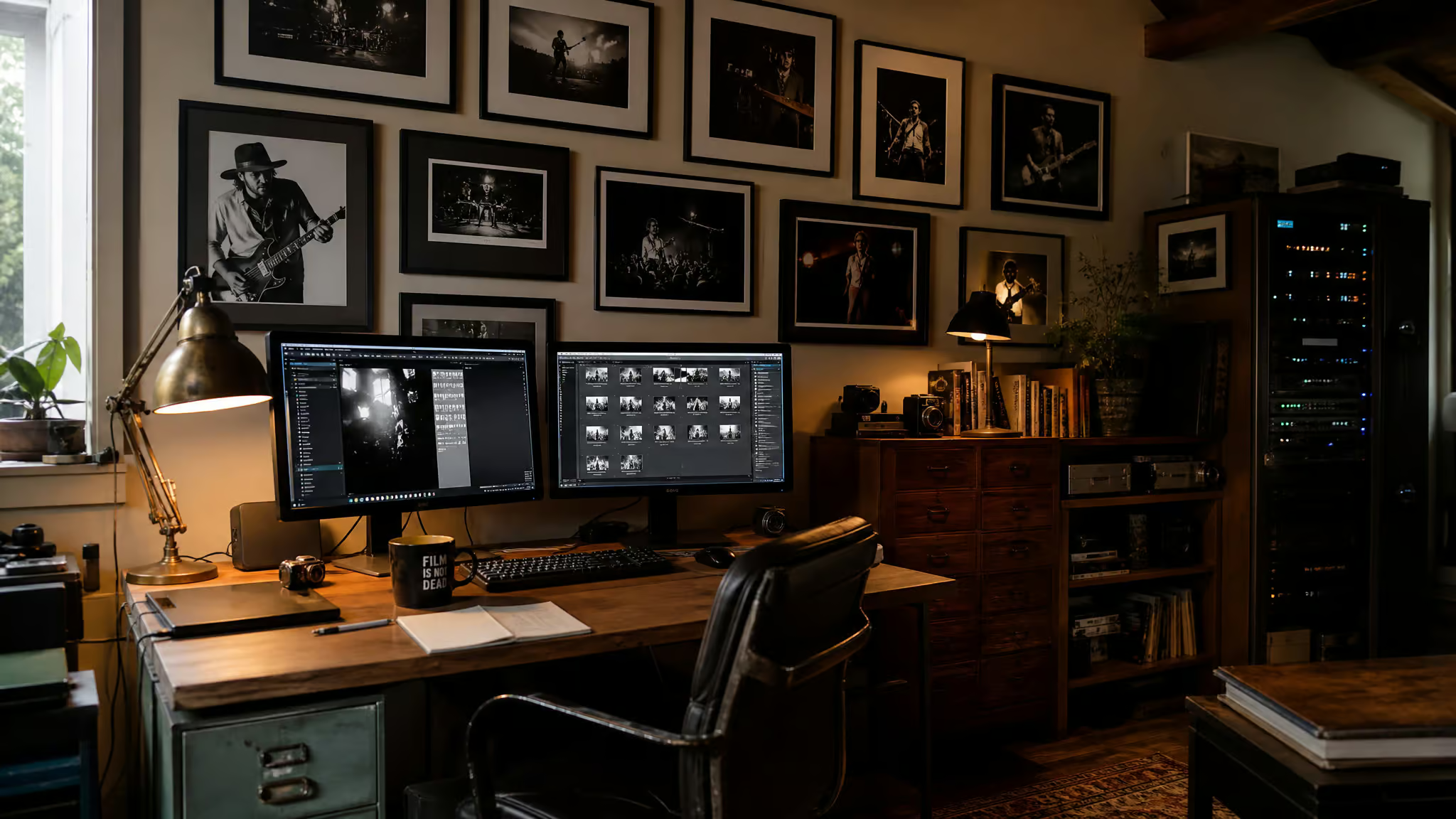
Then there are the backgrounds, which is where these desks get interesting as photo subjects.Art Meripol’s basement-garage workspace has a concert-photography wall featuring B.B. King, Springsteen, Cash, Petty, and Stevie Ray Vaughan, plus a 40-plus-year-old light table still in service. It is the coolest room in this article. Ashlee Hamon solved the no-dedicated-room problem by building an IKEA desk into her kitchen, with a hidden battery backup and cords routed through holes drilled in the counter, replacing a 200 square foot shared office.
Clever maker problem-solving, with the honest tradeoff that you’ve now built a desk into your kitchen.Amii and Andy Kauth work at a 1950s desk their grandfather built, in a two-building studio under two miles from the Pacific. You can’t copy the location. You can copy the idea of a characterful heirloom object in frame.
One desk habit transfers directly to shooting: AD Wheeler, whose basement studio build ran around $50k (fun contrast incoming), does a full desk reset every 6 to 8 months and removes 60% or more of what’s on the surface.The frugal tip from the expensive studio. Do a version of this the day before your shot.
And the contrarian beat, which the tour earns: characterful, even messy desks photograph better than sterile white ones. Mark Condon runs Shotkit itself from a 3 x 1.4m garden shed, starting at 4:30 am (respect, but no), stretching on a 30-minute timer, working at a DIY desk that bends, with a barely used standing desk converter he calls a Deskalator.The jank is the charm. His philosophy, in his own words, is that a cluttered workspace means a cluttered mind.
That rule is for working. For photographing a desk, character is the asset.Jamie Poh’s office proves it with furniture doing triple duty: an IKEA IVAR shelf as a stand-up desk, a stool doubling as a posing stool, blinds pulled as portrait backdrops. And Michael Rayment shoots film in a century-old shed darkroom with a 1940s Nebro cutplate developing tank and an Omega Super Chromega D enlarger (handles up to 4×5), and he’s currently hunting an 8×10 enlarger.
Old tech still rules. The collection is never done.
So the actionable close: build one character element into your background, an art wall, an heirloom, textured furniture, then run a Wheeler-style purge of surface clutter before you shoot. The full 39-photographer tour is on Shotkit if you want to lose an afternoon too.
Coffee-shop snaps: the window seat, done right
Take the side-window seat, not the one facing the window, unless your goal is to appear as a silhouette with a glowing screen for a face. That’s the café version of the side-light rule, and it’s the whole seat-selection strategy: you’re choosing where the light hits the laptop, not where the view is best.
Then compose within the table you’ve got.Cup in frame, laptop angled, and that’s it. Condon’s 3 x 1.4m shed is standing proof that strong frames come from tiny surfaces, so a two-top café table is plenty. This is the lowest-effort tier in the whole bank: one table, one window, nothing you didn’t bring.
Night snaps: darkness plus one light
Night laptop snaps are a screen-as-key-light setup plus one dim secondary light.That’s the whole formula. The common failure is shooting with the lights fully off: the screen blows out to pure white, the room goes pitch black, and the result looks like a laptop floating in a void. The working version uses your screen as the main light source, with one dim secondary or bias light behind or beside the display so your hands and the desk edges stay visible instead of vanishing into black.
The consensus look in this tier is easy to name: dark-room screen glow, moody wallpaper, a song on screen, the cozy night-in frame.Since the screen is the light, what’s on it is half the photo.
Our wedge comes from the RGB setup crowd, not photographers: the Govee AI Sync Box (8K at 60Hz, 75 LEDs), a bias-lighting gadget that showed up in Cult of Mac desk setups. Home-lab people arrived at the same fix from setup design rather than photography, And the “AI” in the name is a product spec, not magic.It syncs lights to the screen. Tiny wizardry, honestly.
Small-space snaps: the rig is the composition
A compact desk photographs well because of what’s off the surface, not what you decorate it with, and the clearest single proof is a Cult of Mac setup: an M1 MacBook Air mounted vertically on an Ikea Skadis pegboard (30×22 inches) using a kitchen tablet stand, with a Teenage Engineering OP-1 hung up like a piece of art. A kitchen tablet stand holding a laptop vertically, and it works.This is peak desk aesthetic achieved with the least appropriate mount possible, and we respect it.
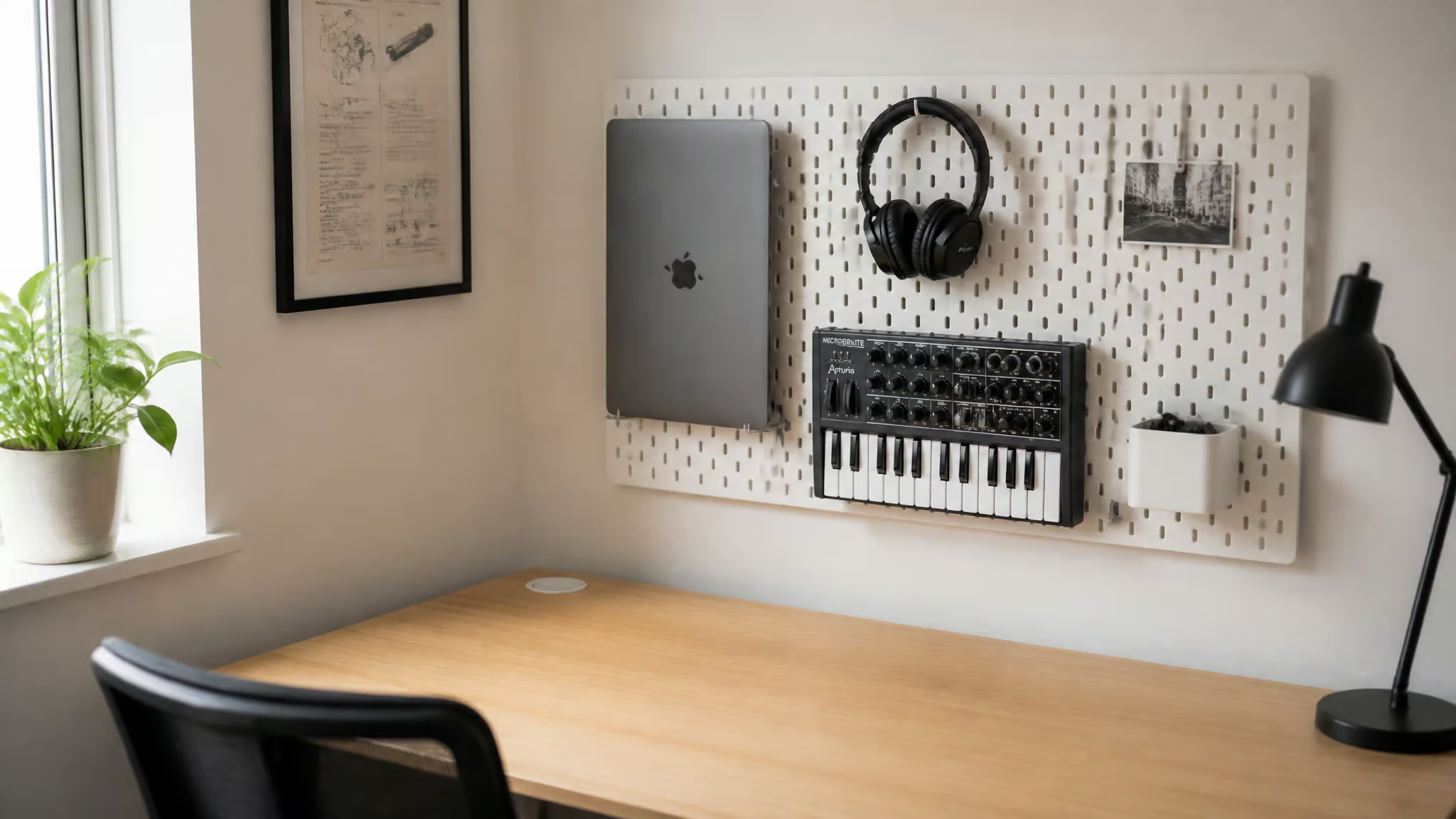
The principle underneath is getting gear off the desk surface: under-desk Mac mini mounts, monitor arms with laptop trays, vertical stands, pegboard and wall mounts, dual-purpose furniture. The cleanest example is the under-desk-mounted Mac mini that leaves nothing on the desk but two 24-inch Dells, a keyboard, and a mouse. That bare-desk shot is the one no amount of styling can fake, because there’s nothing to style.
More rigs worth recreating: an M1 Pro MacBook Pro station tucked under a staircase with dual docks, which will make you look at the dead space in your own house differently, and a wall-mounted 43-inch Samsung QN90B in a student’s room, one screen shared by a MacBook, a PC, a PS5, and an Apple TV. The owner’s framing was a straight compromise between workspace and entertainment to save costs, and it reads as budget honesty rather than sacrifice. Combined with Shotkit’s decluttering thread, the pattern is consistent: hardware decisions make the composition, decor just fills in around them.
Ten-second snaps: poses, streaks, and screen-content frames
Streak-friendly laptop snaps are repeatable compositions: same seat, same glow, different screen. The consensus content is night-glow screen shots, a song on the display, and the cozy study frame, and that’s enough for most feeds. If you want the compositions to look more polished, borrow the recurring motifs from Adobe Stock’s ‘creative desk’ imagery, overhead flat-lays with a coffee mug or plant, front-view laptops on minimalist dark or white surfaces, notebooks and sticky notes around the screen (that search pulls nearly two million results, so the patterns are well-tested).Our one addition: a “work streak” frame, the daily grind caption over a desk that never changes.
Here’s the key insight: a streak constrains the composition rather than supplying the content. Set up one seat-and-glow arrangement you never move, then vary only the screen. It rebuilds in seconds and looks visually consistent forever, which is the exact opposite requirement from a one-off aesthetic shot, and it’s why this gets its own tier.
Poses that work: the over-the-shoulder typing shot, and the relaxed candid-reading frame. Staged is fine. Deceptive isn’t; we’re not going to coach you through pretend-to-work fakery with a straight face. There’s a whole short-form video genre documenting this trope, including one called “POSES WITH LAPTOP | PHOTOGRAPHY IDEAS” from the channel 1 minute inspiration, which as of its June 28, 2021 upload had 818 views.
The same cliché, in motion, at a human scale of views. Funny and relatable frames live in this tier too: screen-content snaps and grind captions are harmless, honest, and they land.
When your laptop is the subject: screen and battery as snap specs
If your laptop is the subject of the shot, its specs are photography specs. Yes, the Lenovo Yoga Pro 9i gives you more for your money on raw export speed, it finishes a 10-minute 4K Premiere export in 3:59, but the MacBook Pro wins display accuracy, battery (outlasting the Yoga Pro 9i by about 6 hours), and Resolve, according to Wirecutter’s benchmark guide from Dave Gershgorn and Arthur Gies.
The reason display accuracy matters is simple: a color-accurate screen means the glow you frame matches what you share. The MacBook Pro (M5 Pro, 2026) had the most color-accurate display Wirecutter tested, with an sRGB grayscale error of 0.50 against the Yoga Pro 9i’s 1.94, where lower is better. Its tested battery runs 17-plus hours (the 16-inch weighs 4.7 lbs with a 100Wh battery, from $2,500 for the 14-inch and $3,000 for the 16-inch). The Yoga Pro 9i fights back with a 120Hz OLED panel at 2880×1800, an RTX 5050, 32GB RAM, and native 4K Premiere exports that finish a 10-minute project in 3:59, sometimes by large margins, while costing less.But it’s slower at 4K-to-1080p transcoding and in DaVinci Resolve, so each machine wins where its silicon is strongest.
For people who actually carry the thing, the MacBook Air (15-inch, M5, 2026) is the sensible one: 3.3 lbs, 14.5 to 16 hours of battery, 500 nits, 98% DCI-P3, at about half the Pro’s price. That’s impressive for the money, and it’s the right tool for lighter workloads and 1080p editing. Quick niche sweep: the Asus ProArt PX13 exists for portability, the Framework 16 for upgradability, and we salute a laptop you can repair yourself. The cautionary tale is the LG Gram 16 Pro, whose export times degraded across three consecutive runs at 5, then 9, then 17 minutes, while the Yoga Pro 9i held steady at 3:43, 3:46, and 3:43.Thin and light has costs, and here they’re measurable.
One pricing caveat, once: AI-datacenter component shortages have pushed laptop prices up, up to $300 extra on Apple devices, with M5 Pro configs starting from $2,500 as of June 2026. And one rule of thumb on RAM: 16GB is the baseline, 24GB for longer projects.
Build the shot, break the formula
The effort axis runs from a screen-glow snap, which needs only darkness and one dim light, up to a pegboard vertical rig, which needs hardware and a plan.Same vibe, multiple tiers: pick yours, and know which stock formula you’re breaking when you shoot.
Because that’s the through-line. The stock catalog quantified the cliché at 1,963,452 results deep. Character, side light, and a few mounting decisions are what put your shot outside it.
