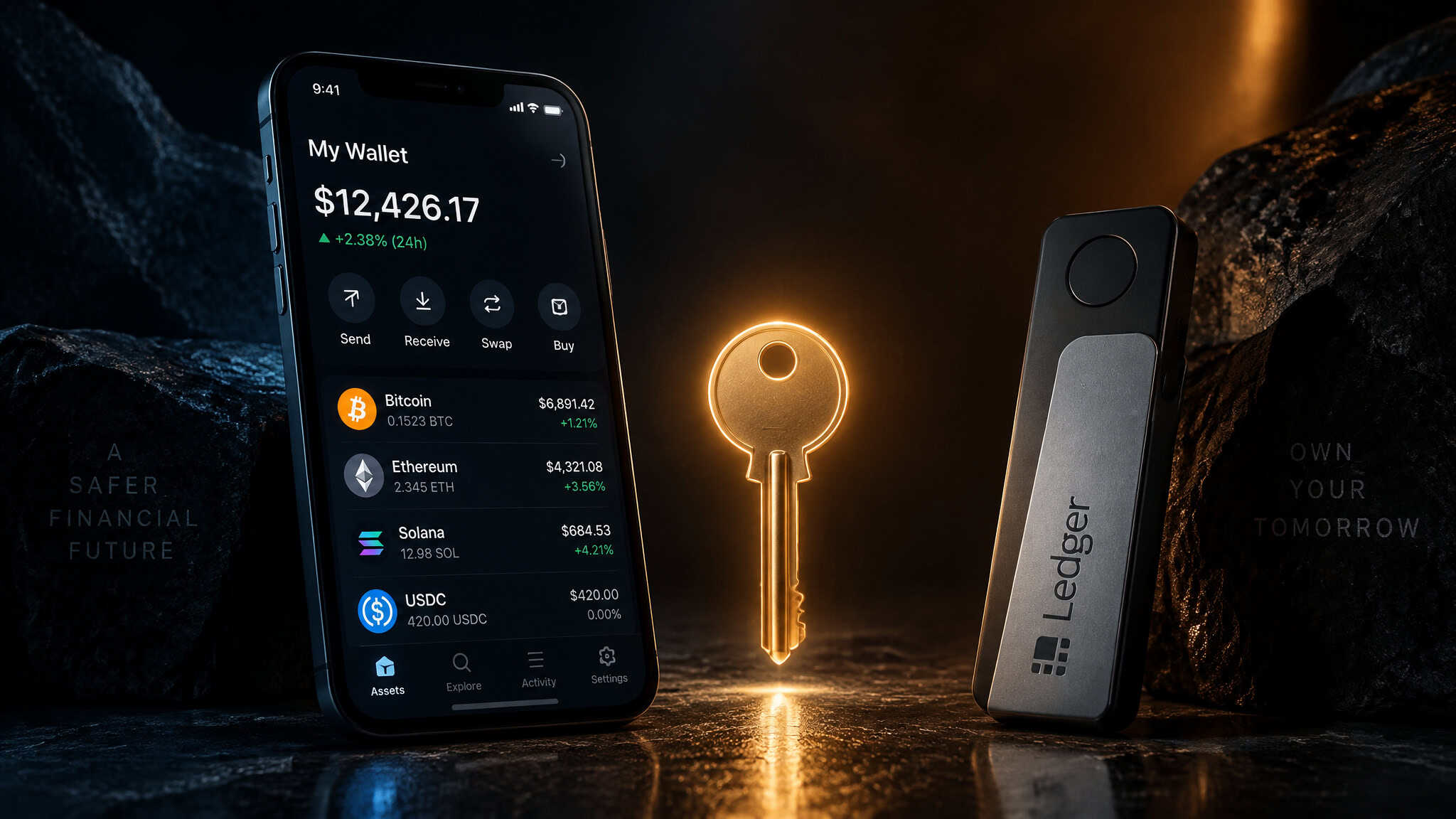
The first thing that surprised me down the hot vs cold crypto wallets rabbit hole wasn’t a gadget or a gimmick. It was a number. Chainalysis reported upwards of $2.2 billion in crypto stolen in 2024, and nearly half of those thefts traced back to compromised private keys, not broken wallet software. That reframed everything for me.
The wallet app on your phone and the little device in your desk drawer both do their jobs fine; the actual attack surface is where the private key lives, online or offline. That’s the whole hot vs cold debate in one sentence, and most comparisons bury it under feature tables. Here’s the short version: hot wallets are convenience, cold wallets are security, and most people need both, though, which makes a plain guide to how to buy crypto the true step zero. The rest of this piece is the map I wish I’d had before I went down the hole.
Key Takeaways
Compromised private keys, not wallet flaws, caused nearly half of 2024 crypto thefts, per Chainalysis reporting on upwards of $2.2B stolen that year.
The one variable separating hot from cold is where the private key lives: online, like MetaMask, versus offline, like Ledger or paper.
Approving a malicious transaction defeats even hardware-wallet protection, so the real security boundary is user behavior, not device category.
Table of Contents
What a crypto wallet actually stores
A crypto wallet stores cryptographic keys, not coins, the assets live on the blockchain, where nobody can move them without the private half of that key pair. The wallet is just the access point: check balances, send stuff, connect to apps, sign transactions. Whoever holds the private key owns the crypto, which is why where that key lives matters more than almost anything else about the app or device.
What is a hot wallet? How it works and where it fails
Hot wallets are internet-connected software: MetaMask, Trust Wallet, Phantom, Exodus, Guarda, Electrum. They’re typically free, they ship as browser extensions or mobile apps, and they’re built for frequent transactions and day-to-day use. If you’ve ever signed a transaction in a browser, you’ve already used one, even if you didn’t think of it that way.
The tradeoff lives in the setup: the seed phrase is generated and stored online. Device malware or a software bug can extract it, and frequent dApp interaction raises your exposure to malicious approvals that drain the wallet. A common pattern in the loss reports: someone treats the convenience as costless, signs approvals without reading them, and the loss traces to an approved transaction rather than a stolen seed. The fair counterweight is that hot wallets with two-factor authentication and backups are reliable daily drivers, and it’s worth researching the team behind a wallet before trusting it with anything.
What is a cold wallet and how does it work?
Cold wallets are offline key storage, often a physical device, which makes them less vulnerable to online attacks, since keys stored offline can’t be reached by phishing links or malware, and well suited to long-term, high-value holdings. Keys are generated and stored locally on the device and never exposed to the internet, even while signing: you connect the device to an online machine when you want to spend, confirm the transaction physically on the device itself, and it signs offline before anything touches the network. That on-device confirmation is the clever bit, malware on your computer can ask for a transfer, but it can’t press the button.
Hardware wallets
These look like flash drives (Ledger), car key fobs (Trezor), or credit cards (Tangem). They connect only when you’re trading, and you confirm every transaction physically on the device before it’s signed. That on-device confirmation is the clever bit: malware on your computer can ask for a transfer, but it can’t press the button. They’re slower than software wallets, which is an acceptable tradeoff for long-term holders.
Air-gapped devices
This is the tiny wizardry end of the spectrum. Air-gapped wallets never touch the internet, full stop. The dance goes like this: you initiate a transaction online, export it as a QR code or onto a flash drive, the offline device signs it, and you carry the signed transaction back the same way. The SafePal S1 does this with QR codes, and honestly, watching unsigned data hop a physical air gap one scan at a time never stops feeling like a heist-movie prop that actually works.
Paper wallets
The low-tech ancestor: private keys written on paper., but paper wallets are low tech and low security. Nostalgia isn’t a security model. They suit enthusiasts and long-term storage better than daily use.
Spending from cold storage means connecting the device to something online or moving funds to a hot wallet first, and you need both the physical device and an internet-connected one on hand. And cold wallets can still be physically lost or stolen. The offline advantage doesn’t survive a laundry cycle.
Cold wallet vs hardware wallet: the distinction that changes the advice
Yes, a hardware wallet can be defeated, and the defeat comes from you: approving a malicious transaction beats even hardware-wallet protection. That’s the answer most listicles dodge.
The terms get used interchangeably, but they’re not identical. A hardware wallet that connects to dApps faces on-chain threats, meaning malicious smart contracts and transactions. beyond simple transfers.: they’re highly resistant to online attacks, not immune to user-side failures.
The connectivity level, not the device type, determines exposure. The good news is the failure mode requires the user to approve something. It’s not a wallet flaw, which means it’s also something you can refuse to do.
Hot vs cold crypto wallets: side-by-side comparison
The core difference is connectivity: hot wallets are internet-connected software holding keys online; cold wallets are offline hardware or paper storage.
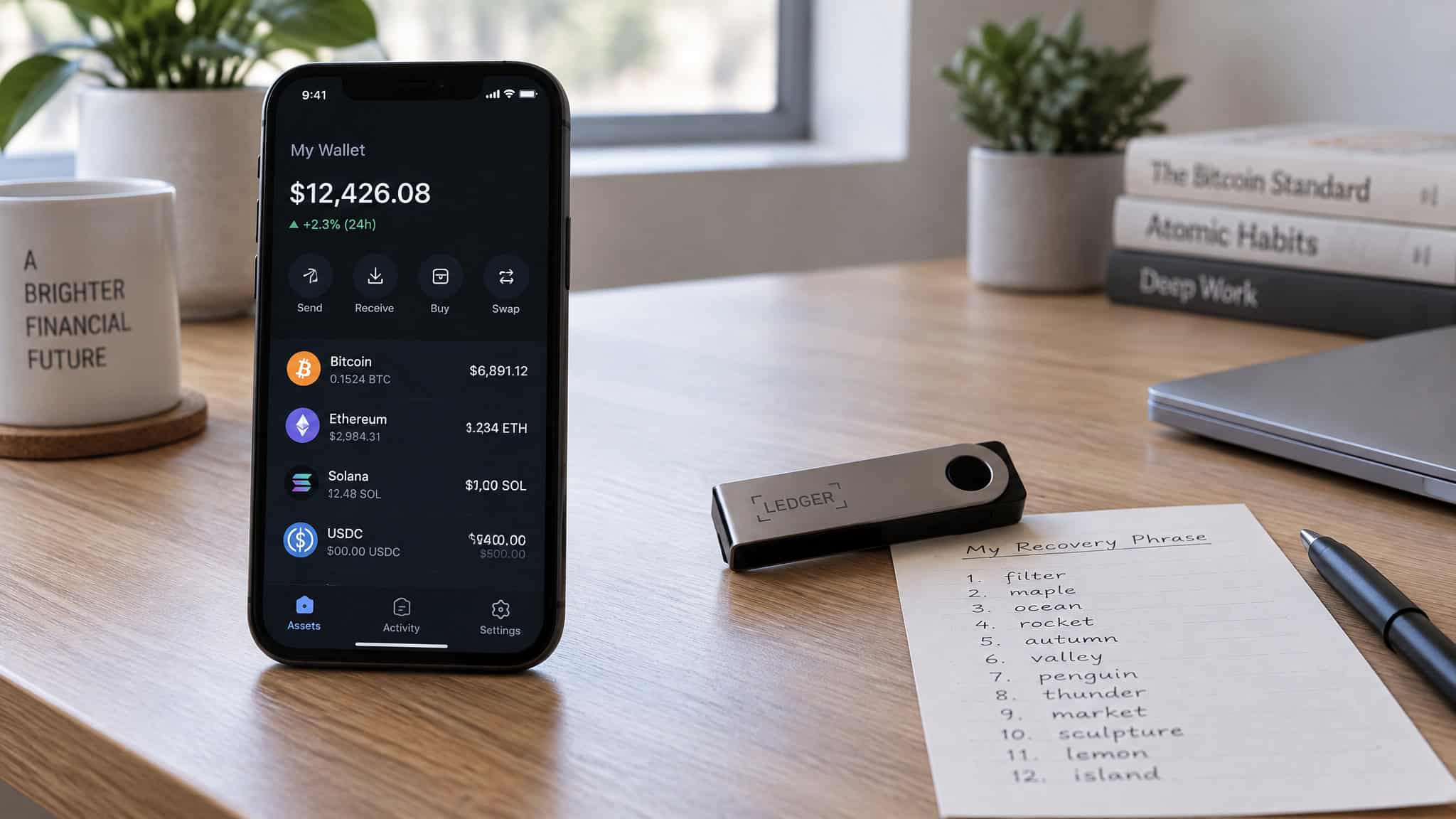
| Hot wallet | Cold wallet | |
|---|---|---|
| Use case | Frequent transactions | Long-term storage |
| Connectivity | Always online | Offline unless needed |
| Security | Vulnerable to hacks, malware, phishing | Resistant to online attacks, but physically stealable and defeatable by a malicious approval |
| Convenience | Easier and faster | Extra steps to spend |
| Signing mechanism | Software signing | Physical on-device confirmation |
| Custody | Typically non-custodial (custodial options exist) | Non-custodial (custodial options exist) |
| Recovery | Seed phrase, if backed up | Seed phrase, if backed up |
| Cost | Usually free | Typically $50, $200 |
| Examples | Trust Wallet, MetaMask, Base | Ledger, Trezor, SafePal S1 |
Every wallet does the same basic job, holding your private keys. What differs is connectivity, custody, chain coverage, recovery, and usability.
Pros and cons, done honestly, including what “free” hides
A cold wallet typically runs $50, $200, and the flagships reach EUR 399 for the Ledger Stax and EUR 398 for the NGRAVE ZERO. The honest framing is insurance: you’re paying upfront against documented loss scenarios like the upwards of $2.2 billion in crypto stolen in 2024 per Chainalysis. Meanwhile a free hot wallet isn’t risk-free; the risk hides inside the convenience.
Hot wallets: fast, convenient, ideal for frequent trading, usually free, no extra hardware to buy. Against that: always-online exposure to hacking, malware, and phishing; weak passwords or a successful phish can mean stolen crypto; and they’re less suitable for significant long-term funds. Would you leave that much in an always-online app?
Cold wallets: offline storage protects against hackers and hot-wallet app failures alike, which is why they’re widely considered safer. Against that: they cost money, they can be physically lost or stolen, and spending takes extra steps with both devices on hand.
The tradeoff listicles skip: hardware wallets and Electrum take more setup effort, while Trust Wallet, Base, and Zengo are simpler but give up some control. Neither type is safe. They fail differently.
The second axis: custodial vs non-custodial wallets
Custodial wallets put a third party in charge of your keys, with BitGo and CoinRabbit as named examples; non-custodial wallets give you complete control but shift security and backup responsibility onto you. The key point: hot/cold is about connectivity, custody is about who holds the keys, and they’re two independent decisions.
Here’s the part retail comparisons never explain: qualified-custodian rules make custodial key management a legal necessity for institutions managing assets on behalf of investors. It’s not a preference, it’s a requirement. Custody eases key management but creates dependence on the provider’s infrastructure; self-custody costs less but makes you the security department. CoinRabbit is the concrete custodial-lending example: 300+ collateral assets, loans processed in roughly 10 minutes per the platform, and recovery through 24/7 human support instead of a seed phrase.
The stated drawback: you’re dependent on the custodian. For institutions, custody is legitimate infrastructure. For individuals, it’s a convenience-versus-responsibility tradeoff, not a moral failing either way.
Best cold wallets for 2026, mapped to use case
The best cold wallets for 2026 split by use case and mechanism: budget picks are the Trezor Safe 3 at $79 and the SafePal S1 at $50, $100, while the maximum-security end is the NGRAVE ZERO at EUR 398 and the Ledger Stax at EUR 399. Full disclosure: sources conflict on a single best hardware wallet, with Ledger Stax and Ledger Nano Flex both named, so these are per-use-case picks, not a winner. Prices may vary.
Ledger Stax
The premium pick with the screen you’ll actually use. A large E Ink touchscreen makes transaction verification genuinely readable instead of a squint at a tiny display, and it connects via USB-C or Bluetooth through Ledger Live. It handles 5,000+ assets across 50+ networks, costs EUR 399, and rates 4/5 on usability. It was named best crypto wallet of 2026 for combining offline key storage, a secure element, and usability. Drawbacks: you’re dependent on Ledger’s software, and Ledger Live can feel clunky.
Trezor Safe 7
The open-source pick. Fully open-source firmware you can audit, plus Shamir backup, which splits your recovery secret into multiple shares Bluetooth and Trezor Suite, 8+ networks and thousands of coins, $249, usability 4/5. Some assets need external wallets.
Trezor Safe 3
The best-value pick: an EAL6+ Secure Element plus open-source firmware at $79. The catch is connectivity: USB-C wired only, no Bluetooth, no touchscreen, no official iOS app.
SafePal S1
The air-gapped QR pick. It signs via QR codes and never connects to a computer, which is the full air-gap treatment at $50, $100. 10,000+ assets across 100+ networks, SafePal App on iOS/Android plus Chrome/Edge extensions, usability 3/5. The drawback is that every action requires a QR scan, which is charming until the third scan.
Tangem
The NFC card, or ring, is exactly the kind of crypto wallet card that reimagines hardware signing: tap-to-phone with no cables, no battery, and no screen, and the no-battery detail deserves genuine delight, the card harvests what it needs from the tap. Keys are generated in an EAL6+ certified secure chip, the seed phrase is optional with backup cards holding key copies, and coverage is 16,000+ assets across 90+ blockchains, though one source cites 93 networks, so the counts disagree. $54.90 for 2 cards or $69.90 for 3, mobile-app only, usability 4.5/5. The drawback is the trust boundary: transaction details get reviewed on your smartphone, not the card.
NGRAVE ZERO
The maximum-security pick, as it’s positioned. Air-gapped, EAL7-certified, which is the top tier of the Common Criteria certification scale, with biometric authentication. 3,500+ assets, EUR 398, and it reaches EVM networks through MetaMask or Rabby integration. I’m reporting the positioning here, not independently crowning it.
Ledger Nano Flex
Named best hardware wallet overall in one 2026 review. EAL-certified Secure Element, USB-C plus Bluetooth plus NFC, 15,000+ coins through Ledger Live, $249. No built-in dApp browser, which sets its connectivity benchmark.
Trezor Model T
Cited as a solid storage alternative in the top-10 takeaways. Worth a look if the Safe 7’s price gives you pause.
Step back and the design philosophies are the interesting part: three wallets solving one problem differently. Ledger leans on ecosystem and E Ink verification, Trezor on open firmware and Shamir recovery flexibility, SafePal on QR isolation. Which is why “buy a Ledger” isn’t advice, it’s a default. For Bitcoin specifically, on-device verification and address checking matter most, understanding what a wallet address in crypto actually is helps here, and Ledger Stax or Trezor Safe 7 are the recommended picks for long-term Bitcoin holding; cold wallets are likewise recommended for long-term XRP storage.
Best hot wallets for trading, DeFi, and daily use
The best hot wallet depends on your chains and habits, and, for anyone still weighing a crypto exchange vs wallet: MetaMask for EVM and DeFi, Phantom for Solana, Trust Wallet for mobile multichain, Zengo for seed-free recovery, Electrum and Sparrow for Bitcoin control. If you’re doing DeFi and NFTs, look at MetaMask, Phantom, and Trust Wallet; beginners should check out Trust Wallet, Base, and Zengo; if you’re migrating off an exchange, Base; and advanced Bitcoin users will want Electrum and Sparrow.
MetaMask
The one everyone’s seen in the wild. Browser extensions for Chrome, Firefox, Brave, and Edge plus mobile, built for EVM networks with newer, limited Bitcoin and Solana support. Most apps integrate with it by default, it signs transactions locally, it’s free, and it rates 3.5/5 on usability. Drawbacks: confusing networks, gas, and approvals, plus the risk of approving something malicious.
Trust Wallet
The breadth-first option: 100+ networks and millions of tokens, mobile plus a browser extension, built-in staking, swaps, and NFT support. Free, usability 4.5/5, and named best mobile wallet. Drawbacks: limited settings and limited pre-signing visibility, and security ultimately depends on the user’s phone.
Phantom
Solana-first, later expanded to Ethereum, Polygon, and Bitcoin. with minimal-friction NFTs, staking, and apps. It’s free, rates 4.5/5 on usability, and features vary by network.
Zengo
The no-seed-phrase wallet. It replaces the seed phrase with MPC-based recovery, splitting access between your device and an encrypted backup. Mobile-only, covering Bitcoin, Ethereum, Polygon, and Solana. Free core, with premium cited as $199.99/year, alternatively $20/month.
Usability 4.5/5. The tradeoff: recovery depends on a proprietary system.
Guarda
Wide coverage with keys generated and stored locally: 70+ blockchains and 1M+ tokens, including native Monero support, staking across 14 networks, desktop/web/mobile/extension, and 24/7 live chat. Free, usability 4.2/5. Built for active access, not cold storage.
Base (formerly Coinbase Wallet)
If you’re migrating off the Coinbase exchange, this is the easy exit: connect your Coinbase account and move to self-custody. It covers EVM networks plus Bitcoin and Solana, it’s free, and usability rates 4.5/5, though some features rely on Coinbase infrastructure.
Exodus
Desktop-first, focused on portfolio tracking across 300+ assets. Chain coverage is cited as 10+ networks in one ranking and 50+ blockchains in another; the sources disagree and I’m not going to pretend they don’t. Built-in swaps often carry higher spreads than external exchanges, and it can connect to hardware wallets, which is a nice blurring of the hot/cold line. Free, usability 4.5/5. Not built for complex DeFi.
Electrum
Bitcoin-only, highly configurable fees and cold-storage workflows, desktop and Android only. Free, no fiat support, usability 3/5. It’s complex and easy to misconfigure, which is the price of maximum control.
Sparrow
Bitcoin-only desktop, focused on privacy and UTXO control, with hardware wallet support and multiple nodes. Free. No staking, swaps, or mobile.
Blue Wallet
A hot wallet designed for the bitcoin ecosystem. Worth knowing it exists if that’s your lane.
Best Wallet
A new non-custodial mobile wallet with MPC plus biometrics and 2FA, aimed at presale access. Free, but new and not battle-tested, and hot-wallet risks still apply.
So you can weigh the rankings yourself: one 2026 guide evaluated 28 wallets use-case-first from official docs, supported networks, and custody/recovery handling; a top-10 list tested security models and documentation; a third applied Security/Functionality/User Experience/Cost criteria. Evaluation scope varies by source, so treat these as mapped picks, not one unified test.
Should you use both? The two-tier setup
Yes, most people should run both: a small operational hot balance for trades, service payments, and small transfers, with the bulk of the portfolio offline in cold storage. What decides it: your risk tolerance, how often you trade, and how much you’re holding. Security-first and long-term holders lean cold; convenience-first users, traders, and DeFi users lean hot.
Here’s the honest gap, and it’s itself the insight: no source supports a universal allocation percentage, so I’m not going to invent a “90/10 rule.” Size the split by transaction velocity, settlement needs, and your own risk thresholds. There’s no magic number. One practical check before committing anywhere: network support.
A wallet without your chain makes your funds unusable, and the chain-locked examples prove it: MetaMask is EVM, Phantom is Solana, Electrum is Bitcoin-only. Hot wallets usually lead in chain coverage while cold wallets focus on major assets.
Quick test: Before committing funds anywhere, confirm the wallet supports your chain. A missing network means unusable funds, not an inconvenience.
Cold wallet or exchange: where the actual risk lives
For long-term storage, self-custody beats leaving funds on an exchange. Exchanges are good for trading but a potential risk for long-term storage.
The data backs the reframe. Chainalysis reported upwards of $2.2 billion in crypto stolen in 2024, with compromised private keys accounting for nearly half of those thefts, and the FBI IC3 Report put crypto fraud losses at over $5.6 billion in 2023, with phishing ranked the #1 attack vector. The heavy lifting here is the reframe: losses rarely come from the wallet itself. The loss trio is phishing links, fake apps, and approving the wrong transaction, and approving a malicious transaction defeats even hardware-wallet protection. Four practices hold across every wallet type: back up your seed phrase, because the key IS the crypto and losing it means the funds are gone with no support ticket; use multisig and MFA; don’t keep large amounts on exchanges; and never share seed phrases or sign unknown transactions.
Recovery and backup: where self-custody actually fails
Recovery design, not device security, is where most self-custody mistakes happen, and a lost, unbacked-up seed phrase means funds are gone regardless of wallet type. The recovery-architecture spectrum: standard seed phrases are recoverable if properly backed up, in any wallet type; Zengo’s MPC-based recovery trades the seed for proprietary dependence; Tangem goes seed-optional with backup cards holding key copies. A recurring pattern in the failure reports: seeds stored as screenshots or cloud notes, and recovery never tested before funding. Test it first.
How institutions run hot and cold wallets
Institutions run the same two-wallet pattern individuals do, just bigger: hot wallets for daily liquidity serving exchanges, OTC desks, and asset managers, and cold storage as the custody backbone, often with insured providers. BitGo, founded in 2013 and serving thousands of institutions and millions of retail investors, is the concrete example: insured, regulated, qualified custody with keys generally held in cold storage, and withdrawals passing through guided security protocols and policy checks. The multisig flow is the interesting bit: a trader initiates a trade with a self-managed key, and if it matches pre-set policies, BitGo countersigns and authorizes the transfer, liquidity maintained with institutional-grade security.
The operational layer is the boring stuff that works: no single person with full control, role-based access, approval layers for large transfers, MFA, withdrawal limits, monitoring, and real-time alerts. Security gets prioritized over withdrawal speed, meaning institutions accept longer waits to move large amounts safely. On governance: trading firms treat wallets like separate bank accounts and reconcile monthly; compliance officers document why hot balances are needed and record governance controls for regulators and auditors; treasurers allocate only daily operational needs plus a small buffer to hot wallets. Disaster recovery runs on backed-up seeds, restricted access protocols, and insured qualified custodians.
Hot vs cold wallet questions, answered directly
Short answers, no hedging. Each question below gets a direct reply grounded in the same distinctions the rest of this piece covers: where the private key lives, what a malicious approval can do, and which tradeoffs come with each wallet type.
Is Coinbase a hot or cold wallet?
Base, formerly Coinbase Wallet, is a free, self-custody hot wallet: software, internet-connected, covering EVM networks plus Bitcoin and Solana. It’s a different thing from custody on the Coinbase exchange itself.
Why should you not hold your crypto in a cold wallet?
Friction and physical risk. Access is slower, requiring a connection to an online device or a transfer to a hot wallet first; there’s a $50, $200+ upfront cost; devices can be lost or stolen; and dApp workflows don’t fit cold storage.
Should I put my XRP in a cold wallet?
Yes, for long-term holding. Hardware devices keep private keys off internet-connected systems. Check network support before choosing a device.
Can a hardware wallet be hacked?
Yes, via user action. Approving a malicious transaction defeats even hardware-wallet protection, and dApp-connected hardware faces on-chain threats. Phishing remains the #1 attack vector.
Which wallet is safest?
The one matching your threat model. Air-gapped devices like the NGRAVE ZERO and SafePal S1 are the strongest answer to online threats, but user behavior defeats any device. This is informational, not financial advice: you’re responsible for your own keys and transactions.
Frequently Asked Questions
Should I put my XRP in a cold wallet?
Yes, for long-term holding. Hardware devices keep private keys off internet-connected systems, which is why cold wallets are the recommended route for XRP you’re not actively trading. Just check that the device supports XRP before buying — a wallet without your chain means unusable funds.
How are cryptocurrency hot wallets different from cold wallets?
One variable: where the private key lives. Hot wallets like MetaMask are internet-connected software holding keys online; cold wallets like Ledger or paper storage keep keys offline. Hot means convenience and frequent transactions, cold means security and long-term storage — and most people need both.
What is a cold wallet and how does it work?
A cold wallet stores private keys offline, usually on a physical device. Keys are generated and stored locally and never exposed to the internet, even while signing — hardware wallets confirm transactions physically on-device, and air-gapped devices like the SafePal S1 sign via QR codes without ever connecting. Spending requires connecting the device to something online or moving funds to a hot wallet first.
Can a hardware wallet be hacked?
Yes, via user action. Approving a malicious transaction defeats even hardware-wallet protection, and hardware wallets connected to dApps face on-chain threats like malicious smart contracts. Phishing remains the #1 attack vector, so the real security boundary is your behavior, not the device category.
