You get an email from someone you don’t know. Maybe it’s a “job offer” that feels too easy. Maybe it’s a notification about a package you never ordered. Your gut says something’s off. So you do what most of us do—you grab a free email checker, paste the address in, and watch it spin.
And then it comes back: valid.
You exhale. Must be fine, right?
That’s the trap. And it’s exactly what this article exists to spring.
That “valid” result just means the mailbox exists. It doesn’t mean the sender is trustworthy. It doesn’t mean the account hasn’t been compromised. It doesn’t mean the person on the other end isn’t actively running a scam. I’ve been digging into this gap, and the most useful free tools aren’t the ones you’d expect—and you need more than one of them.
Here’s the workflow I’ve been using to check suspicious emails for free, why it works, and where it falls short.
Key Takeaways
A “valid” email verification result only confirms the mailbox exists—it doesn’t check reputation, breach history, or scam intent, which means scammers routinely use real, compromised addresses that pass every standard check
The most comprehensive free workflow combines four distinct checks: existence verification (Mailmeteor’s Email Checker), reputation lookup (CleanTalk’s global spam database), breach history (Have I Been Pwned), and domain ownership (reverse WHOIS via DomainTools)
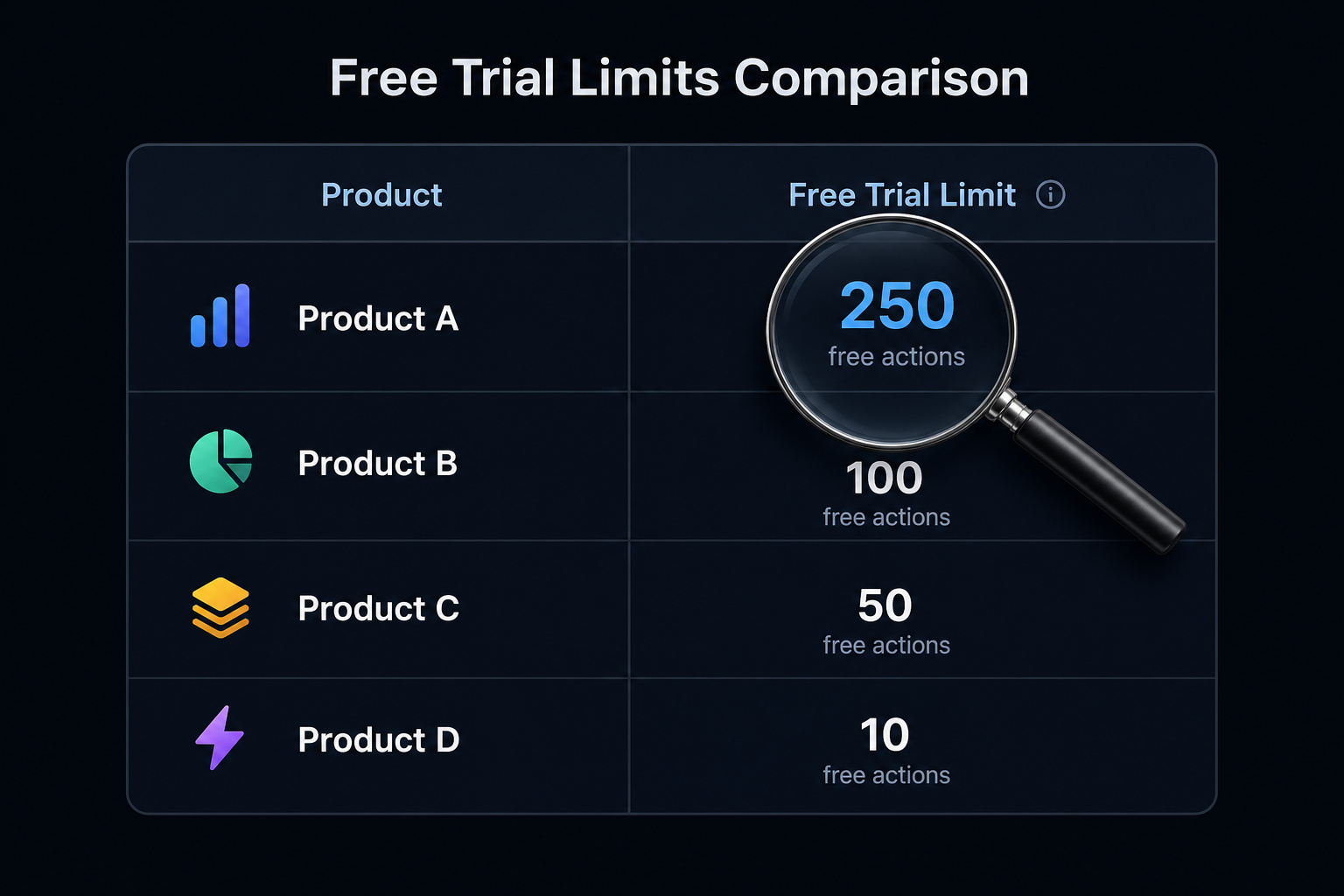
Free trial limits vary massively—Emailable and Alfred offer 250 free verifications while NeverBounce gives only 10—so stacking multiple free trials is the smartest way to check larger lists without paying
Table of Contents
Why “valid” doesn’t mean “safe”
Let me walk through what actually happens when you run an email through a standard verification tool. The process looks something like this:
- Syntax check — does the address have a valid format? Local part, @ symbol, domain. Basic stuff.
- DNS/MX records — is the domain actually configured to receive mail? If the mail server isn’t set up, the address is dead on arrival.
- SMTP handshake — this is the clever part. The tool connects to the mail server and essentially asks, “Hey, does this mailbox exist?” without actually sending a message. If the server says yes, you get “valid.”
That’s it. That’s the whole pipeline for most free checkers. And here’s the problem: none of those steps ask whether the sender is a scammer.
The address chaceweaver@gmail.com could come back as valid—because it is a real Gmail account. But what if that account was compromised in a data breach last year and is now being used to send phishing emails? The verification tool won’t flag that. It can’t. It’s checking existence, not intent.
CleanTalk’s internal data puts a number on this problem: about 30% of email addresses used to spam websites are fake. That means 70% are real. Those real addresses pass verification with flying colors, and they’re often tied to compromised accounts, disposable domains that accept mail, or catch-all configurations that hide whether a mailbox actually exists.
So when you see “valid” and assume you’re safe, you’re skipping the most important question: is this address known to be dangerous?
What standard email verification actually catches (and misses)
To understand why verification alone won’t save you, let’s look at what happens when a scammer sets up an operation.

They need an address that passes the SMTP handshake. If the server rejects the mailbox, their phishing email bounces and they’ve wasted their time. So they use addresses that work. That means:
Compromised accounts from data breaches. Real people’s email accounts that have been hacked. The mailbox exists. The SMTP handshake succeeds.
The address is valid. It’s also actively dangerous.
Disposable domains. Services like Mailinator, Yopmail, and EmailOnDeck let anyone create a temporary inbox in seconds. These domains are configured to accept mail, so they pass SMTP checks. But the address was created 10 minutes ago, will be dead in an hour, and the “sender” has no identity to trace.
Catch-all domains. Some domains are configured to accept every email sent to them, regardless of whether the specific mailbox exists. The server never says “no.” Every address at that domain comes back as valid, even if the scammer just made it up on the spot.
Role-based addresses. info@, sales@, support@—these are shared mailboxes that multiple people access. They’re harder to trace, easier to impersonate, and more likely to be used for spam.
The standard verification tools I tested—Mailmeteor, QuickEmailVerification, Hunter, Bouncer, ZeroBounce, all of them—return four result categories: valid, risky, invalid, and unknown. That “risky” flag is the one you want to pay attention to. It fires when the tool detects a disposable domain, a catch-all setup, or a role-based address. But here’s the thing: a compromised Gmail account won’t trigger any of those flags.
It’s a real address, on a real domain, belonging to a real person. It comes back as “valid.” And you’re no wiser.
How to run a free email scammer check in four steps
Okay, so here’s the process I’ve been using. It’s not a single tool—it’s four complementary checks that together cover what no free service offers alone. And yes, all of them are free.
Step 1: Does the mailbox actually exist?
Start with Mailmeteor’s Email Checker. No sign-up required for a single check, which is refreshing. Paste in the email and it runs through 15+ verification steps—syntax, DNS, MX records, SMTP handshake, and the whole suite. You’ll get back valid, risky, invalid, or unknown.
This is your baseline. If it comes back invalid, the address doesn’t exist and you’re done. But if it’s valid, remember: existence confirmed, safety not confirmed. Move to step two.
Step 2: What’s the email’s reputation?
This is the piece most people skip. CleanTalk checks the email against its global spam database, which is built from submissions across millions of websites. It flags addresses linked to spam, scams, fraud, and phishing, and gives you a reputation score.
That 30% fake email statistic? That’s from CleanTalk’s internal data. Their database is huge because it’s crowdsourced from real websites. If an address has been used in spam campaigns or scam attempts, CleanTalk will likely know about it.
Step 3: Has this address been breached?
You already know Have I Been Pwned—it’s been the go-to for breach checking for years. Paste the email in and it’ll tell you if the address appears in any known data dumps. If it does, that address could be compromised and actively used for scams.
This step is quick and essential. If the address shows up in a breach and someone’s emailing you from it, treat that as a massive red flag.
Step 4: Who owns the domain?
This one’s rarely mentioned in scam check guides, but it’s the secret weapon. Use DomainTools’ free tier to run a reverse WHOIS lookup on the email’s domain. You’ll see who registered it, when, and—crucially—whether that person has registered other suspicious domains. As we dig into the reality: free check email address owner offers a way to use free WHOIS, Google dorks, and public social media queries to find out who owns an email address—while explaining the ethical and legal guardrails.
A domain that was created three days ago, registered anonymously, and linked to other scam domains? That tells you more than any verification step ever could.
These four checks cover existence, reputation, breach history, and ownership. No single free tool does all of them. But that’s exactly the point.
Which technical checks actually flag scammers
Not all verification checks are equal when it comes to scam detection. Among the 15+ checks Mailmeteor runs, three stand out as particularly useful for catching scammers:
Disposable domain detection. When you see an address like 96b0fvr6ra06pq@web-library.net, that’s not a real person’s inbox. That’s a randomly generated address from a throwaway service, often used for temporary accounts. Mailmeteor catches these.
So does Verifalia and most other serious tools. Scammers love disposable domains because they can create hundreds of addresses in minutes and walk away when they’re burned.
Catch-all detection. This is trickier. A catch-all domain accepts every email, so the SMTP handshake says “yes” for every address—a technique known as domain masking. The tool has to use additional probing to figure out whether the domain has catch-all enabled.
When it does, the address gets flagged as “risky.” That’s your signal to be suspicious—especially if the domain looks odd.
Role-based detection. sales@, support@, info@—these aren’t personal inboxes. They’re shared mailboxes that multiple people monitor. The risk here is twofold: first, you can’t verify who you’re actually talking to, and second, role-based addresses get hit with more spam complaints because they’re used indiscriminately.
If you run a check and the result comes back “risky” with any of these flags, treat it as a high-priority warning. The address might be “valid” in the technical sense, but the context screams scam.
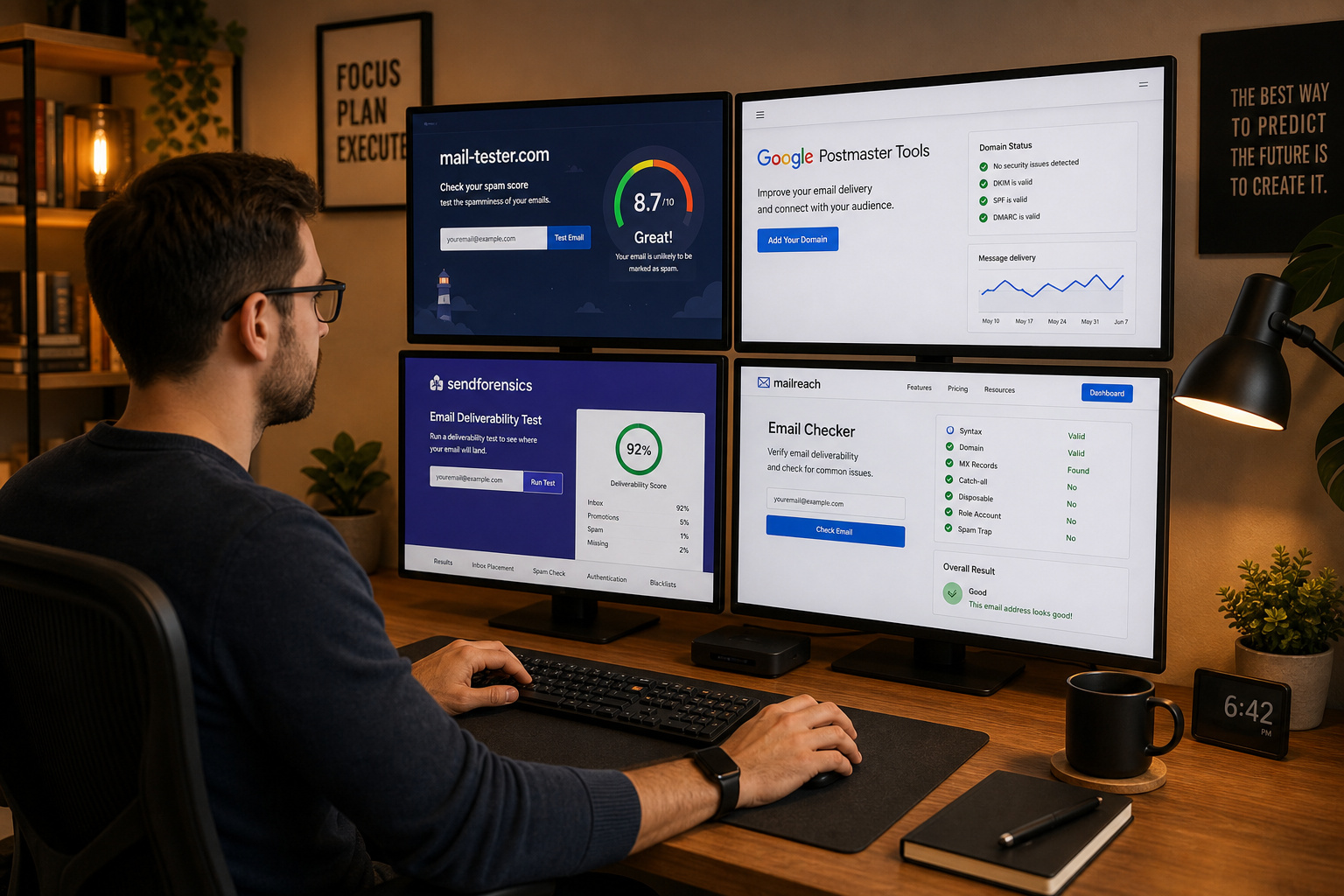
Best free email scammer check tools compared
Let’s be honest about what each type of tool actually offers for free.
Free email verification tools
Mailmeteor is the quickest entry point—no sign-up for a single check, and it covers all the basics plus disposable and catch-all detection. Hunter offers 50 free verifications and stealth checks (no email sent to the contact). Verifalia runs over 30 verification steps, classifies emails into 40+ types, and is completely stealth. QuickEmailVerification claims over 99% accuracy and gives you 100 free checks per day.
Free reputation and blacklist checkers
CleanTalk is the standout here because it’s purpose-built for scam detection, not deliverability. It checks whether the address has been caught spamming or scamming across millions of websites. Mailmeteor also checks against 100+ blacklists, which gives a secondary reputation signal. Together, sender reputation and blacklist status provide a powerful indicator of scam risk.
Free breach and WHOIS lookups
Have I Been Pwned needs no introduction. It’s free, it’s fast, and it’s the definitive source for breach data. DomainTools’ free tier for reverse WHOIS is rate-limited, but for a single suspicious domain, it’s more than enough.
Free trial limits
Here’s where the numbers matter. If you’re checking more than a handful of addresses, free trials run out fast:
- Emailable: 250
- Alfred: 250
- Bouncer: 100
- ZeroBounce: 100
- Kickbox: 100
- Clearout: 100
- EmailListVerify: 100
- Hunter: 50
- Snov.io: 50
- NeverBounce: 10
See the pattern? Emailable and Alfred are generous. NeverBounce gives you barely a taste. The smart move is to combine free trials across multiple tools, using each for its strength—Mailmeteor for quick single checks, Emailable for a larger batch, CleanTalk for reputation, and so on.
How to interpret an “unknown” result
You run a check. It spins. And then it comes back: unknown.
What does that mean?
Technically, it means the email provider blocked the verification. This happens most often with large mailbox hosts like Gmail and Yahoo, which are configured to reject SMTP probing. The tool couldn’t get a conclusive answer, so it returns “unknown.”
It does not mean the address is safe.
Treat “unknown” as “I need more data.” Go straight to step two and three—run the address through CleanTalk and Have I Been Pwned. Check the domain registration. See if there are any other signals.
An “unknown” result from Gmail is normal and doesn’t tell you much. An “unknown” result from a small, sketchy domain is a red flag itself.
Never assume “unknown” is a green light. It’s not.
Spotting scam emails before you run a technical check
Your eyes are still your best first-line tool. Before you copy-paste anything into a checker, look for these signals:
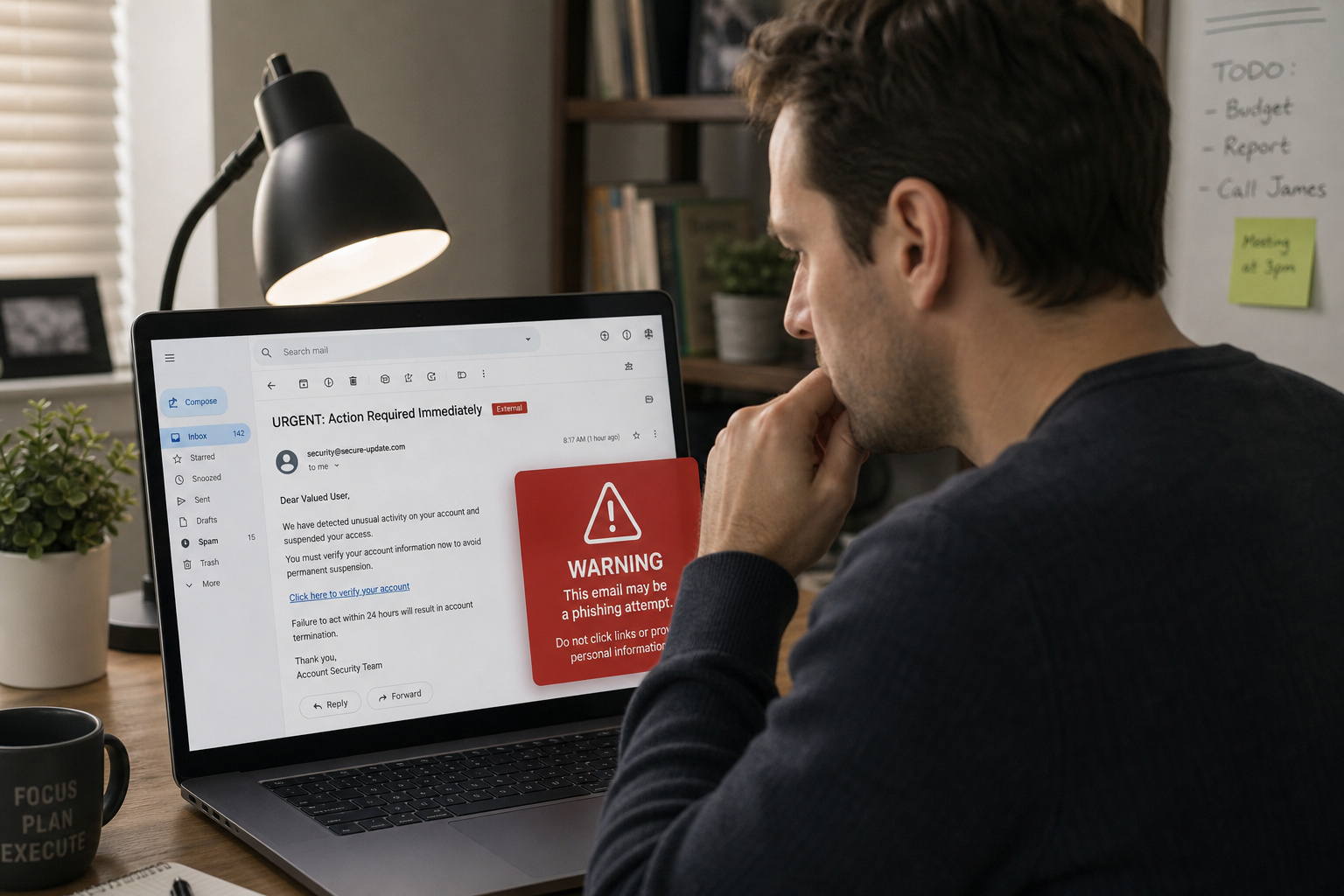
Urgent language — Your account will be suspended in 24 hours or “Immediate action required.” Scammers create artificial pressure to bypass your critical thinking. Also watch for urgent requests for personal data like passwords or credit card numbers—this is a classic phishing hallmark.
Disposable email providers — If the sender is using Mailinator, Yopmail, or EmailOnDeck, that’s not a legitimate business communication.
Role-based addresses from unknown domains — An email from sales@suspicious-domain-that-looks-like-real-company.com? Run it. The role-based format makes it harder to trace, and the domain spoofing is deliberate.
Misspellings and formatting errors — Legitimate companies have copy editors. Scammers don’t.
But here’s the thing: some of the most convincing scams have none of these visible clues. The email looks professional, the language is polished, and the address looks real. That’s why you never rely solely on what you see. Always run the technical check.
The difference between spam, scam, phishing, and fraud is worth keeping straight. Spam is annoying bulk advertising. A scam is a deliberate attempt to deceive you for money or data. Phishing is a specific type of fraud that impersonates a trusted entity.
Fraud includes fake invoices and payment redirection. Your technical checks should be catching all of these—but especially scams and phishing, which are the ones that cost you real money.
What free tools cannot do
Let me level with you. Free tools are genuinely useful for vetting a single suspicious email. But they have real limits, and pretending otherwise would be dishonest.

No free tool has access to comprehensive, real-time scammer databases across all platforms. CleanTalk’s database is impressive, but it’s built from websites that use their service. It doesn’t cover every scam operation out there.
Reverse WHOIS lookups are rate-limited on free tiers. DomainTools lets you look up a domain or two, but you’re not running bulk investigations without paying.
Some free tools collect the email addresses you submit. This is a real privacy concern, especially if you’re investigating something sensitive. Bouncer and ZeroBounce offer SOC2 and GDPR compliance on their paid plans, but free tiers from smaller tools may log your queries. Read the privacy policy—or assume they’re logging.
Free tiers almost never include batch processing. Checking a list of 1,000 addresses would require combining free trials across multiple tools. It’s doable, but it’s manual.
When to upgrade
If you’re checking more than a few hundred addresses regularly, the free tier hits a wall fast. Here’s what it costs to go beyond:
For 10,000 verifications, the price range is wild:
- EmailListVerify: $24
- Bouncer: $45
- Emailable: $50
- NeverBounce: $50
- Clearout: $58
- ZeroBounce: $64
- Kickbox: $80
- Alfred: $80
- Hunter: $149
- Snov.io: $189
That’s $24 to $189 for the same number of verifications. The difference matters. EmailListVerify is dirt cheap but only integrates with 11 tools. Bouncer is rated most accurate and costs $45. Hunter is on the expensive end but offers stealth verification and solid integration.
When does it make sense to pay? Three situations:
- You need real-time API verification — for sign-up forms that validate addresses as users type
- You’re processing lists of 1,000+ addresses — manual free-trial hopping becomes unsustainable
- You need compliance features — SOC2, GDPR, data anonymization are standard on paid tiers, not always on free ones
For most people checking the occasional suspicious email? The free workflow I described works fine.
Building your own free email scammer check workflow
Four checks. That’s it.
- Existence check — Mailmeteor or another free verifier
- Reputation check — CleanTalk
- Breach check — Have I Been Pwned
- Domain check — Reverse WHOIS via DomainTools
No single free tool covers all four. But when you combine them, you get something that’s genuinely useful—and it costs exactly zero dollars.
I’ve been using this workflow for months. I’ve caught compromised accounts that passed every single verification check. I’ve traced scam domains back to registrants who had registered dozens of similar domains. I’ve caught throwaway addresses from Mailinator that would have slipped past anyone who only checked validity.
The next time you get a suspicious email, don’t stop at “valid.” Check it thoroughly. The gap between “valid” and “safe” is wider than most people realize—but it’s one you can cross without paying a cent.
For a deeper dive into verifying email legitimacy using header analysis and SPF/DKIM/DMARC, check out our guide on how to verify if an email is legit. If you want to understand the SMTP handshake and MX record lookups that make verification possible without alerting the sender, we’ve got you covered with how to check if an email is valid without sending.
This article was designed to help you stay safe. We’ve linked to tools we genuinely use and trust. Some links may be affiliate links, but we only recommend what we’ve tested ourselves.
Frequently Asked Questions
Is there a totally free email lookup?
Yes, but it won’t tell you everything you need. Free tools like Mailmeteor’s Email Checker can verify whether a mailbox exists without charging you, but they only check syntax, DNS, and SMTP handshake. They don’t check reputation, breach history, or whether the address is tied to a scam operation.
Why does an email come back as ‘valid’ even if it’s a scam?
Because ‘valid’ only means the mailbox exists — it doesn’t check the sender’s intent. Scammers routinely use real, compromised accounts from data breaches or disposable domains that accept all mail. The SMTP handshake confirms the address is real, but it can’t tell you whether that account is being used to phish or defraud you.
What’s the difference between a spam check and a scam check?
A spam check looks for bulk advertising behavior, while a scam check looks for deliberate fraud or phishing. Standard email verification tools only confirm existence and sometimes flag disposable domains. A proper scam check adds reputation lookups (like CleanTalk), breach history (Have I Been Pwned), and domain ownership analysis to catch compromised accounts and fraudulent senders.
How do I check if an email address has been compromised?
Paste the email into Have I Been Pwned, a free service that searches known data breach dumps. If the address shows up in a breach, it could be compromised and actively used for scams. Treat any email from a breached address as a major red flag, even if the message looks professional.
